instrument panel GMC ACADIA 2010 Workshop Manual
[x] Cancel search | Manufacturer: GMC, Model Year: 2010, Model line: ACADIA, Model: GMC ACADIA 2010Pages: 444, PDF Size: 2.58 MB
Page 297 of 444
Driving and Operating 9-47
Following Distance
Stay at least twice as far behind the
vehicle ahead as you would when
driving the vehicle without a trailer.
This can help to avoid situations
that require heavy braking and
sudden turns.
Passing
More passing distance is needed
when towing a trailer. Because the
rig is longer, it is necessary to go
farther beyond the passed vehicle
before returning to the lane.
Backing Up
Hold the bottom of the steering
wheel with one hand. To move the
trailer to the left, move that hand to
the left. To move the trailer to the
right, move your hand to the right.
Always back up slowly and,
if possible, have someone
guide you.
Making Turns
Notice:Making very sharp turns
while trailering could cause the
trailer to come in contact with the
vehicle. The vehicle could be
damaged. Avoid making very
sharp turns while trailering.
When turning with a trailer, make
wider turns than normal so the
trailer will not strike soft shoulders,
curbs, road signs, trees or other
objects. Use the turn signal well in
advance and avoid jerky or sudden
maneuvers.
Turn Signals When Towing a
Trailer
The turn signal indicators on the
instrument panel flash whenever
signaling a turn or lane change. Properly hooked up, the trailer
lamps also flash, telling other
drivers the vehicle is turning,
changing lanes or stopping.
When towing a trailer, the arrows on
the instrument panel flash for turns
even if the bulbs on the trailer are
burned out. Check occasionally to
be sure the trailer bulbs are still
working.
Driving On Grades
Reduce speed and shift to a lower
gear before starting down a long or
steep downgrade. If the
transmission is not shifted down, the
brakes might have to be used so
much that they would get hot and no
longer work well.
Page 304 of 444
9-54 Driving and Operating
Trailer Wiring Harness
Basic Trailer Wiring
The trailer wiring harness, with a
seven-pin connector, is located at
the rear of the vehicle and is tied to
the vehicle's frame. The harness
connector can be plugged into a
seven-pin universal heavy-duty
trailer connector available through
your dealer/retailer.
The seven-wire harness contains
the following trailer circuits:
.Yellow: Left Stop/Turn Signal
.Dark Green: Right Stop/Turn
Signal
.Brown: Taillamps
.Black: Ground
.Light Green: Back-up Lamps
.Red/Black: Battery Feed
.Dark Blue: Trailer Brake**The fuse for this circuit is installed
in the underhood electrical center,
but the wires are not connected.
They should be connected by your
dealer/retailer or a qualified service
center.
If the back-up lamp circuit is not
functional, contact your dealer/
retailer.
If a remote (non-vehicle) battery is
being charged, press the Tow/Haul
mode switch located on the center
console near the climate controls.
This will boost the vehicle system
voltage and properly charge the
battery. If the trailer is too light for
Tow/Haul mode, turn on the
headlamps (Non-HID only) as a
second way to boost the vehicle
system and charge the battery.
Electric Trailer Brake Control
Wiring Provisions
These wiring provisions for an
electric trailer brake controller are
included with the vehicle as part of
the trailer wiring package. The
instrument panel contains blunt cut
wires behind the steering column for
the electric trailer brake controller.
The harness contains the following
wires:
.Red/Black: Power Supply
.White: Brake Switch Signal
.Gray: Illumination
.Dark Blue: Trailer Brake Signal
.Black: Ground
The electric trailer brake controller
should be installed by your dealer/
retailer or a qualified service center.
Page 308 of 444
10-2 Vehicle Care
Fuses and CircuitBreakers . . . . . . . . . . . . . . . . . . 10-31
Engine Compartment Fuse Block . . . . . . . . . . . . . . . . . . . . . 10-31
Instrument Panel Fuse
Block . . . . . . . . . . . . . . . . . . . . . 10-34
Wheels and Tires
Tires . . . . . . . . . . . . . . . . . . . . . . . . 10-37
Tire Sidewall Labeling . . . . . . 10-37
Tire Designations . . . . . . . . . . . 10-39
Tire Terminology andDefinitions . . . . . . . . . . . . . . . . 10-40
Tire Pressure . . . . . . . . . . . . . . . 10-43
Tire Pressure Monitor System . . . . . . . . . . . . . . . . . . . 10-44
Tire Pressure Monitor
Operation . . . . . . . . . . . . . . . . . 10-45 Tire Inspection . . . . . . . . . . . . . . 10-49
Tire Rotation . . . . . . . . . . . . . . . 10-49
When It Is Time for New
Tires . . . . . . . . . . . . . . . . . . . . . . 10-50
Buying New Tires . . . . . . . . . . . 10-51
Different Size Tires and
Wheels . . . . . . . . . . . . . . . . . . . 10-53
Uniform Tire Quality Grading . . . . . . . . . . . . . . . . . . . 10-53
Wheel Alignment and Tire Balance . . . . . . . . . . . . . . . . . . . 10-55
Wheel Replacement . . . . . . . . 10-55
Tire Chains . . . . . . . . . . . . . . . . . 10-56
If a Tire Goes Flat . . . . . . . . . . 10-56
Tire Sealant and Compressor Kit . . . . . . . . . . . 10-58
Storing the Tire Sealant and Compressor Kit . . . . . . . . . . . 10-65 Tire Changing . . . . . . . . . . . . . . 10-66
Secondary Latch System . . . 10-74
Compact Spare Tire . . . . . . . . 10-77
Jump Starting
Jump Starting . . . . . . . . . . . . . . 10-78
Towing
Towing the Vehicle . . . . . . . . . 10-82
Recreational Vehicle
Towing . . . . . . . . . . . . . . . . . . . . 10-82
Appearance Care
Exterior Care . . . . . . . . . . . . . . . 10-85
Interior Care . . . . . . . . . . . . . . . . 10-88
Floor Mats . . . . . . . . . . . . . . . . . . 10-91
Page 311 of 444
Vehicle Care 10-5
Hood
To open the hood, do the following:
1. Pull the hood release handlewith this symbol on it. It is
located under the instrument
panel on the driver's side of the
vehicle.
2. At the front of the vehicle, pull up on the center of the hood,
and push the secondary hood
release to the right. 3. After you have partially lifted the
hood, gas struts will
automatically take over to lift and
hold the hood in the fully open
position.
Before closing the hood, be sure all
filler caps are on properly.
Pull the hood down to close. Lower
the hood until the lifting pressure of
the strut is reduced. Then allow the
hood to fall and latch into place
under its own weight. Check to
make sure the hood is closed. If the
hood does not fully latch, gently
push the hood down at the front and
center of the hood until it is
completely latched.
Page 325 of 444
Vehicle Care 10-19
9. If the coolant level inside theradiator filler neck is low, add
more of the proper DEX-COOL
coolant mixture through the filler
neck until the level is back up to
the base of the filler neck.
Replace the pressure cap. Be
sure to secure it tightly.
Notice: If the pressure cap is not
tightly installed, coolant loss and
possible engine damage may
occur. Be sure the cap is properly
and tightly secured.
Engine Overheating
The vehicle has several indicators
to warn of engine overheating.
There is an engine coolant
temperature gage on the instrument
panel cluster. See Engine Coolant
Temperature Gage on page 5‑13. The vehicle may also display an
ENGINE OVERHEATED IDLE
ENGINE and ENGINE
OVERHEATED STOP ENGINE
message in the Driver Information
Center (DIC). See
Warning Lights,
Gages, and Indicators
on
page 5‑10.
You may decide not to lift the hood
when this warning appears, but
instead get service help right away.
See Roadside Assistance Program
on page 13‑5.
If you do decide to lift the hood ,
make sure the vehicle is parked on
a level surface.
Then check to see if the engine
cooling fans are running. If the
engine is overheating, both fans
should be running. If they are not,
do not continue to run the engine
and have the vehicle serviced. Notice:
Engine damage from
running the engine without
coolant is not covered by the
warranty.
Notice: If the engine catches fire
while driving with no coolant, the
vehicle can be badly damaged.
The costly repairs would not be
covered by the vehicle warranty.
See Overheated Engine
Protection Operating Mode
on
page 10‑21for information on
driving to a safe place in an
emergency.
Page 340 of 444
10-34 Vehicle Care
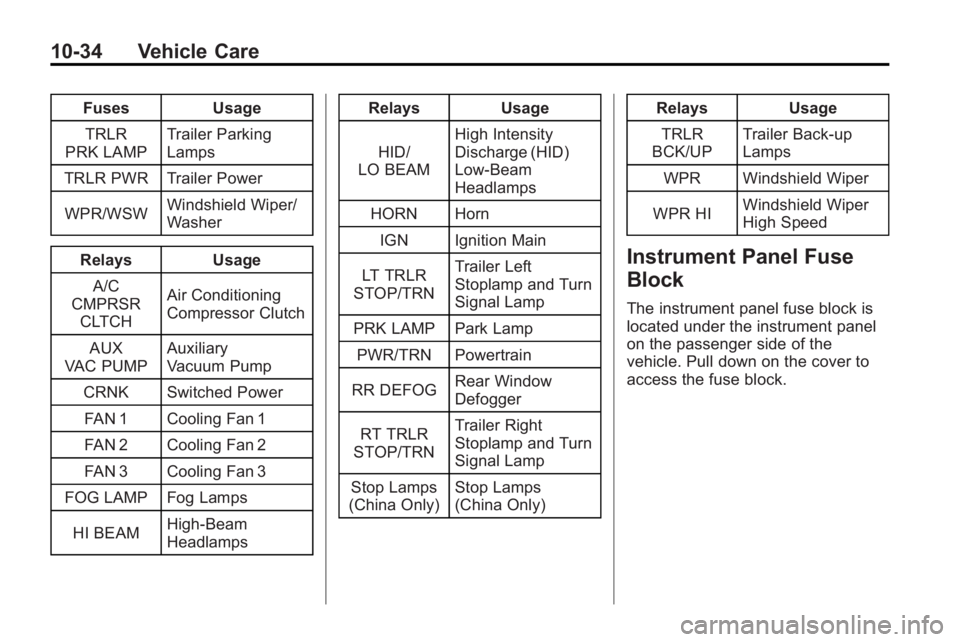
FusesUsage
TRLR
PRK LAMP Trailer Parking
Lamps
TRLR PWR Trailer Power
WPR/WSW Windshield Wiper/
Washer
Relays Usage
A/C
CMPRSR CLTCH Air Conditioning
Compressor Clutch
AUX
VAC PUMP Auxiliary
Vacuum Pump
CRNK Switched Power FAN 1 Cooling Fan 1
FAN 2 Cooling Fan 2
FAN 3 Cooling Fan 3
FOG LAMP Fog Lamps
HI BEAM High-Beam
Headlamps Relays
Usage
HID/
LO BEAM High Intensity
Discharge (HID)
Low-Beam
Headlamps
HORN Horn
IGN Ignition Main
LT TRLR
STOP/TRN Trailer Left
Stoplamp and Turn
Signal Lamp
PRK LAMP Park Lamp PWR/TRN Powertrain
RR DEFOG Rear Window
Defogger
RT TRLR
STOP/TRN Trailer Right
Stoplamp and Turn
Signal Lamp
Stop Lamps
(China Only) Stop Lamps
(China Only) Relays
Usage
TRLR
BCK/UP Trailer Back-up
Lamps
WPR Windshield Wiper
WPR HI Windshield Wiper
High Speed
Instrument Panel Fuse
Block
The instrument panel fuse block is
located under the instrument panel
on the passenger side of the
vehicle. Pull down on the cover to
access the fuse block.
Page 352 of 444
10-46 Vehicle Care
and wheel assembly, if the vehicle
has one. The TPMS sensors
monitor the air pressure in the
vehicle's tires and transmits the tire
pressure readings to a receiver
located in the vehicle.
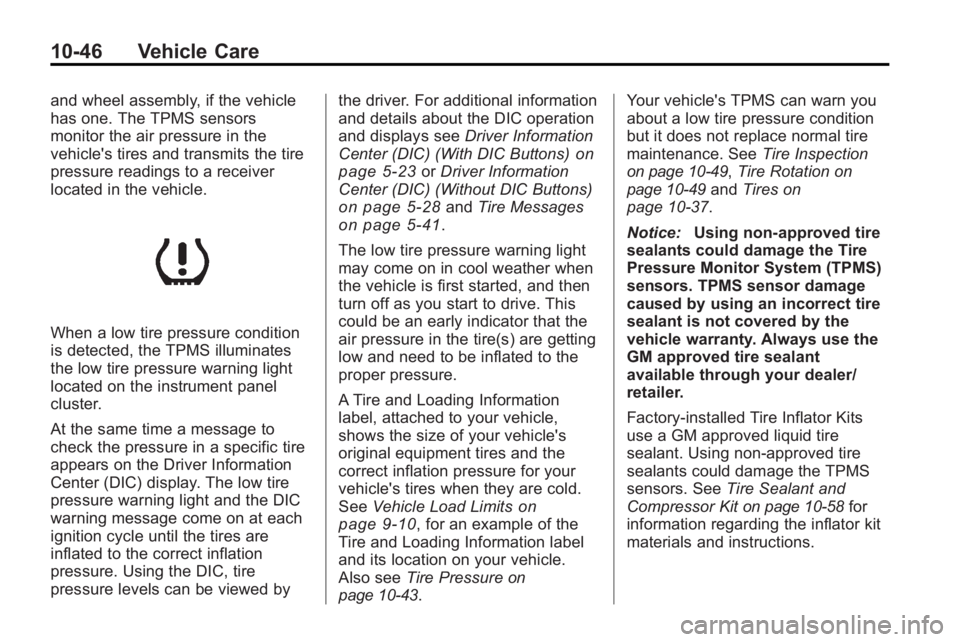
When a low tire pressure condition
is detected, the TPMS illuminates
the low tire pressure warning light
located on the instrument panel
cluster.
At the same time a message to
check the pressure in a specific tire
appears on the Driver Information
Center (DIC) display. The low tire
pressure warning light and the DIC
warning message come on at each
ignition cycle until the tires are
inflated to the correct inflation
pressure. Using the DIC, tire
pressure levels can be viewed bythe driver. For additional information
and details about the DIC operation
and displays see
Driver Information
Center (DIC) (With DIC Buttons)
on
page 5‑23or Driver Information
Center (DIC) (Without DIC Buttons)
on page 5‑28and Tire Messageson page 5‑41.
The low tire pressure warning light
may come on in cool weather when
the vehicle is first started, and then
turn off as you start to drive. This
could be an early indicator that the
air pressure in the tire(s) are getting
low and need to be inflated to the
proper pressure.
A Tire and Loading Information
label, attached to your vehicle,
shows the size of your vehicle's
original equipment tires and the
correct inflation pressure for your
vehicle's tires when they are cold.
See Vehicle Load Limits
on
page 9‑10, for an example of the
Tire and Loading Information label
and its location on your vehicle.
Also see Tire Pressure
on
page 10‑43. Your vehicle's TPMS can warn you
about a low tire pressure condition
but it does not replace normal tire
maintenance. See
Tire Inspection
on page 10‑49,Tire Rotationon
page 10‑49and Tires on
page 10‑37.
Notice: Using non-approved tire
sealants could damage the Tire
Pressure Monitor System (TPMS)
sensors. TPMS sensor damage
caused by using an incorrect tire
sealant is not covered by the
vehicle warranty. Always use the
GM approved tire sealant
available through your dealer/
retailer.
Factory-installed Tire Inflator Kits
use a GM approved liquid tire
sealant. Using non-approved tire
sealants could damage the TPMS
sensors. See Tire Sealant and
Compressor Kit
on page 10‑58for
information regarding the inflator kit
materials and instructions.
Page 397 of 444
Vehicle Care 10-91
Instrument Panel, Vinyl, and
Other Plastic Surfaces
To remove dust, a soft cloth
dampened with water can be used.
If a more thorough cleaning is
necessary, a clean soft cloth
dampened with a mild soap solution
can be used to gently remove dust
and dirt. Never use spot lifters or
removers on plastic surfaces.
Many commercial cleaners and
coatings that are sold to preserve
and protect soft plastic surfaces
may permanently change the
appearance and feel of the interior
and are not recommended. Do not
use silicone or wax-based products,
or those containing organic solvents
to clean the vehicle's interior
because they can alter the
appearance by increasing the gloss
in a non-uniform manner.Some commercial products may
increase gloss on the instrument
panel. The increase in gloss may
cause annoying reflections in the
windshield and even make it difficult
to see through the windshield under
certain conditions.
Care of Safety Belts
Keep belts clean and dry.
{WARNING
Do not bleach or dye safety belts.
It may severely weaken them. In
a crash, they might not be able to
provide adequate protection.
Clean safety belts only with mild
soap and lukewarm water.
Floor Mats
If the floor mat has a snap retainer,
a grommet in the driver side floor
mat attaches to a hook on the floor
of the vehicle to secure the floor
mat. To remove the floor mat, pull
the mat towards the rear of the
vehicle until the grommet can be
removed from the hook.
If the floor mat has a knob retainer,
a grommet in the floor mat attaches
to a knob on the floor of the vehicle
to secure the floor mat. To remove
the floor mat, turn the knob till it is
aligned with the slot in the floor mat
grommet and pull the floor mat up.
To reinstall, center the slot in the
floor mat grommet with the knob on
the floor and set the mat in place.
Then turn the knob until it is
perpendicular to the slot in the
grommet to lock the mat in place.
Page 413 of 444
Technical Data 12-1
Technical Data
Vehicle Identification
Vehicle IdentificationNumber (VIN) . . . . . . . . . . . . . . 12-1
Service Parts Identification Label . . . . . . . . . . . . . . . . . . . . . . . 12-1
Vehicle Data
Capacities andSpecifications . . . . . . . . . . . . . . 12-2
Engine Drive Belt Routing . . . 12-3
Vehicle Identification
Vehicle Identification
Number (VIN)
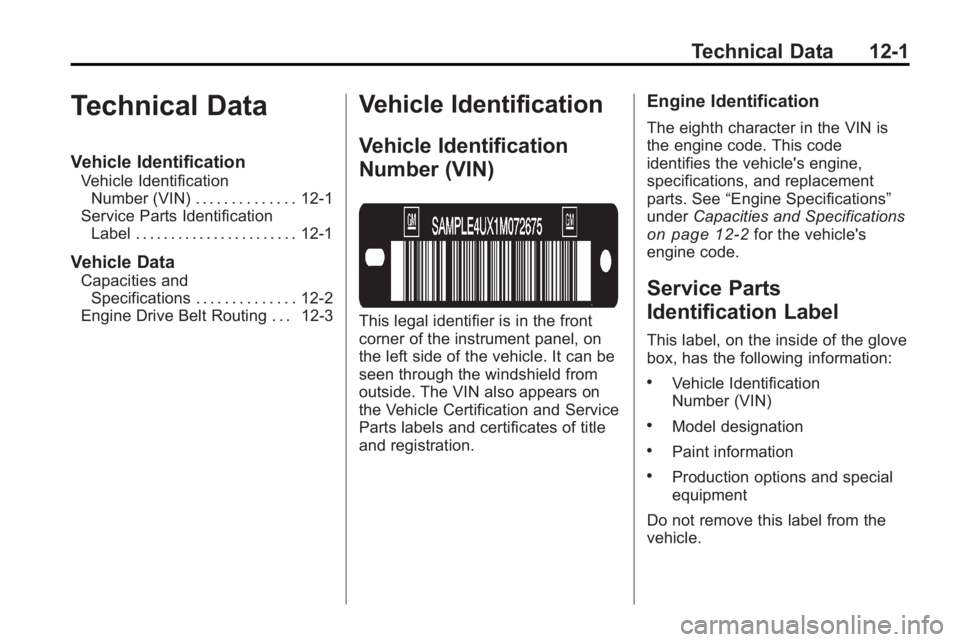
This legal identifier is in the front
corner of the instrument panel, on
the left side of the vehicle. It can be
seen through the windshield from
outside. The VIN also appears on
the Vehicle Certification and Service
Parts labels and certificates of title
and registration.
Engine Identification
The eighth character in the VIN is
the engine code. This code
identifies the vehicle's engine,
specifications, and replacement
parts. See “Engine Specifications”
under Capacities and Specifications
on page 12‑2for the vehicle's
engine code.
Service Parts
Identification Label
This label, on the inside of the glove
box, has the following information:
.Vehicle Identification
Number (VIN)
.Model designation
.Paint information
.Production options and special
equipment
Do not remove this label from the
vehicle.
Page 418 of 444
13-2 Customer Information
STEP TWO:If after contacting a
member of dealership management,
it appears your concern cannot be
resolved by the dealership without
further help, in the U.S., call the
GMC Consumer Relations
Manager at 1-800-GMC-8782
(1-800-462-8782, Customer
Assistance prompt). In Canada, call
General Motors of Canada
Customer Communication at
1-800-263-3777 (English) or
1-800-263-7854 (French).
We encourage you to call the
toll-free number in order to give your
inquiry prompt attention. Have the
following information available to
give the Customer Assistance
Representative:
.Vehicle Identification Number
(VIN). This is available from the
vehicle registration or title, or the
plate at the top left of the
instrument panel and visible
through the windshield.
.Dealership name and location.
.Vehicle delivery date and
present mileage.
When contacting GMC, remember
that your concern will likely be
resolved at a dealer's facility. That is
why we suggest following Step One
first.
STEP THREE —U.S. Owners:
Both General Motors and your
dealer are committed to making
sure you are completely satisfied
with your new vehicle. However,
if you continue to remain unsatisfied
after following the procedure
outlined in Steps One and Two, you
can file with the Better Business
Bureau (BBB) Auto Line Program to
enforce your rights.
The BBB Auto Line Program is an
out of court program administered
by the Council of Better Business
Bureaus to settle automotive
disputes regarding vehicle repairs or
the interpretation of the New Vehicle
Limited Warranty. Although you may
be required to resort to this informal dispute resolution program prior to
filling out a court action, use of the
program is free of charge and your
case will generally be heard within
40 days. If you do not agree with the
decision given in your case, you
may reject it and proceed with any
other venue for relief available
to you.
You may contact the BBB Auto Line
Program using the toll-free
telephone number or write them at
the following address:
BBB Auto Line Program
Council of Better Business
Bureaus, Inc.
4200 Wilson Boulevard
Suite 800
Arlington, VA 22203-1838
Telephone: 1-800-955-5100
dr.bbb.org/goauto
This program is available in all
50 states and the District of
Columbia. Eligibility is limited by
vehicle age, mileage, and other
factors. General Motors reserves