light GMC ACADIA 2011 Owner's Guide
[x] Cancel search | Manufacturer: GMC, Model Year: 2011, Model line: ACADIA, Model: GMC ACADIA 2011Pages: 478, PDF Size: 5.52 MB
Page 88 of 478
Black plate (32,1)GMC Acadia/Acadia Denali Owner Manual - 2011
3-32 Seats and Restraints
Safety Belt Care
Keep belts clean and dry.
{WARNING
Do not bleach or dye safety belts.
It may severely weaken them.
In a crash, they might not be able
to provide adequate protection.
Clean safety belts only with mild
soap and lukewarm water.
Replacing Safety Belt
System Parts After a
Crash
{WARNING
A crash can damage the safety
belt system in the vehicle.
A damaged safety belt system
may not properly protect the
person using it, resulting in
serious injury or even death in
a crash. To help make sure the
safety belt systems are working
properly after a crash, have them
inspected and any necessary
replacements made as soon as
possible.After a minor crash, replacement of
safety belts may not be necessary.
But the safety belt assemblies that
were used during any crash may
have been stressed or damaged.
See your dealer to have the safety
belt assemblies inspected or
replaced.
New parts and repairs may be
necessary even if the safety belt
system was not being used at the
time of the crash.
Have the safety belt pretensioners
checked if the vehicle has been in a
crash, or if the airbag readiness light
stays on after you start the vehicle
or while you are driving. See
Airbag
Readiness Light on page 5‑15.
Page 90 of 478
Black plate (34,1)GMC Acadia/Acadia Denali Owner Manual - 2011
3-34 Seats and Restraints
{WARNING
Airbags inflate with great force,
faster than the blink of an eye.
Anyone who is up against, or
very close to, any airbag when it
inflates can be seriously injured
or killed. Do not sit unnecessarily
close to any airbag, as you would
be if you were sitting on the edge
of the seat or leaning forward.
Safety belts help keep you in
position before and during a
crash. Always wear a safety belt,
even with airbags. The driver
should sit as far back as possible
while still maintaining control of
the vehicle.
Occupants should not lean on or
sleep against the door or side
windows in seating positions with
seat-mounted side impact airbags
and/or roof-rail airbags.
{WARNING
Children who are up against,
or very close to, any airbag
when it inflates can be seriously
injured or killed. Airbags plus
lap-shoulder belts offer protection
for adults and older children, but
not for young children and infants.
Neither the vehicle's safety belt
system nor its airbag system
is designed for them. Young
children and infants need the
protection that a child restraint
system can provide. Always
secure children properly in
the vehicle. To read how, see
Older Children on page 3‑48or
Infants and Young Children on
page 3‑51.
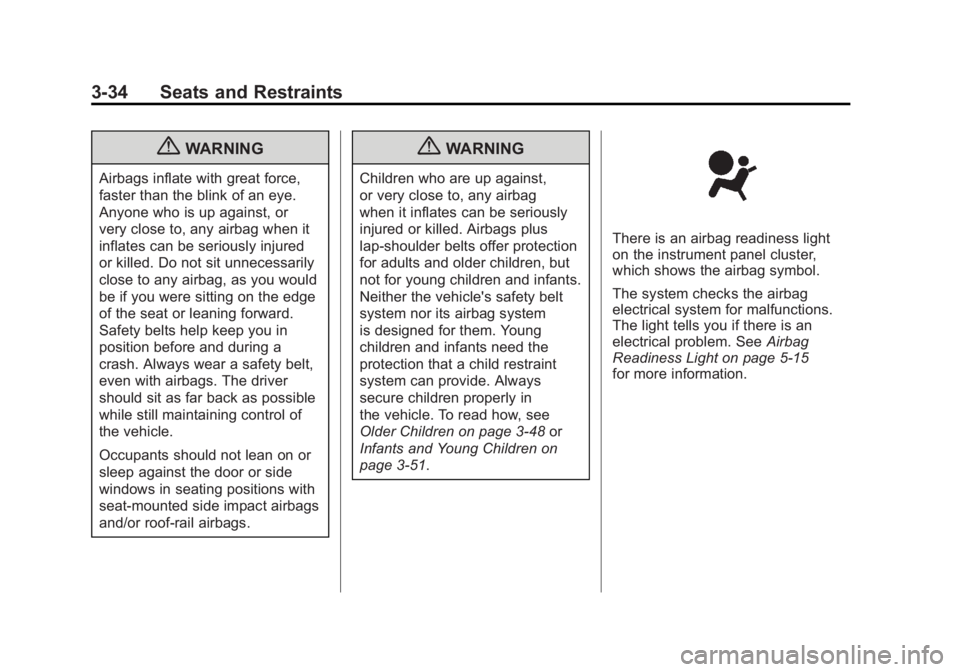
There is an airbag readiness light
on the instrument panel cluster,
which shows the airbag symbol.
The system checks the airbag
electrical system for malfunctions.
The light tells you if there is an
electrical problem. See Airbag
Readiness Light on page 5‑15
for more information.
Page 98 of 478
Black plate (42,1)GMC Acadia/Acadia Denali Owner Manual - 2011
3-42 Seats and Restraints
A label on the sun visor says,
“Never put a rear-facing child seat
in the front.”This is because the risk
to the rear-facing child is so great,
if the airbag deploys.
{WARNING
A child in a rear-facing child
restraint can be seriously
injured or killed if the right
front passenger airbag inflates.
This is because the back of the
rear-facing child restraint would
be very close to the inflating
airbag. A child in a forward-facing
child restraint can be seriously
injured or killed if the right front
passenger airbag inflates and the
passenger seat is in a forward
position.
Even if the passenger sensing
system has turned off the right
front passenger frontal airbag,
no system is fail-safe. No one can
guarantee that an airbag will not
(Continued)
WARNING (Continued)
deploy under some unusual
circumstance, even though the
airbag is turned off.
Secure rear-facing child
restraints in a rear seat, even if
the airbag is off. If you secure a
forward-facing child restraint in
the right front seat, always move
the front passenger seat as far
back as it will go. It is better to
secure the child restraint in a
rear seat.
The passenger sensing system is
designed to turn off the right front
passenger frontal airbag if:
.The right front passenger seat is
unoccupied.
.The system determines that
an infant is present in a child
restraint.
.A right front passenger takes
his/her weight off of the seat for
a period of time.
.Or, if there is a critical problem
with the airbag system or the
passenger sensing system.
When the passenger sensing
system has turned off the right front
passenger frontal airbag, the off
indicator will light and stay lit to
remind you that the airbag is off.
See Passenger Airbag Status
Indicator on page 5‑16.
The passenger sensing system is
designed to turn on (may inflate) the
right front passenger frontal airbag
anytime the system senses that
a person of adult size is sitting
properly in the right front
passenger seat.
When the passenger sensing
system has allowed the airbag to
be enabled, the on indicator will
light and stay lit to remind you
that the airbag is active.
Page 99 of 478
Black plate (43,1)GMC Acadia/Acadia Denali Owner Manual - 2011
Seats and Restraints 3-43
For some children, including
children in child restraints, and for
very small adults, the passenger
sensing system may or may not
turn off the right front passenger
frontal airbag, depending upon
the person’s seating posture
and body build. Everyone in the
vehicle who has outgrown child
restraints should wear a safety
belt properly —whether or not
there is an airbag for that person.
{WARNING
If the airbag readiness light ever
comes on and stays on, it means
that something may be wrong
with the airbag system. To help
avoid injury to yourself or others,
have the vehicle serviced right
away. See Airbag Readiness
Light on page 5‑15 for more
information, including important
safety information.
If the On Indicator is Lit for a
Child Restraint
If a child restraint has been installed
and the on indicator is lit:
1. Turn the vehicle off.
2. Remove the child restraint from the vehicle.
3. Remove any additional items from the seat such as blankets,
cushions, seat covers, seat
heaters, or seat massagers.
4. Reinstall the child restraint following the directions
provided by the child restraint
manufacturer and refer to
Securing Child Restraints (Rear
Seat) on page 3‑65 orSecuring
Child Restraints (Right Front
Passenger Seat) on page 3‑67. 5. If, after reinstalling the child
restraint and restarting the
vehicle, the on indicator is
still lit, turn the vehicle off.
Then slightly recline the vehicle
seatback and adjust the seat
cushion, if adjustable, to make
sure that the vehicle seatback
is not pushing the child restraint
into the seat cushion.
Also make sure the child
restraint is not trapped under
the vehicle head restraint.
If this happens, adjust the head
restraint. See Head Restraints
on page 3‑2.
6. Restart the vehicle.
The passenger sensing system
may or may not turn off the
airbag for a child in a child
restraint depending upon the
child’s seating posture and body
build. It is better to secure the
child restraint in a rear seat.
Page 101 of 478
Black plate (45,1)GMC Acadia/Acadia Denali Owner Manual - 2011
Seats and Restraints 3-45
A wet seat can affect the
performance of the passenger
sensing system. Here is how:
.The passenger sensing system
may turn off the passenger
airbag when liquid is soaked
into the seat. If this happens,
the off indicator will be lit, and
the airbag readiness light on the
instrument panel will also be lit.
.Liquid pooled on the seat that
has not soaked in may make it
more likely that the passenger
sensing system will enable (turn
on) the passenger airbag while a
child restraint or child occupant
is on the seat. If the passenger
airbag is turned on, the on
indicator will be lit.
If the passenger seat gets wet, dry
the seat immediately. If the airbag
readiness light is lit, do not install
a child restraint or allow anyone
to occupy the seat. See Airbag
Readiness Light on page 5‑15
for important safety information. The on indicator may be lit if
an object, such as a briefcase,
handbag, grocery bag, laptop or
other electronic device, is put on
an unoccupied seat. If this is not
desired remove the object from
the seat.
{WARNING
Stowing of articles under the
passenger seat or between the
passenger seat cushion and
seatback may interfere with the
proper operation of the passenger
sensing system.
Servicing the
Airbag-Equipped Vehicle
Airbags affect how the vehicle
should be serviced. There are
parts of the airbag system in
several places around the vehicle.
Your dealer and the service manual
have information about servicing
the vehicle and the airbag system.
To purchase a service manual,
see
Service Publications Ordering
Information on page 13‑15.
{WARNING
For up to 10 seconds after the
ignition is turned off and the
battery is disconnected, an airbag
can still inflate during improper
service. You can be injured if you
are close to an airbag when it
inflates. Avoid yellow connectors.
They are probably part of the
airbag system. Be sure to follow
proper service procedures, and
make sure the person performing
work for you is qualified to do so.
Page 103 of 478
Black plate (47,1)GMC Acadia/Acadia Denali Owner Manual - 2011
Seats and Restraints 3-47
Q: Because I have a disability,I have to get my vehicle
modified. How can I find out
whether this will affect my
airbag system?
A: If you have questions,
call Customer Assistance.
The phone numbers and
addresses for Customer
Assistance are in Step Two
of the Customer Satisfaction
Procedure in this manual.
See Customer Satisfaction
Procedure (U.S. and Canada) on
page 13‑1 orCustomer
Satisfaction Procedure (Mexico)
on page 13‑3. In addition, the dealer and the
service manual have information
about the location of the airbag
sensors, sensing and diagnostic
module and airbag wiring.
Airbag System Check
The airbag system does not need
regularly scheduled maintenance
or replacement. Make sure the
airbag readiness light is working.
See
Airbag Readiness Light on
page 5‑15 for more information. Notice:
If an airbag covering is
damaged, opened, or broken,
the airbag may not work properly.
Do not open or break the airbag
coverings. If there are any
opened or broken airbag covers,
have the airbag covering and/or
airbag module replaced. For the
location of the airbag modules,
see What Makes an Airbag
Inflate? on page 3‑38.
See your dealer for service.
Page 104 of 478
Black plate (48,1)GMC Acadia/Acadia Denali Owner Manual - 2011
3-48 Seats and Restraints
Replacing Airbag System
Parts After a Crash
{WARNING
A crash can damage the
airbag systems in the vehicle.
A damaged airbag system
may not work properly and
may not protect you and your
passenger(s) in a crash, resulting
in serious injury or even death.
To help make sure the airbag
systems are working properly
after a crash, have them
inspected and any necessary
replacements made as soon
as possible.If an airbag inflates, you will need
to replace airbag system parts.
See your dealer for service.
If the airbag readiness light stays on
after the vehicle is started or comes
on when you are driving, the airbag
system may not work properly.
Have the vehicle serviced right
away. See
Airbag Readiness Light
on page 5‑15 for more information.
Child Restraints
Older Children
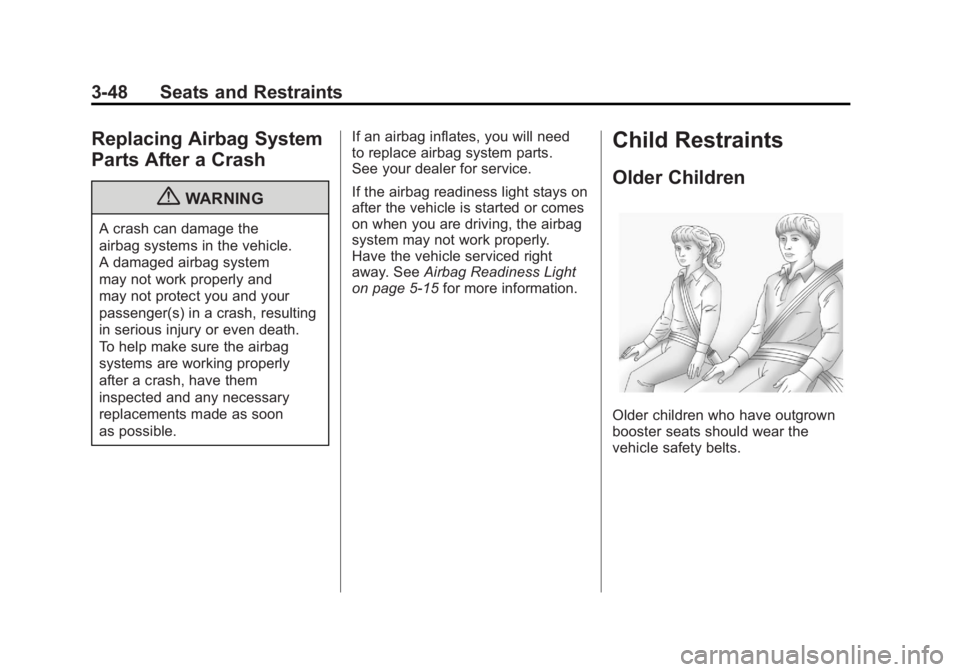
Older children who have outgrown
booster seats should wear the
vehicle safety belts.
Page 124 of 478
Black plate (68,1)GMC Acadia/Acadia Denali Owner Manual - 2011
3-68 Seats and Restraints
Do not secure a child seat in a
position without a top tether anchor
if a national or local law requires
that the top tether be anchored,
or if the instructions that come with
the child restraint say that the top
strap must be anchored.
In Canada, the law requires that
forward-facing child restraints have
a top tether, and that the tether be
attached.
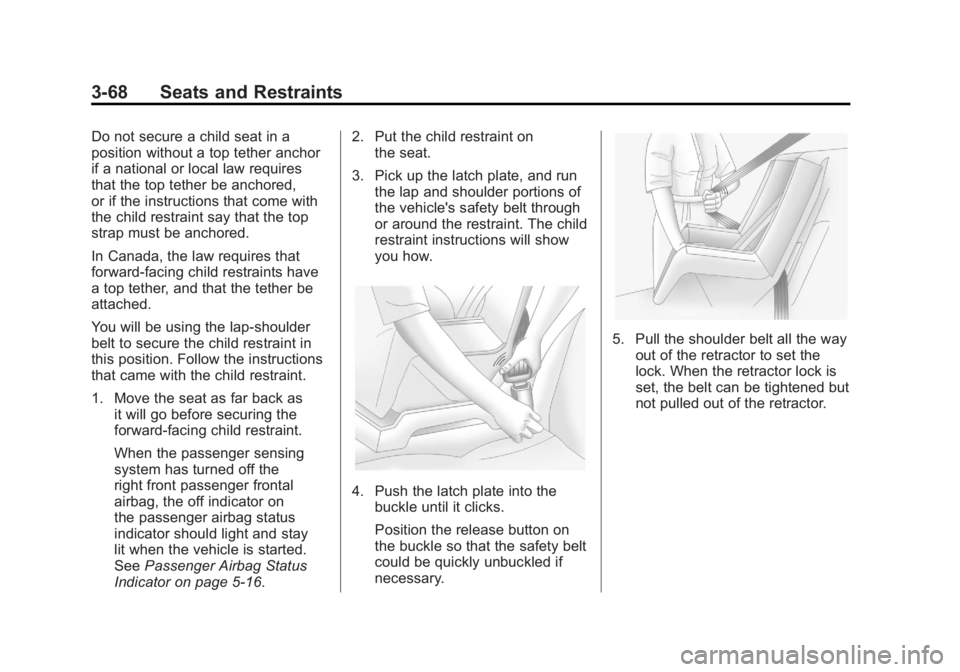
You will be using the lap-shoulder
belt to secure the child restraint in
this position. Follow the instructions
that came with the child restraint.
1. Move the seat as far back asit will go before securing the
forward-facing child restraint.
When the passenger sensing
system has turned off the
right front passenger frontal
airbag, the off indicator on
the passenger airbag status
indicator should light and stay
lit when the vehicle is started.
See Passenger Airbag Status
Indicator on page 5‑16. 2. Put the child restraint on
the seat.
3. Pick up the latch plate, and run the lap and shoulder portions of
the vehicle's safety belt through
or around the restraint. The child
restraint instructions will show
you how.
4. Push the latch plate into thebuckle until it clicks.
Position the release button on
the buckle so that the safety belt
could be quickly unbuckled if
necessary.
5. Pull the shoulder belt all the wayout of the retractor to set the
lock. When the retractor lock is
set, the belt can be tightened but
not pulled out of the retractor.
Page 133 of 478
Black plate (1,1)GMC Acadia/Acadia Denali Owner Manual - 2011
Instruments and Controls 5-1
Instruments and
Controls
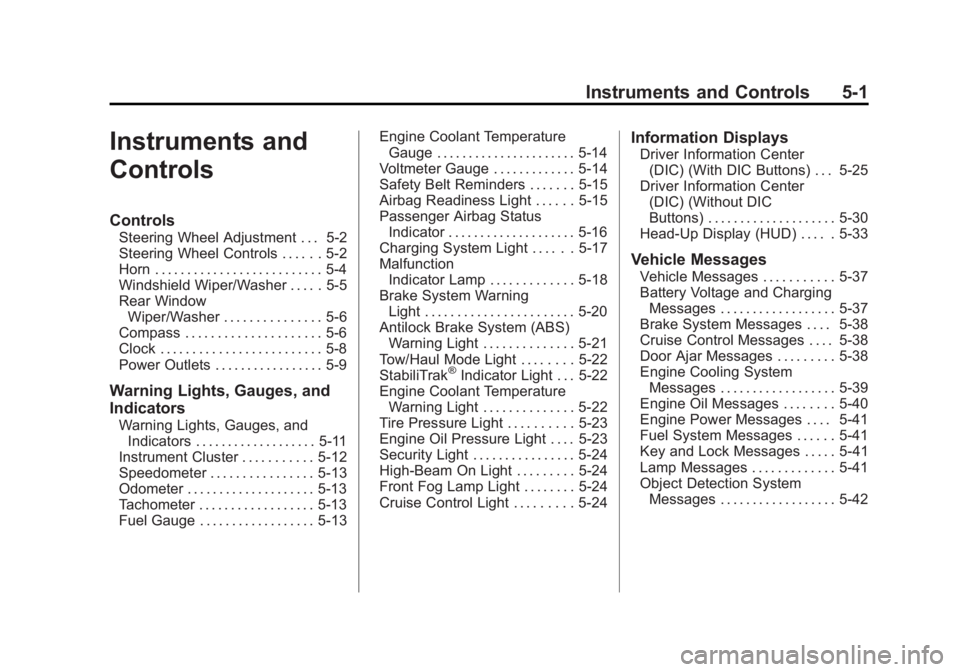
Controls
Steering Wheel Adjustment . . . 5-2
Steering Wheel Controls . . . . . . 5-2
Horn . . . . . . . . . . . . . . . . . . . . . . . . . . 5-4
Windshield Wiper/Washer . . . . . 5-5
Rear WindowWiper/Washer . . . . . . . . . . . . . . . 5-6
Compass . . . . . . . . . . . . . . . . . . . . . 5-6
Clock . . . . . . . . . . . . . . . . . . . . . . . . . 5-8
Power Outlets . . . . . . . . . . . . . . . . . 5-9
Warning Lights, Gauges, and
Indicators
Warning Lights, Gauges, and Indicators . . . . . . . . . . . . . . . . . . . 5-11
Instrument Cluster . . . . . . . . . . . 5-12
Speedometer . . . . . . . . . . . . . . . . 5-13
Odometer . . . . . . . . . . . . . . . . . . . . 5-13
Tachometer . . . . . . . . . . . . . . . . . . 5-13
Fuel Gauge . . . . . . . . . . . . . . . . . . 5-13 Engine Coolant Temperature
Gauge . . . . . . . . . . . . . . . . . . . . . . 5-14
Voltmeter Gauge . . . . . . . . . . . . . 5-14
Safety Belt Reminders . . . . . . . 5-15
Airbag Readiness Light . . . . . . 5-15
Passenger Airbag Status Indicator . . . . . . . . . . . . . . . . . . . . 5-16
Charging System Light . . . . . . 5-17
Malfunction Indicator Lamp . . . . . . . . . . . . . 5-18
Brake System Warning Light . . . . . . . . . . . . . . . . . . . . . . . 5-20
Antilock Brake System (ABS) Warning Light . . . . . . . . . . . . . . 5-21
Tow/Haul Mode Light . . . . . . . . 5-22
StabiliTrak
®Indicator Light . . . 5-22
Engine Coolant Temperature Warning Light . . . . . . . . . . . . . . 5-22
Tire Pressure Light . . . . . . . . . . 5-23
Engine Oil Pressure Light . . . . 5-23
Security Light . . . . . . . . . . . . . . . . 5-24
High-Beam On Light . . . . . . . . . 5-24
Front Fog Lamp Light . . . . . . . . 5-24
Cruise Control Light . . . . . . . . . 5-24
Information Displays
Driver Information Center (DIC) (With DIC Buttons) . . . 5-25
Driver Information Center (DIC) (Without DIC
Buttons) . . . . . . . . . . . . . . . . . . . . 5-30
Head-Up Display (HUD) . . . . . 5-33
Vehicle Messages
Vehicle Messages . . . . . . . . . . . 5-37
Battery Voltage and Charging Messages . . . . . . . . . . . . . . . . . . 5-37
Brake System Messages . . . . 5-38
Cruise Control Messages . . . . 5-38
Door Ajar Messages . . . . . . . . . 5-38
Engine Cooling System Messages . . . . . . . . . . . . . . . . . . 5-39
Engine Oil Messages . . . . . . . . 5-40
Engine Power Messages . . . . 5-41
Fuel System Messages . . . . . . 5-41
Key and Lock Messages . . . . . 5-41
Lamp Messages . . . . . . . . . . . . . 5-41
Object Detection System
Messages . . . . . . . . . . . . . . . . . . 5-42
Page 135 of 478
Black plate (3,1)GMC Acadia/Acadia Denali Owner Manual - 2011
Instruments and Controls 5-3
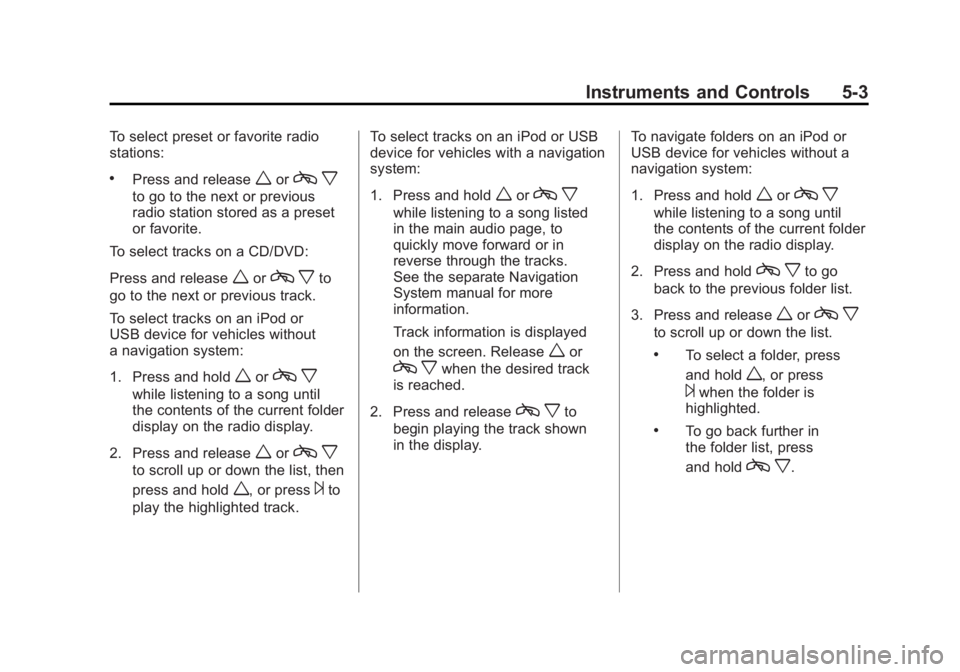
To select preset or favorite radio
stations:
.Press and releaseworcx
to go to the next or previous
radio station stored as a preset
or favorite.
To select tracks on a CD/DVD:
Press and release
worc xto
go to the next or previous track.
To select tracks on an iPod or
USB device for vehicles without
a navigation system:
1. Press and hold
worc x
while listening to a song until
the contents of the current folder
display on the radio display.
2. Press and release
worc x
to scroll up or down the list, then
press and hold
w, or press¨to
play the highlighted track. To select tracks on an iPod or USB
device for vehicles with a navigation
system:
1. Press and hold
worc
x
while listening to a song listed
in the main audio page, to
quickly move forward or in
reverse through the tracks.
See the separate Navigation
System manual for more
information.
Track information is displayed
on the screen. Release
wor
c xwhen the desired track
is reached.
2. Press and release
c xto
begin playing the track shown
in the display. To navigate folders on an iPod or
USB device for vehicles without a
navigation system:
1. Press and hold
worc
x
while listening to a song until
the contents of the current folder
display on the radio display.
2. Press and hold
c xto go
back to the previous folder list.
3. Press and release
worc x
to scroll up or down the list.
.To select a folder, press
and hold
w, or press
¨when the folder is
highlighted.
.To go back further in
the folder list, press
and hold
c x.