inflation pressure GMC ACADIA 2012 User Guide
[x] Cancel search | Manufacturer: GMC, Model Year: 2012, Model line: ACADIA, Model: GMC ACADIA 2012Pages: 468, PDF Size: 5.57 MB
Page 368 of 468
Black plate (56,1)GMC Acadia/Acadia Denali Owner Manual - 2012
10-56 Vehicle Care
Temperature–A, B, C
The temperature grades are
A (the highest), B, and C,
representing the tire's resistance
to the generation of heat and its
ability to dissipate heat when
tested under controlled
conditions on a specified indoor
laboratory test wheel. Sustained
high temperature can cause
the material of the tire to
degenerate and reduce tire life,
and excessive temperature can
lead to sudden tire failure.
The grade C corresponds to a
level of performance which all
passenger car tires must meet
under the Federal Motor Safety
Standard No. 109. Grades B
and A represent higher levels of
performance on the laboratory
test wheel than the minimum
required by law. Warning: The
temperature grade for this tire is established for a tire that is
properly inflated and not
overloaded. Excessive speed,
underinflation, or excessive
loading, either separately or in
combination, can cause heat
buildup and possible tire failure.
Wheel Alignment and
Tire Balance
The tires and wheels were aligned
and balanced at the factory to
provide the longest tire life and best
overall performance. Adjustments to
wheel alignment and tire balancing
will not be necessary on a regular
basis. However, check the
alignment if there is unusual tire
wear or if the vehicle is pulling to
one side or the other. If the vehicle
vibrates when driving on a smooth
road, the tires and wheels might
need to be rebalanced. See your
dealer for proper diagnosis.
Wheel Replacement
Replace any wheel that is bent,
cracked, or badly rusted or
corroded. If wheel nuts keep coming
loose, the wheel, wheel bolts, and
wheel nuts should be replaced.
If the wheel leaks air, replace it.
Some aluminum wheels can be
repaired. See your dealer if any of
these conditions exist.
Your dealer will know the kind of
wheel that is needed.
Each new wheel should have the
same load-carrying capacity,
diameter, width, offset, and be
mounted the same way as the one
it replaces.
Replace wheels, wheel bolts, wheel
nuts, or Tire Pressure Monitor
System (TPMS) sensors with new
GM original equipment parts.
Page 375 of 468
Black plate (63,1)GMC Acadia/Acadia Denali Owner Manual - 2012
Vehicle Care 10-63
3. Place the kit on the ground.Make sure the tire valve stem is
positioned close to the ground
so the hose will reach it.
4. Remove the valve stem cap from the flat tire by turning it
counterclockwise.
5. Attach the sealant/air hose (F) onto the tire valve stem. Turn it
clockwise until it is tight.
6. Plug the power plug (H) into the accessory power outlet in the
vehicle. Unplug all items from
other accessory power outlets.
See Power Outlets on page 5‑9.
If the vehicle has an accessory
power outlet, do not use the
cigarette lighter.
If the vehicle only has a cigarette
lighter, use the cigarette lighter.
Do not pinch the power plug
cord in the door or window.
7. Start the vehicle. The vehicle must be running while using the
air compressor. 8. Turn the selector switch (A)
counterclockwise to the
Sealant + Air position.
9. Press the on/off button (B) to turn the tire sealant and
compressor kit on.
The compressor will inject
sealant and air into the tire.
The pressure gauge (C) will
initially show a high pressure
while the compressor pushes the
sealant into the tire. Once the
sealant is completely dispersed
into the tire, the pressure will
quickly drop and start to rise
again as the tire inflates with
air only.
10. Inflate the tire to the recommended inflation
pressure using the pressure
gauge (C). The recommended
inflation pressure can be
found on the Tire and Loading
Information label. See Tire
Pressure on page 10‑44. The pressure gauge (C) may
read higher than the actual tire
pressure while the compressor
is on. Turn the compressor off
to get an accurate pressure
reading. The compressor may
be turned on/off until the
correct pressure is reached.
Notice: If the recommended
pressure cannot be reached after
approximately 25 minutes, the
vehicle should not be driven
farther. The tire is too severely
damaged and the tire sealant and
compressor kit cannot inflate the
tire. Remove the power plug from
the accessory power outlet and
unscrew the inflating hose from
the tire valve. See Roadside
Assistance Program (U.S. and
Canada) on page 13‑8 or
Roadside Assistance Program
(Mexico) on page 13‑10.
Page 376 of 468
Black plate (64,1)GMC Acadia/Acadia Denali Owner Manual - 2012
10-64 Vehicle Care
11. Press the on/off button (B) toturn the tire sealant and
compressor kit off.
The tire is not sealed and will
continue to leak air until the
vehicle is driven and the
sealant is distributed in the tire;
therefore, Steps 12 through
18 must be done immediately
after Step 11.
Be careful while handling the
tire sealant and compressor kit
as it could be warm after
usage.
12. Unplug the power plug (H) from the accessory power outlet in
the vehicle.
13. Turn the sealant/air hose (F) counterclockwise to remove it
from the tire valve stem.
14. Replace the tire valve stem cap. 15. Replace the sealant/air
hose (F), and the power
plug (H) back in their original
location.
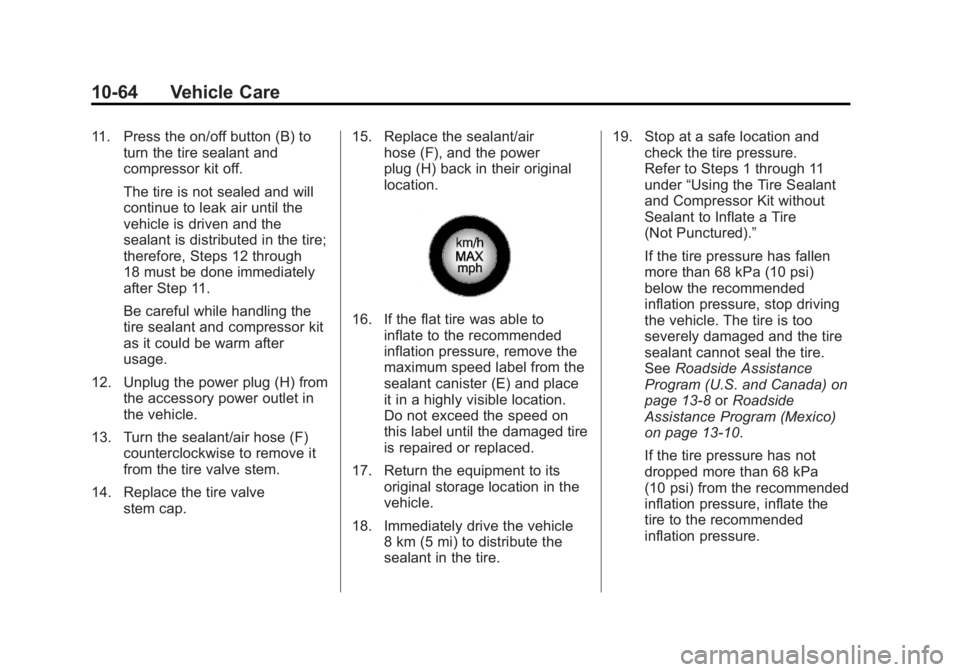
16. If the flat tire was able to
inflate to the recommended
inflation pressure, remove the
maximum speed label from the
sealant canister (E) and place
it in a highly visible location.
Do not exceed the speed on
this label until the damaged tire
is repaired or replaced.
17. Return the equipment to its original storage location in the
vehicle.
18. Immediately drive the vehicle 8 km (5 mi) to distribute the
sealant in the tire. 19. Stop at a safe location and
check the tire pressure.
Refer to Steps 1 through 11
under “Using the Tire Sealant
and Compressor Kit without
Sealant to Inflate a Tire
(Not Punctured).”
If the tire pressure has fallen
more than 68 kPa (10 psi)
below the recommended
inflation pressure, stop driving
the vehicle. The tire is too
severely damaged and the tire
sealant cannot seal the tire.
See Roadside Assistance
Program (U.S. and Canada) on
page 13‑8 orRoadside
Assistance Program (Mexico)
on page 13‑10.
If the tire pressure has not
dropped more than 68 kPa
(10 psi) from the recommended
inflation pressure, inflate the
tire to the recommended
inflation pressure.
Page 378 of 468
Black plate (66,1)GMC Acadia/Acadia Denali Owner Manual - 2012
10-66 Vehicle Care
If a tire goes flat, avoid further tire
and wheel damage by driving slowly
to a level place. Turn on the hazard
warning flashers. SeeHazard
Warning Flashers on page 6‑4.
See If a Tire Goes Flat on
page 10‑58 for other important
safety warnings.
1. Remove the tire sealant and compressor kit from its storage
location. See Storing the Tire
Sealant and Compressor Kit on
page 10‑68.
2. Unwrap the air only hose (G) and the power plug (H).
3. Place the kit on the ground. Make sure the tire valve stem is
positioned close to the ground
so the hose will reach it.
4. Remove the tire valve stem cap from the flat tire by turning it
counterclockwise.
5. Attach the air only hose (G) onto the tire valve stem by turning it
clockwise until it is tight. 6. Plug the power plug (H) into the
accessory power outlet in the
vehicle. Unplug all items from
other accessory power outlets.
See Power Outlets on page 5‑9.
If the vehicle has an accessory
power outlet, do not use the
cigarette lighter.
If the vehicle only has a cigarette
lighter, use the cigarette lighter.
Do not pinch the power plug
cord in the door or window.
7. Start the vehicle. The vehicle must be running while using the
air compressor.
8. Turn the selector switch (A) clockwise to the Air Only
position.
9. Press the on/off (B) button to turn the compressor on.
The compressor will inflate the
tire with air only. 10. Inflate the tire to the
recommended inflation
pressure using the pressure
gauge (C). The recommended
inflation pressure can be found
on the Tire and Loading
Information label. See Tire
Pressure on page 10‑44.
The pressure gauge (C) may
read higher than the actual tire
pressure while the compressor
is on. Turn the compressor off
to get an accurate reading.
The compressor may be turned
on/off until the correct pressure
is reached.
If you inflate the tire higher
than the recommended
pressure you can adjust the
excess pressure by pressing
the pressure deflation
button (D), if equipped, until the
proper pressure reading is
reached. This option is only
functional when using the air
only hose (G).
Page 389 of 468
Black plate (77,1)GMC Acadia/Acadia Denali Owner Manual - 2012
Vehicle Care 10-77
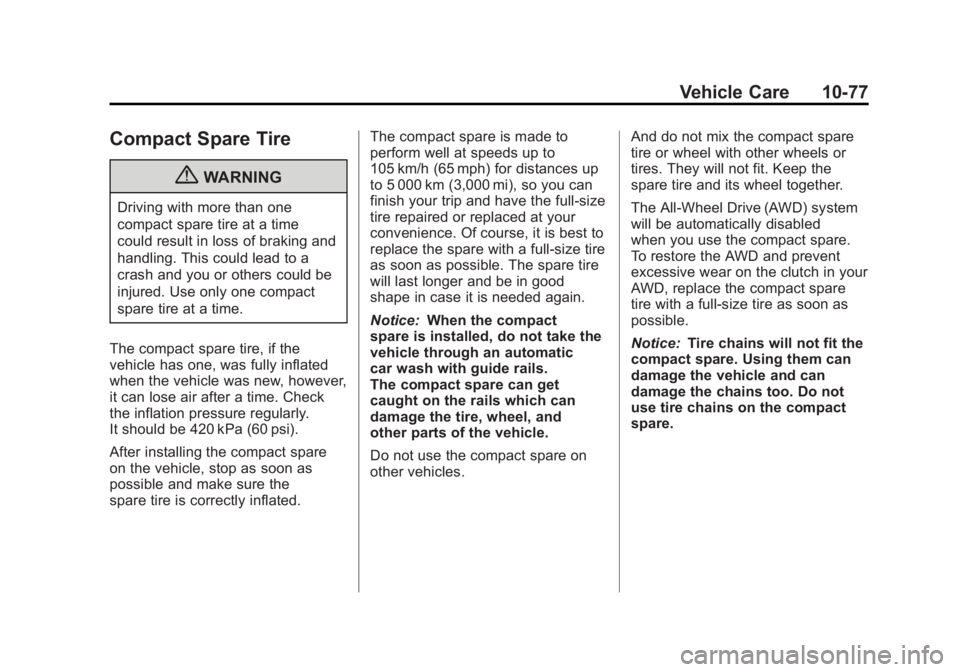
Compact Spare Tire
{WARNING
Driving with more than one
compact spare tire at a time
could result in loss of braking and
handling. This could lead to a
crash and you or others could be
injured. Use only one compact
spare tire at a time.
The compact spare tire, if the
vehicle has one, was fully inflated
when the vehicle was new, however,
it can lose air after a time. Check
the inflation pressure regularly.
It should be 420 kPa (60 psi).
After installing the compact spare
on the vehicle, stop as soon as
possible and make sure the
spare tire is correctly inflated. The compact spare is made to
perform well at speeds up to
105 km/h (65 mph) for distances up
to 5 000 km (3,000 mi), so you can
finish your trip and have the full-size
tire repaired or replaced at your
convenience. Of course, it is best to
replace the spare with a full-size tire
as soon as possible. The spare tire
will last longer and be in good
shape in case it is needed again.
Notice:
When the compact
spare is installed, do not take the
vehicle through an automatic
car wash with guide rails.
The compact spare can get
caught on the rails which can
damage the tire, wheel, and
other parts of the vehicle.
Do not use the compact spare on
other vehicles. And do not mix the compact spare
tire or wheel with other wheels or
tires. They will not fit. Keep the
spare tire and its wheel together.
The All-Wheel Drive (AWD) system
will be automatically disabled
when you use the compact spare.
To restore the AWD and prevent
excessive wear on the clutch in your
AWD, replace the compact spare
tire with a full-size tire as soon as
possible.
Notice:
Tire chains will not fit the
compact spare. Using them can
damage the vehicle and can
damage the chains too. Do not
use tire chains on the compact
spare.
Page 409 of 468
Black plate (3,1)GMC Acadia/Acadia Denali Owner Manual - 2012
Service and Maintenance 11-3
Maintenance
Schedule
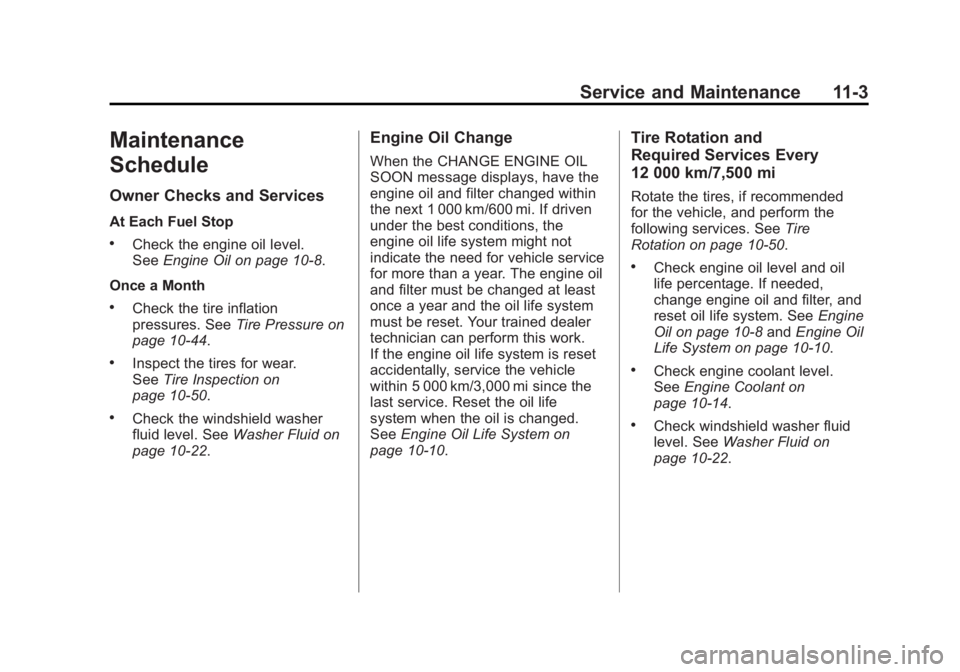
Owner Checks and Services
At Each Fuel Stop
.Check the engine oil level.
SeeEngine Oil on page 10‑8.
Once a Month
.Check the tire inflation
pressures. See Tire Pressure on
page 10‑44.
.Inspect the tires for wear.
See Tire Inspection on
page 10‑50.
.Check the windshield washer
fluid level. See Washer Fluid on
page 10‑22.
Engine Oil Change
When the CHANGE ENGINE OIL
SOON message displays, have the
engine oil and filter changed within
the next 1 000 km/600 mi. If driven
under the best conditions, the
engine oil life system might not
indicate the need for vehicle service
for more than a year. The engine oil
and filter must be changed at least
once a year and the oil life system
must be reset. Your trained dealer
technician can perform this work.
If the engine oil life system is reset
accidentally, service the vehicle
within 5 000 km/3,000 mi since the
last service. Reset the oil life
system when the oil is changed.
See Engine Oil Life System on
page 10‑10.
Tire Rotation and
Required Services Every
12 000 km/7,500 mi
Rotate the tires, if recommended
for the vehicle, and perform the
following services. See Tire
Rotation on page 10‑50.
.Check engine oil level and oil
life percentage. If needed,
change engine oil and filter, and
reset oil life system. See Engine
Oil on page 10‑8 andEngine Oil
Life System on page 10‑10.
.Check engine coolant level.
See Engine Coolant on
page 10‑14.
.Check windshield washer fluid
level. See Washer Fluid on
page 10‑22.
Page 410 of 468
Black plate (4,1)GMC Acadia/Acadia Denali Owner Manual - 2012
11-4 Service and Maintenance
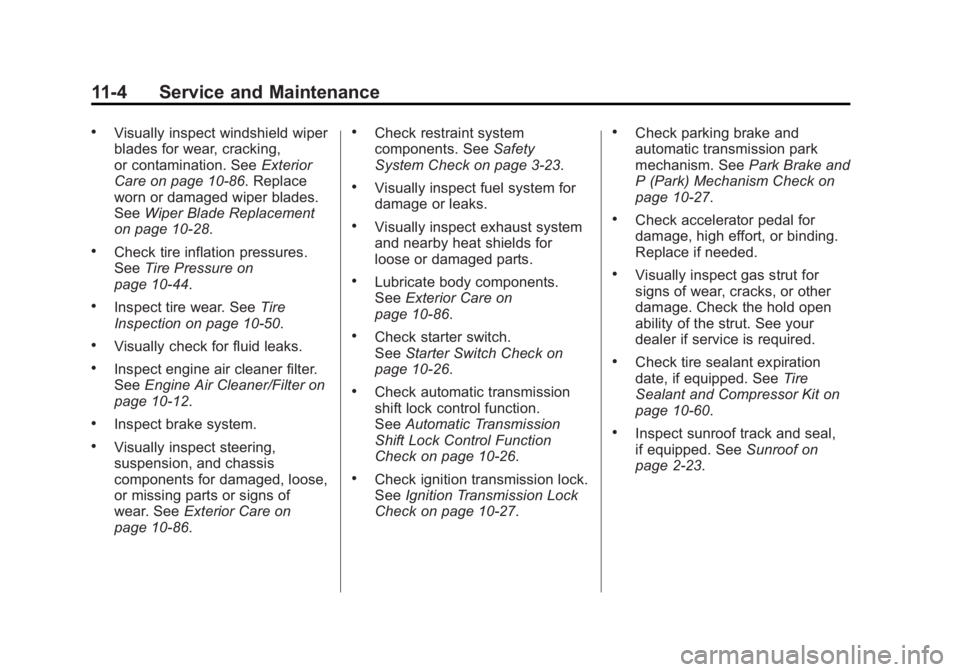
.Visually inspect windshield wiper
blades for wear, cracking,
or contamination. SeeExterior
Care on page 10‑86. Replace
worn or damaged wiper blades.
See Wiper Blade Replacement
on page 10‑28.
.Check tire inflation pressures.
See Tire Pressure on
page 10‑44.
.Inspect tire wear. See Tire
Inspection on page 10‑50.
.Visually check for fluid leaks.
.Inspect engine air cleaner filter.
See Engine Air Cleaner/Filter on
page 10‑12.
.Inspect brake system.
.Visually inspect steering,
suspension, and chassis
components for damaged, loose,
or missing parts or signs of
wear. See Exterior Care on
page 10‑86.
.Check restraint system
components. See Safety
System Check on page 3‑23.
.Visually inspect fuel system for
damage or leaks.
.Visually inspect exhaust system
and nearby heat shields for
loose or damaged parts.
.Lubricate body components.
See Exterior Care on
page 10‑86.
.Check starter switch.
See Starter Switch Check on
page 10‑26.
.Check automatic transmission
shift lock control function.
See Automatic Transmission
Shift Lock Control Function
Check on page 10‑26.
.Check ignition transmission lock.
See Ignition Transmission Lock
Check on page 10‑27.
.Check parking brake and
automatic transmission park
mechanism. See Park Brake and
P (Park) Mechanism Check on
page 10‑27.
.Check accelerator pedal for
damage, high effort, or binding.
Replace if needed.
.Visually inspect gas strut for
signs of wear, cracks, or other
damage. Check the hold open
ability of the strut. See your
dealer if service is required.
.Check tire sealant expiration
date, if equipped. See Tire
Sealant and Compressor Kit on
page 10‑60.
.Inspect sunroof track and seal,
if equipped. See Sunroof on
page 2‑23.
Page 467 of 468
Black plate (11,1)GMC Acadia/Acadia Denali Owner Manual - 2012
INDEX i-11
Storage Areas (cont'd)Convenience Net . . . . . . . . . . . . . . 4-5
Floor Console . . . . . . . . . . . . . . . . . 4-3
Glove Box . . . . . . . . . . . . . . . . . . . . . 4-1
Instrument Panel . . . . . . . . . . . . . . 4-1
Roof Rack System . . . . . . . . . . . . . 4-5
Storing the Tire Sealant and Compressor Kit . . . . . . . . . 10-68
Stuck Vehicle . . . . . . . . . . . . . . . . . . 9-10
Sun Visors . . . . . . . . . . . . . . . . . . . . . 2-23
Sunroof . . . . . . . . . . . . . . . . . . . . . . . . 2-23
Symbols . . . . . . . . . . . . . . . . . . . . . . . . . . iv
System Infotainment . . . . . . . . . . . . . . . . . . . 7-1
Roof Rack . . . . . . . . . . . . . . . . . . . . . 4-5
T
Tachometer . . . . . . . . . . . . . . . . . . . . 5-13
Text Telephone (TTY) Users . . . 13-6
Theft-Deterrent Systems . . . . . . . 2-14
Immobilizer . . . . . . . . . . . . . . . . . . . 2-14
Third-Row Seats . . . . . . . . . . . . . . . 3-12
Time . . . . . . . . . . . . . . . . . . . . . . . . . . . . 5-8 Tires
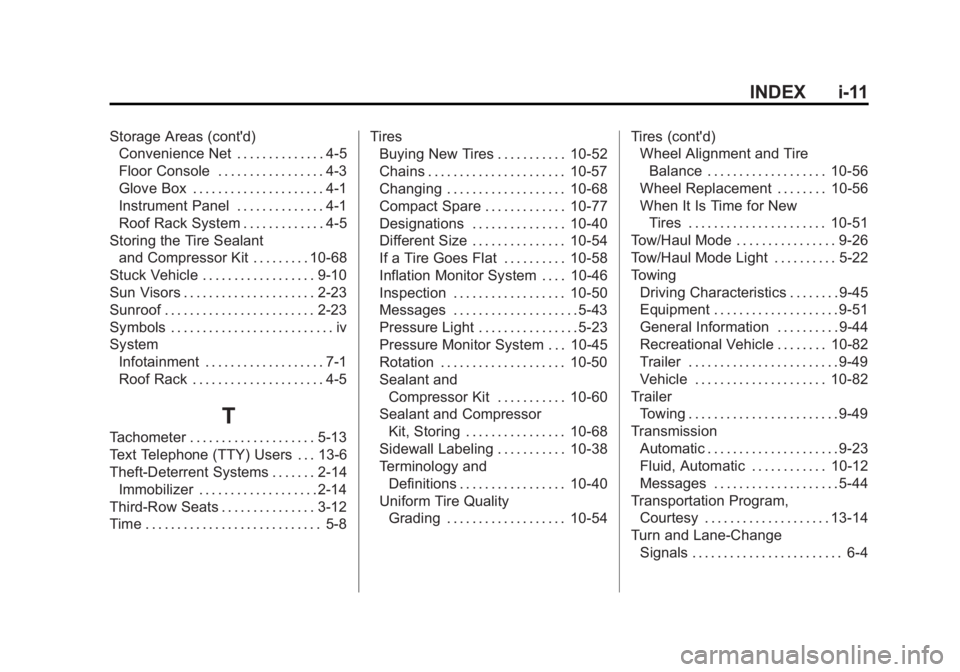
Buying New Tires . . . . . . . . . . . 10-52
Chains . . . . . . . . . . . . . . . . . . . . . . 10-57
Changing . . . . . . . . . . . . . . . . . . . 10-68
Compact Spare . . . . . . . . . . . . . 10-77
Designations . . . . . . . . . . . . . . . 10-40
Different Size . . . . . . . . . . . . . . . 10-54
If a Tire Goes Flat . . . . . . . . . . 10-58
Inflation Monitor System . . . . 10-46
Inspection . . . . . . . . . . . . . . . . . . 10-50
Messages . . . . . . . . . . . . . . . . . . . . 5-43
Pressure Light . . . . . . . . . . . . . . . . 5-23
Pressure Monitor System . . . 10-45
Rotation . . . . . . . . . . . . . . . . . . . . 10-50
Sealant andCompressor Kit . . . . . . . . . . . 10-60
Sealant and Compressor Kit, Storing . . . . . . . . . . . . . . . . 10-68
Sidewall Labeling . . . . . . . . . . . 10-38
Terminology and Definitions . . . . . . . . . . . . . . . . . 10-40
Uniform Tire Quality Grading . . . . . . . . . . . . . . . . . . . 10-54 Tires (cont'd)
Wheel Alignment and Tire
Balance . . . . . . . . . . . . . . . . . . . 10-56
Wheel Replacement . . . . . . . . 10-56
When It Is Time for New
Tires . . . . . . . . . . . . . . . . . . . . . . 10-51
Tow/Haul Mode . . . . . . . . . . . . . . . . 9-26
Tow/Haul Mode Light . . . . . . . . . . 5-22
Towing Driving Characteristics . . . . . . . . 9-45
Equipment . . . . . . . . . . . . . . . . . . . . 9-51
General Information . . . . . . . . . . 9-44
Recreational Vehicle . . . . . . . . 10-82
Trailer . . . . . . . . . . . . . . . . . . . . . . . . 9-49
Vehicle . . . . . . . . . . . . . . . . . . . . . 10-82
Trailer Towing . . . . . . . . . . . . . . . . . . . . . . . . 9-49
Transmission
Automatic . . . . . . . . . . . . . . . . . . . . . 9-23
Fluid, Automatic . . . . . . . . . . . . 10-12
Messages . . . . . . . . . . . . . . . . . . . . 5-44
Transportation Program, Courtesy . . . . . . . . . . . . . . . . . . . . 13-14
Turn and Lane-Change Signals . . . . . . . . . . . . . . . . . . . . . . . . 6-4