turn signal GMC ACADIA 2012 Owner's Guide
[x] Cancel search | Manufacturer: GMC, Model Year: 2012, Model line: ACADIA, Model: GMC ACADIA 2012Pages: 468, PDF Size: 5.57 MB
Page 311 of 468
Black plate (53,1)GMC Acadia/Acadia Denali Owner Manual - 2012
Driving and Operating 9-53
*The fuse for this circuit is installed
in the underhood electrical center,
but the wires are not connected.
They should be connected by your
dealer or a qualified service center.
If the back-up lamp circuit is not
functional, contact your dealer.
If a remote (non-vehicle) battery is
being charged, press the Tow/Haul
mode switch located on the center
console near the climate controls.
This will boost the vehicle system
voltage and properly charge the
battery. If the trailer is too light for
Tow/Haul mode, turn on the
headlamps (non‐HID only) as a
second way to boost the vehicle
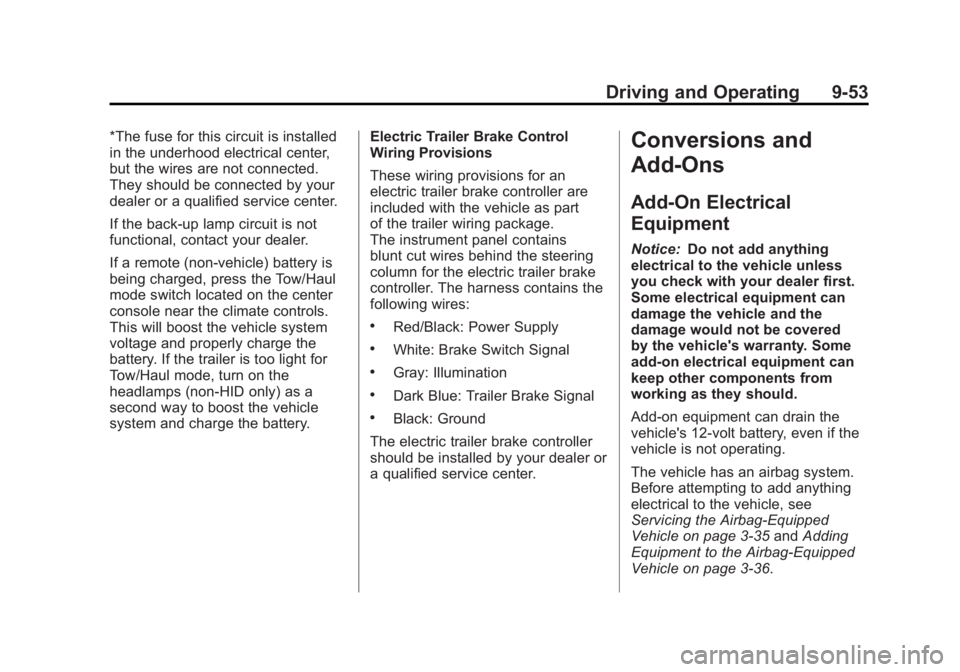
system and charge the battery.Electric Trailer Brake Control
Wiring Provisions
These wiring provisions for an
electric trailer brake controller are
included with the vehicle as part
of the trailer wiring package.
The instrument panel contains
blunt cut wires behind the steering
column for the electric trailer brake
controller. The harness contains the
following wires:
.Red/Black: Power Supply
.White: Brake Switch Signal
.Gray: Illumination
.Dark Blue: Trailer Brake Signal
.Black: Ground
The electric trailer brake controller
should be installed by your dealer or
a qualified service center.
Conversions and
Add-Ons
Add-On Electrical
Equipment
Notice: Do not add anything
electrical to the vehicle unless
you check with your dealer first.
Some electrical equipment can
damage the vehicle and the
damage would not be covered
by the vehicle's warranty. Some
add-on electrical equipment can
keep other components from
working as they should.
Add-on equipment can drain the
vehicle's 12‐volt battery, even if the
vehicle is not operating.
The vehicle has an airbag system.
Before attempting to add anything
electrical to the vehicle, see
Servicing the Airbag-Equipped
Vehicle on page 3‑35 andAdding
Equipment to the Airbag-Equipped
Vehicle on page 3‑36.
Page 345 of 468
Black plate (33,1)GMC Acadia/Acadia Denali Owner Manual - 2012
Vehicle Care 10-33
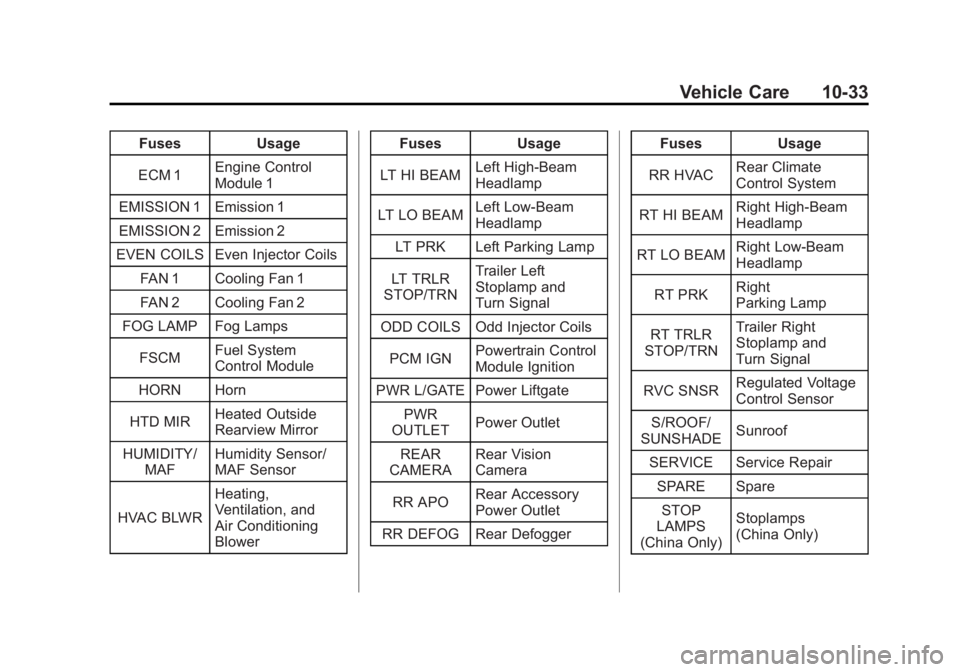
FusesUsage
ECM 1 Engine Control
Module 1
EMISSION 1 Emission 1
EMISSION 2 Emission 2
EVEN COILS Even Injector Coils
FAN 1 Cooling Fan 1
FAN 2 Cooling Fan 2
FOG LAMP Fog Lamps
FSCM Fuel System
Control Module
HORN Horn
HTD MIR Heated Outside
Rearview Mirror
HUMIDITY/ MAF Humidity Sensor/
MAF Sensor
HVAC BLWR Heating,
Ventilation, and
Air Conditioning
Blower Fuses
Usage
LT HI BEAM Left High-Beam
Headlamp
LT LO BEAM Left Low‐Beam
Headlamp
LT PRK Left Parking Lamp
LT TRLR
STOP/TRN Trailer Left
Stoplamp and
Turn Signal
ODD COILS Odd Injector Coils
PCM IGN Powertrain Control
Module Ignition
PWR L/GATE Power Liftgate PWR
OUTLET Power Outlet
REAR
CAMERA Rear Vision
Camera
RR APO Rear Accessory
Power Outlet
RR DEFOG Rear Defogger Fuses
Usage
RR HVAC Rear Climate
Control System
RT HI BEAM Right High‐Beam
Headlamp
RT LO BEAM Right Low‐Beam
Headlamp
RT PRK Right
Parking Lamp
RT TRLR
STOP/TRN Trailer Right
Stoplamp and
Turn Signal
RVC SNSR Regulated Voltage
Control Sensor
S/ROOF/
SUNSHADE Sunroof
SERVICE Service Repair SPARE SpareSTOP
LAMPS
(China Only) Stoplamps
(China Only)
Page 346 of 468
Black plate (34,1)GMC Acadia/Acadia Denali Owner Manual - 2012
10-34 Vehicle Care
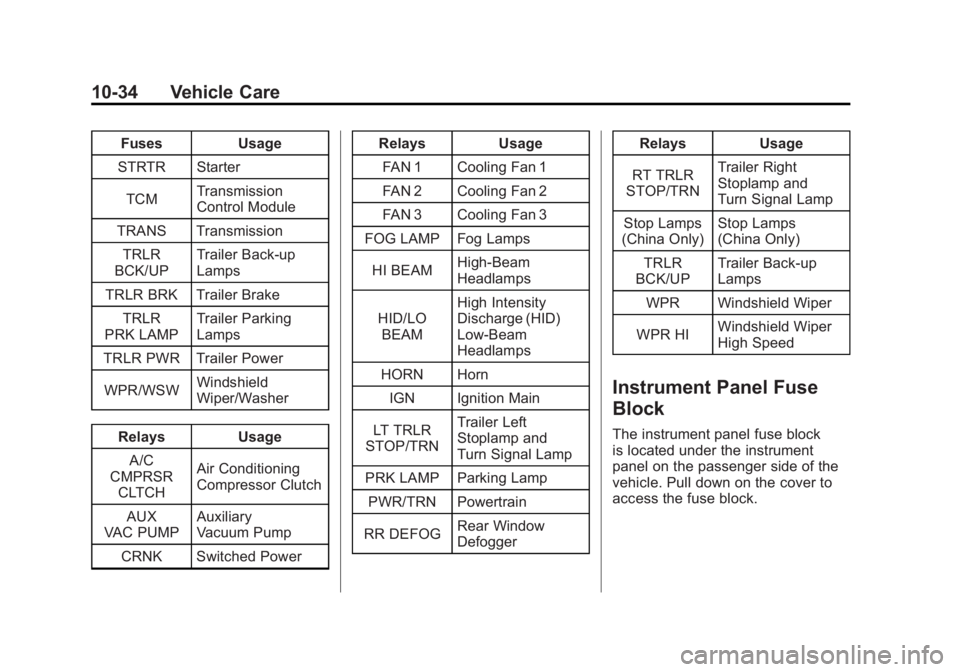
FusesUsage
STRTR Starter
TCM Transmission
Control Module
TRANS Transmission TRLR
BCK/UP Trailer Back‐up
Lamps
TRLR BRK Trailer Brake TRLR
PRK LAMP Trailer Parking
Lamps
TRLR PWR Trailer Power
WPR/WSW Windshield
Wiper/Washer
Relays Usage
A/C
CMPRSR CLTCH Air Conditioning
Compressor Clutch
AUX
VAC PUMP Auxiliary
Vacuum Pump
CRNK Switched Power Relays
Usage
FAN 1 Cooling Fan 1
FAN 2 Cooling Fan 2
FAN 3 Cooling Fan 3
FOG LAMP Fog Lamps
HI BEAM High‐Beam
Headlamps
HID/LO BEAM High Intensity
Discharge (HID)
Low‐Beam
Headlamps
HORN Horn IGN Ignition Main
LT TRLR
STOP/TRN Trailer Left
Stoplamp and
Turn Signal Lamp
PRK LAMP Parking Lamp
PWR/TRN Powertrain
RR DEFOG Rear Window
Defogger Relays
Usage
RT TRLR
STOP/TRN Trailer Right
Stoplamp and
Turn Signal Lamp
Stop Lamps
(China Only) Stop Lamps
(China Only)
TRLR
BCK/UP Trailer Back-up
Lamps
WPR Windshield Wiper
WPR HI Windshield Wiper
High Speed
Instrument Panel Fuse
Block
The instrument panel fuse block
is located under the instrument
panel on the passenger side of the
vehicle. Pull down on the cover to
access the fuse block.
Page 347 of 468

Black plate (35,1)GMC Acadia/Acadia Denali Owner Manual - 2012
Vehicle Care 10-35
Fuse Side
The vehicle may not be equipped
with all of the fuses, relays, and
features shown. Fuses Usage
AIRBAG Airbag AMP Amplifier
BCK/UP/ STOP Back‐up Lamp/
Stoplamp
BCM Body Control
Module
CNSTR/ VENT Canister Vent
CTSY Courtesy Lamps
DR/LCK Door Locks
DRL Daytime Running
Lamps
DRL 2/
RR Fog GMC HID Only
(If Equipped)/
Rear Fog Lamps
(China Only)
DSPLY Display
FRT/WSW Front Windshield
Washer
HTD/COOL SEAT Heated/Cooling
Seats Fuses Usage
HVAC Heating,
Ventilation, and
Air Conditioning
INADV/
PWR/LED Inadvertent
Power LED
INFOTMNT Infotainment
LT/TRN/SIG Driver Side Turn
Signal
MSM Memory Seat
Module
PDM Power Mirrors,
Liftgate Release
PWR MODE Power Mode
PWR/MIR Power Mirrors RDO Radio
REAR WPR Rear Wiper
RT/TRN/SIG Passenger Side
Turn Signal
SPARE Spare
STR/WHL/ ILLUM Steering Wheel
Illumination
Page 361 of 468
Black plate (49,1)GMC Acadia/Acadia Denali Owner Manual - 2012
Vehicle Care 10-49
TPMS sensor. The malfunction
light and the DIC message should
go off at the next ignition cycle.
The sensors are matched to the
tire/wheel positions, using a TPMS
relearn tool, in the following order:
driver side front tire, passenger side
front tire, passenger side rear tire,
and driver side rear. See your
dealer for service or to purchase a
relearn tool.
There are two minutes to match
the first tire/wheel position, and
five minutes overall to match all
four tire/wheel positions. If it takes
longer, the matching process stops
and must be restarted.
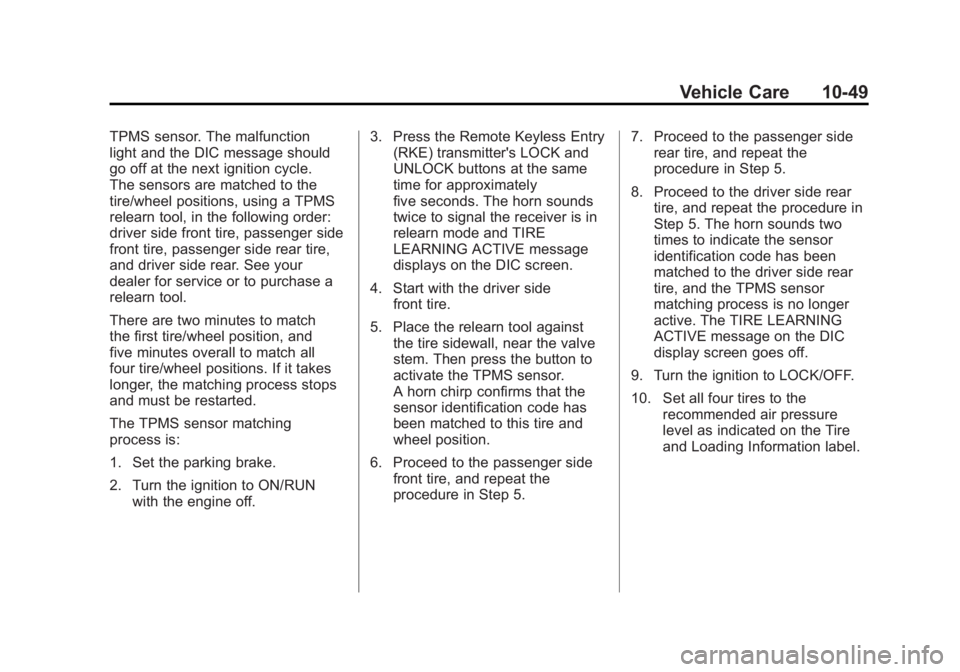
The TPMS sensor matching
process is:
1. Set the parking brake.
2. Turn the ignition to ON/RUNwith the engine off. 3. Press the Remote Keyless Entry
(RKE) transmitter's LOCK and
UNLOCK buttons at the same
time for approximately
five seconds. The horn sounds
twice to signal the receiver is in
relearn mode and TIRE
LEARNING ACTIVE message
displays on the DIC screen.
4. Start with the driver side front tire.
5. Place the relearn tool against the tire sidewall, near the valve
stem. Then press the button to
activate the TPMS sensor.
A horn chirp confirms that the
sensor identification code has
been matched to this tire and
wheel position.
6. Proceed to the passenger side front tire, and repeat the
procedure in Step 5. 7. Proceed to the passenger side
rear tire, and repeat the
procedure in Step 5.
8. Proceed to the driver side rear tire, and repeat the procedure in
Step 5. The horn sounds two
times to indicate the sensor
identification code has been
matched to the driver side rear
tire, and the TPMS sensor
matching process is no longer
active. The TIRE LEARNING
ACTIVE message on the DIC
display screen goes off.
9. Turn the ignition to LOCK/OFF.
10. Set all four tires to the recommended air pressure
level as indicated on the Tire
and Loading Information label.
Page 454 of 468
Black plate (6,1)GMC Acadia/Acadia Denali Owner Manual - 2012
14-6 OnStar
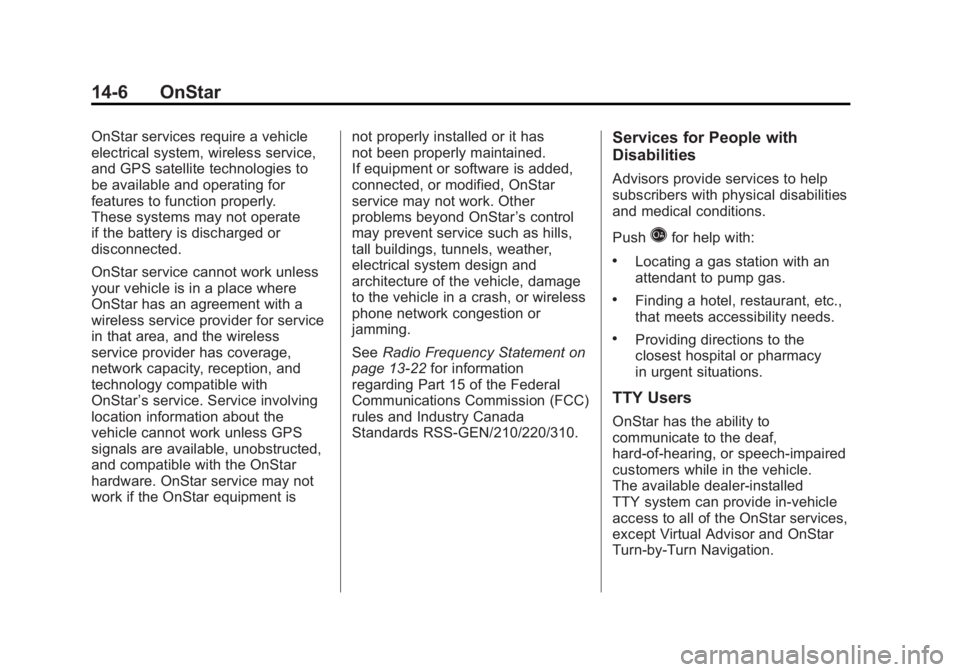
OnStar services require a vehicle
electrical system, wireless service,
and GPS satellite technologies to
be available and operating for
features to function properly.
These systems may not operate
if the battery is discharged or
disconnected.
OnStar service cannot work unless
your vehicle is in a place where
OnStar has an agreement with a
wireless service provider for service
in that area, and the wireless
service provider has coverage,
network capacity, reception, and
technology compatible with
OnStar’s service. Service involving
location information about the
vehicle cannot work unless GPS
signals are available, unobstructed,
and compatible with the OnStar
hardware. OnStar service may not
work if the OnStar equipment is not properly installed or it has
not been properly maintained.
If equipment or software is added,
connected, or modified, OnStar
service may not work. Other
problems beyond OnStar
’s control
may prevent service such as hills,
tall buildings, tunnels, weather,
electrical system design and
architecture of the vehicle, damage
to the vehicle in a crash, or wireless
phone network congestion or
jamming.
See Radio Frequency Statement on
page 13‑22 for information
regarding Part 15 of the Federal
Communications Commission (FCC)
rules and Industry Canada
Standards RSS-GEN/210/220/310.Services for People with
Disabilities
Advisors provide services to help
subscribers with physical disabilities
and medical conditions.
Push
Qfor help with:
.Locating a gas station with an
attendant to pump gas.
.Finding a hotel, restaurant, etc.,
that meets accessibility needs.
.Providing directions to the
closest hospital or pharmacy
in urgent situations.
TTY Users
OnStar has the ability to
communicate to the deaf,
hard‐of‐hearing, or speech‐impaired
customers while in the vehicle.
The available dealer‐installed
TTY system can provide in-vehicle
access to all of the OnStar services,
except Virtual Advisor and OnStar
Turn‐by‐Turn Navigation.
Page 455 of 468

Black plate (7,1)GMC Acadia/Acadia Denali Owner Manual - 2012
OnStar 14-7
Onstar.com
The website provides access to
account information, manages the
OnStar subscription, and allows
viewing of videos of each service.
Get subscription plan pricing
and sign up for OnStar Vehicle
Diagnostics. Click on the“My
Account” tab on the home page.
OnStar Personal Identification
Number (PIN)
A PIN is needed to access some of
the OnStar services, like Remote
Door Unlock and Stolen Vehicle
Assistance. You will be prompted
to change the PIN the first time
when speaking with an Advisor.
To change the OnStar PIN, call
OnStar and provide the Advisor
with the current number.
Warranty
OnStar equipment may be
warranted as part of the new-vehicle
limited warranty. The manufacturer
of the vehicle furnishes detailed
warranty information.
Languages
The vehicle can be programmed
to respond in French or Spanish.
Push
Qand ask an Advisor.
Advisors can speak French or
Spanish.
Potential Issues
Some OnStar services are disabled
after five days. OnStar cannot
perform Remote Door Unlock or
Stolen Vehicle Assistance after the
vehicle has been off continuously
for five days. After five days, OnStar
can contact Roadside Assistance
and a locksmith to help gain access
to the vehicle.
Global Positioning
System (GPS)
.Obstruction of the GPS can
occur in a large city with tall
buildings; in parking garages;
around airports; in tunnels,
underpasses, or parking
garages; or in an area with very
dense trees. If GPS signals are
not available, the OnStar system
should still operate to call
OnStar. However, OnStar could
have difficulty identifying the
exact location.
.In emergency situations, OnStar
can use the last stored GPS
location to send to emergency
responders.
.A temporary loss of GPS can
cause loss of the ability to send
a Turn-by-Turn Navigation route.
The Advisor may give a verbal
route or may ask for a call back
after the vehicle is driven into an
open area.
Page 466 of 468
Black plate (10,1)GMC Acadia/Acadia Denali Owner Manual - 2012
i-10 INDEX
S
Safety Belts . . . . . . . . . . . . . . . . . . . 3-15Care . . . . . . . . . . . . . . . . . . . . . . . . . . 3-23
Extender . . . . . . . . . . . . . . . . . . . . . . 3-22
How to Wear Safety BeltsProperly . . . . . . . . . . . . . . . . . . . . . 3-16
Lap-Shoulder Belt . . . . . . . . . . . . 3-17
Reminders . . . . . . . . . . . . . . . . . . . . 5-15
Replacing after a Crash . . . . . . 3-23
Use During Pregnancy . . . . . . . . 3-22
Safety Defects Reporting
Canadian Government . . . . . . 13-20
General Motors . . . . . . . . . . . . . 13-20
U.S. Government . . . . . . . . . . . 13-19
Safety Locks . . . . . . . . . . . . . . . . . . . . 2-9
Safety System Check . . . . . . . . . . 3-23
Satellite Radio . . . . . . . . . . . . . . . . . . 7-8
Scheduling Appointments . . . . . 13-14
Sealant Kit, Tire . . . . . . . . . . . . . . 10-60
Seats Adjustment, Front . . . . . . . . . . . . . . 3-3
Head Restraints . . . . . . . . . . . . . . . 3-2
Heated and Ventilated Front . . . 3-9
Lumbar Adjustment, Front . . . . . 3-4
Memory . . . . . . . . . . . . . . . . . . . . . . . . 3-7
Power Adjustment, Front . . . . . . 3-4 Seats (cont'd)
Rear . . . . . . . . . . . . . . . . . . . . . . . . . . 3-10
Reclining Seatbacks . . . . . . . . . . . 3-5
Third Row Seat . . . . . . . . . . . . . . . 3-12
Securing Child Restraints . . . . . . . . . . . . . . 3-54, 3-56
Security Light . . . . . . . . . . . . . . . . . . . . . . . . . . 5-24
OnStar
®. . . . . . . . . . . . . . . . . . . . . . 14-2
Vehicle . . . . . . . . . . . . . . . . . . . . . . . 2-13
Service Accessories andModifications . . . . . . . . . . . . . . . . 10-3
Doing Your Own Work . . . . . . . . 10-4
Engine Soon Light . . . . . . . . . . . . 5-18
Maintenance Records . . . . . . .11-14
Maintenance, General Information . . . . . . . . . . . . . . . . . . 11-1
Parts Identification Label . . . . . 12-1
Publications Ordering Information . . . . . . . . . . . . . . . . 13-18
Scheduling Appointments . . . 13-14
Vehicle Messages . . . . . . . . . . . . 5-43
Servicing the Airbag . . . . . . . . . . . 3-35
Shift Lock Control Function Check, Automatic
Transmission . . . . . . . . . . . . . . . . 10-26 Shifting
Into Park . . . . . . . . . . . . . . . . . . . . . . 9-20
Out of Park . . . . . . . . . . . . . . . . . . . 9-21
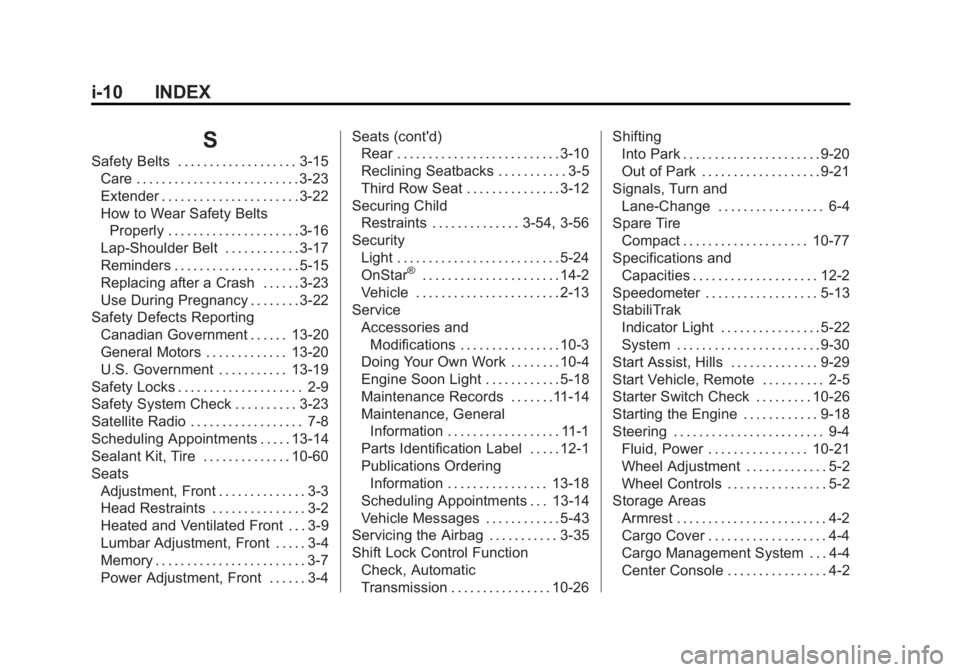
Signals, Turn and Lane-Change . . . . . . . . . . . . . . . . . 6-4
Spare Tire Compact . . . . . . . . . . . . . . . . . . . . 10-77
Specifications and Capacities . . . . . . . . . . . . . . . . . . . . 12-2
Speedometer . . . . . . . . . . . . . . . . . . 5-13
StabiliTrak Indicator Light . . . . . . . . . . . . . . . . 5-22
System . . . . . . . . . . . . . . . . . . . . . . . 9-30
Start Assist, Hills . . . . . . . . . . . . . . 9-29
Start Vehicle, Remote . . . . . . . . . . 2-5
Starter Switch Check . . . . . . . . . 10-26
Starting the Engine . . . . . . . . . . . . 9-18
Steering . . . . . . . . . . . . . . . . . . . . . . . . 9-4 Fluid, Power . . . . . . . . . . . . . . . . 10-21
Wheel Adjustment . . . . . . . . . . . . . 5-2
Wheel Controls . . . . . . . . . . . . . . . . 5-2
Storage Areas Armrest . . . . . . . . . . . . . . . . . . . . . . . . 4-2
Cargo Cover . . . . . . . . . . . . . . . . . . . 4-4
Cargo Management System . . . 4-4
Center Console . . . . . . . . . . . . . . . . 4-2
Page 467 of 468
Black plate (11,1)GMC Acadia/Acadia Denali Owner Manual - 2012
INDEX i-11
Storage Areas (cont'd)Convenience Net . . . . . . . . . . . . . . 4-5
Floor Console . . . . . . . . . . . . . . . . . 4-3
Glove Box . . . . . . . . . . . . . . . . . . . . . 4-1
Instrument Panel . . . . . . . . . . . . . . 4-1
Roof Rack System . . . . . . . . . . . . . 4-5
Storing the Tire Sealant and Compressor Kit . . . . . . . . . 10-68
Stuck Vehicle . . . . . . . . . . . . . . . . . . 9-10
Sun Visors . . . . . . . . . . . . . . . . . . . . . 2-23
Sunroof . . . . . . . . . . . . . . . . . . . . . . . . 2-23
Symbols . . . . . . . . . . . . . . . . . . . . . . . . . . iv
System Infotainment . . . . . . . . . . . . . . . . . . . 7-1
Roof Rack . . . . . . . . . . . . . . . . . . . . . 4-5
T
Tachometer . . . . . . . . . . . . . . . . . . . . 5-13
Text Telephone (TTY) Users . . . 13-6
Theft-Deterrent Systems . . . . . . . 2-14
Immobilizer . . . . . . . . . . . . . . . . . . . 2-14
Third-Row Seats . . . . . . . . . . . . . . . 3-12
Time . . . . . . . . . . . . . . . . . . . . . . . . . . . . 5-8 Tires
Buying New Tires . . . . . . . . . . . 10-52
Chains . . . . . . . . . . . . . . . . . . . . . . 10-57
Changing . . . . . . . . . . . . . . . . . . . 10-68
Compact Spare . . . . . . . . . . . . . 10-77
Designations . . . . . . . . . . . . . . . 10-40
Different Size . . . . . . . . . . . . . . . 10-54
If a Tire Goes Flat . . . . . . . . . . 10-58
Inflation Monitor System . . . . 10-46
Inspection . . . . . . . . . . . . . . . . . . 10-50
Messages . . . . . . . . . . . . . . . . . . . . 5-43
Pressure Light . . . . . . . . . . . . . . . . 5-23
Pressure Monitor System . . . 10-45
Rotation . . . . . . . . . . . . . . . . . . . . 10-50
Sealant andCompressor Kit . . . . . . . . . . . 10-60
Sealant and Compressor Kit, Storing . . . . . . . . . . . . . . . . 10-68
Sidewall Labeling . . . . . . . . . . . 10-38
Terminology and Definitions . . . . . . . . . . . . . . . . . 10-40
Uniform Tire Quality Grading . . . . . . . . . . . . . . . . . . . 10-54 Tires (cont'd)
Wheel Alignment and Tire
Balance . . . . . . . . . . . . . . . . . . . 10-56
Wheel Replacement . . . . . . . . 10-56
When It Is Time for New
Tires . . . . . . . . . . . . . . . . . . . . . . 10-51
Tow/Haul Mode . . . . . . . . . . . . . . . . 9-26
Tow/Haul Mode Light . . . . . . . . . . 5-22
Towing Driving Characteristics . . . . . . . . 9-45
Equipment . . . . . . . . . . . . . . . . . . . . 9-51
General Information . . . . . . . . . . 9-44
Recreational Vehicle . . . . . . . . 10-82
Trailer . . . . . . . . . . . . . . . . . . . . . . . . 9-49
Vehicle . . . . . . . . . . . . . . . . . . . . . 10-82
Trailer Towing . . . . . . . . . . . . . . . . . . . . . . . . 9-49
Transmission
Automatic . . . . . . . . . . . . . . . . . . . . . 9-23
Fluid, Automatic . . . . . . . . . . . . 10-12
Messages . . . . . . . . . . . . . . . . . . . . 5-44
Transportation Program, Courtesy . . . . . . . . . . . . . . . . . . . . 13-14
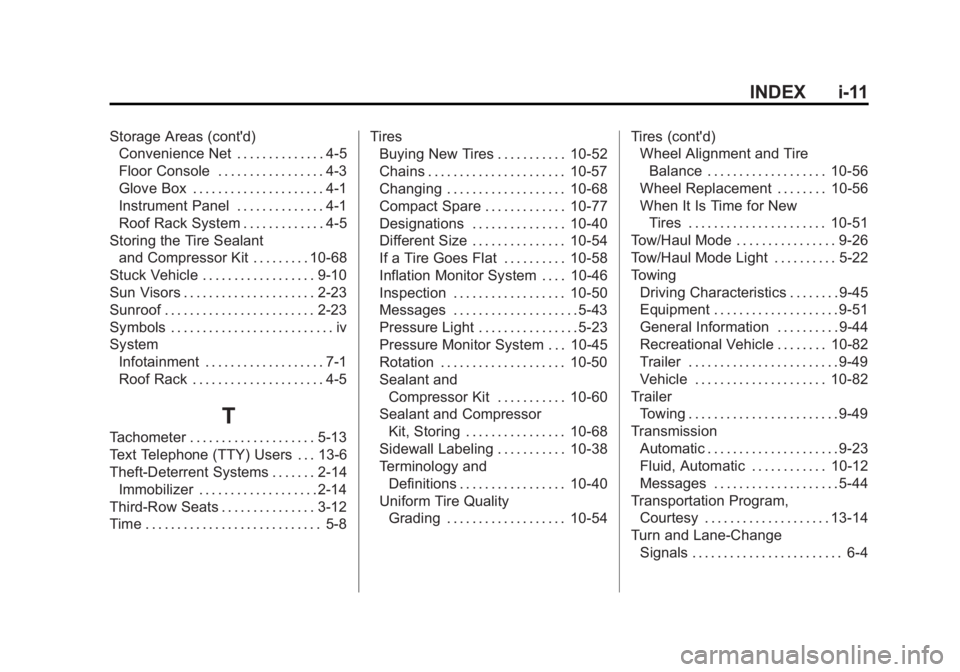
Turn and Lane-Change Signals . . . . . . . . . . . . . . . . . . . . . . . . 6-4