warning GMC ACADIA 2012 Repair Manual
[x] Cancel search | Manufacturer: GMC, Model Year: 2012, Model line: ACADIA, Model: GMC ACADIA 2012Pages: 468, PDF Size: 5.57 MB
Page 153 of 468
Black plate (33,1)GMC Acadia/Acadia Denali Owner Manual - 2012
Instruments and Controls 5-33
Head-Up Display (HUD)
{WARNING
If the HUD image is too bright or
too high in your field of view, it
may take you more time to see
things you need to see when it is
dark outside. Be sure to keep the
HUD image dim and placed low in
your field of view.
For vehicles with the Head-Up
Display (HUD), some information
concerning the operation of the
vehicle is projected onto the
windshield. This includes the
speedometer reading, rpm reading,
transmission position, outside air
temperature, the manual mode gear
range, and a brief display of the current radio station, including XM
information or CD track. It will also
display turn-by-turn navigation
information if the vehicle has a
navigation radio. The images are
projected by the HUD lens located
on the driver side of the instrument
panel.
The HUD information can be
displayed in one of three languages,
English, French, or Spanish.
The speedometer reading and
other numerical values can be
displayed in either English or
metric units.
The language selection and the
units of measurement are changed
through the trip computer in the
Driver Information Center (DIC).
See
Vehicle Personalization
(With DIC Buttons) on page 5‑46.
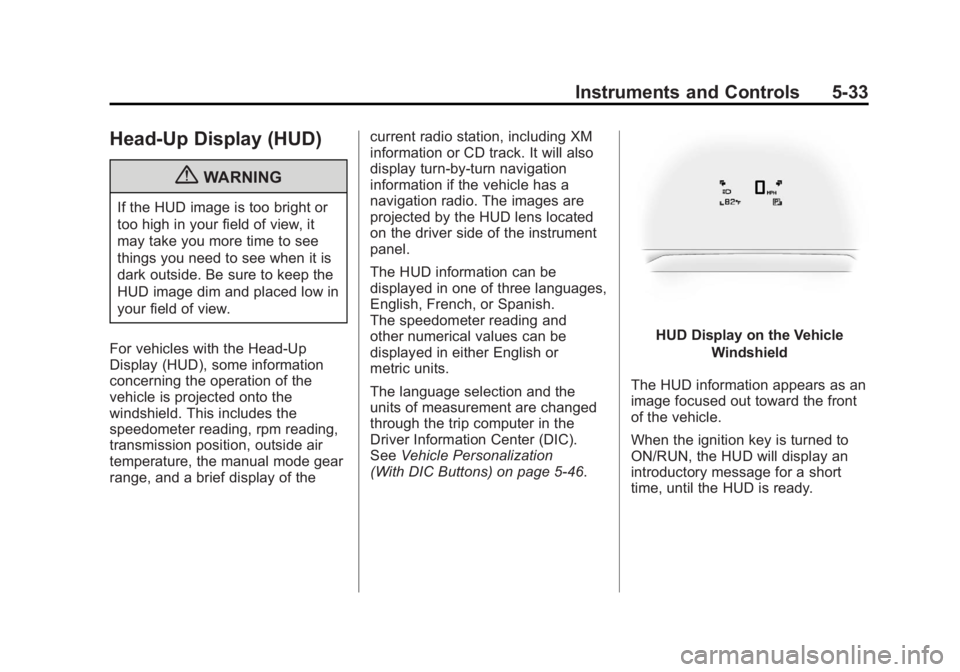
HUD Display on the Vehicle
Windshield
The HUD information appears as an
image focused out toward the front
of the vehicle.
When the ignition key is turned to
ON/RUN, the HUD will display an
introductory message for a short
time, until the HUD is ready.
Page 154 of 468
Black plate (34,1)GMC Acadia/Acadia Denali Owner Manual - 2012
5-34 Instruments and Controls
The following indicator lights come
on the instrument panel when
activated and also appear on
the HUD:
.Turn Signal Indicators
.High-Beam Indicator Symbol
The HUD temporarily displays
CHECK GAGES and ICE
POSSIBLE when these messages
are on the DIC trip computer.
The HUD also displays the following
messages on vehicles with these
systems, when they are active:
.TRACTION CONTROL ACTIVE
.STABILITRAK ACTIVE
Notice: If you try to use the HUD
image as a parking aid, you may
misjudge the distance and
damage your vehicle. Do not use
the HUD image as a parking aid. When the HUD is on, the
speedometer reading is continually
displayed. The current radio station
or CD track number will display
for a short period of time after the
radio or CD track status changes.
This happens whenever radio
information is changed. The
speedometer size is reduced when
radio, CD information, warnings,
or turn-by-turn navigation
information are displayed on
the HUD.
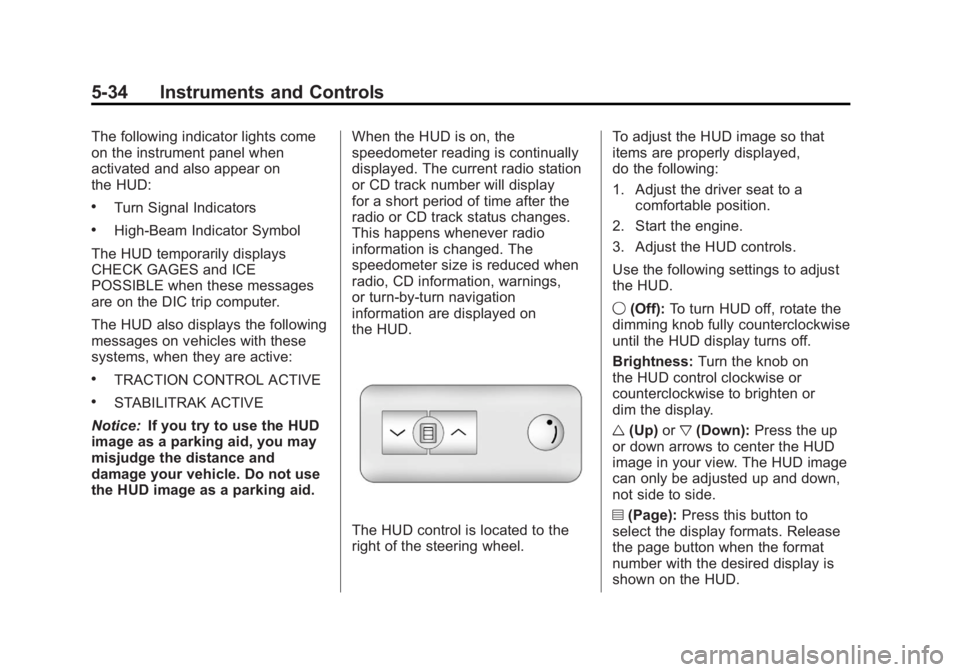
The HUD control is located to the
right of the steering wheel.To adjust the HUD image so that
items are properly displayed,
do the following:
1. Adjust the driver seat to a
comfortable position.
2. Start the engine.
3. Adjust the HUD controls.
Use the following settings to adjust
the HUD.
9 (Off): To turn HUD off, rotate the
dimming knob fully counterclockwise
until the HUD display turns off.
Brightness: Turn the knob on
the HUD control clockwise or
counterclockwise to brighten or
dim the display.
w (Up) orx(Down): Press the up
or down arrows to center the HUD
image in your view. The HUD image
can only be adjusted up and down,
not side to side.
? (Page): Press this button to
select the display formats. Release
the page button when the format
number with the desired display is
shown on the HUD.
Page 158 of 468
Black plate (38,1)GMC Acadia/Acadia Denali Owner Manual - 2012
5-38 Instruments and Controls
Brake System Messages
SERVICE BRAKE SYSTEM
This message displays along with
the brake system warning light if
there is a problem with the brake
system. SeeBrake System Warning
Light on page 5‑21. If this message
appears, stop as soon as possible
and turn off the vehicle. Restart the
vehicle and check for the message
on the DIC display. If the message
is still displayed or appears again
when you begin driving, the brake
system needs service as soon as
possible. See your dealer.
Cruise Control Messages
CRUISE SET TO XXX
This message displays whenever
the cruise control is set. See Cruise
Control on page 9‑32 for more
information.
Door Ajar Messages
DRIVER DOOR OPEN
This message displays and a chime
sounds if the driver door is not fully
closed and the vehicle is shifted out
of P (Park). Stop and turn off the
vehicle, check the door for
obstructions, and close the door
again. Check to see if the message
still appears on the DIC.
HOOD OPEN
On some models, this message
displays and a chime sounds if the
hood is not fully closed. Stop and
turn off the vehicle, check the hood
for obstructions, and close the hood
again. Check to see if the message
still appears on the DIC.
LEFT REAR DOOR OPEN
This message displays and a
chime sounds if the driver side rear
door is not fully closed and the
vehicle is shifted out of P (Park). Stop and turn off the vehicle, check
the door for obstructions, and close
the door again. Check to see if the
message still appears on the DIC.
LIFTGATE OPEN
This message displays and a chime
sounds if the liftgate is open while
the ignition is in ON/RUN. Turn off
the vehicle and check the liftgate.
Restart the vehicle and check for
the message on the DIC display.
PASSENGER DOOR OPEN
This message displays and a chime
sounds if the passenger door is
not fully closed and the vehicle is
shifted out of P (Park). Stop and turn
off the vehicle, check the door for
obstructions, and close the door
again. Check to see if the message
still appears on the DIC.
POWER LIFTGATE OFF
This message displays when the
power liftgate has been turned off
by pressing the power liftgate button
on the center console.
Page 159 of 468
Black plate (39,1)GMC Acadia/Acadia Denali Owner Manual - 2012
Instruments and Controls 5-39
RIGHT REAR DOOR OPEN
This message displays and a chime
sounds if the passenger side rear
door is not fully closed and the
vehicle is shifted out of P (Park).
Stop and turn off the vehicle, check
the door for obstructions, and close
the door again. Check to see if the
message still appears on the DIC.
Engine Cooling System
Messages
ENGINE HOT A/C
(Air Conditioning) OFF
This message displays when the
engine coolant becomes hotter than
the normal operating temperature.
SeeEngine Coolant Temperature
Gauge on page 5‑14. To avoid
added strain on a hot engine,
the air conditioning compressor
automatically turns off. When the
coolant temperature returns to
normal, the air conditioning
compressor turns back on. You can
continue to drive your vehicle. If this message continues to appear,
have the system repaired by your
dealer as soon as possible to avoid
damage to the engine.
ENGINE OVERHEATED
IDLE ENGINE
Notice:
If you drive the vehicle
while the engine is overheating,
severe engine damage may
occur. If an overheat warning
appears on the instrument panel
cluster and/or DIC, stop the
vehicle as soon as possible.
Do not increase the engine
speed above normal idling speed.
See Engine Overheating on
page 10‑18 for more information.
This message displays when the
engine coolant temperature is too
hot. Stop and allow the vehicle to
idle until it cools down. See Engine
Coolant Temperature Gauge on
page 5‑14.
See Overheated Engine Protection
Operating Mode on page 10‑20
for information on driving to a safe
place in an emergency.
ENGINE OVERHEATED
STOP ENGINE
Notice: If you drive the vehicle
while the engine is overheating,
severe engine damage may
occur. If an overheat warning
appears on the instrument panel
cluster and/or DIC, stop the
vehicle as soon as possible.
Do not increase the engine
speed above normal idling speed.
See Engine Overheating on
page 10‑18 for more information.
This message displays and a
continuous chime sounds if the
engine cooling system reaches
unsafe temperatures for operation.
Stop and turn off the vehicle as
soon as it is safe to do so to avoid
severe damage. This message
clears when the engine has cooled
to a safe operating temperature.
Page 160 of 468
Black plate (40,1)GMC Acadia/Acadia Denali Owner Manual - 2012
5-40 Instruments and Controls
Engine Oil Messages
CHANGE ENGINE OIL SOON
This message displays when the
engine oil needs to be changed.
When you change the engine oil, be
sure to reset the CHANGE ENGINE
OIL SOON message. SeeEngine
Oil Life System on page 10‑10 for
information on how to reset the
message. See Engine Oil on
page 10‑8 andMaintenance
Schedule on page 11‑3 for more
information.
OIL PRESSURE LOW STOP
ENGINE
Notice: If you drive the vehicle
while the engine oil pressure is
low, severe engine damage may
occur. If a low oil pressure
warning appears on the
instrument panel cluster and/or
DIC, stop the vehicle as soon as
possible. Do not drive the vehicle until the cause of the low oil
pressure is corrected. See
Engine
Oil on page 10‑8 for more
information.
This message displays if low oil
pressure levels occur. Stop the
vehicle as soon as safely possible
and do not operate it until the cause
of the low oil pressure has been
corrected. Check the oil as soon as
possible and have your vehicle
serviced by your dealer. See Engine
Oil on page 10‑8.
Engine Power Messages
ENGINE POWER IS REDUCED
This message displays and a
chime sounds when the cooling
system temperature gets too hot
and the engine further enters the
engine coolant protection mode.
See Engine Overheating on
page 10‑18 for further information. This message also displays when
the vehicle's engine power is
reduced. Reduced engine power
can affect the vehicle's ability to
accelerate. If this message is on,
but there is no reduction in
performance, proceed to your
destination. The performance may
be reduced the next time the vehicle
is driven. The vehicle may be driven
at a reduced speed while this
message is on, but acceleration and
speed may be reduced. Anytime
this message stays on, the vehicle
should be taken to your dealer for
service as soon as possible.Fuel System Messages
FUEL LEVEL LOW
This message displays and a chime
sounds if the fuel level is low. Refuel
as soon as possible. See
Fuel
Gauge on page 5‑13 andFuel on
page 9‑40 for more information.
Page 163 of 468
Black plate (43,1)GMC Acadia/Acadia Denali Owner Manual - 2012
Instruments and Controls 5-43
THEFT ATTEMPTED
This message displays if the content
theft-deterrent system has detected
a break-in attempt while you were
away from your vehicle. See
Anti-theft Alarm System on
page 2‑13for more information.
Service Vehicle Messages
SERVICE A/C
(Air Conditioning) SYSTEM
This message displays when the
electronic sensors that control the
air conditioning and heating
systems are no longer working.
Have the climate control system
serviced by your dealer if you notice
a drop in heating and air
conditioning efficiency.
SERVICE POWER STEERING
This message displays when a
problem is detected with the power
steering system. When this
message is displayed, you may
notice that the effort required to steer the vehicle increases or feels
heavier, but you will still be able to
steer the vehicle. Have your vehicle
serviced by your dealer immediately.
SERVICE VEHICLE SOON
This message displays when a
non-emissions related malfunction
occurs. Have the vehicle serviced
by your dealer as soon as possible.
STARTING DISABLED
SERVICE THROTTLE
This message displays when your
vehicle's throttle system is not
functioning properly. Have your
vehicle serviced by your dealer.
Tire Messages
TIRE LOW ADD AIR TO TIRE
On vehicles with the Tire Pressure
Monitor System (TPMS), this
message displays when the
pressure in one or more of the
vehicle's tires is low.
This message also displays
LEFT FRT (left front), RIGHT FRT
(right front), LEFT RR (left rear),
or RIGHT RR (right rear) to indicate
the location of the low tire.
The low tire pressure warning light
will also come on. See
Tire
Pressure Light on page 5‑23.
If a tire pressure message appears
on the DIC, stop as soon as you
can. Inflate the tires by adding air
until the tire pressure is equal to
the values shown on the Tire and
Loading Information label. See Tires
on page 10‑37, Vehicle Load Limits
on page 9‑10, and Tire Pressure on
page 10‑44.
You can receive more than one
tire pressure message at a time.
To read the other messages that
may have been sent at the same
time, press the set/reset button or
the trip odometer reset stem.
Page 164 of 468
Black plate (44,1)GMC Acadia/Acadia Denali Owner Manual - 2012
5-44 Instruments and Controls
The DIC also shows the tire
pressure values. SeeDriver
Information Center (DIC)
(Without DIC Buttons) on page 5‑30
or Driver Information Center (DIC)
(With DIC Buttons) on page 5‑25.
SERVICE TIRE MONITOR
SYSTEM
On vehicles with the Tire Pressure
Monitor System (TPMS), this
message displays if a part on the
TPMS is not working properly.
The tire pressure light also flashes
and then remains on during the
same ignition cycle. See Tire
Pressure Light on page 5‑23.
Several conditions may cause this
message to appear. See Tire
Pressure Monitor Operation on
page 10‑46 for more information.
If the warning comes on and stays
on, there may be a problem with
the TPMS. See your dealer.
TIRE LEARNING ACTIVE
This message displays when the
Tire Pressure Monitor System
(TPMS) is relearning the tire
positions on your vehicle. The tire
positions must be relearned after
rotating the tires or after replacing a
tire or sensor. See Tire Rotation on
page 10‑50, Tire Pressure Monitor
System on page 10‑45, and Tire
Pressure on page 10‑44 for more
information.
Transmission Messages
ALL WHEEL DRIVE OFF
If your vehicle has the All-Wheel
Drive (AWD) system, this message
displays when there is a compact
spare tire on the vehicle, when the
Antilock Brake System (ABS)
warning light comes on, or when the
rear differential fluid is overheating.
This message turns off when the
differential fluid cools. The AWD system is disabled until
the compact spare tire is replaced
by a full-size tire. If the warning
message is still on after putting on
the full-size tire, you need to reset
the warning message. To reset the
warning message, turn the ignition
off and then back on again after
30 seconds. If the message stays
on, see your dealer right away.
See
All-Wheel Drive on page 9‑27
for more information.
SERVICE ALL WHEEL DRIVE
If your vehicle has the All-Wheel
Drive (AWD) system, this message
displays if there is a problem
with this system. If this message
appears, stop as soon as possible
and turn off the vehicle. Restart the
vehicle after 30 seconds and check
for the message on the DIC display.
If the message is still displayed or
appears again when you begin
driving, the AWD system needs
service. See your dealer.
Page 165 of 468
Black plate (45,1)GMC Acadia/Acadia Denali Owner Manual - 2012
Instruments and Controls 5-45
SERVICE TRANSMISSION
This message displays when there
is a problem with the transmission.
See your dealer for service.
TRANSMISSION HOT
IDLE ENGINE
Notice:If you drive the vehicle
while the transmission fluid is
overheating and the transmission
temperature warning is displayed
on the instrument panel cluster
and/or DIC, you can damage the
transmission. This could lead to
costly repairs that would not be
covered by the warranty. Do not
drive the vehicle with overheated
transmission fluid or while the
transmission temperature
warning is displayed. This message displays and a chime
sounds if the transmission fluid in
the vehicle gets hot. Driving with the
transmission fluid temperature high
can cause damage to the vehicle.
Stop the vehicle and let it idle to
allow the transmission to cool.
This message clears when the fluid
temperature reaches a safe level.
Vehicle Reminder
Messages
ICE POSSIBLE DRIVE
WITH CARE
This message displays when the
outside air temperature is cold
enough to create icy road
conditions. Adjust your driving
accordingly.
Vehicle Speed Messages
SPEED LIMITED TO
XXX MPH (KM/H)
This message displays when your
vehicle speed is limited to 128 km/h
(80 mph) because the vehicle
detects a problem in the speed
variable assist steering system.
Have your vehicle serviced by your
dealer.
Washer Fluid Messages
WASHER FLUID LOW
ADD FLUID
This message displays when the
windshield washer fluid is low.
Fill the windshield washer fluid
reservoir as soon as possible. See
Engine Compartment Overview on
page 10‑6
for the location of the
windshield washer fluid reservoir.
Also, see Washer Fluid on
page 10‑22 for more information.
Page 179 of 468
Black plate (1,1)GMC Acadia/Acadia Denali Owner Manual - 2012
Lighting 6-1
Lighting
Exterior Lighting
Exterior Lamp Controls . . . . . . . . 6-1
Headlamp High/Low-BeamChanger . . . . . . . . . . . . . . . . . . . . . 6-2
Flash-to-Pass . . . . . . . . . . . . . . . . . 6-2
Daytime Running Lamps (DRL)/Automatic Headlamp
System . . . . . . . . . . . . . . . . . . . . . . 6-3
Delayed Headlamps . . . . . . . . . . 6-3
Hazard Warning Flashers . . . . . 6-4
Turn and Lane-Change Signals . . . . . . . . . . . . . . . . . . . . . . 6-4
Fog Lamps . . . . . . . . . . . . . . . . . . . . 6-5
Interior Lighting
Instrument Panel Illumination Control . . . . . . . . . . . . . . . . . . . . . . 6-5
Courtesy Lamps . . . . . . . . . . . . . . 6-5
Dome Lamps . . . . . . . . . . . . . . . . . 6-5
Reading Lamps . . . . . . . . . . . . . . . 6-6
Lighting Features
Entry Lighting . . . . . . . . . . . . . . . . . 6-6
Delayed Entry Lighting . . . . . . . . 6-6
Delayed Exit Lighting . . . . . . . . . 6-7
Parade Dimming . . . . . . . . . . . . . . 6-7
Battery Load Management . . . . 6-7
Battery Power Protection . . . . . . 6-8
Exterior Lighting
Exterior Lamp Controls
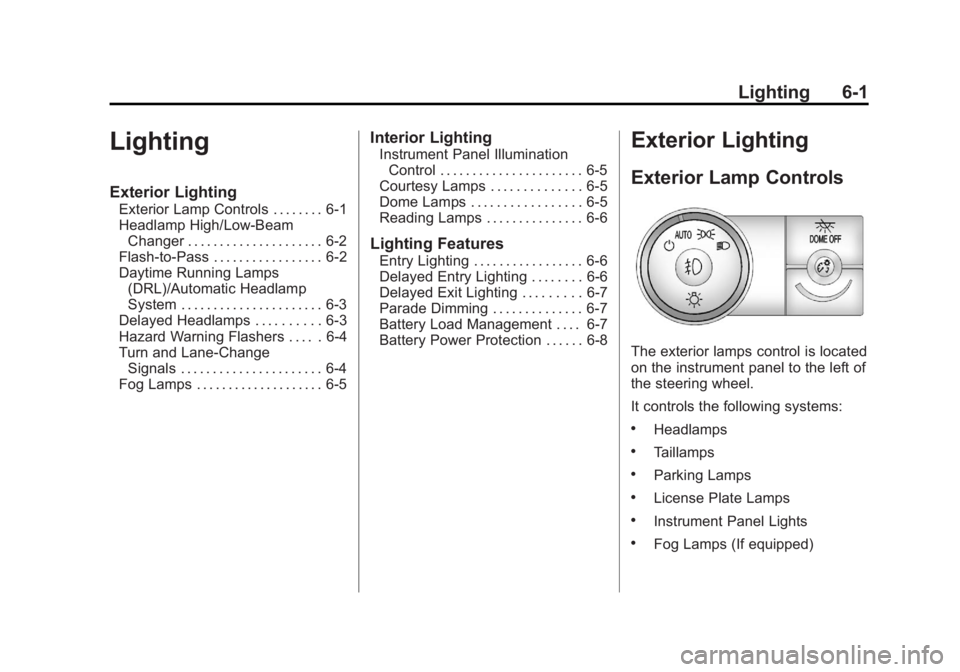
The exterior lamps control is located
on the instrument panel to the left of
the steering wheel.
It controls the following systems:
.Headlamps
.Taillamps
.Parking Lamps
.License Plate Lamps
.Instrument Panel Lights
.Fog Lamps (If equipped)
Page 180 of 468
Black plate (2,1)GMC Acadia/Acadia Denali Owner Manual - 2012
6-2 Lighting
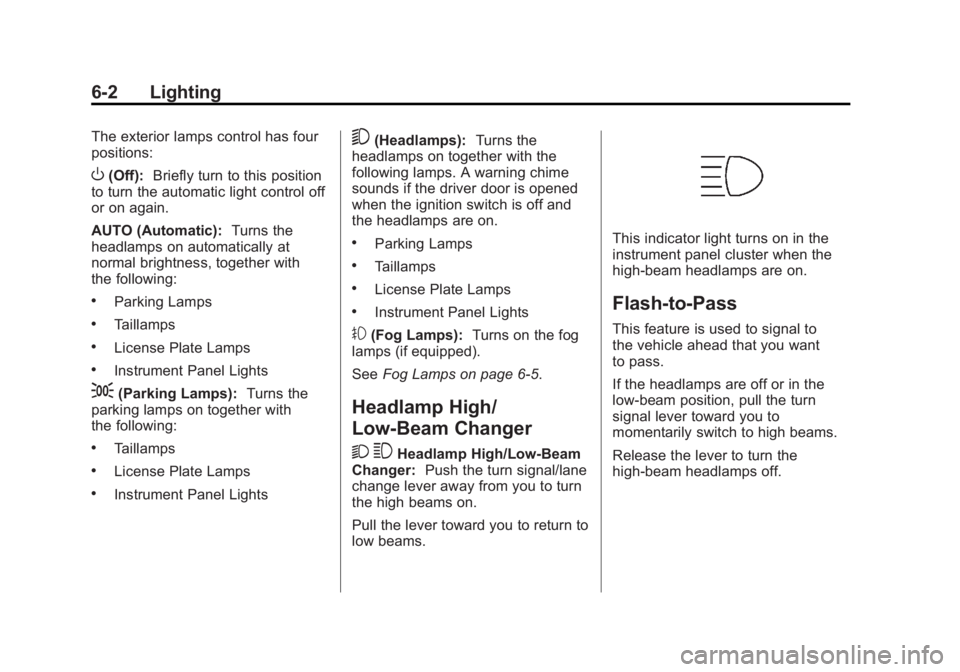
The exterior lamps control has four
positions:
O(Off):Briefly turn to this position
to turn the automatic light control off
or on again.
AUTO (Automatic): Turns the
headlamps on automatically at
normal brightness, together with
the following:
.Parking Lamps
.Taillamps
.License Plate Lamps
.Instrument Panel Lights
;(Parking Lamps): Turns the
parking lamps on together with
the following:
.Taillamps
.License Plate Lamps
.Instrument Panel Lights
5(Headlamps): Turns the
headlamps on together with the
following lamps. A warning chime
sounds if the driver door is opened
when the ignition switch is off and
the headlamps are on.
.Parking Lamps
.Taillamps
.License Plate Lamps
.Instrument Panel Lights
#(Fog Lamps): Turns on the fog
lamps (if equipped).
See Fog Lamps on page 6‑5.
Headlamp High/
Low-Beam Changer
2 3
Headlamp High/Low‐Beam
Changer: Push the turn signal/lane
change lever away from you to turn
the high beams on.
Pull the lever toward you to return to
low beams.
This indicator light turns on in the
instrument panel cluster when the
high‐beam headlamps are on.
Flash-to-Pass
This feature is used to signal to
the vehicle ahead that you want
to pass.
If the headlamps are off or in the
low‐beam position, pull the turn
signal lever toward you to
momentarily switch to high beams.
Release the lever to turn the
high-beam headlamps off.