remote control GMC ACADIA 2013 Owner's Guide
[x] Cancel search | Manufacturer: GMC, Model Year: 2013, Model line: ACADIA, Model: GMC ACADIA 2013Pages: 410, PDF Size: 5.46 MB
Page 165 of 410
Black plate (51,1)Acadia/Acadia Denali Owner Manual - 2013 - crc2 - 12/11/12
Instruments and Controls 5-51
.If the Universal Remote
system indicator light blinks
rapidly for two seconds,
then turns to a constant
light and the garage door
does not move, continue
with programming
Steps 4–6.
It may be helpful to have
another person assist with
the remaining Steps 4–6.
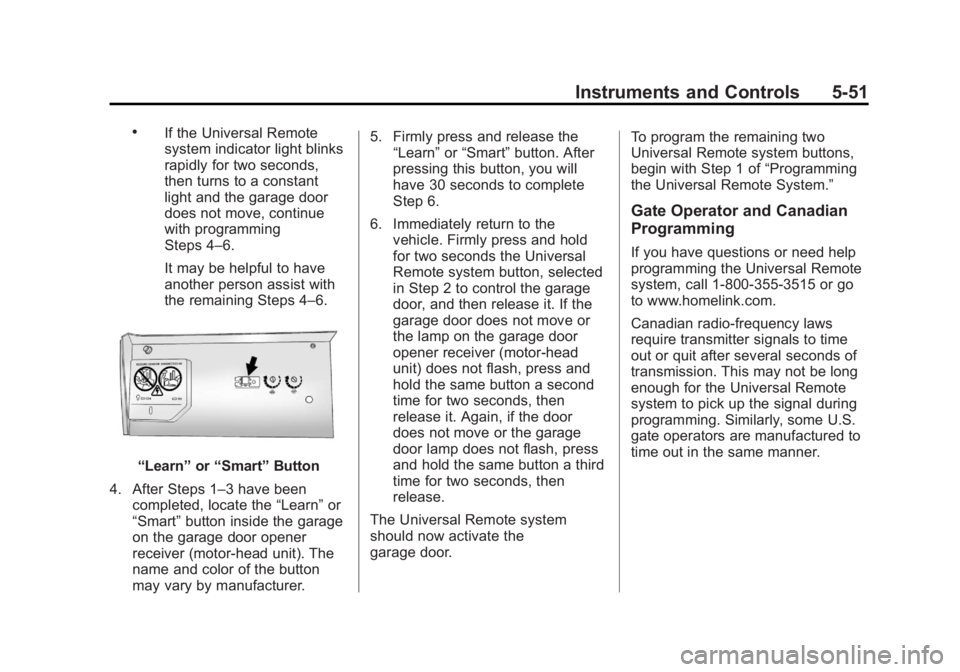
“Learn”or“Smart” Button
4. After Steps 1–3 have been completed, locate the “Learn”or
“Smart” button inside the garage
on the garage door opener
receiver (motor-head unit). The
name and color of the button
may vary by manufacturer. 5. Firmly press and release the
“Learn” or“Smart” button. After
pressing this button, you will
have 30 seconds to complete
Step 6.
6. Immediately return to the vehicle. Firmly press and hold
for two seconds the Universal
Remote system button, selected
in Step 2 to control the garage
door, and then release it. If the
garage door does not move or
the lamp on the garage door
opener receiver (motor-head
unit) does not flash, press and
hold the same button a second
time for two seconds, then
release it. Again, if the door
does not move or the garage
door lamp does not flash, press
and hold the same button a third
time for two seconds, then
release.
The Universal Remote system
should now activate the
garage door. To program the remaining two
Universal Remote system buttons,
begin with Step 1 of
“Programming
the Universal Remote System.”
Gate Operator and Canadian
Programming
If you have questions or need help
programming the Universal Remote
system, call 1-800-355-3515 or go
to www.homelink.com.
Canadian radio-frequency laws
require transmitter signals to time
out or quit after several seconds of
transmission. This may not be long
enough for the Universal Remote
system to pick up the signal during
programming. Similarly, some U.S.
gate operators are manufactured to
time out in the same manner.
Page 166 of 410
Black plate (52,1)Acadia/Acadia Denali Owner Manual - 2013 - crc2 - 12/11/12
5-52 Instruments and Controls
If you live in Canada, or you are
having difficulty programming a gate
operator or garage door opener by
using the“Programming the
Universal Remote System”
procedures, regardless of where
you live, replace Step 2 under
“Programming the Universal Remote
System” with the following:
Continue to press and hold the
Universal Remote system button
while you press and release every
two seconds (cycle) the hand-held
transmitter button until the
frequency signal has been
successfully accepted by the
Universal Remote system. The
Universal Remote system indicator
light will flash slowly at first and then
rapidly. Proceed with Step 3 under
“Programming the Universal Remote
System” to complete.Universal Remote System
Operation
Using Universal Remote
Press and hold the appropriate
Universal Remote button for at least
half of a second. The indicator light
will come on while the signal is
being transmitted.
Erasing Universal Remote
Buttons
All programmed buttons should be
erased when the vehicle is sold or
the lease ends.
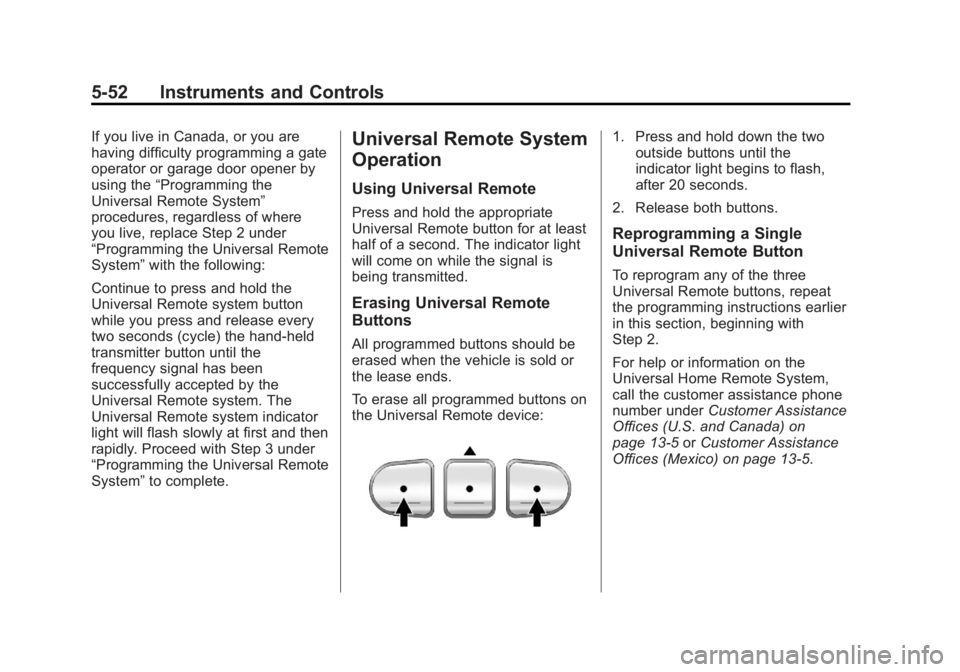
To erase all programmed buttons on
the Universal Remote device:
1. Press and hold down the two
outside buttons until the
indicator light begins to flash,
after 20 seconds.
2. Release both buttons.
Reprogramming a Single
Universal Remote Button
To reprogram any of the three
Universal Remote buttons, repeat
the programming instructions earlier
in this section, beginning with
Step 2.
For help or information on the
Universal Home Remote System,
call the customer assistance phone
number under Customer Assistance
Offices (U.S. and Canada) on
page 13‑5 orCustomer Assistance
Offices (Mexico) on page 13‑5.
Page 266 of 410
Black plate (50,1)Acadia/Acadia Denali Owner Manual - 2013 - crc2 - 12/11/12
9-50 Driving and Operating
*The fuse for this circuit is installed
in the underhood electrical center,
but the wires are not connected.
They should be connected by your
dealer or a qualified service center.
If the back-up lamp circuit is not
functional, contact your dealer.
If a remote (non-vehicle) battery is
being charged, press the Tow/Haul
mode switch located on the center
console near the climate controls.
This will boost the vehicle system
voltage and properly charge the
battery. If the trailer is too light for
Tow/Haul mode, turn on the
headlamps (non-HID only) as a
second way to boost the vehicle
system and charge the battery.Electric Trailer Brake Control
Wiring Provisions
These wiring provisions for an
electric trailer brake controller are
included with the vehicle as part of
the trailer wiring package. The
instrument panel contains blunt cut
wires above the parking brake
assembly for the electric trailer
brake controller. The harness
contains the following wires:
.Red/Black: Power Supply
.White: Brake Switch Signal
.Gray: Illumination
.Dark Blue: Trailer Brake Signal
.Black: Ground
The electric trailer brake controller
should be installed by your dealer or
a qualified service center.
Conversions and
Add-Ons
Add-On Electrical
Equipment
Notice: Some electrical
equipment can damage the
vehicle or cause components to
not work and would not be
covered by the warranty. Always
check with your dealer before
adding electrical equipment.
Add-on equipment can drain the
vehicle's 12-volt battery, even if the
vehicle is not operating.
The vehicle has an airbag system.
Before attempting to add anything
electrical to the vehicle, see
Servicing the Airbag-Equipped
Vehicle on page 3‑34 andAdding
Equipment to the Airbag-Equipped
Vehicle on page 3‑35.
Page 337 of 410
Black plate (71,1)Acadia/Acadia Denali Owner Manual - 2013 - crc2 - 12/11/12
Vehicle Care 10-71
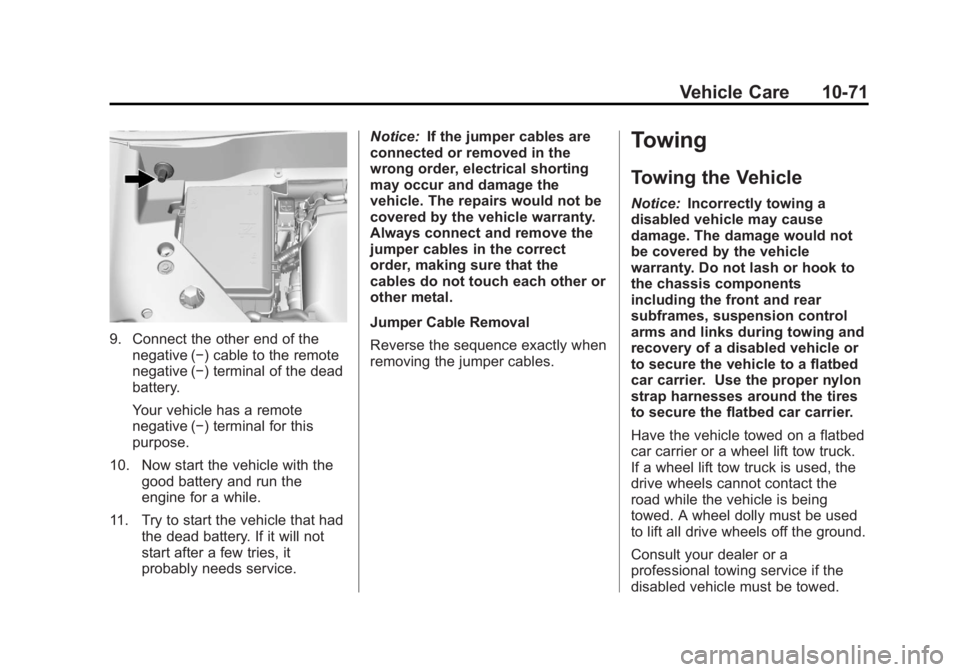
9. Connect the other end of thenegative (−) cable to the remote
negative (−) terminal of the dead
battery.
Your vehicle has a remote
negative (−) terminal for this
purpose.
10. Now start the vehicle with the good battery and run the
engine for a while.
11. Try to start the vehicle that had the dead battery. If it will not
start after a few tries, it
probably needs service. Notice:
If the jumper cables are
connected or removed in the
wrong order, electrical shorting
may occur and damage the
vehicle. The repairs would not be
covered by the vehicle warranty.
Always connect and remove the
jumper cables in the correct
order, making sure that the
cables do not touch each other or
other metal.
Jumper Cable Removal
Reverse the sequence exactly when
removing the jumper cables.
Towing
Towing the Vehicle
Notice: Incorrectly towing a
disabled vehicle may cause
damage. The damage would not
be covered by the vehicle
warranty. Do not lash or hook to
the chassis components
including the front and rear
subframes, suspension control
arms and links during towing and
recovery of a disabled vehicle or
to secure the vehicle to a flatbed
car carrier. Use the proper nylon
strap harnesses around the tires
to secure the flatbed car carrier.
Have the vehicle towed on a flatbed
car carrier or a wheel lift tow truck.
If a wheel lift tow truck is used, the
drive wheels cannot contact the
road while the vehicle is being
towed. A wheel dolly must be used
to lift all drive wheels off the ground.
Consult your dealer or a
professional towing service if the
disabled vehicle must be towed.
Page 391 of 410
Black plate (3,1)Acadia/Acadia Denali Owner Manual - 2013 - crc2 - 12/11/12
OnStar 14-3
Using Voice Commands
During a Planned Route
Cancel Route
1. Press
=. System responds:
“OnStar ready,” then a tone. Say
“Cancel route.” System
responds: “Do you want to
cancel directions?”
2. Say “Yes.”System responds:
“OK, request completed, thank
you, goodbye.”
Route Preview
1. Press
=. System responds:
“OnStar ready,” then a tone.
2. Say “Route preview.” System
responds with the next three
maneuvers.
3. Say “Goodbye.” Exits voice
commands.
Repeat
1. Press
=. System responds:
“OnStar ready,” then a tone. 2. Say
“Repeat.” System responds
with the last direction given, then
responds with “OnStar ready,”
then a tone.
3. Say “Goodbye.” Exits voice
commands.
Get My Destination
1. Press
=. System responds:
“OnStar ready,” then a tone.
2. Say “Get my destination.”
System responds with address
and the distance to the
destination, then responds with
“OnStar ready,” then a tone.
3. Say “Goodbye.” Exits voice
commands.
Other Navigation Services
Available from OnStar
OnStar eNav: Allows subscribers
to send destinations from
MapQuest.com to their Turn-by-Turn
Navigation or screen-based
navigation system. When ready, the
directions will be downloaded to the
vehicle. Destination Download:
Press
Q,
then request the Advisor to
download directions to the
navigation system in the vehicle.
After the call ends, press the “Go”
button on the navigation screen to
begin driving directions.
Destinations can also be
downloaded on the go. For
information about eNav, Destination
Download, and coverage maps see
www.onstar.com (U.S.),
www.onstar.ca (Canada).
Connections
OnStar Hands-Free Calling allows
calls to be made and received from
the vehicle. The vehicle can also be
controlled from a cell phone through
the OnStar RemoteLink mobile app.
For coverage maps, see
www.onstar.com (U.S.),
www.onstar.ca (Canada).
Page 404 of 410
Black plate (6,1)Acadia/Acadia Denali Owner Manual - 2013 - crc2 - 12/11/12
i-6 INDEX
I
Ignition Positions . . . . . . . . . . . . . . 9-14
Ignition Transmission LockCheck . . . . . . . . . . . . . . . . . . . . . . . 10-23
Immobilizer . . . . . . . . . . . . . . . . . . . . 2-13
Infants and Young Children, Restraints . . . . . . . . . . . . . . . . . . . . 3-39
Infotainment . . . . . . . . . . . . . . . . . . . . 7-1
Infotainment System . . . . . . . . . . 13-20
Instrument Cluster . . . . . . . . . . . . . 5-10
Instrument Panel Storage Area . . . . . . . . . . . . . . . . . . 4-1
Introduction . . . . . . . . . . . . . . . . . . . . . . . iii
J
Jump Starting . . . . . . . . . . . . . . . . . 10-68
K
Key and Lock Messages . . . . . . . 5-36
Keyless Entry Remote (RKE) System . . . . . . . . 2-2
Keys . . . . . . . . . . . . . . . . . . . . . . . . . . . . 2-1
L
Labeling, Tire Sidewall . . . . . . . . 10-39
Lamps Courtesy . . . . . . . . . . . . . . . . . . . . . . . 6-5
Dome . . . . . . . . . . . . . . . . . . . . . . . . . . 6-5
Exterior Controls . . . . . . . . . . . . . . . 6-1
License Plate . . . . . . . . . . . . . . . 10-26
Malfunction Indicator . . . . . . . . . 5-16
Messages . . . . . . . . . . . . . . . . . . . . 5-36
Reading . . . . . . . . . . . . . . . . . . . . . . . 6-6
Lap-Shoulder Belt . . . . . . . . . . . . . 3-16
LATCH System
Replacing Parts after aCrash . . . . . . . . . . . . . . . . . . . . . . . 3-51
LATCH, Lower Anchors and Tethers for Children . . . . . . . . . . 3-44
LED Lighting . . . . . . . . . . . . . . . . . . 10-26
Liftgate Carbon Monoxide . . . . . . . . . . . . . . 2-8
Lighting
Delayed Entry . . . . . . . . . . . . . . . . . 6-6
Delayed Exit . . . . . . . . . . . . . . . . . . . 6-7
Entry . . . . . . . . . . . . . . . . . . . . . . . . . . 6-6
Illumination Control . . . . . . . . . . . . 6-5
LED . . . . . . . . . . . . . . . . . . . . . . . . 10-26
Parade Dimming . . . . . . . . . . . . . . . 6-7 Lights
Airbag Readiness . . . . . . . . . . . . . 5-14
Antilock Brake System
(ABS) Warning . . . . . . . . . . . . . . 5-19
Brake System Warning . . . . . . . 5-18
Charging System . . . . . . . . . . . . . 5-15
Cruise Control . . . . . . . . . . . . . . . . 5-22
Engine Coolant Temperature Warning . . . . . . . 5-20
Engine Oil Pressure . . . . . . . . . . 5-21
Flash-to-Pass . . . . . . . . . . . . . . . . . . 6-2
Front Fog Lamp . . . . . . . . . . . . . . 5-22
High-Beam On . . . . . . . . . . . . . . . . 5-22
High/Low Beam Changer . . . . . . 6-2
Safety Belt Reminders . . . . . . . . 5-13
Security . . . . . . . . . . . . . . . . . . . . . . 5-21
StabiliTrak
®Indicator . . . . . . . . . 5-20
Tire Pressure . . . . . . . . . . . . . . . . . 5-21
Tow/Haul Mode . . . . . . . . . . . . . . . 5-20
Locks Automatic Door . . . . . . . . . . . . . . . . 2-7
Delayed Locking . . . . . . . . . . . . . . . 2-7
Door . . . . . . . . . . . . . . . . . . . . . . . . . . . 2-6
Lockout Protection . . . . . . . . . . . . . 2-7
Power Door . . . . . . . . . . . . . . . . . . . . 2-7
Safety . . . . . . . . . . . . . . . . . . . . . . . . . 2-8
Page 407 of 410
Black plate (9,1)Acadia/Acadia Denali Owner Manual - 2013 - crc2 - 12/11/12
INDEX i-9
R
Radio FrequencyIdentification (RFID) . . . . . . . . 13-20
Statement . . . . . . . . . . . . . . . . . . 13-20
Radios AM-FM Radio . . . . . . . . . . . . . . . . . . 7-6
Reception . . . . . . . . . . . . . . . . . . . . 7-11
Satellite . . . . . . . . . . . . . . . . . . . . . . . . 7-9
Reading Lamps . . . . . . . . . . . . . . . . . 6-6
Rear Audio Controller (RAC) . . . . . . . . . . . . . 7-20
Rear Climate Control System . . . . . . . . . . . . . . . . . . 8-9, 8-10
Rear Seat Audio (RSA) System . . . . . . . . . . . . . . . . . . . . . . . 7-18
Rear Seat Entertainment System
Rear Seat Audio (RSA) . . . . . . . 7-18
Rear Seats . . . . . . . . . . . . . . . . . . . . . 3-9
Rear Vision Camera (RVC) . . . . 9-35
Rear Window Washer/Wiper . . . . 5-4
Rearview Mirrors . . . . . . . . . . . . . . 2-17 Automatic Dimming . . . . . . . . . . . 2-18
Reclining Seatbacks . . . . . . . . . . . . 3-5
Recommended Fuel . . . . . . . . . . . . . . . . . . . . . . . . . . 9-38 Recommended Fluids and
Lubricants . . . . . . . . . . . . . . . . . . . 11-12
Records Maintenance . . . . . . . . . . . . . . . . .11-14
Recreational Vehicle Towing . . . . . . . . . . . . . . . . . . . . . . 10-72
Reimbursement Program,
GM Mobility . . . . . . . . . . . . . . . . . . 13-7
Remote Keyless Entry (RKE) System . . . . . . . . . . . . . . . . . . . . . . . . 2-2
Remote Vehicle Start . . . . . . . . . . . 2-4
Replacement Bulbs . . . . . . . . . . . 10-26
Replacement Parts
Airbags . . . . . . . . . . . . . . . . . . . . . . . 3-36
Maintenance . . . . . . . . . . . . . . . . .11-13
Replacing Airbag System . . . . . . 3-36
Replacing LATCH System
Parts after a Crash . . . . . . . . . . . 3-51
Replacing Safety Belt System Parts after a Crash . . . 3-22
Reporting Safety Defects
Canadian Government . . . . . . 13-18
General Motors . . . . . . . . . . . . . 13-18
U.S. Government . . . . . . . . . . . 13-17
Restraints
Where to Put . . . . . . . . . . . . . . . . . 3-43 Retained Accessory
Power (RAP) . . . . . . . . . . . . . . . . . 9-18
Ride Control Systems Messages . . . . . . . . . . . . . . . . . . . . 5-37
Roads Driving, Wet . . . . . . . . . . . . . . . . . . . 9-5
Roadside Assistance
Program . . . . . . . . . . . . . . . 13-7, 13-10
Roof Sunroof . . . . . . . . . . . . . . . . . . . . . . . 2-20
Roof Rack System . . . . . . . . . . . . . . 4-4
Rotation, Tires . . . . . . . . . . . . . . . . 10-50
Routing, Engine Drive Belt . . . . . 12-4
Running the Vehicle While
Parked . . . . . . . . . . . . . . . . . . . . . . . 9-21
S
Safety Belts . . . . . . . . . . . . . . . . . . . 3-14Care . . . . . . . . . . . . . . . . . . . . . . . . . . 3-22
Extender . . . . . . . . . . . . . . . . . . . . . . 3-22
How to Wear Safety BeltsProperly . . . . . . . . . . . . . . . . . . . . . 3-15
Lap-Shoulder Belt . . . . . . . . . . . . 3-16
Reminders . . . . . . . . . . . . . . . . . . . . 5-13
Replacing after a Crash . . . . . . 3-22
Use During Pregnancy . . . . . . . . 3-21
Page 408 of 410
Black plate (10,1)Acadia/Acadia Denali Owner Manual - 2013 - crc2 - 12/11/12
i-10 INDEX
Safety Defects ReportingCanadian Government . . . . . . 13-18
General Motors . . . . . . . . . . . . . 13-18
U.S. Government . . . . . . . . . . . 13-17
Safety Locks . . . . . . . . . . . . . . . . . . . . 2-8
Safety System Check . . . . . . . . . . 3-22
Satellite Radio . . . . . . . . . . . . . . . . . . 7-9
Scheduling Appointments . . . . . 13-12
Seats Adjustment, Front . . . . . . . . . . . . . . 3-3
Head Restraints . . . . . . . . . . . . . . . 3-2
Heated and Ventilated Front . . . 3-8
Lumbar Adjustment, Front . . . . . 3-4
Memory . . . . . . . . . . . . . . . . . . . . . . . . 3-6
Power Adjustment, Front . . . . . . 3-4
Rear . . . . . . . . . . . . . . . . . . . . . . . . . . . 3-9
Reclining Seatbacks . . . . . . . . . . . 3-5
Third Row Seat . . . . . . . . . . . . . . . 3-11
Securing Child Restraints . . . . . . . . . . . . . . 3-51, 3-53
Security
Light . . . . . . . . . . . . . . . . . . . . . . . . . . 5-21
Messages . . . . . . . . . . . . . . . . . . . . 5-38
OnStar
®. . . . . . . . . . . . . . . . . . . . . . 14-2
Vehicle . . . . . . . . . . . . . . . . . . . . . . . 2-11
Vehicle Alarm . . . . . . . . . . . . . . . . . 2-11 Service
Accessories and
Modifications . . . . . . . . . . . . . . . . 10-2
Doing Your Own Work . . . . . . . . 10-3
Engine Soon Light . . . . . . . . . . . . 5-16
Maintenance Records . . . . . . .11-14
Maintenance, General Information . . . . . . . . . . . . . . . . . . 11-1
Parts Identification Label . . . . . 12-1
Publications Ordering Information . . . . . . . . . . . . . . . . 13-16
Scheduling Appointments . . . 13-12
Vehicle Messages . . . . . . . . . . . . 5-38
Servicing the Airbag . . . . . . . . . . . 3-34
Settings . . . . . . . . . . . . . . . . . . . . . . . 7-28
Shift Lock Control Function Check, Automatic
Transmission . . . . . . . . . . . . . . . . 10-23
Shifting Into Park . . . . . . . . . . . . . . . . . . . . . . 9-18
Out of Park . . . . . . . . . . . . . . . . . . . 9-19
Side Blind Zone Alert . . . . . . . . . . 9-33
Signals, Turn and Lane-Change . . . . . . . . . . . . . . . . . 6-4
Spare Tire
Compact . . . . . . . . . . . . . . . . . . . . 10-67 Specifications and
Capacities . . . . . . . . . . . . . . . . . . . . 12-2
Speedometer . . . . . . . . . . . . . . . . . . 5-11
StabiliTrak Indicator Light . . . . . . . . . . . . . . . . 5-20
System . . . . . . . . . . . . . . . . . . . . . . . 9-27
Start Assist, Hills . . . . . . . . . . . . . . 9-27
Start Vehicle, Remote . . . . . . . . . . 2-4
Starter Switch Check . . . . . . . . . 10-22
Starting the Engine . . . . . . . . . . . . 9-16
Steering . . . . . . . . . . . . . . . . . . . . . . . . 9-3
Fluid, Power . . . . . . . . . . . . . . . . 10-18
Wheel Adjustment . . . . . . . . . . . . . 5-2
Wheel Controls . . . . . . . . . . . . . . . . 5-2
Storage Areas Armrest . . . . . . . . . . . . . . . . . . . . . . . . 4-2
Cargo Cover . . . . . . . . . . . . . . . . . . . 4-3
Cargo Management System . . . 4-3
Center Console . . . . . . . . . . . . . . . . 4-2
Convenience Net . . . . . . . . . . . . . . 4-4
Glove Box . . . . . . . . . . . . . . . . . . . . . 4-1
Instrument Panel . . . . . . . . . . . . . . 4-1
Roof Rack System . . . . . . . . . . . . . 4-4
Stuck Vehicle . . . . . . . . . . . . . . . . . . . 9-9
Sun Visors . . . . . . . . . . . . . . . . . . . . . 2-20
Sunroof . . . . . . . . . . . . . . . . . . . . . . . . 2-20
Page 409 of 410
Black plate (11,1)Acadia/Acadia Denali Owner Manual - 2013 - crc2 - 12/11/12
INDEX i-11
Symbols . . . . . . . . . . . . . . . . . . . . . . . . . . iv
SystemInfotainment . . . . . . . . . . . . 13-20, 7-1
Roof Rack . . . . . . . . . . . . . . . . . . . . . 4-4
T
Tachometer . . . . . . . . . . . . . . . . . . . . 5-11
Text Telephone (TTY) Users . . . 13-6
Theft-Deterrent Systems . . . . . . . 2-13Immobilizer . . . . . . . . . . . . . . . . . . . 2-13
Third-Row Seats . . . . . . . . . . . . . . . 3-11
Time . . . . . . . . . . . . . . . . . . . . . . . . . . . . 5-6
Tires Buying New Tires . . . . . . . . . . . 10-52
Chains . . . . . . . . . . . . . . . . . . . . . . 10-57
Changing . . . . . . . . . . . . . . . . . . . 10-59
Compact Spare . . . . . . . . . . . . . 10-67
Designations . . . . . . . . . . . . . . . 10-41
Different Size . . . . . . . . . . . . . . . 10-54
If a Tire Goes Flat . . . . . . . . . . 10-57
Inflation Monitor System . . . . 10-47
Inspection . . . . . . . . . . . . . . . . . . 10-50
Messages . . . . . . . . . . . . . . . . . . . . 5-39
Pressure Light . . . . . . . . . . . . . . . . 5-21
Pressure Monitor System . . . 10-46
Rotation . . . . . . . . . . . . . . . . . . . . 10-50 Tires (cont'd)
Sidewall Labeling . . . . . . . . . . . 10-39
Terminology and
Definitions . . . . . . . . . . . . . . . . . 10-42
Uniform Tire Quality Grading . . . . . . . . . . . . . . . . . . . 10-54
Wheel Alignment and Tire Balance . . . . . . . . . . . . . . . . . . . 10-56
Wheel Replacement . . . . . . . . 10-56
When It Is Time for New
Tires . . . . . . . . . . . . . . . . . . . . . . 10-51
Winter . . . . . . . . . . . . . . . . . . . . . . 10-38
Tow/Haul Mode . . . . . . . . . . . . . . . . 9-24
Tow/Haul Mode Light . . . . . . . . . . 5-20
Towing Driving Characteristics . . . . . . . . 9-43
Equipment . . . . . . . . . . . . . . . . . . . . 9-48
General Information . . . . . . . . . . 9-43
Recreational Vehicle . . . . . . . . 10-72
Trailer . . . . . . . . . . . . . . . . . . . . . . . . 9-46
Vehicle . . . . . . . . . . . . . . . . . . . . . 10-71
Trailer Towing . . . . . . . . . . . . . . . . . . . . . . . . 9-46
Transmission Automatic . . . . . . . . . . . . . . . . . . . . . 9-21
Fluid, Automatic . . . . . . . . . . . . 10-10
Messages . . . . . . . . . . . . . . . . . . . . 5-40 Transportation Program,
Courtesy . . . . . . . . . . . . . . . . . . . . 13-13
Turn and Lane-Change Signals . . . . . . . . . . . . . . . . . . . . . . . . 6-4
U
Ultrasonic Parking Assist . . . . . . 9-31
Uniform Tire QualityGrading . . . . . . . . . . . . . . . . . . . . . 10-54
Universal Remote System . . . . . 5-49 Operation . . . . . . . . . . . . . . . . . . . . . 5-52
Programming . . . . . . . . . . . . . . . . . 5-49
Using This Manual . . . . . . . . . . . . . . . . iii
V
Vehicle
Alarm System . . . . . . . . . . . . . . . . 2-11
Canadian Owners . . . . . . . . . . . . . . . iii
Control . . . . . . . . . . . . . . . . . . . . . . . . 9-3
IdentificationNumber (VIN) . . . . . . . . . . . . . . . 12-1
Load Limits . . . . . . . . . . . . . . . . . . . . 9-9
Messages . . . . . . . . . . . . . . . . . . . . 5-31
Personalization . . . . . . . . . . . . . . . 5-41
Reminder Messages . . . . . . . . . . 5-41
Remote Start . . . . . . . . . . . . . . . . . . 2-4