fuel pressure GMC ACADIA 2014 User Guide
[x] Cancel search | Manufacturer: GMC, Model Year: 2014, Model line: ACADIA, Model: GMC ACADIA 2014Pages: 414, PDF Size: 4.21 MB
Page 358 of 414
Black plate (2,1)GMC Acadia/Acadia Denali Owner Manual (GMNA-Localizing-U.S./Canada/
Mexico-6014315) - 2014 - crc - 8/15/13
11-2 Service and Maintenance
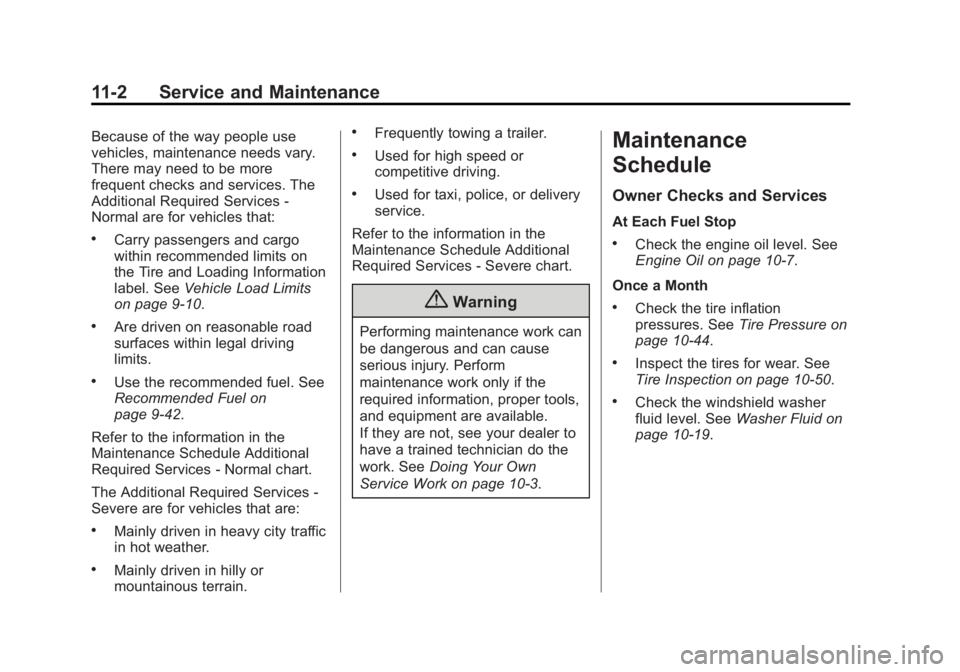
Because of the way people use
vehicles, maintenance needs vary.
There may need to be more
frequent checks and services. The
Additional Required Services -
Normal are for vehicles that:
.Carry passengers and cargo
within recommended limits on
the Tire and Loading Information
label. SeeVehicle Load Limits
on page 9-10.
.Are driven on reasonable road
surfaces within legal driving
limits.
.Use the recommended fuel. See
Recommended Fuel on
page 9-42.
Refer to the information in the
Maintenance Schedule Additional
Required Services - Normal chart.
The Additional Required Services -
Severe are for vehicles that are:
.Mainly driven in heavy city traffic
in hot weather.
.Mainly driven in hilly or
mountainous terrain.
.Frequently towing a trailer.
.Used for high speed or
competitive driving.
.Used for taxi, police, or delivery
service.
Refer to the information in the
Maintenance Schedule Additional
Required Services - Severe chart.
{Warning
Performing maintenance work can
be dangerous and can cause
serious injury. Perform
maintenance work only if the
required information, proper tools,
and equipment are available.
If they are not, see your dealer to
have a trained technician do the
work. See Doing Your Own
Service Work on page 10-3.
Maintenance
Schedule
Owner Checks and Services
At Each Fuel Stop
.Check the engine oil level. See
Engine Oil on page 10-7.
Once a Month
.Check the tire inflation
pressures. See Tire Pressure on
page 10-44.
.Inspect the tires for wear. See
Tire Inspection on page 10-50.
.Check the windshield washer
fluid level. See Washer Fluid on
page 10-19.
Page 359 of 414
Black plate (3,1)GMC Acadia/Acadia Denali Owner Manual (GMNA-Localizing-U.S./Canada/
Mexico-6014315) - 2014 - crc - 8/15/13
Service and Maintenance 11-3
Engine Oil Change
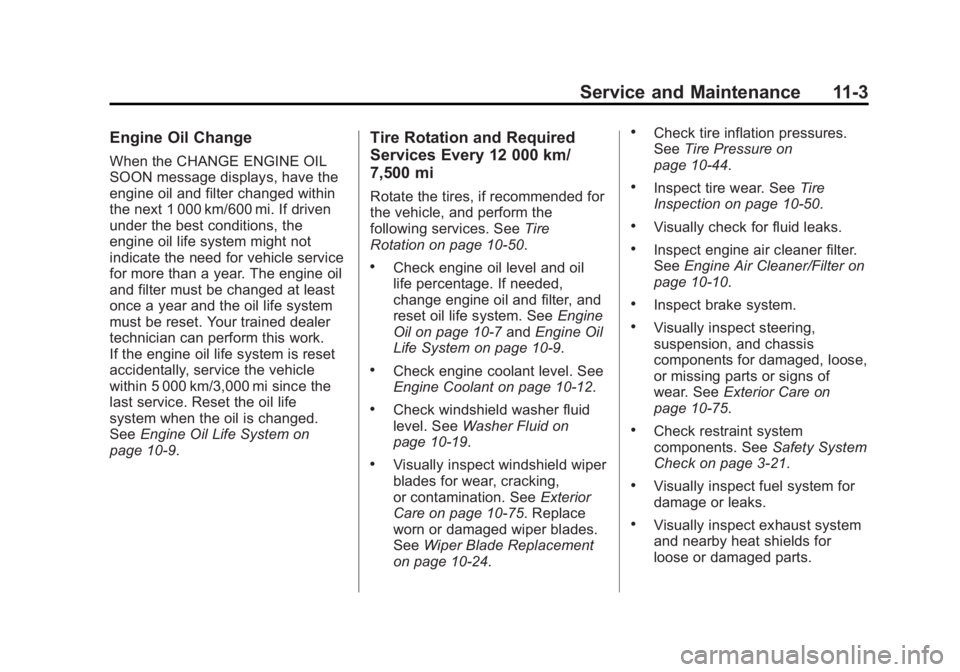
When the CHANGE ENGINE OIL
SOON message displays, have the
engine oil and filter changed within
the next 1 000 km/600 mi. If driven
under the best conditions, the
engine oil life system might not
indicate the need for vehicle service
for more than a year. The engine oil
and filter must be changed at least
once a year and the oil life system
must be reset. Your trained dealer
technician can perform this work.
If the engine oil life system is reset
accidentally, service the vehicle
within 5 000 km/3,000 mi since the
last service. Reset the oil life
system when the oil is changed.
SeeEngine Oil Life System on
page 10-9.
Tire Rotation and Required
Services Every 12 000 km/
7,500 mi
Rotate the tires, if recommended for
the vehicle, and perform the
following services. See Tire
Rotation on page 10-50.
.Check engine oil level and oil
life percentage. If needed,
change engine oil and filter, and
reset oil life system. See Engine
Oil on page 10-7 andEngine Oil
Life System on page 10-9.
.Check engine coolant level. See
Engine Coolant on page 10-12.
.Check windshield washer fluid
level. See Washer Fluid on
page 10-19.
.Visually inspect windshield wiper
blades for wear, cracking,
or contamination. See Exterior
Care on page 10-75. Replace
worn or damaged wiper blades.
See Wiper Blade Replacement
on page 10-24.
.Check tire inflation pressures.
See Tire Pressure on
page 10-44.
.Inspect tire wear. See Tire
Inspection on page 10-50.
.Visually check for fluid leaks.
.Inspect engine air cleaner filter.
See Engine Air Cleaner/Filter on
page 10-10.
.Inspect brake system.
.Visually inspect steering,
suspension, and chassis
components for damaged, loose,
or missing parts or signs of
wear. See Exterior Care on
page 10-75.
.Check restraint system
components. See Safety System
Check on page 3-21.
.Visually inspect fuel system for
damage or leaks.
.Visually inspect exhaust system
and nearby heat shields for
loose or damaged parts.
Page 362 of 414
Black plate (6,1)GMC Acadia/Acadia Denali Owner Manual (GMNA-Localizing-U.S./Canada/
Mexico-6014315) - 2014 - crc - 8/15/13
11-6 Service and Maintenance
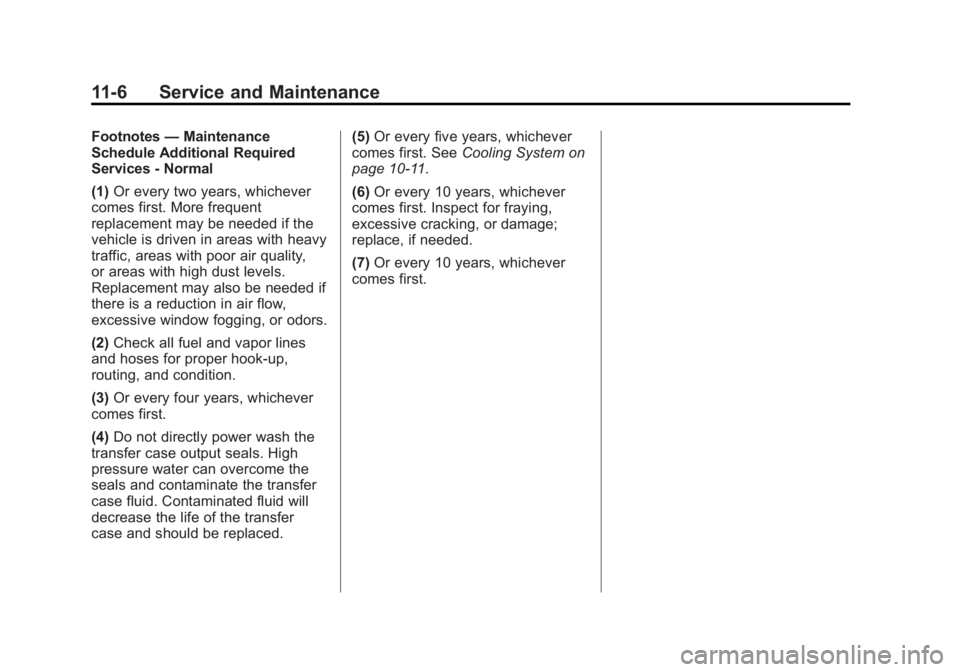
Footnotes—Maintenance
Schedule Additional Required
Services - Normal
(1) Or every two years, whichever
comes first. More frequent
replacement may be needed if the
vehicle is driven in areas with heavy
traffic, areas with poor air quality,
or areas with high dust levels.
Replacement may also be needed if
there is a reduction in air flow,
excessive window fogging, or odors.
(2) Check all fuel and vapor lines
and hoses for proper hook-up,
routing, and condition.
(3) Or every four years, whichever
comes first.
(4) Do not directly power wash the
transfer case output seals. High
pressure water can overcome the
seals and contaminate the transfer
case fluid. Contaminated fluid will
decrease the life of the transfer
case and should be replaced. (5)
Or every five years, whichever
comes first. See Cooling System on
page 10-11.
(6) Or every 10 years, whichever
comes first. Inspect for fraying,
excessive cracking, or damage;
replace, if needed.
(7) Or every 10 years, whichever
comes first.
Page 364 of 414
Black plate (8,1)GMC Acadia/Acadia Denali Owner Manual (GMNA-Localizing-U.S./Canada/
Mexico-6014315) - 2014 - crc - 8/15/13
11-8 Service and Maintenance
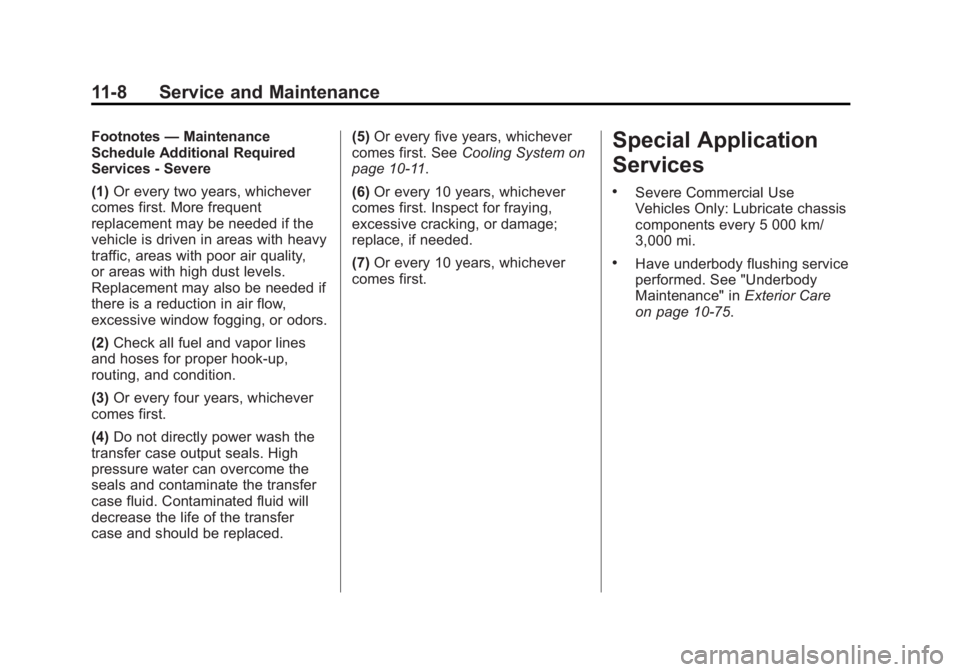
Footnotes—Maintenance
Schedule Additional Required
Services - Severe
(1) Or every two years, whichever
comes first. More frequent
replacement may be needed if the
vehicle is driven in areas with heavy
traffic, areas with poor air quality,
or areas with high dust levels.
Replacement may also be needed if
there is a reduction in air flow,
excessive window fogging, or odors.
(2) Check all fuel and vapor lines
and hoses for proper hook-up,
routing, and condition.
(3) Or every four years, whichever
comes first.
(4) Do not directly power wash the
transfer case output seals. High
pressure water can overcome the
seals and contaminate the transfer
case fluid. Contaminated fluid will
decrease the life of the transfer
case and should be replaced. (5)
Or every five years, whichever
comes first. See Cooling System on
page 10-11.
(6) Or every 10 years, whichever
comes first. Inspect for fraying,
excessive cracking, or damage;
replace, if needed.
(7) Or every 10 years, whichever
comes first.Special Application
Services
.Severe Commercial Use
Vehicles Only: Lubricate chassis
components every 5 000 km/
3,000 mi.
.Have underbody flushing service
performed. See "Underbody
Maintenance" in Exterior Care
on page 10-75.
Page 396 of 414
Black plate (4,1)GMC Acadia/Acadia Denali Owner Manual (GMNA-Localizing-U.S./Canada/
Mexico-6014315) - 2014 - crc - 8/15/13
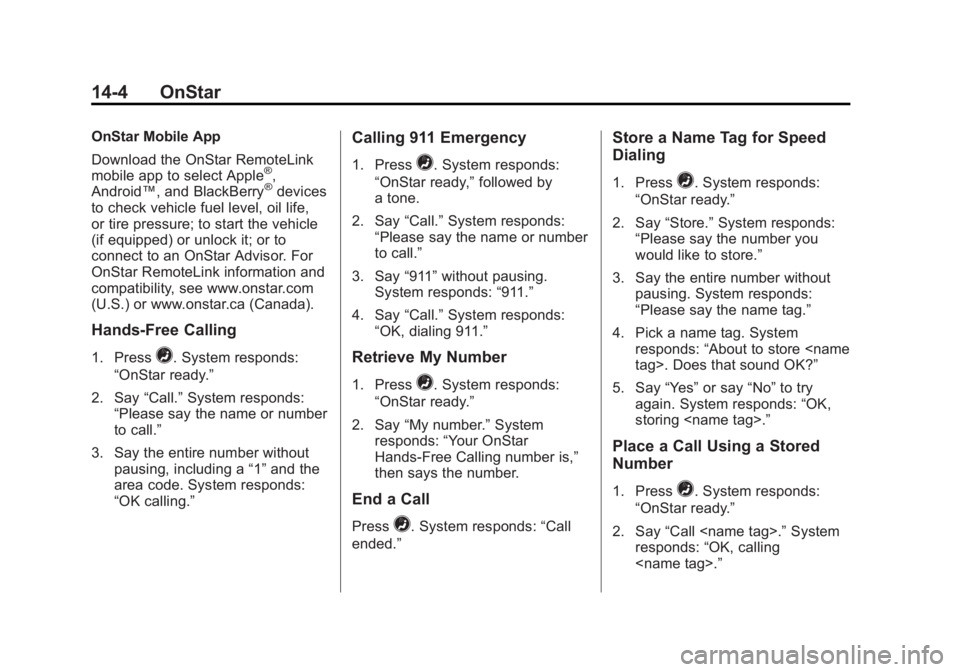
14-4 OnStar
OnStar Mobile App
Download the OnStar RemoteLink
mobile app to select Apple
®,
Android™, and BlackBerry®devices
to check vehicle fuel level, oil life,
or tire pressure; to start the vehicle
(if equipped) or unlock it; or to
connect to an OnStar Advisor. For
OnStar RemoteLink information and
compatibility, see www.onstar.com
(U.S.) or www.onstar.ca (Canada).
Hands-Free Calling
1. Press=. System responds:
“OnStar ready.”
2. Say “Call.”System responds:
“Please say the name or number
to call.”
3. Say the entire number without pausing, including a “1”and the
area code. System responds:
“OK calling.”
Calling 911 Emergency
1. Press=. System responds:
“OnStar ready,” followed by
a tone.
2. Say “Call.”System responds:
“Please say the name or number
to call.”
3. Say “911”without pausing.
System responds: “911.”
4. Say “Call.”System responds:
“OK, dialing 911.”
Retrieve My Number
1. Press=. System responds:
“OnStar ready.”
2. Say “My number.” System
responds: “Your OnStar
Hands-Free Calling number is,”
then says the number.
End a Call
Press=. System responds: “Call
ended.”
Store a Name Tag for Speed
Dialing
1. Press=. System responds:
“OnStar ready.”
2. Say “Store.” System responds:
“Please say the number you
would like to store.”
3. Say the entire number without pausing. System responds:
“Please say the name tag.”
4. Pick a name tag. System responds: “About to store
5. Say “Yes”or say “No”to try
again. System responds: “OK,
storing
Place a Call Using a Stored
Number
1. Press=. System responds:
“OnStar ready.”
2. Say “Call
responds: “OK, calling
Page 409 of 414

Black plate (7,1)GMC Acadia/Acadia Denali Owner Manual (GMNA-Localizing-U.S./Canada/
Mexico-6014315) - 2014 - crc - 8/15/13
INDEX i-7
Lights (cont'd)Front Fog Lamp . . . . . . . . . . . . . . 5-22
High-Beam On . . . . . . . . . . . . . . . . 5-22
High/Low Beam Changer . . . . . . 6-2
Lane Departure Warning . . . . . . 5-20
Safety Belt Reminders . . . . . . . . 5-13
Security . . . . . . . . . . . . . . . . . . . . . . 5-22
StabiliTrak
®Indicator . . . . . . . . . 5-20
Tire Pressure . . . . . . . . . . . . . . . . . 5-21
Tow/Haul Mode . . . . . . . . . . . . . . . 5-20
Locks Automatic Door . . . . . . . . . . . . . . . . 2-7
Delayed Locking . . . . . . . . . . . . . . . 2-7
Door . . . . . . . . . . . . . . . . . . . . . . . . . . . 2-6
Lockout Protection . . . . . . . . . . . . . 2-7
Power Door . . . . . . . . . . . . . . . . . . . . 2-6
Safety . . . . . . . . . . . . . . . . . . . . . . . . . 2-7
Loss of Control . . . . . . . . . . . . . . . . . 9-5
Lower Anchors and Tethers
for Children (LATCH
System) . . . . . . . . . . . . . . . . . . . . . . 3-44
Lumbar Adjustment . . . . . . . . . . . . . 3-4 Front Seats . . . . . . . . . . . . . . . . . . . . 3-4
M
Maintenance
Records . . . . . . . . . . . . . . . . . . . . .11-14
Maintenance Schedule Recommended Fluidsand Lubricants . . . . . . . . . . . . .11-12
Malfunction Indicator Lamp . . . . 5-16
Manual Mode . . . . . . . . . . . . . . . . . . 9-24
Memory Features . . . . . . . . . . . . . . . 1-8
Memory Seats . . . . . . . . . . . . . . . . . . 3-6
Messages
Airbag System . . . . . . . . . . . . . . . . 5-38
Battery Voltage andCharging . . . . . . . . . . . . . . . . . . . . 5-32
Brake System . . . . . . . . . . . . . . . . 5-33
Door Ajar . . . . . . . . . . . . . . . . . . . . . 5-33
Engine Cooling System . . . . . . . 5-34
Engine Oil . . . . . . . . . . . . . . . . . . . . 5-35
Engine Power . . . . . . . . . . . . . . . . 5-35
Fuel System . . . . . . . . . . . . . . . . . . 5-35
Key and Lock . . . . . . . . . . . . . . . . . 5-36
Lamp . . . . . . . . . . . . . . . . . . . . . . . . . 5-36
Object Detection System . . . . . 5-36
Ride Control System . . . . . . . . . . 5-38
Security . . . . . . . . . . . . . . . . . . . . . . 5-39
Service Vehicle . . . . . . . . . . . . . . . 5-39 Messages (cont'd)
Tire . . . . . . . . . . . . . . . . . . . . . . . . . . . 5-39
Transmission . . . . . . . . . . . . . . . . . 5-40
Vehicle . . . . . . . . . . . . . . . . . . . . . . . 5-32
Vehicle Reminder . . . . . . . . . . . . . 5-41
Vehicle Speed . . . . . . . . . . . . . . . . 5-41
Washer Fluid . . . . . . . . . . . . . . . . . 5-41
Mirrors Automatic Dimming . . . . . . . . . . . 2-16
Automatic Dimming
Rearview . . . . . . . . . . . . . . . . . . . . 2-18
Blind Spot . . . . . . . . . . . . . . . . . . . . 2-16
Convex . . . . . . . . . . . . . . . . . . . . . . . 2-14
Folding . . . . . . . . . . . . . . . . . . . . . . . 2-15
Heated . . . . . . . . . . . . . . . . . . . . . . . 2-15
Manual Rearview . . . . . . . . . . . . . 2-18
Park Tilt . . . . . . . . . . . . . . . . . . . . . . 2-17
Power . . . . . . . . . . . . . . . . . . . . . . . . 2-14
Mirrors, Interior Rearview . . . . . . 2-17
Monitor System, Tire Pressure . . . . . . . . . . . . . . . . . . . . 10-46
MP3 . . . . . . . . . . . . . . . . . . . . . . . . . . . 7-13
Multi-band Antenna . . . . . . . . . . . . 7-11