audio GMC ACADIA 2014 Owner's Guide
[x] Cancel search | Manufacturer: GMC, Model Year: 2014, Model line: ACADIA, Model: GMC ACADIA 2014Pages: 414, PDF Size: 4.21 MB
Page 207 of 414
Black plate (3,1)GMC Acadia/Acadia Denali Owner Manual (GMNA-Localizing-U.S./Canada/
Mexico-6014315) - 2014 - crc - 8/15/13
Climate Controls 8-3
Using recirculation for long periods
of time could cause the air inside
the vehicle to become too dry. To
prevent this from happening, after
the inside of the vehicle has cooled,
turn the recirculation mode off.
The air conditioning system
removes moisture from the air, so
water might drip under the vehicle
while idling or after turning off the
engine. This is normal.
@(Recirculation):Press to turn
the recirculation mode on or off. An
indicator light comes on when
recirculation is on. When the engine
is turned off, the recirculation mode
automatically turns off and must be
re-selected when the engine is
turned on again.
This mode recirculates and helps to
quickly cool the air inside the
vehicle. It can be used to prevent
outside air and odors from entering
the vehicle.
The recirculation mode cannot be
used with floor, defrost, or defogging
modes. If recirculation is selected in these modes, the indicator flashes
three times and turns off. The air
conditioning also comes on when
this mode is activated unless the
outside air temperature is less than
4°C (40°F). While in recirculation
mode the windows can fog when
the weather is cold and damp. To
clear the fog, select either the defog
or defrost mode and increase the
fan speed.
REAR (Rear Climate Control):
Press to turn the rear heating and
air conditioning on or off. See
Rear
Climate Control System on page 8-9
or Rear Climate Control System
(with Rear Seat Audio) on
page 8-10.
Rear Window Defogger
The rear window defogger uses a
warming grid to remove fog from the
rear window.
1(Rear Window Defogger):
Press to turn the rear window
defogger on or off. The rear window
defogger stays on for about
10 minutes, before automatically turning off. The defogger will also
turn off when the engine is
turned off.
Do not drive the vehicle until all
windows are clear.
For vehicles with heated outside
rearview mirrors, fog or frost is
cleared from the surface of the
mirror when
1is pressed.
{Caution
Using a razor blade or sharp
object on the inside rear window
can damage the antenna or
defogger. Repairs would not be
covered by the vehicle warranty.
Do not stick anything to the rear
window.
Page 211 of 414
Black plate (7,1)GMC Acadia/Acadia Denali Owner Manual (GMNA-Localizing-U.S./Canada/
Mexico-6014315) - 2014 - crc - 8/15/13
Climate Controls 8-7
On hot days, open the windows
briefly to let hot inside air escape.
This helps reduce the time it takes
for the interior of the vehicle to
cool down.
The air conditioning system
removes moisture from the air, so
water might drip under the vehicle
while idling or after turning off the
engine. This is normal.
@(Recirculation):Press to turn
the recirculation mode on or off. An
indicator light comes on when
recirculation is on. When the engine
is turned off, the recirculation mode
automatically turns off and must be
re-selected when the engine is
turned on again.
This mode recirculates and helps to
quickly cool the air inside the
vehicle. It can be used to prevent
outside air and odors from entering
the vehicle.
The recirculation mode cannot be
used with floor, defog, or defrosting
modes. If recirculation is selected in
these modes, the indicator flashes three times and turns off. The air
conditioning compressor also comes
on when this mode is activated.
While in recirculation mode the
windows can fog when the weather
is cold and damp. To clear the fog,
select either the defog or defrost
mode and increase the fan speed.
REAR:
Press to turn the rear
heating and air conditioning on or
off. See Rear Climate Control
System on page 8-9 orRear
Climate Control System (with Rear
Seat Audio) on page 8-10.
Rear Window Defogger
The rear window defogger uses a
warming grid to remove fog from the
rear window.
R
1(Rear Window Defogger):
Press to turn the rear window
defogger on or off. The rear window
defogger stays on for about
10 minutes, before turning off. The
defogger also turns off when the engine is turned off. Do not drive the
vehicle until all the windows are
clear.
If equipped with heated outside
rearview mirrors, fog or frost is
cleared from the surface of the
mirror when the rear window defog
button is pressed.
{Caution
Using a razor blade or sharp
object on the inside rear window
can damage the antenna or
defogger. Repairs would not be
covered by the vehicle warranty.
Do not stick anything to the rear
window.
Sensors
The solar sensor in the defrost grille
in the middle of the instrument
panel, monitors the solar heat. Do
not cover the solar sensor or the
system will not work properly.
Page 214 of 414
Black plate (10,1)GMC Acadia/Acadia Denali Owner Manual (GMNA-Localizing-U.S./Canada/
Mexico-6014315) - 2014 - crc - 8/15/13
8-10 Climate Controls
Rear Climate Control System (with Rear Seat Audio)
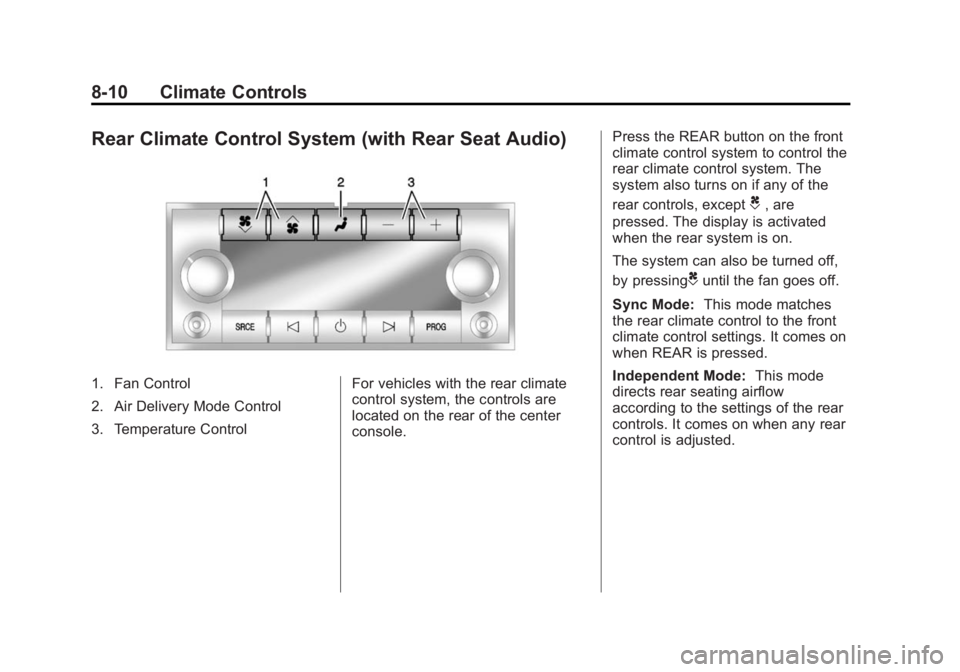
1. Fan Control
2. Air Delivery Mode Control
3. Temperature ControlFor vehicles with the rear climate
control system, the controls are
located on the rear of the center
console.Press the REAR button on the front
climate control system to control the
rear climate control system. The
system also turns on if any of the
rear controls, except
C, are
pressed. The display is activated
when the rear system is on.
The system can also be turned off,
by pressing
Cuntil the fan goes off.
Sync Mode: This mode matches
the rear climate control to the front
climate control settings. It comes on
when REAR is pressed.
Independent Mode: This mode
directs rear seating airflow
according to the settings of the rear
controls. It comes on when any rear
control is adjusted.
Page 234 of 414
Black plate (18,1)GMC Acadia/Acadia Denali Owner Manual (GMNA-Localizing-U.S./Canada/
Mexico-6014315) - 2014 - crc - 8/15/13
9-18 Driving and Operating
engine and transmission gently
until the oil warms up and
lubricates all moving parts.
Engine Heater
The engine coolant heater can
provide easier starting and better
fuel economy during engine
warm-up in cold weather conditions
at or below 0°F (−18°C). Vehicles
with an engine coolant heater
should be plugged in at least four
hours before starting. Some models
may have an internal thermostat in
the cord which will prevent engine
coolant heater operation at
temperatures above 0°F (−18°C).
To Use the Engine Coolant
Heater
1. Turn off the engine.
2. Open the hood and unwrap theelectrical cord. The bundled cord
is located on the driver side of
the engine compartment,
between the engine air cleaner
and the windshield washer fluid reservoir. See
Engine
Compartment Overview on
page 10-5.
3. Plug the cord into a normal, grounded 110-volt AC outlet.
{Warning
Plugging the cord into an
ungrounded outlet could cause an
electrical shock. Also, the wrong
kind of extension cord could
overheat and cause a fire. You
could be seriously injured. Plug
the cord into a properly grounded
three-prong 110-volt AC outlet.
If the cord will not reach, use a
heavy-duty three-prong extension
cord rated for at least 15 amps.
4. Before starting the engine, be sure to unplug and store the
cord as it was before to keep it
away from moving engine parts.
If you do not, it could be
damaged. The length of time the heater should
remain plugged in depends on
several factors. Ask a dealer in the
area where you will be parking the
vehicle for the best advice on this.
Retained Accessory
Power (RAP)
These vehicle accessories can be
used for up to 10 minutes after the
ignition key is turned off:
.Audio System
.Power Windows
.Sunroof (if equipped)
Power to the windows and sunroof
will work up to 10 minutes or until a
door is opened.
The radio continues to work for
10 minutes or until the driver door is
opened.
For an additional 10 minutes of
operation, close all the doors and
turn the key to ON/RUN and then
back to LOCK/OFF.
Page 403 of 414
Black plate (1,1)GMC Acadia/Acadia Denali Owner Manual (GMNA-Localizing-U.S./Canada/
Mexico-6014315) - 2014 - crc - 8/15/13
INDEX i-1
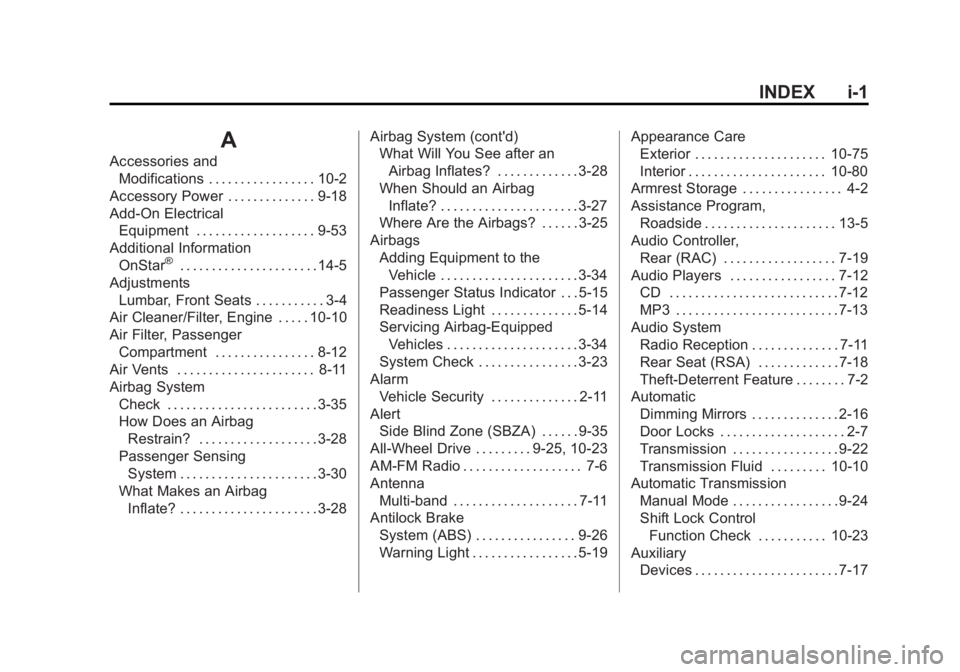
A
Accessories andModifications . . . . . . . . . . . . . . . . . 10-2
Accessory Power . . . . . . . . . . . . . . 9-18
Add-On Electrical Equipment . . . . . . . . . . . . . . . . . . . 9-53
Additional Information
OnStar
®. . . . . . . . . . . . . . . . . . . . . . 14-5
Adjustments Lumbar, Front Seats . . . . . . . . . . . 3-4
Air Cleaner/Filter, Engine . . . . . 10-10
Air Filter, Passenger
Compartment . . . . . . . . . . . . . . . . 8-12
Air Vents . . . . . . . . . . . . . . . . . . . . . . 8-11
Airbag System Check . . . . . . . . . . . . . . . . . . . . . . . . 3-35
How Does an Airbag
Restrain? . . . . . . . . . . . . . . . . . . . 3-28
Passenger Sensing System . . . . . . . . . . . . . . . . . . . . . . 3-30
What Makes an Airbag Inflate? . . . . . . . . . . . . . . . . . . . . . . 3-28 Airbag System (cont'd)
What Will You See after an
Airbag Inflates? . . . . . . . . . . . . . 3-28
When Should an Airbag
Inflate? . . . . . . . . . . . . . . . . . . . . . . 3-27
Where Are the Airbags? . . . . . . 3-25
Airbags Adding Equipment to theVehicle . . . . . . . . . . . . . . . . . . . . . . 3-34
Passenger Status Indicator . . . 5-15
Readiness Light . . . . . . . . . . . . . . 5-14
Servicing Airbag-Equipped Vehicles . . . . . . . . . . . . . . . . . . . . . 3-34
System Check . . . . . . . . . . . . . . . . 3-23
Alarm Vehicle Security . . . . . . . . . . . . . . 2-11
Alert Side Blind Zone (SBZA) . . . . . . 9-35
All-Wheel Drive . . . . . . . . . 9-25, 10-23
AM-FM Radio . . . . . . . . . . . . . . . . . . . 7-6
Antenna Multi-band . . . . . . . . . . . . . . . . . . . . 7-11
Antilock Brake
System (ABS) . . . . . . . . . . . . . . . . 9-26
Warning Light . . . . . . . . . . . . . . . . . 5-19 Appearance Care
Exterior . . . . . . . . . . . . . . . . . . . . . 10-75
Interior . . . . . . . . . . . . . . . . . . . . . . 10-80
Armrest Storage . . . . . . . . . . . . . . . . 4-2
Assistance Program, Roadside . . . . . . . . . . . . . . . . . . . . . 13-5
Audio Controller,
Rear (RAC) . . . . . . . . . . . . . . . . . . 7-19
Audio Players . . . . . . . . . . . . . . . . . 7-12 CD . . . . . . . . . . . . . . . . . . . . . . . . . . . 7-12
MP3 . . . . . . . . . . . . . . . . . . . . . . . . . . 7-13
Audio System Radio Reception . . . . . . . . . . . . . . 7-11
Rear Seat (RSA) . . . . . . . . . . . . . 7-18
Theft-Deterrent Feature . . . . . . . . 7-2
Automatic
Dimming Mirrors . . . . . . . . . . . . . . 2-16
Door Locks . . . . . . . . . . . . . . . . . . . . 2-7
Transmission . . . . . . . . . . . . . . . . . 9-22
Transmission Fluid . . . . . . . . . 10-10
Automatic Transmission
Manual Mode . . . . . . . . . . . . . . . . . 9-24
Shift Lock ControlFunction Check . . . . . . . . . . . 10-23
Auxiliary
Devices . . . . . . . . . . . . . . . . . . . . . . . 7-17
Page 411 of 414
Black plate (9,1)GMC Acadia/Acadia Denali Owner Manual (GMNA-Localizing-U.S./Canada/
Mexico-6014315) - 2014 - crc - 8/15/13
INDEX i-9
Power (cont'd)Seat Adjustment . . . . . . . . . . . . . . . 3-4
Steering Fluid . . . . . . . . . . . . . . . 10-18
Windows . . . . . . . . . . . . . . . . . . . . . 2-18
Pregnancy, Using Safety Belts . . . . . . . . . . . . . . . . . . . . . . . . . 3-21
Privacy Radio FrequencyIdentification (RFID) . . . . . . . 13-15
Program Courtesy Transportation . . . . . . 13-7
Proposition 65 Warning, California . . . . . . . . . . . . . . . . . . . . . 10-2
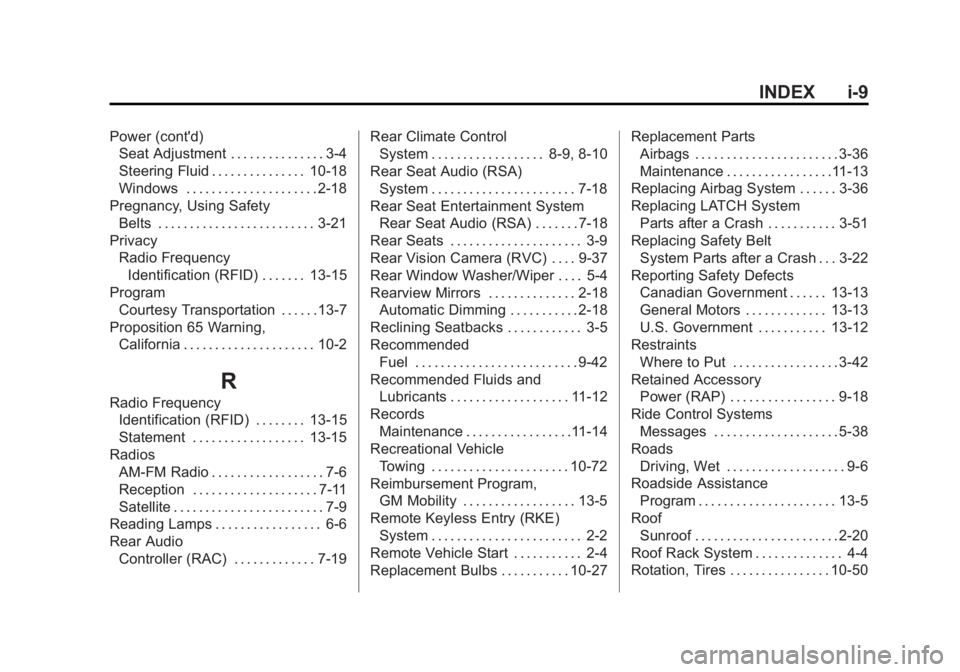
R
Radio FrequencyIdentification (RFID) . . . . . . . . 13-15
Statement . . . . . . . . . . . . . . . . . . 13-15
Radios AM-FM Radio . . . . . . . . . . . . . . . . . . 7-6
Reception . . . . . . . . . . . . . . . . . . . . 7-11
Satellite . . . . . . . . . . . . . . . . . . . . . . . . 7-9
Reading Lamps . . . . . . . . . . . . . . . . . 6-6
Rear Audio Controller (RAC) . . . . . . . . . . . . . 7-19 Rear Climate Control
System . . . . . . . . . . . . . . . . . . 8-9, 8-10
Rear Seat Audio (RSA) System . . . . . . . . . . . . . . . . . . . . . . . 7-18
Rear Seat Entertainment System Rear Seat Audio (RSA) . . . . . . . 7-18
Rear Seats . . . . . . . . . . . . . . . . . . . . . 3-9
Rear Vision Camera (RVC) . . . . 9-37
Rear Window Washer/Wiper . . . . 5-4
Rearview Mirrors . . . . . . . . . . . . . . 2-18 Automatic Dimming . . . . . . . . . . . 2-18
Reclining Seatbacks . . . . . . . . . . . . 3-5
Recommended Fuel . . . . . . . . . . . . . . . . . . . . . . . . . . 9-42
Recommended Fluids and Lubricants . . . . . . . . . . . . . . . . . . . 11-12
Records Maintenance . . . . . . . . . . . . . . . . .11-14
Recreational Vehicle Towing . . . . . . . . . . . . . . . . . . . . . . 10-72
Reimbursement Program,
GM Mobility . . . . . . . . . . . . . . . . . . 13-5
Remote Keyless Entry (RKE) System . . . . . . . . . . . . . . . . . . . . . . . . 2-2
Remote Vehicle Start . . . . . . . . . . . 2-4
Replacement Bulbs . . . . . . . . . . . 10-27 Replacement Parts
Airbags . . . . . . . . . . . . . . . . . . . . . . . 3-36
Maintenance . . . . . . . . . . . . . . . . .11-13
Replacing Airbag System . . . . . . 3-36
Replacing LATCH System Parts after a Crash . . . . . . . . . . . 3-51
Replacing Safety Belt
System Parts after a Crash . . . 3-22
Reporting Safety Defects Canadian Government . . . . . . 13-13
General Motors . . . . . . . . . . . . . 13-13
U.S. Government . . . . . . . . . . . 13-12
Restraints Where to Put . . . . . . . . . . . . . . . . . 3-42
Retained Accessory Power (RAP) . . . . . . . . . . . . . . . . . 9-18
Ride Control Systems Messages . . . . . . . . . . . . . . . . . . . . 5-38
Roads Driving, Wet . . . . . . . . . . . . . . . . . . . 9-6
Roadside Assistance
Program . . . . . . . . . . . . . . . . . . . . . . 13-5
Roof Sunroof . . . . . . . . . . . . . . . . . . . . . . . 2-20
Roof Rack System . . . . . . . . . . . . . . 4-4
Rotation, Tires . . . . . . . . . . . . . . . . 10-50