power GMC ACADIA 2020 Owner's Manual
[x] Cancel search | Manufacturer: GMC, Model Year: 2020, Model line: ACADIA, Model: GMC ACADIA 2020Pages: 406, PDF Size: 6.78 MB
Page 5 of 406
GMC Acadia/Acadia Denali Owner Manual (GMNA-Localizing-U.S./Canada/
Mexico-13687875) - 2020 - CRC - 10/28/19
4 Introduction
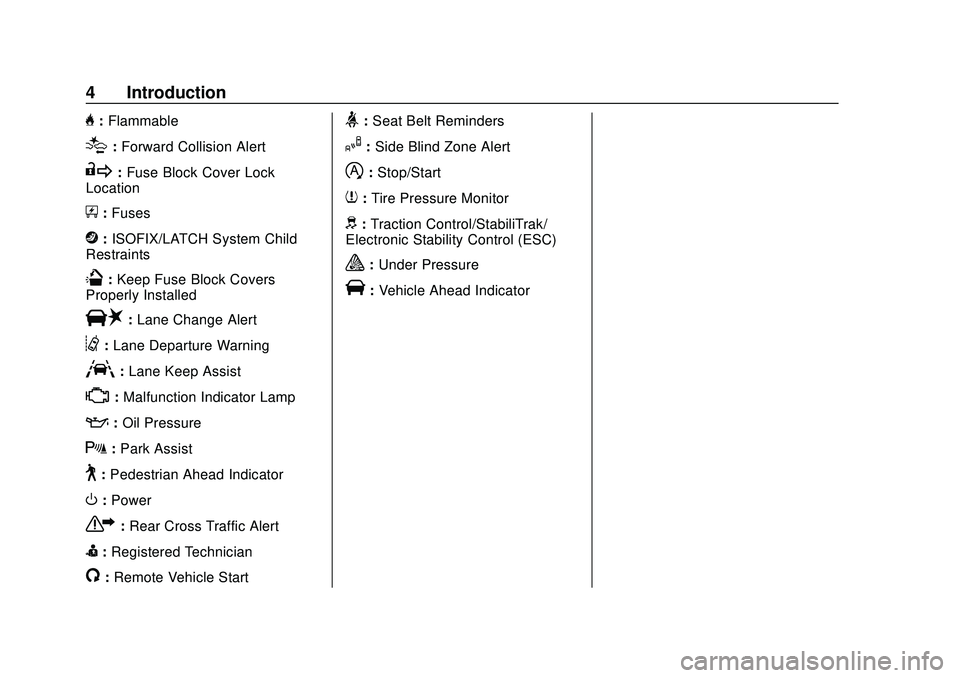
H:Flammable
[:Forward Collision Alert
R:Fuse Block Cover Lock
Location
+: Fuses
j:ISOFIX/LATCH System Child
Restraints
Q: Keep Fuse Block Covers
Properly Installed
|: Lane Change Alert
@:Lane Departure Warning
A:Lane Keep Assist
*: Malfunction Indicator Lamp
::Oil Pressure
X:Park Assist
~:Pedestrian Ahead Indicator
O:Power
7:Rear Cross Traffic Alert
I:Registered Technician
/:Remote Vehicle Start
>:Seat Belt Reminders
I: Side Blind Zone Alert
h:Stop/Start
7:Tire Pressure Monitor
d:Traction Control/StabiliTrak/
Electronic Stability Control (ESC)
a: Under Pressure
V:Vehicle Ahead Indicator
Page 7 of 406
GMC Acadia/Acadia Denali Owner Manual (GMNA-Localizing-U.S./Canada/
Mexico-13687875) - 2020 - CRC - 10/28/19
6 Introduction
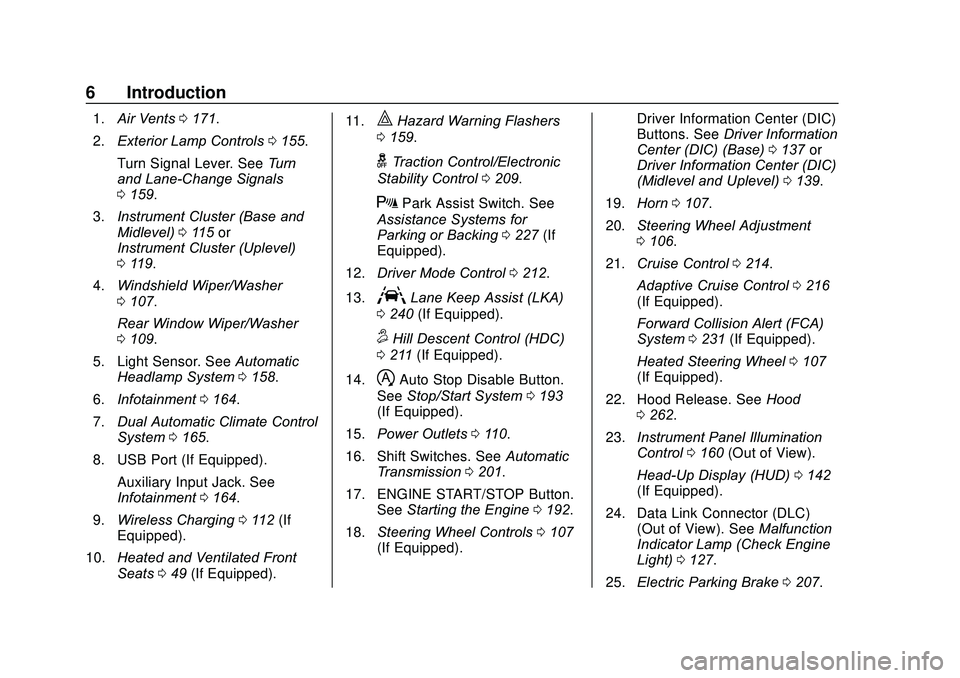
1.Air Vents 0171.
2. Exterior Lamp Controls 0155.
Turn Signal Lever. See Turn
and Lane-Change Signals
0 159.
3. Instrument Cluster (Base and
Midlevel) 0115 or
Instrument Cluster (Uplevel)
0 119.
4. Windshield Wiper/Washer
0107.
Rear Window Wiper/Washer
0 109.
5. Light Sensor. See Automatic
Headlamp System 0158.
6. Infotainment 0164.
7. Dual Automatic Climate Control
System 0165.
8. USB Port (If Equipped). Auxiliary Input Jack. See
Infotainment 0164.
9. Wireless Charging 0112 (If
Equipped).
10. Heated and Ventilated Front
Seats 049 (If Equipped). 11.|Hazard Warning Flashers
0 159.
gTraction Control/Electronic
Stability Control 0209.
XPark Assist Switch. See
Assistance Systems for
Parking or Backing 0227 (If
Equipped).
12. Driver Mode Control 0212.
13.
ALane Keep Assist (LKA)
0 240 (If Equipped).
5Hill Descent Control (HDC)
0 211 (If Equipped).
14.
hAuto Stop Disable Button.
See Stop/Start System 0193
(If Equipped).
15. Power Outlets 0110.
16. Shift Switches. See Automatic
Transmission 0201.
17. ENGINE START/STOP Button. SeeStarting the Engine 0192.
18. Steering Wheel Controls 0107
(If Equipped). Driver Information Center (DIC)
Buttons. See
Driver Information
Center (DIC) (Base) 0137 or
Driver Information Center (DIC)
(Midlevel and Uplevel) 0139.
19. Horn 0107.
20. Steering Wheel Adjustment
0106.
21. Cruise Control 0214.
Adaptive Cruise Control 0216
(If Equipped).
Forward Collision Alert (FCA)
System 0231 (If Equipped).
Heated Steering Wheel 0107
(If Equipped).
22. Hood Release. See Hood
0 262.
23. Instrument Panel Illumination
Control 0160 (Out of View).
Head-Up Display (HUD) 0142
(If Equipped).
24. Data Link Connector (DLC) (Out of View). See Malfunction
Indicator Lamp (Check Engine
Light) 0127.
25. Electric Parking Brake 0207.
Page 8 of 406
GMC Acadia/Acadia Denali Owner Manual (GMNA-Localizing-U.S./Canada/
Mexico-13687875) - 2020 - CRC - 10/28/19
Keys, Doors, and Windows 7
Keys, Doors, and
Windows
Keys and Locks
Keys . . . . . . . . . . . . . . . . . . . . . . . . . . . . 7
Remote Keyless Entry (RKE)System . . . . . . . . . . . . . . . . . . . . . . . . 8
Remote Keyless Entry (RKE) System Operation . . . . . . . . . . . . . 8
Remote Vehicle Start . . . . . . . . . . 15
Door Locks . . . . . . . . . . . . . . . . . . . . 17
Power Door Locks . . . . . . . . . . . . . 19
Delayed Locking . . . . . . . . . . . . . . . 19
Automatic Door Locks . . . . . . . . . 19
Lockout Protection . . . . . . . . . . . . . 20
Safety Locks . . . . . . . . . . . . . . . . . . . 20
Doors
Liftgate . . . . . . . . . . . . . . . . . . . . . . . . 21
Vehicle Security
Vehicle Security . . . . . . . . . . . . . . . . 29
Vehicle Alarm System . . . . . . . . . 29
Immobilizer . . . . . . . . . . . . . . . . . . . . 30
Immobilizer Operation . . . . . . . . . 30
Exterior Mirrors
Convex Mirrors . . . . . . . . . . . . . . . . 31
Power Mirrors . . . . . . . . . . . . . . . . . . 31 Folding Mirrors . . . . . . . . . . . . . . . . . 32
Heated Mirrors . . . . . . . . . . . . . . . . . 33
Automatic Dimming Mirror . . . . . 33
Reverse Tilt Mirrors . . . . . . . . . . . . 33
Interior Mirrors
Interior Rearview Mirrors . . . . . . . 33
Manual Rearview Mirror . . . . . . . . 33
Automatic Dimming Rearview
Mirror . . . . . . . . . . . . . . . . . . . . . . . . . 33
Rear Camera Mirror . . . . . . . . . . . . 34
Windows
Windows . . . . . . . . . . . . . . . . . . . . . . . 36
Power Windows . . . . . . . . . . . . . . . 36
Sun Visors . . . . . . . . . . . . . . . . . . . . . 38
Roof
Sunroof . . . . . . . . . . . . . . . . . . . . . . . . 38
Keys and Locks
Keys
{Warning
Leaving children in a vehicle with
a Remote Keyless Entry (RKE)
transmitter is dangerous and
children or others could be
seriously injured or killed. They
could operate the power windows
or other controls or make the
vehicle move. The windows will
function with the RKE transmitter
in the vehicle, and children or
others could be caught in the path
of a closing window. Do not leave
children in a vehicle with an RKE
transmitter.
Page 18 of 406
GMC Acadia/Acadia Denali Owner Manual (GMNA-Localizing-U.S./Canada/
Mexico-13687875) - 2020 - CRC - 10/28/19
Keys, Doors, and Windows 17
.Two remote vehicle starts or a
start with an extension have
already been used.
. The vehicle is not in P (Park).
Door Locks
{Warning
Unlocked doors can be
dangerous.
. Passengers, especially
children, can easily open
the doors and fall out of a
moving vehicle. The doors
can be unlocked and
opened while the vehicle is
moving. The chance of
being thrown out of the
vehicle in a crash is
increased if the doors are
not locked. So, all
passengers should wear
seat belts properly and the
doors should be locked
whenever the vehicle is
driven.
(Continued)
Warning (Continued)
.Young children who get into
unlocked vehicles may be
unable to get out. A child
can be overcome by
extreme heat and can suffer
permanent injuries or even
death from heat stroke.
Always lock the vehicle
whenever leaving it.
. Outsiders can easily enter
through an unlocked door
when you slow down or stop
the vehicle. Locking the
doors can help prevent this
from happening.
To lock or unlock the door from the
outside:
. Press
QorKon the Remote
Keyless Entry (RKE) transmitter.
See Remote Keyless Entry
(RKE) System Operation 08.
. Use the key in the driver door.
The key lock cylinder is covered
with a cap. To lock or unlock the door from the
inside:
.
Press
QorKon the power door
lock switch.
. Push down on the door lock
knob to lock a door.
. Pull the door handle once to
unlock the door. Pull the handle
again to unlatch it.
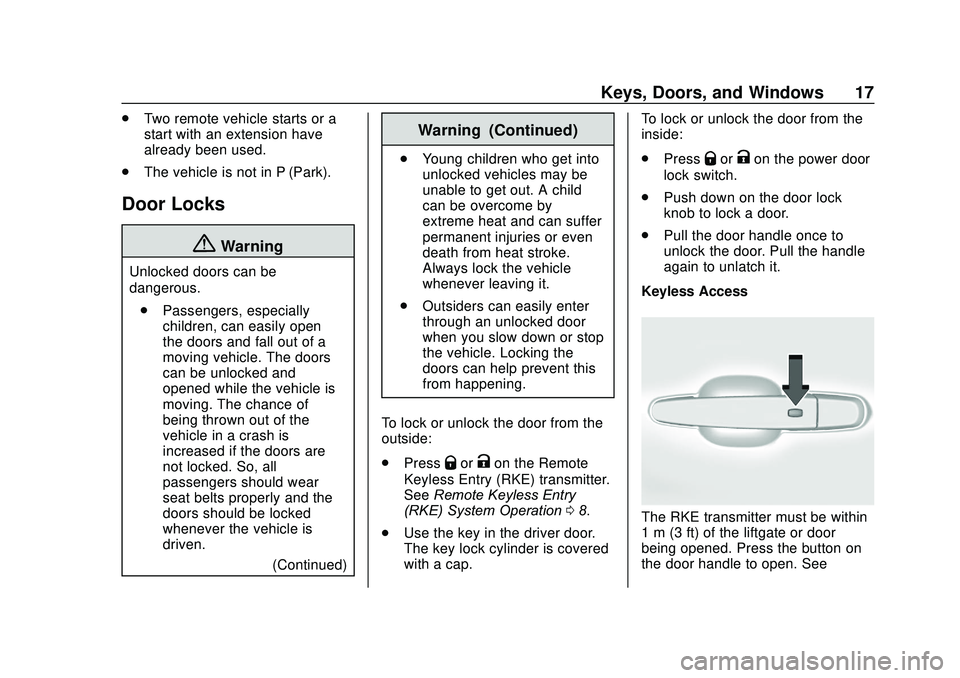
Keyless Access
The RKE transmitter must be within
1 m (3 ft) of the liftgate or door
being opened. Press the button on
the door handle to open. See
Page 20 of 406
GMC Acadia/Acadia Denali Owner Manual (GMNA-Localizing-U.S./Canada/
Mexico-13687875) - 2020 - CRC - 10/28/19
Keys, Doors, and Windows 19
5. Check that the cap is secure.
Free-Turning Locks
The door key lock cylinder turns
freely when either the wrong key is
used, or the correct key is not fully
inserted. The free-turning door lock
feature prevents the lock from being
forced open. To reset the lock, turn
it to the vertical position with the
correct key fully inserted. Remove
the key and insert it again. If this
does not reset the lock, turn the key
halfway around in the cylinder and
repeat the reset procedure.Power Door Locks
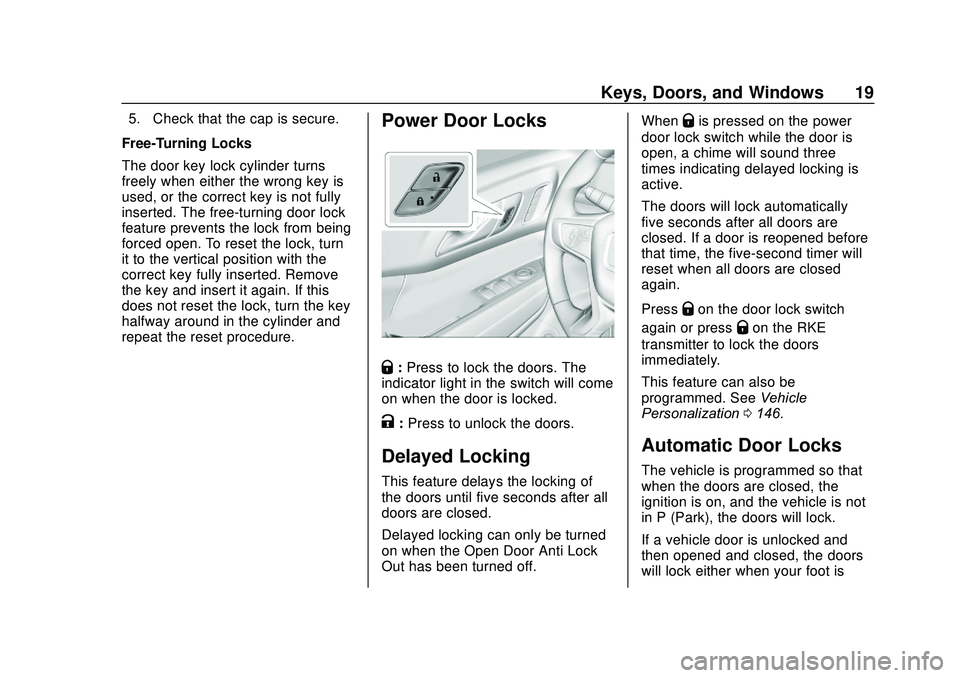
Q: Press to lock the doors. The
indicator light in the switch will come
on when the door is locked.
K: Press to unlock the doors.
Delayed Locking
This feature delays the locking of
the doors until five seconds after all
doors are closed.
Delayed locking can only be turned
on when the Open Door Anti Lock
Out has been turned off. When
Qis pressed on the power
door lock switch while the door is
open, a chime will sound three
times indicating delayed locking is
active.
The doors will lock automatically
five seconds after all doors are
closed. If a door is reopened before
that time, the five-second timer will
reset when all doors are closed
again.
Press
Qon the door lock switch
again or press
Qon the RKE
transmitter to lock the doors
immediately.
This feature can also be
programmed. See Vehicle
Personalization 0146.
Automatic Door Locks
The vehicle is programmed so that
when the doors are closed, the
ignition is on, and the vehicle is not
in P (Park), the doors will lock.
If a vehicle door is unlocked and
then opened and closed, the doors
will lock either when your foot is
Page 21 of 406
GMC Acadia/Acadia Denali Owner Manual (GMNA-Localizing-U.S./Canada/
Mexico-13687875) - 2020 - CRC - 10/28/19
20 Keys, Doors, and Windows
removed from the brake or the
vehicle speed becomes faster than
13 km/h (8 mph).
To unlock the doors:
.Press
Kon a door.
. Shift the transmission into
P (Park).
Automatic door locking cannot be
disabled. Automatic door unlocking
can be programmed. See Vehicle
Personalization 0146.
Lockout Protection
If the ignition is on or in ACC/
ACCESSORY and the power door
lock switch is pressed with the
driver door open, all the doors will
lock and only the driver door will
unlock.
If the vehicle is off and locking is
requested while a door is open,
when all doors are closed the
vehicle will check for RKE
transmitters inside. If an RKE
transmitter is detected and the
number of RKE transmitters inside has not reduced, the driver door will
unlock and the horn will chirp three
times.
Lockout Protection can be manually
overridden with the driver door open
by pressing and holding
Qon the
power door lock switch.
Open Door Anti Lock Out
If Open Door Anti Lock Out has
been turned on and the vehicle is
off, the driver door is open, and
locking is requested, all the doors
will lock and the driver door will
remain unlocked. When this function
is turned on, the driver door will only
lock when it is closed. The Open
Door Anti Lock Out feature can be
turned on or off. See Vehicle
Personalization 0146.
Safety Locks
The rear door safety locks prevent
passengers from opening the rear
doors from inside the vehicle.
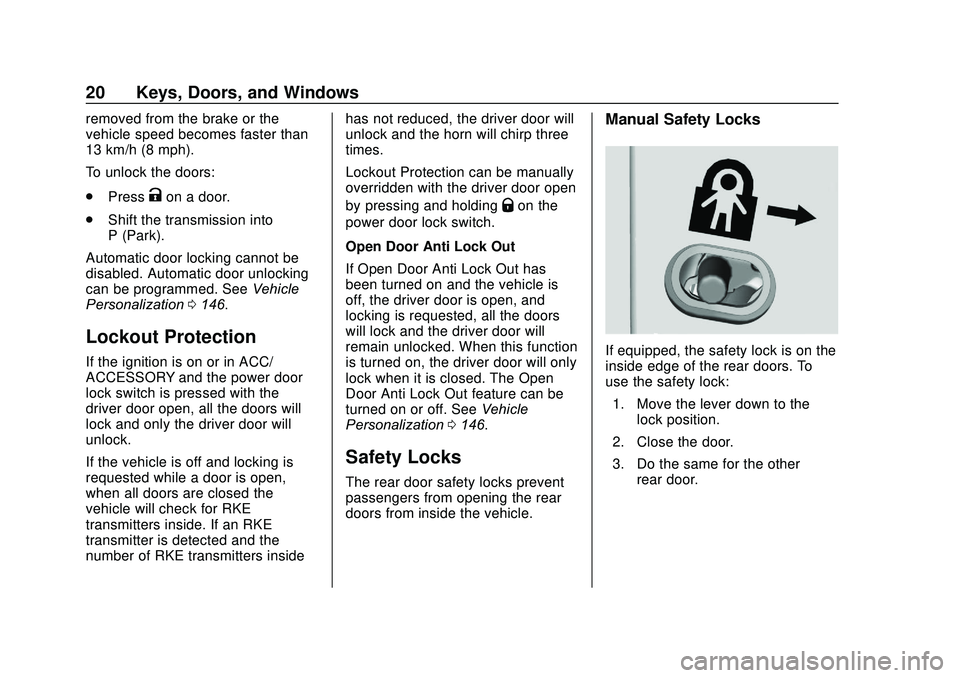
Manual Safety Locks
If equipped, the safety lock is on the
inside edge of the rear doors. To
use the safety lock:
1. Move the lever down to the lock position.
2. Close the door.
3. Do the same for the other rear door.
Page 22 of 406
GMC Acadia/Acadia Denali Owner Manual (GMNA-Localizing-U.S./Canada/
Mexico-13687875) - 2020 - CRC - 10/28/19
Keys, Doors, and Windows 21
To open a rear door when the safety
lock is on:1. Unlock the door by activating the inside handle, by pressing
the power door lock switch,
or by using the Remote
Keyless Entry (RKE)
transmitter.
2. Open the door from the outside.
When the safety lock is enabled,
adults and older children will not be
able to open the rear door from the
inside. Cancel the safety locks to
enable the doors to open from the
inside.
To cancel the safety lock: 1. Unlock the door and open it from the outside.
2. Move the lever up to unlock. Do the same for the other door.Doors
Liftgate
{Warning
Exhaust gases can enter the
vehicle if it is driven with the
liftgate or trunk/hatch open,
or with any objects that pass
through the seal between the
body and the trunk/hatch or
liftgate. Engine exhaust contains
carbon monoxide (CO) which
cannot be seen or smelled. It can
cause unconsciousness and even
death.
If the vehicle must be driven with
the liftgate or trunk/hatch open:
. Close all of the windows.
. Fully open the air outlets on
or under the instrument
panel.
(Continued)
Warning (Continued)
.Adjust the climate control
system to a setting that
brings in only outside air
and set the fan speed to the
highest setting. See
“Climate Control Systems”
in the Index.
. If the vehicle is equipped
with a power liftgate, disable
the power liftgate function.
See Engine Exhaust 0200.
Caution
To avoid damage to the liftgate or
liftgate glass, make sure the area
above and behind the liftgate is
clear before opening it.
Page 23 of 406
GMC Acadia/Acadia Denali Owner Manual (GMNA-Localizing-U.S./Canada/
Mexico-13687875) - 2020 - CRC - 10/28/19
22 Keys, Doors, and Windows
Manual Liftgate
To unlock the liftgate, pressKon
the power door lock switch or press
Kon the RKE transmitter twice
within five seconds. See Remote
Keyless Entry (RKE) System
Operation 08.
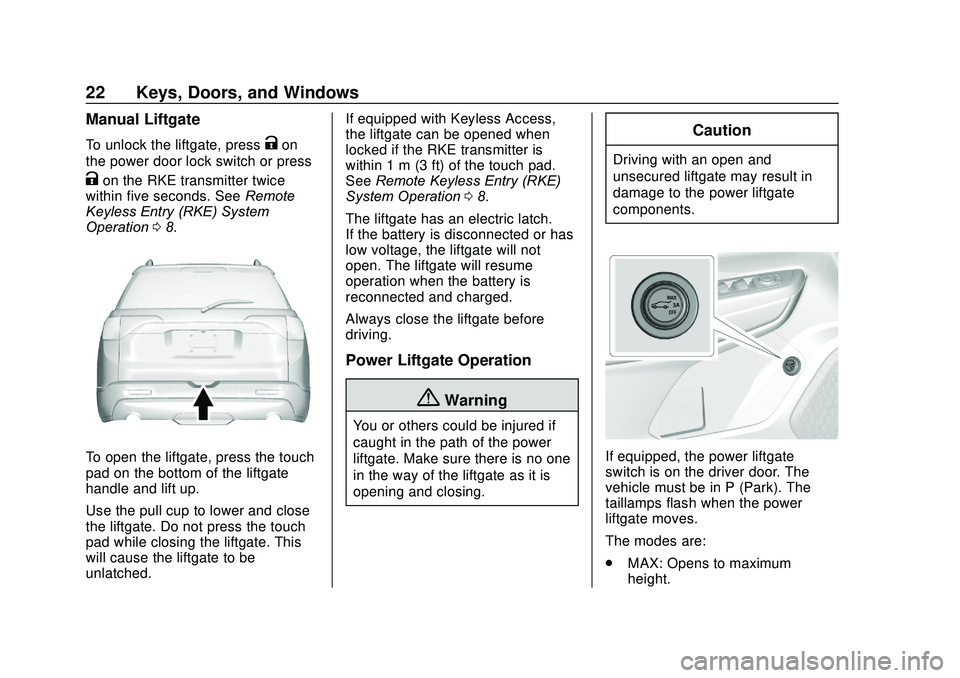
To open the liftgate, press the touch
pad on the bottom of the liftgate
handle and lift up.
Use the pull cup to lower and close
the liftgate. Do not press the touch
pad while closing the liftgate. This
will cause the liftgate to be
unlatched. If equipped with Keyless Access,
the liftgate can be opened when
locked if the RKE transmitter is
within 1 m (3 ft) of the touch pad.
See
Remote Keyless Entry (RKE)
System Operation 08.
The liftgate has an electric latch.
If the battery is disconnected or has
low voltage, the liftgate will not
open. The liftgate will resume
operation when the battery is
reconnected and charged.
Always close the liftgate before
driving.
Power Liftgate Operation
{Warning
You or others could be injured if
caught in the path of the power
liftgate. Make sure there is no one
in the way of the liftgate as it is
opening and closing.
Caution
Driving with an open and
unsecured liftgate may result in
damage to the power liftgate
components.
If equipped, the power liftgate
switch is on the driver door. The
vehicle must be in P (Park). The
taillamps flash when the power
liftgate moves.
The modes are:
. MAX: Opens to maximum
height.
Page 24 of 406
GMC Acadia/Acadia Denali Owner Manual (GMNA-Localizing-U.S./Canada/
Mexico-13687875) - 2020 - CRC - 10/28/19
Keys, Doors, and Windows 23
.3/4: Opens to a reduced height
that can be set from 3/4 to fully
open. Use to prevent the liftgate
from opening into overhead
obstructions such as a garage
door or roof-mounted cargo. The
liftgate can be manually opened
all the way.
. OFF: Opens manually only.
To power open or close the liftgate,
select MAX or 3/4 mode.
. Press
btwice quickly on the
RKE transmitter until the liftgate
moves.
. Press
8on the driver door.
The driver door must either be
unlocked or locked without the
security armed.
. Press the touch pad on the
bottom of the liftgate after
unlocking all doors. If equipped
with Keyless Access, a locked
vehicle can be opened if the
RKE transmitter is within 1 m
(3 ft) of the touch pad.
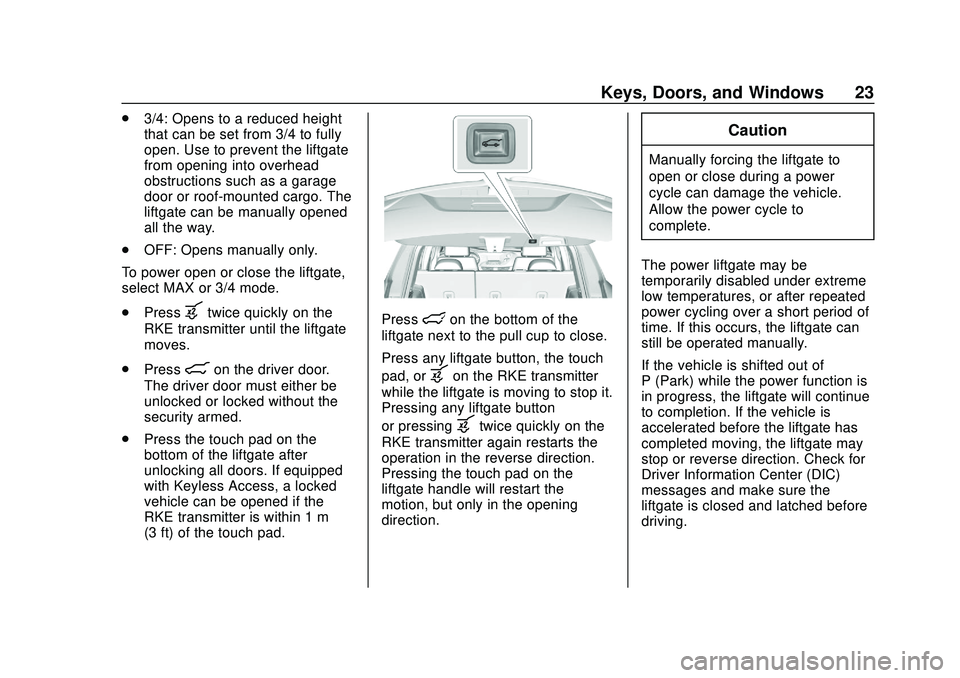
Presslon the bottom of the
liftgate next to the pull cup to close.
Press any liftgate button, the touch
pad, or
bon the RKE transmitter
while the liftgate is moving to stop it.
Pressing any liftgate button
or pressing
btwice quickly on the
RKE transmitter again restarts the
operation in the reverse direction.
Pressing the touch pad on the
liftgate handle will restart the
motion, but only in the opening
direction.
Caution
Manually forcing the liftgate to
open or close during a power
cycle can damage the vehicle.
Allow the power cycle to
complete.
The power liftgate may be
temporarily disabled under extreme
low temperatures, or after repeated
power cycling over a short period of
time. If this occurs, the liftgate can
still be operated manually.
If the vehicle is shifted out of
P (Park) while the power function is
in progress, the liftgate will continue
to completion. If the vehicle is
accelerated before the liftgate has
completed moving, the liftgate may
stop or reverse direction. Check for
Driver Information Center (DIC)
messages and make sure the
liftgate is closed and latched before
driving.
Page 25 of 406
GMC Acadia/Acadia Denali Owner Manual (GMNA-Localizing-U.S./Canada/
Mexico-13687875) - 2020 - CRC - 10/28/19
24 Keys, Doors, and Windows
Falling Liftgate Detection
If the power liftgate automatically
closes after a power opening cycle,
it indicates that the system is
reacting to excess weight on the
liftgate or a possible support strut
failure. A repetitive chime will sound
while the falling liftgate detection
feature is operating. Remove any
excess weight. If the liftgate
continues to automatically close
after opening, see your dealer for
service before using the power
liftgate.
Interfering with the power liftgate
motion or manually closing the
liftgate too quickly after power
opening may resemble a support
strut failure. This could also activate
the falling liftgate detection feature.
Allow the liftgate to complete its
operation and wait a few seconds
before manually closing the liftgate.
Obstacle Detection Features
If the liftgate encounters an obstacle
during a power open or close cycle,
the liftgate will automatically reverse
direction and move a short distanceaway from the obstacle. After
removing the obstruction, the power
liftgate operation can be used again.
If the liftgate encounters multiple
obstacles on the same power cycle,
the power function will deactivate.
After removing the obstructions,
manually close the liftgate which will
allow normal power operation
functions to resume.
If the vehicle is locked while the
liftgate is closing, and an obstacle is
encountered that prevents the
liftgate from completely closing, the
horn will sound as an alert that the
liftgate did not close.
Pinch sensors are on the side
edges of the liftgate. If an object is
caught between the liftgate and the
vehicle and presses against a
sensor, the liftgate will reverse
direction and open fully. The liftgate
will remain open until it is activated
again or closed manually.
Setting the 3/4 Mode
To change the position the liftgate
stops at when opening:
1. Select MAX or 3/4 mode and power open the liftgate.
2. Stop the liftgate movement at the desired height by pressing
any liftgate button. Manually
adjust the liftgate position if
needed.
3. Press and hold
lnext to the
pull cup on the outside of the
liftgate until the turn signals
flash and a beep sounds. This
indicates the setting has been
recorded.
The liftgate cannot be set below a
minimum programmable height.
If there is no light flash or sound,
then the height adjustment may be
too low.