universal remote system GMC ACADIA 2020 Owner's Manual
[x] Cancel search | Manufacturer: GMC, Model Year: 2020, Model line: ACADIA, Model: GMC ACADIA 2020Pages: 406, PDF Size: 6.78 MB
Page 107 of 406
GMC Acadia/Acadia Denali Owner Manual (GMNA-Localizing-U.S./Canada/
Mexico-13687875) - 2020 - CRC - 10/28/19
106 Instruments and Controls
Universal Remote System
Universal Remote System . . . . 151
Universal Remote SystemProgramming . . . . . . . . . . . . . . . 151
Universal Remote System Operation . . . . . . . . . . . . . . . . . . . 154Controls
Steering Wheel
Adjustment
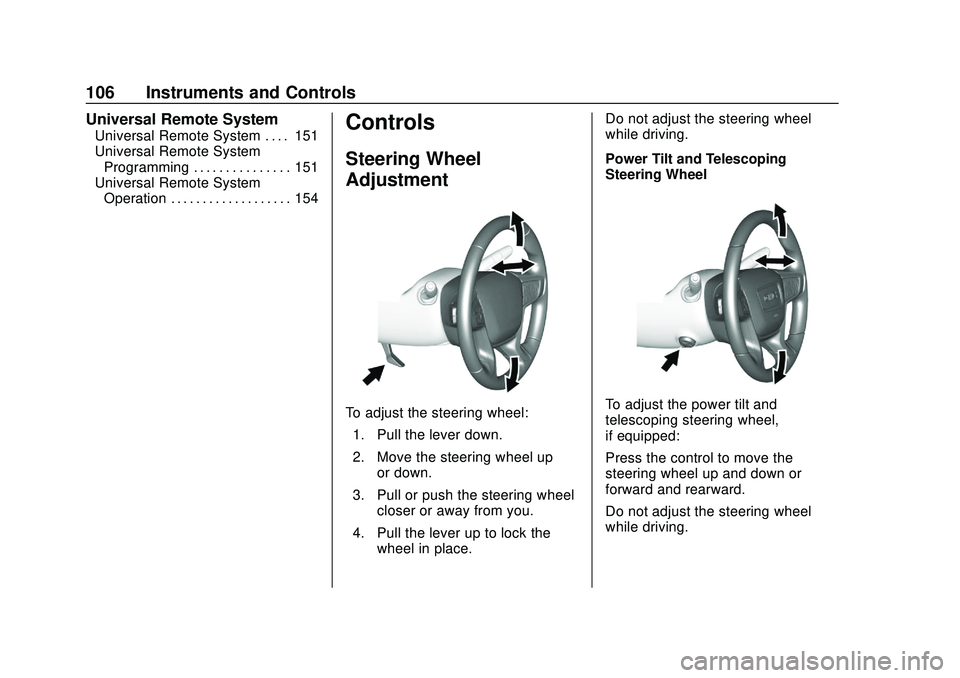
To adjust the steering wheel:
1. Pull the lever down.
2. Move the steering wheel up or down.
3. Pull or push the steering wheel closer or away from you.
4. Pull the lever up to lock the wheel in place. Do not adjust the steering wheel
while driving.
Power Tilt and Telescoping
Steering WheelTo adjust the power tilt and
telescoping steering wheel,
if equipped:
Press the control to move the
steering wheel up and down or
forward and rearward.
Do not adjust the steering wheel
while driving.
Page 152 of 406
GMC Acadia/Acadia Denali Owner Manual (GMNA-Localizing-U.S./Canada/
Mexico-13687875) - 2020 - CRC - 10/28/19
Instruments and Controls 151
Seating Position
Touch and the following may
display:
.Seat Entry Memory
. Seat Exit Memory
Seat Entry Memory
This feature automatically recalls
the previously stored 1 or 2 button
positions when the ignition is
changed from off to on or ACC/
ACCESSORY. See Memory Seats
0 46.
Touch Off or On.
Seat Exit Memory
This feature automatically recalls
the previously stored exit button
positions when the ignition is
changed from on or ACC/
ACCESSORY to off if the driver
door is open or opened. See
Memory Seats 046.
Touch Off or On.
Teen Driver
See “Teen Driver” under“Settings”
in the infotainment manual.
Valet Mode
This will lock the infotainment
system and steering wheel controls.
It may also limit access to vehicle
storage locations, if equipped.
To enable valet mode:
1. Enter a four-digit code on the keypad.
2. Touch Enter to go to the confirmation screen.
3. Re-enter the four-digit code.
Touch Lock or Unlock to lock or
unlock the system. Touch Back to
go back to the previous menu.
Universal Remote
System
See Radio Frequency Statement
0 380.
Universal Remote System
Programming
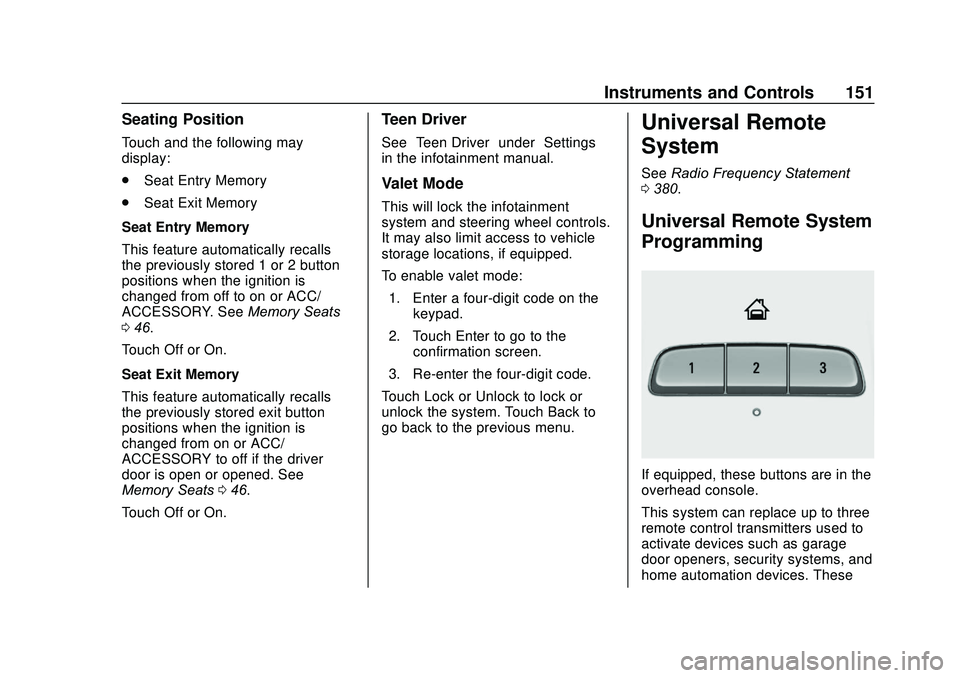
If equipped, these buttons are in the
overhead console.
This system can replace up to three
remote control transmitters used to
activate devices such as garage
door openers, security systems, and
home automation devices. These
Page 153 of 406
GMC Acadia/Acadia Denali Owner Manual (GMNA-Localizing-U.S./Canada/
Mexico-13687875) - 2020 - CRC - 10/28/19
152 Instruments and Controls
instructions refer to a garage door
opener, but can be used for other
devices.
Do not use the Universal Remote
system with any garage door opener
that does not have the stop and
reverse feature. This includes any
garage door opener model
manufactured before April 1, 1982.
Read these instructions completely
before programming the Universal
Remote system. It may help to have
another person assist with the
programming process.
Keep the original hand-held
transmitter for use in other vehicles
as well as for future programming.
Erase the programming when
vehicle ownership is terminated.
See“Erasing Universal Remote
System Buttons” later in this
section.
To program a garage door opener,
park outside directly in line with and
facing the garage door opener
receiver. Clear all people and
objects near the garage door. Make sure the hand-held transmitter
has a new battery for quicker and
more accurate transmission of the
radio-frequency signal.
Programming the Universal
Remote System
For questions or programming help,
see www.homelink.com/gm or call
1-800-355-3515. For calls placed
outside the U.S., Canada, or Puerto
Rico, international rates will apply
and may differ based on landline or
mobile phone.
Programming involves
time-sensitive actions, and may time
out causing the procedure to be
repeated.
To program up to three devices:
1. Hold the end of the hand-held transmitter about 3 to 8 cm
(1 to 3 in) away from the
Universal Remote system
buttons with the indicator light
in view. The hand-held
transmitter was supplied by the
manufacturer of the garage
door opener receiver. 2. At the same time, press and
hold both the hand-held
transmitter button and one of
the three Universal Remote
system buttons to be used to
operate the garage door. Do
not release either button until
the indicator light changes from
a slow to a rapid flash. Then
release both buttons.
Some garage door openers
may require substitution of
Step 2 with the procedure
under “Radio Signals for Some
Gate Operators” later in this
section.
3. Press and hold the newly programmed Universal Remote
system button for five seconds
while watching the indicator
light and garage door
activation.
.If the indicator light stays on
continuously or the garage
door moves when the
button is pressed, then
programming is complete.
There is no need to
complete Steps 4–6.
Page 154 of 406
GMC Acadia/Acadia Denali Owner Manual (GMNA-Localizing-U.S./Canada/
Mexico-13687875) - 2020 - CRC - 10/28/19
Instruments and Controls 153
.If the indicator light does
not come on or the garage
door does not move, a
second button press may
be required. For a second
time, press and hold the
newly programmed button
for five seconds. If the light
stays on or the garage door
moves, programming is
complete.
. If the indicator light blinks
rapidly for two seconds,
then changes to a solid light
and the garage door does
not move, continue with
programming Steps 4–6.
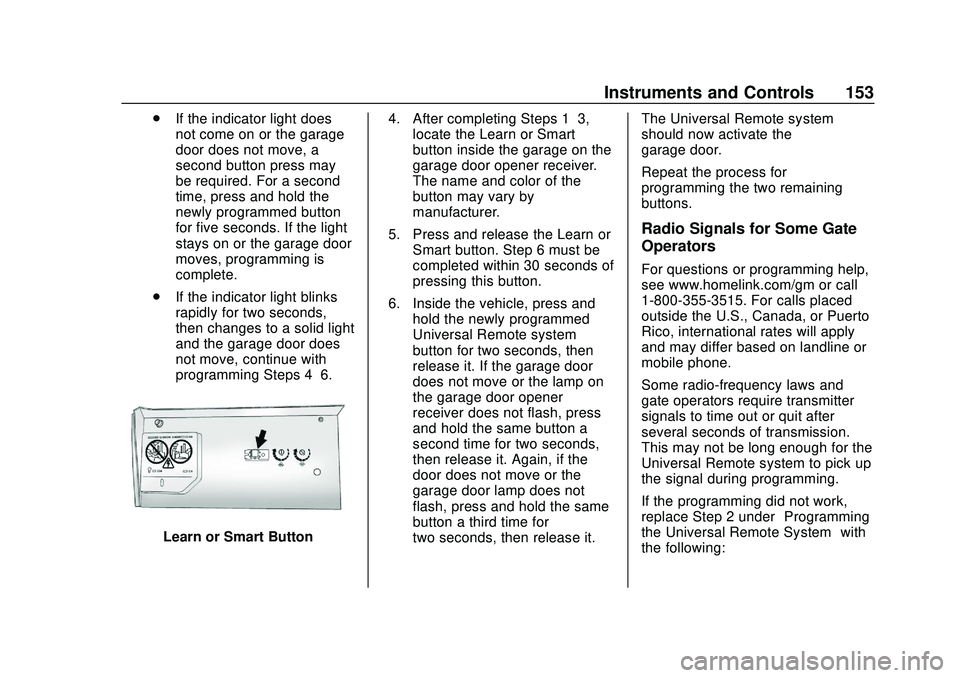
Learn or Smart Button 4. After completing Steps 1–3,
locate the Learn or Smart
button inside the garage on the
garage door opener receiver.
The name and color of the
button may vary by
manufacturer.
5. Press and release the Learn or Smart button. Step 6 must be
completed within 30 seconds of
pressing this button.
6. Inside the vehicle, press and hold the newly programmed
Universal Remote system
button for two seconds, then
release it. If the garage door
does not move or the lamp on
the garage door opener
receiver does not flash, press
and hold the same button a
second time for two seconds,
then release it. Again, if the
door does not move or the
garage door lamp does not
flash, press and hold the same
button a third time for
two seconds, then release it. The Universal Remote system
should now activate the
garage door.
Repeat the process for
programming the two remaining
buttons.
Radio Signals for Some Gate
Operators
For questions or programming help,
see www.homelink.com/gm or call
1-800-355-3515. For calls placed
outside the U.S., Canada, or Puerto
Rico, international rates will apply
and may differ based on landline or
mobile phone.
Some radio-frequency laws and
gate operators require transmitter
signals to time out or quit after
several seconds of transmission.
This may not be long enough for the
Universal Remote system to pick up
the signal during programming.
If the programming did not work,
replace Step 2 under
“Programming
the Universal Remote System” with
the following:
Page 155 of 406
GMC Acadia/Acadia Denali Owner Manual (GMNA-Localizing-U.S./Canada/
Mexico-13687875) - 2020 - CRC - 10/28/19
154 Instruments and Controls
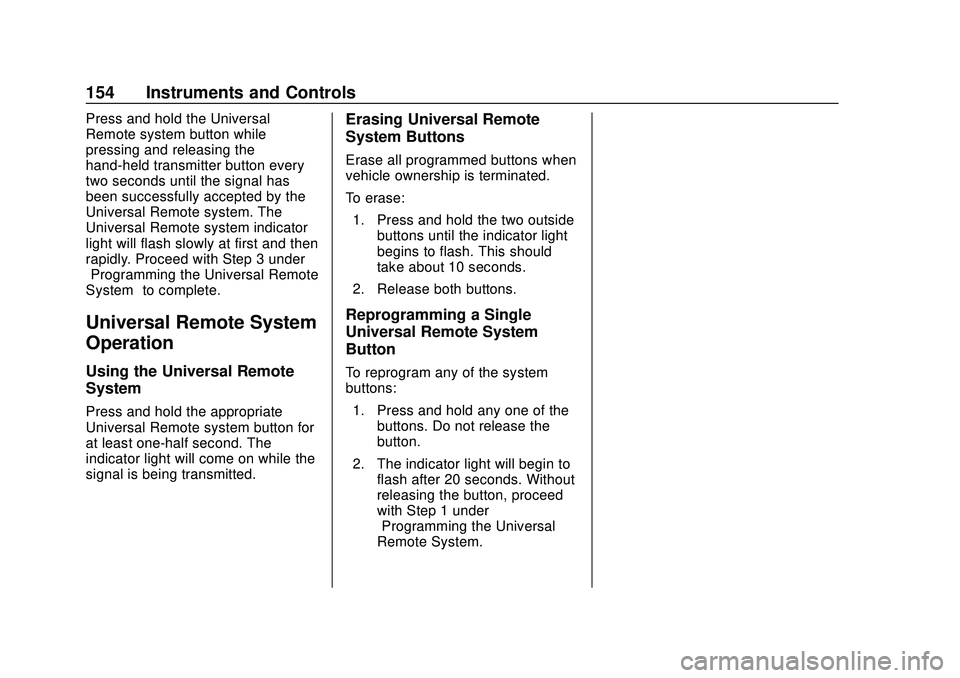
Press and hold the Universal
Remote system button while
pressing and releasing the
hand-held transmitter button every
two seconds until the signal has
been successfully accepted by the
Universal Remote system. The
Universal Remote system indicator
light will flash slowly at first and then
rapidly. Proceed with Step 3 under
“Programming the Universal Remote
System”to complete.
Universal Remote System
Operation
Using the Universal Remote
System
Press and hold the appropriate
Universal Remote system button for
at least one-half second. The
indicator light will come on while the
signal is being transmitted.
Erasing Universal Remote
System Buttons
Erase all programmed buttons when
vehicle ownership is terminated.
To erase:
1. Press and hold the two outside buttons until the indicator light
begins to flash. This should
take about 10 seconds.
2. Release both buttons.
Reprogramming a Single
Universal Remote System
Button
To reprogram any of the system
buttons: 1. Press and hold any one of the buttons. Do not release the
button.
2. The indicator light will begin to flash after 20 seconds. Without
releasing the button, proceed
with Step 1 under
“Programming the Universal
Remote System.”
Page 298 of 406
GMC Acadia/Acadia Denali Owner Manual (GMNA-Localizing-U.S./Canada/
Mexico-13687875) - 2020 - CRC - 10/28/19
Vehicle Care 297
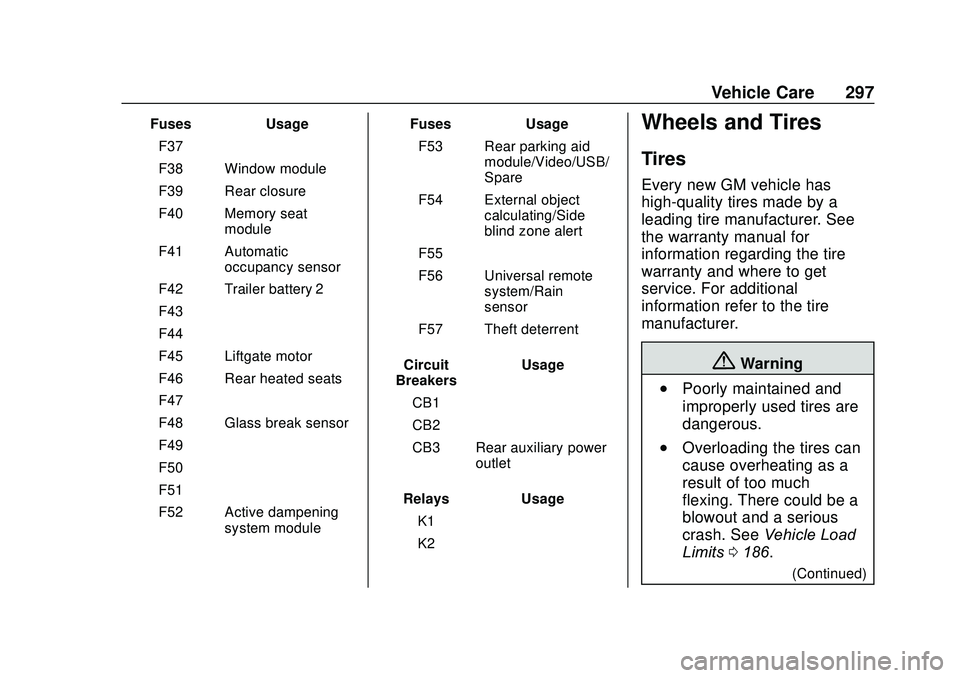
FusesUsage
F37 –
F38 Window module
F39 Rear closure
F40 Memory seat module
F41 Automatic occupancy sensor
F42 Trailer battery 2
F43 –
F44 –
F45 Liftgate motor
F46 Rear heated seats
F47 –
F48 Glass break sensor
F49 –
F50 –
F51 –
F52 Active dampening system module Fuses
Usage
F53 Rear parking aid module/Video/USB/
Spare
F54 External object calculating/Side
blind zone alert
F55 –
F56 Universal remote system/Rain
sensor
F57 Theft deterrent
Circuit
Breakers Usage
CB1 –
CB2 –
CB3 Rear auxiliary power outlet
Relays Usage
K1 –
K2 –Wheels and Tires
Tires
Every new GM vehicle has
high-quality tires made by a
leading tire manufacturer. See
the warranty manual for
information regarding the tire
warranty and where to get
service. For additional
information refer to the tire
manufacturer.
{Warning
.Poorly maintained and
improperly used tires are
dangerous.
.Overloading the tires can
cause overheating as a
result of too much
flexing. There could be a
blowout and a serious
crash. See Vehicle Load
Limits 0186.
(Continued)
Page 404 of 406
GMC Acadia/Acadia Denali Owner Manual (GMNA-Localizing-U.S./Canada/-
Mexico-13687875) - 2020 - CRC - 10/28/19
Index 403
Tires (cont'd)Uniform Tire Quality
Grading . . . . . . . . . . . . . . . . . . . . . 316
Wheel Alignment and Tire Balance . . . . . . . . . . . . . . . . . . . . . 317
Wheel Replacement . . . . . . . . . . 318
When It Is Time for New Tires . . . . . . . . . . . . . . . . . . . . . . . . 313
Winter . . . . . . . . . . . . . . . . . . . . . . . . 299
Top Tier Fuel . . . . . . . . . . . . . . . . . . . 242
Tow/Haul Mode . . . . . . . . . . . . . . . . . 206
Tow/Haul Mode Light . . . . . . . . . . . 131
Towing Driving Characteristics . . . . . . . . 246
Equipment . . . . . . . . . . . . . . . . . . . . 253
General Information . . . . . . . . . . 246
Recreational Vehicle . . . . . . . . . . 339
Trailer . . . . . . . . . . . . . . . . . . . . . . . . 250
Trailer Sway Control (TSC) . . . 256
Vehicle . . . . . . . . . . . . . . . . . . . . . . . 338
Traction
Control System(TCS)/StabiliTrak Light . . . . . . 133
Off Light . . . . . . . . . . . . . . . . . . . . . . 132
Traction Control/Electronic Stability Control . . . . . . . . . . . . . . . 209
Trailer Sway Control (TSC) . . . . . . . . . . 256 Trailer (cont'd)
Towing . . . . . . . . . . . . . . . . . . . . . . . . 250
Transmission Automatic . . . . . . . . . . . . . . . . . . . . . 201
Fluid, Automatic . . . . . . . . . . . . . . 272
Transportation Program, Courtesy . . . . . . . . . . . . . . . . . . . . . . 376
Trip Odometer . . . . . . . . . . . . . . . . . . 121
Turn and Lane-Change Signals . . . . . . . . . . . . . . . . . . . . . . . . 159
U
Uniform Tire Quality Grading . . . 316
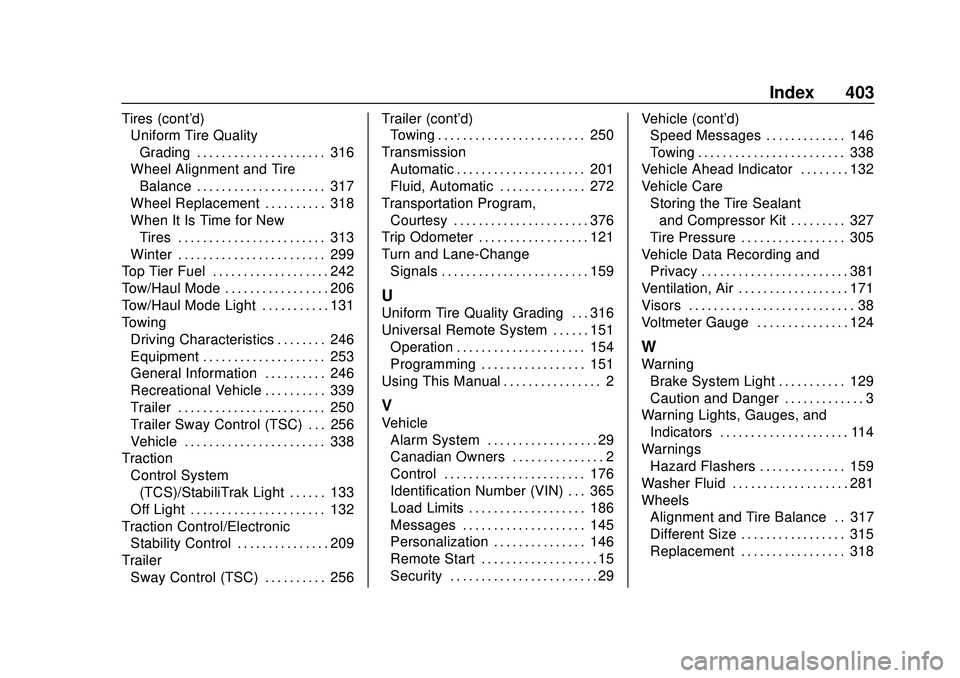
Universal Remote System . . . . . . 151Operation . . . . . . . . . . . . . . . . . . . . . 154
Programming . . . . . . . . . . . . . . . . . 151
Using This Manual . . . . . . . . . . . . . . . . 2
V
Vehicle
Alarm System . . . . . . . . . . . . . . . . . . 29
Canadian Owners . . . . . . . . . . . . . . . 2
Control . . . . . . . . . . . . . . . . . . . . . . . 176
Identification Number (VIN) . . . 365
Load Limits . . . . . . . . . . . . . . . . . . . 186
Messages . . . . . . . . . . . . . . . . . . . . 145
Personalization . . . . . . . . . . . . . . . 146
Remote Start . . . . . . . . . . . . . . . . . . . 15
Security . . . . . . . . . . . . . . . . . . . . . . . . 29 Vehicle (cont'd)
Speed Messages . . . . . . . . . . . . . 146
Towing . . . . . . . . . . . . . . . . . . . . . . . . 338
Vehicle Ahead Indicator . . . . . . . . 132
Vehicle Care Storing the Tire Sealantand Compressor Kit . . . . . . . . . 327
Tire Pressure . . . . . . . . . . . . . . . . . 305
Vehicle Data Recording and Privacy . . . . . . . . . . . . . . . . . . . . . . . . 381
Ventilation, Air . . . . . . . . . . . . . . . . . . 171
Visors . . . . . . . . . . . . . . . . . . . . . . . . . . . 38
Voltmeter Gauge . . . . . . . . . . . . . . . 124
W
Warning Brake System Light . . . . . . . . . . . 129
Caution and Danger . . . . . . . . . . . . . 3
Warning Lights, Gauges, and Indicators . . . . . . . . . . . . . . . . . . . . . 114
Warnings Hazard Flashers . . . . . . . . . . . . . . 159
Washer Fluid . . . . . . . . . . . . . . . . . . . 281
Wheels Alignment and Tire Balance . . 317
Different Size . . . . . . . . . . . . . . . . . 315
Replacement . . . . . . . . . . . . . . . . . 318