check engine GMC CANYON 2005 User Guide
[x] Cancel search | Manufacturer: GMC, Model Year: 2005, Model line: CANYON, Model: GMC CANYON 2005Pages: 420, PDF Size: 2.73 MB
Page 169 of 420
LOW TRAC (Traction)
If you have the Traction Control System (TCS), you will
see this message when a low traction condition is
detected. SeeTraction Control System (TCS) on
page 4-9for more information. Press and release the
reset stem to acknowledge the message and clear it
from the DIC display.
OIL
This message will be displayed when your oil pressure
is low. SeeOil Pressure Light on page 3-34and
Engine Oil on page 5-13for more information.
OIL LIFE
This message will be displayed when you need to check
your engine oil life system. Press the reset stem to
acknowledge the message. For more information,
see “Engine Oil Life System” underDIC Controls and
Displays on page 3-37,Engine Oil on page 5-13
andEngine Oil Life System on page 5-16.
PARK BRK (Brake)
This message will be displayed when your vehicle’s
parking brake is active. SeeParking Brake on page 2-29
andBrake System Warning Light on page 3-28for
more information. The message will clear from
the display after the parking brake is released.
REDUCED POWER
This message will be displayed when your vehicle’s
engine power is reduced. Press the reset stem to
acknowledge the message and clear it from the display.
SERV (Service) 4WD
(Four-Wheel Drive)
This message will be displayed when there is a problem
with your transfer case control system. Check the
transfer case on your vehicle and have it serviced by
your GM dealer. SeeFour-Wheel Drive on page 2-26for
more information about your transfer case. Press the
reset stem to acknowledge the message and clear
it from the display.
3-43
Page 170 of 420
TRACTION FAULT
If you have the Traction Control System (TCS),
you may see this message if there is a problem with
your Traction Control System (TCS). Check your TCS
as soon as possible and have your vehicle serviced
by your GM dealer. SeeTraction Control System (TCS)
on page 4-9for more information. Press the reset
stem to acknowledge the message and clear it from
the display.
SERV VEH (Service Vehicle)
This message will be displayed if your vehicle needs
service. You should have your vehicle serviced by your
GM dealer as soon as possible.
TURN SIGNAL
This message will be displayed when your turn signal
is on for approximately 0.75 miles (1.2 km) of travel.
Press the reset stem to acknowledge the message and
clear it from the display.
Audio System(s)
Notice:Before adding any sound equipment to
your vehicle, like a tape player, CB radio, mobile
telephone, or two-way radio, make sure that it can
be added by checking with your dealer. Also,
check federal rules covering mobile radio and
telephone units. If sound equipment can be added,
it is very important to do it properly. Added sound
equipment may interfere with the operation of
your vehicle’s engine, radio, or other systems, and
even damage them. Your vehicle’s systems may
interfere with the operation of sound equipment that
has been added improperly.
Figure out which audio system is in your vehicle, nd
out what your audio system can do, and how to operate
all of its controls.
Setting the Time for Radios without
Radio Data Systems (RDS)
Press and hold HR until the correct hour appears on the
display. Press and hold MIN until the correct minute
appears on the display. There is an initial two-second
delay before the clock goes into time-set mode.
Display the time with the ignition off, by pressing RCL,
HR, or MIN.
3-44
Page 209 of 420
Anti-Lock Brake System (ABS)
Your vehicle has anti-lock brakes. ABS is an advanced
electronic braking system that will help prevent a
braking skid.
When you start your engine and begin to drive away,
your anti-lock brake system will check itself. You may
hear a momentary motor or clicking noise while this test
is going on. This is normal.
If there is a problem with
the anti-lock brake system,
this warning light will
stay on. SeeAnti-Lock
Brake System Warning
Light on page 3-29.
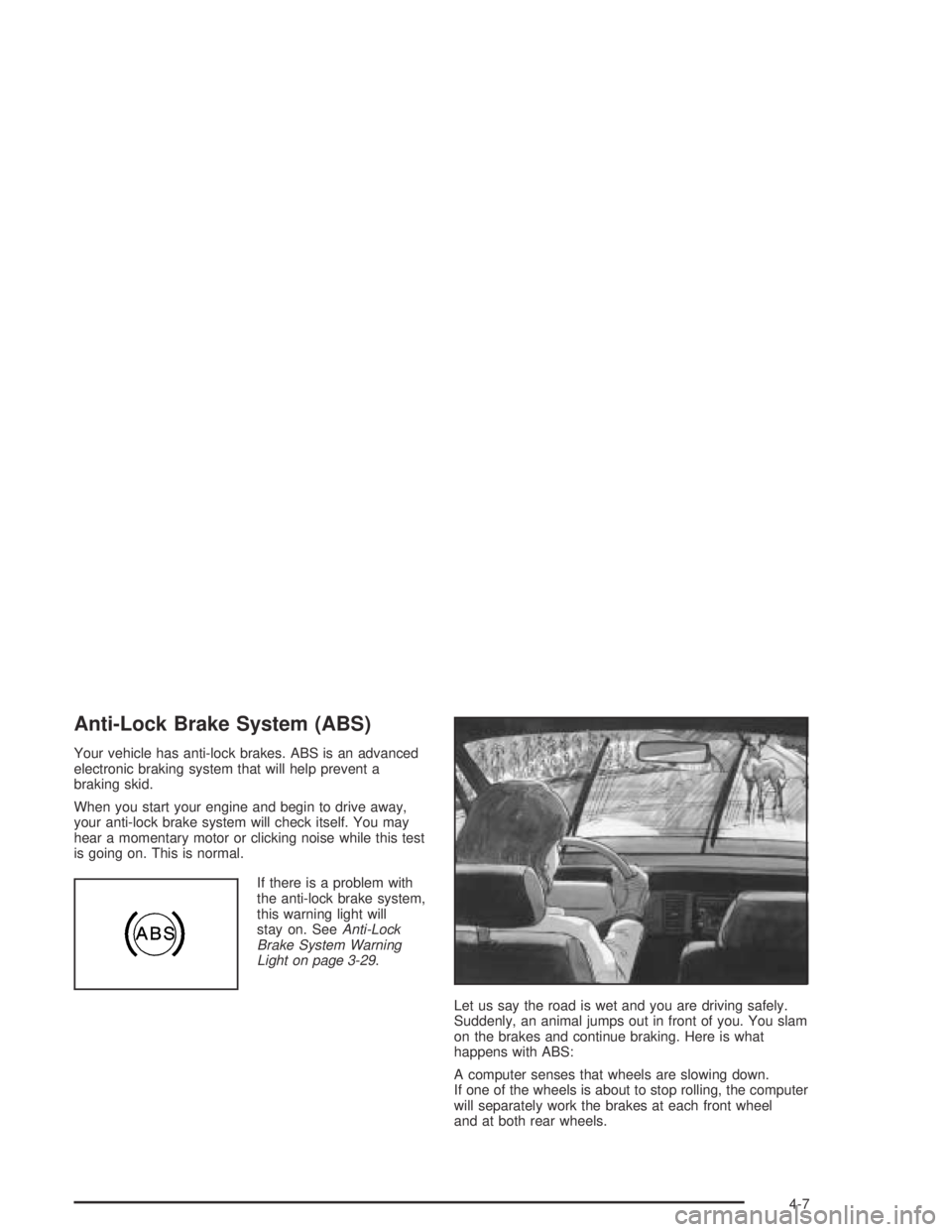
Let us say the road is wet and you are driving safely.
Suddenly, an animal jumps out in front of you. You slam
on the brakes and continue braking. Here is what
happens with ABS:
A computer senses that wheels are slowing down.
If one of the wheels is about to stop rolling, the computer
will separately work the brakes at each front wheel
and at both rear wheels.
4-7
Page 229 of 420
If the water is not too deep, drive slowly through it.
At faster speeds, water splashes on your ignition system
and your vehicle can stall. Stalling can also occur if you
get your tailpipe under water. And, as long as your
tailpipe is under water, you will never be able to start your
engine. When you go through water, remember that when
your brakes get wet, it may take you longer to stop.
{CAUTION:
Driving through rushing water can be
dangerous. Deep water can sweep your vehicle
downstream and you and your passengers
could drown. If it is only shallow water, it can
still wash away the ground from under your
tires, and you could lose traction and roll
the vehicle over. Do not drive through
rushing water.
SeeDriving in Rain and on Wet Roads on page 4-29
for more information on driving through water.
After Off-Road Driving
Remove any brush or debris that has collected on
the underbody, chassis or under the hood. These
accumulations can be a re hazard.
After operation in mud or sand, have the brake linings
cleaned and checked. These substances can cause
glazing and uneven braking. Check the body structure,
steering, suspension, wheels, tires and exhaust
system for damage. Also, check the fuel lines and
cooling system for any leakage.
Your vehicle will require more frequent service due to
off-road use. Refer to the maintenance schedule
for additional information.
4-27
Page 237 of 420
Here are some things you can check before a trip:
Windshield Washer Fluid:Is the reservoir full?
Are all windows clean inside and outside?
Wiper Blades:Are they in good shape?
Fuel, Engine Oil, Other Fluids:Have you checked
all levels?
Lamps:Are they all working? Are the lenses clean?
Tires:They are vitally important to a safe,
trouble-free trip. Is the tread good enough for
long-distance driving? Are the tires all inated to the
recommended pressure?
Weather Forecasts:What is the weather outlook
along your route? Should you delay your trip a
short time to avoid a major storm system?
Maps:Do you have up-to-date maps?
Highway Hypnosis
Is there actually such a condition as highway hypnosis?
Or is it just plain falling asleep at the wheel? Call it
highway hypnosis, lack of awareness, or whatever.
There is something about an easy stretch of road with
the same scenery, along with the hum of the tires on
the road, the drone of the engine, and the rush of
the wind against the vehicle that can make you sleepy.
Do not let it happen to you! If it does, your vehicle
can leave the road in less than a second, and you could
crash and be injured.
What can you do about highway hypnosis?
First, be aware that it can happen.
Then here are some tips:
Make sure your vehicle is well ventilated, with a
comfortably cool interior.
Keep your eyes moving. Scan the road ahead and
to the sides. Check your mirrors and your
instruments frequently.
If you get sleepy, pull off the road into a rest,
service, or parking area and take a nap, get some
exercise, or both. For safety, treat drowsiness
on the highway as an emergency.
4-35
Page 238 of 420
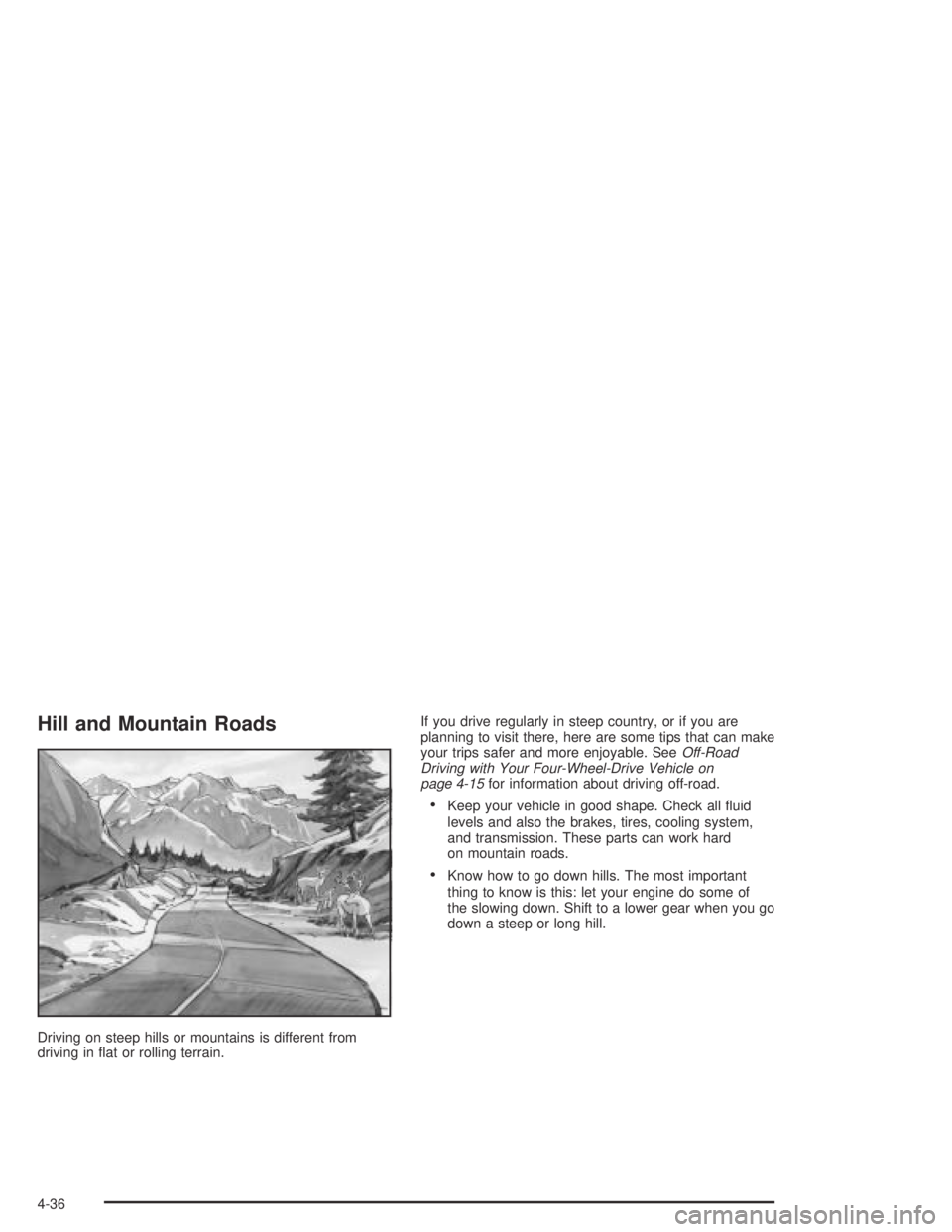
Hill and Mountain Roads
Driving on steep hills or mountains is different from
driving in at or rolling terrain.If you drive regularly in steep country, or if you are
planning to visit there, here are some tips that can make
your trips safer and more enjoyable. SeeOff-Road
Driving with Your Four-Wheel-Drive Vehicle on
page 4-15for information about driving off-road.
Keep your vehicle in good shape. Check all uid
levels and also the brakes, tires, cooling system,
and transmission. These parts can work hard
on mountain roads.
Know how to go down hills. The most important
thing to know is this: let your engine do some of
the slowing down. Shift to a lower gear when you go
down a steep or long hill.
4-36
Page 243 of 420
{CAUTION:
Snow can trap exhaust gases under your
vehicle. This can cause deadly CO (carbon
monoxide) gas to get inside. CO could
overcome you and kill you. You cannot see it
or smell it, so you might not know it is in your
vehicle. Clear away snow from around the
base of your vehicle, especially any that is
blocking your exhaust pipe. And check around
again from time to time to be sure snow does
not collect there.
Open a window just a little on the side of the
vehicle that is away from the wind. This will
help keep CO out.Run your engine only as long as you must. This saves
fuel. When you run the engine, make it go a little
faster than just idle. That is, push the accelerator
slightly. This uses less fuel for the heat that you get
and it keeps the battery charged. You will need a
well-charged battery to restart the vehicle, and possibly
for signaling later on with your headlamps. Let the
heater run for a while.
Then, shut the engine off and close the window almost
all the way to preserve the heat. Start the engine
again and repeat this only when you feel really
uncomfortable from the cold. But do it as little as
possible. Preserve the fuel as long as you can. To help
keep warm, you can get out of the vehicle and do
some fairly vigorous exercises every half hour or so until
help comes.
4-41
Page 271 of 420
4. Reapply the regular brakes. Then apply your
parking brake, and then shift into PARK (P), or
REVERSE (R) for a manual transmission. See
Parking Brake on page 2-29for more information.
5. If you have a four-wheel-drive vehicle, be sure
the transfer case is in a drive gear and not in
NEUTRAL. SeeFour-Wheel Drive on page 2-26
for more information.
6. Release the regular brakes.
When You Are Ready to Leave After
Parking on a Hill
1. Apply your regular brakes and hold the pedal down
while you:
start your engine,
shift into a gear, and
release the parking brake.
2. Let up on the brake pedal.
3. Drive slowly until the trailer is clear of the chocks.
4. Stop and have someone pick up and store
the chocks.
Maintenance When Trailer Towing
Your vehicle will need service more often when you’re
pulling a trailer. SeeScheduled Maintenance on
page 6-4for more on this. Things that are especially
important in trailer operation are automatic transmission
uid (don’t overll), engine oil, axle lubricant, belt,
cooling system and brake system. Each of these is
covered in this manual, and the Index will help you nd
them quickly. If you’re trailering, it’s a good idea to
review these sections before you start your trip.
Check periodically to see that all hitch nuts and bolts
are tight.
4-69
Page 273 of 420
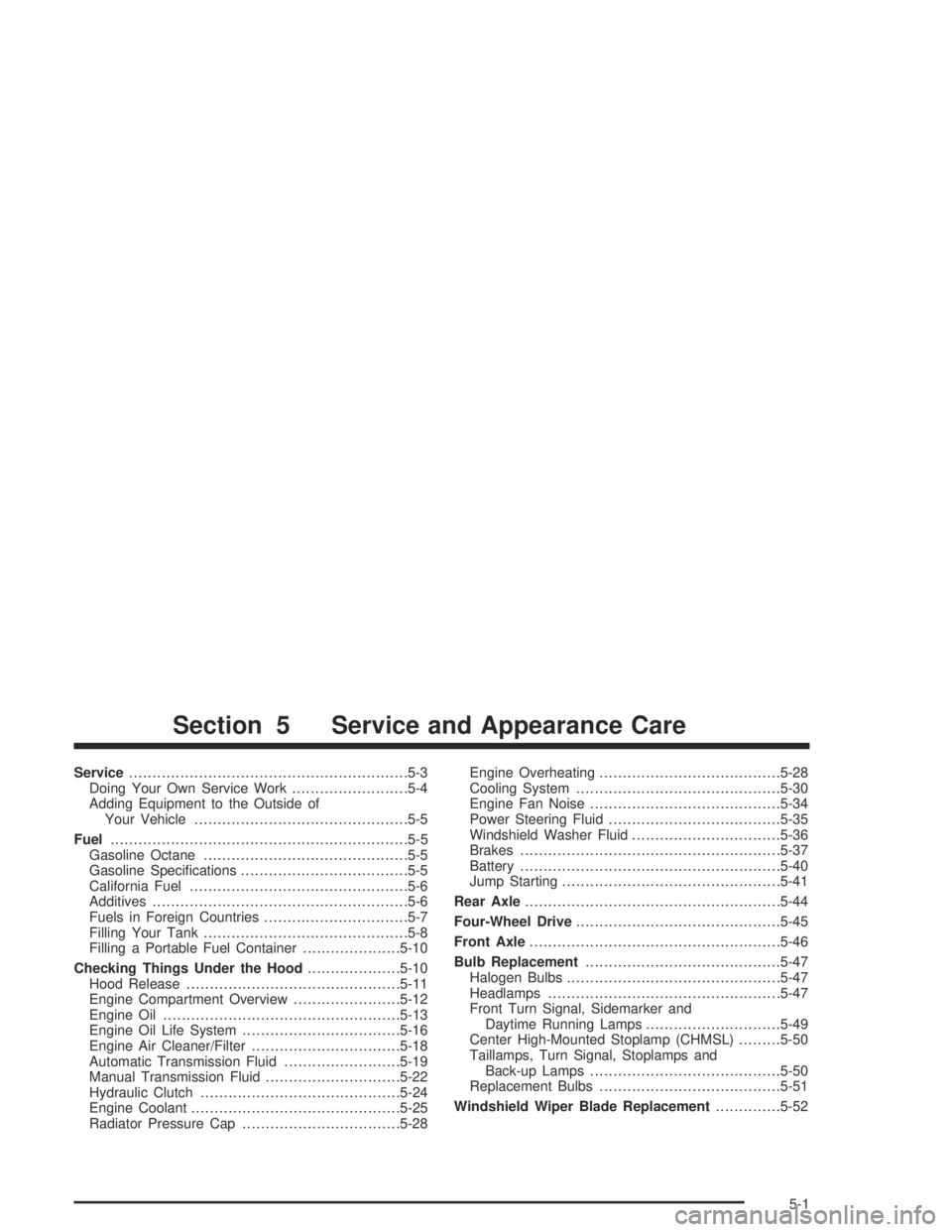
Service............................................................5-3
Doing Your Own Service Work.........................5-4
Adding Equipment to the Outside of
Your Vehicle..............................................5-5
Fuel................................................................5-5
Gasoline Octane............................................5-5
Gasoline Specications....................................5-5
California Fuel...............................................5-6
Additives.......................................................5-6
Fuels in Foreign Countries...............................5-7
Filling Your Tank............................................5-8
Filling a Portable Fuel Container.....................5-10
Checking Things Under the Hood....................5-10
Hood Release..............................................5-11
Engine Compartment Overview.......................5-12
Engine Oil...................................................5-13
Engine Oil Life System..................................5-16
Engine Air Cleaner/Filter................................5-18
Automatic Transmission Fluid.........................5-19
Manual Transmission Fluid.............................5-22
Hydraulic Clutch...........................................5-24
Engine Coolant.............................................5-25
Radiator Pressure Cap..................................5-28Engine Overheating.......................................5-28
Cooling System............................................5-30
Engine Fan Noise.........................................5-34
Power Steering Fluid.....................................5-35
Windshield Washer Fluid................................5-36
Brakes........................................................5-37
Battery........................................................5-40
Jump Starting...............................................5-41
Rear Axle.......................................................5-44
Four-Wheel Drive............................................5-45
Front Axle......................................................5-46
Bulb Replacement..........................................5-47
Halogen Bulbs..............................................5-47
Headlamps..................................................5-47
Front Turn Signal, Sidemarker and
Daytime Running Lamps.............................5-49
Center High-Mounted Stoplamp (CHMSL).........5-50
Taillamps, Turn Signal, Stoplamps and
Back-up Lamps.........................................5-50
Replacement Bulbs.......................................5-51
Windshield Wiper Blade Replacement..............5-52
Section 5 Service and Appearance Care
5-1
Page 277 of 420
Adding Equipment to the Outside
of Your Vehicle
Things you might add to the outside of your vehicle
can affect the airow around it. This may cause
wind noise and affect windshield washer performance.
Check with your dealer before adding equipment to
the outside of your vehicle.
Fuel
Use of the recommended fuel is an important part of the
proper maintenance of your vehicle.
Gasoline Octane
Use regular unleaded gasoline with a posted octane
of 87 or higher. If the octane is less than 87, you may
get a heavy knocking noise when you drive. If this
occurs, use a gasoline rated at 87 octane or higher as
soon as possible. Otherwise, you might damageyour engine. A little pinging noise when you accelerate
or drive uphill is considered normal. This does not
indicate a problem exists or that a higher-octane fuel is
necessary. If you are using 87 octane or higher-octane
fuel and hear heavy knocking, your engine needs
service.
Gasoline Specications
It is recommended that gasoline meet specications
which were developed by automobile manufacturers
around the world and contained in the World-Wide
Fuel Charter which is available from the
Alliance of Automobile Manufacturers at
www.autoalliance.org/fuel_charter.htm. Gasoline
meeting these specications could provide improved
driveability and emission control system performance
compared to other gasoline.
5-5