tow GMC CANYON 2006 User Guide
[x] Cancel search | Manufacturer: GMC, Model Year: 2006, Model line: CANYON, Model: GMC CANYON 2006Pages: 434, PDF Size: 2.64 MB
Page 106 of 434

Automatic Transmission Operation
Your automatic transmission has a shift lever on the
steering column.
It features an electronic shift position indicator within the
instrument cluster. This display must be powered
anytime the shift lever is capable of being moved out of
PARK (P). This means that if your key is turned off,
but not in LOCK, there will be a small current drain on
your battery which could discharge your battery over
a period of time. If you need to leave your key in
the ignition but not in LOCK for an extended period, it is
recommended that you disconnect the battery cable
from the battery to prevent discharging your battery.
There are several different positions for your shift lever.
PARK (P):This position locks your rear wheels. It is
the best position to use when you start your engine
because your vehicle cannot move easily.
{CAUTION:
It is dangerous to get out of your vehicle if the
shift lever is not fully in PARK (P) with the
parking brake rmly set. Your vehicle can roll.
Do not leave your vehicle when the engine is
running unless you have to. If you have left the
engine running, the vehicle can move
suddenly. You or others could be injured. To
be sure your vehicle will not move, even when
you are on fairly level ground, always set your
parking brake and move the shift lever to
PARK (P). SeeShifting Into Park (P) (Automatic
Transmission) on page 2-29. If you are pulling
a trailer, seeTowing a Trailer on page 4-56.
2-20
Page 110 of 434

Shift Speeds
{CAUTION:
If you skip a gear when you downshift, you
could lose control of your vehicle. You could
injure yourself or others. Do not shift down
more than one gear at a time when you
downshift.
Four-Wheel Drive
If your vehicle has four-wheel drive, you can send your
engine’s driving power to all four wheels for extra
traction. To get the best performance out of four-wheel
drive, you must be familiar with its operation. Read
the part that follows before using four-wheel drive.
You should use two-wheel-drive high for most normal
driving conditions.
Notice:Driving on clean, dry pavement in
four-wheel drive for an extended period of time may
cause premature wear on your vehicle’s powertrain.
Do not drive on clean, dry pavement in four-wheel
drive for extended periods of time.The transfer case buttons are located to the right of the
steering wheel on the instrument panel.
Recommended Transfer Case Settings
Driving ConditionsTransfer Case Settings
2m4m4nN
Normal YES
Severe YES
Extreme YES
Vehicle in Tow* YES
*SeeRecreational Vehicle Towing on page 4-50or
Towing Your Vehicle on page 4-50for further
information.
2-24
Page 111 of 434
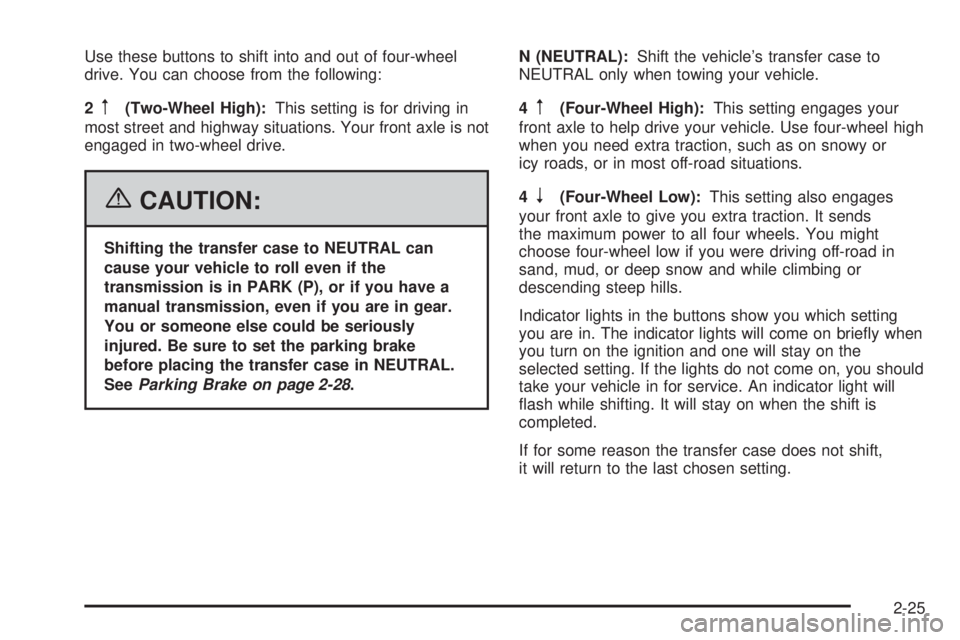
Use these buttons to shift into and out of four-wheel
drive. You can choose from the following:
2
m(Two-Wheel High):This setting is for driving in
most street and highway situations. Your front axle is not
engaged in two-wheel drive.
{CAUTION:
Shifting the transfer case to NEUTRAL can
cause your vehicle to roll even if the
transmission is in PARK (P), or if you have a
manual transmission, even if you are in gear.
You or someone else could be seriously
injured. Be sure to set the parking brake
before placing the transfer case in NEUTRAL.
SeeParking Brake on page 2-28.N (NEUTRAL):Shift the vehicle’s transfer case to
NEUTRAL only when towing your vehicle.
4
m(Four-Wheel High):This setting engages your
front axle to help drive your vehicle. Use four-wheel high
when you need extra traction, such as on snowy or
icy roads, or in most off-road situations.
4
n(Four-Wheel Low):This setting also engages
your front axle to give you extra traction. It sends
the maximum power to all four wheels. You might
choose four-wheel low if you were driving off-road in
sand, mud, or deep snow and while climbing or
descending steep hills.
Indicator lights in the buttons show you which setting
you are in. The indicator lights will come on briey when
you turn on the ignition and one will stay on the
selected setting. If the lights do not come on, you should
take your vehicle in for service. An indicator light will
ash while shifting. It will stay on when the shift is
completed.
If for some reason the transfer case does not shift,
it will return to the last chosen setting.
2-25
Page 113 of 434
Shifting to NEUTRAL
Use NEUTRAL when you plan to tow your vehicle. See
Recreational Vehicle Towing on page 4-50for towing
instructions. To shift the transfer case into NEUTRAL,
do the following:
1. Set the parking brake.
2. Start the vehicle.
3. Press the regular brake pedal and shift the
transmission in NEUTRAL (N), or press in the
clutch for vehicles with a manual transmission.
4. Shift the transfer case to Two-Wheel High.
5. Press and hold the Two-Wheel High and Four-Wheel
Low buttons at the same time for 10 seconds.
The NEUTRAL (N) light will come on when the
transfer case shift to NEUTRAL (N) is complete.
6. Press and hold the regular brake pedal and shift the
transmission to REVERSE (R) for one second, then
shift the transmission to DRIVE (D) for one second,
or FIRST (1) for vehicles with manual transmissions,
and let out the clutch to insure the transfer case is in
NEUTRAL. If the vehicle is not in NEUTRAL, repeat
this procedure starting at Step 3.
7. Place the transmission shift lever in PARK (P), or
FIRST (1) for vehicles that have a manual
transmission.
8. Turn the ignition to LOCK.
Shifting Out of NEUTRAL
After towing your vehicle, you will have to shift out of
NEUTRAL in order to drive. To shift out of NEUTRAL,
do the following:
1. Set the parking brake and apply the regular brake
pedal.
2. Start a vehicle with an automatic transmission in
PARK (P). Use FIRST (1) for vehicles with a
manual transmission.
3. Shift the transmission to NEUTRAL (N), or press
the clutch pedal for vehicles with a manual
transmission.
4. Press the button for the desired transfer case shift
position (Two-Wheel High, Four-Wheel High, or
Four-Wheel Low).
5. After the transfer case has shifted out of NEUTRAL,
the indicator light will go out.
6. Release the parking brake.
7. Shift the transmission to the desired position.
2-27
Page 114 of 434
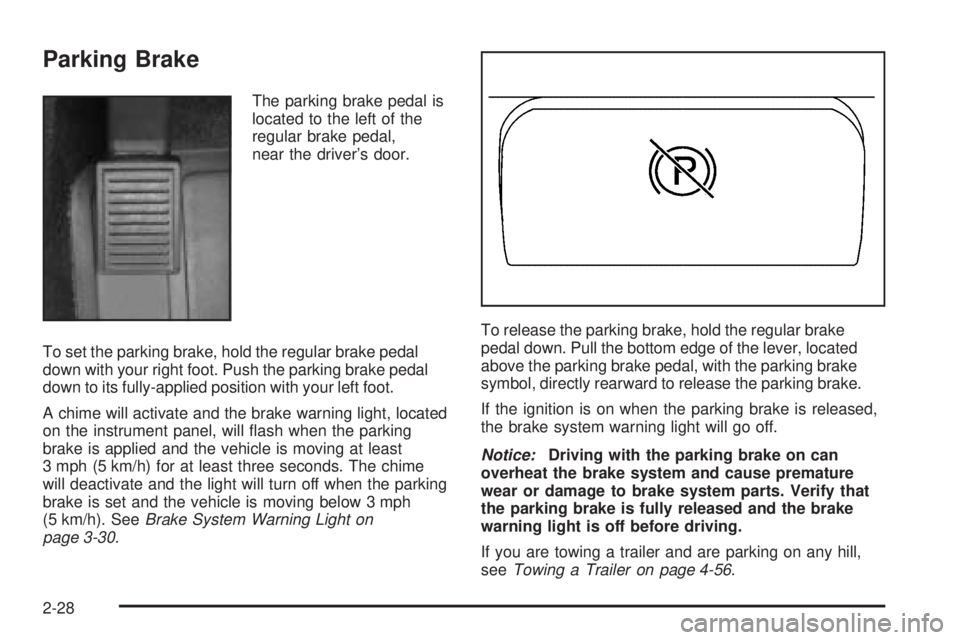
Parking Brake
The parking brake pedal is
located to the left of the
regular brake pedal,
near the driver’s door.
To set the parking brake, hold the regular brake pedal
down with your right foot. Push the parking brake pedal
down to its fully-applied position with your left foot.
A chime will activate and the brake warning light, located
on the instrument panel, will ash when the parking
brake is applied and the vehicle is moving at least
3 mph (5 km/h) for at least three seconds. The chime
will deactivate and the light will turn off when the parking
brake is set and the vehicle is moving below 3 mph
(5 km/h). SeeBrake System Warning Light on
page 3-30.To release the parking brake, hold the regular brake
pedal down. Pull the bottom edge of the lever, located
above the parking brake pedal, with the parking brake
symbol, directly rearward to release the parking brake.
If the ignition is on when the parking brake is released,
the brake system warning light will go off.
Notice:Driving with the parking brake on can
overheat the brake system and cause premature
wear or damage to brake system parts. Verify that
the parking brake is fully released and the brake
warning light is off before driving.
If you are towing a trailer and are parking on any hill,
seeTowing a Trailer on page 4-56.
2-28
Page 115 of 434
Shifting Into Park (P)
(Automatic Transmission)
{CAUTION:
It can be dangerous to get out of your vehicle
if the shift lever is not fully in PARK (P) with
the parking brake rmly set. Your vehicle can
roll. If you have left the engine running, the
vehicle can move suddenly. You or others
could be injured. To be sure your vehicle will
not move, even when you are on fairly level
ground, use the steps that follow. If you are
pulling a trailer, seeTowing a Trailer on
page 4-56.
1. Hold the brake pedal down with your right foot and
set the parking brake.
{CAUTION:
If you have four-wheel drive, your vehicle will
be free to roll — even if your shift lever is in
PARK (P) — if your transfer case is in
NEUTRAL. So, be sure the transfer case is in a
drive gear, two-wheel high (2H) or four-wheel
high (4H) or four-wheel low (4L) — not in
NEUTRAL.
2. Move the shift lever into PARK (P) by pulling
the lever toward you and moving it up as far
as it will go.
3. Turn the ignition key to LOCK.
4. Remove the key and take it with you. If you can
leave your vehicle with the key, your vehicle is in
PARK (P).
2-29
Page 116 of 434
Leaving Your Vehicle With the Engine
Running (Automatic Transmission)
{CAUTION:
It can be dangerous to leave your vehicle with
the engine running. Your vehicle could move
suddenly if the shift lever is not fully in
PARK (P) with the parking brake rmly set.
And, if you leave the vehicle with the engine
running, it could overheat and even catch re.
You or others could be injured. Do not leave
your vehicle with the engine running.
If you have to leave your vehicle with the engine
running, be sure your vehicle is in PARK (P) and your
parking brake is rmly set before you leave it. After you
have moved the shift lever into PARK (P), hold the
regular brake pedal down. Then, see if you can move
the shift lever away from PARK (P) without rst pulling it
toward you. If you can, it means that the shift lever
was not fully locked into PARK (P).
Torque Lock (Automatic Transmission)
If you are parking on a hill and you do not shift your
transmission into PARK (P) properly, the weight of the
vehicle may put too much force on the parking pawl
in the transmission. You may nd it difficult to pull the
shift lever out of PARK (P). This is called torque lock.
To prevent torque lock, set the parking brake and
then shift into PARK (P) properly before you leave the
driver’s seat. To nd out how, seeShifting Into Park (P)
(Automatic Transmission) on page 2-29.
When you are ready to drive, move the shift lever out of
PARK (P) before you release the parking brake.
If torque lock does occur, you may need to have another
vehicle push yours a little uphill to take some of the
pressure from the parking pawl in the transmission, so
you can pull the shift lever out of PARK (P).
Shifting Out of Park (P)
(Automatic Transmission)
Your vehicle has an automatic transmission shift lock
control system which locks the shift lever in PARK (P)
when the ignition is in the LOCK position. In addition,
you have to fully apply the regular brakes before you can
shift from PARK (P) when the ignition is in ON. See
Automatic Transmission Operation on page 2-20.
2-30
Page 117 of 434
If you cannot shift out of PARK (P), ease pressure on
the shift lever by pushing the shift lever all the way into
PARK (P) as you maintain brake application. Then,
move the shift lever into the gear you want.
If you ever hold the brake pedal down but still cannot
shift out of PARK (P), try this:
1. Turn the key to ACC. There is no shift interlock in
this key position.
2. Apply and hold the brake until the end of Step 4.
3. Shift the transmission to NEUTRAL (N).
4. Start the vehicle and then shift to the gear
you want.
5. Have the system xed as soon as you can.
Parking Your Vehicle
(Manual Transmission)
Your vehicle has a manual transmission. Before you
get out of your vehicle, move the shift lever into
REVERSE (R), and rmly apply the parking brake.
Once the shift lever has been placed into REVERSE (R)
with the clutch pedal pressed in, turn the ignition key
to LOCK, remove the key and release the clutch.
If you are parking on a hill, or if your vehicle is pulling a
trailer, seeTowing a Trailer on page 4-56.
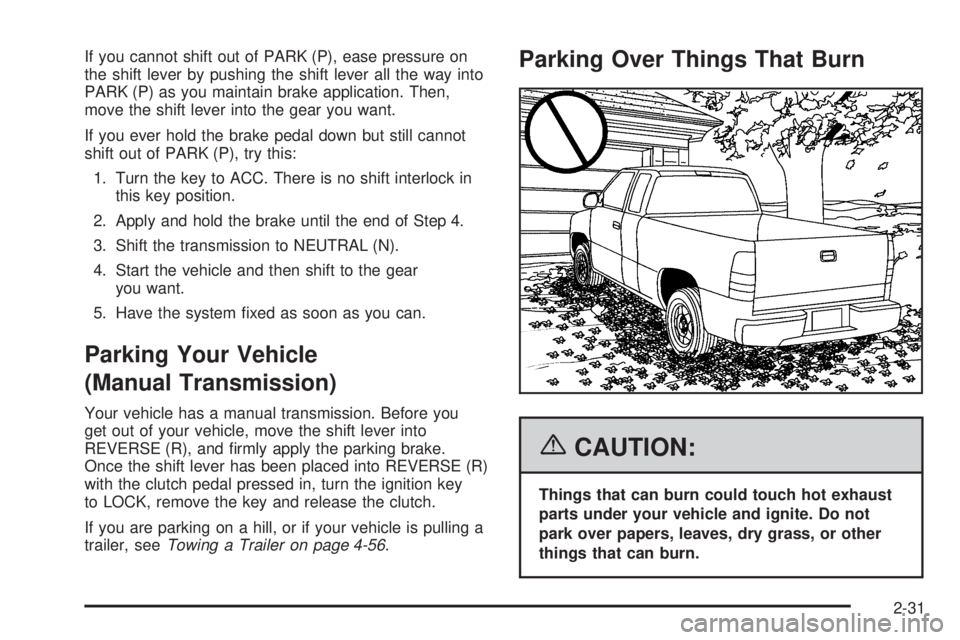
Parking Over Things That Burn
{CAUTION:
Things that can burn could touch hot exhaust
parts under your vehicle and ignite. Do not
park over papers, leaves, dry grass, or other
things that can burn.
2-31
Page 119 of 434
{CAUTION:
It can be dangerous to get out of your vehicle if
the automatic transmission shift lever is not
fully in PARK (P) with the parking brake rmly
set. Your vehicle can roll. Do not leave your
vehicle when the engine is running unless you
have to. If you have left the engine running, the
vehicle can move suddenly. You or others could
be injured. To be sure your vehicle will not
move, even when it is on fairly level ground,
always set the parking brake and move the
automatic transmission shift lever to PARK (P),
or the manual transmission shift lever to
NEUTRAL.
{CAUTION:
Four-wheel drive vehicles with the transfer
case in NEUTRAL will allow the vehicle to roll,
even if your automatic transmission shift lever
is in PARK (P). So, be sure the transfer case is
in a drive gear — not in NEUTRAL. Always set
your parking brake.
Follow the proper steps to be sure your vehicle
will not move. SeeShifting Into Park (P) (Automatic
Transmission) on page 2-29.
If you are pulling a trailer, seeTowing a Trailer on
page 4-56.
2-33
Page 120 of 434
Mirrors
Manual Rearview Mirror
While sitting in a comfortable driving position, adjust the
outside rearview mirror so you can see clearly behind
your vehicle. Grip the mirror in the center to move it up
or down and side to side. The control at the bottom
of the mirror is the day/night feature that allows
adjustment to the mirror so that the glare of headlamps
from behind is reduced. Push the control for daytime
use; pull it for night use.
The mirror may have lamps. Press the button next to
each lamp to turn it on or off.
Manual Rearview Mirror with
OnStar
®
Mirror Operation
Your vehicle may have a manual rearview mirror with
the OnStar®System and map lamps.
You can adjust the mirror for day or night driving.
Press the tab forward (away from you) for day driving.
Pull the tab back (toward you) for night driving.
There are also three OnStar
®buttons located at the
bottom of the mirror. See your dealer for more
information on the system and how to subscribe to
OnStar
®. SeeOnStar®System on page 2-38for more
information about the services OnStar®provides.
Map Lamps
The mirror has map lamps located at the bottom of the
mirror. To manually turn the lamps on or off, press
the button next to each lamp.
Cleaning the Mirror
When cleaning the mirror, use a paper towel or similar
material dampened with glass cleaner. Do not spray
glass cleaner directly on the mirror housing.
2-34