clock GMC CANYON 2009 Owner's Guide
[x] Cancel search | Manufacturer: GMC, Model Year: 2009, Model line: CANYON, Model: GMC CANYON 2009Pages: 414, PDF Size: 2.48 MB
Page 334 of 414
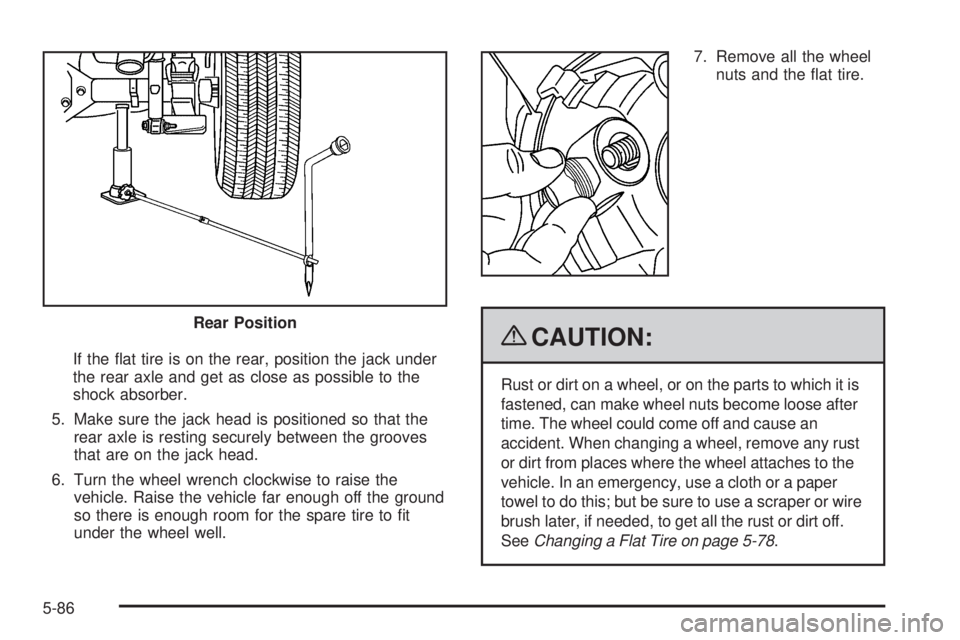
If the at tire is on the rear, position the jack under
the rear axle and get as close as possible to the
shock absorber.
5. Make sure the jack head is positioned so that the
rear axle is resting securely between the grooves
that are on the jack head.
6. Turn the wheel wrench clockwise to raise the
vehicle. Raise the vehicle far enough off the ground
so there is enough room for the spare tire to t
under the wheel well.7. Remove all the wheel
nuts and the at tire.
{CAUTION:
Rust or dirt on a wheel, or on the parts to which it is
fastened, can make wheel nuts become loose after
time. The wheel could come off and cause an
accident. When changing a wheel, remove any rust
or dirt from places where the wheel attaches to the
vehicle. In an emergency, use a cloth or a paper
towel to do this; but be sure to use a scraper or wire
brush later, if needed, to get all the rust or dirt off.
SeeChanging a Flat Tire on page 5-78. Rear Position
5-86
Page 336 of 414
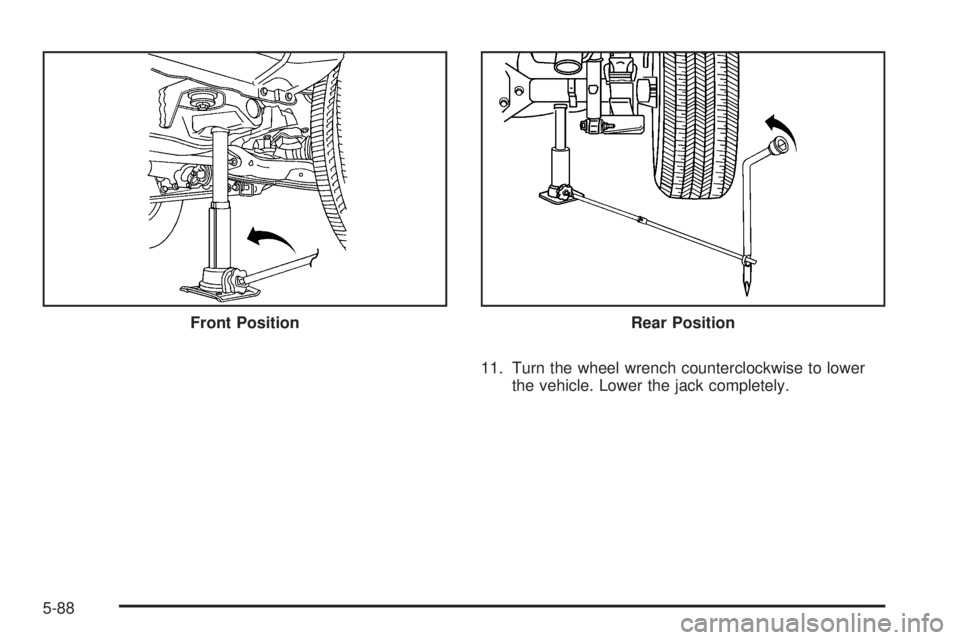
11. Turn the wheel wrench counterclockwise to lower
the vehicle. Lower the jack completely. Front Position
Rear Position
5-88
Page 337 of 414
{CAUTION:
Incorrect or improperly tightened wheel nuts can
cause the wheel to come loose and even come off.
This could lead to a crash. If you have to replace
them, be sure to get new original equipment wheel
nuts. Stop somewhere as soon as you can and
have the nuts tightened with a torque wrench to the
proper torque specication. SeeCapacities and
Specifications on page 5-115for wheel nut torque
specication.
Notice:Improperly tightened wheel nuts can lead
to brake pulsation and rotor damage. To avoid
expensive brake repairs, evenly tighten the wheel
nuts in the proper sequence and to the proper torque
specication. SeeCapacities and Specifications on
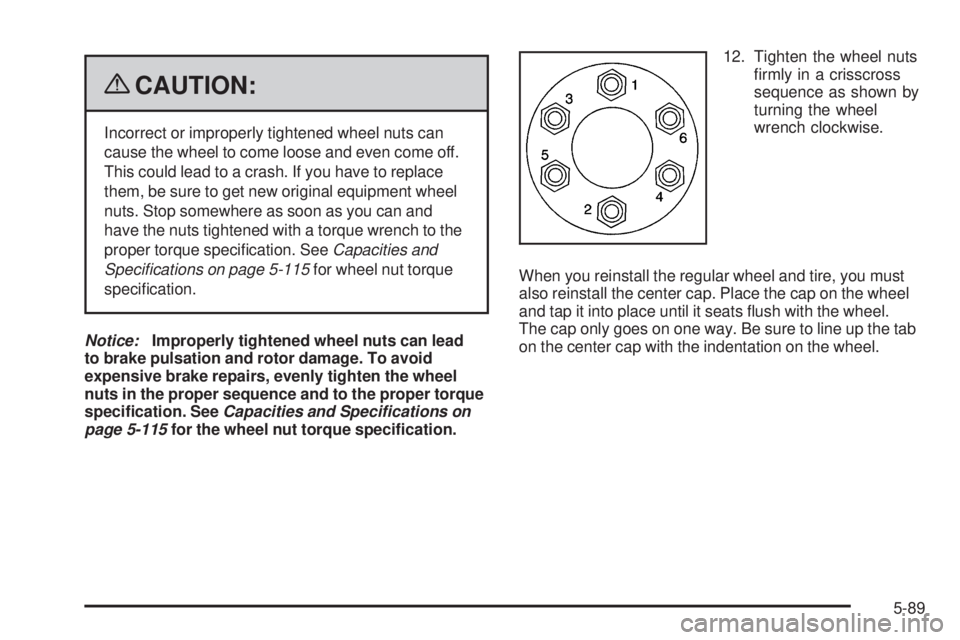
page 5-115for the wheel nut torque specication.12. Tighten the wheel nuts
rmly in a crisscross
sequence as shown by
turning the wheel
wrench clockwise.
When you reinstall the regular wheel and tire, you must
also reinstall the center cap. Place the cap on the wheel
and tap it into place until it seats ush with the wheel.
The cap only goes on one way. Be sure to line up the tab
on the center cap with the indentation on the wheel.
5-89
Page 339 of 414
2. If the cable end tting is not visible, proceed to
Step 6.
If it is visible, rst try to tighten the cable by turning
the wheel wrench clockwise until you hear two clicks
or feel it skip twice. You cannot overtighten the cable.
3. Loosen the cable by turning the wheel wrench
counterclockwise three or four turns.
4. Repeat this procedure at least two times. If the spare
tire lowers to the ground, continue with Step 5 under
Removing the Spare Tire and Tools on page 5-79.
5. Turn the wrench counterclockwise until
approximately 6 inches (15 cm) of cable is exposed.
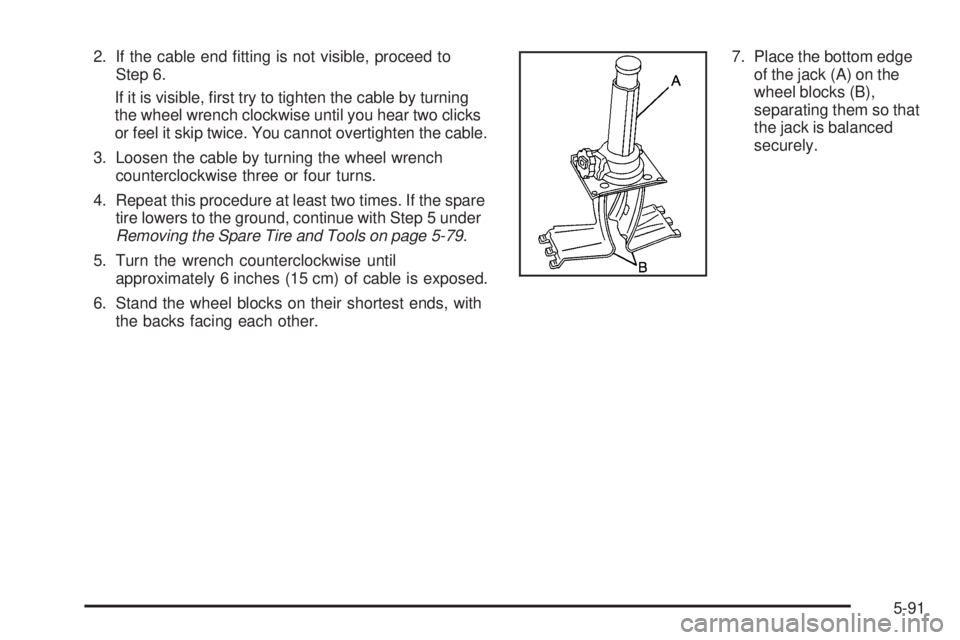
6. Stand the wheel blocks on their shortest ends, with
the backs facing each other.7. Place the bottom edge
of the jack (A) on the
wheel blocks (B),
separating them so that
the jack is balanced
securely.
5-91
Page 340 of 414
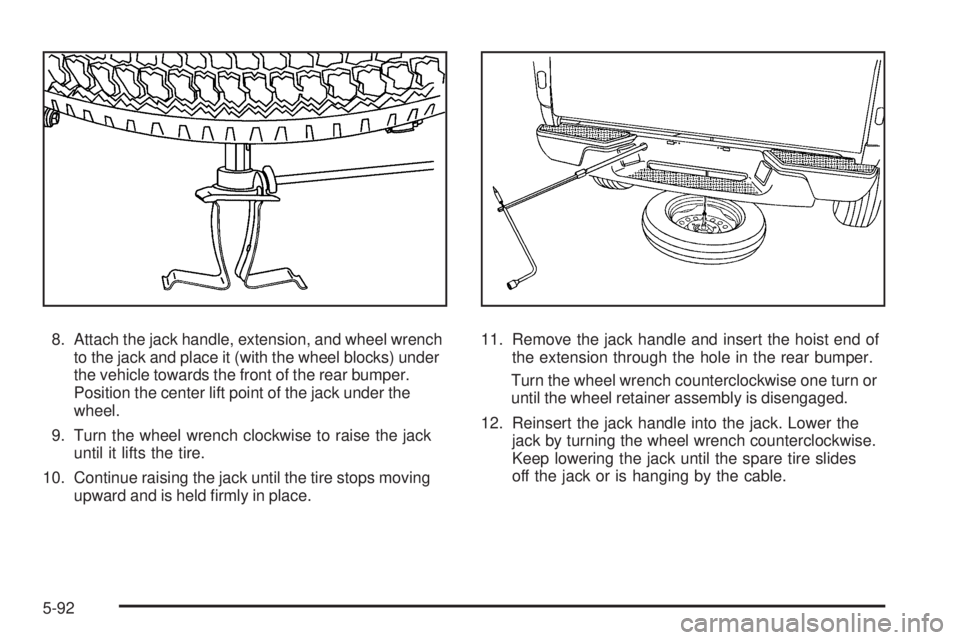
8. Attach the jack handle, extension, and wheel wrench
to the jack and place it (with the wheel blocks) under
the vehicle towards the front of the rear bumper.
Position the center lift point of the jack under the
wheel.
9. Turn the wheel wrench clockwise to raise the jack
until it lifts the tire.
10. Continue raising the jack until the tire stops moving
upward and is held rmly in place.11. Remove the jack handle and insert the hoist end of
the extension through the hole in the rear bumper.
Turn the wheel wrench counterclockwise one turn or
until the wheel retainer assembly is disengaged.
12. Reinsert the jack handle into the jack. Lower the
jack by turning the wheel wrench counterclockwise.
Keep lowering the jack until the spare tire slides
off the jack or is hanging by the cable.
5-92
Page 341 of 414
{CAUTION:
Someone standing too close during the procedure
could be injured by the jack. If the spare tire does
not slide off the jack completely, make sure no
one is behind you or on either side of you as you
pull the jack out from the under spare.
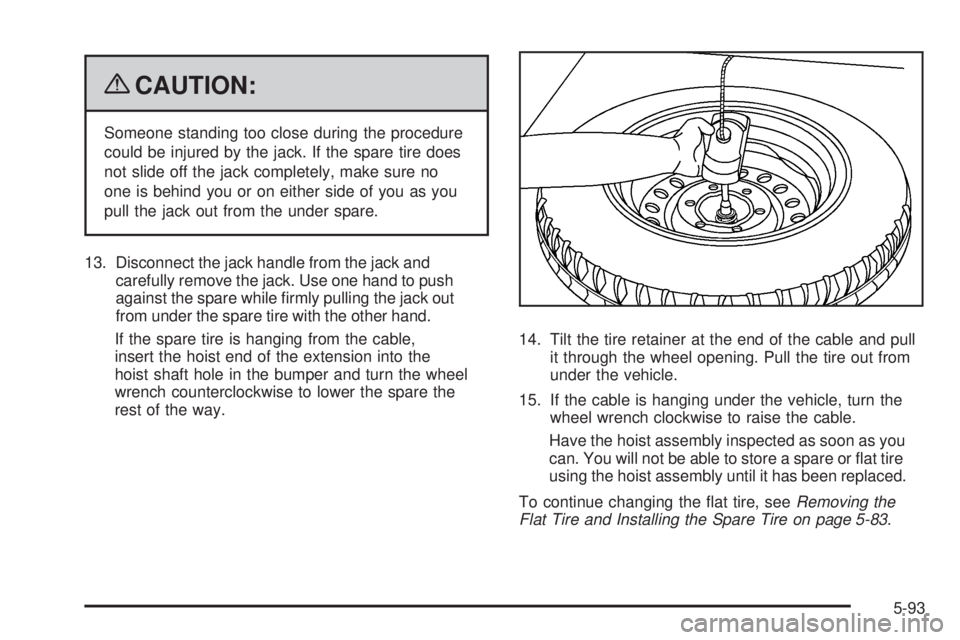
13. Disconnect the jack handle from the jack and
carefully remove the jack. Use one hand to push
against the spare while rmly pulling the jack out
from under the spare tire with the other hand.
If the spare tire is hanging from the cable,
insert the hoist end of the extension into the
hoist shaft hole in the bumper and turn the wheel
wrench counterclockwise to lower the spare the
rest of the way.14. Tilt the tire retainer at the end of the cable and pull
it through the wheel opening. Pull the tire out from
under the vehicle.
15. If the cable is hanging under the vehicle, turn the
wheel wrench clockwise to raise the cable.
Have the hoist assembly inspected as soon as you
can. You will not be able to store a spare or at tire
using the hoist assembly until it has been replaced.
To continue changing the at tire, seeRemoving the
Flat Tire and Installing the Spare Tire on page 5-83.
5-93
Page 343 of 414
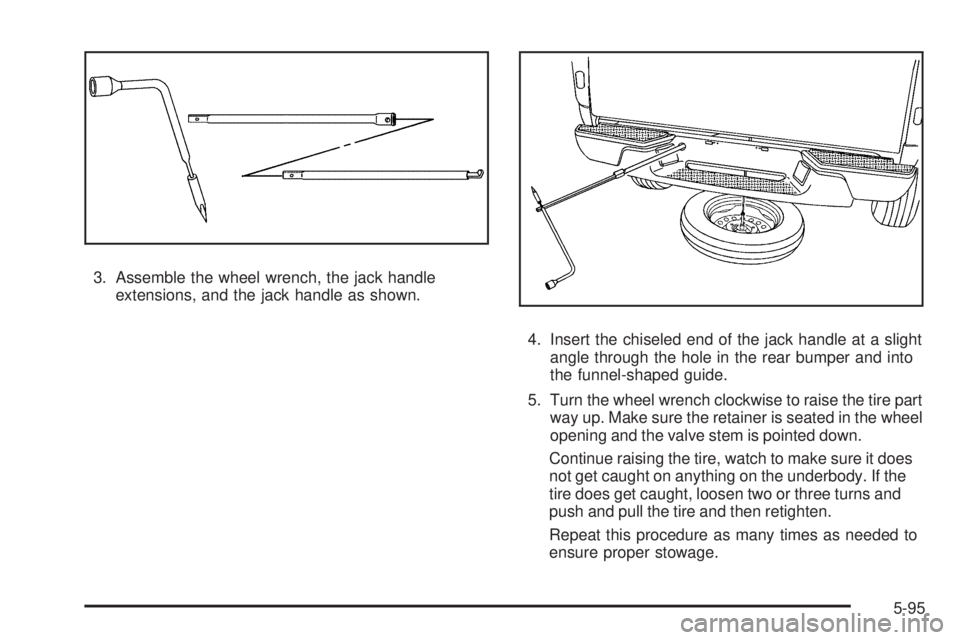
3. Assemble the wheel wrench, the jack handle
extensions, and the jack handle as shown.
4. Insert the chiseled end of the jack handle at a slight
angle through the hole in the rear bumper and into
the funnel-shaped guide.
5. Turn the wheel wrench clockwise to raise the tire part
way up. Make sure the retainer is seated in the wheel
opening and the valve stem is pointed down.
Continue raising the tire, watch to make sure it does
not get caught on anything on the underbody. If the
tire does get caught, loosen two or three turns and
push and pull the tire and then retighten.
Repeat this procedure as many times as needed to
ensure proper stowage.
5-95
Page 344 of 414
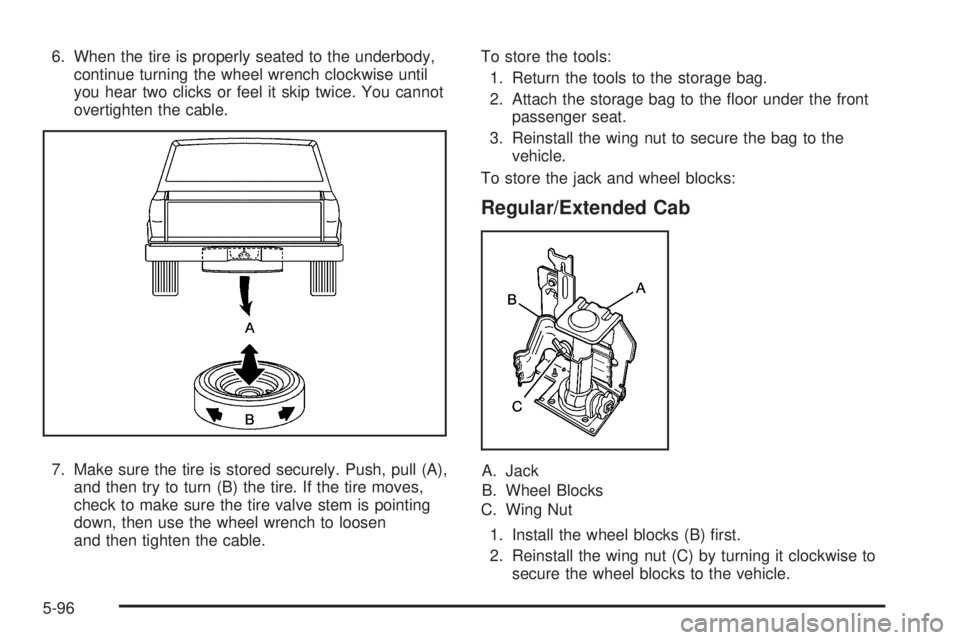
6. When the tire is properly seated to the underbody,
continue turning the wheel wrench clockwise until
you hear two clicks or feel it skip twice. You cannot
overtighten the cable.
7. Make sure the tire is stored securely. Push, pull (A),
and then try to turn (B) the tire. If the tire moves,
check to make sure the tire valve stem is pointing
down, then use the wheel wrench to loosen
and then tighten the cable.To store the tools:
1. Return the tools to the storage bag.
2. Attach the storage bag to the oor under the front
passenger seat.
3. Reinstall the wing nut to secure the bag to the
vehicle.
To store the jack and wheel blocks:
Regular/Extended Cab
A. Jack
B. Wheel Blocks
C. Wing Nut
1. Install the wheel blocks (B) rst.
2. Reinstall the wing nut (C) by turning it clockwise to
secure the wheel blocks to the vehicle.
5-96
Page 345 of 414

3. Lower the jack (A) all the way and insert the jack
into the bracket.
4. Raise the jack by turning the handle clockwise to
secure the jack within the bracket.
5. Put the cover in position and insert and tighten the
wing nut to secure it.Crew Cab
A. Jack
B. Wheel Blocks
C. Wing Nut
1. Attach the wheel blocks (B) to the jack (A) with the
wheel block retainer and the wing nut (C).
2. Reinstall the jack and wheel block assembly in the
mounting bracket. Be sure to position the holes in
the base of the jack onto the pins in the mounting
bracket.
3. Turn the handle to raise the jack until it is secure,
but do not overtighten the jack in the bracket.
5-97
Page 402 of 414
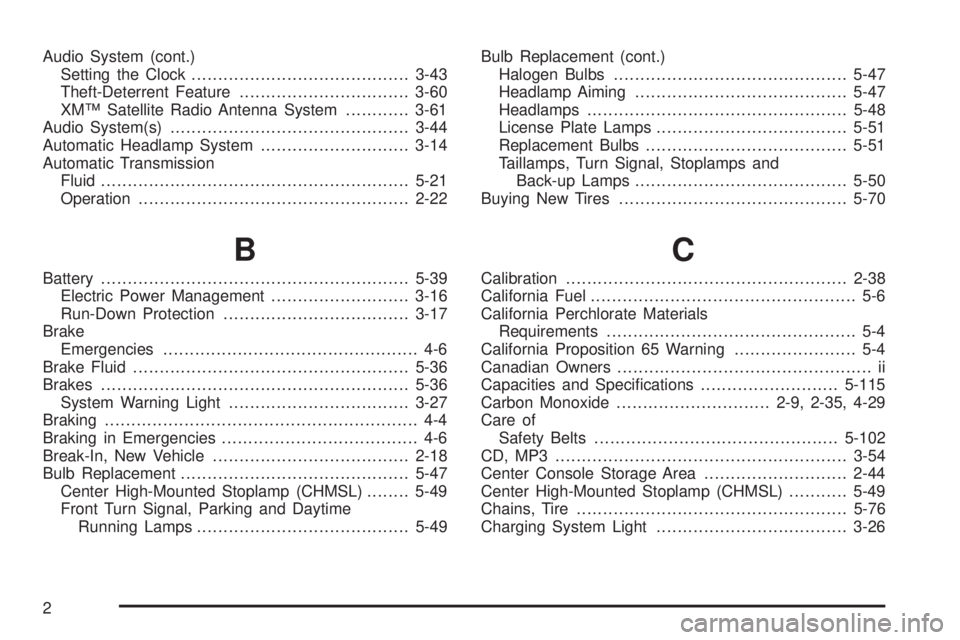
Audio System (cont.)
Setting the Clock.........................................3-43
Theft-Deterrent Feature................................3-60
XM™ Satellite Radio Antenna System............3-61
Audio System(s).............................................3-44
Automatic Headlamp System............................3-14
Automatic Transmission
Fluid..........................................................5-21
Operation...................................................2-22
B
Battery..........................................................5-39
Electric Power Management..........................3-16
Run-Down Protection...................................3-17
Brake
Emergencies................................................ 4-6
Brake Fluid....................................................5-36
Brakes..........................................................5-36
System Warning Light..................................3-27
Braking........................................................... 4-4
Braking in Emergencies..................................... 4-6
Break-In, New Vehicle.....................................2-18
Bulb Replacement...........................................5-47
Center High-Mounted Stoplamp (CHMSL)........5-49
Front Turn Signal, Parking and Daytime
Running Lamps........................................5-49Bulb Replacement (cont.)
Halogen Bulbs............................................5-47
Headlamp Aiming........................................5-47
Headlamps.................................................5-48
License Plate Lamps....................................5-51
Replacement Bulbs......................................5-51
Taillamps, Turn Signal, Stoplamps and
Back-up Lamps........................................5-50
Buying New Tires...........................................5-70
C
Calibration.....................................................2-38
California Fuel.................................................. 5-6
California Perchlorate Materials
Requirements............................................... 5-4
California Proposition 65 Warning....................... 5-4
Canadian Owners................................................ ii
Capacities and Specications..........................5-115
Carbon Monoxide.............................2-9, 2-35, 4-29
Care of
Safety Belts..............................................5-102
CD, MP3 .......................................................3-54
Center Console Storage Area...........................2-44
Center High-Mounted Stoplamp (CHMSL)...........5-49
Chains, Tire...................................................5-76
Charging System Light....................................3-26
2