service GMC CANYON 2009 Owner's Guide
[x] Cancel search | Manufacturer: GMC, Model Year: 2009, Model line: CANYON, Model: GMC CANYON 2009Pages: 414, PDF Size: 2.48 MB
Page 168 of 414
OIL
This message displays when the oil pressure is low.
SeeOil Pressure Light on page 3-32andEngine Oil
on page 5-15for more information.
PARK BRK (Brake)
This message displays when the parking brake is set.
SeeParking Brake on page 2-31andBrake System
Warning Light on page 3-27for more information.
The message clears from the display after the parking
brake is released or by pressing and releasing the
reset stem.
REDUCED POWER
This message displays when the vehicle’s engine power
is reduced. Reduced engine power can affect the
vehicle’s ability to accelerate. If this message is on, but
there is no reduction in performance, proceed to
your destination. The performance may be reduced the
next time the vehicle is driven. The vehicle may be
driven at a reduced speed while this message is on, but
acceleration and speed may be reduced. Anytime this
message stays on, the vehicle should be taken to
your dealer/retailer for service as soon as possible.
Press and release the reset stem to acknowledge the
message and clear it from the display.
SERV (Service) 4WD (Four-Wheel Drive)
This message displays when there is a problem with the
transfer case control system. Check the transfer
case on your vehicle and have it serviced by your
dealer/retailer. SeeFour-Wheel Drive on page 2-26for
more information about the transfer case. Press and
release the reset stem to acknowledge the message and
clear it from the display.
SERV (Service) TPM
(Tire Pressure Monitor)
This message displays if a part on the Tire Pressure
Monitor System (TPMS) is not working properly. The tire
pressure light also ashes and then remains on during
the same ignition cycle. SeeTire Pressure Light on
page 3-29. Several conditions may cause this message
to appear. SeeTire Pressure Monitor Operation on
page 5-65for more information. If the warning comes on
and stays on, there may be a problem with the TPMS.
See your dealer/retailer.
SERV (Service) VEH (Vehicle)
This message displays if your vehicle needs service.
Have your vehicle serviced by your dealer/retailer
as soon as possible.
3-40
Page 169 of 414
SERVICE CHARG (Charge)
SYS (System)
This message displays if there is a problem with the
battery charging system. Under certain conditions, the
battery warning light may also turn on in the instrument
panel cluster. SeeCharging System Light on page 3-26.
The battery will not be charging at an optimal rate and the
vehicle will lose the ability to enter the fuel economy
mode. The vehicle is safe to drive, however have the
electrical system checked by your dealer/retailer.
Press and release the reset stem to acknowledge the
message and clear it from the display.
SERVICE STAB (Stability) SYS
(System)
This message displays if there is a problem with the
StabiliTrak system. Have your vehicle serviced by your
dealer/retailer. SeeStabiliTrak
®System on page 4-6
for more information.
STAB (Stability) SYS (System) OFF
This message displays when the StabiliTrak system is
turned off. SeeStabiliTrak®System on page 4-6for
more information.
TRAC (Traction) OFF
This message displays when the Traction Control
System (TCS) is turned off by pressing the StabiliTrak
button. SeeStabiliTrak
®System on page 4-6for more
information.
TRACTION FAULT
This message will display if there is a problem with the
TCS. Have your vehicle serviced by your dealer/retailer.
SeeTraction Control System (TCS) on page 4-8for
more information. Press and release the reset stem to
acknowledge the message and clear it from the display.
TURN SIGNAL
This message displays when the turn signal is on for
about 0.75 miles (1.2 km) of travel. Press and release
the reset stem to acknowledge the message and clear it
from the display.
3-41
Page 177 of 414
Finding a Program Type (PTY) Station
(RDS and XM)
To select and nd a desired PTY perform the following:
1. Press the P-TYPE to activate program type
select mode. P-TYPE or TYPE and a PTY displays.
2. Turn the P-TYPE knob again, to select a PTY.
3. Once the desired PTY displays, press the
SEEK / TYPE button to select and to take you to
the PTY’s rst station.
4. Go to to another station within that PTY by
pressing the SEEK / TYPE button twice to display
the PTY and then go to another station.
To cancel the seek, press the SEEK / TYPE button.
This also exits the program type seek mode and returns
to the last tuned station.
If both PTY and TRAF (traffic) are on, the radio
searches for stations with the selected PTY and traffic
announcements.
If the radio cannot nd the desired program type, NONE
displays and the radio returns to the last tuned station.
SCAN:To scan PTYs, press and hold the SEEK / SCAN
until a beep sounds. The radio goes to a station, plays for
a few seconds, then goes to the next station.BAND (Alternate Frequency):Alternate frequency lets
the radio switch to a stronger station with the same
program type. To turn alternate frequency on, press and
hold BAND for two seconds. AF ON displays. The radio
could switch to stations with a stronger frequency.
To turn alternate frequency off, press and hold BAND
again for two seconds. AF OFF displays. The radio
does not switch to other stations.
This function does not apply for XM Satellite Radio
Service.
Setting Preset PTYs (RDS) Only
For the Radio with CD player, the six pushbuttons have
factory PTY presets. Up to 12 PTYs (six FM1 and
six FM2), can be programmed on the numbered
pushbuttons. To program PTYs:
1. Press BAND to select FM1 or FM2.
2. Turn the P-TYPE knob to activate program type
select mode. TYPE and the last selected PTY
displays.
3. Turn the P-TYPE knob to select a PTY.
4. Press and hold one of the six numbered pushbuttons
until a beep sounds. When that numbered
pushbutton is pressed, the PTY that was set, returns.
5. Repeat the steps for each pushbutton.
3-49
Page 178 of 414
RDS Messages
ALERT!:For the Radio with CD, the Alert feature
warns of local or national emergencies. When an alert
announcement comes on the current radio station,
ALERT! displays. The announcement is heard, even if
the volume is low or a CD is playing. If a CD is playing,
play stops during the announcement. Alert
announcements cannot be turned off.
ALERT! is not affected by tests of the emergency
broadcast system. This feature is not supported by all
RDS stations.
INFO (Information):If the current station has a
message, the information symbol or INFO displays.
Press this button to see the message. The message can
display the artist, song title, call in phone numbers, etc.
If the entire message is not displayed, parts of the
message displays every three seconds. To scroll
through the message, press and release the INFO button.
A new group of words display after every press of this
button. Once the complete message has displayed, the
information symbol or INFO disappears from the display
until another new message is received. The last message
can be displayed by pressing the INFO button. The last
message stays on the display until a new message is
received or the radio is tuned to a different station.When a message is not available from a station,
NO INFO displays.
TRAF (Traffic):For the Radio with CD, if TRAF displays,
the tuned station broadcasts traffic announcements.
When a traffic announcement is broadcast on this station
you will hear it.
If the station does not broadcast traffic announcements,
press the TRAF button and the radio seeks to a station
that does. When a station that broadcasts traffic
announcements is found, the radio stops seeking and
TRAF displays. If no station is found that broadcasts
traffic announcements, NO TRAF displays.
If TRAF displays, press the TRAF button to turn off the
traffic announcements.
The radio plays the traffic announcement if the volume is
low. The radio interrupts the play of a CD if the last tuned
station broadcasts traffic announcements.
This function does not apply to XM Satellite Radio
Service.
3-50
Page 179 of 414
Radio Messages
CAL ERR or CAL (Calibration Error):The audio
system has been calibrated for the vehicle from the
factory. If CAL or CAL ERR displays it means that the
radio has not been congured properly for the vehicle and
it must be returned to your dealer/retailer for service.
LOC or LOCKED:This message displays when the
THEFTLOCK
®system has locked up. Take the vehicle
to your dealer/retailer for service.
If any error occurs repeatedly or if an error cannot be
corrected, contact your dealer/retailer.
XM™ Satellite Radio Service
XM is a satellite radio service that is based in the
48 contiguous United States and 10 Canadian
provinces. XM Satellite Radio has a wide variety
of programming and commercial-free music,
coast-to-coast, and in digital-quality sound.
During your trial or when you subscribe, you will get
unlimited access to XM Radio Online for when you
are not in the vehicle. A service fee is required to
receive the XM service. For more information, contact
XM at xmradio.com or call 1-800-929-2100 in the
U.S. and xmradio.ca or call 1-877-438-9677 in Canada.
Radio Messages for XM Only
SeeXM Radio Messages on page 3-59later in this
section for further detail.
Playing a CD
(Radio with Single CD Player)
Insert a CD partway into the slot, label side up.
The player pulls it in, and READING displays. The CD
should begin playing. To insert a CD with the ignition off,
rst press the
Z(eject) button or the DISPL knob.
If the ignition or radio is turned off with a CD in
the player it stays in the player. When the ignition or
radio is turned on, the CD starts to play where it
stopped, if it was the last selected audio source.
When the CD is inserted, the CD symbol displays.
As each new track starts to play, the track number
displays.
The CD player can play the smaller 3 inch (8 cm) single
CDs with an adapter ring. Full-size CDs and the
smaller CDs are loaded in the same manner.
3-51
Page 187 of 414
XM Radio Messages
XL (Explicit Language Channels):These channels, or
any others, can be blocked at a customer’s request,
by calling 1-800-852-XMXM (9696).
Updating:The encryption code in the receiver is being
updated, and no action is required. This process
should take no longer than 30 seconds.
No Signl:The system is functioning correctly, but the
vehicle is in a location that is blocking the XM signal.
When the vehicle is moved into an open area, the signal
should return.
Loading:The radio system is acquiring and processing
audio and text data. No action is needed. This message
should disappear shortly.
Off Air:This channel is not currently in service.
Tune to another channel.
CH Unavl:This previously assigned channel is no
longer assigned. Tune to another station. If this station
was one of the presets, choose another station for
that preset button.
Unauth:This channel is blocked or cannot be received
with your XM Subscription package.No Info:No artist, song title, category, or text
information is available at this time on this channel.
The system is working properly.
NotFound:No artist, song title, category, or text
information is available at this time on this channel.
The system is working properly.
XM Lock:The XM receiver in your vehicle could have
previously been in another vehicle. For security
purposes, XM receivers cannot be swapped between
vehicles. If this message is received after having
your vehicle serviced, check with your dealer/retailer.
Radio ID:If this message is received when tuned
to channel 0, there could be a receiver fault. Consult
with your dealer/retailer.
Unknown:If this message is received when tuned to
channel 0, there could be a receiver fault. Consult
with your dealer/retailer.
Check XM:If this message does not clear within a
short period of time, the receiver could have a
fault. Consult with your dealer/retailer.
3-59
Page 189 of 414
XM Satellite Radio Service
XM Satellite Radio Service gives digital radio reception
from coast-to-coast in the 48 contiguous United States,
and in Canada. Just as with FM, tall buildings or hills can
interfere with satellite radio signals, causing the sound to
fade in and out. In addition, traveling or standing under
heavy foliage, bridges, garages, or tunnels may cause
loss of the XM signal for a period of time.
Cellular Phone Usage
Cellular phone usage may cause interference with the
vehicle’s radio. This interference may occur when
making or receiving phone calls, charging the phone’s
battery, or simply having the phone on. This interference
causes an increased level of static while listening to
the radio. If static is received while listening to the radio,
unplug the cellular phone and turn it off.
Fixed Mast Antenna
The xed mast antenna can withstand most car washes
without being damaged as long as it is securely attached
to the base. If the mast becomes slightly bent, straighten
it out by hand. If the mast is badly bent, replace it.
Occasionally check to make sure the antenna is
tightened to its base. If tightening is required, tighten by
hand until fully seated plus one quarter turn.
XM™ Satellite Radio Antenna
System
The XM Satellite Radio antenna is located on the roof
of the vehicle. Keep the antenna clear of obstructions
for clear radio reception.
If the vehicle has a sunroof, the performance of the
XM system may be affected if the sunroof is open.
Chime Level Adjustment
The radio is used to adjust the vehicle’s chime level.
To change the volume level of the chime, press and hold
pushbutton 6 with the ignition on and the radio power
off. The volume level will change from the normal
level to loud, and LOUD will appear on the radio display.
To change back to the default or normal setting,
press and hold pushbutton 6 again. The volume level
will change from the loud level to normal, and NORMAL
will appear on the radio display. Each time the chime
volume is changed, three chimes will sound to indicate
the new volume selected. Removing the radio and
not replacing it with a factory radio or chime module will
disable vehicle chimes.
3-61
Page 197 of 414
If there is a problem detected with StabiliTrak, a
SERVICE STAB SYS message displays on the Driver
Information Center (DIC). SeeDIC Warnings and
Messages on page 3-38for more information. When this
message is displayed, the system is not working.
Adjust your driving accordingly.
StabiliTrak and Traction Control (TCS) come on
automatically whenever the vehicle is started and the
systems are reset with each ignition cycle. However,
when the transfer case is placed in Four-Wheel-Low
mode, StabiliTrak is automatically disabled. See
Four-Wheel Drive on page 2-26for more information. It is
recommended to leave the system on for normal driving
conditions, but it may be necessary to turn the TCS
portion of the system off if the vehicle is stuck in sand,
mud, ice, or snow, and it is necessary to″rock″the
vehicle to attempt to free it. If traction control is turned off,
only the brake-traction control portion of traction control
will work. The engine speed management will be
disabled. In this mode, engine power is not reduced
automatically and the drive wheels can spin more freely.
This can cause the brake-traction control to activate
constantly. SeeIf Your Vehicle is Stuck in Sand, Mud,
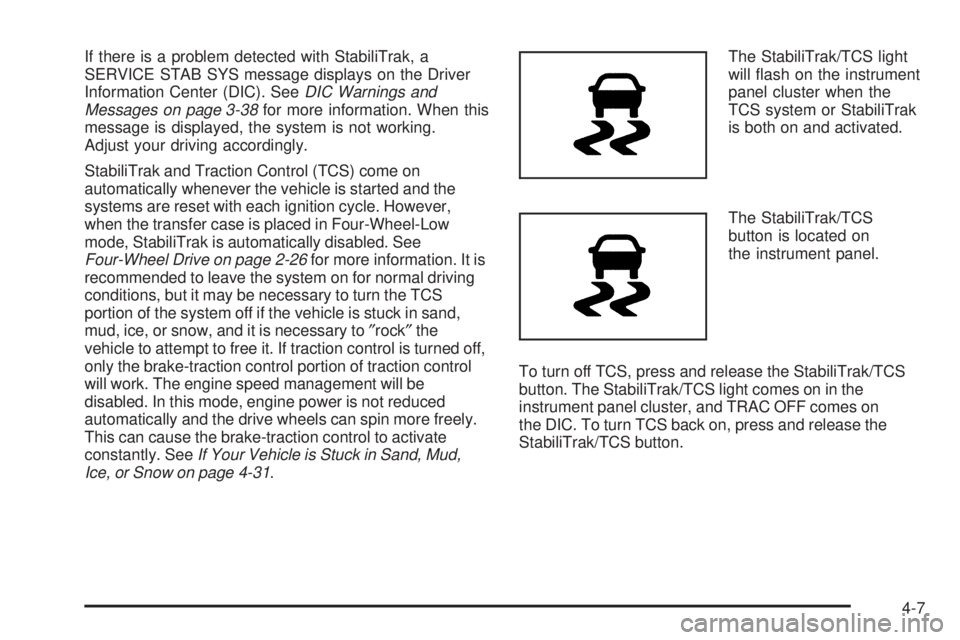
Ice, or Snow on page 4-31.The StabiliTrak/TCS light
will ash on the instrument
panel cluster when the
TCS system or StabiliTrak
is both on and activated.
The StabiliTrak/TCS
button is located on
the instrument panel.
To turn off TCS, press and release the StabiliTrak/TCS
button. The StabiliTrak/TCS light comes on in the
instrument panel cluster, and TRAC OFF comes on
the DIC. To turn TCS back on, press and release the
StabiliTrak/TCS button.
4-7
Page 199 of 414
The message TRACTION FAULT appears in the Driver
Information Center (DIC) when a TCS or Antilock Brake
System (ABS) problem has been detected and the
vehicle needs service. When this message is on, the
system will not limit wheel spin. Adjust your driving
accordingly. SeeDIC Warnings and Messages on
page 3-38.
Adding non-dealer/non-retailer accessories can affect
the vehicle’s performance. SeeAccessories and
Modifications on page 5-3.
Limited-Slip Rear Axle
Vehicles with a limited-slip rear axle can give more
traction on snow, mud, ice, sand or gravel. It works like
a standard axle most of the time, but when traction
is low, this feature allows the drive wheel with the most
traction to move the vehicle.
Steering
Power Steering
If you lose power steering assist because the engine
stops or the system is not functioning, you can steer but
it will take much more effort.
Steering Tips
It is important to take curves at a reasonable speed.
Traction in a curve depends on the condition of the tires
and the road surface, the angle at which the curve is
banked, and your speed. While in a curve, speed is the
one factor you can control.
If you need to reduce speed, do it before you enter the
curve, while the front wheels are straight ahead.
Try to adjust the speed so you can drive through the
curve. Maintain a reasonable, steady speed. Wait
to accelerate until you are out of the curve, and then
accelerate gently into the straightaway.
4-9
Page 203 of 414
Drinking and driving can be very dangerous on any road
and this is certainly true for off-road driving. At the very
time you need special alertness and driving skills, your
reexes, perceptions, and judgment can be affected
by even a small amount of alcohol. You could have a
serious — or even fatal — accident if you drink and drive
or ride with a driver who has been drinking.
Off-roading can be great fun but has some denite
hazards. The greatest of these is the terrain itself. When
off-road driving, traffic lanes are not marked, curves are
not banked, and there are no road signs. Surfaces can be
slippery, rough, uphill, or downhill.
Avoid sharp turns and abrupt maneuvers. Failure to
operate the vehicle correctly off-road could result in loss
of vehicle control or vehicle rollover.
Off-roading involves some new skills. That is why it is
very important that you read these driving tips and
suggestions to help make off-road driving safer and
more enjoyable.Before You Go Off-Roading
Have all necessary maintenance and service
work done.
Make sure there is enough fuel, that uid levels are
where they should be, and that the spare tire is fully
inated.
Be sure to read all the information about
four-wheel-drive vehicles in this manual.
Make sure all underbody shields, if the vehicle has
them, are properly attached.
Know the local laws that apply to off-roading where
you will be driving or check with law enforcement
people in the area.
Be sure to get the necessary permission if you will
be on private land.
4-13