clock GMC CANYON 2010 Owner's Guide
[x] Cancel search | Manufacturer: GMC, Model Year: 2010, Model line: CANYON, Model: GMC CANYON 2010Pages: 448, PDF Size: 2.62 MB
Page 375 of 448
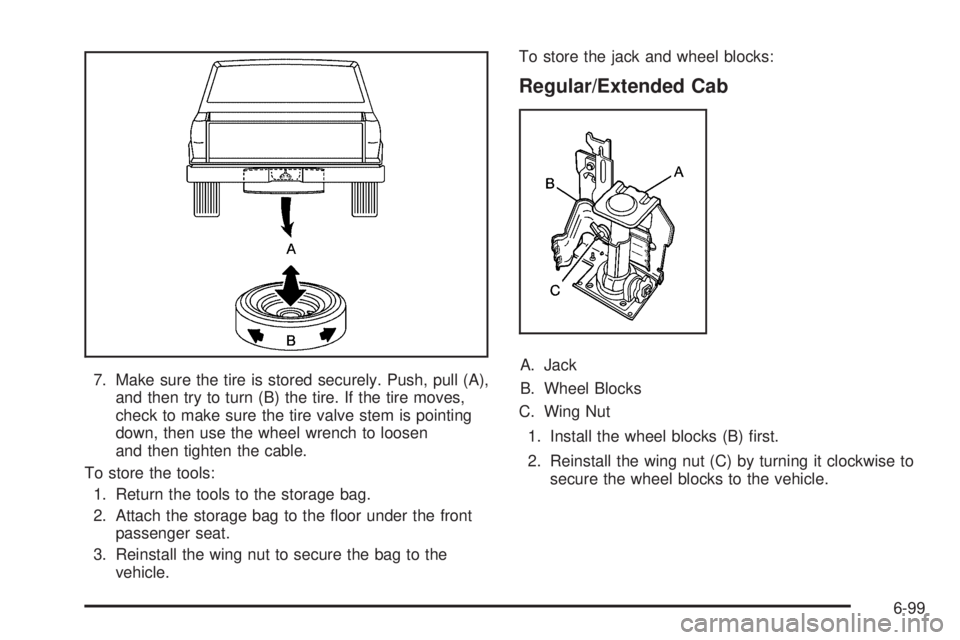
7. Make sure the tire is stored securely. Push, pull (A),
and then try to turn (B) the tire. If the tire moves,
check to make sure the tire valve stem is pointing
down, then use the wheel wrench to loosen
and then tighten the cable.
To store the tools:
1. Return the tools to the storage bag.
2. Attach the storage bag to the floor under the front
passenger seat.
3. Reinstall the wing nut to secure the bag to the
vehicle.To store the jack and wheel blocks:
Regular/Extended Cab
A. Jack
B. Wheel Blocks
C. Wing Nut
1. Install the wheel blocks (B) first.
2. Reinstall the wing nut (C) by turning it clockwise to
secure the wheel blocks to the vehicle.
6-99
Page 376 of 448
3. Lower the jack (A) all the way and insert the jack
into the bracket.
4. Raise the jack by turning the handle clockwise to
secure the jack within the bracket.
5. Put the cover in position and insert and tighten the
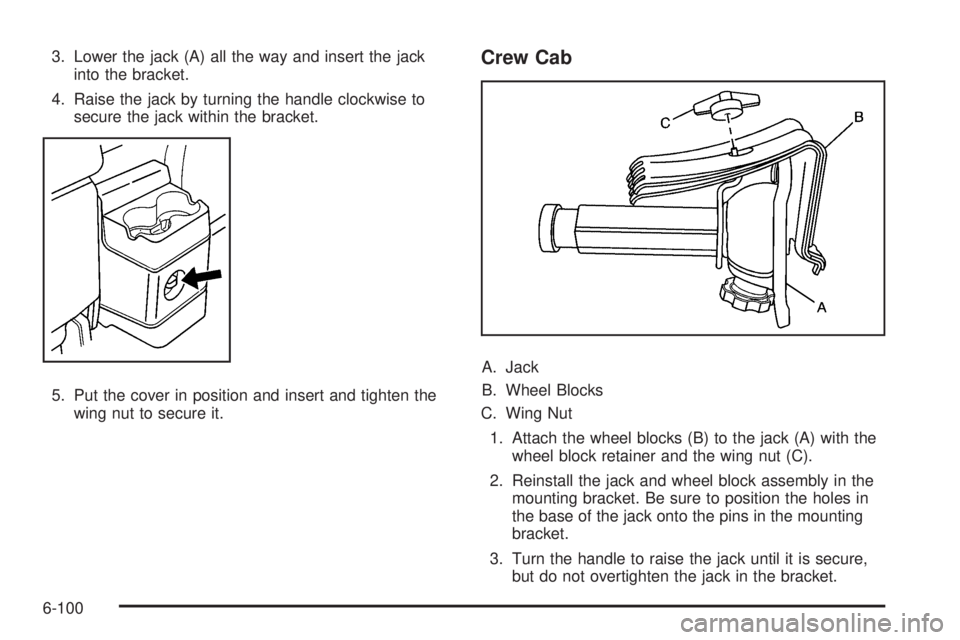
wing nut to secure it.Crew Cab
A. Jack
B. Wheel Blocks
C. Wing Nut
1. Attach the wheel blocks (B) to the jack (A) with the
wheel block retainer and the wing nut (C).
2. Reinstall the jack and wheel block assembly in the
mounting bracket. Be sure to position the holes in
the base of the jack onto the pins in the mounting
bracket.
3. Turn the handle to raise the jack until it is secure,
but do not overtighten the jack in the bracket.
6-100
Page 432 of 448
Appearance Care (cont.)
Finish Damage..........................................6-109
Instrument Panel, Vinyl, and Other
Plastic Surfaces.....................................6-105
Interior Cleaning........................................6-102
Leather....................................................6-104
Sheet Metal Damage..................................6-109
Tires........................................................6-108
Underbody Maintenance.............................6-109
Washing Your Vehicle.................................6-106
Weatherstrips............................................6-105
Windshield and Wiper Blades......................6-107
Approaching a Hill..........................................5-18
Ashtray.........................................................4-16
Assist Handles...............................................3-40
Assistance Program, Roadside........................... 8-7
Audio System.................................................4-42
Radio Reception..........................................4-61
Setting the Clock.........................................4-43
Theft-Deterrent Feature................................4-61
XM™ Satellite Radio Antenna System............4-63
Audio System(s).............................................4-43
Automatic Headlamp System............................4-12
Automatic Transmission
Fluid..........................................................6-21
Operation...................................................3-21
Automatic Transmission Shift Lock Control
System Check.............................................. 7-8
Axle, Rear.....................................................6-47B
Backing Up....................................................5-57
Battery..........................................................6-42
Electric Power Management..........................4-14
Run-Down Protection...................................4-15
Battery Replacement......................................... 3-4
Before You Go Off-Roading..............................5-13
Belt Routing, Engine.......................................7-13
Blizzard Conditions..........................................5-30
Brake
Emergencies................................................ 5-5
Brake Adjustment............................................6-41
Brake Fluid....................................................6-39
Brake Pedal Travel.........................................6-41
Brake Wear...................................................6-41
BRAKES.......................................................4-38
Brakes..........................................................6-39
Antilock....................................................... 5-5
Parking......................................................3-30
System Warning Light..................................4-25
Braking........................................................... 5-3
Braking in Emergencies..................................... 5-5
Break-In, New Vehicle.....................................3-16
Bulb Replacement...........................................6-54
Center High-Mounted Stoplamp (CHMSL)........6-52
Fog Lamps .................................................4-12
Front Turn Signal, Parking and Daytime
Running Lamps........................................6-52
2
Page 434 of 448
Circuit Breakers............................................6-111
Cleaning
Aluminum or Chrome-Plated Wheels.............6-108
Exterior Lamps/Lenses................................6-106
Fabric/Carpet............................................6-103
Finish Care...............................................6-107
Instrument Panel, Vinyl, and Other Plastic
Surfaces...............................................6-105
Interior.....................................................6-102
Leather....................................................6-104
Tires........................................................6-108
Underbody Maintenance.............................6-109
Washing Your Vehicle.................................6-106
Weatherstrips............................................6-105
Windshield and Wiper Blades......................6-107
Cleaning the Mirror.................................3-36, 3-37
Climate Control System...................................4-16
Outlet Adjustment........................................4-18
Climate Controls.............................................1-14
Clock, Setting.................................................4-43
Clutch, Hydraulic.............................................6-26
Cold Temperature Operation.............................6-17
Collision Damage Repair..................................8-11
Collision Parts................................................8-12
Compass.......................................................3-37
Compass Calibration.......................................3-37
Compass Operation.........................................3-37
Compass Variance..........................................3-38
Content Theft-Deterrent....................................3-13
Control of a Vehicle.......................................... 5-3Coolant
Engine.......................................................6-29
Engine Temperature Gage............................4-27
Cooling System..............................................6-27
Courtesy Transportation Program......................8-10
Coverage........................................................ 8-8
Cruise Control
.................................................. 4-7
Light..........................................................4-32
Cupholders....................................................3-40
Current and Past Model Order Forms................8-16
Customer Assistance......................................... 8-6
Offices......................................................... 8-6
Text Telephone (TTY) Users........................... 8-6
Customer Information
Service Publications Ordering Information........8-15
Customer Satisfaction Procedure........................ 8-2
D
Damage Repair, Collision.................................8-11
Data Recorders, Event....................................8-17
Daytime Running Lamps (DRL).........................4-11
Defensive Driving............................................. 5-2
Dinghy Towing................................................5-42
Disc, MP3......................................................4-56
Doing Your Own Service Work........................... 6-4
Dolly Towing..................................................5-44
Dome Lamp ...................................................4-13
Dome Lamp Override......................................4-14
4
Page 442 of 448
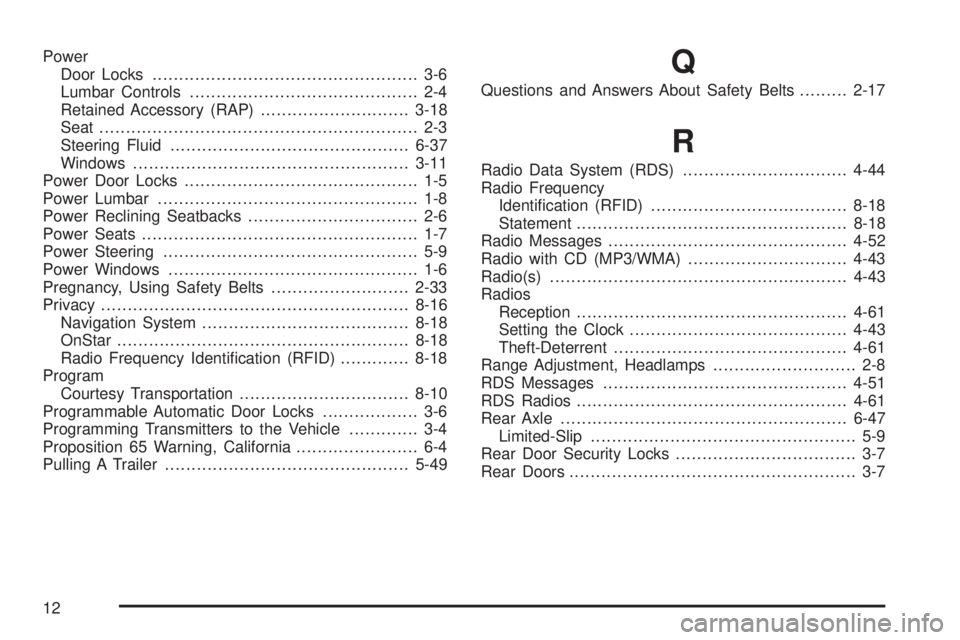
Power
Door Locks.................................................. 3-6
Lumbar Controls........................................... 2-4
Retained Accessory (RAP)............................3-18
Seat ............................................................ 2-3
Steering Fluid.............................................6-37
Windows....................................................3-11
Power Door Locks............................................ 1-5
Power Lumbar ................................................. 1-8
Power Reclining Seatbacks................................ 2-6
Power Seats.................................................... 1-7
Power Steering................................................ 5-9
Power Windows............................................... 1-6
Pregnancy, Using Safety Belts..........................2-33
Privacy..........................................................8-16
Navigation System.......................................8-18
OnStar .......................................................8-18
Radio Frequency Identification (RFID).............8-18
Program
Courtesy Transportation................................8-10
Programmable Automatic Door Locks.................. 3-6
Programming Transmitters to the Vehicle............. 3-4
Proposition 65 Warning, California....................... 6-4
Pulling A Trailer..............................................5-49Q
Questions and Answers About Safety Belts.........2-17
R
Radio Data System (RDS)...............................4-44
Radio Frequency
Identification (RFID).....................................8-18
Statement...................................................8-18
Radio Messages.............................................4-52
Radio with CD (MP3/WMA)..............................4-43
Radio(s)........................................................4-43
Radios
Reception...................................................4-61
Setting the Clock.........................................4-43
Theft-Deterrent............................................4-61
Range Adjustment, Headlamps........................... 2-8
RDS Messages..............................................4-51
RDS Radios...................................................4-61
Rear Axle......................................................6-47
Limited-Slip.................................................. 5-9
Rear Door Security Locks.................................. 3-7
Rear Doors...................................................... 3-7
12
Page 444 of 448
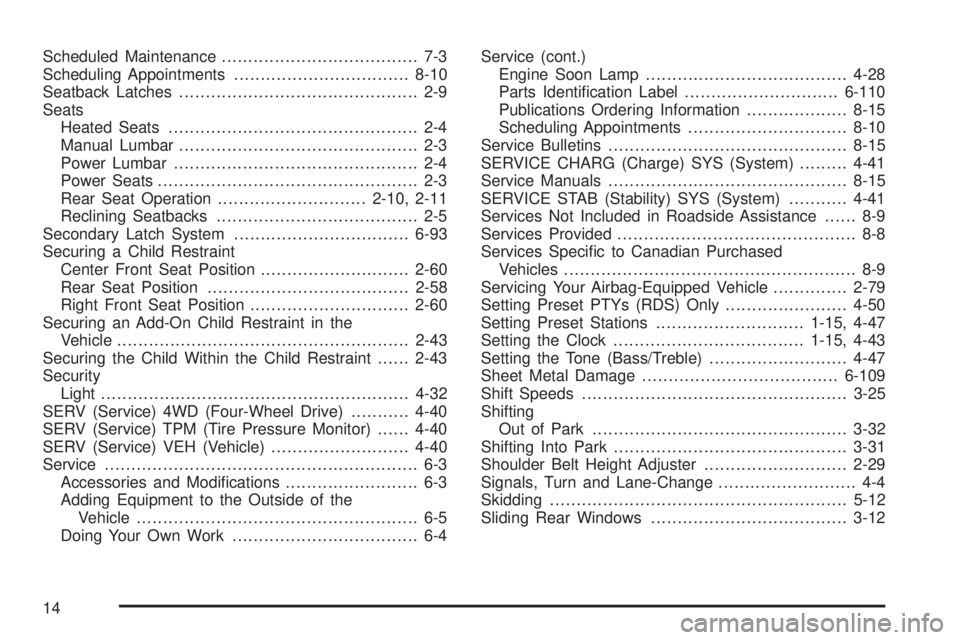
Scheduled Maintenance..................................... 7-3
Scheduling Appointments.................................8-10
Seatback Latches............................................. 2-9
Seats
Heated Seats............................................... 2-4
Manual Lumbar............................................. 2-3
Power Lumbar .............................................. 2-4
Power Seats................................................. 2-3
Rear Seat Operation............................2-10, 2-11
Reclining Seatbacks...................................... 2-5
Secondary Latch System.................................6-93
Securing a Child Restraint
Center Front Seat Position............................2-60
Rear Seat Position......................................2-58
Right Front Seat Position..............................2-60
Securing an Add-On Child Restraint in the
Vehicle.......................................................2-43
Securing the Child Within the Child Restraint......2-43
Security
Light..........................................................4-32
SERV (Service) 4WD (Four-Wheel Drive)...........4-40
SERV (Service) TPM (Tire Pressure Monitor)......4-40
SERV (Service) VEH (Vehicle)..........................4-40
Service........................................................... 6-3
Accessories and Modifications......................... 6-3
Adding Equipment to the Outside of the
Vehicle..................................................... 6-5
Doing Your Own Work................................... 6-4Service (cont.)
Engine Soon Lamp......................................4-28
Parts Identification Label.............................6-110
Publications Ordering Information...................8-15
Scheduling Appointments..............................8-10
Service Bulletins.............................................8-15
SERVICE CHARG (Charge) SYS (System).........4-41
Service Manuals.............................................8-15
SERVICE STAB (Stability) SYS (System)...........4-41
Services Not Included in Roadside Assistance...... 8-9
Services Provided............................................. 8-8
Services Specific to Canadian Purchased
Vehicles....................................................... 8-9
Servicing Your Airbag-Equipped Vehicle..............2-79
Setting Preset PTYs (RDS) Only.......................4-50
Setting Preset Stations............................
1-15, 4-47
Setting the Clock....................................1-15, 4-43
Setting the Tone (Bass/Treble)..........................4-47
Sheet Metal Damage.....................................6-109
Shift Speeds..................................................3-25
Shifting
Out of Park................................................3-32
Shifting Into Park............................................3-31
Shoulder Belt Height Adjuster...........................2-29
Signals, Turn and Lane-Change.......................... 4-4
Skidding........................................................5-12
Sliding Rear Windows.....................................3-12
14