ignition GMC CANYON 2010 Workshop Manual
[x] Cancel search | Manufacturer: GMC, Model Year: 2010, Model line: CANYON, Model: GMC CANYON 2010Pages: 448, PDF Size: 2.62 MB
Page 223 of 448
StabiliTrak and Traction Control (TCS) come on
automatically whenever the vehicle is started and the
systems are reset with each ignition cycle. However,
when the transfer case is placed in Four-Wheel-Low
mode, StabiliTrak is automatically disabled. See
Four-Wheel Drive on page 3-25for more information.
It is recommended to leave the system on for normal
driving conditions, but it may be necessary to turn
the TCS portion of the system off if the vehicle is stuck
in sand, mud, ice, or snow, and it is necessary to
“rock” the vehicle to attempt to free it. If traction control
is turned off, only the brake-traction control portion
of traction control will work. The engine speed
management will be disabled. In this mode, engine
power is not reduced automatically and the drive wheels
can spin more freely. This can cause the brake-traction
control to activate constantly. SeeIf Your Vehicle is
Stuck in Sand, Mud, Ice, or Snow on page 5-31.
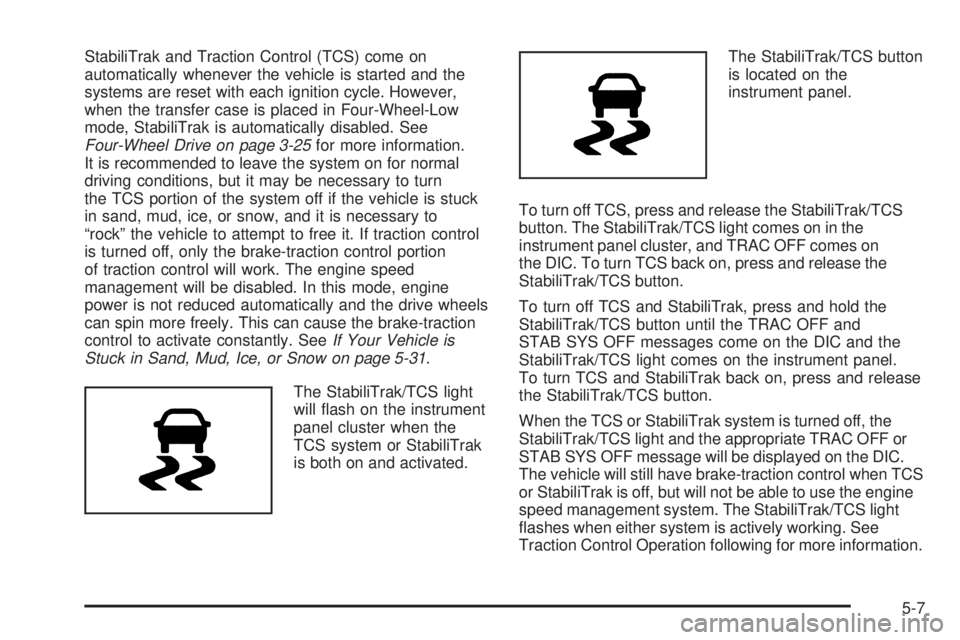
The StabiliTrak/TCS light
will flash on the instrument
panel cluster when the
TCS system or StabiliTrak
is both on and activated.The StabiliTrak/TCS button
is located on the
instrument panel.
To turn off TCS, press and release the StabiliTrak/TCS
button. The StabiliTrak/TCS light comes on in the
instrument panel cluster, and TRAC OFF comes on
the DIC. To turn TCS back on, press and release the
StabiliTrak/TCS button.
To turn off TCS and StabiliTrak, press and hold the
StabiliTrak/TCS button until the TRAC OFF and
STAB SYS OFF messages come on the DIC and the
StabiliTrak/TCS light comes on the instrument panel.
To turn TCS and StabiliTrak back on, press and release
the StabiliTrak/TCS button.
When the TCS or StabiliTrak system is turned off, the
StabiliTrak/TCS light and the appropriate TRAC OFF or
STAB SYS OFF message will be displayed on the DIC.
The vehicle will still have brake-traction control when TCS
or StabiliTrak is off, but will not be able to use the engine
speed management system. The StabiliTrak/TCS light
flashes when either system is actively working. See
Traction Control Operation following for more information.
5-7
Page 240 of 448
Driving in Water
{WARNING:
Driving through rushing water can be dangerous.
Deep water can sweep your vehicle downstream
and you and your passengers could drown. If it is
only shallow water, it can still wash away the
ground from under your tires, and you could lose
traction and roll the vehicle over. Do not drive
through rushing water.
Heavy rain can mean flash flooding, and flood waters
demand extreme caution.
Find out how deep the water is before driving through it.
Do not try it if it is deep enough to cover the wheel
hubs, axles, or exhaust pipe — you probably will not get
through. Deep water can damage the axle and other
vehicle parts.If the water is not too deep, drive slowly through it.
At faster speeds, water splashes on the ignition system
and the vehicle can stall. Stalling can also occur if
you get the tailpipe under water. If the tailpipe is under
water, you will never be able to start the engine.
When going through water, remember that when the
brakes get wet, it might take longer to stop. SeeDriving
in Rain and on Wet Roads on page 5-26.
After Off-Road Driving
Remove any brush or debris that has collected on the
underbody, chassis, or under the hood. These
accumulations can be a fire hazard.
After operation in mud or sand, have the brake linings
cleaned and checked. These substances can cause
glazing and uneven braking. Check the body structure,
steering, suspension, wheels, tires, and exhaust system
for damage and check the fuel lines and cooling system
for any leakage.
The vehicle requires more frequent service due to
off-road use. Refer to the Maintenance Schedule for
additional information.
5-24
Page 244 of 448
Hill and Mountain Roads
Driving on steep hills or through mountains is different
than driving on flat or rolling terrain. Tips for driving
in these conditions include:
•Keep the vehicle serviced and in good shape.
•Check all fluid levels and brakes, tires, cooling
system, and transmission.
•Going down steep or long hills, shift to a
lower gear.
{WARNING:
If you do not shift down, the brakes could get so
hot that they would not work well. You would then
have poor braking or even none going down a hill.
You could crash. Shift down to let the engine
assist the brakes on a steep downhill slope.
{WARNING:
Coasting downhill in N (Neutral) or with the ignition
off is dangerous. The brakes will have to do all the
work of slowing down and they could get so hot
that they would not work well. You would then
have poor braking or even none going down a hill.
You could crash. Always have the engine running
and the vehicle in gear when going downhill.
•Stay in your own lane. Do not swing wide or cut
across the center of the road. Drive at speeds
that let you stay in your own lane.
•Top of hills: Be alert — something could be in your
lane (stalled car, accident).
•Pay attention to special road signs (falling rocks
area, winding roads, long grades, passing or
no-passing zones) and take appropriate action.
SeeOff-Road Driving on page 5-13for information
about driving off-road.
5-28
Page 259 of 448
3. Turn the engine off and firmly set the parking brake.
SeeParking Brake on page 3-30.
4. Securely attach the vehicle being towed to the tow
vehicle.
{WARNING:
Shifting a full-time four-wheel-drive vehicle’s
transfer case into N (Neutral) can cause the
vehicle to roll even if the automatic transmission is
in P (Park) or the manual transmission is in any
gear. You or others could be injured. Make sure
the parking brake is firmly set before the transfer
case is shifted to N (Neutral).5. Shift the transfer case to N (Neutral). See “Shifting
into N (Neutral)” underFour-Wheel Drive on
page 3-25.
6. Turn the ignition to LOCK/OFF and remove the
key — the front wheels will still turn.
7. Release the parking brake only after the vehicle
being towed is firmly attached to the towing
vehicle.
After towing see “Shifting Out of N (Neutral)” under
Four-Wheel Drive on page 3-25.
If the vehicle being towed will not be started or driven
for six weeks or more, remove the battery cable from the
negative terminal (post) of the battery to prevent the
battery from draining.
5-43
Page 261 of 448
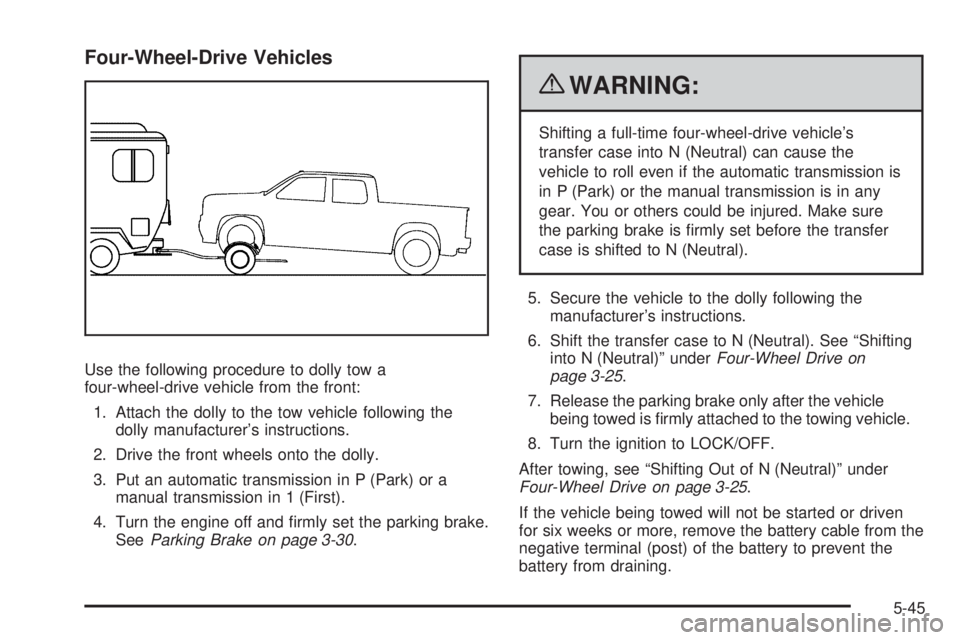
Four-Wheel-Drive Vehicles
Use the following procedure to dolly tow a
four-wheel-drive vehicle from the front:
1. Attach the dolly to the tow vehicle following the
dolly manufacturer’s instructions.
2. Drive the front wheels onto the dolly.
3. Put an automatic transmission in P (Park) or a
manual transmission in 1 (First).
4. Turn the engine off and firmly set the parking brake.
SeeParking Brake on page 3-30.
{WARNING:
Shifting a full-time four-wheel-drive vehicle’s
transfer case into N (Neutral) can cause the
vehicle to roll even if the automatic transmission is
in P (Park) or the manual transmission is in any
gear. You or others could be injured. Make sure
the parking brake is firmly set before the transfer
case is shifted to N (Neutral).
5. Secure the vehicle to the dolly following the
manufacturer’s instructions.
6. Shift the transfer case to N (Neutral). See “Shifting
into N (Neutral)” underFour-Wheel Drive on
page 3-25.
7. Release the parking brake only after the vehicle
being towed is firmly attached to the towing vehicle.
8. Turn the ignition to LOCK/OFF.
After towing, see “Shifting Out of N (Neutral)” under
Four-Wheel Drive on page 3-25.
If the vehicle being towed will not be started or driven
for six weeks or more, remove the battery cable from the
negative terminal (post) of the battery to prevent the
battery from draining.
5-45
Page 262 of 448
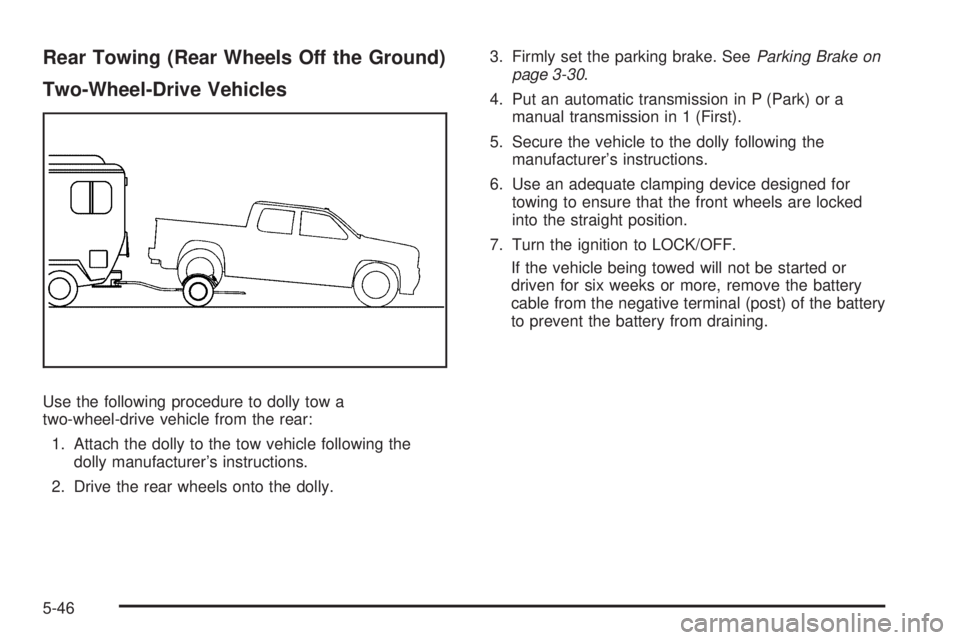
Rear Towing (Rear Wheels Off the Ground)
Two-Wheel-Drive Vehicles
Use the following procedure to dolly tow a
two-wheel-drive vehicle from the rear:
1. Attach the dolly to the tow vehicle following the
dolly manufacturer’s instructions.
2. Drive the rear wheels onto the dolly.3. Firmly set the parking brake. SeeParking Brake on
page 3-30.
4. Put an automatic transmission in P (Park) or a
manual transmission in 1 (First).
5. Secure the vehicle to the dolly following the
manufacturer’s instructions.
6. Use an adequate clamping device designed for
towing to ensure that the front wheels are locked
into the straight position.
7. Turn the ignition to LOCK/OFF.
If the vehicle being towed will not be started or
driven for six weeks or more, remove the battery
cable from the negative terminal (post) of the battery
to prevent the battery from draining.
5-46
Page 263 of 448
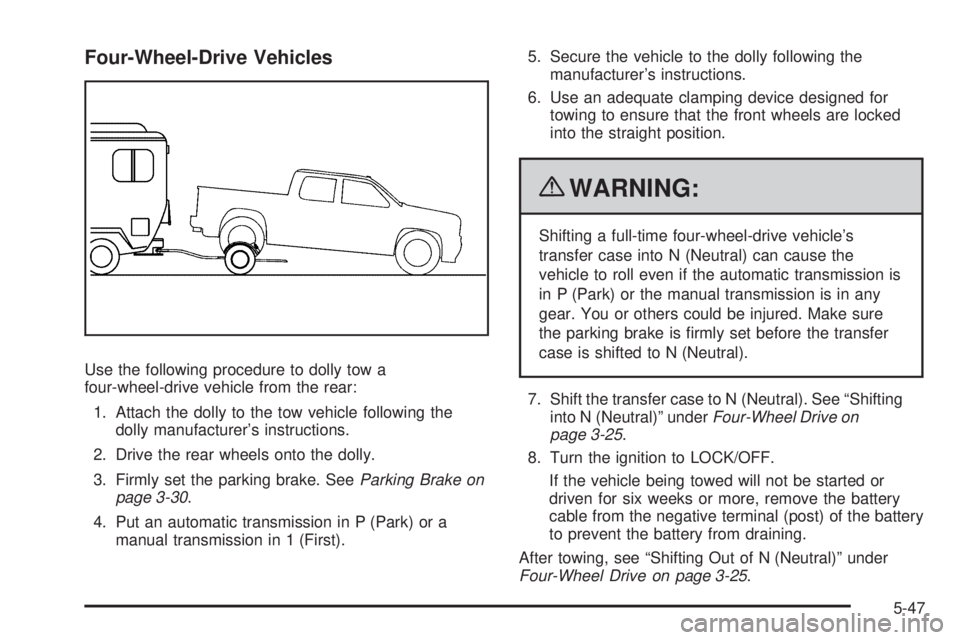
Four-Wheel-Drive Vehicles
Use the following procedure to dolly tow a
four-wheel-drive vehicle from the rear:
1. Attach the dolly to the tow vehicle following the
dolly manufacturer’s instructions.
2. Drive the rear wheels onto the dolly.
3. Firmly set the parking brake. SeeParking Brake on
page 3-30.
4. Put an automatic transmission in P (Park) or a
manual transmission in 1 (First).5. Secure the vehicle to the dolly following the
manufacturer’s instructions.
6. Use an adequate clamping device designed for
towing to ensure that the front wheels are locked
into the straight position.
{WARNING:
Shifting a full-time four-wheel-drive vehicle’s
transfer case into N (Neutral) can cause the
vehicle to roll even if the automatic transmission is
in P (Park) or the manual transmission is in any
gear. You or others could be injured. Make sure
the parking brake is firmly set before the transfer
case is shifted to N (Neutral).
7. Shift the transfer case to N (Neutral). See “Shifting
into N (Neutral)” underFour-Wheel Drive on
page 3-25.
8. Turn the ignition to LOCK/OFF.
If the vehicle being towed will not be started or
driven for six weeks or more, remove the battery
cable from the negative terminal (post) of the battery
to prevent the battery from draining.
After towing, see “Shifting Out of N (Neutral)” under
Four-Wheel Drive on page 3-25.
5-47
Page 295 of 448

How to Reset the Engine Oil Life
System
The Engine Oil Life System calculates when to change
the engine oil and filter based on vehicle use. Whenever
the oil is changed, reset the system so it can calculate
when the next oil change is required. If a situation occurs
where the oil is changed prior to a CHANGE OIL
message being turned on, reset the system.
To reset the Engine Oil Life system:
1. With the engine off, turn the ignition to ON/RUN.
2. Press and release the stem in the lower center
of the instrument cluster until the OIL LIFE
message is displayed.
3. Once the alternating OIL LIFE and RESET
messages appear, press and hold the stem
until several beeps sound. This confirms that
the oil life system has been reset.
4. Turn the key to LOCK/OFF.
If the CHANGE OIL message comes back on when the
vehicle is started, the engine oil life system has not
reset. Repeat the procedure. SeeDIC Warnings
and Messages on page 4-37.
What to Do with Used Oil
Used engine oil contains certain elements that can be
unhealthy for your skin and could even cause cancer.
Do not let used oil stay on your skin for very long. Clean
your skin and nails with soap and water, or a good hand
cleaner. Wash or properly dispose of clothing or rags
containing used engine oil. See the manufacturer’s
warnings about the use and disposal of oil products.
Used oil can be a threat to the environment. If you
change your own oil, be sure to drain all the oil from the
filter before disposal. Never dispose of oil by putting it
in the trash, pouring it on the ground, into sewers, or into
streams or bodies of water. Recycle it by taking it to a
place that collects used oil.
6-19
Page 320 of 448
Notice:If you leave the radio or other accessories
on during the jump starting procedure, they could
be damaged. The repairs would not be covered by
the warranty. Always turn off the radio and other
accessories when jump starting the vehicle.
3. Turn off the ignition on both vehicles. Unplug
unnecessary accessories plugged into the cigarette
lighter or the accessory power outlets. Turn off the
radio and all lamps that are not needed. This will
avoid sparks and help save both batteries. And it
could save the radio!
4. Open the hoods and locate the positive (+) and
negative (−) terminal locations on the other vehicle.
Your vehicle has a remote positive (+) and a remote
negative (−) jump starting terminal. SeeEngine
Compartment Overview on page 6-12for more
information on the terminal locations.
{WARNING:
Using a match near a battery can cause battery
gas to explode. People have been hurt doing this,
and some have been blinded. Use a flashlight if
you need more light.
Be sure the batteries have enough water. You do
not need to add water to the ACDelco
®battery
(or batteries) installed in your new vehicle. But if a
battery has filler caps, be sure the right amount of
fluid is there. If it is low, add water to take care of
that first. If you do not, explosive gas could be
present.
Battery fluid contains acid that can burn you.
Do not get it on you. If you accidentally get it in
your eyes or on your skin, flush the place with
water and get medical help immediately.
6-44
Page 343 of 448
When the malfunction indicator is illuminated, the system
may not be able to detect or signal low tire pressure as
intended. TPMS malfunctions may occur for a variety of
reasons, including the installation of replacement or
alternate tires or wheels on the vehicle that prevent the
TPMS from functioning properly. Always check the TPMS
malfunction telltale after replacing one or more tires or
wheels on your vehicle to ensure that the replacement
or alternate tires and wheels allow the TPMS to continue
to function properly.
SeeTire Pressure Monitor Operation on page 6-67for
additional information.
Federal Communications
Commission (FCC) and Industry
and Science Canada
SeeRadio Frequency Statement on page 8-18
for information regarding Part 15 of the Federal
Communications Commission (FCC) Rules and
RSS-210/211 of Industry and Science Canada.
Tire Pressure Monitor Operation
This vehicle may have a Tire Pressure Monitor
System (TPMS). The TPMS is designed to warn the
driver when a low tire pressure condition exists. TPMS
sensors are mounted onto each tire and wheel assembly
on your vehicle, excluding the spare tire. The TPMS
sensors monitor the air pressure in your vehicle’s tires
and transmit the tire pressure readings to a receiver
located in the vehicle.
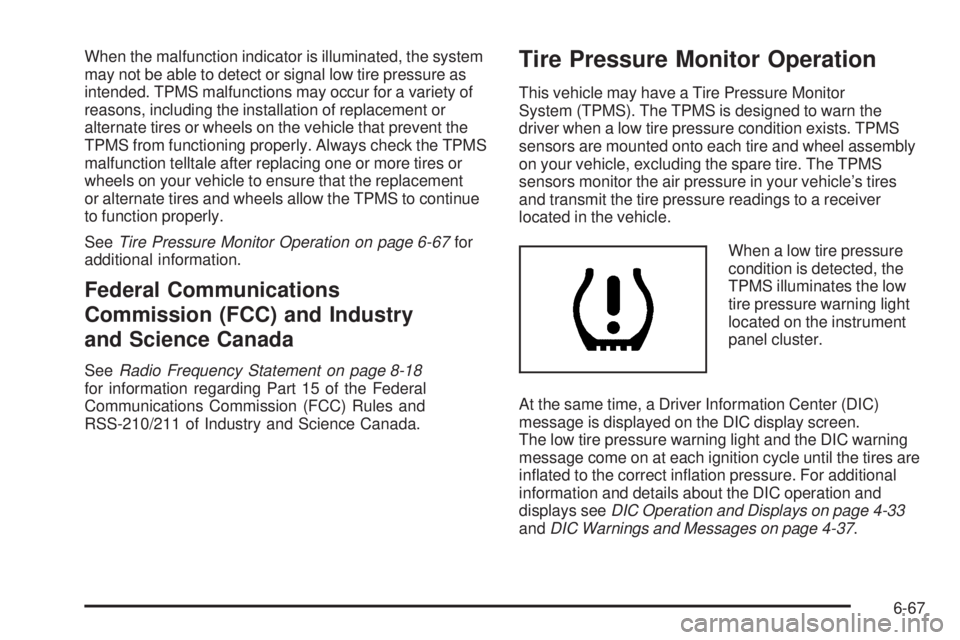
When a low tire pressure
condition is detected, the
TPMS illuminates the low
tire pressure warning light
located on the instrument
panel cluster.
At the same time, a Driver Information Center (DIC)
message is displayed on the DIC display screen.
The low tire pressure warning light and the DIC warning
message come on at each ignition cycle until the tires are
inflated to the correct inflation pressure. For additional
information and details about the DIC operation and
displays seeDIC Operation and Displays on page 4-33
andDIC Warnings and Messages on page 4-37.
6-67