ignition GMC CANYON 2010 Owner's Guide
[x] Cancel search | Manufacturer: GMC, Model Year: 2010, Model line: CANYON, Model: GMC CANYON 2010Pages: 448, PDF Size: 2.62 MB
Page 137 of 448

4n(Four-Wheel Low):This setting also engages the
front axle to give you extra traction. It sends the maximum
power to all four wheels. You might choose four-wheel
low if you were driving off-road in sand, mud, or deep
snow and while climbing or descending steep hills.
Shifting into Four-Wheel Low will turn Traction Control
and StabiliTrak
®off. SeeTraction Control System (TCS)
on page 5-8andStabiliTrak®System on page 5-6for
more information.
Indicator lights in the buttons show you which setting you
are in. The indicator lights will come on briefly when you
turn on the ignition and one will stay on the selected
setting. If the lights do not come on, you should take the
vehicle in for service. An indicator light will flash while
shifting. It will stay on when the shift is completed.
If the transfer case does not shift, it will return to the last
chosen setting.
Shifting from Two-Wheel High to
Four-Wheel High
Press and release the Four-Wheel High button.
This can be done at any speed, and the front axle will
lock automatically.
Shifting from Four-Wheel High to
Two-Wheel High
Press and release the Two-Wheel High button.
This can be done at any speed, and the front axle will
unlock automatically.
It is normal to hear and feel the vehicle’s transfer
case shift into Four-Wheel High. If you shift with the
vehicle stopped, the indicator light may still flash slowly.
It may be necessary to shift the transmission
momentarily into R (Reverse) and D (Drive), for an
automatic transmission, or R (Reverse) and 1 (First) for
a manual transmission to have the light stop flashing.
3-27
Page 139 of 448
4. Shift the transfer case to Two-Wheel High.
5. Press and hold the Two-Wheel High and
Four-Wheel Low buttons at the same time for
10 seconds. The N (Neutral) light will come on when
the transfer case shift to N (Neutral) is complete.
6. Press and hold the regular brake pedal and shift
the transmission to R (Reverse) for one second,
then shift the transmission to D (Drive) for
one second, or 1 (First) for vehicles with manual
transmissions, and let out the clutch to insure
the transfer case is in N (Neutral). If the transfer
case is not in N (Neutral), repeat this procedure
starting at Step 3.
7. Turn the engine off by turning the key to
ACC/ACCESSORY.
8. Place the transmission shift lever in P (Park),
or 1 (First) for vehicles that have a manual
transmission.
9. Turn the ignition to LOCK/OFF.Shifting Out of Neutral
After towing the vehicle, you will have to shift out of
N (Neutral) in order to drive. To shift out of N (Neutral),
do the following:
1. Set the parking brake and apply the regular brake
pedal.
2. Start a vehicle with an automatic transmission in
P (Park). Use 1 (First) for vehicles with a manual
transmission.
3. Shift the transmission to N (Neutral), or press the
clutch pedal for vehicles with a manual
transmission.
4. Press the button for the desired transfer case shift
position (Two-Wheel High, Four-Wheel High, or
Four-Wheel Low).
5. After the transfer case has shifted out of N (Neutral),
the indicator light will go out.
6. Release the parking brake.
7. Shift the transmission to the desired position.
3-29
Page 140 of 448
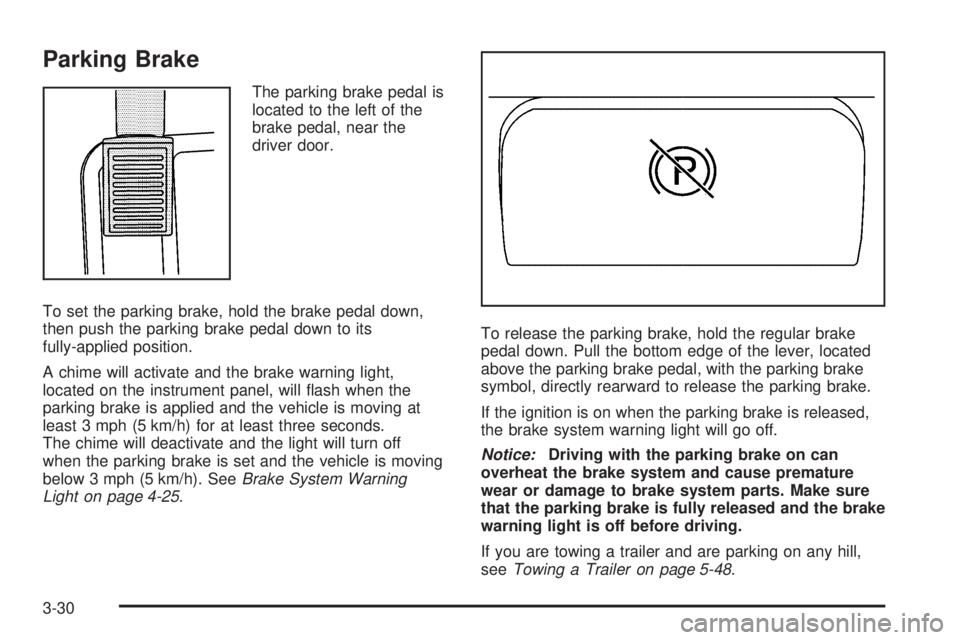
Parking Brake
The parking brake pedal is
located to the left of the
brake pedal, near the
driver door.
To set the parking brake, hold the brake pedal down,
then push the parking brake pedal down to its
fully-applied position.
A chime will activate and the brake warning light,
located on the instrument panel, will flash when the
parking brake is applied and the vehicle is moving at
least 3 mph (5 km/h) for at least three seconds.
The chime will deactivate and the light will turn off
when the parking brake is set and the vehicle is moving
below 3 mph (5 km/h). SeeBrake System Warning
Light on page 4-25.To release the parking brake, hold the regular brake
pedal down. Pull the bottom edge of the lever, located
above the parking brake pedal, with the parking brake
symbol, directly rearward to release the parking brake.
If the ignition is on when the parking brake is released,
the brake system warning light will go off.
Notice:Driving with the parking brake on can
overheat the brake system and cause premature
wear or damage to brake system parts. Make sure
that the parking brake is fully released and the brake
warning light is off before driving.
If you are towing a trailer and are parking on any hill,
seeTowing a Trailer on page 5-48.
3-30
Page 141 of 448
Shifting Into Park
(Automatic Transmission)
{WARNING:
It can be dangerous to get out of the vehicle if the
shift lever is not fully in P (Park) with the parking
brake firmly set. The vehicle can roll. If you have
left the engine running, the vehicle can move
suddenly. You or others could be injured. To be
sure the vehicle will not move, even when you are
on fairly level ground, use the steps that follow.
If you are pulling a trailer, seeTowing a Trailer on
page 5-48.
1. Hold the brake pedal down with your right foot and
set the parking brake.
SeeParking Brake on page 3-30for more
information.
{WARNING:
If you have four-wheel drive, the vehicle will be free
to roll — even if the shift lever is in P (Park) — if the
transfer case is in Neutral. So, be sure the transfer
case is in a drive gear, two-wheel high (2H) or
four-wheel high (4H) or four-wheel low (4L) — not in
Neutral.
2. Move the shift lever into P (Park) by pulling the
lever toward you and moving it up as far as it
will go.
3. Turn the ignition key to LOCK/OFF.
4. Remove the key and take it with you. If you can
leave the vehicle with the key, the vehicle is in
P (Park).
3-31
Page 142 of 448
Leaving the Vehicle With the Engine
Running (Automatic Transmission)
{WARNING:
It can be dangerous to leave the vehicle with the
engine running. The vehicle could move suddenly
if the shift lever is not fully in P (Park) with the
parking brake firmly set. And, if you leave the
vehicle with the engine running, it could overheat
and even catch fire. You or others could be
injured. Do not leave the vehicle with the engine
running.
If you have to leave the vehicle with the engine running,
be sure the vehicle is in P (Park) and the parking
brake is firmly set before you leave it. After you have
moved the shift lever into P (Park), hold the regular
brake pedal down. Then, see if you can move the shift
lever away from P (Park) without first pulling it toward
you. If you can, the shift lever was not fully locked
into P (Park).
Torque Lock (Automatic Transmission)
If you are parking on a hill and you do not shift the
transmission into P (Park) properly, the weight of the
vehicle may put too much force on the parking pawl in
the transmission. You may find it difficult to pull the
shift lever out of P (Park). This is called torque lock.
To prevent torque lock, set the parking brake and then
shift into P (Park) properly before you leave the
driver seat. To find out how, seeShifting Into Park
(Automatic Transmission) on page 3-31.
When you are ready to drive, move the shift lever out of
P (Park) before you release the parking brake.
If torque lock does occur, you may need to have another
vehicle push yours a little uphill to take some of the
pressure from the parking pawl in the transmission,
so you can pull the shift lever out of P (Park).
Shifting Out of Park
(Automatic Transmission)
The vehicle has an automatic transmission shift lock
control system. You have to fully apply the brake pedal
before you can shift from P (Park) when the ignition
is ON/RUN. SeeAutomatic Transmission Operation on
page 3-21.
3-32
Page 143 of 448
The shift lock control system is designed to do the
following:
•Prevent the ignition key from being removed unless
the shift lever is in P (Park).
•Prevent movement of the shift lever out of P (Park),
unless the ignition is in ON/RUN and the brake
pedal is applied.
The shift lock control system is always functional
except in the case of a dead battery or low voltage
(less than 9 V) battery.
If the vehicle has an uncharged battery or a battery with
low voltage, try charging or jump starting the battery.
SeeJump Starting on page 6-43for more information.
To shift out of P (Park) use the following:
1. Apply the brake pedal.
2. Move the shift lever to the desired position.
If you still are unable to shift out of P (Park):
1. Ease the pressure on the shift lever.
2. While holding down the brake pedal, push the shift
lever all the way into P (Park)
3. Move the shift lever to the desired position.
If you are still having a problem shifting, then have the
vehicle serviced.
Parking the Vehicle
(Manual Transmission)
If the vehicle has a manual transmission, before you get
out of the vehicle, move the shift lever into R (Reverse),
and firmly apply the parking brake. Once the shift
lever has been placed into R (Reverse) with the clutch
pedal pressed in, turn the ignition key to LOCK/OFF,
remove the key and release the clutch.
If you are parking on a hill, or if the vehicle is pulling a
trailer, seeTowing a Trailer on page 5-48.
Parking Over Things That Burn
{WARNING:
Things that can burn could touch hot exhaust
parts under the vehicle and ignite. Do not park
over papers, leaves, dry grass, or other things that
can burn.
3-33
Page 157 of 448
Turn Signal On Chime
If a turn signal is left on for more than 3/4 of a mile
(1.2 km), a chime will sound at each flash of the turn
signal and the message TURN SIGNAL will also appear
in the DIC. To turn the chime and message off, move
the turn signal lever to the off position.
See “TURN SIGNAL” underDIC Warnings and
Messages on page 4-37for more information.
Headlamp High/Low-Beam Changer
23Headlamp High/Low Beam Changer:Push
the turn signal/multifunction lever away from you to turn
the high beams on.
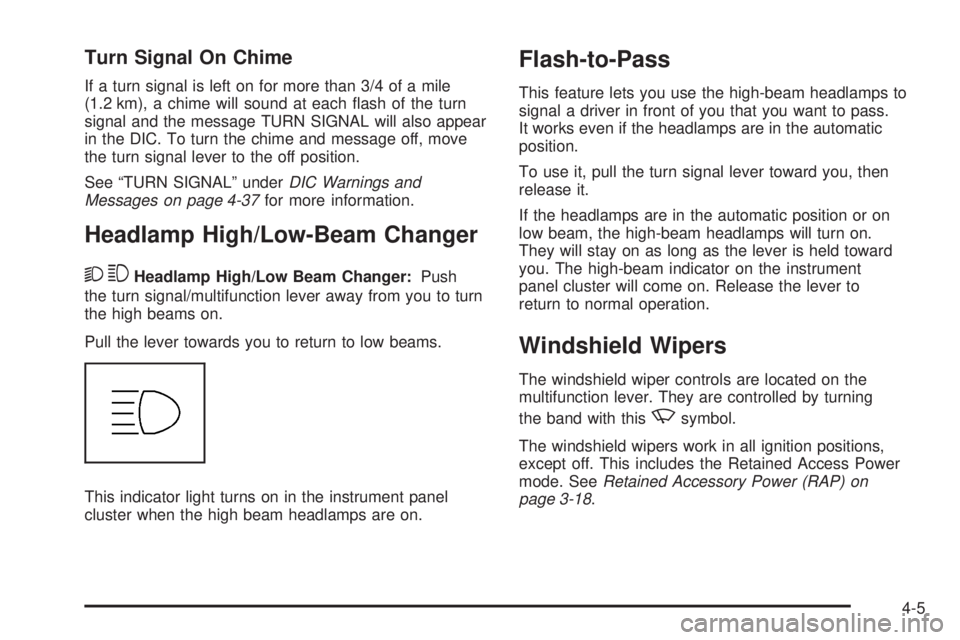
Pull the lever towards you to return to low beams.
This indicator light turns on in the instrument panel
cluster when the high beam headlamps are on.
Flash-to-Pass
This feature lets you use the high-beam headlamps to
signal a driver in front of you that you want to pass.
It works even if the headlamps are in the automatic
position.
To use it, pull the turn signal lever toward you, then
release it.
If the headlamps are in the automatic position or on
low beam, the high-beam headlamps will turn on.
They will stay on as long as the lever is held toward
you. The high-beam indicator on the instrument
panel cluster will come on. Release the lever to
return to normal operation.
Windshield Wipers
The windshield wiper controls are located on the
multifunction lever. They are controlled by turning
the band with this
zsymbol.
The windshield wipers work in all ignition positions,
except off. This includes the Retained Access Power
mode. SeeRetained Accessory Power (RAP) on
page 3-18.
4-5
Page 161 of 448
Increasing Speed While Using Cruise
Control
There are two ways to go to a higher speed:
•Use the accelerator pedal to get to the higher speed.
Press
rTat the end of the lever, then release
the button and the accelerator pedal. The vehicle
will cruise at the higher speed. If the accelerator
pedal is held longer than 60 seconds, cruise control
will turn off.
•Move the cruise lever fromRtoS. Hold it there until
the desired speed is reached, and then release the
lever. To increase the vehicle speed in very small
amounts, move the lever briefly to
S.
Reducing Speed While Using Cruise
Control
•
Press and holdrTuntil the lower speed
desired is reached, then release it.
•To slow down in very small amounts, briefly
press
rT.
Passing Another Vehicle While Using
Cruise Control
Use the accelerator pedal to increase the vehicle speed.
When you take your foot off the pedal, the vehicle
slows down to the cruise control speed you set earlier.
Using Cruise Control on Hills
How well the cruise control works on hills depends upon
the vehicle speed, load, and the steepness of the hills.
When going up steep hills, you might have to step on the
accelerator pedal to maintain the vehicle speed. When
going downhill, you might have to brake or shift to a lower
gear to keep the vehicle speed down. Applying the brake
will turn off the cruise control.
Ending Cruise Control
To turn off the cruise control, do one of the following:
•Step lightly on the brake pedal.
•Move the cruise control lever to9.
•Lightly tap or press the clutch, if you have a manual
transmission.
Erasing Speed Memory
The cruise control set speed memory is erased when
the cruise control or the ignition is turned off.
4-9
Page 163 of 448
Headlamps on Reminder
If a door is open, a reminder chime sounds when the
headlamps or parking lamps are manually turned on
and the key is out of the ignition. To turn off the chime,
turn the headlamp switch to off and then back on. In the
automatic mode, the headlamps turn off once the ignition
is in LOCK/OFF.
For vehicles first sold in Canada, if the parking
lamps are turned on manually, the Daytime Running
Lamps (DRL) will stay on.
Daytime Running Lamps (DRL)
Daytime Running Lamps (DRL) can make it easier for
others to see the front of your vehicle during the day.
Fully functional daytime running lamps are required
on all vehicles first sold in Canada.The DRL system will come on when the following
conditions are met:
•The ignition is on.
•The exterior lamps control is in AUTO.
•The transmission is not in P (Park) if you have an
automatic transmission.
•The light sensor determines it is daytime.
When the DRL are on, only the parking lamps or
reduced intensity low beam headlamps will be on.
The taillamps, sidemarkers, and other lamps will not
be on. The instrument panel will not be lit up either.
When it begins to get dark, the headlamps will
automatically switch from DRL to the regular headlamps.
The regular headlamp system should be turned on
when needed.
4-11
Page 164 of 448
Automatic Headlamp System
When it is dark enough outside, the automatic headlamp
system will turn on after the transmission has been
shifted from P (Park) to D (Drive). The headlamps,
taillamps, sidemarker, parking lamps, roof marker
lamps, and the instrument panel lights turn on at normal
brightness. The radio lights will become dimmer when
the headlights are off compared to when the headlights
are on.
The vehicle has a light sensor located on the top of
the instrument panel. Do not cover the sensor, or the
system will be on whenever the ignition is on.
The system can turn on the headlamps when driving in
a parking garage, through a tunnel or when there is
overcast weather. This is normal.
There is a delay in the transition between the daytime and
nighttime operation of the Daytime Running Lamps (DRL)
and the automatic headlamp system so that driving under
bridges or bright overhead street lights does not affect the
system. The DRL and automatic headlamp system will
only be affected when the light sensor detects a change
in lighting lasting longer than the delay.If the vehicle is started in a dark garage, the automatic
headlamp system will come on immediately. Once the
vehicle leaves the garage, it will take about one minute
for the automatic headlamp system to change to DRL if it
is light outside. During that delay, the instrument panel
cluster may not be as bright as usual. Make sure the
instrument panel brightness control is in the full bright
position. SeeInstrument Panel Brightness on page 4-13.
Fog Lamps
The fog lamp button is located near the exterior lamps
control.
#:For vehicles with fog lamps, press to turn the fog
lamps on or off. An indicator light will turn on in the
button when the fog lamps are on.
The parking lamps or low-beam headlamps must be
on for the fog lamps to work. The fog lamps will go off
whenever the high-beam headlamps come on. When
the high beams go off, the fog lamps come on again.
Some localities have laws that require the headlamps to
be on along with the fog lamps.
4-12