tow GMC CANYON 2010 Owner's Manual
[x] Cancel search | Manufacturer: GMC, Model Year: 2010, Model line: CANYON, Model: GMC CANYON 2010Pages: 448, PDF Size: 2.62 MB
Page 1 of 448
In Brief........................................................... 1-1
Instrument Panel
........................................ 1-2
Initial Drive Information
............................... 1-3
Vehicle Features
......................................1-15
Performance and Maintenance
...................1-17
Seats and Restraint System............................. 2-1
Front Seats
............................................... 2-2
Rear Seats
..............................................2-10
Safety Belts
.............................................2-13
Child Restraints
.......................................2-35
Airbag System
.........................................2-64
Restraint System Check
............................2-81
Features and Controls..................................... 3-1
Keys
........................................................ 3-2
Doors and Locks
....................................... 3-5
Windows
.................................................3-10
Theft-Deterrent Systems
............................3-13
Starting and Operating Your Vehicle
...........3-16
Mirrors
....................................................3-36
Storage Areas
.........................................3-40
Sunroof
..................................................3-42Instrument Panel............................................. 4-1
Instrument Panel Overview
.......................... 4-3
Climate Controls
......................................4-16
Warning Lights, Gages, and Indicators
........4-18
Driver Information Center (DIC)
..................4-33
Audio System(s)
.......................................4-42
Driving Your Vehicle....................................... 5-1
Your Driving, the Road, and the Vehicle
....... 5-2
Towing
...................................................5-41
Service and Appearance Care.......................... 6-1
Service
..................................................... 6-3
Fuel
......................................................... 6-5
Checking Things Under the Hood
...............6-10
Rear Axle
...............................................6-47
Four-Wheel Drive
.....................................6-48
Front Axle
...............................................6-49
Headlamp Aiming
.....................................6-50
Bulb Replacement
....................................
6-50
Windshield Wiper Blade Replacement
.........6-55
Tires
......................................................6-57
2010 GMC Canyon Owner ManualM
Page 17 of 448
Mirror Adjustment
Exterior Mirrors
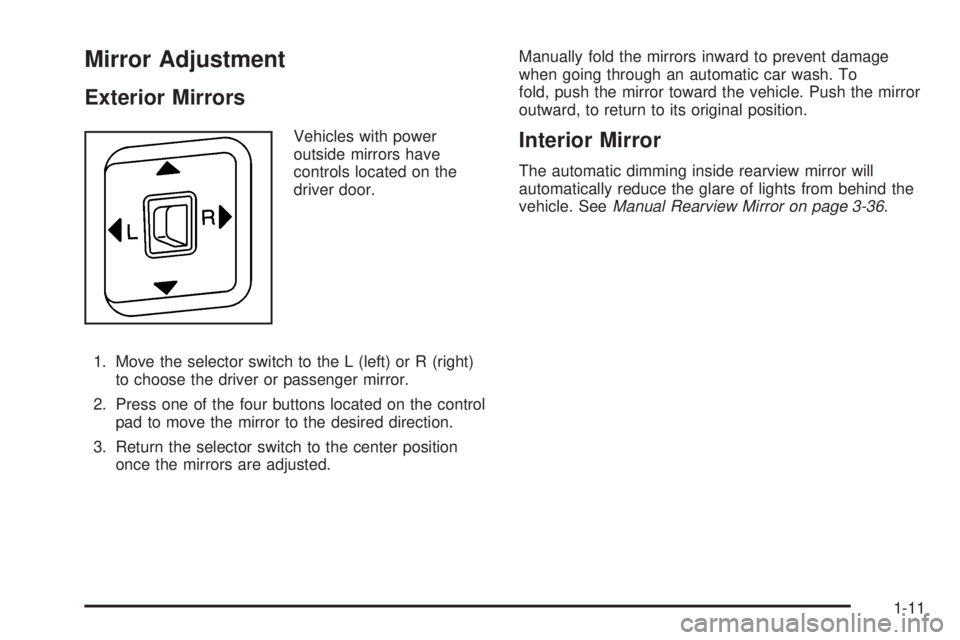
Vehicles with power
outside mirrors have
controls located on the
driver door.
1. Move the selector switch to the L (left) or R (right)
to choose the driver or passenger mirror.
2. Press one of the four buttons located on the control
pad to move the mirror to the desired direction.
3. Return the selector switch to the center position
once the mirrors are adjusted.Manually fold the mirrors inward to prevent damage
when going through an automatic car wash. To
fold, push the mirror toward the vehicle. Push the mirror
outward, to return to its original position.Interior Mirror
The automatic dimming inside rearview mirror will
automatically reduce the glare of lights from behind the
vehicle. SeeManual Rearview Mirror on page 3-36.
1-11
Page 18 of 448
Steering Wheel Adjustment
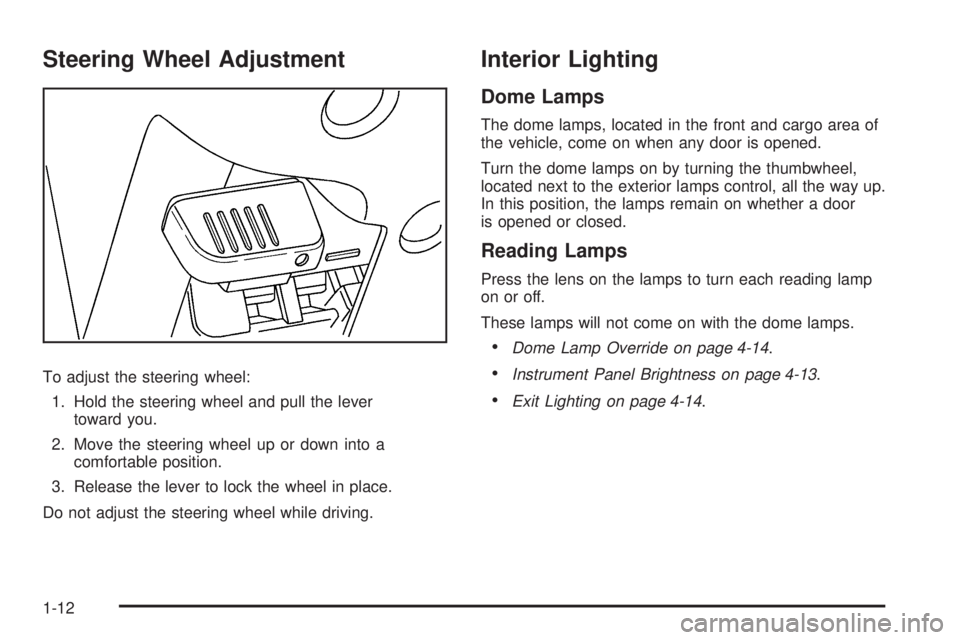
To adjust the steering wheel:
1. Hold the steering wheel and pull the lever
toward you.
2. Move the steering wheel up or down into a
comfortable position.
3. Release the lever to lock the wheel in place.
Do not adjust the steering wheel while driving.
Interior Lighting
Dome Lamps
The dome lamps, located in the front and cargo area of
the vehicle, come on when any door is opened.
Turn the dome lamps on by turning the thumbwheel,
located next to the exterior lamps control, all the way up.
In this position, the lamps remain on whether a door
is opened or closed.
Reading Lamps
Press the lens on the lamps to turn each reading lamp
on or off.
These lamps will not come on with the dome lamps.
•Dome Lamp Override on page 4-14.
•Instrument Panel Brightness on page 4-13.
•Exit Lighting on page 4-14.
1-12
Page 26 of 448
Roadside Assistance Program
U.S.:1-800-GMC-8782 (462-8782)
TTY Users:1-888-889-2438
Canada:1-800-268-6800
As the owner of a new GMC, you are automatically
enrolled in the Roadside Assistance program. This
program provides technically trained advisors who are
available 24 hours a day, 365 days a year, minor repair
information or towing arrangements.
Roadside Assistance and OnStar
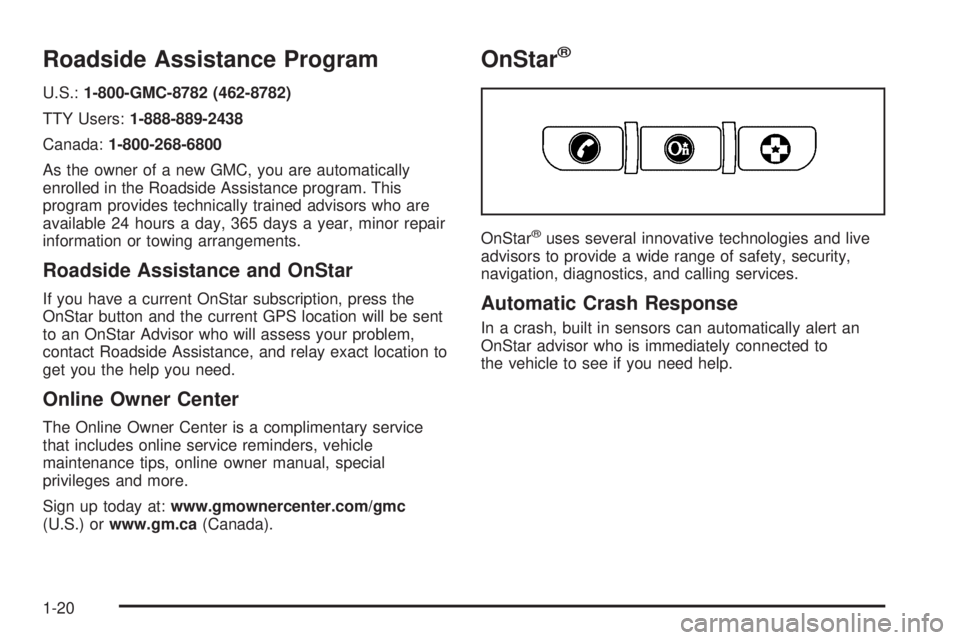
If you have a current OnStar subscription, press the
OnStar button and the current GPS location will be sent
to an OnStar Advisor who will assess your problem,
contact Roadside Assistance, and relay exact location to
get you the help you need.
Online Owner Center
The Online Owner Center is a complimentary service
that includes online service reminders, vehicle
maintenance tips, online owner manual, special
privileges and more.
Sign up today at:www.gmownercenter.com/gmc
(U.S.) orwww.gm.ca(Canada).
OnStar®
OnStar®uses several innovative technologies and live
advisors to provide a wide range of safety, security,
navigation, diagnostics, and calling services.
Automatic Crash Response
In a crash, built in sensors can automatically alert an
OnStar advisor who is immediately connected to
the vehicle to see if you need help.
1-20
Page 34 of 448
To return the seatback to an upright position:
1. Lift the lever fully without applying pressure to the
seatback and the seatback will return to the upright
position.
2. Push and pull on the seatback to make sure it is
locked.Power Reclining Seatbacks
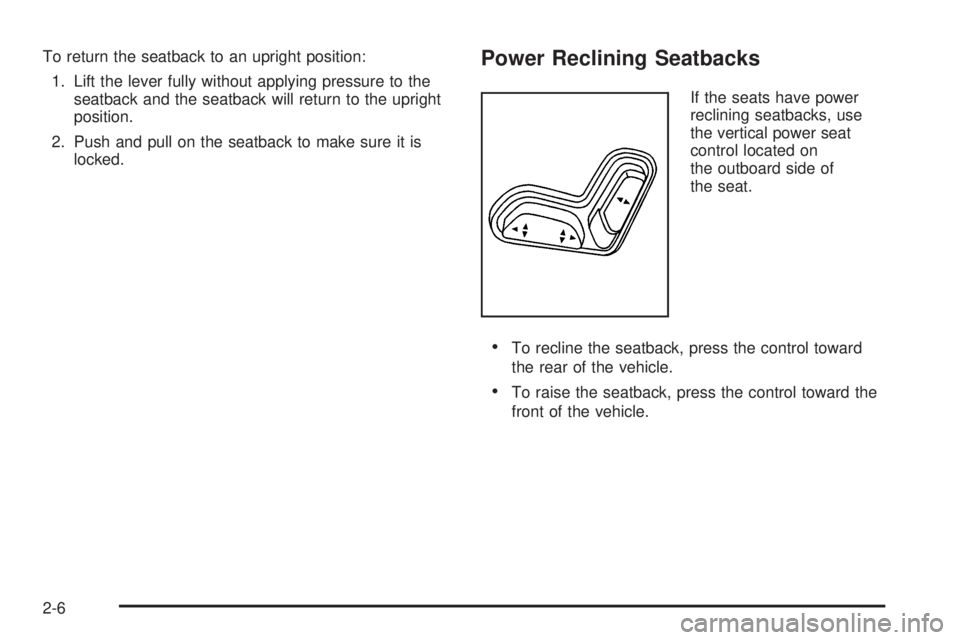
If the seats have power
reclining seatbacks, use
the vertical power seat
control located on
the outboard side of
the seat.
•To recline the seatback, press the control toward
the rear of the vehicle.
•To raise the seatback, press the control toward the
front of the vehicle.
2-6
Page 38 of 448
Rear Seats
Rear Seat Operation (Extended Cab)
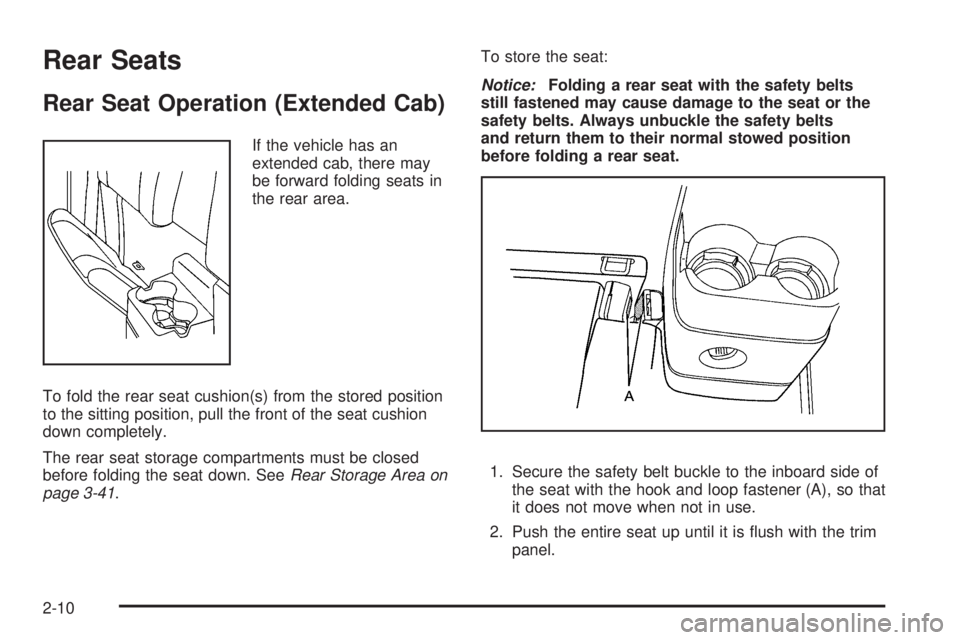
If the vehicle has an
extended cab, there may
be forward folding seats in
the rear area.
To fold the rear seat cushion(s) from the stored position
to the sitting position, pull the front of the seat cushion
down completely.
The rear seat storage compartments must be closed
before folding the seat down. SeeRear Storage Area on
page 3-41.To store the seat:
Notice:Folding a rear seat with the safety belts
still fastened may cause damage to the seat or the
safety belts. Always unbuckle the safety belts
and return them to their normal stowed position
before folding a rear seat.
1. Secure the safety belt buckle to the inboard side of
the seat with the hook and loop fastener (A), so that
it does not move when not in use.
2. Push the entire seat up until it is flush with the trim
panel.
2-10
Page 39 of 448
Rear Seat Operation (Crew Cab)
The rear seatback(s) in the crew cab can be folded
forward.
Notice:Folding a rear seat with the safety belts still
fastened may cause damage to the seat or the safety
belts. Always unbuckle the safety belts and return
them to their normal stowed position before folding a
rear seat.
To fold the rear seatback(s) forward:
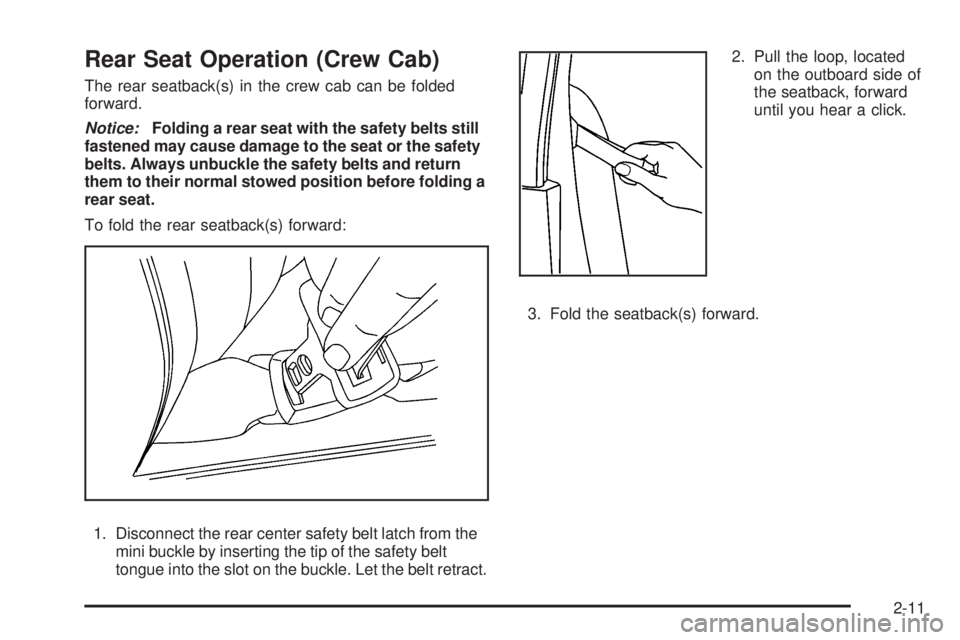
1. Disconnect the rear center safety belt latch from the
mini buckle by inserting the tip of the safety belt
tongue into the slot on the buckle. Let the belt retract.2. Pull the loop, located
on the outboard side of
the seatback, forward
until you hear a click.
3. Fold the seatback(s) forward.
2-11
Page 56 of 448
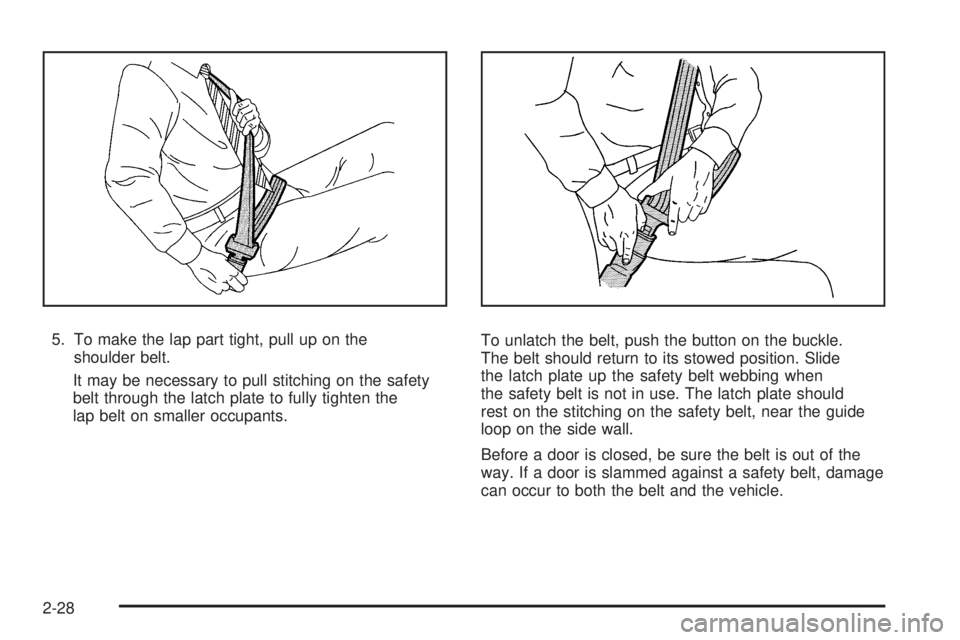
5. To make the lap part tight, pull up on the
shoulder belt.
It may be necessary to pull stitching on the safety
belt through the latch plate to fully tighten the
lap belt on smaller occupants.To unlatch the belt, push the button on the buckle.
The belt should return to its stowed position. Slide
the latch plate up the safety belt webbing when
the safety belt is not in use. The latch plate should
rest on the stitching on the safety belt, near the guide
loop on the side wall.
Before a door is closed, be sure the belt is out of the
way. If a door is slammed against a safety belt, damage
can occur to both the belt and the vehicle.
2-28
Page 81 of 448
{WARNING:
Children can be seriously injured or strangled if a
shoulder belt is wrapped around their neck and
the safety belt continues to tighten. Buckle any
unused safety belts behind the child restraint so
children cannot reach them. Pull the shoulder belt
all the way out of the retractor to set the lock, if
your vehicle has one, after the child restraint has
been installed.
Notice:Do not let the LATCH attachments rub
against the vehicle’s safety belts. This may damage
these parts. If necessary, move buckled safety
belts to avoid rubbing the LATCH attachments.
Do not fold the empty rear seat with a safety belt
buckled. This could damage the safety belt or
the seat. Unbuckle and return the safety belt to its
stowed position, before folding the seat.
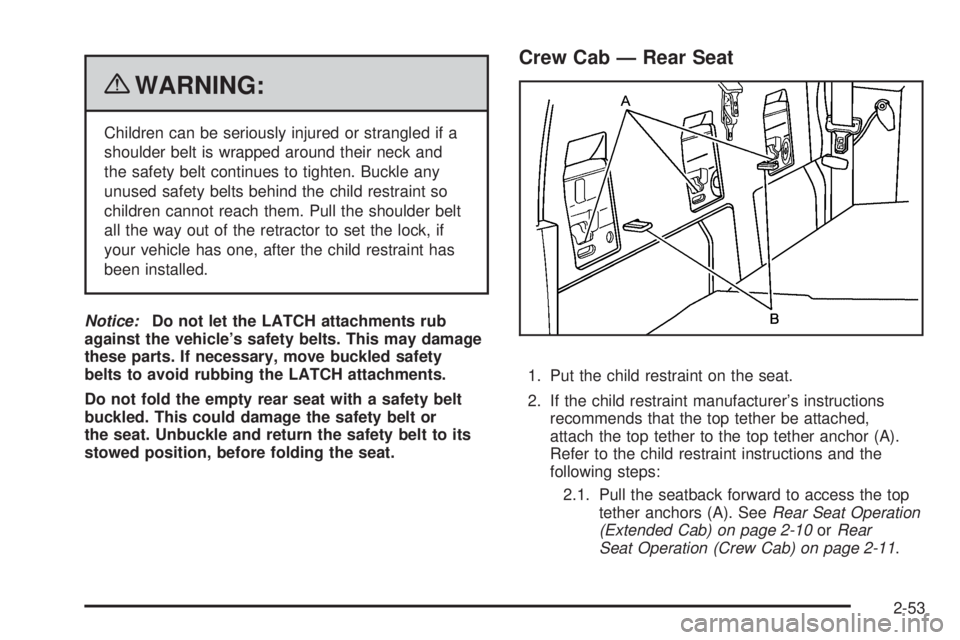
Crew Cab — Rear Seat
1. Put the child restraint on the seat.
2. If the child restraint manufacturer’s instructions
recommends that the top tether be attached,
attach the top tether to the top tether anchor (A).
Refer to the child restraint instructions and the
following steps:
2.1. Pull the seatback forward to access the top
tether anchors (A). SeeRear Seat Operation
(Extended Cab) on page 2-10orRear
Seat Operation (Crew Cab) on page 2-11.
2-53
Page 92 of 448
If the vehicle is equipped with the passenger sensing
system, and when the passenger sensing system
has turned off the right front passenger frontal airbag,
the off indicator on the passenger airbag status indicator
should light and stay lit when you start the vehicle.
SeePassenger Airbag Status Indicator on page 4-23.
If a child restraint has been installed and on indicator is
lit, see “If the On Indicator is Lit for a Child Restraint”
underPassenger Sensing System on page 2-73for more
information.
To remove the child restraint, unbuckle the vehicle
safety belt and let it return to the stowed position.
Airbag System
The vehicle has the following airbags:
•A frontal airbag for the driver.
•A frontal airbag for the right front passenger
Your vehicle may also have the following airbags:
•A roof-rail airbag for the driver and the passenger
seated directly behind the driver.
•A roof-rail airbag for the right front passenger and
the passenger seated directly behind the right
front passenger.All of the airbags in your vehicle will have the word
AIRBAG embossed in the trim or on an attached label
near the deployment opening.
For frontal airbags, the word AIRBAG will appear on the
middle part of the steering wheel for the driver and
on the instrument panel for the right front passenger.
With roof-rail airbags, the word AIRBAG will appear
along the headliner or trim.
Airbags are designed to supplement the protection
provided by safety belts. Even though today’s airbags
are also designed to help reduce the risk of injury
from the force of an inflating bag, all airbags must inflate
very quickly to do their job.
2-64