four wheel drive GMC CANYON 2012 User Guide
[x] Cancel search | Manufacturer: GMC, Model Year: 2012, Model line: CANYON, Model: GMC CANYON 2012Pages: 404, PDF Size: 5.25 MB
Page 218 of 404
Black plate (38,1)GMC Canyon Owner Manual - 2012
9-38 Driving and Operating
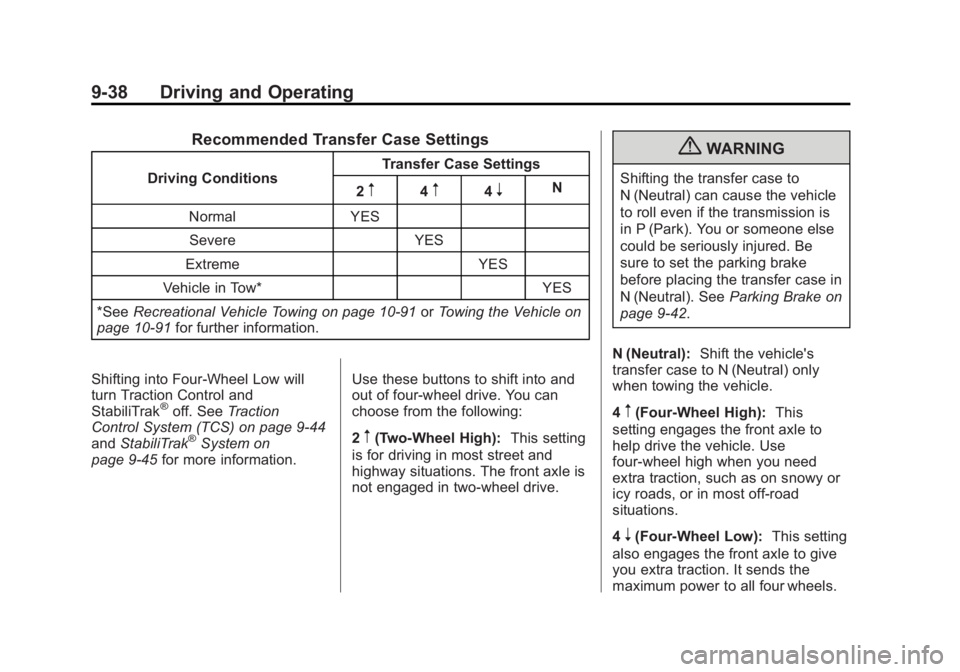
Recommended Transfer Case Settings
Driving ConditionsTransfer Case Settings
2m4m4nN
Normal YES Severe YES
Extreme YES
Vehicle in Tow* YES
*See Recreational Vehicle Towing on page 10‑91 orTowing the Vehicle on
page 10‑91 for further information.
Shifting into Four‐Wheel Low will
turn Traction Control and
StabiliTrak
®off. See Traction
Control System (TCS) on page 9‑44
and StabiliTrak
®System on
page 9‑45 for more information. Use these buttons to shift into and
out of four-wheel drive. You can
choose from the following:
2m(Two-Wheel High):
This setting
is for driving in most street and
highway situations. The front axle is
not engaged in two-wheel drive.
{WARNING
Shifting the transfer case to
N (Neutral) can cause the vehicle
to roll even if the transmission is
in P (Park). You or someone else
could be seriously injured. Be
sure to set the parking brake
before placing the transfer case in
N (Neutral). See Parking Brake on
page 9‑42.
N (Neutral): Shift the vehicle's
transfer case to N (Neutral) only
when towing the vehicle.
4
m(Four-Wheel High): This
setting engages the front axle to
help drive the vehicle. Use
four-wheel high when you need
extra traction, such as on snowy or
icy roads, or in most off-road
situations.
4
n(Four-Wheel Low): This setting
also engages the front axle to give
you extra traction. It sends the
maximum power to all four wheels.
Page 219 of 404
Black plate (39,1)GMC Canyon Owner Manual - 2012
Driving and Operating 9-39
You might choose four-wheel low if
you were driving off-road in sand,
mud, or deep snow and while
climbing or descending steep hills.
Shifting into Four‐Wheel Low
will turn Traction Control and
StabiliTrak
®off. SeeTraction
Control System (TCS) on page 9‑44
and StabiliTrak
®System on
page 9‑45 for more information.
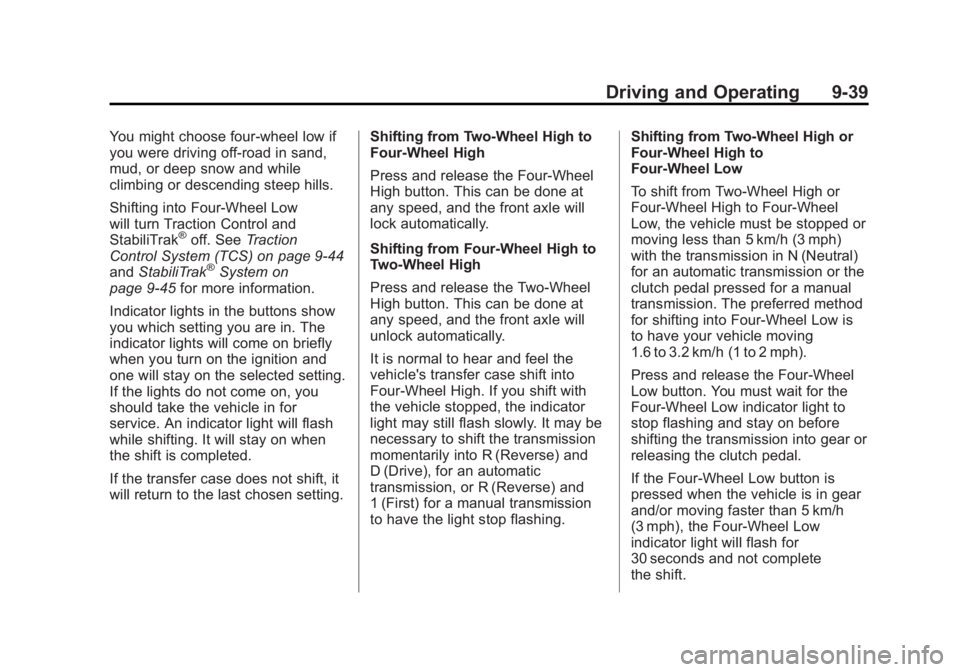
Indicator lights in the buttons show
you which setting you are in. The
indicator lights will come on briefly
when you turn on the ignition and
one will stay on the selected setting.
If the lights do not come on, you
should take the vehicle in for
service. An indicator light will flash
while shifting. It will stay on when
the shift is completed.
If the transfer case does not shift, it
will return to the last chosen setting. Shifting from Two-Wheel High to
Four-Wheel High
Press and release the Four-Wheel
High button. This can be done at
any speed, and the front axle will
lock automatically.
Shifting from Four-Wheel High to
Two-Wheel High
Press and release the Two-Wheel
High button. This can be done at
any speed, and the front axle will
unlock automatically.
It is normal to hear and feel the
vehicle's transfer case shift into
Four-Wheel High. If you shift with
the vehicle stopped, the indicator
light may still flash slowly. It may be
necessary to shift the transmission
momentarily into R (Reverse) and
D (Drive), for an automatic
transmission, or R (Reverse) and
1 (First) for a manual transmission
to have the light stop flashing.Shifting from Two-Wheel High or
Four-Wheel High to
Four-Wheel Low
To shift from Two-Wheel High or
Four-Wheel High to Four-Wheel
Low, the vehicle must be stopped or
moving less than 5 km/h (3 mph)
with the transmission in N (Neutral)
for an automatic transmission or the
clutch pedal pressed for a manual
transmission. The preferred method
for shifting into Four-Wheel Low is
to have your vehicle moving
1.6 to 3.2 km/h (1 to 2 mph).
Press and release the Four-Wheel
Low button. You must wait for the
Four-Wheel Low indicator light to
stop flashing and stay on before
shifting the transmission into gear or
releasing the clutch pedal.
If the Four-Wheel Low button is
pressed when the vehicle is in gear
and/or moving faster than 5 km/h
(3 mph), the Four-Wheel Low
indicator light will flash for
30 seconds and not complete
the shift.
Page 220 of 404
Black plate (40,1)GMC Canyon Owner Manual - 2012
9-40 Driving and Operating
Shifting from Four-Wheel Low to
Two-Wheel High or
Four-Wheel High
To shift from Four-Wheel Low to
Two-Wheel High or Four-Wheel
High, the vehicle must be stopped
or moving less than 5 km/h (3 mph)
with the transmission in N (Neutral)
for an automatic transmission or the
clutch pedal pressed for a manual
transmission. The preferred method
for shifting out of Four-Wheel Low is
to have your vehicle moving
1.6 to 3.2 km/h (1 to 2 mph).
Press and release the Four-Wheel
High or Two-Wheel High button. You
must wait for the Four-Wheel High
or Two-Wheel High indicator light to
stop flashing and stay on before
shifting the transmission into gear or
releasing the clutch pedal.
If the Four-Wheel High or
Two-Wheel High button is pressed
when the vehicle is in gear and/or
moving faster than 5 km/h (3 mph),the Four-Wheel High or Two-Wheel
High indicator light will flash for
30 seconds but not complete
the shift.
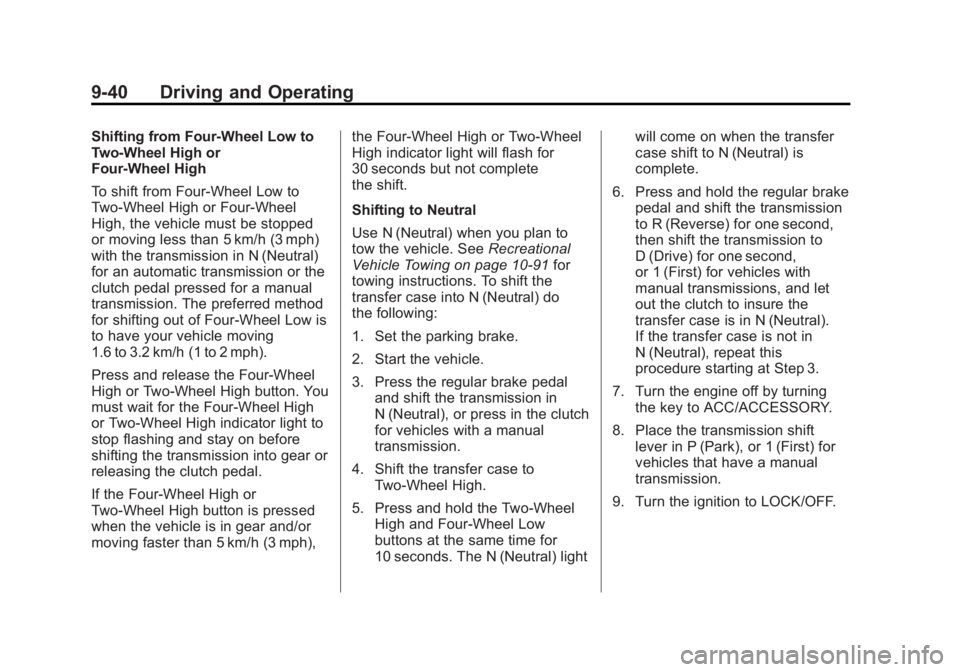
Shifting to Neutral
Use N (Neutral) when you plan to
tow the vehicle. See
Recreational
Vehicle Towing on page 10‑91 for
towing instructions. To shift the
transfer case into N (Neutral) do
the following:
1. Set the parking brake.
2. Start the vehicle.
3. Press the regular brake pedal and shift the transmission in
N (Neutral), or press in the clutch
for vehicles with a manual
transmission.
4. Shift the transfer case to Two-Wheel High.
5. Press and hold the Two-Wheel High and Four-Wheel Low
buttons at the same time for
10 seconds. The N (Neutral) light will come on when the transfer
case shift to N (Neutral) is
complete.
6. Press and hold the regular brake pedal and shift the transmission
to R (Reverse) for one second,
then shift the transmission to
D (Drive) for one second,
or 1 (First) for vehicles with
manual transmissions, and let
out the clutch to insure the
transfer case is in N (Neutral).
If the transfer case is not in
N (Neutral), repeat this
procedure starting at Step 3.
7. Turn the engine off by turning the key to ACC/ACCESSORY.
8. Place the transmission shift lever in P (Park), or 1 (First) for
vehicles that have a manual
transmission.
9. Turn the ignition to LOCK/OFF.
Page 221 of 404
Black plate (41,1)GMC Canyon Owner Manual - 2012
Driving and Operating 9-41
Shifting Out of Neutral
After towing the vehicle, you will
have to shift out of N (Neutral) in
order to drive. To shift out of
N (Neutral), do the following:
1. Set the parking brake and applythe regular brake pedal.
2. Start a vehicle with an automatic transmission in P (Park). Use
1 (First) for vehicles with a
manual transmission.
3. Shift the transmission to N (Neutral), or press the clutch
pedal for vehicles with a manual
transmission.
4. Press the button for the desired transfer case shift position
(Two-Wheel High, Four-Wheel
High, or Four-Wheel Low).
5. After the transfer case has shifted out of N (Neutral), the
indicator light will go out.
6. Release the parking brake.
7. Shift the transmission to the desired position.Brakes
Antilock Brake
System (ABS)
This vehicle has the Antilock Brake
System (ABS), an advanced
electronic braking system that
helps prevent a braking skid.
When the engine is started and the
vehicle begins to drive away, ABS
checks itself. A momentary motor or
clicking noise might be heard while
this test is going on, and it might
even be noticed that the brake
pedal moves a little. This is normal.
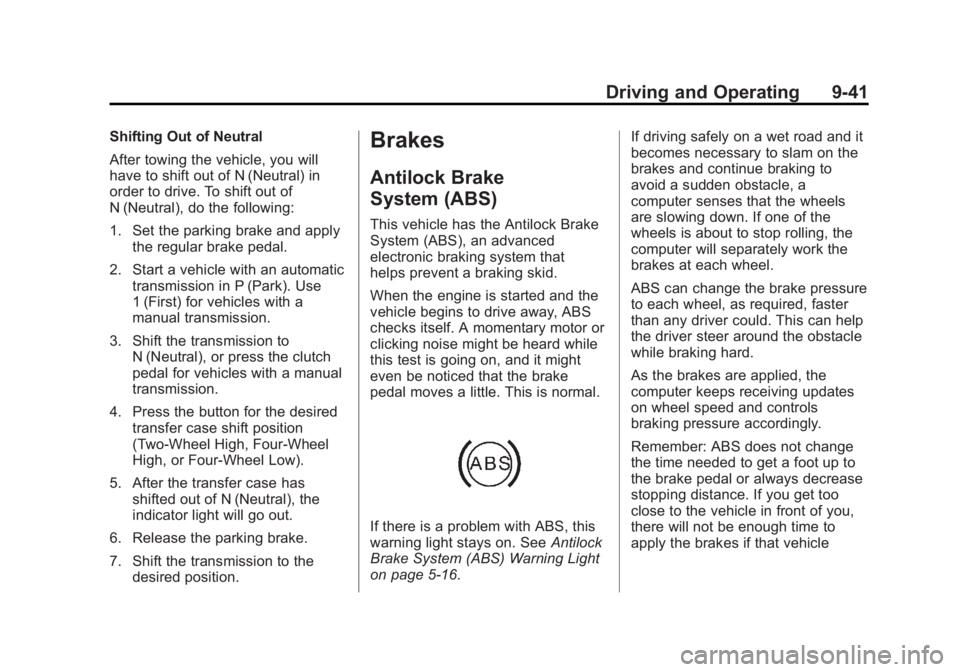
If there is a problem with ABS, this
warning light stays on. See Antilock
Brake System (ABS) Warning Light
on page 5‑16. If driving safely on a wet road and it
becomes necessary to slam on the
brakes and continue braking to
avoid a sudden obstacle, a
computer senses that the wheels
are slowing down. If one of the
wheels is about to stop rolling, the
computer will separately work the
brakes at each wheel.
ABS can change the brake pressure
to each wheel, as required, faster
than any driver could. This can help
the driver steer around the obstacle
while braking hard.
As the brakes are applied, the
computer keeps receiving updates
on wheel speed and controls
braking pressure accordingly.
Remember: ABS does not change
the time needed to get a foot up to
the brake pedal or always decrease
stopping distance. If you get too
close to the vehicle in front of you,
there will not be enough time to
apply the brakes if that vehicle
Page 225 of 404
Black plate (45,1)GMC Canyon Owner Manual - 2012
Driving and Operating 9-45
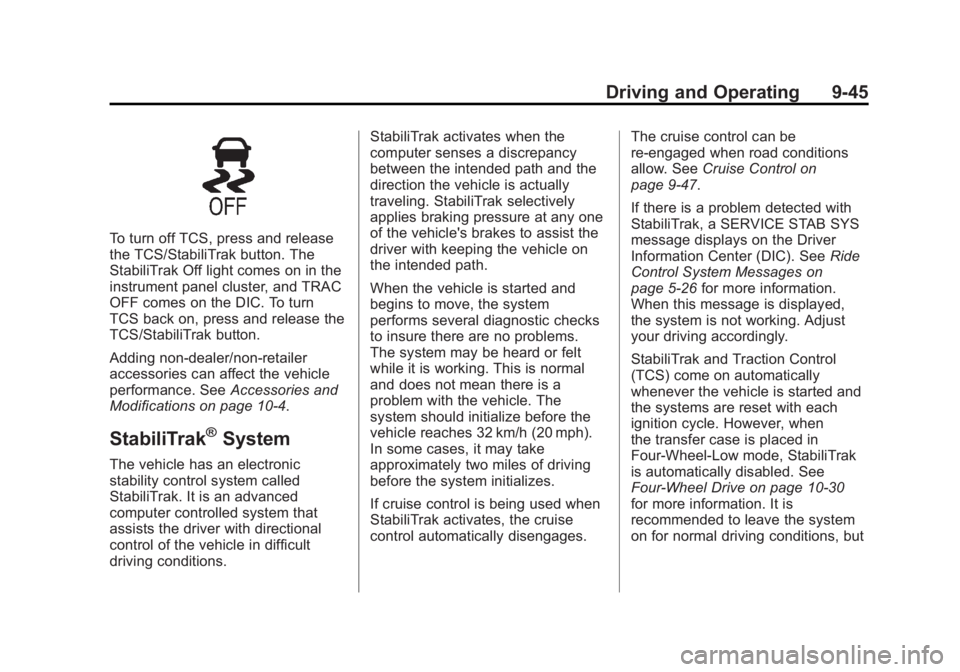
To turn off TCS, press and release
the TCS/StabiliTrak button. The
StabiliTrak Off light comes on in the
instrument panel cluster, and TRAC
OFF comes on the DIC. To turn
TCS back on, press and release the
TCS/StabiliTrak button.
Adding non-dealer/non-retailer
accessories can affect the vehicle
performance. SeeAccessories and
Modifications on page 10‑4.
StabiliTrak®System
The vehicle has an electronic
stability control system called
StabiliTrak. It is an advanced
computer controlled system that
assists the driver with directional
control of the vehicle in difficult
driving conditions. StabiliTrak activates when the
computer senses a discrepancy
between the intended path and the
direction the vehicle is actually
traveling. StabiliTrak selectively
applies braking pressure at any one
of the vehicle's brakes to assist the
driver with keeping the vehicle on
the intended path.
When the vehicle is started and
begins to move, the system
performs several diagnostic checks
to insure there are no problems.
The system may be heard or felt
while it is working. This is normal
and does not mean there is a
problem with the vehicle. The
system should initialize before the
vehicle reaches 32 km/h (20 mph).
In some cases, it may take
approximately two miles of driving
before the system initializes.
If cruise control is being used when
StabiliTrak activates, the cruise
control automatically disengages.
The cruise control can be
re-engaged when road conditions
allow. See
Cruise Control on
page 9‑47.
If there is a problem detected with
StabiliTrak, a SERVICE STAB SYS
message displays on the Driver
Information Center (DIC). See Ride
Control System Messages on
page 5‑26 for more information.
When this message is displayed,
the system is not working. Adjust
your driving accordingly.
StabiliTrak and Traction Control
(TCS) come on automatically
whenever the vehicle is started and
the systems are reset with each
ignition cycle. However, when
the transfer case is placed in
Four-Wheel-Low mode, StabiliTrak
is automatically disabled. See
Four-Wheel Drive on page 10‑30
for more information. It is
recommended to leave the system
on for normal driving conditions, but
Page 237 of 404
Black plate (57,1)GMC Canyon Owner Manual - 2012
Driving and Operating 9-57
When towing at high altitude on
steep uphill grades, consider the
following: Engine coolant will boil at
a lower temperature than at normal
altitudes. If the engine is turned off
immediately after towing at high
altitude on steep uphill grades, the
vehicle may show signs similar to
engine overheating. To avoid this,
let the engine run while parked,
preferably on level ground, with an
automatic transmission in P (Park)
or a manual transmission in
N (Neutral) with the parking brake
applied, for a few minutes before
turning the engine off. If the
overheat warning comes on, see
Engine Overheating on page 10‑23.Parking on Hills
{WARNING
Parking the vehicle on a hill with
the trailer attached can be
dangerous. If something goes
wrong, the rig could start to move.
People can be injured, and both
the vehicle and the trailer can be
damaged. When possible, always
park the rig on a flat surface.
If parking the rig on a hill:
1. Press the brake pedal, but do not shift into P (Park) yet for
vehicles with an automatic
transmission, or into gear for
vehicles with a manual
transmission. Turn the wheels
into the curb if facing downhill or
into traffic if facing uphill. 2. Have someone place chocks
under the trailer wheels.
3. When the wheel chocks are in place, release the brake pedal
until the chocks absorb the load.
4. Reapply the brake pedal. Then apply the parking brake and shift
into P (Park) for vehicles with an
automatic transmission or into
gear for vehicles with a manual
transmission.
5. If the vehicle has four-wheel-drive, be sure the
transfer case is in a drive gear
and not in N (Neutral). See
Four-Wheel Drive on page 10‑30
for more information.
6. Release the brake pedal.
Page 245 of 404
Black plate (1,1)GMC Canyon Owner Manual - 2012
Vehicle Care 10-1
Vehicle Care
General Information
General Information . . . . . . . . . . 10-3
California Proposition65 Warning . . . . . . . . . . . . . . . . . 10-3
California Perchlorate Materials Requirements . . . . 10-3
Accessories and Modifications . . . . . . . . . . . . . . . 10-4
Vehicle Checks
Doing Your OwnService Work . . . . . . . . . . . . . . . 10-4
Hood . . . . . . . . . . . . . . . . . . . . . . . . 10-5
Engine Compartment Overview . . . . . . . . . . . . . . . . . . . 10-6
Engine Oil . . . . . . . . . . . . . . . . . . . 10-9
Engine Oil Life System . . . . . 10-12
Automatic Transmission Fluid . . . . . . . . . . . . . . . . . . . . . . 10-13
Manual Transmission Fluid . . . . . . . . . . . . . . . . . . . . . . 10-15 Hydraulic Clutch . . . . . . . . . . . . 10-16
Engine Air Cleaner/Filter . . . . 10-17
Cooling System . . . . . . . . . . . . 10-18
Engine Coolant . . . . . . . . . . . . . 10-19
Engine Overheating . . . . . . . . 10-23
Engine Fan . . . . . . . . . . . . . . . . . 10-25
Power Steering Fluid . . . . . . . 10-25
Washer Fluid . . . . . . . . . . . . . . . 10-26
Brakes . . . . . . . . . . . . . . . . . . . . . 10-27
Brake Fluid . . . . . . . . . . . . . . . . . 10-28
Battery . . . . . . . . . . . . . . . . . . . . . 10-30
Four-Wheel Drive . . . . . . . . . . . 10-30
Front Axle . . . . . . . . . . . . . . . . . . 10-31
Rear Axle . . . . . . . . . . . . . . . . . . 10-32
Starter Switch Check . . . . . . . 10-32
Automatic Transmission Shift
Lock Control Function
Check . . . . . . . . . . . . . . . . . . . . . 10-33
Ignition Transmission Lock Check . . . . . . . . . . . . . . . . . . . . . 10-33
Park Brake and P (Park) Mechanism Check . . . . . . . . 10-34
Wiper Blade Replacement . . . . . . . . . . . . . . 10-34
Headlamp Aiming
Headlamp Aiming . . . . . . . . . . 10-36
Bulb Replacement
Bulb Replacement . . . . . . . . . . 10-37
Halogen Bulbs . . . . . . . . . . . . . . 10-37
Headlamps . . . . . . . . . . . . . . . . . 10-37
Taillamps, Turn Signal,Stoplamps, and Back-Up
Lamps . . . . . . . . . . . . . . . . . . . . 10-38
Center High-Mounted Stoplamp (CHMSL) . . . . . . . 10-38
License Plate Lamp . . . . . . . . 10-39
Replacement Bulbs . . . . . . . . . 10-39
Electrical System
Electrical System Overload . . . . . . . . . . . . . . . . . . 10-40
Fuses and Circuit Breakers . . . . . . . . . . . . . . . . . . 10-41
Engine Compartment Fuse Block . . . . . . . . . . . . . . . . . . . . . 10-41
Page 274 of 404
Black plate (30,1)GMC Canyon Owner Manual - 2012
10-30 Vehicle Care
Battery
Refer to the replacement number
shown on the original battery label
when a new battery is needed. See
Engine Compartment Overview on
page 10‑6for battery location.
{WARNING
Battery posts, terminals, and
related accessories contain lead
and lead compounds, chemicals
known to the State of California to
cause cancer and reproductive
harm. Wash hands after handling.
Vehicle Storage
{WARNING
Batteries have acid that can burn
you and gas that can explode.
You can be badly hurt if you are
not careful. See Jump Starting on
(Continued)
WARNING (Continued)
page 10‑87 for tips on working
around a battery without
getting hurt.
Infrequent Usage: Remove the
black, negative (−) cable from the
battery to keep the battery from
running down.
Extended Storage: Remove the
black, negative (−) cable from the
battery or use a battery trickle
charger.
Four-Wheel Drive
Transfer Case
When to Check Lubricant
Refer to the Maintenance Schedule
to determine how often to check the
lubricant. See Maintenance
Schedule on page 11‑3. How to Check Lubricant
To get an accurate reading, the
vehicle should be on a level
surface.
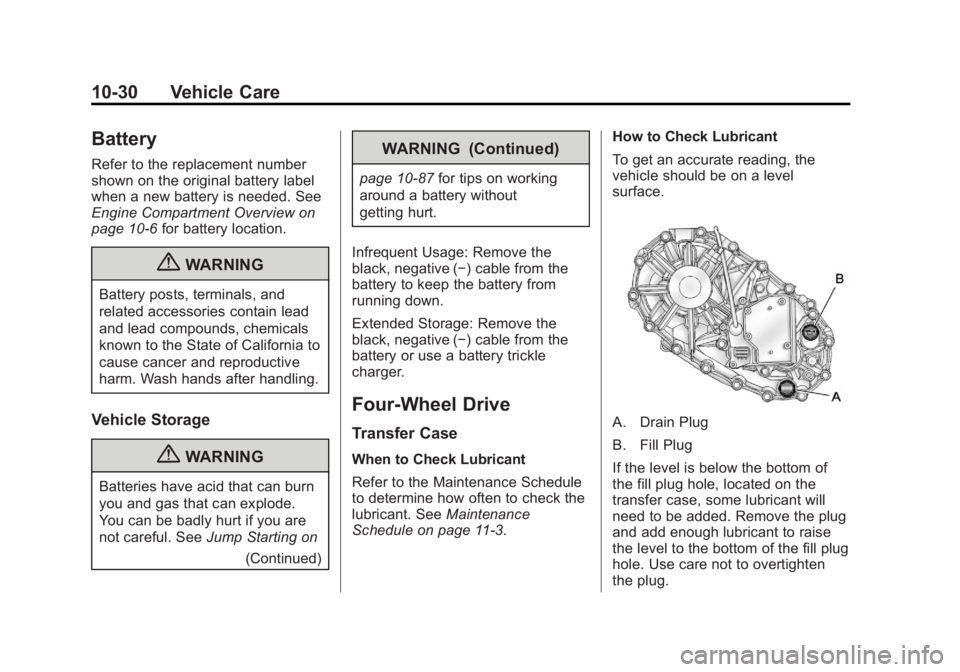
A. Drain Plug
B. Fill Plug
If the level is below the bottom of
the fill plug hole, located on the
transfer case, some lubricant will
need to be added. Remove the plug
and add enough lubricant to raise
the level to the bottom of the fill plug
hole. Use care not to overtighten
the plug.
Page 286 of 404
Black plate (42,1)GMC Canyon Owner Manual - 2012
10-42 Vehicle Care
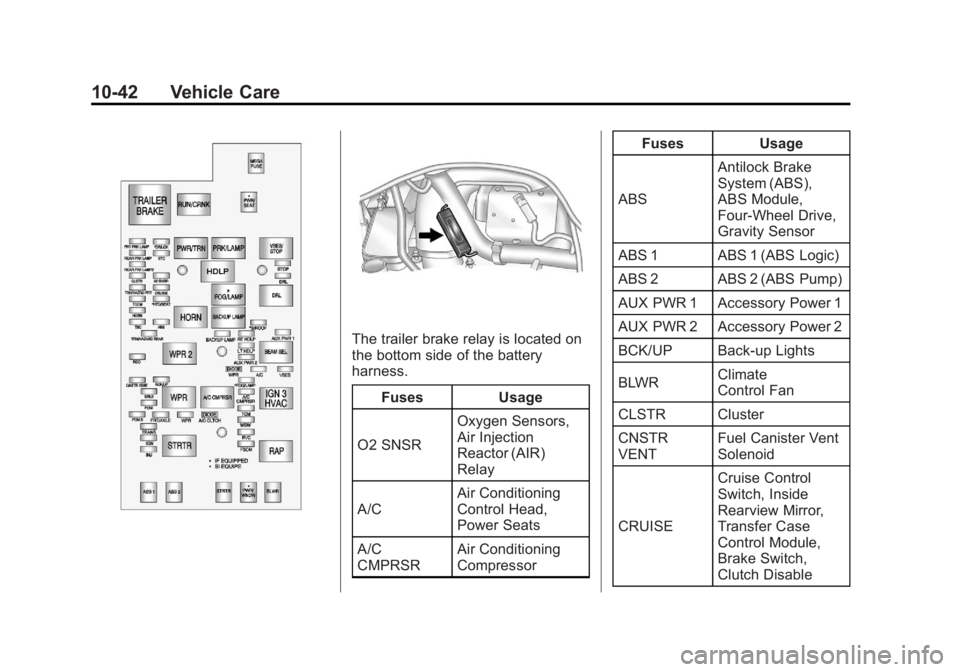
The trailer brake relay is located on
the bottom side of the battery
harness.Fuses Usage
O2 SNSR Oxygen Sensors,
Air Injection
Reactor (AIR)
Relay
A/C Air Conditioning
Control Head,
Power Seats
A/C
CMPRSR Air Conditioning
Compressor Fuses Usage
ABS Antilock Brake
System (ABS),
ABS Module,
Four‐Wheel Drive,
Gravity Sensor
ABS 1 ABS 1 (ABS Logic)
ABS 2 ABS 2 (ABS Pump)
AUX PWR 1 Accessory Power 1
AUX PWR 2 Accessory Power 2
BCK/UP Back-up Lights
BLWR Climate
Control Fan
CLSTR Cluster
CNSTR
VENT Fuel Canister Vent
Solenoid
CRUISE Cruise Control
Switch, Inside
Rearview Mirror,
Transfer Case
Control Module,
Brake Switch,
Clutch Disable
Page 304 of 404
Black plate (60,1)GMC Canyon Owner Manual - 2012
10-60 Vehicle Care
The malfunction light and the DIC
message should go off at the next
ignition cycle. The sensors are
matched to the tire/wheel positions,
using a TPMS relearn tool, in the
following order: driver side front tire,
passenger side front tire, passenger
side rear tire, and driver side rear.
See your dealer for service or to
purchase a relearn tool.
There is one minute to match the
first tire/wheel position, and
five minutes overall to match all
four tire/wheel positions. If it takes
longer, the matching process stops
and must be restarted.
The TPMS sensor matching
procedure is:
1. Set the parking brake.
2. Turn the ignition to ON/RUN withthe engine off.
3. Turn the exterior lamp switch from AUTO to OFF four times
within three seconds. A double
horn chirp will sound and the
TPMS low tire warning light starts flashing. The double horn
chirp and flashing TPMS
warning light indicates the TPMS
matching process has started.
The TPMS warning light should
continue flashing throughout the
matching procedure. The LOW
TIRE message displays on the
Driver Information Center (DIC).
4. Start with the driver side front tire.
5. Place the relearn tool against the tire sidewall, near the valve
stem. Then press the button to
activate the TPMS sensor.
A horn chirp confirms that the
sensor identification code has
been matched to this tire and
wheel position.
6. Proceed to the passenger side front tire, and repeat the
procedure in Step 5.
7. Proceed to the passenger side rear tire, and repeat the
procedure in Step 5. 8. Proceed to the driver side rear
tire, and repeat the procedure in
Step 5.
9. After hearing the confirming horn chirp for the driver side rear tire,
check to see if the TPMS low tire
warning light and the DIC LOW
TIRE messages have turned off.
If yes, the TPMS sensors have
been relearned. Turn the ignition
switch to LOCK/OFF.
If the low tire warning light and
the SERV TPM message on the
DIC are on after completing
Step 5 for the driver side rear
tire, the sensor relearn process
has not been successful. Turn
the ignition to LOCK/OFF and
repeat the matching process
beginning with Step 2.
10. Set all four tires to the recommended air pressure
level as indicated on the Tire
and Loading Information label.