fuel GMC CANYON 2012 User Guide
[x] Cancel search | Manufacturer: GMC, Model Year: 2012, Model line: CANYON, Model: GMC CANYON 2012Pages: 404, PDF Size: 5.25 MB
Page 123 of 404
Black plate (13,1)GMC Canyon Owner Manual - 2012
Instruments and Controls 5-13
If it does not, have the vehicle
serviced by your dealer. SeeIgnition
Positions on page 9‑24 for more
information.
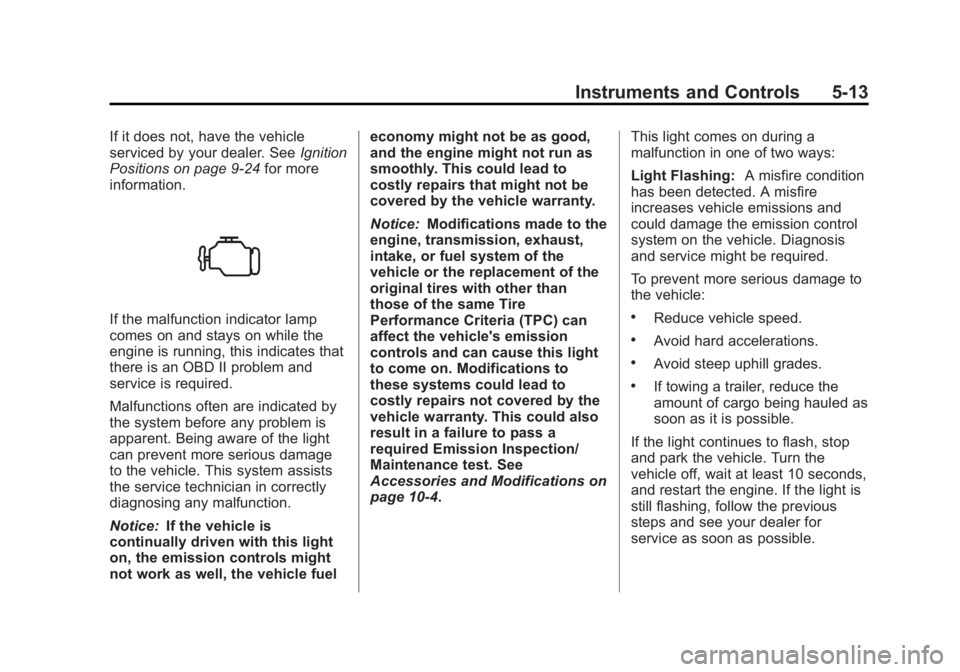
If the malfunction indicator lamp
comes on and stays on while the
engine is running, this indicates that
there is an OBD II problem and
service is required.
Malfunctions often are indicated by
the system before any problem is
apparent. Being aware of the light
can prevent more serious damage
to the vehicle. This system assists
the service technician in correctly
diagnosing any malfunction.
Notice: If the vehicle is
continually driven with this light
on, the emission controls might
not work as well, the vehicle fuel economy might not be as good,
and the engine might not run as
smoothly. This could lead to
costly repairs that might not be
covered by the vehicle warranty.
Notice:
Modifications made to the
engine, transmission, exhaust,
intake, or fuel system of the
vehicle or the replacement of the
original tires with other than
those of the same Tire
Performance Criteria (TPC) can
affect the vehicle's emission
controls and can cause this light
to come on. Modifications to
these systems could lead to
costly repairs not covered by the
vehicle warranty. This could also
result in a failure to pass a
required Emission Inspection/
Maintenance test. See
Accessories and Modifications on
page 10‑4. This light comes on during a
malfunction in one of two ways:
Light Flashing:
A misfire condition
has been detected. A misfire
increases vehicle emissions and
could damage the emission control
system on the vehicle. Diagnosis
and service might be required.
To prevent more serious damage to
the vehicle:.Reduce vehicle speed.
.Avoid hard accelerations.
.Avoid steep uphill grades.
.If towing a trailer, reduce the
amount of cargo being hauled as
soon as it is possible.
If the light continues to flash, stop
and park the vehicle. Turn the
vehicle off, wait at least 10 seconds,
and restart the engine. If the light is
still flashing, follow the previous
steps and see your dealer for
service as soon as possible.
Page 124 of 404
Black plate (14,1)GMC Canyon Owner Manual - 2012
5-14 Instruments and Controls
Light On Steady:An emission
control system malfunction has
been detected on the vehicle.
Diagnosis and service might
be required.
The following may correct an
emission system malfunction:
.Check that the fuel cap is fully
installed. See Filling the Tank on
page 9‑52. The diagnostic
system can determine if the
fuel cap has been left off or
improperly installed. A loose or
missing fuel cap allows fuel to
evaporate into the atmosphere.
A few driving trips with the cap
properly installed should turn
the light off.
.Check that good quality fuel is
used. Poor fuel quality causes
the engine not to run as
efficiently as designed and may
cause stalling after start-up,
stalling when the vehicle is
changed into gear, misfiring,
hesitation on acceleration,
or stumbling on acceleration.
These conditions might go away
once the engine is warmed up.
If one or more of these conditions
occurs, change the fuel brand used.
It will require at least one full tank of
the proper fuel to turn the light off.
See Recommended Fuel on
page 9‑49.
If none of the above have made the
light turn off, your dealer can check
the vehicle. The dealer has the
proper test equipment and
diagnostic tools to fix any
mechanical or electrical problems
that might have developed.Emissions Inspection and
Maintenance Programs
Some local governments may have
programs to inspect the on-vehicle
emission control equipment. For the
inspection, the emission system test
equipment is connected to the
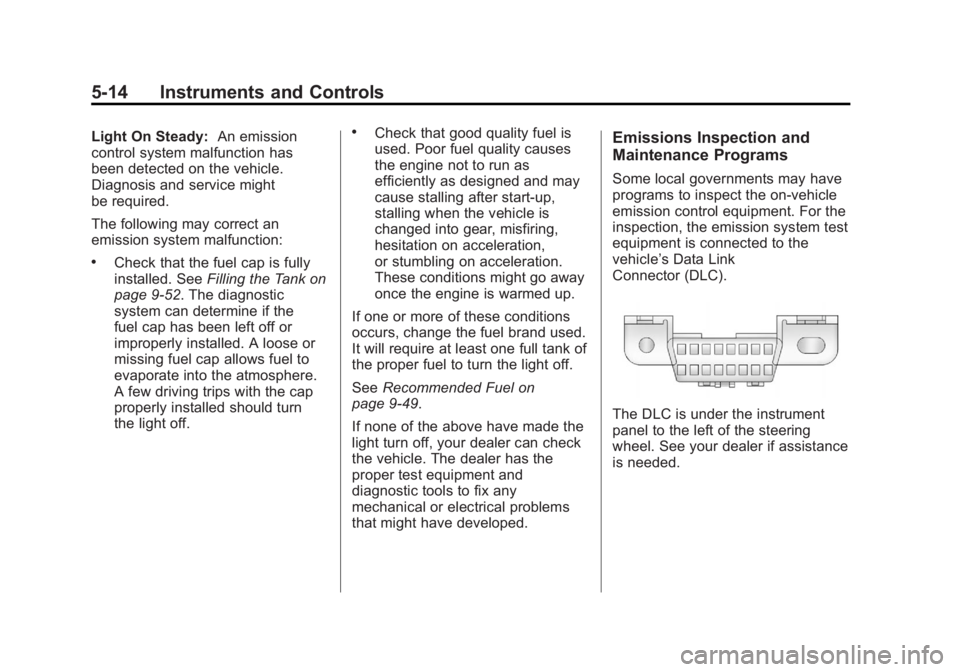
vehicle’s Data Link
Connector (DLC).
The DLC is under the instrument
panel to the left of the steering
wheel. See your dealer if assistance
is needed.
Page 133 of 404
Black plate (23,1)GMC Canyon Owner Manual - 2012
Instruments and Controls 5-23
Vehicle Messages
Messages are displayed on the DIC
to notify the driver that the status of
the vehicle has changed and that
some action may be needed by the
driver to correct the condition.
Multiple messages may appear one
after another. The messages are
displayed for several seconds each.
Some messages may not require
immediate action, but you should
press and release the trip odometer
reset stem to acknowledge that you
received the messages and to clear
them from the display. Each
message must be acknowledged
individually.
Some messages cannot be cleared
from the DIC display because they
are more urgent. These messages
require action before they can be
cleared. You should take any
messages that appear on the
display seriously and remember that
clearing the messages only makes
the messages disappear, not correct
the problem.The following are the possible
messages that can be displayed
and some information about them.
Battery Voltage and
Charging Messages
SERVICE CHARG (Charge)
SYS (System)
This message displays if there is a
problem with the battery charging
system. Under certain conditions,
the battery warning light may also
turn on in the instrument panel
cluster. See
Charging System Light
on page 5‑12. The battery will not
be charging at an optimal rate and
the vehicle will lose the ability to
enter the fuel economy mode. The
vehicle is safe to drive, however
have the electrical system checked
by your dealer. Press and release
the reset stem to acknowledge the
message and clear it from the
display.
Brake System Messages
ABS (Antilock Brake System)
FAULT
This message displays if there is a
problem with the Antilock Brake
System (ABS). Check the ABS as
soon as possible and have your
vehicle serviced by your dealer. See
Braking on page 9‑4 andAntilock
Brake System (ABS) Warning Light
on page 5‑16 for more information.
Press and release the reset stem to
acknowledge the message and
clear it from the display.
BRAKES
This message displays if there is a
problem with the brakes. Check the
brakes as soon as possible and
have your vehicle serviced by your
dealer. See Braking on page 9‑4
and Antilock Brake System (ABS)
Warning Light on page 5‑16 for
more information. Press and release
the reset stem to acknowledge the
message and clear it from the
display.
Page 135 of 404
Black plate (25,1)GMC Canyon Owner Manual - 2012
Instruments and Controls 5-25
OIL
This message displays when the oil
pressure is low. SeeEngine Oil
Pressure Light on page 5‑18 and
Engine Oil on page 10‑9 for more
information.
Engine Power Messages
REDUCED POWER
This message displays when the
vehicle's engine power is reduced.
Reduced engine power can affect
the vehicle's ability to accelerate.
If this message is on, but there
is no reduction in performance,
proceed to your destination. The
performance may be reduced the
next time the vehicle is driven. The
vehicle may be driven at a reduced
speed while this message is on, but
acceleration and speed may be
reduced. Anytime this message
stays on, the vehicle should be
taken to your dealer for service as
soon as possible. Press and release the reset stem to
acknowledge the message and
clear it from the display.
Fuel System Messages
FUEL CAP
This message displays if the
vehicle's fuel cap is either off or
loose. Pull over as soon as possible
and check to see if the fuel cap is
secure. You may also see the check
engine light on the instrument panel
cluster. If the check engine light
does come on when the fuel cap
was loose, it may take a few driving
trips before the light turns off. See
Malfunction Indicator Lamp on
page 5‑12
for more information if the
light still remains on. Press and
release the reset stem to
acknowledge the message and
clear it from the display.
LOW FUEL
This message displays if the level of
fuel in the vehicle is low. Also check
the fuel gauge. See Fuel Gauge on
page 5‑8 for more information. Refill
the fuel tank as soon as possible.
Lamp Messages
TURN SIGNAL
This message displays when the
turn signal is on for about 1.2 km
(0.75 miles) of travel. Press and
release the reset stem to
acknowledge the message and
clear it from the display.
Page 178 of 404
Black plate (2,1)GMC Canyon Owner Manual - 2012
8-2 Climate Controls
If the knob is set on“0”(zero), some
outside air will still enter the vehicle
and will be directed according to the
position of the mode knob.
Air Delivery Mode Control:
Turn the knob clockwise or
counterclockwise to change the
current airflow mode.
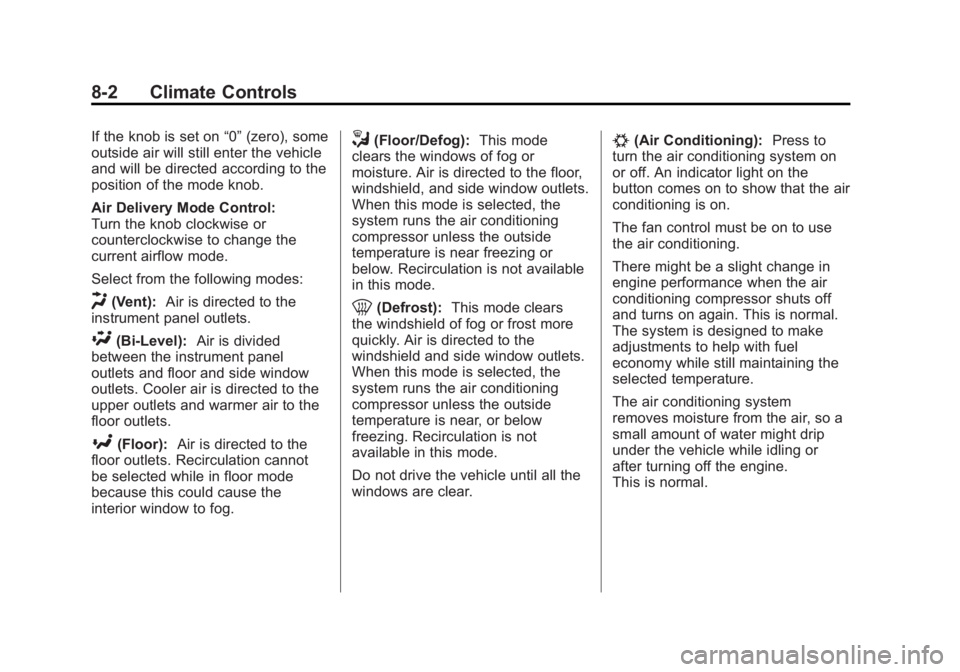
Select from the following modes:
H(Vent): Air is directed to the
instrument panel outlets.
\(Bi-Level): Air is divided
between the instrument panel
outlets and floor and side window
outlets. Cooler air is directed to the
upper outlets and warmer air to the
floor outlets.
[(Floor): Air is directed to the
floor outlets. Recirculation cannot
be selected while in floor mode
because this could cause the
interior window to fog.
/(Floor/Defog): This mode
clears the windows of fog or
moisture. Air is directed to the floor,
windshield, and side window outlets.
When this mode is selected, the
system runs the air conditioning
compressor unless the outside
temperature is near freezing or
below. Recirculation is not available
in this mode.
0(Defrost): This mode clears
the windshield of fog or frost more
quickly. Air is directed to the
windshield and side window outlets.
When this mode is selected, the
system runs the air conditioning
compressor unless the outside
temperature is near, or below
freezing. Recirculation is not
available in this mode.
Do not drive the vehicle until all the
windows are clear.
#(Air Conditioning): Press to
turn the air conditioning system on
or off. An indicator light on the
button comes on to show that the air
conditioning is on.
The fan control must be on to use
the air conditioning.
There might be a slight change in
engine performance when the air
conditioning compressor shuts off
and turns on again. This is normal.
The system is designed to make
adjustments to help with fuel
economy while still maintaining the
selected temperature.
The air conditioning system
removes moisture from the air, so a
small amount of water might drip
under the vehicle while idling or
after turning off the engine.
This is normal.
Page 182 of 404
Black plate (2,1)GMC Canyon Owner Manual - 2012
9-2 Driving and Operating
Fuel
Fuel . . . . . . . . . . . . . . . . . . . . . . . . . 9-49
Recommended Fuel . . . . . . . . . 9-49
Gasoline Specifications(U.S. and Canada Only) . . . . 9-50
California Fuel
Requirements . . . . . . . . . . . . . . 9-50
Fuels in Foreign Countries . . . 9-50
Fuel Additives . . . . . . . . . . . . . . . 9-50
Filling the Tank . . . . . . . . . . . . . . 9-52
Filling a Portable Fuel Container . . . . . . . . . . . . . . . . . . . 9-53
Towing
General TowingInformation . . . . . . . . . . . . . . . . . 9-54
Driving Characteristics and Towing Tips . . . . . . . . . . . . . . . . 9-54
Trailer Towing . . . . . . . . . . . . . . . . 9-58
Towing Equipment . . . . . . . . . . . 9-63
Conversions and Add-Ons
Add-On Electrical Equipment . . . . . . . . . . . . . . . . . 9-64
Pickup Conversion to Chassis Cab . . . . . . . . . . . . . . . 9-64
Driving Information
Distracted Driving
Distraction comes in many forms
and can take your focus from the
task of driving. Exercise good
judgment and do not let other
activities divert your attention
away from the road. Many local
governments have enacted laws
regarding driver distraction.
Become familiar with the local laws
in your area.
To avoid distracted driving, always
keep your eyes on the road, hands
on the wheel, and mind on the drive.
.Do not use a phone in
demanding driving situations.
Use a hands-free method to
place or receive necessary
phone calls.
.Watch the road. Do not read,
take notes, or look up
information on phones or other
electronic devices.
.Designate a front seat
passenger to handle potential
distractions.
.Become familiar with vehicle
features before driving, such as
programming favorite radio
stations and adjusting climate
control and seat settings.
Program all trip information into
any navigation device prior to
driving.
.Wait until the vehicle is parked
to retrieve items that have fallen
to the floor.
.Stop or park the vehicle to tend
to children.
.Keep pets in an appropriate
carrier or restraint.
.Avoid stressful conversations
while driving, whether with a
passenger or on a cell phone.
Page 186 of 404
Black plate (6,1)GMC Canyon Owner Manual - 2012
9-6 Driving and Operating
Remember: Antilock brakes help
avoid only the braking skid.
Off-Road Driving
Off-Road Driving
Four-wheel-drive vehicles can be
used for off-road driving. Vehicles
without four-wheel drive and
vehicles not equipped with All
Terrain (AT) or On-Off Road (OOR)
tires must not be driven off-road
except on a level, solid surface.
To contact the tire manufacturer for
more information about the original
equipment tires, see the Limited
Warranty and Owner Assistance
Information manual.Controlling the vehicle is the key to
successful off-road driving. One of
the best ways to control the vehicle
is to control the speed.{WARNING
When driving off-road, bouncing
and quick changes in direction
can easily throw you out of
position. This could cause you to
lose control and crash. You and
your passengers should always
wear safety belts.
Before Driving Off-Road
.Have all necessary maintenance
and service work completed.
.Fuel the vehicle, fill fluid levels,
and check inflation pressure in
all tires, including the spare,
if equipped.
.Read all the information about
four-wheel-drive vehicles in
this manual.
.Make sure all underbody
shields, if equipped, are properly
attached.
.Know the local laws that apply to
off-road driving.
To gain more ground clearance if
needed, it may be necessary to
remove the front fascia lower
air dam.
Notice: Operating the vehicle
for extended periods without
the front fascia lower air dam
installed can cause improper air
flow to the engine. Re‐attach the
front fascia air dam after off-road
driving.
Page 191 of 404
Black plate (11,1)GMC Canyon Owner Manual - 2012
Driving and Operating 9-11
Driving in Water
{WARNING
Driving through rushing water can
be dangerous. Deep water can
sweep your vehicle downstream
and you and your passengers
could drown. If it is only shallow
water, it can still wash away the
ground from under your tires.
Traction could be lost, and the
vehicle could roll over. Do not
drive through rushing water.Notice:
Do not drive through
standing water if it is deep
enough to cover the wheel hubs,
axles or exhaust pipe. Deep water
can damage the axle and other
vehicle parts.
If the standing water is not too deep,
drive slowly through it. At faster
speeds, water splashes on the
ignition system and the vehicle can
stall. Stalling can also occur if you
get the exhaust pipe under water.
While the exhaust pipe is under
water, you will not be able to start
the engine. When going through
water, the brakes get wet, and it
might take longer to stop. See
Driving on Wet Roads on
page 9‑12.
After Off-Road Driving
Remove any brush or debris that
has collected on the underbody,
or chassis, or under the hood.
These accumulations can be a
fire hazard.
After operation in mud or sand,
have the brake linings cleaned and
checked. These substances can
cause glazing and uneven braking.
Check the body structure, steering,
suspension, wheels, tires, and
exhaust system for damage and
check the fuel lines and cooling
system for any leakage.
More frequent maintenance
service is required. Refer to the
Maintenance Schedule on
page 11‑3 for more information.
Page 196 of 404
Black plate (16,1)GMC Canyon Owner Manual - 2012
9-16 Driving and Operating
To save fuel, run the engine for only
short periods as needed to warm
the vehicle and then shut the engine
off and close the window most of
the way to save heat. Repeat this
until help arrives but only when you
feel really uncomfortable from the
cold. Moving about to keep warm
also helps.
If it takes some time for help to
arrive, now and then when you run
the engine, push the accelerator
pedal slightly so the engine runs
faster than the idle speed. This
keeps the battery charged to restart
the vehicle and to signal for help
with the headlamps. Do this as little
as possible to save fuel.If the Vehicle Is Stuck
Slowly and cautiously spin the
wheels to free the vehicle when
stuck in sand, mud, ice, or snow.
See“Rocking Your vehicle to get
It Out” later in this section.
If stuck too severely for the traction
system to free the vehicle, turn the
traction system off and use the
rocking method.{WARNING
If the vehicle's tires spin at high
speed, they can explode, and you
or others could be injured. The
vehicle can overheat, causing an
engine compartment fire or other
damage. Spin the wheels as little
as possible and avoid going
above 55 km/h (35 mph).
For information about using tire
chains on the vehicle, see Tire
Chains on page 10‑68.
Page 201 of 404
Black plate (21,1)GMC Canyon Owner Manual - 2012
Driving and Operating 9-21
cargo, and any accessories or
equipment added to your vehicle
after it left the factory should
never exceed your vehicle's
capacity weight.
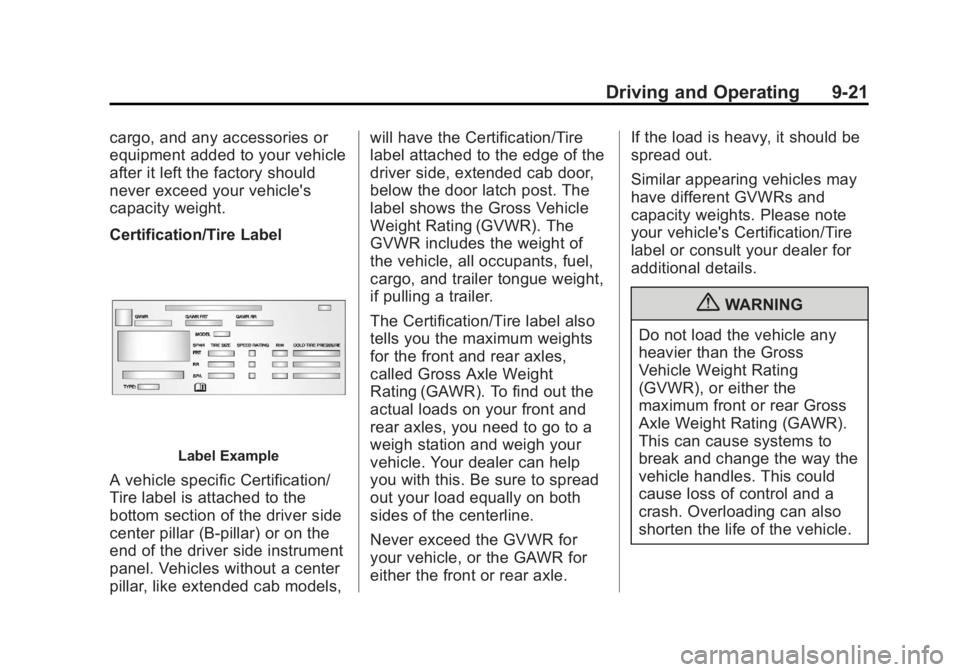
Certification/Tire Label
Label Example
A vehicle specific Certification/
Tire label is attached to the
bottom section of the driver side
center pillar (B-pillar) or on the
end of the driver side instrument
panel. Vehicles without a center
pillar, like extended cab models,will have the Certification/Tire
label attached to the edge of the
driver side, extended cab door,
below the door latch post. The
label shows the Gross Vehicle
Weight Rating (GVWR). The
GVWR includes the weight of
the vehicle, all occupants, fuel,
cargo, and trailer tongue weight,
if pulling a trailer.
The Certification/Tire label also
tells you the maximum weights
for the front and rear axles,
called Gross Axle Weight
Rating (GAWR). To find out the
actual loads on your front and
rear axles, you need to go to a
weigh station and weigh your
vehicle. Your dealer can help
you with this. Be sure to spread
out your load equally on both
sides of the centerline.
Never exceed the GVWR for
your vehicle, or the GAWR for
either the front or rear axle.
If the load is heavy, it should be
spread out.
Similar appearing vehicles may
have different GVWRs and
capacity weights. Please note
your vehicle's Certification/Tire
label or consult your dealer for
additional details.
{WARNING
Do not load the vehicle any
heavier than the Gross
Vehicle Weight Rating
(GVWR), or either the
maximum front or rear Gross
Axle Weight Rating (GAWR).
This can cause systems to
break and change the way the
vehicle handles. This could
cause loss of control and a
crash. Overloading can also
shorten the life of the vehicle.