ignition GMC CANYON 2012 User Guide
[x] Cancel search | Manufacturer: GMC, Model Year: 2012, Model line: CANYON, Model: GMC CANYON 2012Pages: 404, PDF Size: 5.25 MB
Page 40 of 404
Black plate (12,1)GMC Canyon Owner Manual - 2012
2-12 Keys, Doors, and Windows
To program a new key:
1. Verify that the new key hasPK3+ stamped on it.
2. Insert the current driver's key in the ignition and start the engine.
If the engine does not start see
your dealer for service.
3. After the engine has started, turn the key to LOCK/OFF, and
remove the key.
4. Insert the second current driver's key in the ignition and start the
engine within ten seconds of
removing the previous key. If the
engine does not start see your
dealer for service.
5. After the engine has started, turn the key to LOCK/OFF, and
remove the key. Insert the key to
be programmed and turn it to
ON/RUN within ten seconds of
removing the previous key.
The security light turns off once
the key has been programmed. 6. Repeat Steps 1 through 5 if
additional keys are to be
programmed.
If the security light comes on and
stays on while driving, the engine
will restart if you turn it off. However,
the theft-deterrent system is not
working properly and must be
serviced by your dealer. The vehicle
is not protected by the
theft-deterrent system at this time.
In an emergency, contact Roadside
Assistance. See Roadside
Assistance Program (U.S. and
Canada) on page 13‑8 orRoadside
Assistance Program (Mexico) on
page 13‑10.
Do not leave the key or device that
disarms or deactivates the theft
deterrent system in the vehicle.Immobilizer Operation
(Passlock U.S. Only)
Passlock®is a passive
theft-deterrent system that enables
fuel if the vehicle is started with a
valid key. If an incorrect key is
used or the ignition lock cylinder is
tampered with, the fuel system is
disabled and the vehicle does
not start.
The security light turns off
approximately five seconds after the
engine is started. See Security Light
on page 5‑19.
If the engine stalls and the security
light flashes, wait about 10 minutes
until the light stops flashing before
trying to restart the engine. Release
the key from START as soon as the
engine starts.
If the engine does not start after
three tries, the vehicle needs
service.
Page 45 of 404
Black plate (17,1)GMC Canyon Owner Manual - 2012
Keys, Doors, and Windows 2-17
Power Windows
{WARNING
Leaving children in a vehicle with
the keys is dangerous for many
reasons. Children or others could
be badly injured or even killed.
They could operate the power
windows or other controls or even
make the vehicle move. The
windows will function and they
could be seriously injured or killed
if caught in the path of a closing
window. Do not leave keys in a
vehicle with children.
When there are children in the
rear seat use the window lockout
button to prevent unintentional
operation of the windows.
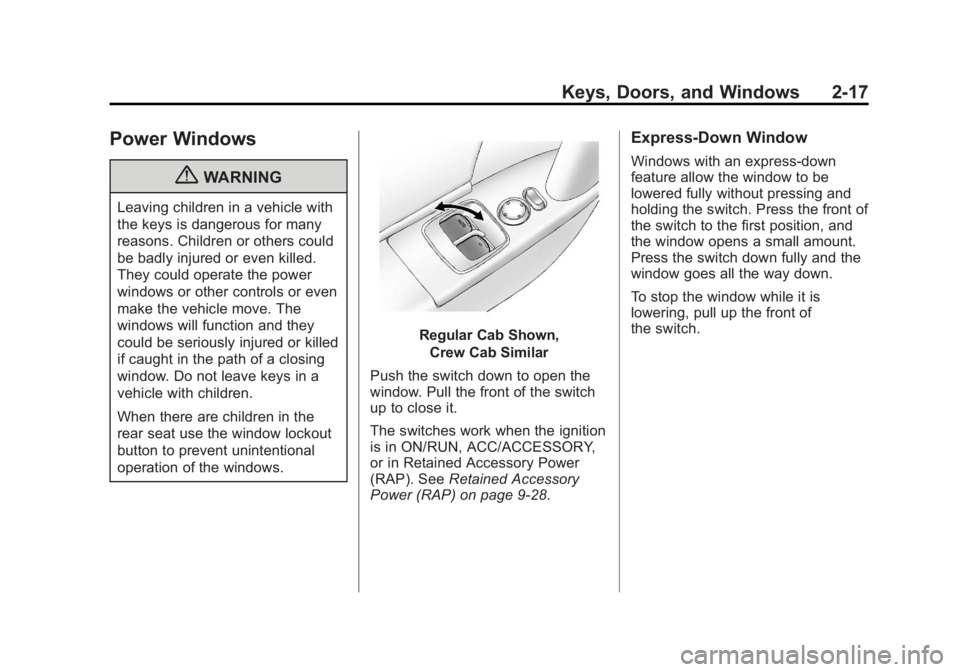
Regular Cab Shown,Crew Cab Similar
Push the switch down to open the
window. Pull the front of the switch
up to close it.
The switches work when the ignition
is in ON/RUN, ACC/ACCESSORY,
or in Retained Accessory Power
(RAP). See Retained Accessory
Power (RAP) on page 9‑28.
Express-Down Window
Windows with an express-down
feature allow the window to be
lowered fully without pressing and
holding the switch. Press the front of
the switch to the first position, and
the window opens a small amount.
Press the switch down fully and the
window goes all the way down.
To stop the window while it is
lowering, pull up the front of
the switch.
Page 54 of 404
Black plate (8,1)GMC Canyon Owner Manual - 2012
3-8 Seats and Restraints
Heated Front Seats
{WARNING
If you cannot feel temperature
change or pain to the skin, the
seat heater may cause burns
even at low temperatures. To
reduce the risk of burns, people
with such a condition should use
care when using the seat heater,
especially for long periods of
time. Do not place anything on
the seat that insulates against
heat, such as a blanket, cushion,
cover, or similar item. This may
cause the seat heater to
overheat. An overheated seat
heater may cause a burn or may
damage the seat.
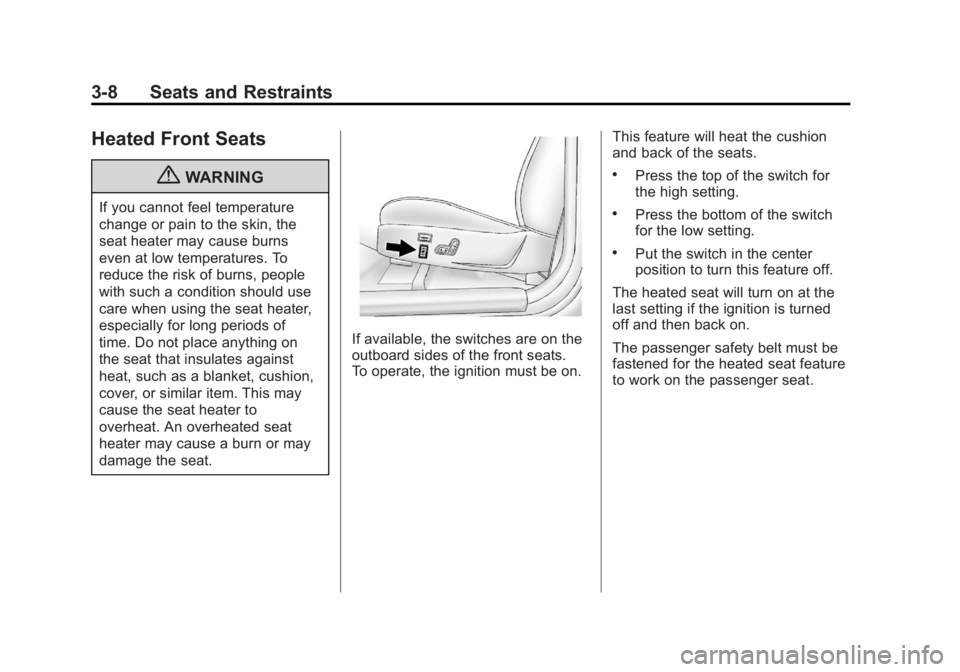
If available, the switches are on the
outboard sides of the front seats.
To operate, the ignition must be on.This feature will heat the cushion
and back of the seats.
.Press the top of the switch for
the high setting.
.Press the bottom of the switch
for the low setting.
.Put the switch in the center
position to turn this feature off.
The heated seat will turn on at the
last setting if the ignition is turned
off and then back on.
The passenger safety belt must be
fastened for the heated seat feature
to work on the passenger seat.
Page 112 of 404
Black plate (2,1)GMC Canyon Owner Manual - 2012
5-2 Instruments and Controls
Controls
Steering Wheel
Adjustment
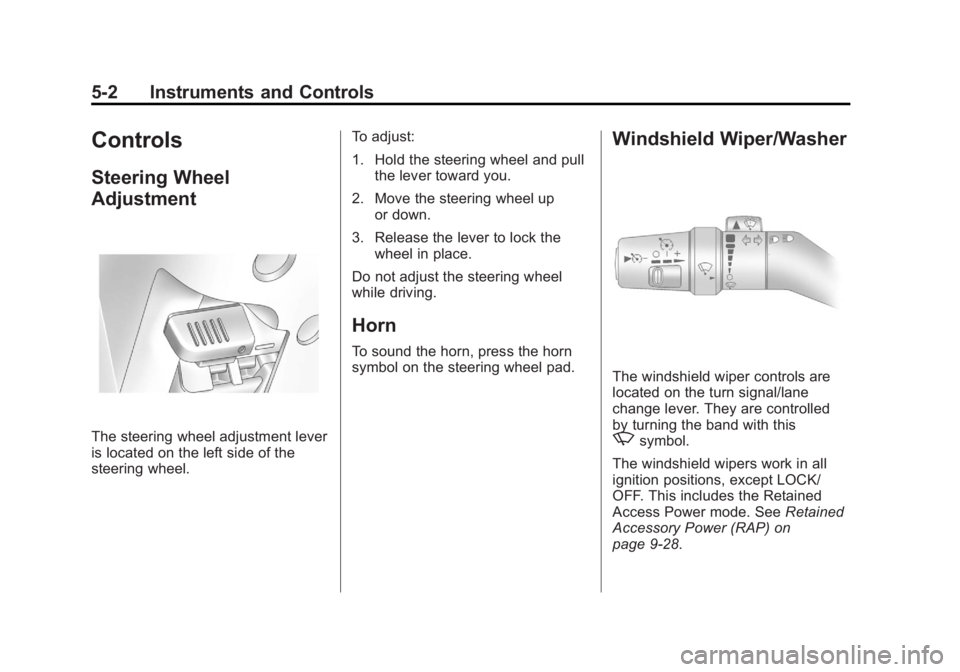
The steering wheel adjustment lever
is located on the left side of the
steering wheel.To adjust:
1. Hold the steering wheel and pull
the lever toward you.
2. Move the steering wheel up or down.
3. Release the lever to lock the wheel in place.
Do not adjust the steering wheel
while driving.
Horn
To sound the horn, press the horn
symbol on the steering wheel pad.
Windshield Wiper/Washer
The windshield wiper controls are
located on the turn signal/lane
change lever. They are controlled
by turning the band with this
zsymbol.
The windshield wipers work in all
ignition positions, except LOCK/
OFF. This includes the Retained
Access Power mode. See Retained
Accessory Power (RAP) on
page 9‑28.
Page 114 of 404
Black plate (4,1)GMC Canyon Owner Manual - 2012
5-4 Instruments and Controls
To calibrate, CAL must be displayed
in the mirror compass windows.
If CAL is not displayed, press and
hold
Yb/Ofor several seconds or
until CAL is displayed.
The compass can be calibrated by
driving the vehicle in circles at
8 km/h (5 mph) or less until the
display reads a direction.
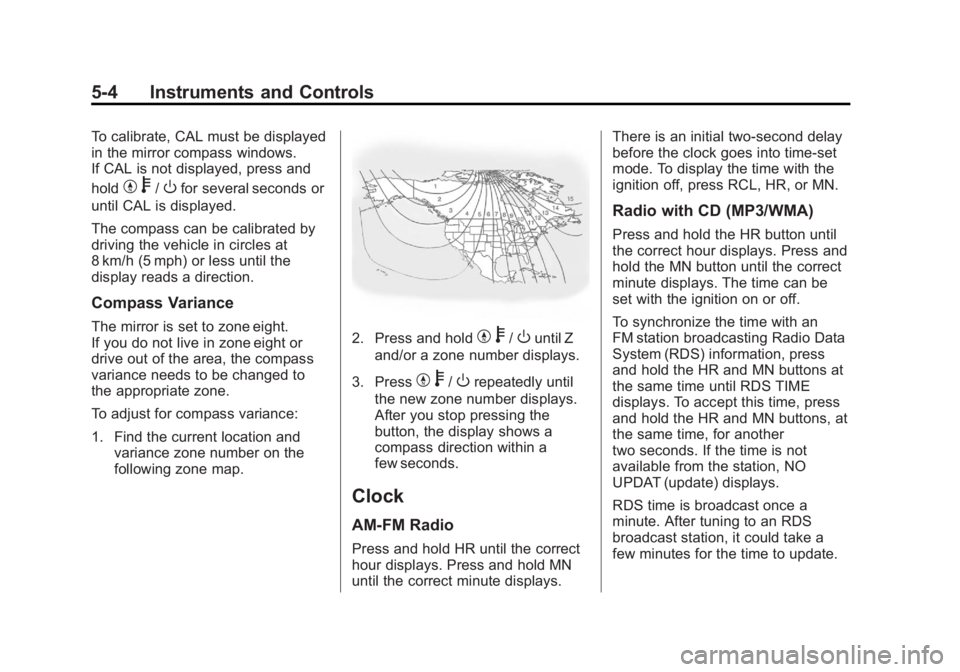
Compass Variance
The mirror is set to zone eight.
If you do not live in zone eight or
drive out of the area, the compass
variance needs to be changed to
the appropriate zone.
To adjust for compass variance:
1. Find the current location and variance zone number on the
following zone map.2. Press and holdYb/Ountil Z
and/or a zone number displays.
3. Press
Y b/Orepeatedly until
the new zone number displays.
After you stop pressing the
button, the display shows a
compass direction within a
few seconds.
Clock
AM-FM Radio
Press and hold HR until the correct
hour displays. Press and hold MN
until the correct minute displays. There is an initial two-second delay
before the clock goes into time-set
mode. To display the time with the
ignition off, press RCL, HR, or MN.
Radio with CD (MP3/WMA)
Press and hold the HR button until
the correct hour displays. Press and
hold the MN button until the correct
minute displays. The time can be
set with the ignition on or off.
To synchronize the time with an
FM station broadcasting Radio Data
System (RDS) information, press
and hold the HR and MN buttons at
the same time until RDS TIME
displays. To accept this time, press
and hold the HR and MN buttons, at
the same time, for another
two seconds. If the time is not
available from the station, NO
UPDAT (update) displays.
RDS time is broadcast once a
minute. After tuning to an RDS
broadcast station, it could take a
few minutes for the time to update.
Page 116 of 404
Black plate (6,1)GMC Canyon Owner Manual - 2012
5-6 Instruments and Controls
Warning Lights,
Gauges, and
Indicators
Warning lights and gauges can
signal that something is wrong
before it becomes serious enough
to cause an expensive repair or
replacement. Paying attention to the
warning lights and gauges could
prevent injury.
Warning lights come on when there
could be a problem with a vehicle
function. Some warning lights come
on briefly when the engine is started
to indicate they are working.Gauges can indicate when there
could be a problem with a vehicle
function. Often gauges and warning
lights work together to indicate a
problem with the vehicle.
When one of the warning lights
comes on and stays on while
driving, or when one of the gauges
shows there may be a problem,
check the section that explains what
to do. Follow this manual's advice.
Waiting to do repairs can be costly
and even dangerous.
Chime Level Adjustment
The radio is used to adjust the
vehicle's chime level. To change the
volume level of the chime, press
and hold pushbutton 6 with the
ignition on and the radio power off.
The volume level will change from
the normal level to loud, and LOUD
will appear on the radio display.
To change back to the default or
normal setting, press and hold
pushbutton 6 again. The volume
level will change from the loud level
to normal, and NORMAL will appear
on the radio display. Each time the
chime volume is changed, three
chimes will sound to indicate the
new volume selected. Removing the
radio and not replacing it with a
factory radio or chime module will
disable vehicle chimes.
Page 118 of 404
Black plate (8,1)GMC Canyon Owner Manual - 2012
5-8 Instruments and Controls
Speedometer
The speedometer shows the
vehicle's speed in either kilometers
per hour (km/h) or miles per
hour (mph).
Odometer
The odometer shows how far the
vehicle has been driven, in either
miles (used in the United States) or
kilometers (used in Canada).
The odometer mileage can be
checked without the vehicle running
by pressing the trip information
stem. See“Odometer” underDriver
Information Center (DIC) on
page 5‑20 for more information.
If the cluster is replaced the new
one will automatically detect and
update the vehicle's accumulated
mileage.
Trip Odometer
The vehicle has a trip odometer that
indicates how far the vehicle has
been driven since the trip odometer
was last set to zero.
See “Trip Odometer” underDriver
Information Center (DIC) on
page 5‑20 for more information.
Tachometer
The tachometer displays the engine
speed in revolutions per
minute (rpm).
Notice:If the engine is operated
with the tachometer in the shaded
warning area, the vehicle could
be damaged, and the damages
would not be covered by the
vehicle warranty. Do not operate
the engine with the tachometer in
the shaded warning area.
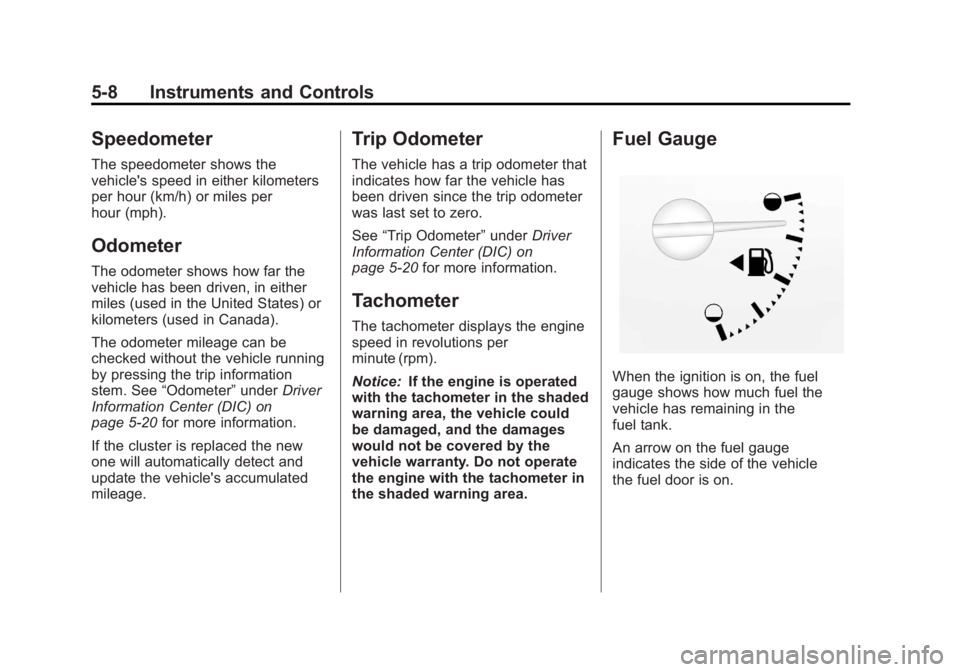
Fuel Gauge
When the ignition is on, the fuel
gauge shows how much fuel the
vehicle has remaining in the
fuel tank.
An arrow on the fuel gauge
indicates the side of the vehicle
the fuel door is on.
Page 119 of 404
Black plate (9,1)GMC Canyon Owner Manual - 2012
Instruments and Controls 5-9
Here are four things that some
owners ask about. None of these
indicate a problem with the vehicle's
fuel gauge:
.At the gas station, the gas pump
shuts off before the gauge
reads full.
.It takes a little more or less fuel
to fill up than the gauge
indicated. For example, the
gauge may have indicated the
tank was half full, but it actually
took a little more or less than
half the tank's capacity to fill
the tank.
.The gauge moves a little while
turning a corner or speeding up.
.The gauge does not go back to
empty when the ignition is
turned off.
When the fuel in the fuel tank is low,
a LOW FUEL message will display
on the Driver Information
Center (DIC). See Fuel System
Messages on page 5‑25 for more
information.
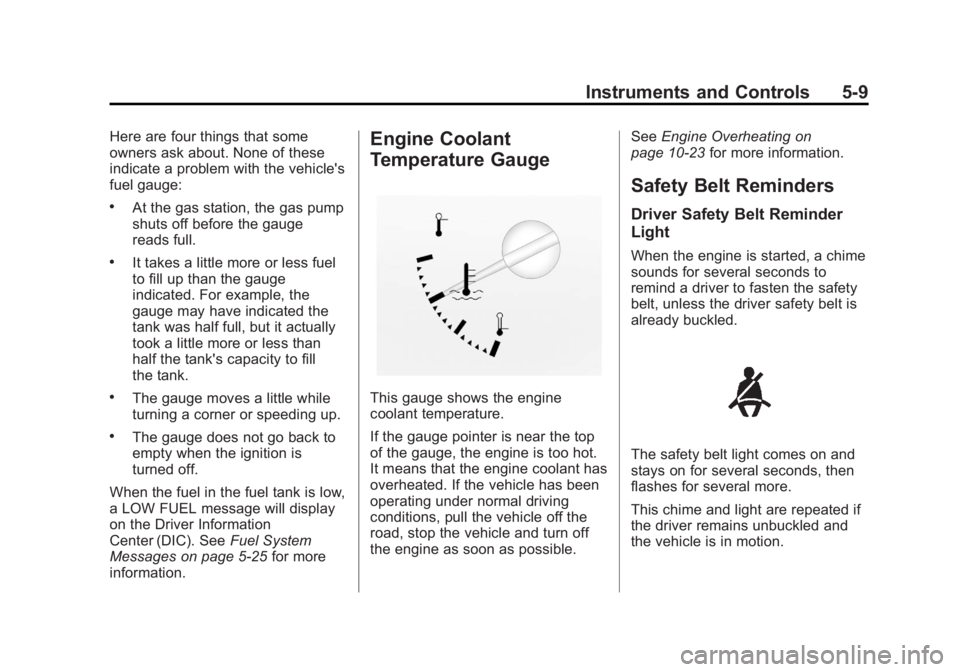
Engine Coolant
Temperature Gauge
This gauge shows the engine
coolant temperature.
If the gauge pointer is near the top
of the gauge, the engine is too hot.
It means that the engine coolant has
overheated. If the vehicle has been
operating under normal driving
conditions, pull the vehicle off the
road, stop the vehicle and turn off
the engine as soon as possible. See
Engine Overheating on
page 10‑23 for more information.
Safety Belt Reminders
Driver Safety Belt Reminder
Light
When the engine is started, a chime
sounds for several seconds to
remind a driver to fasten the safety
belt, unless the driver safety belt is
already buckled.
The safety belt light comes on and
stays on for several seconds, then
flashes for several more.
This chime and light are repeated if
the driver remains unbuckled and
the vehicle is in motion.
Page 122 of 404
Black plate (12,1)GMC Canyon Owner Manual - 2012
5-12 Instruments and Controls
If the word ON or the on symbol is
lit on the passenger airbag status
indicator, it means that the right
front passenger frontal airbag is
enabled (may inflate).
If the word OFF or the off symbol is
lit on the airbag status indicator, it
means that the passenger sensing
system has turned off the right front
passenger frontal airbag.
If, after several seconds, both status
indicator lights remain on, or if there
are no lights at all, there may be a
problem with the lights or the
passenger sensing system.
See your dealer for service.
{WARNING
If the airbag readiness light ever
comes on and stays on, it means
that something may be wrong
with the airbag system. To help
avoid injury to yourself or others,
have the vehicle serviced right
away. SeeAirbag Readiness
(Continued)
WARNING (Continued)
Light on page 5‑10 for more
information, including important
safety information.
Charging System Light
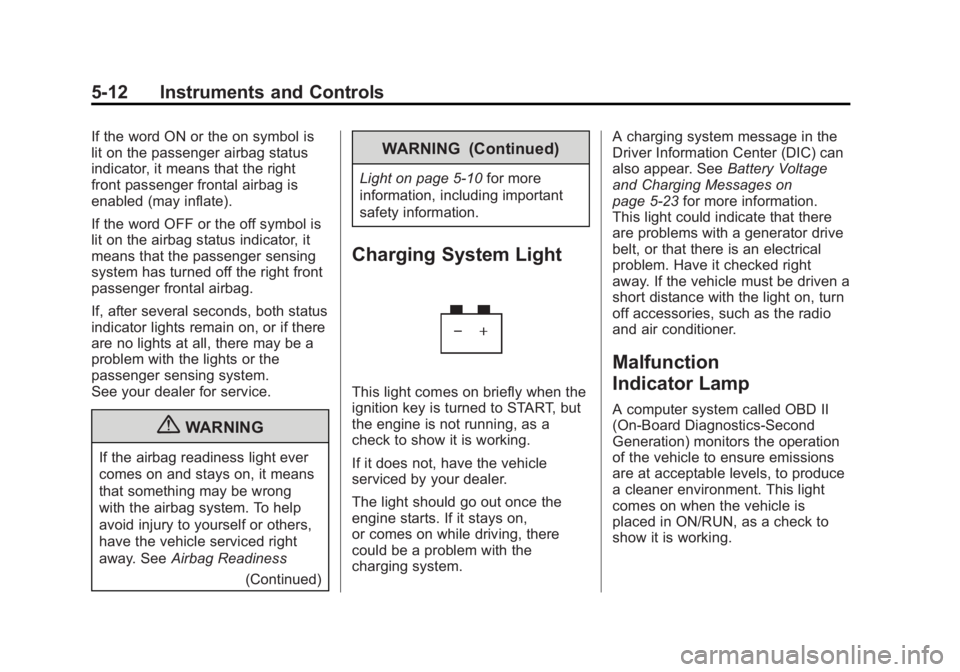
This light comes on briefly when the
ignition key is turned to START, but
the engine is not running, as a
check to show it is working.
If it does not, have the vehicle
serviced by your dealer.
The light should go out once the
engine starts. If it stays on,
or comes on while driving, there
could be a problem with the
charging system. A charging system message in the
Driver Information Center (DIC) can
also appear. See
Battery Voltage
and Charging Messages on
page 5‑23 for more information.
This light could indicate that there
are problems with a generator drive
belt, or that there is an electrical
problem. Have it checked right
away. If the vehicle must be driven a
short distance with the light on, turn
off accessories, such as the radio
and air conditioner.
Malfunction
Indicator Lamp
A computer system called OBD II
(On-Board Diagnostics-Second
Generation) monitors the operation
of the vehicle to ensure emissions
are at acceptable levels, to produce
a cleaner environment. This light
comes on when the vehicle is
placed in ON/RUN, as a check to
show it is working.
Page 123 of 404
Black plate (13,1)GMC Canyon Owner Manual - 2012
Instruments and Controls 5-13
If it does not, have the vehicle
serviced by your dealer. SeeIgnition
Positions on page 9‑24 for more
information.
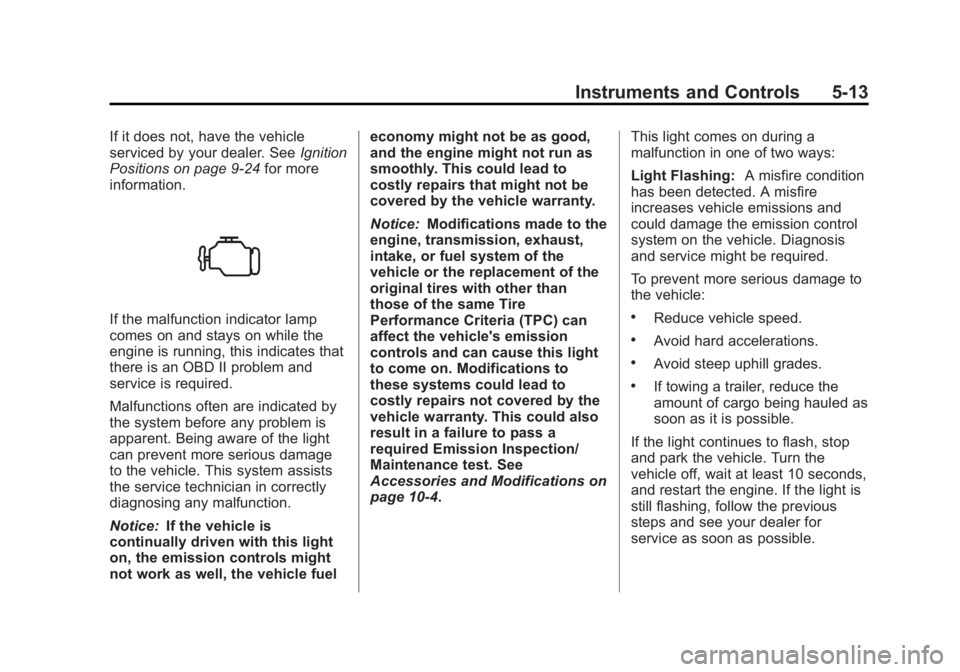
If the malfunction indicator lamp
comes on and stays on while the
engine is running, this indicates that
there is an OBD II problem and
service is required.
Malfunctions often are indicated by
the system before any problem is
apparent. Being aware of the light
can prevent more serious damage
to the vehicle. This system assists
the service technician in correctly
diagnosing any malfunction.
Notice: If the vehicle is
continually driven with this light
on, the emission controls might
not work as well, the vehicle fuel economy might not be as good,
and the engine might not run as
smoothly. This could lead to
costly repairs that might not be
covered by the vehicle warranty.
Notice:
Modifications made to the
engine, transmission, exhaust,
intake, or fuel system of the
vehicle or the replacement of the
original tires with other than
those of the same Tire
Performance Criteria (TPC) can
affect the vehicle's emission
controls and can cause this light
to come on. Modifications to
these systems could lead to
costly repairs not covered by the
vehicle warranty. This could also
result in a failure to pass a
required Emission Inspection/
Maintenance test. See
Accessories and Modifications on
page 10‑4. This light comes on during a
malfunction in one of two ways:
Light Flashing:
A misfire condition
has been detected. A misfire
increases vehicle emissions and
could damage the emission control
system on the vehicle. Diagnosis
and service might be required.
To prevent more serious damage to
the vehicle:.Reduce vehicle speed.
.Avoid hard accelerations.
.Avoid steep uphill grades.
.If towing a trailer, reduce the
amount of cargo being hauled as
soon as it is possible.
If the light continues to flash, stop
and park the vehicle. Turn the
vehicle off, wait at least 10 seconds,
and restart the engine. If the light is
still flashing, follow the previous
steps and see your dealer for
service as soon as possible.