engine oil GMC CANYON 2012 Owner's Manual
[x] Cancel search | Manufacturer: GMC, Model Year: 2012, Model line: CANYON, Model: GMC CANYON 2012Pages: 404, PDF Size: 5.25 MB
Page 5 of 404
Black plate (5,1)GMC Canyon Owner Manual - 2012
Introduction v
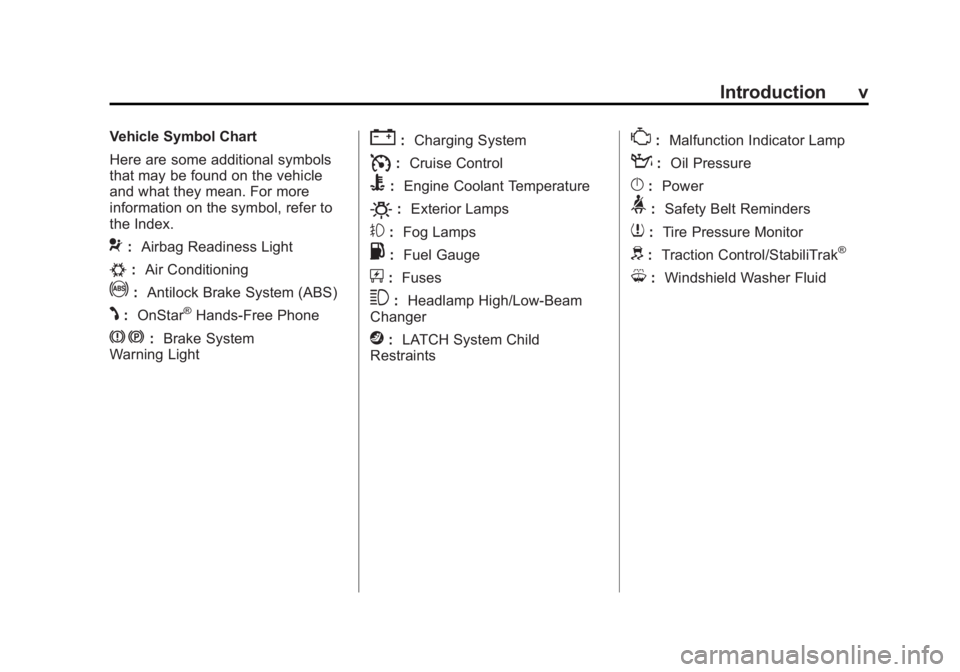
Vehicle Symbol Chart
Here are some additional symbols
that may be found on the vehicle
and what they mean. For more
information on the symbol, refer to
the Index.
9:Airbag Readiness Light
#:Air Conditioning
!:Antilock Brake System (ABS)
J:OnStar®Hands-Free Phone
J:Brake System
Warning Light
": Charging System
I:Cruise Control
B: Engine Coolant Temperature
O:Exterior Lamps
#:Fog Lamps
.: Fuel Gauge
+:Fuses
3: Headlamp High/Low-Beam
Changer
j: LATCH System Child
Restraints
*: Malfunction Indicator Lamp
::Oil Pressure
}:Power
>:Safety Belt Reminders
7:Tire Pressure Monitor
d:Traction Control/StabiliTrak®
M:Windshield Washer Fluid
Page 7 of 404
Black plate (1,1)GMC Canyon Owner Manual - 2012
In Brief 1-1
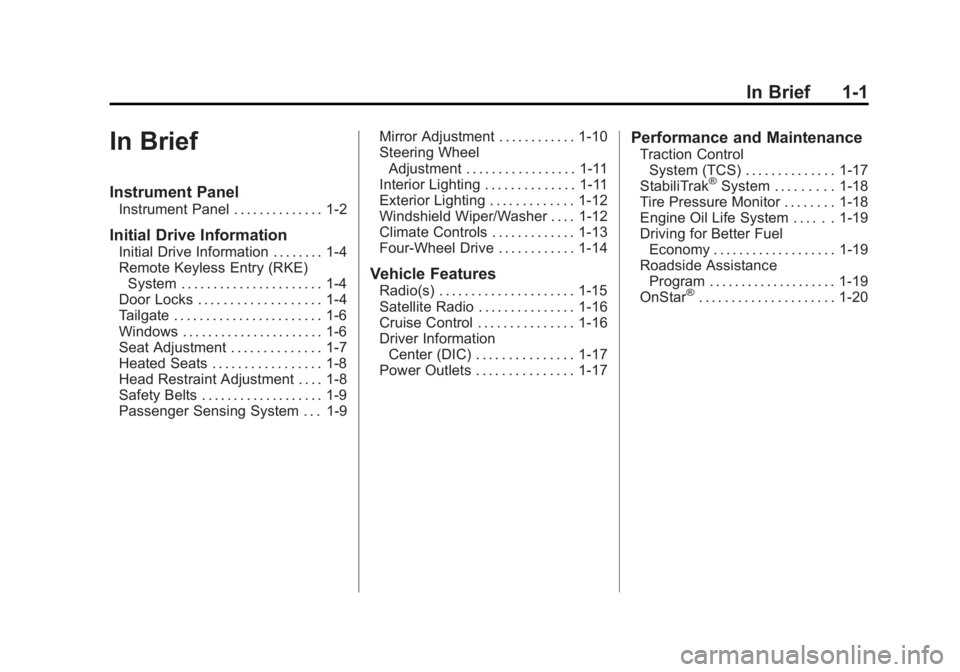
In Brief
Instrument Panel
Instrument Panel . . . . . . . . . . . . . . 1-2
Initial Drive Information
Initial Drive Information . . . . . . . . 1-4
Remote Keyless Entry (RKE)System . . . . . . . . . . . . . . . . . . . . . . 1-4
Door Locks . . . . . . . . . . . . . . . . . . . 1-4
Tailgate . . . . . . . . . . . . . . . . . . . . . . . 1-6
Windows . . . . . . . . . . . . . . . . . . . . . . 1-6
Seat Adjustment . . . . . . . . . . . . . . 1-7
Heated Seats . . . . . . . . . . . . . . . . . 1-8
Head Restraint Adjustment . . . . 1-8
Safety Belts . . . . . . . . . . . . . . . . . . . 1-9
Passenger Sensing System . . . 1-9 Mirror Adjustment . . . . . . . . . . . . 1-10
Steering Wheel
Adjustment . . . . . . . . . . . . . . . . . 1-11
Interior Lighting . . . . . . . . . . . . . . 1-11
Exterior Lighting . . . . . . . . . . . . . 1-12
Windshield Wiper/Washer . . . . 1-12
Climate Controls . . . . . . . . . . . . . 1-13
Four-Wheel Drive . . . . . . . . . . . . 1-14
Vehicle Features
Radio(s) . . . . . . . . . . . . . . . . . . . . . 1-15
Satellite Radio . . . . . . . . . . . . . . . 1-16
Cruise Control . . . . . . . . . . . . . . . 1-16
Driver Information Center (DIC) . . . . . . . . . . . . . . . 1-17
Power Outlets . . . . . . . . . . . . . . . 1-17
Performance and Maintenance
Traction Control System (TCS) . . . . . . . . . . . . . . 1-17
StabiliTrak
®System . . . . . . . . . 1-18
Tire Pressure Monitor . . . . . . . . 1-18
Engine Oil Life System . . . . . . 1-19
Driving for Better Fuel Economy . . . . . . . . . . . . . . . . . . . 1-19
Roadside Assistance Program . . . . . . . . . . . . . . . . . . . . 1-19
OnStar
®. . . . . . . . . . . . . . . . . . . . . 1-20
Page 25 of 404
Black plate (19,1)GMC Canyon Owner Manual - 2012
In Brief 1-19
Engine Oil Life System
The engine oil life system calculates
engine oil life based on vehicle use
and displays a DIC message when
it is necessary to change the engine
oil and filter.
Resetting the Oil Life System
1. Turn the ignition to ON/RUN,with the engine off.
2. Press and release the stem in the lower center of the
instrument cluster until the OIL
LIFE message is displayed.
3. Once the alternating OIL LIFE and RESET messages appear,
press and hold the stem until
several beeps sound. This
confirms that the oil life system
has been reset.
4. Turn the key to LOCK/OFF.
See Engine Oil Life System on
page 10‑12.
Driving for Better Fuel
Economy
Driving habits can affect fuel
mileage. Here are some driving tips
to get the best fuel economy
possible.
.Avoid fast starts and accelerate
smoothly.
.Brake gradually and avoid
abrupt stops.
.Avoid idling the engine for long
periods of time.
.When road and weather
conditions are appropriate, use
cruise control.
.Always follow posted speed
limits or drive more slowly when
conditions require.
.Keep vehicle tires properly
inflated.
.Combine several trips into a
single trip.
.Replace the vehicle's tires with
the same TPC Spec number
molded into the tire's sidewall
near the size.
.Follow recommended scheduled
maintenance.
Roadside Assistance
Program
U.S.: 1-888-881-3302
TTY Users (U.S.): 1-888-889-2438
Canada: 1-800-268-6800
Mexico: 01-800-466-0801
As the owner of a new GMC, you
are automatically enrolled in the
Roadside Assistance program.
See Roadside Assistance Program
(U.S. and Canada) on page 13‑8 or
Roadside Assistance Program
(Mexico) on page 13‑10 for more
information.
Page 111 of 404
Black plate (1,1)GMC Canyon Owner Manual - 2012
Instruments and Controls 5-1
Instruments and
Controls
Controls
Steering Wheel Adjustment . . . 5-2
Horn . . . . . . . . . . . . . . . . . . . . . . . . . . 5-2
Windshield Wiper/Washer . . . . . 5-2
Compass . . . . . . . . . . . . . . . . . . . . . 5-3
Clock . . . . . . . . . . . . . . . . . . . . . . . . . 5-4
Power Outlets . . . . . . . . . . . . . . . . . 5-5
Cigarette Lighter . . . . . . . . . . . . . . 5-5
Ashtrays . . . . . . . . . . . . . . . . . . . . . . 5-5
Warning Lights, Gauges, and
Indicators
Warning Lights, Gauges, andIndicators . . . . . . . . . . . . . . . . . . . . 5-6
Chime Level Adjustment . . . . . . 5-6
Instrument Cluster . . . . . . . . . . . . 5-7
Speedometer . . . . . . . . . . . . . . . . . 5-8
Odometer . . . . . . . . . . . . . . . . . . . . . 5-8
Trip Odometer . . . . . . . . . . . . . . . . . 5-8
Tachometer . . . . . . . . . . . . . . . . . . . 5-8 Fuel Gauge . . . . . . . . . . . . . . . . . . . 5-8
Engine Coolant Temperature
Gauge . . . . . . . . . . . . . . . . . . . . . . . 5-9
Safety Belt Reminders . . . . . . . . 5-9
Airbag Readiness Light . . . . . . 5-10
Passenger Airbag Status Indicator . . . . . . . . . . . . . . . . . . . . 5-11
Charging System Light . . . . . . 5-12
Malfunction Indicator Lamp . . . . . . . . . . . . . 5-12
Brake System Warning Light . . . . . . . . . . . . . . . . . . . . . . . 5-15
Antilock Brake System (ABS) Warning Light . . . . . . . . . . . . . . 5-16
StabiliTrak
®OFF Light . . . . . . . 5-17
Traction Control System (TCS)/StabiliTrak
®Light . . . . 5-17
Tire Pressure Light . . . . . . . . . . 5-17
Engine Oil Pressure Light . . . . 5-18
Security Light . . . . . . . . . . . . . . . . 5-19
High-Beam On Light . . . . . . . . . 5-19
Cruise Control Light . . . . . . . . . 5-19
Information Displays
Driver Information Center (DIC) . . . . . . . . . . . . . . . 5-20
Vehicle Messages
Vehicle Messages . . . . . . . . . . . 5-23
Battery Voltage and ChargingMessages . . . . . . . . . . . . . . . . . . 5-23
Brake System Messages . . . . 5-23
Door Ajar Messages . . . . . . . . . 5-24
Engine Cooling System Messages . . . . . . . . . . . . . . . . . . 5-24
Engine Oil Messages . . . . . . . . 5-24
Engine Power Messages . . . . 5-25
Fuel System Messages . . . . . . 5-25
Lamp Messages . . . . . . . . . . . . . 5-25
Ride Control System Messages . . . . . . . . . . . . . . . . . . 5-26
Service Vehicle Messages . . . 5-27
Tire Messages . . . . . . . . . . . . . . . 5-27
Transmission Messages . . . . . 5-27
Page 128 of 404
Black plate (18,1)GMC Canyon Owner Manual - 2012
5-18 Instruments and Controls
A Driver Information Center (DIC)
tire pressure message may also
display. SeeVehicle Messages on
page 5‑23 for more information.
Stop as soon as possible, and
inflate the tires to the pressure value
shown on the Tire and Loading
Information label. See Tire Pressure
on page 10‑54 for more information.
When the Light Flashes First and
Then Is On Steady
If the light flashes for about a minute
and then stays on, there may be a
problem with the TPMS. If the
problem is not corrected, the light
will come on at every ignition cycle.
See Tire Pressure Monitor
Operation on page 10‑58 for
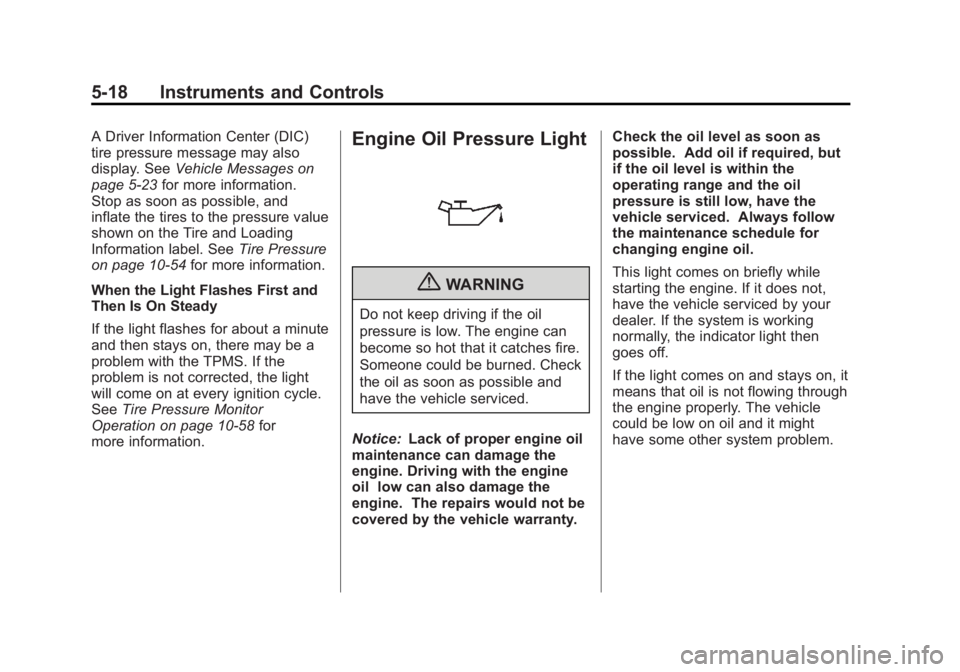
more information.Engine Oil Pressure Light
{WARNING
Do not keep driving if the oil
pressure is low. The engine can
become so hot that it catches fire.
Someone could be burned. Check
the oil as soon as possible and
have the vehicle serviced.
Notice: Lack of proper engine oil
maintenance can damage the
engine. Driving with the engine
oil low can also damage the
engine. The repairs would not be
covered by the vehicle warranty. Check the oil level as soon as
possible. Add oil if required, but
if the oil level is within the
operating range and the oil
pressure is still low, have the
vehicle serviced. Always follow
the maintenance schedule for
changing engine oil.
This light comes on briefly while
starting the engine. If it does not,
have the vehicle serviced by your
dealer. If the system is working
normally, the indicator light then
goes off.
If the light comes on and stays on, it
means that oil is not flowing through
the engine properly. The vehicle
could be low on oil and it might
have some other system problem.
Page 130 of 404
Black plate (20,1)GMC Canyon Owner Manual - 2012
5-20 Instruments and Controls
Information Displays
Driver Information
Center (DIC)
The Driver Information Center (DIC)
displays information such as the trip
odometer, personalization features,
and warning messages. The DIC
display is located on the instrument
panel cluster.
Operation and Displays
The Driver Information Center (DIC)
comes on when the ignition is on.
If a problem is detected, a warning
message appears on the display.
Pressing and releasing the trip
odometer reset stem on the DIC
acknowledges some current
warnings or service messages.
Some messages only clear after the
required action has been taken.
The DIC has different menu items
which can be accessed by pressing
the trip odometer reset stem on the
DIC. This includes trip information,such as the odometer and trip
odometer, engine oil life reset, and
personalization features that are
explained in the following
information. The DIC trip odometer
reset stem is located on the
instrument panel cluster next to
the DIC display.
Trip Information
Odometer
The odometer is automatically
displayed on the DIC when you start
the vehicle. The odometer shows
the total distance the vehicle has
been driven in either miles for the
United States or kilometers for
Canada.
Trip Odometer
Press and release the reset stem
until TRIP appears on the DIC
display. The trip odometer shows
the current distance traveled since
the last reset of the trip odometer in
either miles for the United States or
kilometers for Canada.
To reset the trip odometer, press
and hold the reset stem until the
display returns to zero.
Engine Oil Life System
With the engine off, turn the
key to ON/RUN and then press the
reset stem until OIL LIFE RESET
appears
—alternating between OIL
LIFE and RESET —on the DIC
display. The CHANGE OIL message
alerts you to change the oil on a
schedule consistent with your
driving conditions. Always reset the
OIL LIFE message after an oil
change. To reset the message, see
Engine Oil Life System on
page 10‑12.
In addition to the engine oil life
system monitoring the oil life,
additional maintenance is
recommended in the Maintenance
Schedule in this manual. See
Engine Oil on page 10‑9 and
Maintenance Schedule on
page 11‑3 for more information.
Page 134 of 404
Black plate (24,1)GMC Canyon Owner Manual - 2012
5-24 Instruments and Controls
FLUID
This message displays if the brake
fluid is low. Check the brake fluid as
soon as possible and have your
vehicle serviced by your dealer.
SeeBraking on page 9‑4 for more
information. Press and release the
reset stem to acknowledge the
message and clear it from the
display.
PARK BRK (Brake)
This message displays when the
parking brake is set. See Parking
Brake on page 9‑42 andAntilock
Brake System (ABS) Warning Light
on page 5‑16 for more information.
The message clears from the
display after the parking brake is
released or by pressing and
releasing the reset stem.
Door Ajar Messages
DOORS
This message displays when one or
more of the doors is ajar. Check all
the doors on your vehicle to make
sure they are closed. The message
clears from the display after all of
the doors are closed.
Engine Cooling System
Messages
AC (Air Conditioning) OFF
This message displays when the
engine coolant temperature is too
high and the air conditioning in your
vehicle needs to be turned off. See
Engine Overheating on page 10‑23
and Climate Control Systems on
page 8‑1 for more information. This
message displays along with the
ENG HOT message.
ENG (Engine) HOT
This message displays when the
engine coolant temperature is hot.
Check the engine coolant
temperature gauge. See Engine
Coolant Temperature Gauge on
page 5‑9. Have your vehicle
serviced by your dealer as soon as
possible if you suspect the engine is
overheating. See Engine
Overheating on page 10‑23 for
more information.
Engine Oil Messages
CHANGE OIL
This message displays when the oil
needs to be changed. Check the oil
in your vehicle as soon as possible
and have your vehicle serviced by
your dealer. See Engine Oil on
page 10‑9 andMaintenance
Schedule on page 11‑3 for more
information. Press and release the
reset stem to acknowledge the
message and clear it from the
display.
Page 135 of 404
Black plate (25,1)GMC Canyon Owner Manual - 2012
Instruments and Controls 5-25
OIL
This message displays when the oil
pressure is low. SeeEngine Oil
Pressure Light on page 5‑18 and
Engine Oil on page 10‑9 for more
information.
Engine Power Messages
REDUCED POWER
This message displays when the
vehicle's engine power is reduced.
Reduced engine power can affect
the vehicle's ability to accelerate.
If this message is on, but there
is no reduction in performance,
proceed to your destination. The
performance may be reduced the
next time the vehicle is driven. The
vehicle may be driven at a reduced
speed while this message is on, but
acceleration and speed may be
reduced. Anytime this message
stays on, the vehicle should be
taken to your dealer for service as
soon as possible. Press and release the reset stem to
acknowledge the message and
clear it from the display.
Fuel System Messages
FUEL CAP
This message displays if the
vehicle's fuel cap is either off or
loose. Pull over as soon as possible
and check to see if the fuel cap is
secure. You may also see the check
engine light on the instrument panel
cluster. If the check engine light
does come on when the fuel cap
was loose, it may take a few driving
trips before the light turns off. See
Malfunction Indicator Lamp on
page 5‑12
for more information if the
light still remains on. Press and
release the reset stem to
acknowledge the message and
clear it from the display.
LOW FUEL
This message displays if the level of
fuel in the vehicle is low. Also check
the fuel gauge. See Fuel Gauge on
page 5‑8 for more information. Refill
the fuel tank as soon as possible.
Lamp Messages
TURN SIGNAL
This message displays when the
turn signal is on for about 1.2 km
(0.75 miles) of travel. Press and
release the reset stem to
acknowledge the message and
clear it from the display.
Page 206 of 404
Black plate (26,1)GMC Canyon Owner Manual - 2012
9-26 Driving and Operating
B (ACC/ACCESSORY):This is the
position in which you can operate
the electrical accessories or items
plugged into the accessory power
outlets. On automatic transmission
vehicles, this position unlocks the
ignition. On manual transmission
vehicles, it unlocks the ignition and
steering wheel . Use this position if
the vehicle must be pushed or
towed.
C (ON/RUN): This position can be
used to operate the electrical
accessories and to display some
instrument panel cluster warning
and indicator lights. This position
can also be used for service and
diagnostics, and to verify the proper
operation of the malfunction
indicator lamp as may be required
for emission inspection purposes.
The switch stays in this position
when the engine is running. The
transmission is also unlocked in this
position on automatic transmission
vehicles. If you leave the key in the ACC/
ACCESSORY or ON/RUN position
with the engine off, the battery could
be drained. You may not be able to
start your vehicle if the battery is
allowed to drain for an extended
period of time.
D (START):
This is the position that
starts the engine. When the engine
starts, release the key. The ignition
switch returns to ON/RUN for
driving.
A warning tone will sound when the
driver door is opened, the ignition is
in ACC/ACCESSORY or LOCK/OFF
and the key is in the ignition.
Starting the Engine
Place the transmission in the
proper gear.
Automatic Transmission
Move the shift lever to P (Park) or
N (Neutral). The engine will not start
in any other position. To restart the
vehicle when it is already moving,
use N (Neutral) only. Notice:
Do not try to shift to
P (Park) if the vehicle is moving.
If you do, you could damage the
transmission. Shift to P (Park)
only when the vehicle is stopped.
Manual Transmission
The shift lever should be in
N (Neutral) and the parking brake
engaged. Hold the clutch pedal
down to the floor and start the
engine. The vehicle will not start if
the clutch pedal is not all the
way down.
Starting Procedure
1. With your foot off the accelerator
pedal, turn the ignition key to
START. When the engine starts,
let go of the key. The idle speed
will go down as the engine
warms. Do not race the engine
immediately after starting it.
Operate the engine and
transmission gently to allow the
oil to warm up and lubricate all
moving parts.
Page 207 of 404
Black plate (27,1)GMC Canyon Owner Manual - 2012
Driving and Operating 9-27
The vehicle has a
Computer-Controlled Cranking
System. This feature assists in
starting the engine and protects
components. If the ignition key is
turned to the START position,
and then released when the
engine begins cranking, the
engine will continue cranking for
a few seconds or until the
vehicle starts. If the engine does
not start and the key is held in
START for many seconds,
cranking will be stopped after
15 seconds to prevent cranking
motor damage. To prevent gear
damage, this system also
prevents cranking if the engine
is already running. Engine
cranking can be stopped by
turning the ignition switch to
ACC/ACCESSORY or
LOCK/OFF.
Notice: Cranking the engine for
long periods of time, by returning
the key to the START position
immediately after cranking has
ended, can overheat and damage the cranking motor, and drain the
battery. Wait at least 15 seconds
between each try, to let the
cranking motor cool down.
2. If the engine does not start after
5‐10 seconds, especially in very
cold weather (below 0°F or
−18°C), it could be flooded with
too much gasoline. Push the
accelerator pedal all the way to
the floor and holding it there as
you hold the key in START for a
maximum of 15 seconds. Wait at
least 15 seconds between each
try, to allow the cranking motor
to cool. When the engine starts,
let go of the key and accelerator.
If the vehicle starts briefly but
then stops again, repeat the
procedure. This clears the extra
gasoline from the engine. Do not
race the engine immediately
after starting it. Operate the
engine and transmission gently
until the oil warms up and
lubricates all moving parts. Notice:
The engine is designed to
work with the electronics in the
vehicle. If you add electrical parts
or accessories, you could change
the way the engine operates.
Before adding electrical
equipment, check with your
dealer. If you do not, the engine
might not perform properly. Any
resulting damage would not be
covered by the vehicle warranty.
Engine Heater
The engine coolant heater can
provide easier starting and better
fuel economy during engine
warm-up in cold weather conditions
at or below −18°C (0°F ). Vehicles
with an engine coolant heater
should be plugged in at least
four hours before starting. An
internal thermostat in the plug-end
of the cord may exist which will
prevent engine coolant heater
operation at temperatures above
−18°C (0°F).