electrical GMC CANYON 2016 Owner's Guide
[x] Cancel search | Manufacturer: GMC, Model Year: 2016, Model line: CANYON, Model: GMC CANYON 2016Pages: 392, PDF Size: 5.31 MB
Page 327 of 392
GMC Canyon Owner Manual (GMNA-Localizing-U.S/Canada-9159361) -
2016 - crc - 8/25/15
326 Vehicle Care
6. Connect the other end of thered positive (+) cable to the
positive (+) terminal of the good
battery.
7. Connect one end of the black negative (–) cable to the
negative (–) terminal of the
good battery.
8. Connect the other end of the black negative (–) cable to the
negative (–) grounding stud for
the discharged battery.
9. Start the engine in the vehicle with the good battery and run
the engine at idle speed for at
least four minutes.
10. Try to start the vehicle that had the dead battery. If it will not
start after a few tries, it
probably needs service.
Caution
If the jumper cables are
connected or removed in the
wrong order, electrical shorting
may occur and damage the
(Continued)
Caution (Continued)
vehicle. The repairs would not be
covered by the vehicle warranty.
Always connect and remove the
jumper cables in the correct order,
making sure that the cables do
not touch each other or other
metal.
Jumper Cable Removal
Reverse the sequence exactly when
removing the jumper cables.
After starting the disabled vehicle
and removing the jumper cables,
allow it to idle for several minutes.
Towing the Vehicle
Caution
Incorrectly towing a disabled
vehicle may cause damage. The
damage would not be covered by
the vehicle warranty.
Do not lash or hook to
suspension components. Use the
proper straps around the tires to
secure the vehicle.
Have the vehicle towed on a flatbed
car carrier or a wheel lift tow truck. If
a wheel lift tow truck is used, the
drive wheels cannot contact the
road while the vehicle is being
towed. A wheel dolly must be used
to lift all drive wheels off the ground.
Consult your dealer or a
professional towing service if the
disabled vehicle must be towed.
Page 333 of 392
GMC Canyon Owner Manual (GMNA-Localizing-U.S/Canada-9159361) -
2016 - crc - 8/25/15
332 Vehicle Care
Caution (Continued)
your dealer. Follow all
manufacturer directions regarding
correct product usage, necessary
safety precautions, and
appropriate disposal of any
vehicle care product.
Caution
Avoid using high-pressure
washes closer than 30 cm (12 in)
to the surface of the vehicle. Use
of power washers exceeding
8,274 kPa (1,200 psi) can result
in damage or removal of paint
and decals.
This symbol
eis on any
underhood compartment electrical
center that should not be power
washed. This could cause damage
that would not be covered by the
vehicle warranty. If using an automatic car wash,
follow with the car wash
instructions. The windshield wiper
and rear window wiper, if equipped,
must be off. Remove any
accessories that may be damaged
or interfere with the car wash
equipment.
Rinse the vehicle well, before
washing and after, to remove all
cleaning agents completely. If they
are allowed to dry on the surface,
they could stain.
Dry the finish with a soft, clean
chamois or an all-cotton towel to
avoid surface scratches and water
spotting.
Finish Care
Application of aftermarket clearcoat
sealant/wax materials is not
recommended. If painted surfaces
are damaged, see your dealer to
have the damage assessed and
repaired. Foreign materials such as
calcium chloride and other salts, ice
melting agents, road oil and tar, tree
sap, bird droppings, chemicals from
industrial chimneys, etc., can
damage the vehicle's finish if theyremain on painted surfaces. Wash
the vehicle as soon as possible.
If necessary, use non-abrasive
cleaners that are marked safe for
painted surfaces to remove foreign
matter.
Occasional hand waxing or mild
polishing should be done to remove
residue from the paint finish. See
your dealer for approved cleaning
products.
Do not apply waxes or polishes to
uncoated plastic, vinyl, rubber,
decals, simulated wood, or flat paint
as damage can occur.
Caution
Machine compounding or
aggressive polishing on a
basecoat/clearcoat paint finish
may damage it. Use only
non-abrasive waxes and polishes
that are made for a basecoat/
clearcoat paint finish on the
vehicle.
Page 348 of 392
GMC Canyon Owner Manual (GMNA-Localizing-U.S/Canada-9159361) -
2016 - crc - 8/25/15
Service and Maintenance 347
(2)Or every four years, whichever
comes first. If driving in dusty
conditions, inspect the filter at each
oil change or more often as needed.
(3) Check all fuel and vapor lines
and hoses for proper hook-up,
routing, and condition.
(4) Do not directly power wash the
transfer case and/or front/rear axle
output seals. High pressure water
can overcome the seals and
contaminate the transfer case fluid.
Contaminated fluid will decrease the
life of the transfer case and/or axles
and should be replaced.
(5) Or every five years, whichever
comes first. See Cooling System
0 268
ii.
(6) Or every 10 years, whichever
comes first. Inspect for fraying,
excessive cracking, or damage;
replace, if needed.
(7) Replace brake/clutch fluid every
five years. See Brake Fluid0275
ii.
Special Application
Services
.
Severe Commercial Use
Vehicles Only: Lubricate chassis
components every 5 000 km/
3,000 mi.
. Have underbody flushing service
performed. See "Underbody
Maintenance" in Exterior Care
0 331
ii.
Additional
Maintenance and Care
Your vehicle is an important
investment and caring for it properly
may help to avoid future costly
repairs. To maintain vehicle
performance, additional
maintenance services may be
required.
It is recommended that your dealer
perform these services —their
trained dealer technicians know
your vehicle best. Your dealer can
also perform a thorough
assessment with a multi-point
inspection to recommend when your
vehicle may need attention.
The following list is intended to
explain the services and conditions
to look for that may indicate
services are required.
Battery
The 12-volt battery supplies power
to start the engine and operate any
additional electrical accessories.
Page 367 of 392
GMC Canyon Owner Manual (GMNA-Localizing-U.S/Canada-9159361) -
2016 - crc - 8/25/15
366 Customer Information
.Vehicle make, model, and
model year.
. Vehicle Identification
Number (VIN).
. Insurance company and policy
number.
. General description of the
damage to the other vehicle.
Choose a reputable repair facility
that uses quality replacement parts.
See “Collision Parts” earlier in this
section.
If the airbag has inflated, see What
Will You See after an Airbag
Inflates? 061
ii.
Managing the Vehicle Damage
Repair Process
In the event that the vehicle requires
damage repairs, GM recommends
that you take an active role in its
repair. If you have a pre-determined
repair facility of choice, take the
vehicle there, or have it towed there.
Specify to the facility that any
required replacement collision parts
be original equipment parts, either
new Genuine GM parts or recycled original GM parts. Remember,
recycled parts will not be covered by
the GM vehicle warranty.
Insurance pays the bill for the repair,
but you must live with the repair.
Depending on your policy limits,
your insurance company may
initially value the repair using
aftermarket parts. Discuss this with
the repair professional, and insist on
Genuine GM parts. Remember,
if the vehicle is leased, you may be
obligated to have the vehicle
repaired with Genuine GM parts,
even if your insurance coverage
does not pay the full cost.
If another party's insurance
company is paying for the repairs,
you are not obligated to accept a
repair valuation based on that
insurance company's collision policy
repair limits, as you have no
contractual limits with that company.
In such cases, you can have control
of the repair and parts choices as
long as the cost stays within
reasonable limits.
Service Publications
Ordering Information
(U.S. and Canada Only)
Service Manuals
Service Manuals have the diagnosis
and repair information on the
engines, transmission, axle,
suspension, brakes, electrical,
steering, body, etc.
Service Bulletins
Service Bulletins give additional
technical service information
needed to knowledgeably service
General Motors cars and trucks.
Each bulletin contains instructions
to assist in the diagnosis and
service of the vehicle.
Owner Information
Owner publications are written
specifically for owners and intended
to provide basic operational
information about the vehicle. The
Owner Manual includes the
Maintenance Schedule for all
models.
Page 372 of 392
GMC Canyon Owner Manual (GMNA-Localizing-U.S/Canada-9159361) -
2016 - crc - 8/25/15
OnStar 371
OnStar
OnStar Overview
OnStar Overview . . . . . . . . . . . . . 371
OnStar Services
Emergency . . . . . . . . . . . . . . . . . . . 372
Security . . . . . . . . . . . . . . . . . . . . . . 372
Navigation . . . . . . . . . . . . . . . . . . . . 372
Connections . . . . . . . . . . . . . . . . . . 373
Diagnostics . . . . . . . . . . . . . . . . . . . 375
OnStar Additional Information
OnStar AdditionalInformation . . . . . . . . . . . . . . . . . . 375
OnStar Overview
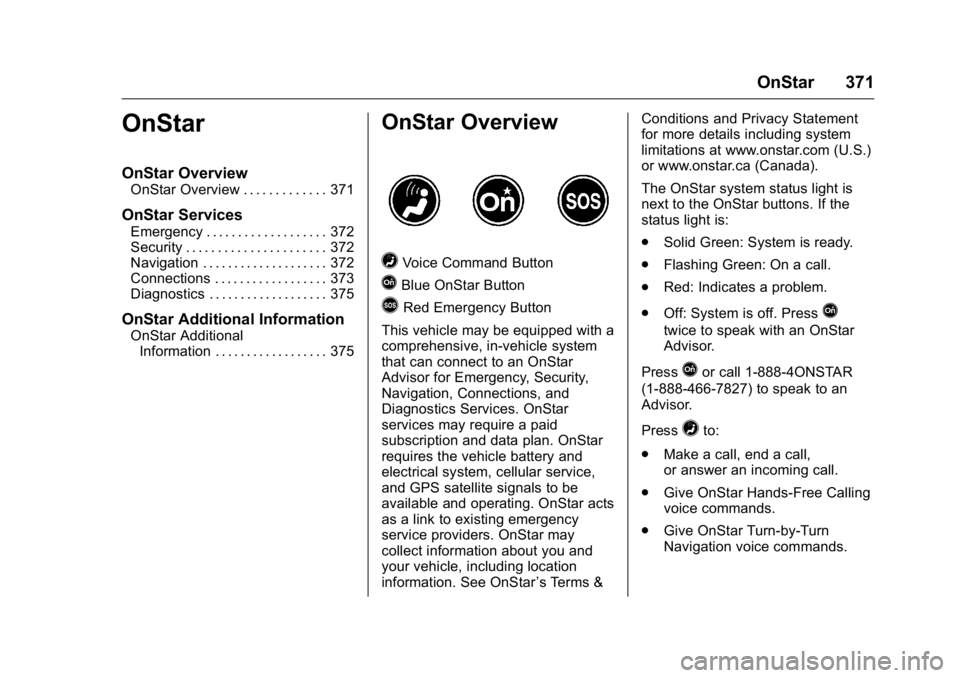
=Voice Command Button
QBlue OnStar Button
>Red Emergency Button
This vehicle may be equipped with a
comprehensive, in-vehicle system
that can connect to an OnStar
Advisor for Emergency, Security,
Navigation, Connections, and
Diagnostics Services. OnStar
services may require a paid
subscription and data plan. OnStar
requires the vehicle battery and
electrical system, cellular service,
and GPS satellite signals to be
available and operating. OnStar acts
as a link to existing emergency
service providers. OnStar may
collect information about you and
your vehicle, including location
information. See OnStar ’s Terms &Conditions and Privacy Statement
for more details including system
limitations at www.onstar.com (U.S.)
or www.onstar.ca (Canada).
The OnStar system status light is
next to the OnStar buttons. If the
status light is:
.
Solid Green: System is ready.
. Flashing Green: On a call.
. Red: Indicates a problem.
. Off: System is off. PressQ
twice to speak with an OnStar
Advisor.
Press
Qor call 1-888-4ONSTAR
(1-888-466-7827) to speak to an
Advisor.
Press
=to:
. Make a call, end a call,
or answer an incoming call.
. Give OnStar Hands-Free Calling
voice commands.
. Give OnStar Turn-by-Turn
Navigation voice commands.
Page 377 of 392
GMC Canyon Owner Manual (GMNA-Localizing-U.S/Canada-9159361) -
2016 - crc - 8/25/15
376 OnStar
Reactivation for Subsequent
Owners
PressQand follow the prompts to
speak to an Advisor as soon as
possible. The Advisor will update
vehicle records and explain OnStar
service options.
How OnStar Service Works
Automatic Crash Response,
Emergency Services, Crisis Assist,
Stolen Vehicle Assistance,
Advanced Diagnostics, Remote
Services, Roadside Assistance,
Turn-by-Turn Navigation, and
Hands-Free Calling are available on
most vehicles. Not all OnStar
services are available everywhere
or on all vehicles. For more
information, a full description of
OnStar services, system limitations,
and OnStar terms and conditions:
. Call 1-888-4ONSTAR
(1-888-466-7827).
. See www.onstar.com (U.S.).
. See www.onstar.ca (Canada).
. Call TTY 1-877-248-2080. .
Press
Qto speak with an
Advisor.
OnStar services cannot work unless
the vehicle is in a place where
OnStar has an agreement with a
wireless service provider for service
in that area. The wireless service
provider must also have coverage,
network capacity, reception, and
technology compatible with OnStar
services. Service involving location
information about the vehicle cannot
work unless GPS signals are
available, unobstructed, and
compatible with the OnStar
hardware. OnStar services may not
work if the OnStar equipment is not
properly installed or it has not been
properly maintained. If equipment or
software is added, connected,
or modified, OnStar services may
not work. Other problems beyond
the control of OnStar —such as
hills, tall buildings, tunnels, weather,
electrical system design and
architecture of the vehicle, damage
to the vehicle in a crash, or wireless
phone network congestion or
jamming —may prevent service. See
Radio Frequency Statement
0 367ii.
Services for People with
Disabilities
Advisors provide services to help
Subscribers with physical disabilities
and medical conditions.
Press
Qto help:
. Locate a gas station with an
attendant to pump gas.
. Find a hotel, restaurant, etc.,
that meets accessibility needs.
. Provide directions to the closest
hospital or pharmacy in urgent
situations.
TTY Users
OnStar has the ability to
communicate to deaf,
hard-of-hearing, or speech-impaired
customers while in the vehicle. The
available dealer-installed TTY
system can provide in-vehicle
access to all OnStar services,
except Virtual Advisor and OnStar
Turn-by-Turn Navigation.
Page 378 of 392
GMC Canyon Owner Manual (GMNA-Localizing-U.S/Canada-9159361) -
2016 - crc - 8/25/15
OnStar 377
OnStar Personal Identification
Number (PIN)
A PIN is needed to access some
OnStar services. The PIN will need
to be changed the first time when
speaking with an Advisor. To
change the OnStar PIN, contact an
OnStar Advisor by pressing
Qor
calling 1-888-4ONSTAR.
Warranty
OnStar equipment may be
warranted as part of the vehicle
warranty.
Languages
The vehicle can be programmed to
respond in multiple languages.
Press
Qand ask for an Advisor.
Advisors are available in English,
Spanish, and French. Available
languages may vary by country.
Potential Issues
OnStar cannot perform Remote
Door Unlock or Stolen Vehicle
Assistance after the vehicle has
been off continuously for five days
without an ignition cycle. If the vehicle has not been started for
five days, OnStar can contact
Roadside Assistance or a locksmith
to help gain access to the vehicle.
Global Positioning
System (GPS)
.
Obstruction of the GPS can
occur in a large city with tall
buildings; in parking garages;
around airports; in tunnels and
underpasses; or in an area with
very dense trees. If GPS signals
are not available, the OnStar
system should still operate to
call OnStar. However, OnStar
could have difficulty identifying
the exact location.
. In emergency situations, OnStar
can use the last stored GPS
location to send to emergency
responders.
A temporary loss of GPS can cause
loss of the ability to send a
Turn-by-Turn Navigation route. The
Advisor may give a verbal route or
may ask for a call back after the
vehicle is driven into an open area.
Cellular and GPS Antennas
Cellular reception is required for
OnStar to send remote signals to
the vehicle. Do not place items over
or near the antenna to prevent
blocking cellular and GPS signal
reception.
Unable to Connect to OnStar
Message
If there is limited cellular coverage
or the cellular network has reached
maximum capacity, this message
may come on. Press
Qto try the
call again or try again after driving a
few miles into another cellular area.
Vehicle and Power Issues
OnStar services require a vehicle
electrical system, wireless service,
and GPS satellite technologies to be
available and operating for features
to function properly. These systems
may not operate if the battery is
discharged or disconnected.
Page 379 of 392
GMC Canyon Owner Manual (GMNA-Localizing-U.S/Canada-9159361) -
2016 - crc - 8/25/15
378 OnStar
Add-on Electrical Equipment
The OnStar system is integrated
into the electrical architecture of the
vehicle. Do not add any electrical
equipment. SeeAdd-On Electrical
Equipment 0254
ii. Added electrical
equipment may interfere with the
operation of the OnStar system and
cause it to not operate.
Vehicle Software Updates
OnStar or GM may remotely deliver
software updates or changes to the
vehicle without further notice or
consent. These updates or changes
may enhance or maintain safety,
security, or the operation of the
vehicle or the vehicle systems.
Software updates or changes may
affect or erase data or settings that
are stored in the vehicle, such as
OnStar Hands-Free Calling name
tags, saved navigation destinations,
or pre-set radio stations. Neither
OnStar nor GM is responsible for
any affected or erased data or
settings. These updates or changes
may also collect personal
information. Such collection is
described in the OnStar privacy statement or separately disclosed at
the time of installation. These
updates or changes may also cause
a system to automatically
communicate with GM servers to
collect information about vehicle
system status, identify whether
updates or changes are available,
or deliver updates or changes. An
active OnStar agreement constitutes
consent to these software updates
or changes and agreement that
either OnStar or GM may remotely
deliver them to the vehicle.
Privacy
The complete OnStar Privacy
Statement may be found at
www.onstar.com (U.S.),
or www.onstar.ca (Canada). We
recommend that you review it. If you
have any questions, call
1-888-4ONSTAR (1-888-466-7827)
or press
Qto speak with an
Advisor. Users of wireless
communications are cautioned that
the privacy of any information sent
via wireless cellular communications
cannot be assured. Third parties may unlawfully intercept or access
transmissions and private
communications without consent.
OnStar - Software
Acknowledgements
Certain OnStar components include
libcurl and unzip software and other
third party software. Below are the
notices and licenses associated with
libcurl and unzip and for other third
party software please see http://
www.lg.com/global/support/
opensource/index and https://
www.onstar.com/us/en/support/
getdocuments.html
libcurl:
COPYRIGHT AND PERMISSION
NOTICE
Copyright (c) 1996 - 2010, Daniel
Stenberg,
All rights reserved.
Permission to use, copy, modify,
and distribute this software for any
purpose with or without fee is
hereby granted, provided that the
Page 382 of 392

GMC Canyon Owner Manual (GMNA-Localizing-U.S/Canada-9159361) -
2016 - crc - 8/25/15
Index 381
IndexA
Accessories andModifications . . . . . . . . . . . . . . . . . . 257
Accessory Power . . . . . . . . . . . . . . . 213
Add-On Electrical Equipment . . . 254
Additional Information OnStar
®. . . . . . . . . . . . . . . . . . . . . . 375
Additional Maintenance and Care . . . . . . . . . . . . . . . . . . . . . . 347
Adjustments
Lumbar, Front Seats . . . . . . . . . . . . 46
Agreements Trademarks and License . . . . . 180
Air Cleaner/Filter, Engine . . . . . . . 266
Air Conditioning . . . . . . . . . . . . . . . . 188
Air Filter, Passenger
Compartment . . . . . . . . . . . . . . . . . 191
Air Vents . . . . . . . . . . . . . . . . . . . . . . . 190
Airbag System Check . . . . . . . . . . . . . . . . . . . . . . . . . . 67
How Does an AirbagRestrain? . . . . . . . . . . . . . . . . . . . . . 60
Passenger Sensing System . . . . 62
What Makes an Airbag Inflate? . . . . . . . . . . . . . . . . . . . . . . . . 60
What Will You See after an Airbag Inflates? . . . . . . . . . . . . . . . 61 Airbag System (cont'd)
When Should an Airbag
Inflate? . . . . . . . . . . . . . . . . . . . . . . . . 59
Where Are the Airbags? . . . . . . . . 58
Airbags Adding Equipment to theVehicle . . . . . . . . . . . . . . . . . . . . . . . . 66
Passenger Status Indicator . . . .113
Readiness Light . . . . . . . . . . . . . . .113
Servicing Airbag-Equipped Vehicles . . . . . . . . . . . . . . . . . . . . . . . 66
System Check . . . . . . . . . . . . . . . . . . 56
Alarm Vehicle Security . . . . . . . . . . . . . . . . 34
All-Season Tires . . . . . . . . . . . . . . . . 293
All-Terrain Tires . . . . . . . . . . . . . . . . . 294
AM-FM Radio . . . . . . . . . . . . . . . . . . . 155
Antenna Multi-band . . . . . . . . . . . . . . . . . . . . 157
Antilock Brake System (ABS) . . . 229 Warning Light . . . . . . . . . . . . . . . . . .117
Appearance Care Exterior . . . . . . . . . . . . . . . . . . . . . . . 331
Interior . . . . . . . . . . . . . . . . . . . . . . . . 336
Assistance Program, Roadside . . . . . . . . . . . . . . . . . . . . . . 361
Audio Bluetooth . . . . . . . . . . . . . . . . . . . . . 163
Page 385 of 392

GMC Canyon Owner Manual (GMNA-Localizing-U.S/Canada-9159361) -
2016 - crc - 8/25/15
384 Index
Driving (cont'd)If the Vehicle is Stuck . . . . . . . . . 203
Loss of Control . . . . . . . . . . . . . . . 195
Off-Road . . . . . . . . . . . . . . . . . . . . . 196
Off-Road Recovery . . . . . . . . . . . 195
Vehicle Load Limits . . . . . . . . . . . 204
Wet Roads . . . . . . . . . . . . . . . . . . . 200
Winter . . . . . . . . . . . . . . . . . . . . . . . . 202
E
Electrical Equipment,
Add-On . . . . . . . . . . . . . . . . . . . . . . . 254
Electrical System Engine Compartment Fuse
Block . . . . . . . . . . . . . . . . . . . . . . . . 285
Fuses . . . . . . . . . . . . . . . . . . . . . . . . 285
Instrument Panel Fuse Block . . . . . . . . . . . . . . . . . . . . . . . . 289
Overload . . . . . . . . . . . . . . . . . . . . . 284
Emergency OnStar
®. . . . . . . . . . . . . . . . . . . . . . 372
Engine Air Cleaner/Filter . . . . . . . . . . . . . 266
Check and Service EngineSoon Light . . . . . . . . . . . . . . . . . . .114
Compartment Overview . . . . . . . 259
Coolant . . . . . . . . . . . . . . . . . . . . . . . 269
Coolant Heater . . . . . . . . . . . . . . . 214 Engine (cont'd)
Coolant Temperature
Gauge . . . . . . . . . . . . . . . . . . . . . . . 111
Cooling System . . . . . . . . . . . . . . . 268
Cooling System Messages . . . 130
Drive Belt Routing . . . . . . . . . . . . 356
Exhaust . . . . . . . . . . . . . . . . . . . . . . 218
Fan . . . . . . . . . . . . . . . . . . . . . . . . . . . 273
Oil Life System . . . . . . . . . . . . . . . 264
Oil Messages . . . . . . . . . . . . . . . . . 130
Oil Pressure Light . . . . . . . . . . . . 120
Overheating . . . . . . . . . . . . . . . . . . 271
Power Messages . . . . . . . . . . . . . 131
Running While Parked . . . . . . . . 219
Starting . . . . . . . . . . . . . . . . . . . . . . . 212
Entry Lighting . . . . . . . . . . . . . . . . . . . 147
Equipment, Towing . . . . . . . . . . . . . 251
Event Data Recorders . . . . . . . . . . 369
Exit Lighting . . . . . . . . . . . . . . . . . . . . 147
Extender, Safety Belt . . . . . . . . . . . . 55
Exterior Lamp Controls . . . . . . . . . 142
Exterior Lamps Off Reminder . . . 143
F
Fan Engine . . . . . . . . . . . . . . . . . . . . . . . . 273
Filter, Engine Air Cleaner . . . . . . . . . . . 266
Flash-to-Pass . . . . . . . . . . . . . . . . . . . 143 Flashers, Hazard Warning . . . . . . 145
Flat Tire . . . . . . . . . . . . . . . . . . . . . . . . 312
Changing . . . . . . . . . . . . . . . . . . . . . 313
Floor Mats . . . . . . . . . . . . . . . . . . . . . . 339
Fluid Automatic Transmission . . . . . . 265
Brakes . . . . . . . . . . . . . . . . . . . . . . . . 275
Four-Wheel DriveTransfer Case . . . . . . . . . . . . . . . 225
Washer . . . . . . . . . . . . . . . . . . . . . . . 273
Fog Lamps
Bulb Replacement . . . . . . . . . . . . 145
Folding Mirrors . . . . . . . . . . . . . . . . . . 37
Forward Collision Alert (FCA) System . . . . . . . . . . . . . . . . . 238
Four-Wheel Drive . . . . . . . . . . 225, 276
Frequency Statement
Radio . . . . . . . . . . . . . . . . . . . . . . . . . 367
Front Axle . . . . . . . . . . . . . . . . . . . . . . 277
Front Fog Lamp Light . . . . . . . . . . . . . . . . . . . . . . . . . . 121
Front Seats Adjustment . . . . . . . . . . . . . . . . . . . . . 45
Heated . . . . . . . . . . . . . . . . . . . . . . . . . 47
Fuel . . . . . . . . . . . . . . . . . . . . . . . . . . . . 241
Additives . . . . . . . . . . . . . . . . . . . . . 243
Economy Driving . . . . . . . . . . . . . . . 23