Audio system GMC CANYON 2021 Owner's Guide
[x] Cancel search | Manufacturer: GMC, Model Year: 2021, Model line: CANYON, Model: GMC CANYON 2021Pages: 359, PDF Size: 7.37 MB
Page 150 of 359
GMC Canyon/Canyon Denali Owner Manual (GMNA-Localizing-U.S./Canada-
14430430) - 2021 - CRC - 9/9/20
Infotainment System 149
have requested this permission, and the
number of applications that are allowed
to use this permission.
.Used By Applications: This setting lists all
applications that are requested or are
using Android-defined as dangerous
permissions. Only requested and active
permissions are shown.
Display
Touch and the following may display:
.Mode: This adjusts the appearance of the
navigation map view and any
downloaded apps optimized for day or
night time conditions. Set to Auto for the
display to automatically adjust based on
bright/dark conditions.
Touch Auto, Day, or Night to adjust the
display.
.Calibrate Touchscreen: Touch to calibrate
the infotainment display and follow the
prompts.
.Turn Display Off: Touch to turn the
display off. Touch anywhere on the
infotainment display or press any
infotainment control on the center stack
again to turn the display on. Sounds
Touch and the following may display:
.Maximum Startup Volume: This feature
adjusts the maximum volume of the
infotainment system when you start your
vehicle. To set the maximum startup
volume, touch the controls on the
infotainment display to increase or
decrease.
.Audio Cues: This feature determines if
sounds play when the infotainment
system starts up and shuts down. This
feature can be turned off or on.
.Set Audio Cue Volume: This setting
controls the volume of Audio Cues played
on startup and shut down. Touch the
controls on the infotainment display to
increase or decrease.
.Audible Touch Feedback: This setting
determines if a sound plays when
touching the infotainment display or
radio controls. This feature can be turned
off or on.
Voice
Touch and the following may display:
.Confirm More/Less: This setting specifies
how often the voice recognition system
confirms commands. Touch Confirm More
to have the system check with you more
often before acting on your commands.
.Prompt Length: This setting specifies the
amount of detail the voice recognition
system provides when giving you
feedback. Touch Auto to have the system
automatically adjust to your speech
habits. Touch Informative, Short, or Auto.
.Audio Feedback Speed: Touch Slow,
Medium, or Fast to adjust how quickly
the voice recognition system speaks.
.Friendly Prompts: This setting adjusts the
formality of voice prompts. Touch Off for
shorter prompts. Touch On to hear
prompts with more personality. Touch
Auto to have the prompt match your
command style.
.Tutorial Mode: Touch Off or On to
provide tutorial feedback on the display.
.Allow Prompt Interruptions: This setting
controls whether voice commands can be
spoken before voice prompts finish. Turn
this on to speak commands without
hearing the full prompt. Speaking while
Page 151 of 359

GMC Canyon/Canyon Denali Owner Manual (GMNA-Localizing-U.S./Canada-
14430430) - 2021 - CRC - 9/9/20
150 Infotainment System
the prompt is still playing will
immediately stop playing the current
prompt and recognize your command.
Background noise may cause accidental
interruptions. Touch Off or On.
Favorites
Touch and the following may display:
.Manage Favorites: Touch to display a list
of Audio, Phone, and Navigation favorites.
Favorites can be moved, renamed,
or deleted.
To move, touch and hold the favorite, and
then drag up or down to rearrange the
position.
.Set Number of Audio Favorites: Touch to
select how many favorites pages can be
viewed from the audio application. The
Auto setting will automatically adjust this
number based on the number of favorites
you have saved. Touch Auto, 5, 10, 15, 20,
25, 30, 35, or 40.
Updates
If equipped, the vehicle can download and
install select software updates over a
wireless connection. The system will prompt
for certain updates to be downloaded and
installed. There is also an option to check
for updates manually. To manually check for updates, touch
Settings on the Home Page and select the
System tab. Go to the Vehicle Software
section and touch Updates. Follow the
on-screen prompts. The steps to check for,
download, and install updates may vary by
vehicle.
The vehicle can be used normally during the
software download. Once the download is
complete, there may be a prompt to accept
the installation of the update upon the next
ignition cycle or the next time the vehicle is
shifted into P (Park). For most updates, the
vehicle will be disabled and cannot be driven
during the installation. The system will
deliver messages indicating success or error
during and after the download and
installation processes.
Downloading Over-the-Air vehicle software
updates requires Internet connectivity, which
can be accessed through the vehicle’s
built-in 4G LTE connection, if equipped and
active. If required, data plans are provided
by a third party. Optionally, a secure Wi-Fi
hotspot such as a compatible mobile device
hotspot, home hotspot, or public hotspot
can be used. Applicable data rates may
apply.
To connect the infotainment system to a
secured mobile device hotspot, home
hotspot, or public hotspot, touch Settings on
the Home Page, select the System tab,
followed by Wi-Fi Networks. Select the
appropriate Wi-Fi network, and follow the
on-screen prompts. Download speeds
may vary.
On most compatible mobile devices,
activation of the Wi-Fi hotspot is in the
Settings menu under Mobile Network
Sharing, Personal Hotspot, Mobile Hotspot,
or similar.
Availability of Over-the-Air software updates
varies by vehicle and country. Features are
subject to change. For more information on
this feature, see my.gmc.com/learn.
Preferences
Touch the controls on the infotainment
display to disable or enable the download of
new updates in the background.
About
Touch to view the infotainment system
software information.
Page 152 of 359
GMC Canyon/Canyon Denali Owner Manual (GMNA-Localizing-U.S./Canada-
14430430) - 2021 - CRC - 9/9/20
Infotainment System 151
Running Applications
Touch to see a complete list of applications
that are currently running on the
infotainment system.
Return to Factory Settings
Touch and the following may display:
.Reset Vehicle Settings: Resets all vehicle
settings for the current user.
Touch Reset or Cancel.
.Erase Settings and Personal Data: Erases
app data settings, user profiles, and
personal data including navigation and
mobile device data.
Touch Erase or Cancel.
.Clear Default Applications: Resets
preferred applications that have been set
to open when selecting a function. No
application data will be lost.
Touch Clear or Cancel.
Apps
The menu may contain the following:
Android Auto
This feature allows you to interact directly
with your mobile device on the infotainment
display. SeeApple CarPlay and Android Auto
0 146. Touch the controls on the infotainment
display to disable or enable.
Apple CarPlay
This feature allows you to interact directly
with your mobile device on the infotainment
display. See
Apple CarPlay and Android Auto
0 146.
Touch the controls on the infotainment
display to disable or enable.
Apps
Touch and the following may display:
.Update Apps Automatically: This allows
downloaded applications to be updated
automatically.
Touch the controls on the infotainment
display to disable or enable.
.About Apps: Touch to view the versions
of the shop software.
Audio
Depending on the current audio source,
different options will be available.
Touch and the following may display:
.Tone Settings: Touch to adjust Equalizer,
Fade/Balance, or Sound Mode. See
“Infotainment System Sound Menu” in
AM-FM Radio 0116.
.Auto Volume: This feature adjusts the
volume based on the vehicle speed.
Touch Off, Low, Medium-Low, Medium,
Medium-High, or High.
.Bose AudioPilot Noise Compensation
Technology (If Equipped): This feature
adjusts the volume based on the noise in
the vehicle and the speed.
Touch Off or On.
.Manage Favorites: Touch to display a list
of Audio, Mobile Devices, and Navigation
favorites.
Favorites can be moved, renamed,
or deleted.
To move, touch and hold the favorite, and
then drag up or down to rearrange the
position.
.Set Number of Audio Favorites: Touch to
select how many favorites pages can be
viewed from the audio application. The
Auto setting will automatically adjust this
number based on the number of favorites
you have saved. Touch Auto, 5, 10, 15, 20,
25, 30, 35, or 40.
.RDS: This allows the Radio Data System
(RDS) to be turned on or off.
Touch the controls on the infotainment
display to disable or enable.
Page 155 of 359
GMC Canyon/Canyon Denali Owner Manual (GMNA-Localizing-U.S./Canada-
14430430) - 2021 - CRC - 9/9/20
154 Infotainment System
In vehicles with a pushbutton start system,
if a Teen Driver and a non-Teen Driver key
are both present at start up, the vehicle will
recognize the non-Teen Driver key to start
the vehicle. The Teen Driver settings will not
be active.
For a keyed ignition system:1. Start the engine.
2. For automatic transmissions, the vehicle must be in P (Park). For manual
transmissions, the vehicle must be
stopped with the parking brake set.
3. From the Settings menu, touch Vehicle and then Teen Driver.
4. Enter the PIN.
5. Touch Setup Keys. The system displays instructions for registering or
unregistering a key. A confirmation
message displays.
Manage Settings
Audio Volume Limit : Allows the audio
volume limit to be turned on or off. Touch
Set Audio Volume Limit to choose the
maximum allowable audio volume level. Set Audio Volume Limit :
Allows a
maximum radio volume to be set. Use the
arrows to choose the maximum allowable
level for the audio volume.
Teen Driver Speed Limiter : Limits the
maximum speed of the vehicle. When the
speed limiter is turned on and the vehicle is
started with a Teen Driver key, the DIC
displays a message that the top speed is
limited.
On certain vehicles, when the Speed Limiter
is turned ON, the vehicle’s maximum
acceleration will be limited. The DIC will
display a message that the acceleration is
limited.
Teen Driver Speed Warning : Allows the
speed warning to be turned on or off. Touch
Set Teen Driver Speed Warning to set the
warning speed.
Set Teen Driver Speed Warning : Displays a
warning in the DIC when exceeding a
selectable speed. Choose the desired speed
warning level. The speed warning does not
limit the speed of the vehicle.
SiriusXM Explicit Content Filter (if
equipped) : Allows the SiriusXM Explicit
Content Filter to be turned ON or OFF.
When ON, the teen driver will not be able to listen to SiriusXM stations that contain
explicit content, and the Explicit Content
Filter selection in the Audio Settings will be
unavailable for change.
When Teen Driver is Active:
.If equipped with Buckle to Drive, shifting
out of P (Park) will be prevented if the
driver seat belt, and in some vehicles the
front passenger seat belt, is not buckled.
.The radio will mute when the driver seat
belt, and in some vehicles the front
passenger seat belt, is not buckled. The
audio from any device paired to the
vehicle will also be muted.
.An object placed on the front passenger
seat, such as a briefcase, handbag,
grocery bag, laptop, or other electronic
device, could cause the passenger sensing
system to falsely sense an unbuckled
front passenger and mute the radio.
If this happens, remove the object from
the seat. See
Passenger Sensing System
0 39.
.Some safety systems, such as Forward
Collision Alert, if equipped, cannot be
turned off.
.The gap setting for the Forward Collision
Alert and Adaptive Cruise Control,
if equipped, cannot be changed.
Page 158 of 359
GMC Canyon/Canyon Denali Owner Manual (GMNA-Localizing-U.S./Canada-
14430430) - 2021 - CRC - 9/9/20
Infotainment System 157
be manufactured, distributed,
or marketed in the SiriusXM
Service Area.
2. For products to be distributed, marketed, and/or sold in Canada, a separate
agreement is required with Canadian
Satellite Radio Inc. (operating as SiriusXM
Canada).
TouchSense Technology and TouchSense
System 1000 Series Licensed from
Immersion Corporation. TouchSense System
1000 protected under one or more of the
U.S. Patents at the following address
www.immersion.com/patent-marking.html
and other patents pending.
Bose
Bose AudioPilot and Bose Centerpoint
surround are registered trademarks of Bose
Corporation in the U.S. and other countries. HD Radio Technology
HD Radio Technology manufactured under
license from iBiquity Digital Corporation. U.S.
and Foreign Patents. For patents see http://
dts.com/patents. HD Radio and the HD, HD
Radio, and
“ARC”logos are registered
trademarks or trademarks of iBiquity Digital
Corporation in the United States and/or
other countries.
Bluetooth
The Bluetooth word mark and logos are
owned by the Bluetooth SIG, Inc. and any
use of such marks by General Motors is
under license. Other trademarks and trade
names are those of their respective owners.
Java
Java is a registered trademark of Oracle
and/or its affiliates.
Schedule I: Gracenote EULA
Music recognition technology and related
data are provided by Gracenote. Gracenote
is the industry standard in music recognition
technology and related content delivery. For
more information see www.gracenote.com.
Music-related data from Gracenote, Inc.,
copyright © 2000 to present Gracenote.
Gracenote Software, copyright © 2000 to
present Gracenote. One or more patents
owned by Gracenote may apply to this
product and service. See the Gracenote
website for a non-exhaustive list of
applicable Gracenote patents. Gracenote,
CDDB, MusicID, MediaVOCS, the Gracenote
logo and logotype, and the "Powered by
Gracenote" logo are either registered
trademarks or trademarks of Gracenote in
the United States and/or other countries.
Page 160 of 359
GMC Canyon/Canyon Denali Owner Manual (GMNA-Localizing-U.S./Canada-
14430430) - 2021 - CRC - 9/9/20
Infotainment System 159
© 2014. Gracenote, Inc. All Rights Reserved.
MPEG4–AVC (H.264)
THIS PRODUCT IS LICENSED UNDER THE AVC
PATENT PORTFOLIO LICENSE FOR THE
PERSONAL AND NON-COMMERCIAL USE OF A
CONSUMER TO (i) ENCODE VIDEO IN
COMPLIANCE WITH THE AVC STANDARD
(“AVC VIDEO”) AND/OR (ii) DECODE AVC
VIDEO THAT WAS ENCODED BY A
CONSUMER ENGAGED IN A PERSONAL AND
NON-COMMERCIAL ACTIVITY AND/OR WAS
OBTAINED FROM A VIDEO PROVIDER
LICENSED TO PROVIDE AVC VIDEO. NO
LICENSE IS GRANTED OR SHALL BE IMPLIED
FOR ANY OTHER USE. ADDITIONAL
INFORMATION MAY BE OBTAINED FROM
MPEG LA, LLC. SEE HTTP://
WWW.MPEGLA.COM.
VC-1
THIS PRODUCT IS LICENSED UNDER THE VC-1
PATENT PORTFOLIO LICENSE FOR THE
PERSONAL AND NON-COMMERCIAL USE OF A
CONSUMER TO (i) ENCODE VIDEO IN
COMPLIANCE WITH THE VC-1 STANDARD
(“VC-1 VIDEO”) AND/OR (ii) DECODE VC-1
VIDEO THAT WAS ENCODED BY A
CONSUMER ENGAGED IN A PERSONAL AND
NON-COMMERCIAL ACTIVITY AND/OR WAS
OBTAINED FROM A VIDEO PROVIDERLICENSED TO PROVIDE VC-1 VIDEO. NO
LICENSE IS GRANTED OR SHALL BE IMPLIED
FOR ANY OTHER USE. ADDITIONAL
INFORMATION MAY BE OBTAINED FROM
MPEG LA, LLC. SEE HTTP://
WWW.MPEGLA.COM.
MPEG4–Visual
USE OF THIS PRODUCT IN ANY MANNER
THAT COMPLIES WITH THE MPEG-4 VISUAL
STANDARD IS PROHIBITED, EXCEPT FOR USE
BY A CONSUMER ENGAGING IN PERSONAL
AND NON-COMMERCIAL ACTIVITIES.
MP3
MPEG Layer-3 audio coding technology
licensed from Fraunhofer IIS and Thomson.
WMV/WMA
This product includes technology owned by
Microsoft Corporation and under a license
from Microsoft Licensing, GP. Use or
distribution of such technology outside of
this product is prohibited without a license
from Microsoft Corporation and/or Microsoft
Licensing, GP as applicable.Map End User License Agreement
END USER TERMS
The Map Data SD card (“Data”) is provided
for your personal, internal use only and not
for resale. It is protected by copyright, and
is subject to the following terms (this
“End
User License Agreement”) and conditions
which are agreed to by you, on the one
hand, and HERE North America, LLC (“HERE”)
and its licensors (including their licensors
and suppliers) on the other hand.
The Data for areas of Canada includes
information taken with permission from
Canadian authorities, including: © Her
Majesty the Queen in Right of Canada, ©
Queen's Printer for Ontario, © Canada Post
Corporation, GeoBase
®.
HERE holds a nonexclusive license from the
United States Postal Service
®to publish and
sell ZIP+4®information.
© United States Postal Service 2013. Prices
are not established, controlled, or approved
by the United States Postal Service. The
following trademarks and registrations are
owned by the USPS: United States Postal
Service, USPS, and ZIP+4.
Page 191 of 359
GMC Canyon/Canyon Denali Owner Manual (GMNA-Localizing-U.S./Canada-
14430430) - 2021 - CRC - 9/9/20
190 Driving and Operating
Retained Accessory Power (RAP)
When the ignition is turned from on to off,
the following features (if equipped) will
continue to function for up to 10 minutes,
or until the driver door is opened. These
features will also work when the ignition is
in RUN or ACC/ACCESSORY:
.Infotainment System
.Power Windows (during RAP this
functionality will be lost when any door
is opened)
.Sunroof (during RAP this functionality will
be lost when any door is opened)
.Auxiliary Power Outlet
.Audio System
.OnStar System
Shifting Into Park
{Warning
It can be dangerous to get out of the
vehicle if the shift lever is not fully in
P (Park) with the parking brake firmly set.
The vehicle can roll. If you have left the
engine running, the vehicle can move
suddenly. You or others could be injured.(Continued)
Warning (Continued)
To be sure the vehicle will not move,
even when you are on fairly level ground,
use the steps that follow. With
four-wheel drive, if the transfer case is in
N (Neutral), the vehicle will be free to
roll, even if the shift lever is in P (Park).
Be sure the transfer case is in a drive
gear. If towing a trailer, seeDriving
Characteristics and Towing Tips 0217.
1. Hold the brake pedal down, then set the parking brake.
See Parking Brake 0203.
2. Hold the button on the shift lever and push the lever toward the front of the
vehicle into P (Park).
3. Be sure the transfer case (if equipped) is in a drive gear —not in N (Neutral).
4. Push the ignition key in, towards the steering column and then turn the
ignition off.
5. Remove the key and take it with you. If you can leave the vehicle with the
ignition key in your hand, the vehicle is
in P (Park).
Leaving the Vehicle with the Engine
Running
{Warning
It can be dangerous to leave the vehicle
with the engine running. The vehicle
could move suddenly if the shift lever is
not fully in P (Park) with the parking
brake firmly set.
If you have four-wheel drive and the
transfer case is in N (Neutral), the vehicle
will be free to roll, even if the shift lever
is in P (Park). So be sure the transfer case
is in a drive gear –not in N (Neutral).
And, if you leave the vehicle with the
engine running, it could overheat and
even catch fire. You or others could be
injured. Do not leave the vehicle with the
engine running unless you have to.
If you have to leave the vehicle with the
engine running, be sure the vehicle is in
P (Park) and the parking brake is firmly set
before you leave it. After you move the
shift lever into P (Park), hold the regular
brake pedal down. Then, see if you can
move the shift lever away from P (Park)
Page 341 of 359
GMC Canyon/Canyon Denali Owner Manual (GMNA-Localizing-U.S./Canada-
14430430) - 2021 - CRC - 9/9/20
340 OnStar
.Receive a Diagnostic check of the vehicle's
key operating systems.
.Receive Roadside Assistance.
.Manage Wi-Fi Settings, if equipped.
Press
>to get a priority connection to an
OnStar Advisor available 24/7 to:
.Get help for an emergency.
.Be a Good Samaritan or respond to an
AMBER Alert.
.Get assistance in severe weather or other
crisis situations and find evacuation
routes.
OnStar Services
Emergency
Emergency Services require an active safety
and security plan. With Automatic Crash
Response, built-in sensors can automatically
alert a specially trained OnStar Advisor who
is immediately connected in to the vehicle
to help.
Press
>for a priority connection to an
OnStar Advisor who can contact emergency
service providers, direct them to your exact
location, and relay important information. With OnStar Crisis Assist, specially trained
Advisors are available 24 hours a day, 7 days
a week, to provide a central point of
contact, assistance, and information during a
crisis.
With Roadside Assistance, Advisors can
locate a nearby service provider to help with
a flat tire, a battery jump, or an empty
gas tank.
Security
If equipped, OnStar provides these services:
.With Stolen Vehicle Assistance, OnStar
Advisors can use GPS to pinpoint the
vehicle and help authorities quickly
recover it.
.With Remote Ignition Block, if equipped,
OnStar can block the engine from being
restarted.
.With Stolen Vehicle Slowdown,
if equipped, OnStar can work with law
enforcement to gradually slow the
vehicle down.
Theft Alarm Notification
If equipped, if the doors are locked and the
vehicle alarm sounds, a notification by text,
e-mail, or phone call will be sent. If the
vehicle is stolen, an OnStar Advisor can work
with authorities to recover the vehicle.
OnStar Additional
Information
In-Vehicle Audio Messages
Audio messages may play important
information at the following times:
.Prior to vehicle purchase. PressQto set
up an account.
.After change in ownership and at
90 days.
Transferring Service
PressQto request account transfer
eligibility information. The Advisor can
cancel or change account information.
Selling/Transferring the Vehicle
Call 1-888-4ONSTAR (1-888-466-7827)
immediately to terminate your OnStar or
connected services if the vehicle is disposed
of, sold, transferred, or if the lease ends.
Page 348 of 359
GMC Canyon/Canyon Denali Owner Manual (GMNA-Localizing-U.S./Canada-
14430430) - 2021 - CRC - 9/9/20
Index 347
IndexA
Accessories and Modifications . . . . . . . . . . . 234
Accessory Power . . . . . . . . . . . . . . . . . . . . . . . . . 190
Active Fuel Management . . . . . . . . . . . . . . . . . 191
Add-On Electrical Equipment . . . . . . . . . . . . . 232
Additional InformationOnStar . . . . . . . . . . . . . . . . . . . . . . . . . . . . . . . . . 340
Additional Maintenance and Care . . . . . . . . 316
Adjustments Lumbar, Front Seats . . . . . . . . . . . . . . . . . . . . 23
Agreements Trademarks and License . . . . . . . . . . . . . . . 156
Air Cleaner/Filter, Engine . . . . . . . . . . . . . . . . 243
Air Conditioning . . . . . . . . . . . . . . . . . . . . 164, 166
Air Filter, Passenger Compartment . . . . . . . 169
Air Vents . . . . . . . . . . . . . . . . . . . . . . . . . . . . . . . . 169
Airbag System Check . . . . . . . . . . . . . . . . . . . . . . . . . . . . . . . . . . . 43
How Does an Airbag Restrain? . . . . . . . . . . 38
Passenger Sensing System . . . . . . . . . . . . . . 39
What Makes an Airbag Inflate? . . . . . . . . . 37
What Will You See after an AirbagInflates? . . . . . . . . . . . . . . . . . . . . . . . . . . . . . . 38
When Should an Airbag Inflate? . . . . . . . . 37
Where Are the Airbags? . . . . . . . . . . . . . . . . 36
Airbags Adding Equipment to the Vehicle . . . . . . . 43
Passenger Status Indicator . . . . . . . . . . . . . . 86 Airbags (cont'd)
Readiness Light . . . . . . . . . . . . . . . . . . . . . . . . . 86
Servicing Airbag-Equipped Vehicles . . . . . . 42
System Check . . . . . . . . . . . . . . . . . . . . . . . . . . . 34
Alarm Vehicle Security . . . . . . . . . . . . . . . . . . . . . . . . 14
All-Season Tires . . . . . . . . . . . . . . . . . . . . . . . . . . 267
All-Terrain Tires . . . . . . . . . . . . . . . . . . . . . . . . . . 267
AM-FM Radio . . . . . . . . . . . . . . . . . . . . . . . . . . . . . 116
Antenna
Multi-band . . . . . . . . . . . . . . . . . . . . . . . . . . . . . . 119
Antilock Brake System (ABS) . . . . . . . . . . . . . 202
Warning Light . . . . . . . . . . . . . . . . . . . . . . . . . . 89
Appearance Care Exterior . . . . . . . . . . . . . . . . . . . . . . . . . . . . . . . . 300
Interior . . . . . . . . . . . . . . . . . . . . . . . . . . . . . . . . 304
Apple CarPlay and Android Auto . . . . . . . . . 146
Assistance Program, Roadside . . . . . . . . . . . . 330
Assistance Systems for Parking and Backing . . . . . . . . . . . . . . . . . . . . . . . . . . . . . . . . 209
Audio
Bluetooth . . . . . . . . . . . . . . . . . . . . . . . . . . . . . . 122
Automatic Climate Control System . . . . . . . . . . . . . . . . 166
Door Locks . . . . . . . . . . . . . . . . . . . . . . . . . . . . . . . 13
Headlamp System . . . . . . . . . . . . . . . . . . . . . 103
Transmission . . . . . . . . . . . . . . . . . . . . . . . . . . . 192
Transmission Fluid . . . . . . . . . . . . . . . . . . . . . 243
Page 349 of 359
GMC Canyon/Canyon Denali Owner Manual (GMNA-Localizing-U.S./Canada-
14430430) - 2021 - CRC - 9/9/20
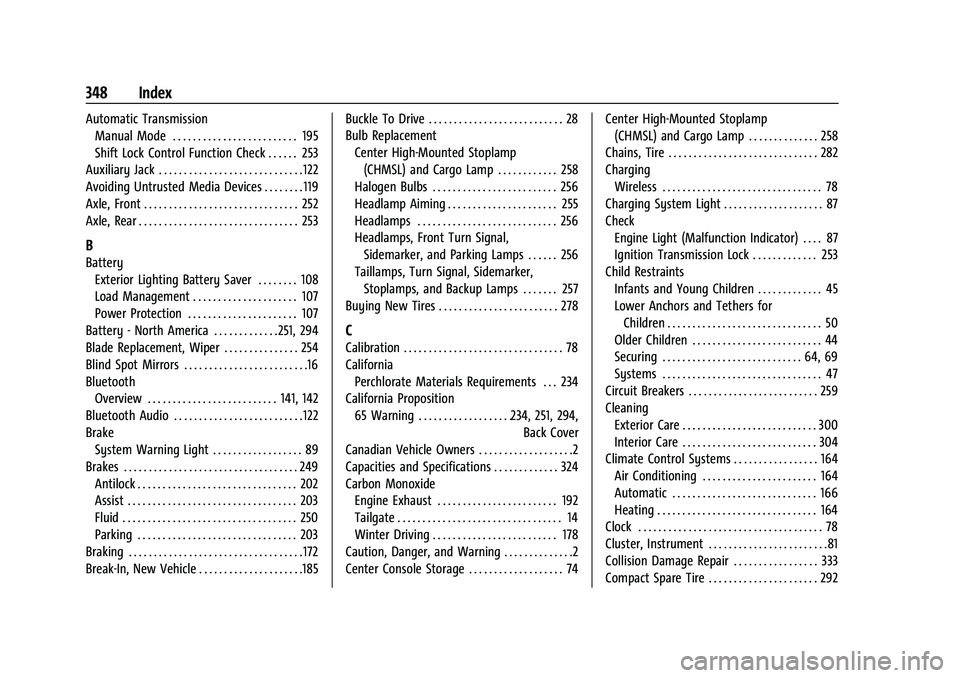
348 Index
Automatic TransmissionManual Mode . . . . . . . . . . . . . . . . . . . . . . . . . 195
Shift Lock Control Function Check . . . . . . 253
Auxiliary Jack . . . . . . . . . . . . . . . . . . . . . . . . . . . . . 122
Avoiding Untrusted Media Devices . . . . . . . . 119
Axle, Front . . . . . . . . . . . . . . . . . . . . . . . . . . . . . . . 252
Axle, Rear . . . . . . . . . . . . . . . . . . . . . . . . . . . . . . . . 253
B
Battery Exterior Lighting Battery Saver . . . . . . . . 108
Load Management . . . . . . . . . . . . . . . . . . . . . 107
Power Protection . . . . . . . . . . . . . . . . . . . . . . 107
Battery - North America . . . . . . . . . . . . .251, 294
Blade Replacement, Wiper . . . . . . . . . . . . . . . 254
Blind Spot Mirrors . . . . . . . . . . . . . . . . . . . . . . . . .16
Bluetooth Overview . . . . . . . . . . . . . . . . . . . . . . . . . . 141, 142
Bluetooth Audio . . . . . . . . . . . . . . . . . . . . . . . . . . 122
Brake System Warning Light . . . . . . . . . . . . . . . . . . 89
Brakes . . . . . . . . . . . . . . . . . . . . . . . . . . . . . . . . . . . 249 Antilock . . . . . . . . . . . . . . . . . . . . . . . . . . . . . . . . 202
Assist . . . . . . . . . . . . . . . . . . . . . . . . . . . . . . . . . . 203
Fluid . . . . . . . . . . . . . . . . . . . . . . . . . . . . . . . . . . . 250
Parking . . . . . . . . . . . . . . . . . . . . . . . . . . . . . . . . 203
Braking . . . . . . . . . . . . . . . . . . . . . . . . . . . . . . . . . . . 172
Break-In, New Vehicle . . . . . . . . . . . . . . . . . . . . .185 Buckle To Drive . . . . . . . . . . . . . . . . . . . . . . . . . . . 28
Bulb Replacement
Center High-Mounted Stoplamp(CHMSL) and Cargo Lamp . . . . . . . . . . . . 258
Halogen Bulbs . . . . . . . . . . . . . . . . . . . . . . . . . 256
Headlamp Aiming . . . . . . . . . . . . . . . . . . . . . . 255
Headlamps . . . . . . . . . . . . . . . . . . . . . . . . . . . . 256
Headlamps, Front Turn Signal, Sidemarker, and Parking Lamps . . . . . . 256
Taillamps, Turn Signal, Sidemarker, Stoplamps, and Backup Lamps . . . . . . . 257
Buying New Tires . . . . . . . . . . . . . . . . . . . . . . . . 278
C
Calibration . . . . . . . . . . . . . . . . . . . . . . . . . . . . . . . . 78
California Perchlorate Materials Requirements . . . 234
California Proposition 65 Warning . . . . . . . . . . . . . . . . . . .234, 251, 294, Back Cover
Canadian Vehicle Owners . . . . . . . . . . . . . . . . . . .2
Capacities and Specifications . . . . . . . . . . . . . 324
Carbon Monoxide
Engine Exhaust . . . . . . . . . . . . . . . . . . . . . . . . 192
Tailgate . . . . . . . . . . . . . . . . . . . . . . . . . . . . . . . . . 14
Winter Driving . . . . . . . . . . . . . . . . . . . . . . . . . 178
Caution, Danger, and Warning . . . . . . . . . . . . . .2
Center Console Storage . . . . . . . . . . . . . . . . . . . 74 Center High-Mounted Stoplamp
(CHMSL) and Cargo Lamp . . . . . . . . . . . . . . 258
Chains, Tire . . . . . . . . . . . . . . . . . . . . . . . . . . . . . . 282
Charging Wireless . . . . . . . . . . . . . . . . . . . . . . . . . . . . . . . . 78
Charging System Light . . . . . . . . . . . . . . . . . . . . 87
Check Engine Light (Malfunction Indicator) . . . . 87
Ignition Transmission Lock . . . . . . . . . . . . . 253
Child Restraints Infants and Young Children . . . . . . . . . . . . . 45
Lower Anchors and Tethers for
Children . . . . . . . . . . . . . . . . . . . . . . . . . . . . . . . 50
Older Children . . . . . . . . . . . . . . . . . . . . . . . . . . 44
Securing . . . . . . . . . . . . . . . . . . . . . . . . . . . . 64, 69
Systems . . . . . . . . . . . . . . . . . . . . . . . . . . . . . . . . 47
Circuit Breakers . . . . . . . . . . . . . . . . . . . . . . . . . . 259
Cleaning Exterior Care . . . . . . . . . . . . . . . . . . . . . . . . . . . 300
Interior Care . . . . . . . . . . . . . . . . . . . . . . . . . . . 304
Climate Control Systems . . . . . . . . . . . . . . . . . 164
Air Conditioning . . . . . . . . . . . . . . . . . . . . . . . 164
Automatic . . . . . . . . . . . . . . . . . . . . . . . . . . . . . 166
Heating . . . . . . . . . . . . . . . . . . . . . . . . . . . . . . . . 164
Clock . . . . . . . . . . . . . . . . . . . . . . . . . . . . . . . . . . . . . 78
Cluster, Instrument . . . . . . . . . . . . . . . . . . . . . . . .81
Collision Damage Repair . . . . . . . . . . . . . . . . . 333
Compact Spare Tire . . . . . . . . . . . . . . . . . . . . . . 292