fuel GMC CANYON 2023 User Guide
[x] Cancel search | Manufacturer: GMC, Model Year: 2023, Model line: CANYON, Model: GMC CANYON 2023Pages: 371, PDF Size: 7.41 MB
Page 100 of 371
GMC Canyon/Canyon Denali Owner Manual (GMNA-Localizing-U.S./Canada/
Mexico-16510661) - 2023 - CRC - 11/30/22
Instruments and Controls 99
DIC Information Display Options
Select which info display to view on the DIC
through the Settings menu, or by selecting
show in cluster in the Vehicle Status on the
infotainment display. SeeSettings0135 or
Vehicle Status 0103.
DIC Information Displays
The following is the list of all possible DIC
information displays and their locations.
Some of the information displays may not
be available for your particular vehicle.
Audio Now Playing : Displays the actively
playing audio.
Navigation : Displays a variety of navigation
information.
Audio and Navigation : Displays both audio
and navigation information together.
Trip 1 or Trip 2 and Average Fuel
Economy : The Trip display shows the
current distance traveled, in either
kilometers (km) or miles (mi), since the trip
odometer was last reset. To reset the
current trip, touch and hold the touchscreen
display when trip odometer is displayed on
the vehicle status screen. The Average Fuel Economy display shows
the approximate average liters per
100 kilometers (L/100 km), kilometers per
liter (km/L), or miles per gallon (mpg). This
number is calculated based on the number
of L/100 km (mpg) or km/L recorded since
the last time this menu item was reset. This
number reflects only the approximate
average fuel economy that the vehicle has
right now, and will change as driving
conditions change. The Average Fuel
Economy can be reset along with the trip
odometer by touching and holding the
touchscreen display when trip odometer is
displayed on the vehicle status screen.
Time/Date :
Displays current date and time
information.
Average Speed : Shows the average speed
of the vehicle in kilometers per hour (km/h)
or miles per hour (mph). This average is
calculated based on the various vehicle
speeds recorded since the last reset of this
value. The average speed can be reset by
touching reset in vehicle status screen.
Timer : This display can be used as a timer.
To start the timer, touch Start while this
display is active. The display will show the
amount of time that has passed since the
timer was last reset. To stop the timer, touch Stop briefly while this display is active
and the timer is running. To reset the timer
to zero, touch and hold Reset while this
display is active.
Off Road :
Displays vehicle pitch and roll
information, road wheel angle, and
four-wheel drive (4WD) status. See Off-Road
App 0158.
Battery Voltage : Shows the current battery
voltage.
Trailer Brake : On vehicles with the
Integrated Trailer Brake Control (ITBC)
system, the trailer brake display appears in
the DIC.
TRAILER GAIN shows the trailer gain setting.
This setting can be adjusted from 0.0 to 10.0
with either a trailer connected or
disconnected.
TRAILER OUTPUT shows the power output to
the trailer any time a trailer with electric
brakes is connected. Output is displayed as a
bar graph. Dotted lines may appear in the
OUTPUT display if a trailer is not connected.
Oil Life : Shows an estimate of the oil's
remaining useful life. If REMAINING OIL LIFE
99% is displayed, that means 99% of the
current oil life remains.
Page 101 of 371
GMC Canyon/Canyon Denali Owner Manual (GMNA-Localizing-U.S./Canada/
Mexico-16510661) - 2023 - CRC - 11/30/22
100 Instruments and Controls
When the remaining oil life is low, the
CHANGE ENGINE OIL SOON message will
appear on the display. The oil should be
changed as soon as possible. SeeEngine Oil
0 257. In addition to the engine oil life
system monitoring the oil life, additional
maintenance is recommended. See
Maintenance Schedule 0328.
The Oil Life display must be reset after each
oil change. It will not reset itself. Do not
reset the Oil Life display accidentally at any
time other than when the oil has just been
changed. It cannot be reset accurately until
the next oil change. To reset, see Engine Oil
Life System 0259.
Fuel Economy : Displays information about
current and average fuel economy.
Oil Pressure : Shows the engine oil pressure
in kPa (kilopascals) or psi (pounds per
square inch).
Engine Hours : Shows the total number of
hours the engine has run.
Coolant Temperature : Shows the
temperature of the coolant in either degrees
Celsius (°C) or degrees Fahrenheit (°F). Transmission Fluid Temperature :
Shows the
temperature of the automatic transmission
fluid in either degrees Celsius (°C) or degrees
Fahrenheit (°F).
Tire Pressure : Shows the approximate
pressures of all four tires. Tire pressure is
displayed in either kilopascal (kPa) or in
pounds per square inch (psi). If the pressure
is low, the value for that tire is shown in
amber. See Tire Pressure Monitor System
0 291 and
Tire Pressure Monitor Operation 0292.
Brake Pad Life : Shows an estimate of the
remaining life of the front and rear brake
pads. Messages are displayed based on
brake pad wear and the state of the system.
Reset the Brake Pad Life display after
replacing the brake pads. See Brake Pad Life
System 0267.
Air Filter Life : Shows an estimate of the
engine air filter’s remaining useful life and
the state of the system. Engine Air Filter Life
95% means 95% of the current air filter life
remains. Messages will display based on the
engine air filter life and the state of the
system. When the REPLACE AT NEXT OIL
CHANGE message displays, the engine air
filter should be replaced at the time of the
next oil change. When the REPLACE SOON message displays, the engine air filter
should be replaced at the earliest
convenience.
The Air Filter Life display must be reset after
the engine air filter replacement. To reset,
see
Engine Air Filter Life System 0260.
Oil Temperature : Shows the current oil
temperature in either degrees Celsius (°C) or
degrees Fahrenheit (°F).
Driver Assistance : If equipped, shows
information for Adaptive Cruise Control
(ACC), Lane Keep Assist (LKA), and Forward
Collision Alert (FCA).
Off : Allows for no information to be
displayed in the cluster info display areas.
Driver Information Center (DIC)
(Uplevel)
The DIC is displayed in the instrument
cluster. It shows the status of many vehicle
systems.
DIC information is broken down into two
main zones:
Left Zone : Displays on the instrument
cluster to the left of the speedometer.
Right Zone : Displays on the instrument
cluster to the right of the speedometer.
Page 102 of 371
GMC Canyon/Canyon Denali Owner Manual (GMNA-Localizing-U.S./Canada/
Mexico-16510661) - 2023 - CRC - 11/30/22
Instruments and Controls 101
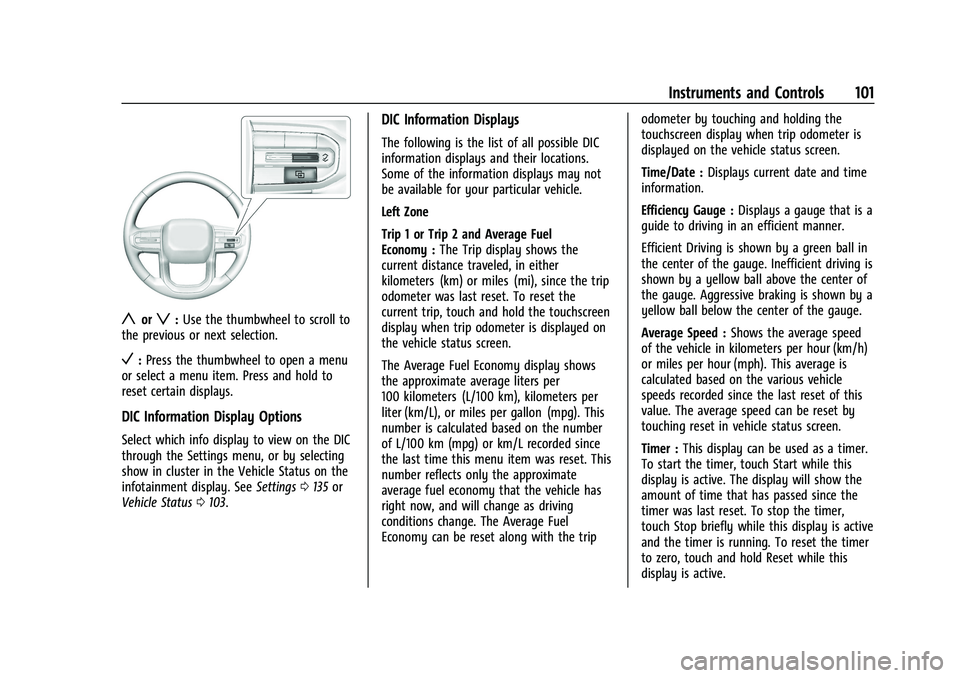
yorz:Use the thumbwheel to scroll to
the previous or next selection.
V: Press the thumbwheel to open a menu
or select a menu item. Press and hold to
reset certain displays.
DIC Information Display Options
Select which info display to view on the DIC
through the Settings menu, or by selecting
show in cluster in the Vehicle Status on the
infotainment display. See Settings0135 or
Vehicle Status 0103.
DIC Information Displays
The following is the list of all possible DIC
information displays and their locations.
Some of the information displays may not
be available for your particular vehicle.
Left Zone
Trip 1 or Trip 2 and Average Fuel
Economy : The Trip display shows the
current distance traveled, in either
kilometers (km) or miles (mi), since the trip
odometer was last reset. To reset the
current trip, touch and hold the touchscreen
display when trip odometer is displayed on
the vehicle status screen.
The Average Fuel Economy display shows
the approximate average liters per
100 kilometers (L/100 km), kilometers per
liter (km/L), or miles per gallon (mpg). This
number is calculated based on the number
of L/100 km (mpg) or km/L recorded since
the last time this menu item was reset. This
number reflects only the approximate
average fuel economy that the vehicle has
right now, and will change as driving
conditions change. The Average Fuel
Economy can be reset along with the trip odometer by touching and holding the
touchscreen display when trip odometer is
displayed on the vehicle status screen.
Time/Date :
Displays current date and time
information.
Efficiency Gauge : Displays a gauge that is a
guide to driving in an efficient manner.
Efficient Driving is shown by a green ball in
the center of the gauge. Inefficient driving is
shown by a yellow ball above the center of
the gauge. Aggressive braking is shown by a
yellow ball below the center of the gauge.
Average Speed : Shows the average speed
of the vehicle in kilometers per hour (km/h)
or miles per hour (mph). This average is
calculated based on the various vehicle
speeds recorded since the last reset of this
value. The average speed can be reset by
touching reset in vehicle status screen.
Timer : This display can be used as a timer.
To start the timer, touch Start while this
display is active. The display will show the
amount of time that has passed since the
timer was last reset. To stop the timer,
touch Stop briefly while this display is active
and the timer is running. To reset the timer
to zero, touch and hold Reset while this
display is active.
Page 103 of 371
GMC Canyon/Canyon Denali Owner Manual (GMNA-Localizing-U.S./Canada/
Mexico-16510661) - 2023 - CRC - 11/30/22
102 Instruments and Controls
Off Road :Displays vehicle pitch and roll
information, road wheel angle, and
four-wheel drive (4WD) status. See Off-Road
App 0158.
Battery Voltage : Shows the current battery
voltage.
Trailer Brake : On vehicles with the
Integrated Trailer Brake Control (ITBC)
system, the trailer brake display appears in
the DIC.
TRAILER GAIN shows the trailer gain setting.
This setting can be adjusted from 0.0 to 10.0
with either a trailer connected or
disconnected.
TRAILER OUTPUT shows the power output to
the trailer any time a trailer with electric
brakes is connected. Output is displayed as a
bar graph. Dotted lines may appear in the
OUTPUT display if a trailer is not connected.
Oil Life : Shows an estimate of the oil's
remaining useful life. If REMAINING OIL LIFE
99% is displayed, that means 99% of the
current oil life remains.
When the remaining oil life is low, the
CHANGE ENGINE OIL SOON message will
appear on the display. The oil should be
changed as soon as possible. See Engine Oil
0 257. In addition to the engine oil life system monitoring the oil life, additional
maintenance is recommended. See
Maintenance Schedule
0328.
The Oil Life display must be reset after each
oil change. It will not reset itself. Do not
reset the Oil Life display accidentally at any
time other than when the oil has just been
changed. It cannot be reset accurately until
the next oil change. To reset, see Engine Oil
Life System 0259.
Fuel Economy : Displays information about
current and average fuel economy.
Oil Pressure : Shows the engine oil pressure
in kPa (kilopascals) or psi (pounds per
square inch).
Engine Hours : Shows the total number of
hours the engine has run.
Coolant Temperature : Shows the
temperature of the coolant in either degrees
Celsius (°C) or degrees Fahrenheit (°F).
Transmission Fluid Temperature : Shows the
temperature of the automatic transmission
fluid in either degrees Celsius (°C) or degrees
Fahrenheit (°F).
Tire Pressure : Shows the approximate
pressures of all four tires. Tire pressure is
displayed in either kilopascal (kPa) or in pounds per square inch (psi). If the pressure
is low, the value for that tire is shown in
amber. See
Tire Pressure Monitor System
0 291 and
Tire Pressure Monitor Operation 0292.
Brake Pad Life : Shows an estimate of the
remaining life of the front and rear brake
pads. Messages are displayed based on
brake pad wear and the state of the system.
Reset the Brake Pad Life display after
replacing the brake pads. See Brake Pad Life
System 0267.
Air Filter Life : Shows an estimate of the
engine air filter’s remaining useful life and
the state of the system. Engine Air Filter Life
95% means 95% of the current air filter life
remains. Messages will display based on the
engine air filter life and the state of the
system. When the REPLACE AT NEXT OIL
CHANGE message displays, the engine air
filter should be replaced at the time of the
next oil change. When the REPLACE SOON
message displays, the engine air filter
should be replaced at the earliest
convenience.
The Air Filter Life display must be reset after
the engine air filter replacement. To reset,
see Engine Air Filter Life System 0260.
Page 105 of 371
GMC Canyon/Canyon Denali Owner Manual (GMNA-Localizing-U.S./Canada/
Mexico-16510661) - 2023 - CRC - 11/30/22
104 Instruments and Controls
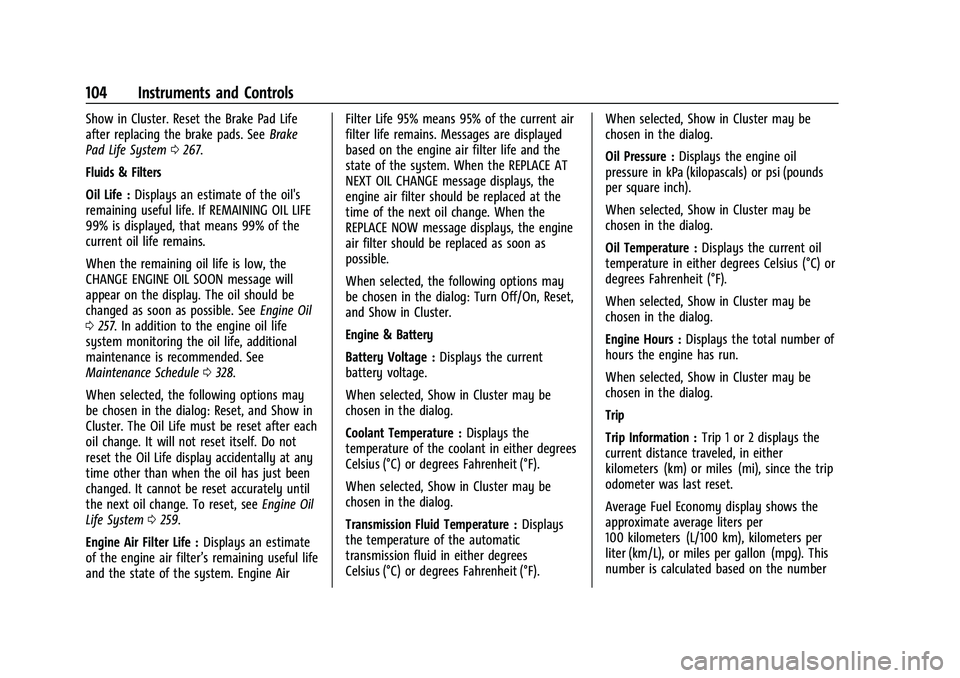
Show in Cluster. Reset the Brake Pad Life
after replacing the brake pads. SeeBrake
Pad Life System 0267.
Fluids & Filters
Oil Life : Displays an estimate of the oil's
remaining useful life. If REMAINING OIL LIFE
99% is displayed, that means 99% of the
current oil life remains.
When the remaining oil life is low, the
CHANGE ENGINE OIL SOON message will
appear on the display. The oil should be
changed as soon as possible. See Engine Oil
0 257. In addition to the engine oil life
system monitoring the oil life, additional
maintenance is recommended. See
Maintenance Schedule 0328.
When selected, the following options may
be chosen in the dialog: Reset, and Show in
Cluster. The Oil Life must be reset after each
oil change. It will not reset itself. Do not
reset the Oil Life display accidentally at any
time other than when the oil has just been
changed. It cannot be reset accurately until
the next oil change. To reset, see Engine Oil
Life System 0259.
Engine Air Filter Life : Displays an estimate
of the engine air filter’s remaining useful life
and the state of the system. Engine Air Filter Life 95% means 95% of the current air
filter life remains. Messages are displayed
based on the engine air filter life and the
state of the system. When the REPLACE AT
NEXT OIL CHANGE message displays, the
engine air filter should be replaced at the
time of the next oil change. When the
REPLACE NOW message displays, the engine
air filter should be replaced as soon as
possible.
When selected, the following options may
be chosen in the dialog: Turn Off/On, Reset,
and Show in Cluster.
Engine & Battery
Battery Voltage :
Displays the current
battery voltage.
When selected, Show in Cluster may be
chosen in the dialog.
Coolant Temperature : Displays the
temperature of the coolant in either degrees
Celsius (°C) or degrees Fahrenheit (°F).
When selected, Show in Cluster may be
chosen in the dialog.
Transmission Fluid Temperature : Displays
the temperature of the automatic
transmission fluid in either degrees
Celsius (°C) or degrees Fahrenheit (°F). When selected, Show in Cluster may be
chosen in the dialog.
Oil Pressure :
Displays the engine oil
pressure in kPa (kilopascals) or psi (pounds
per square inch).
When selected, Show in Cluster may be
chosen in the dialog.
Oil Temperature : Displays the current oil
temperature in either degrees Celsius (°C) or
degrees Fahrenheit (°F).
When selected, Show in Cluster may be
chosen in the dialog.
Engine Hours : Displays the total number of
hours the engine has run.
When selected, Show in Cluster may be
chosen in the dialog.
Trip
Trip Information : Trip 1 or 2 displays the
current distance traveled, in either
kilometers (km) or miles (mi), since the trip
odometer was last reset.
Average Fuel Economy display shows the
approximate average liters per
100 kilometers (L/100 km), kilometers per
liter (km/L), or miles per gallon (mpg). This
number is calculated based on the number
Page 106 of 371
GMC Canyon/Canyon Denali Owner Manual (GMNA-Localizing-U.S./Canada/
Mexico-16510661) - 2023 - CRC - 11/30/22
Instruments and Controls 105
of L/100 km (mpg) or km/L recorded since
the last time this menu item was reset. This
number reflects only the approximate
average fuel economy that the vehicle has
right now, and will change as driving
conditions change.
To reset these values, touch reset on the
touchscreen display when the Trip
Information dialog is selected.
When selected, the following options may
be chosen in the dialog: Reset Trip 1, Reset
Trip 2, and Show in Cluster.
Fuel Economy :Displays average fuel
economy, the best fuel economy over
the selected distance, and a bar graph
showing instantaneous fuel economy.
Values are displayed in liters per
100 kilometers (L/100 km), kilometers per
liter (km/L), or miles per gallon (mpg). This
number reflects only the approximate fuel
economy and changes frequently as driving
conditions change. Only the best score can
be reset.
If the vehicle is equipped with an Active Fuel
Management indicator, the engine operating
mode may be shown in the bottom corner
of this display. When selected, the following options may
be chosen in the dialog: Change Distance,
Reset Best Score, and Show in Cluster. The
distance for average fuel economy and the
best fuel economy can be changed to:
25 miles, 50 miles, and 300 miles.
Head-Up Display (HUD)
{Warning
If the HUD image is too bright or too
high in your field of view, it may take
you more time to see things you need to
see when it is dark outside. Be sure to
keep the HUD image dim and placed low
in your field of view.
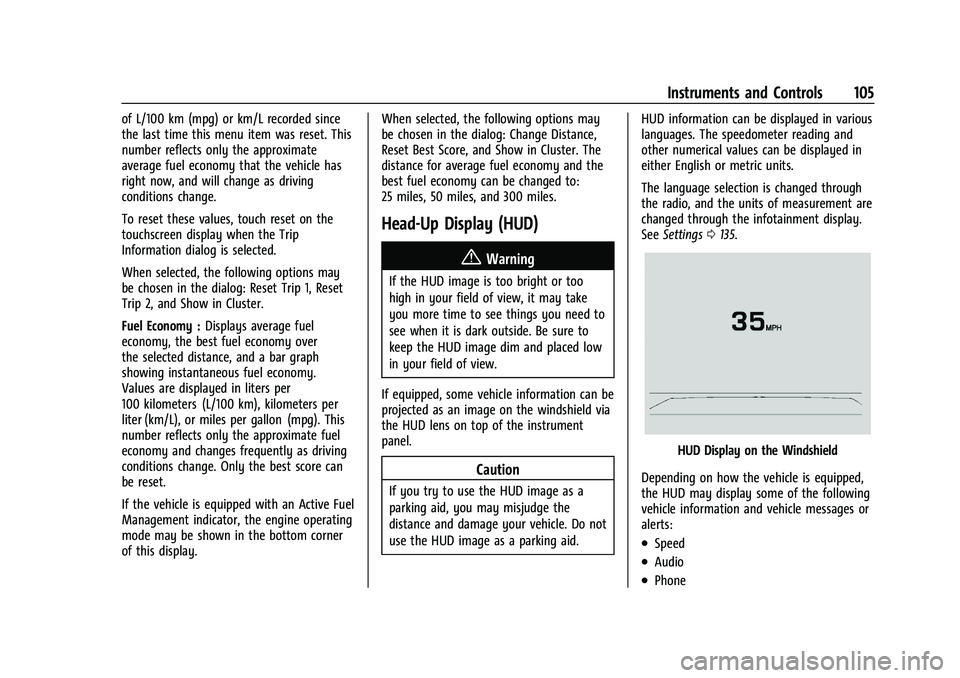
If equipped, some vehicle information can be
projected as an image on the windshield via
the HUD lens on top of the instrument
panel.
Caution
If you try to use the HUD image as a
parking aid, you may misjudge the
distance and damage your vehicle. Do not
use the HUD image as a parking aid. HUD information can be displayed in various
languages. The speedometer reading and
other numerical values can be displayed in
either English or metric units.
The language selection is changed through
the radio, and the units of measurement are
changed through the infotainment display.
See
Settings 0135.
HUD Display on the Windshield
Depending on how the vehicle is equipped,
the HUD may display some of the following
vehicle information and vehicle messages or
alerts:
.Speed
.Audio
.Phone
Page 130 of 371
GMC Canyon/Canyon Denali Owner Manual (GMNA-Localizing-U.S./Canada/
Mexico-16510661) - 2023 - CRC - 11/29/22
Infotainment System 129
“Find a
initiate navigation to a POI in the command.
“Add
way-point to the current route.
“Take me home” :Starts navigation to
Home location set in Google maps.
Onboard Vehicle Commands
These commands can be used to adjust
vehicle temperature, control window
defrosters and obtain fuel information.
“Turn on the A/C” :Turns on the air
conditioning.
“How much gas do I have left” :Find out
how much fuel your vehicle has left.
“Set temperature to
degrees” :Set to a specific temperature
inside your vehicle.
Phone Assistant Voice Recognition
While a device is connected via Bluetooth,
Android Auto, or CarPlay, press and hold
g
on the steering wheel controls to pass
through and launch the Voice Assistant on
the connected mobile phone (e.g, Google
assistant, Siri, etc.).
Phone
Bluetooth (Overview)
The Bluetooth-capable system can interact
with many mobile devices to:
.Place and receive calls in a
hands-free mode.
.Share the device’s address book or
contact list with the vehicle.
.Stream audio (music, podcasts).
.Notify receipt of text messages.
To minimize driver distraction, before
driving, and with the vehicle parked:
.Become familiar with the features of the
mobile device. Organize the phone book
and contact lists clearly and delete
duplicate or rarely used entries.
.Review the controls and operation of the
infotainment system.
.Pair mobile device(s) to the vehicle. The
system may not work with all mobile
devices. See “Pairing”later in this section.
Vehicles with a Bluetooth system can use a
Bluetooth-capable mobile device with a
Hands-Free Profile to make and receive
phone calls. The infotainment system and
voice recognition are used to control the system. The system can be used while the
vehicle is on or in accessory mode. The
range of the Bluetooth system can be up to
9.1 m (30 ft). Not all mobile devices support
all functions and not all mobile devices work
with the Bluetooth system. See
Online
Account 0340 for more information about
compatible mobile devices.
Controls
Use the controls on the infotainment display
and the steering wheel to operate the
Bluetooth system.
Steering Wheel Controls
g: Press and release to answer incoming
calls on your connected Bluetooth mobile
device. Press and hold for mobile device
assistant.
c: Press to end a call, decline a call,
or cancel an operation. Press to mute or
unmute the infotainment system when not
on a call.
Infotainment System Controls
For information about how to navigate the
menu system using the infotainment
controls, see Using the System 0118.
Page 140 of 371

GMC Canyon/Canyon Denali Owner Manual (GMNA-Localizing-U.S./Canada/
Mexico-16510661) - 2023 - CRC - 11/29/22
Infotainment System 139
or the DIC will display a message
indicating that Teen Driver is active and
the action is not available.
.Super Cruise, if equipped, is not available.
.Enhanced Low Fuel Warning
(if equipped)–When the vehicle is low
on fuel, the low fuel light on the
instrument cluster flashes and the DIC
low fuel warning cannot be dismissed.
.Do not tow a trailer if equipped with
Automatic Emergency Braking.
Report Card
The vehicle owner must secure the driver’s
consent to record certain vehicle data when
the vehicle is driven with a registered Teen
Driver key. There is one Report Card per
vehicle. Data is only recorded when a
registered Teen Driver key is used to
operate the vehicle.
The Report Card data is collected from the
time Teen Driver is activated or the last
time the Report Card was reset. The
following items may be recorded:
.Distance Driven –the total distance
driven.
.Maximum Speed –the maximum vehicle
speed detected.
.Overspeed Warnings –the number of
times the speed warning setting was
exceeded.
.Wide Open Throttle –the number of
times the accelerator pedal was pressed
nearly all the way down.
.Forward Collision Alerts (if equipped) –
the number of times the driver was
notified when approaching a vehicle
ahead too quickly and at potential risk for
a crash.
.Forward Automatic Braking, also called
Automatic Emergency Braking (if
equipped) –the number of times the
vehicle detected that a forward collision
was imminent and applied the brakes.
.Reverse Automatic Braking (if equipped) –
the number of times the vehicle detected
that a rearward collision was imminent
and applied the brakes.
.Traction Control –the number of times
the Traction Control System activated to
reduce wheel spin or loss of traction.
.Stability Control –the number of events
which required the use of electronic
stability control.
.Antilock Braking System Active –The
number of Antilock Brake System
activations.
.Tailgating Alerts (if equipped)– the
number of times the driver was alerted
for following a vehicle ahead too closely.
Report Card Data
Cumulative Data is saved for all trips until
the Report Card is reset or until the
maximum count is exceeded. If the
maximum count is exceeded for a Report
Card line item, that item will no longer be
updated in the Report Card until it is reset.
Each item will report a maximum of
1,000 counts. The distance driven will report
a maximum of 64 374 km (40,000 mi).
To delete Report Card data, do one of the
following:
.From the Report Card display, touch
Reset.
.Touch Clear PIN and All Teen Driver Keys
from the Teen Driver menu. This will also
unregister any Teen Driver keys and
delete the PIN.
Forgotten PIN
See your dealer to reset the PIN.
Page 147 of 371
GMC Canyon/Canyon Denali Owner Manual (GMNA-Localizing-U.S./Canada/
Mexico-16510661) - 2023 - CRC - 11/29/22
146 Climate Controls
The fan, air delivery mode, air conditioning,
driver and passenger temperatures, and
SNYC settings can be controlled by touching
CLIMATE on the infotainment home screen.
Automatic Operation
The system automatically controls the fan
speed, air delivery, air conditioning, and
recirculation to heat or cool the vehicle to
the desired temperature.
When AUTO is lit, all four functions operate
automatically. Each function can also be
manually set and the selected setting is
displayed. Functions not manually set will
continue to be automatically controlled,
even if the AUTO indicator is not lit.
For automatic operation:1. Press AUTO.
2. Set the temperature. Allow the system time to stabilize. Adjust the temperature
as needed for best comfort.
To improve fuel efficiency and to cool the
vehicle faster, recirculation may be
automatically selected in warm weather.
The recirculation light will not come on
when automatically controlled. See
.
under “Manual Operation” for more details.
Manual Operation
9:Press to increase or decrease the fan
speed. The fan speed setting appears on the
main display. Pressing either button cancels
automatic fan control and the fan is
controlled manually. Press AUTO to return
to automatic operation.
Driver and Passenger Temperature Control :
The temperature can be adjusted separately
for the driver and passenger.
Turn the knob clockwise or counterclockwise
to increase or decrease the driver or
passenger temperature setting. On some
models, the driver side or passenger side
temperature display shows the temperature
setting increasing or decreasing.
SYNC : Press to link the passenger
temperature setting to the driver setting.
The SYNC indicator light will turn on. When
the passenger setting is adjusted, the SYNC
indicator light will turn off.
Air Delivery Mode Control : Press
z,Y,
or
[to change the direction of the
airflow. Any combination of the three
controls can be selected. An indicator light
comes on in the selected mode button. Changing the mode cancels the automatic
operation and the system goes into manual
mode. Press AUTO to return to automatic
operation.
To change the current mode, select one or
more of the following:
z:
Air is directed to the windshield,
outboard A/C outlets, and side window
outlets.
Y: Air is directed to the A/C outlets.
[:Air is directed to the floor outlets,
with some air directed to the windshield,
outboard A/C outlets, and side window
outlets.
0MAX : Air is directed to the windshield
and the fan runs at a higher speed if not
already above a medium fan speed. This
mode overrides the previous mode selected
and clears fog or frost from the windshield
more quickly. When the control is pressed
again, the system returns to the previous
mode setting and fan speed.
For best results, clear all snow and ice from
the windshield before defrosting.
Page 150 of 371
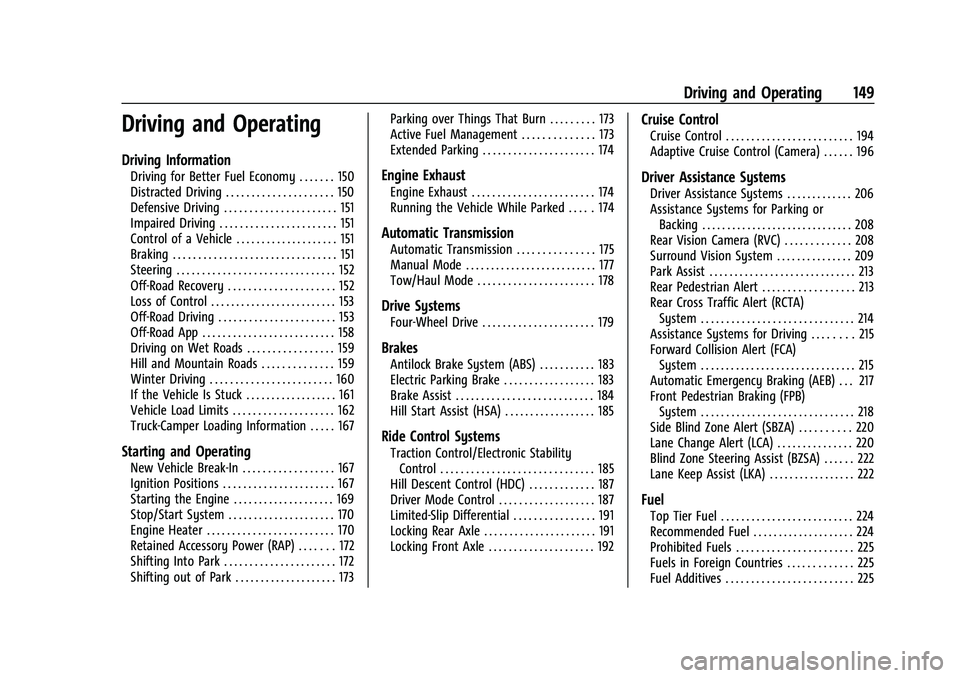
GMC Canyon/Canyon Denali Owner Manual (GMNA-Localizing-U.S./Canada/
Mexico-16510661) - 2023 - CRC - 11/29/22
Driving and Operating 149
Driving and Operating
Driving Information
Driving for Better Fuel Economy . . . . . . . 150
Distracted Driving . . . . . . . . . . . . . . . . . . . . . 150
Defensive Driving . . . . . . . . . . . . . . . . . . . . . . 151
Impaired Driving . . . . . . . . . . . . . . . . . . . . . . . 151
Control of a Vehicle . . . . . . . . . . . . . . . . . . . . 151
Braking . . . . . . . . . . . . . . . . . . . . . . . . . . . . . . . . 151
Steering . . . . . . . . . . . . . . . . . . . . . . . . . . . . . . . 152
Off-Road Recovery . . . . . . . . . . . . . . . . . . . . . 152
Loss of Control . . . . . . . . . . . . . . . . . . . . . . . . . 153
Off-Road Driving . . . . . . . . . . . . . . . . . . . . . . . 153
Off-Road App . . . . . . . . . . . . . . . . . . . . . . . . . . 158
Driving on Wet Roads . . . . . . . . . . . . . . . . . 159
Hill and Mountain Roads . . . . . . . . . . . . . . 159
Winter Driving . . . . . . . . . . . . . . . . . . . . . . . . 160
If the Vehicle Is Stuck . . . . . . . . . . . . . . . . . . 161
Vehicle Load Limits . . . . . . . . . . . . . . . . . . . . 162
Truck-Camper Loading Information . . . . . 167
Starting and Operating
New Vehicle Break-In . . . . . . . . . . . . . . . . . . 167
Ignition Positions . . . . . . . . . . . . . . . . . . . . . . 167
Starting the Engine . . . . . . . . . . . . . . . . . . . . 169
Stop/Start System . . . . . . . . . . . . . . . . . . . . . 170
Engine Heater . . . . . . . . . . . . . . . . . . . . . . . . . 170
Retained Accessory Power (RAP) . . . . . . . 172
Shifting Into Park . . . . . . . . . . . . . . . . . . . . . . 172
Shifting out of Park . . . . . . . . . . . . . . . . . . . . 173Parking over Things That Burn . . . . . . . . . 173
Active Fuel Management . . . . . . . . . . . . . . 173
Extended Parking . . . . . . . . . . . . . . . . . . . . . . 174
Engine Exhaust
Engine Exhaust . . . . . . . . . . . . . . . . . . . . . . . . 174
Running the Vehicle While Parked . . . . . 174
Automatic Transmission
Automatic Transmission . . . . . . . . . . . . . . . 175
Manual Mode . . . . . . . . . . . . . . . . . . . . . . . . . . 177
Tow/Haul Mode . . . . . . . . . . . . . . . . . . . . . . . 178
Drive Systems
Four-Wheel Drive . . . . . . . . . . . . . . . . . . . . . . 179
Brakes
Antilock Brake System (ABS) . . . . . . . . . . . 183
Electric Parking Brake . . . . . . . . . . . . . . . . . . 183
Brake Assist . . . . . . . . . . . . . . . . . . . . . . . . . . . 184
Hill Start Assist (HSA) . . . . . . . . . . . . . . . . . . 185
Ride Control Systems
Traction Control/Electronic Stability
Control . . . . . . . . . . . . . . . . . . . . . . . . . . . . . . 185
Hill Descent Control (HDC) . . . . . . . . . . . . . 187
Driver Mode Control . . . . . . . . . . . . . . . . . . . 187
Limited-Slip Differential . . . . . . . . . . . . . . . . 191
Locking Rear Axle . . . . . . . . . . . . . . . . . . . . . . 191
Locking Front Axle . . . . . . . . . . . . . . . . . . . . . 192
Cruise Control
Cruise Control . . . . . . . . . . . . . . . . . . . . . . . . . 194
Adaptive Cruise Control (Camera) . . . . . . 196
Driver Assistance Systems
Driver Assistance Systems . . . . . . . . . . . . . 206
Assistance Systems for Parking or Backing . . . . . . . . . . . . . . . . . . . . . . . . . . . . . . 208
Rear Vision Camera (RVC) . . . . . . . . . . . . . 208
Surround Vision System . . . . . . . . . . . . . . . 209
Park Assist . . . . . . . . . . . . . . . . . . . . . . . . . . . . . 213
Rear Pedestrian Alert . . . . . . . . . . . . . . . . . . 213
Rear Cross Traffic Alert (RCTA) System . . . . . . . . . . . . . . . . . . . . . . . . . . . . . . 214
Assistance Systems for Driving . . . . . . . . 215
Forward Collision Alert (FCA) System . . . . . . . . . . . . . . . . . . . . . . . . . . . . . . . 215
Automatic Emergency Braking (AEB) . . . 217
Front Pedestrian Braking (FPB)
System . . . . . . . . . . . . . . . . . . . . . . . . . . . . . . 218
Side Blind Zone Alert (SBZA) . . . . . . . . . . 220
Lane Change Alert (LCA) . . . . . . . . . . . . . . . 220
Blind Zone Steering Assist (BZSA) . . . . . . 222
Lane Keep Assist (LKA) . . . . . . . . . . . . . . . . . 222
Fuel
Top Tier Fuel . . . . . . . . . . . . . . . . . . . . . . . . . . 224
Recommended Fuel . . . . . . . . . . . . . . . . . . . . 224
Prohibited Fuels . . . . . . . . . . . . . . . . . . . . . . . 225
Fuels in Foreign Countries . . . . . . . . . . . . . 225
Fuel Additives . . . . . . . . . . . . . . . . . . . . . . . . . 225