instrument panel GMC ENVOY 1998 User Guide
[x] Cancel search | Manufacturer: GMC, Model Year: 1998, Model line: ENVOY, Model: GMC ENVOY 1998Pages: 386, PDF Size: 20.33 MB
Page 98 of 386

Rotate the knob to the right to the master lamps symbol
to turn on all the lamps listed as well as
the headlamps.
Rotate the
knob all the way to the left to turn off your
lamps and put the system in automatic headlamp mode.
Automatic Headlamp System
When it is dark enough outside, your automatic
headlamp system will turn on your headlamps at the
normal brightness along with other lamps such as the
taillamps, sidemarker, parking lamps and the instrument
panel lights. The radio lights will also be dim.
Your vehicle is equipped with High Intensity Discharge
(€€ID) headlamps. Your headlamps come on at lower
intensity and gradually increase to full brightness.
Your vehicle is equipped with
a light sensor on the top
of the instrument panel under the radio speaker grille,
so
be sure it is not covered, which will cause the system to
be on whenever the ignition is on.
The system may also turn on your headlamps when
driving through a parking garage, heavy overcast
weather, a tunnel or fueling your vehicle in a low-light
area. This is normal.
There is a delay in the transition between the daytime
and nighttime operation of the Daytime Running Lamps
(DRL) and the automatic headlamp systems
so that driving under bridges or bright overhead street lights
does not affect the system. The DRL and automatic
headlamp system will only be affected when the light
sensor
sees a change in lighting lasting longer than
the delay.
To idle your vehicle with the automatic headlamp
system
off, set the parking brake while the ignition is
off. Then start your vehicle. The automatic headlamp
system will stay off until you release the parking brake.
As with any vehicle, you should turn on the regular
headlamp system when you need it.
Lamps On Reminder
A reminder chime will sound when your headlamps or
parking lamps
are manually turned on and your ignition
is in
OFF, LOCK or ACCESSORY. To disable the
chime, rotate the thumb wheel all the way down. In
the
automatic mode, the headlamps turn off once the
ignition key is in
OFF,
Daytime Running Lamps
Daytime Running Lamps (DRL) can make it easier for
others to see the front of your vehicle during the day.
DRL can be helpful in many different driving
conditions, but they can be especially helpful in the short periods after dawn and before sunset.
2-37
ProCarManuals.com
Page 99 of 386

The DRL system will make your high-beam headlamps
come
on at reduced brightness when:
Fog Lamps
the ignition is on,
the headlamp switch is in automatic headlamp
mode and
the parking brake is released.
When the DRL are on, only your high-beam headlamps
will be on. The taillamps, sidemarker and other lamps
won’t be on. The instrument panel won’t be lit up either.
When it begins to get dark, the high-beam headlamps
will automatically switch from DRL to the regular
low-beam headlamps.
When you turn
the headlamp switch off, the regular
low-beam headlamps will
go off, and your high-beam
headlamps will change to the reduced brightness
of DRL
provided it is not dark outside.
To idle your vehicle with
the DRL off, set the parking
brake. The DRL will stay off until
you release the
parking brake.
As with any vehicle, you should turn on the regular
headlamp system
when you need it. Use your fog lamps
for better vision in foggy or misty
conditions. Your low-beam headlamps or your parking
lamps must be on for your fog lamps to work.
The fog lamp switch is
on the instrument panel under
the lamps switch. Press
the switch to turn the fog lamps
on. Press the switch again to turn them
off. A light will
glow in
the switch when the fog lamps are on.
Remember,
fog lamps alone will not give off as much
light as your headlamps. Never use your fog lamps in
the dark without turning on your headlamps.
The
fog lamps will go off whenever your high-beam
headlamps come on. When the high beams
go off, the
fog lamps will come on again.
2-38
ProCarManuals.com
Page 100 of 386
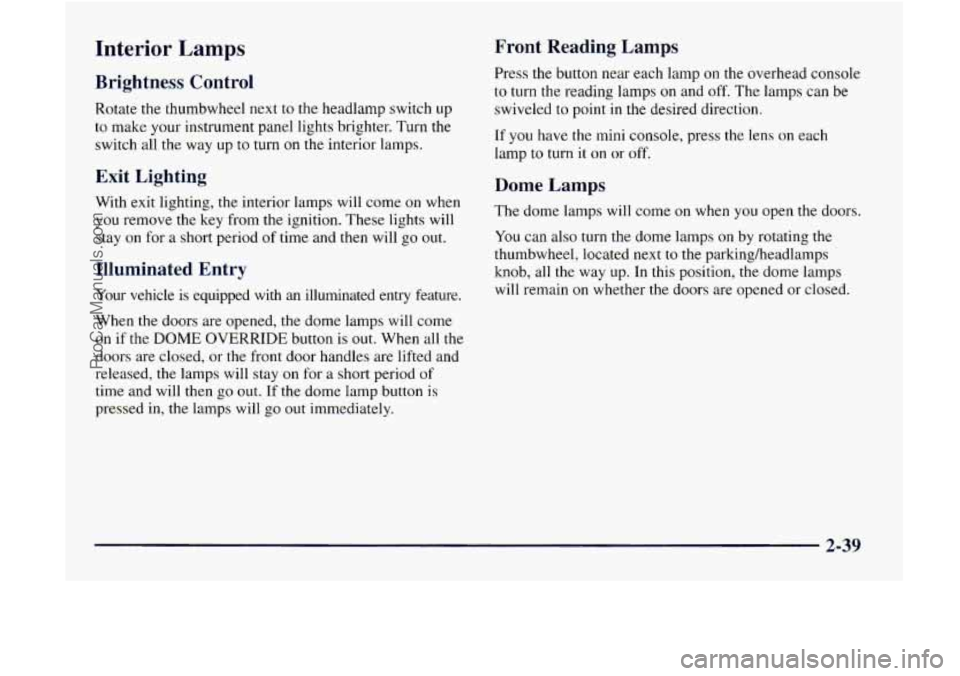
Interior Lamps
Brightness Control
Rotate the thumbwheel next to the headlamp switch up
to make your instrument panel lights brighter. Turn the
switch all the way up to turn
on the interior lamps.
Front Reading Lamp?
Press the button near each lamp on the overhead console
to turn the reading lamps
on and off. The lamps can be
swiveled to point in the desired direction.
If you have the
mini console, press the lens on each
lamp
to turn it on or off.
Exit Lighting
With exit lighting, the interior lamps will come on when
you remove
the key from the ignition. These lights will
stay
on for a short period of time and then will go out.
Illuminated Entry
Your vehicle is equipped with an illuminated entry feature.
When the doors are opened, the dome lamps will come
on if the DOME OVERRIDE button is out. When all the
doors are closed, or the front door handles are lifted and
released, the lamps will stay
on for a short period of
time and will then go
out. If the dome lamp button is
pressed in, the lamps will
go out immediately.
Dome Lamps
The dome lamps will come on when you open the doors.
You can
also turn the dome lamps on by rotating the
thumbwheel, located next to the parking/headlamps
knob, all the way
LIP. In this position, the dome lamps
will remain on whether the doors are opened or closed.
2-39
ProCarManuals.com
Page 110 of 386
NOTICE:
Loading cargo that weighs more than 200 Ibs.
(91 kg) on the luggage carrier may damage your
vehicle. When you carry large things, never let
them hang over the rear or the sides of your
vehicle. When loading cargo on the roof panel, be
sure it rests on the slats and does not scratch or
damage the vehicle.
Put the cargo against the side rails and fasten it
securely to the luggage carrier. Put the main
weight as
far forward as you can and move the
rear crossrail forward as
far as possible to keep
the load from shifting.
Don’t exceed the maximum vehicle capacity when
loading your vehicle. For more information on vehicle
capacity and loading, see “Loading Your Vehicle“
in
the Index.
To prevent damage or loss of cargo as you’re driving,
check now and then to make sure the luggage carrier and
cargo are still securely fastened.
Ashtrays and Cigarette Lighter
The ashtray is located in the center floor console, in
front
of the shift lever. Flip the cover to expose
the ashtray.
NOTICE:
Don’t put papers and other things that burn into
your ashtray.
If you do, cigarettes or other
smoking materials could set them on fire
causing damage.
To remove the front ashtray, pull the bin upward.
The lighter is located
in the instrument panel below the
climate controls.
To use the lighter, press it in all the
way, and let
go. When it’s ready, it will pop back
by itself.
2-49
I
ProCarManuals.com
Page 113 of 386
Accessory Power Outlets
With the accessory power outlets, you can plug in
auxiliary electrical equipment. There are four accessory
power outlets located throughout the vehicle. Two are
near the lower center part
of the instrument panel, one is
located in
the lower rear of the center console and the
other is located in
the rear of the vehicle in the air
inflator compartment. Follow the proper installation
instructions that are included with any electrical
equipment you install.
These circuits are protected by
a fuse and have
maximum current levels.
NOTICE:
When using the accessory power outlets,
maximum electrical load must not exceed
20 amps. Always turn off any electrical
equipment when not in use. Leaving electrical
equipment on for extended periods will drain
your battery.
Sunroof (If Equipped)
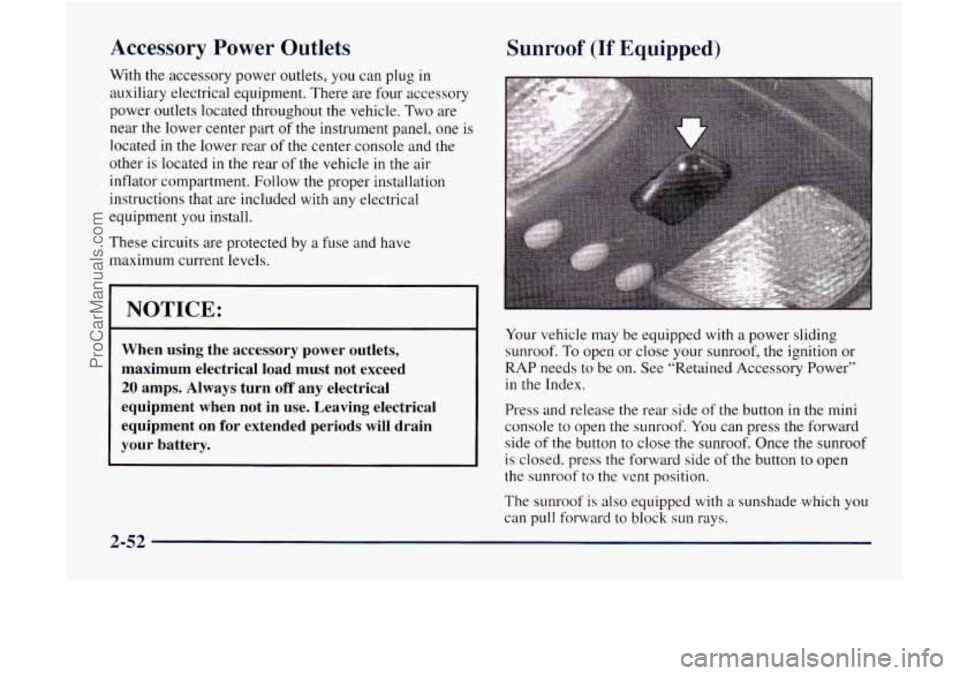
Your vehicle may be equipped with a power sliding
sunroof. To open or close your sunroof, the ignition or
RAP needs to be on. See “Retained Accessory Power”
in the Index.
Press and release the rear side
of the button in the mini
console to open the sunroof. You can press the forward
side
of the button to close the sunroof. Once the sunroof
is closed, press the forward side of the button to open
the sunroof to the vent position.
The sunroof
is also equipped with a sunshade which you
can pull forward to block sun rays.
2-52
ProCarManuals.com
Page 119 of 386
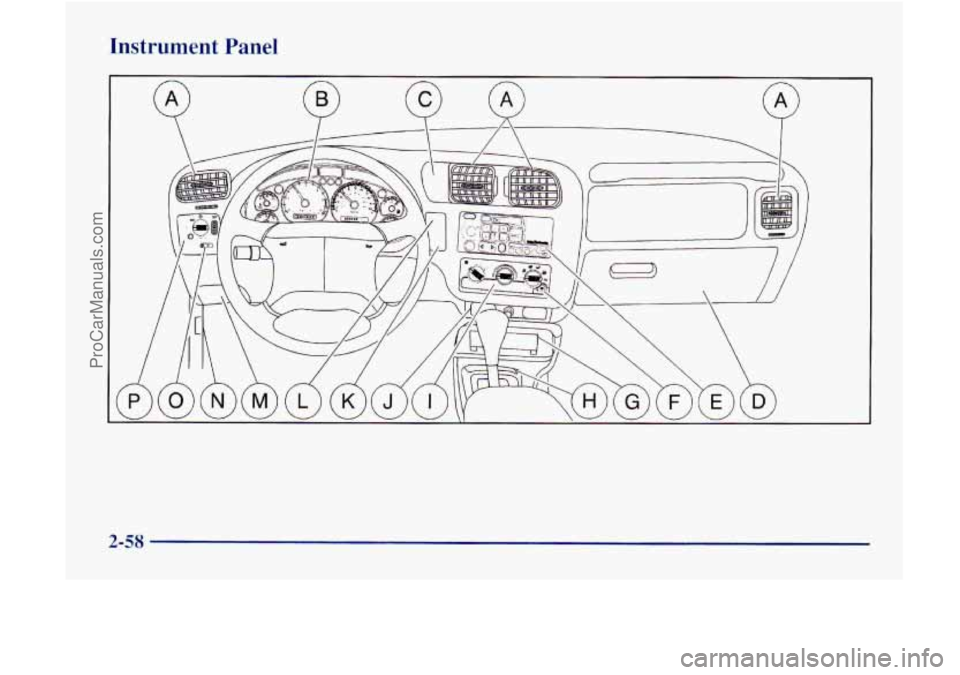
Instrument Panel
2-58
ProCarManuals.com
Page 121 of 386
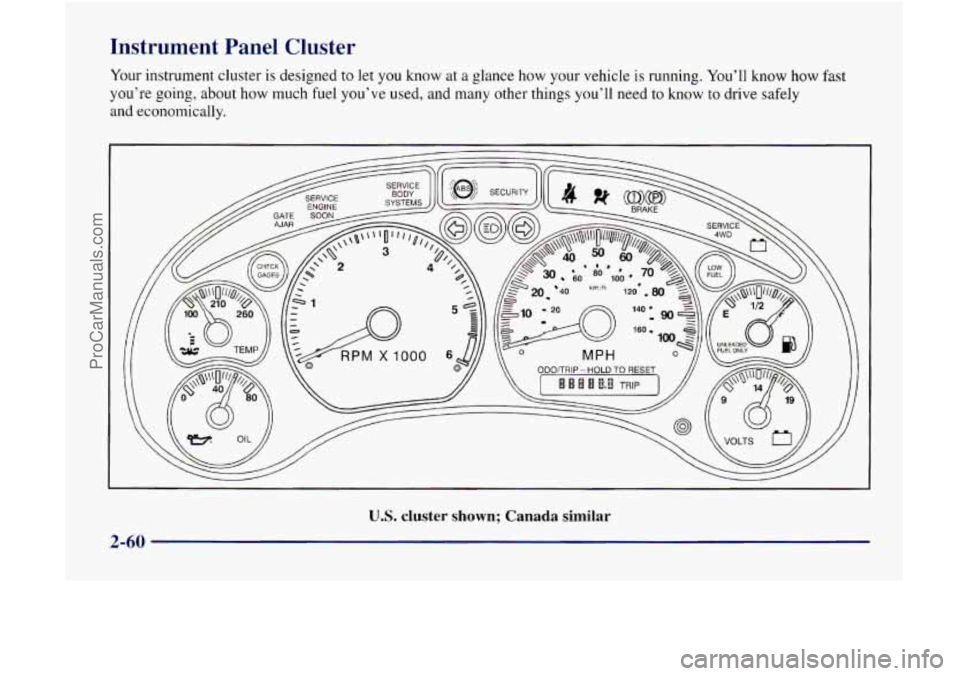
Instrument Panel Cluster
U.S. cluster shown; Canada similar
2-60
ProCarManuals.com
Page 124 of 386

Air Bag Readiness Light
There is an air bag readiness light on the instrument
panel, which shows
the air bag symbol. The system
checks the air bag’s electrical system for malfunctions.
The light tells you
if there is an electrical problem. The
system check includes
the air bag sensors, the air bag
module, the wiring and the diagnostic module. For more
information
on the air bag system, see “Air Bag” in
the Index.
This light will come on
when you start your engine,
and
it will flash for a few
seconds. Then the light
should go out. This means
the system is ready.
If the air bag readiness light stays on after you start the
engine or comes on when you are driving, your air bag
system may
not work properly. Have your vehicle
serviced right away.
The air bag readiness light should flash for a few
seconds when
you turn the ignition key to RUN. If the
light doesn’t come
on then, have it fixed so it will be
ready to warn
you if there is a problem.
Charging System Indicator Light
The charging system light
will come on briefly when
you turn on the ignition, but
’ the engine is not running,
as a check to show you it
is working.
It should go out once the engine
is running. If it stays
on, or comes on while you are driving, you may have a
problem with the charging system.
It could indicate that
you have problems with
a generator drive belt, or
another electrical problem. Have
it checked right away.
Driving while this light
is on could drain your battery.
If you must drive a short distance with the light on, be
certain to turn off all your accessories, such as the radio
and air conditioner.
2-63
I
ProCarManuals.com
Page 136 of 386

Mode Knob - Automatic Operation
The right knob on the control panel allows you to
choose the direction of air delivery. When the system is
set for automatic operation, sensors will control the air
delivery mode.
Air will come primarily from the floor or
instrument panel outlets, with some air directed to the
windshield to prevent fogging.
When the system is in AUTO mode, the air conditioning
light will turn on, and the recirculation and outside air
lights turn
off. With the system in full auto control
(both the fan and mode knobs
in AUTO), you still have
the ability to override any function. However,
continually overriding the outside air or the
A/C
compressor will limit the ability of the system to cool
the vehicle quickly.
If you push a button for a function which is nor
available, the light next to that button will flash three
times to alert you that it’s not available.
To find your comfort zone, start with the
74°F (23 O C)
setting and allow about 20 minutes for the system to
adjust the temperature if necessary.
With the automatic setting, the
air conditioning compressor
automatically cycles when needed to cool the
air. In cold
weather, when the system senses the need for heat, the
airflow
will be directed out the floor outlets. As the interior temperature approaches the desired setting, the
blower speed will decrease. To maintain interior comfort,
the &ow will adjust between the instrument panel
air
outlets and floor outlets. On bright sunny days in cool
weather, the alrflow may come out
of the air conditioning
and floor outlets (bi-level mode) to maintain comfort and
prevent stuffiiess.
To avoid blowing cold
air in cold weather, the system will
delay turning on the fan until warm
air is available. The
length of delay depends on the outside
air temperature,
engine coolant temperature or the time since the engine was last started.
As the coolant warms up, the blower fan
speed will gradually increase and
air will flow from the
heater outlets, with some airflow to
the windshield to
prevent fogging under most normal conditions.
If your vehicle is sitting out on a warm day and you
have the fan set on AUTO, the air will first flow out of
the floor air outlets
for a few seconds. That is normal.
This is to expel hot air from the air outlets.
As the air is
cooled, the airflow will move through the
air
conditioning outlets.
Be careful not to put anything over the solar sensor
located around the center of the instrument panel.
This sensor is used by the automatic system to
regulate temperature.
3-3
I
ProCarManuals.com
Page 137 of 386
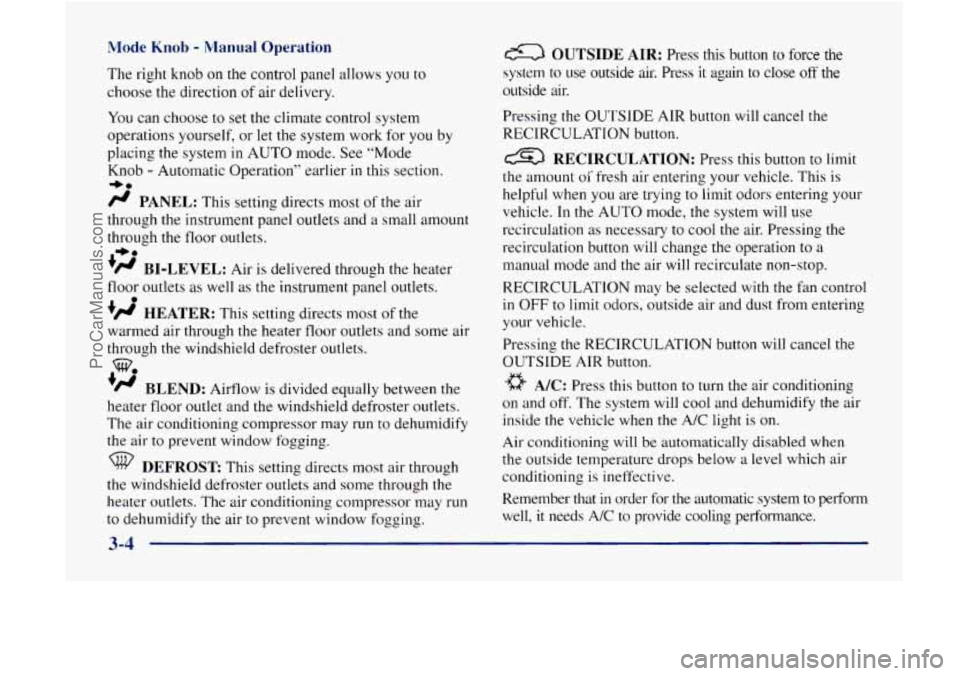
Mode Knob - Manual Operation
The right knob on the control panel allows you to
choose the direction
of air delivery.
You can choose to set the climate control system
operations yourself, or let the system work for you by
placing the system
in AUTO mode. See “Mode
Knob
- Automatic Operation” earlier in this section.
/J PANEL: This setting directs most of the air
through the instrument panel outlets and a small amount
through the floor outlets.
’@ BI-LEVEL: Air is delivered through the heater
floor outlets as well as the instrument panel outlets.
+# HEATER: This setting directs most of the
warmed air through the heater floor outlets and some air
through the windshield defroster outlets.
‘/J BLEND: Airflow is divided equally between the
heater floor outlet and the windshield defroster outlets.
The air conditioning compressor may run
to dehumidify
the air to prevent window fogging.
+0
-bo
0
WO
DEFROST This setting directs most air through
the windshield defroster outlets and some through the
heater outlets. The air conditioning compressor may
run
to dehumidify the air to prevent window fogging.
a OUTSIDE AIR: Press this button to force the
system to
use outside air. Press it again to close off the
outside air.
Pressing the
OUTSIDE AIR button will cancel the
RECIRCULATION button.
RECIRCULATION: Press this button to limit
the amount
oi’ fresh air entering your vehicle. This is
helpful when
you are trying to limit odors entering your
vehicle. In the AUTO mode, the system will use
recirculation as necessary to cool
the air. Pressing the
recirculation button will change the operation to
a
manual mode and the air will recirculate non-stop.
RECIRCULATION may be selected
with the fan control
in OFF to limit odors, outside air and dust from entering
your vehicle.
Pressing the RECIRCULATlON button will cancel the
OUTSIDE AIR button.
a A/C: Press this button to turn the air conditioning
on and off. The system will cool and dehumidify the air
inside the vehicle
when the A/C light is on.
Air conditioning will be automatically disabled when
the outside temperature drops below a level which air
conditioning is ineffective.
Remember that
in order for the automatic system to perform
well,
it needs A/C to provide cooling performance.
3-4
ProCarManuals.com