manual radio set GMC ENVOY 1998 User Guide
[x] Cancel search | Manufacturer: GMC, Model Year: 1998, Model line: ENVOY, Model: GMC ENVOY 1998Pages: 386, PDF Size: 20.33 MB
Page 147 of 386

4. Press and hold one of the six pushbuttons. The sound
will mute. When it returns, release the button.
Whenever
you press that numbered button, the
station you set will return.
5. Repeat the steps for each pushbutton.
P.SCAN: The preset scan button lets you scan through
your favorite stations stored
on your pushbuttons. Select
either the
AM, FMl or FM2 mode and then press
P.SCAN.
It will scan through each station stored on your
pushbuttons and stop for a few seconds before
continuing to scan through all of the pushbuttons. Press
P.SCAN again or one of the pushbuttons to stop
scanning to listen
to a specific stored station. P.SCAN
will light up on the display while in this mode. If one of
the stations stored on a pushbutton is too weak for the
location
you are in, the radio display will show the
channel number
(P 1 -P6) for several seconds before
advancing
to the next preset station.
Setting the Tone
BASS: Press lightly on this knob to release it from its
stored position. Turn
the knob to the right to increase
bass and
to the left to decrease bass.
TREB: Press lightly on this knob to release it from its
stored position. Turn
the knob to the right to increase
treble and
to the left to decrease treble. If a station is
weak or noisy, you may want to decrease the treble.
Push these knobs back into their stored positions when
you’re not using them.
Adjusting the Speakers
BAL: Press lightly on this knob to release it from its
stored position. Turn the control to the right to adjust
sound to the right speakers and to the left to adjust
sound to the left speakers. The middle position balances
the sound between the speakers.
FADE: Press lightly on this knob to release it from its
stored position. Turn the control to
the right to adjust the
sound to the front speakers and to the left for
the rear
speakers. The middle position balances the sound
between the speakers.
Push these knobs back into their stored positions when
you’re not using them.
3-14
ProCarManuals.com
Page 149 of 386
AM-FM: While in the CD mode, press this button to
stop playing the CD and play the radio. The
CD symbol
will still display but
the word CD will be replaced with
either
AM, FM1 or FM2. (If the radio is turned off, the
disc stays in the player and will resume playing at the
point where it stopped.)
CD AUX: Press this button if you have a disc loaded in
the CD player and the radio is turned on, to play a
compact disc. Press
AM-F" to return to the radio when
a compact disc is playing. Press CD
AUX to switch
between the compact disc player and console-mounted CD changer if both are loaded. When a disc is playing,
the letters CD and the CD symbol will appear on the
display. (If the radio is turned off, the disc stays in the
player and will resume playing at the point where
it stopped.)
EJECT: Press this button to eject the disc from the
player and play the radio. When the same or a new disc
is inserted, the disc will start playing on track one. If a
compact disc is left sitting in the opening for more than
a few seconds, the player will pull the
CD back in. The
radio will continue playing. When the ignition is off,
press this button to load a CD.
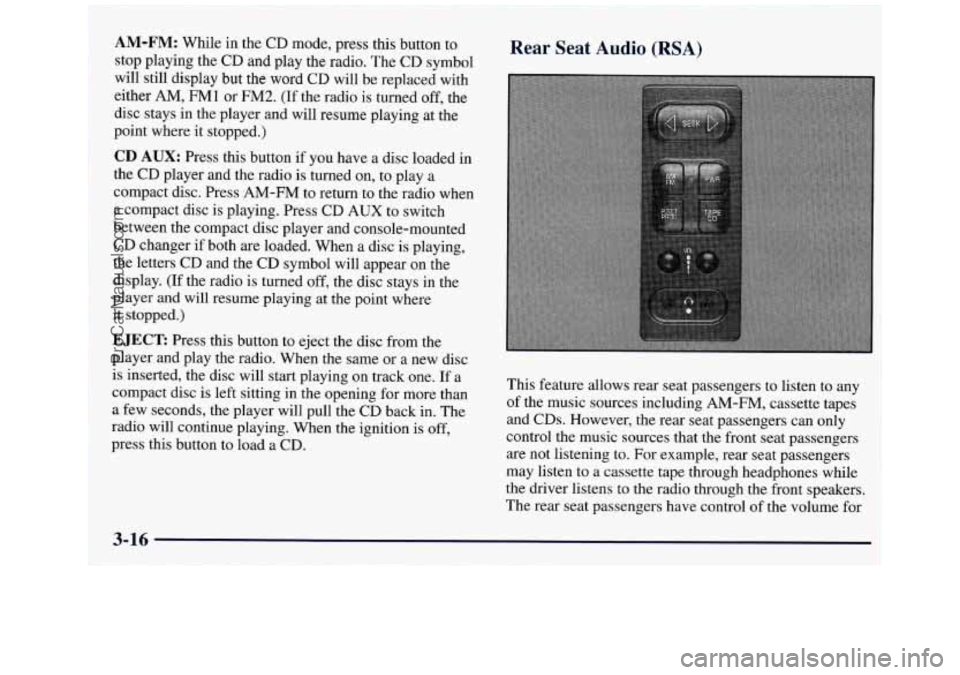
Rear Seat Audio (RSA)
This feature allows rear seat passengers to listen to any
of the music sources including
AM-FM, cassette tapes
and CDs. However, the rear seat passengers can only
control the music sources that the front seat passengers
are not listening to. For example, rear seat passengers
may listen to a cassette tape through headphones while
the driver listens to the radio through the front speakers.
The rear seat passengers have control
of the volume for
3-16
ProCarManuals.com
Page 150 of 386
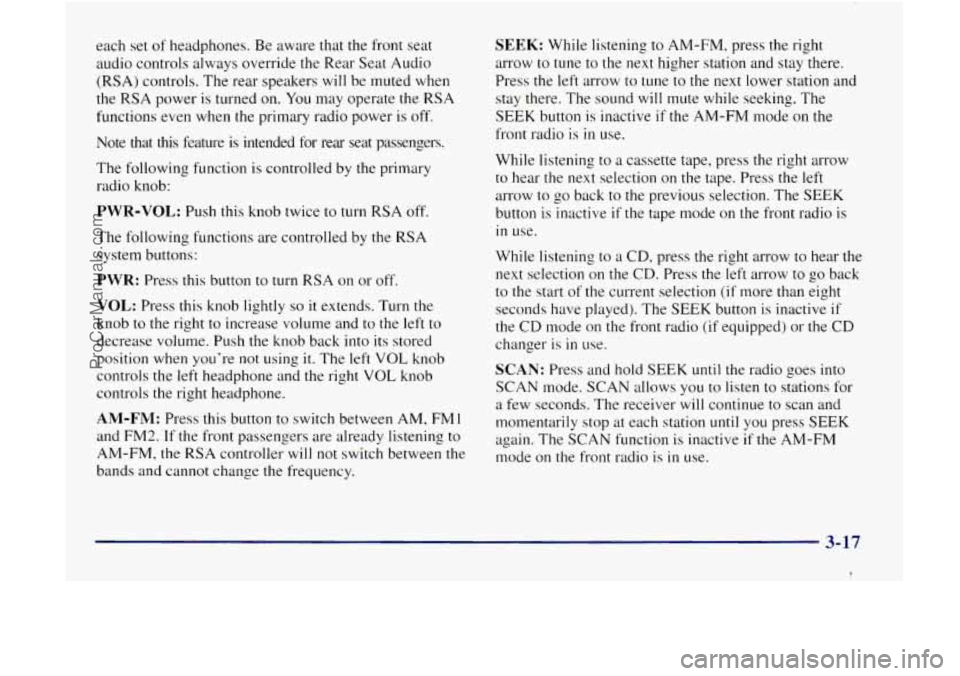
each set of headphones. Be aware that the front seat
audio controls always override the Rear Seat Audio
(RSA) controls. The rear speakers will be muted when
the RSA power is turned on. You may operate the RSA
functions even when the primary radio power is off.
luote that this feature is intended for rear seat passengers.
The following function is controlled by the primary
radio knob:
PWR-VOL: Push this knob twice to turn RSA off.
The following functions are controlled by the RSA
system buttons:
PWR: Press this button to turn RSA on or off.
VOL: Press this knob lightly so it extends. Turn the
knob to the right to increase volume and to the left to
decrease volume. Push the knob back into its stored
position when you’re not using it. The left
VOL knob
controls
the left headphone and the right VOL knob
controls the right headphone.
AM-FM: Press this button to switch between AM, FMl
and FM2.
If the front passengers are already listening to
AM-FM, the RSA controller will not switch between the
bands and cannot change the frequency.
SEEK: While listening to AM-FM, press the right
arrow
to tune to the next higher station and stay there.
Press the
left arrow to tune to the next lower station and
stay there. The sound will mute while seeking. The
SEEK button is inactive if the AM-FM mode on the
front radio is
in use.
While listening to a cassette tape, press the right arrow
to hear the next selection
on the tape. Press the left
arrow to go back to the previous selection. The
SEEK
button is inactive if the tape mode on the front radio is
in use.
While listening to a CD, press the right arrow to hear the
next selection
on the CD. Press the left arrow to go back
to the start of the current selection (if more than eight
seconds have played). The
SEEK button is inactive if
the CD mode on the front radio
(if equipped) or the CD
changer is
in use.
SCAN: Press and hold SEEK until the radio goes into
SCAN mode. SCAN allows you to listen to stations for
a few seconds. The receiver will continue to scan and
momentarily stop at each station
until you press SEEK
again. The SCAN function is inactive if the AM-FM
mode on the front radio
is in use.
3-17
I
ProCarManuals.com
Page 151 of 386
P.SET PROG: The front passengers must be
listening to something different for each of these
functions
to work:
Press this button to seek through the preset radio
stations set on your primary radio pushbuttons.
0 When a cassette tape is playing, press this button to
go to the other side of the tape.
When a CD is playing in the CD changer, press this
TAPE CD: Press this button to switch between the tape
or CD and console-mounted CD changer
if both are
loaded. Press
AM-Fh4 to return to the radio when a
cassette tape or CD is playing. The inactive tape or CD
will remain safely inside the radio for future listening.
button
to select a disc.
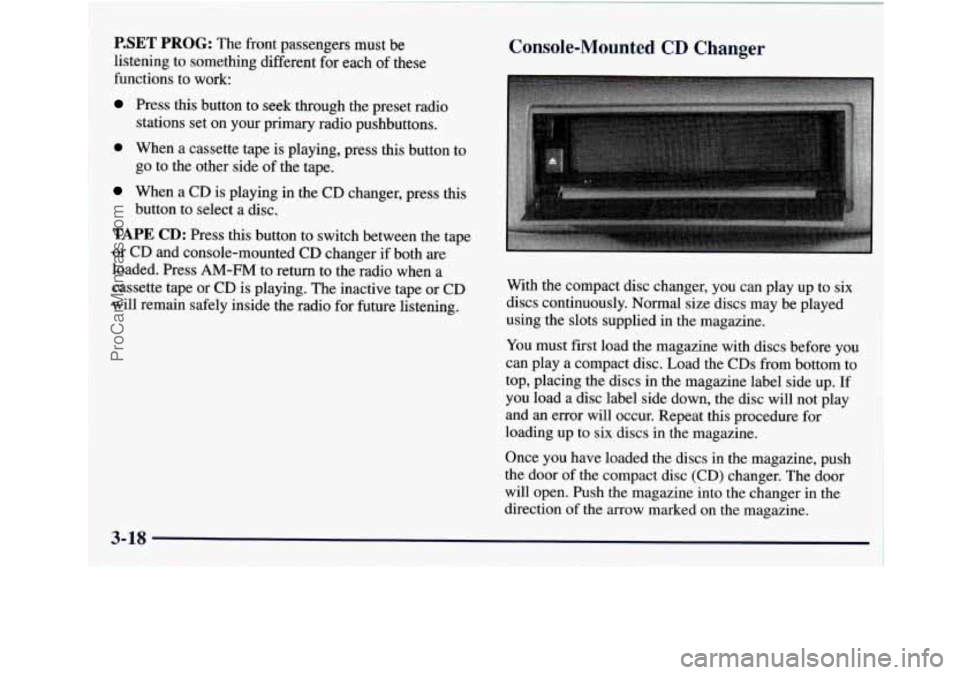
Console-Mounted CD Changer
With the compact disc changer, you can play up to six
discs continuously. Normal size discs may be played
using the slots supplied in the magazine.
You must first load the magazine with discs before
you
can play a compact disc. Load the CDs from bottom to
top, placing the discs in the magazine label side up. If
you load a disc label side down, the disc will not play
and an error will occur. Repeat this procedure for
loading up to six
discs in the magazine.
Once you have loaded the discs in the magazine, push
the door of the compact disc (CD) changer. The door
will open. Push the magazine into the changer in the
direction of the
arrow marked on the magazine.
ProCarManuals.com
Page 152 of 386
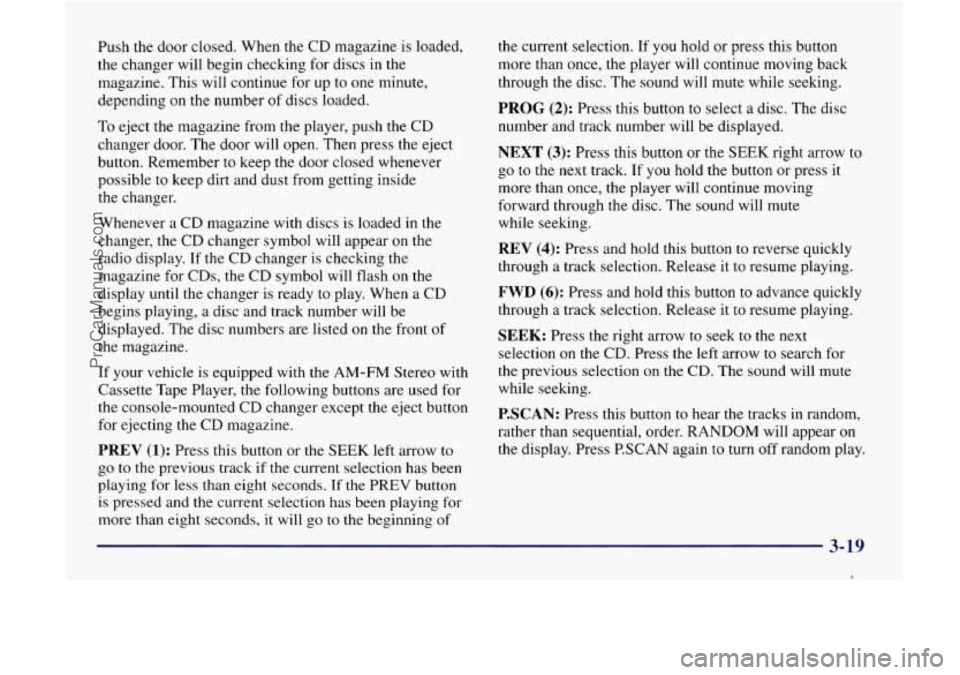
Push the door closed. When the CD magazine is loaded,
the changer will begin checking for discs
in the
magazine. This will continue for up to one minute,
depending on the number
of discs loaded.
To eject the magazine from the player, push the CD
changer door, The door will open. Then press the eject
button. Remember to keep the door closed whenever
possible to keep dirt and dust from getting inside
the changer.
Whenever a CD magazine with discs is loaded in the
changer, the CD changer symbol will appear
on the
radio display.
If the CD changer is checking the
magazine for CDs,
the CD symbol will flash on the
display until the changer is ready to play. When a CD
begins playing, a disc and track number will be
displayed. The disc numbers are listed on the front of
the magazine.
If your vehicle is equipped with the AM-FM Stereo with
Cassette Tape Player, the following buttons are used for
the console-mounted CD changer except the eject button
for ejecting the CD magazine.
PREV (1): Press this button or the SEEK left arrow to
go to the previous track if the current selection has been
playing for less than eight seconds.
If the PREV button
is pressed and the current selection
has been playing for
more than eight seconds,
it will go to the beginning of the
current selection. If
you hold or press this button
more than once, the player will continue moving back
through the disc. The sound will mute while seeking.
PROG (2): Press this button to select a disc. The disc
number and track number will be displayed.
NEXT (3): Press this button or the SEEK right arrow to
go to the next track. If you hold the button or press it
more than once, the player will continue moving
forward through the disc. The sound will mute
while seeking.
REV (4): Press and hold this button to reverse quickly
through a track selection. Release it to resume playing.
FWD (6): Press and hold this button to advance quickly
through a track selection. Release it
to resume playing.
SEEK: Press the right arrow to seek to the next
selection on the CD. Press the left arrow to search for
the previous selection
on the CD. The sound will mute
while seeking.
P.SCAN: Press this button to hear the tracks in random,
rather than sequential, order. RANDOM will appear
on
the display. Press P.SCAN again to turn off random play.
3-19
I
ProCarManuals.com
Page 157 of 386

To help avoid hearing loss or damage:
0 Adjust the volume control to the lowest setting.
Increase volume slowly until you hear comfortably
and clearly,
NOTICE:
Before you add any sound equipment to your
vehicle
-- like a tape player, CB radio, mobile
telephone or two-way radio
-- be sure you can
add what
you want. If you can, it’s very
important to do it properly. Added sound
equipment may interfere with the operation
of
your vehicle’s engine, Delco Electronics radio or
other systems, and even damage them. Your
vehicle’s systems may interfere with the
operation
of sound equipment that has been
added improperly.
So, before adding sound equipment, check with
your dealer and be sure
to check Federal rules
covering mobile radio and telephone units.
Care of Your Cassette Tape Player
A tape player that is not cleaned regularly can cause
reduced sound quality, ruined cassettes or
a damaged
mechanism. Cassette tapes should be stored
in their
cases away from contaminants, direct sunlight and
extreme heat.
If they aren’t, they may not operate
properly or may cause failure of the tape player.
Your tape player should be cleaned regularly after every
SO hours of use. Your radio may display CLN to indicate
that you have used your tape player for
50 hours without
resetting the tape clean timer. If this message appears on
the display,
your cassette tape player needs to be
cleaned.
It will still play tapes, but you should clean it as
soon
as possible to prevent damage to your tapes and
player.
If you notice a reduction in sound quality, try a
known good cassette to see
if it is the tape or the tape
player at fault,
If this other cassette has no improvement
in sound quality, clean the tape player.
The recommended cleaning method for your cassette
tape player is the use
of a scrubbing action,
non-abrasive cleaning cassette with pads which scrub
the tape head
as the hubs of the cleaner cassette turn.
The recommended cleaning cassette is available through
your dealership
(GM Part No. 12344789).
3-24
ProCarManuals.com
Page 158 of 386

When using a scrubbing action, non-abrasive cleaning
cassette,
it is normal for the cassette to eject because
your unit is equipped with a cut tape detection feature
and
a cleaning cassette may appear as a broken tape. To
prevent the cleaning cassette from being ejected, use the
following steps.
1. Turn the ignition to RUN or ACCESSORY.
2. Turn the radio off.
3. Press and hold the TAPE AUX button for five
seconds. The tape symbol on the display
will flash
for two seconds.
4. Insert the scrubbing action cleaning cassette.
5. Eject the cleaning cassette after the manufacturer’s
recommended cleaning time.
When the cleaning cassette has been ejected, the cut tape
detection feature
is active again. You may
also choose a non-scrubbing action, wet-type
cleaner which uses a cassette
with a fabric belt to clean
the tape head. This type of cleaning cassette will not
eject on its own.
A non-scrubbing action cleaner may
not clean as thoroughly
as the scrubbing type cleaner.
The use of a non-scrubbing action, dry-type cleaning
cassette is not recommended.
After
you clean the player, press and hold EJECT for
five seconds to reset the
CLN indicator. The radio will
display
--- to show the indicator was reset.
Cassettes are subject to wear and the sound quality
may degrade over time. Always make sure the cassette
tape is
in good condition before you have your tape
player serviced.
3-25
I
ProCarManuals.com
Page 215 of 386

2. Get the vehicles close enough so the jumper cables
can reach, but be sure
the vehicles aren’t touching
each other.
If they are, it could cause a ground
connection you don’t want.
You wouldn’t be able to
start your vehicle, and the bad grounding could
damage
the electrical systems.
To avoid the possibility of the vehicles rolling, set
the parking brake firmly on each vehicle. Put your
vehicle
in PARK (P).
3. Turn off the ignition on both vehicles. Unplug
unnecessary accessories plugged into the cigarette
lighter or the accessory power outlets. Turn
off all
lamps that aren’t needed as well as radios. This will
avoid sparks and help save both batteries. In
addition, it could save your radio!
NOTICE:
If you leave your radio on, it could be badly
damaged. The repair wouldn’t be covered by
your warranty.
L
4. Open both hoods and locate the batteries. Find the
positive
(+) and negative (-) terminals on
each battery.
A
Using a match near a battery can cause battery
gas to explode. People have been hurt doing this,
and some have been blinded. Use
a flashlight if
you need more light.
Be sure the battery has enough water.
You don’t
need
to add water to the ACDelco Freedom’
battery installed in every new
GM vehicle. But if
a battery has filler caps, be sure the right amount
of fluid is there. If it is low, add water to take care
of that first. If you don’t, explosive gas could
be present.
Battery fluid contains acid that can burn you.
Don’t get it
on you. If you accidentally get it in
your eyes or on your skin, flush the place with
water and get medical help immediately.
5-4
ProCarManuals.com
Page 380 of 386

Net. Convenience .............................. 2-46 Over Things That Burn ........................ 2-24
Neutral
....................................... 2-19 Passing ..................................... 4-12
New Vehicle “Break-In”
......................... 2- 13 Passlock’ ..................................... 2-12
Nightvision
................................... 4-27 Payload ....................................... 4-42
Normal Maintenance Replacement Parts
............. 6-6 1 Periodic Maintenance Inspections .................. 7-43
Power
Odometer
.................................... 2-6 1
Off-Road Driving .............................. 4- 15
Off-Road Recovery
............................. 4- I 1
OnStar System ................................ 2-57
Ordering Owner and Service Publications
....... 8- I 1, 8- 12
Outside Mirror
Power Remote Control
......................... 2-41
Convex ..................................... 2-42
Overhead Console
.............................. 2-42
Oil. Engine
.................................... 6-10
Accessory Outlets ............................ 2-52
DoorLocks
................................... 2-5
Remote Control Mirror
........................ 2-41
Seat
......................................... 1-2
Steering
..................................... 4-9
Steering Fluid
................................ 6-25
Windows
................................... 2-28
Pregnancy. Use of Safety Belts
.................... 1 . 19
Problems on the Road
............................ 5-1
Publications. Service and Owner .............. 8- 1 1. 8. 12
Overheating Engine
............................. 5- 1 1
Owner Checks and Services ....................... 7-39 Radiator. Adding Coolant ....................... 5-17
Owner Publications
........................ 8- I 1. 8- 12 Radiator Pressure Cap ........................... 6-24
Radio Reception
................................ 3-23
Paint Spotting. Chemical 6-52
Park
......................................... 2-18
Shifting Into 2-21
Shifting Out
of 2-23
AtNight
2-11
Brake ...................................... 2-20
Brake Mechanism Check 7-42
Lots ....................................... 2-11
On Hills with a Trailer 4-50
Radios ........................ Cassette Tape Player ........................... 3-8
Cassette Tape Player Care 3.24. 7.39
CDChanger 3-18
Compact Disc Player 3-12
Compact Disc Player Care 3-26
Rear Seat Audio
.............................. 3-16
Setting the Clock 3-8
Theft-Deterrent Feature
........................ 3-21
Rain. Driving 4-28
................. ................................. ................................. ............................... .......................... Parking ...................... ....................................
.............................. .......................
.................................. ......................... RAP ......................................... 2-15
9-7
ProCarManuals.com