instrument panel GMC ENVOY DENALI 2007 Owner's Manual
[x] Cancel search | Manufacturer: GMC, Model Year: 2007, Model line: ENVOY DENALI, Model: GMC ENVOY DENALI 2007Pages: 562, PDF Size: 2.87 MB
Page 172 of 562
Turn and Lane-Change Signals
The turn signal has two upward (for right) and
two downward (for left) positions. These positions
let you signal a turn or a lane change.
To signal a turn, move the lever all the way up or
down. When the turn is nished, the lever
returns automatically.
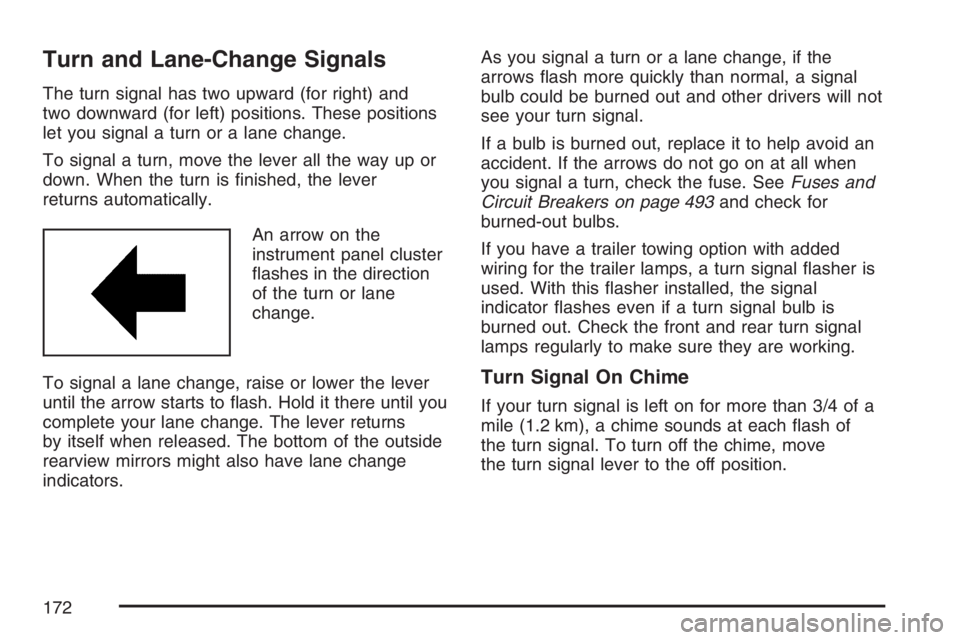
An arrow on the
instrument panel cluster
ashes in the direction
of the turn or lane
change.
To signal a lane change, raise or lower the lever
until the arrow starts to ash. Hold it there until you
complete your lane change. The lever returns
by itself when released. The bottom of the outside
rearview mirrors might also have lane change
indicators.As you signal a turn or a lane change, if the
arrows ash more quickly than normal, a signal
bulb could be burned out and other drivers will not
see your turn signal.
If a bulb is burned out, replace it to help avoid an
accident. If the arrows do not go on at all when
you signal a turn, check the fuse. SeeFuses and
Circuit Breakers on page 493and check for
burned-out bulbs.
If you have a trailer towing option with added
wiring for the trailer lamps, a turn signal asher is
used. With this asher installed, the signal
indicator ashes even if a turn signal bulb is
burned out. Check the front and rear turn signal
lamps regularly to make sure they are working.
Turn Signal On Chime
If your turn signal is left on for more than 3/4 of a
mile (1.2 km), a chime sounds at each ash of
the turn signal. To turn off the chime, move
the turn signal lever to the off position.
172
Page 173 of 562
Headlamp High/Low-Beam Changer
To change the headlamps from low to high
beam, push the lever toward the instrument panel.
To return to low-beam headlamps, pull the
multifunction lever toward you. Then release it.
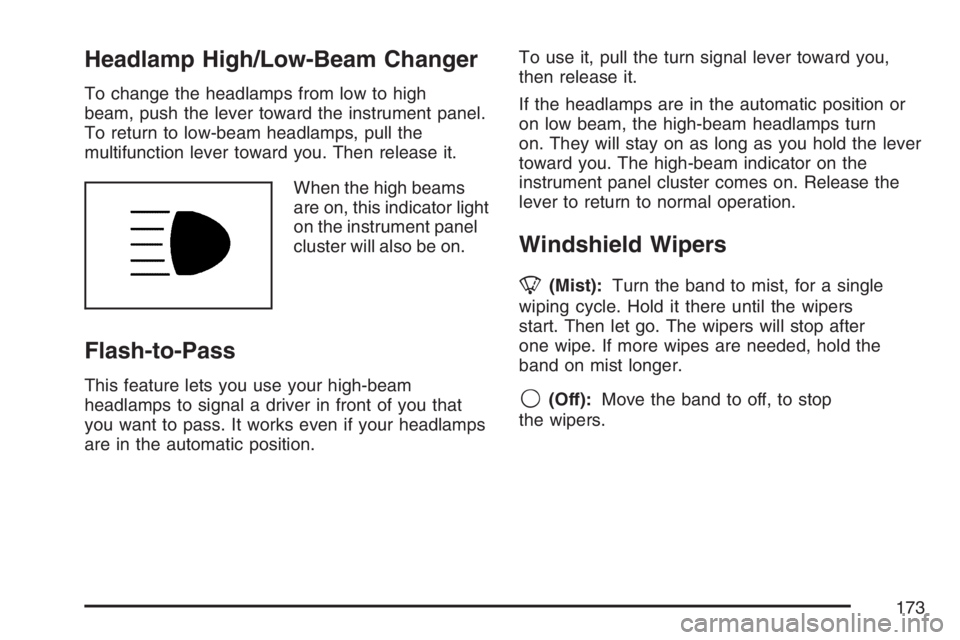
When the high beams
are on, this indicator light
on the instrument panel
cluster will also be on.
Flash-to-Pass
This feature lets you use your high-beam
headlamps to signal a driver in front of you that
you want to pass. It works even if your headlamps
are in the automatic position.To use it, pull the turn signal lever toward you,
then release it.
If the headlamps are in the automatic position or
on low beam, the high-beam headlamps turn
on. They will stay on as long as you hold the lever
toward you. The high-beam indicator on the
instrument panel cluster comes on. Release the
lever to return to normal operation.
Windshield Wipers
8(Mist):Turn the band to mist, for a single
wiping cycle. Hold it there until the wipers
start. Then let go. The wipers will stop after
one wipe. If more wipes are needed, hold the
band on mist longer.
9(Off):Move the band to off, to stop
the wipers.
173
Page 175 of 562
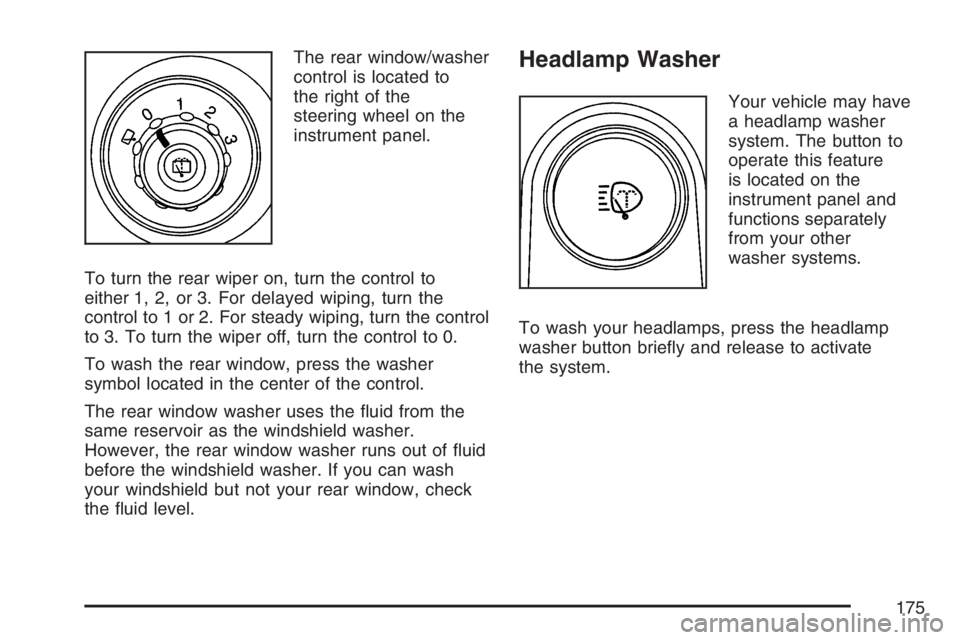
The rear window/washer
control is located to
the right of the
steering wheel on the
instrument panel.
To turn the rear wiper on, turn the control to
either 1, 2, or 3. For delayed wiping, turn the
control to 1 or 2. For steady wiping, turn the control
to 3. To turn the wiper off, turn the control to 0.
To wash the rear window, press the washer
symbol located in the center of the control.
The rear window washer uses the uid from the
same reservoir as the windshield washer.
However, the rear window washer runs out of uid
before the windshield washer. If you can wash
your windshield but not your rear window, check
the uid level.Headlamp Washer
Your vehicle may have
a headlamp washer
system. The button to
operate this feature
is located on the
instrument panel and
functions separately
from your other
washer systems.
To wash your headlamps, press the headlamp
washer button briey and release to activate
the system.
175
Page 177 of 562
{CAUTION:
If you leave your cruise control on when
you are not using cruise, you might hit a
button and go into cruise when you do
not want to. You could be startled and
even lose control. Keep the cruise control
switch off until you want to use cruise
control.
Setting Cruise Control
1. Move the cruise control switch to on.
2. Get up to the speed you want.
3. Press the set button at the end of the lever
and release it.
4. Take your foot off the accelerator pedal.
The accelerator pedal will not go down.Some vehicles have a
cruise light on the
instrument panel cluster
that will come on
when the cruise control
is engaged.
Resuming a Set Speed
Suppose you set your cruise control at a desired
speed and then you apply the brake. This, of
course, shuts off the cruise control. But you do not
need to reset it.
Once you are going about 25 mph (40 km/h) or
more, you can move the cruise control switch
briey from on to resume/accelerate.
You will go right back up to the previously chosen
speed and stay there.
If you hold the switch at resume/accelerate, the
vehicle keeps going faster until you release
the switch or apply the brakes. So unless you
want to go faster, do not hold the switch at
resume/accelerate.
177
Page 179 of 562
Erasing Speed Memory
When you turn off the cruise control or the
ignition, the cruise control set speed memory
is erased.
Headlamps
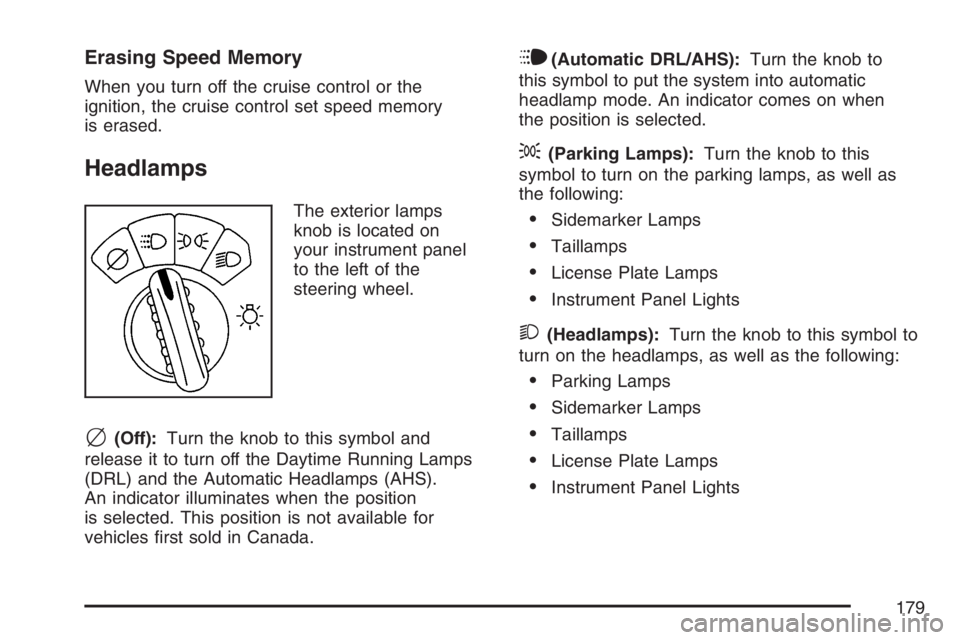
The exterior lamps
knob is located on
your instrument panel
to the left of the
steering wheel.
c(Off):Turn the knob to this symbol and
release it to turn off the Daytime Running Lamps
(DRL) and the Automatic Headlamps (AHS).
An indicator illuminates when the position
is selected. This position is not available for
vehicles rst sold in Canada.
i(Automatic DRL/AHS):Turn the knob to
this symbol to put the system into automatic
headlamp mode. An indicator comes on when
the position is selected.
;(Parking Lamps):Turn the knob to this
symbol to turn on the parking lamps, as well as
the following:
Sidemarker Lamps
Taillamps
License Plate Lamps
Instrument Panel Lights
2(Headlamps):Turn the knob to this symbol to
turn on the headlamps, as well as the following:
Parking Lamps
Sidemarker Lamps
Taillamps
License Plate Lamps
Instrument Panel Lights
179
Page 180 of 562
Headlamps on Reminder
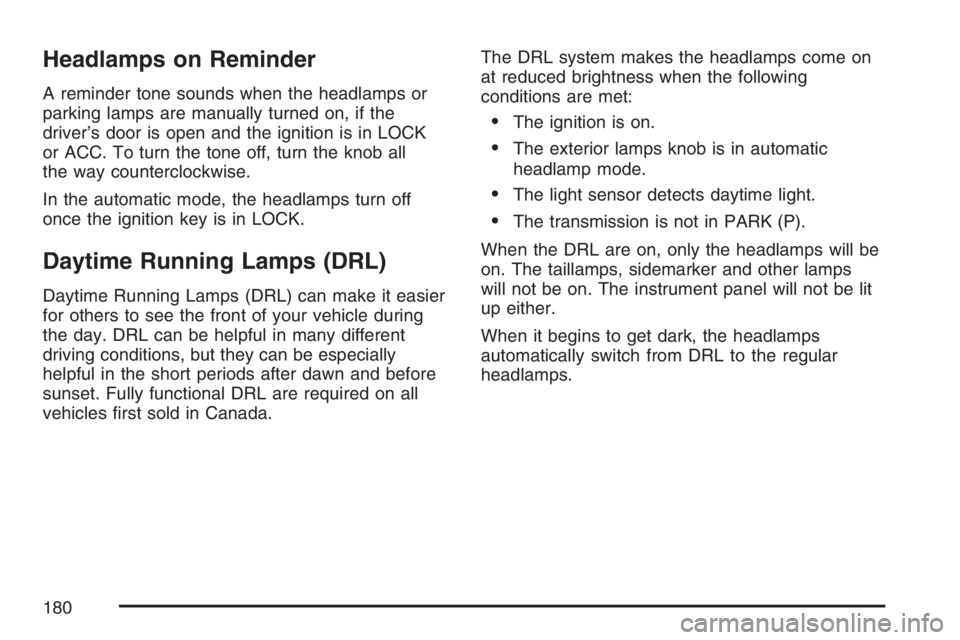
A reminder tone sounds when the headlamps or
parking lamps are manually turned on, if the
driver’s door is open and the ignition is in LOCK
or ACC. To turn the tone off, turn the knob all
the way counterclockwise.
In the automatic mode, the headlamps turn off
once the ignition key is in LOCK.
Daytime Running Lamps (DRL)
Daytime Running Lamps (DRL) can make it easier
for others to see the front of your vehicle during
the day. DRL can be helpful in many different
driving conditions, but they can be especially
helpful in the short periods after dawn and before
sunset. Fully functional DRL are required on all
vehicles rst sold in Canada.The DRL system makes the headlamps come on
at reduced brightness when the following
conditions are met:
The ignition is on.
The exterior lamps knob is in automatic
headlamp mode.
The light sensor detects daytime light.
The transmission is not in PARK (P).
When the DRL are on, only the headlamps will be
on. The taillamps, sidemarker and other lamps
will not be on. The instrument panel will not be lit
up either.
When it begins to get dark, the headlamps
automatically switch from DRL to the regular
headlamps.
180
Page 181 of 562
Automatic Headlamp System
When it is dark enough outside, the Automatic
Headlamp System turns on the headlamps when
the vehicle is started and after the transaxle
has been shifted out of the PARK (P) position.
The headlamps, taillamps, sidemarker, and parking
lamps will come on. The instrument panel lights
and radio lights will also turn on at normal
brightness. Once on, the system remains on
during these conditions even if the vehicle
is shifted back into PARK (P).
The vehicle has a light sensor on the top of the
instrument panel. Make sure it is not covered or the
system may come on whenever the ignition is on
and the vehicle is shifted out of the PARK (P)
position.
The system could also turn on the lamps when
driving through a parking garage, heavy overcast
weather or a tunnel. This is normal.There is a delay in the transition between the
daytime and nighttime operation of the Daytime
Running Lamps (DRL) and the automatic headlamp
systems, so that driving under bridges or bright
overhead street lights does not affect the system.
The DRL and automatic headlamp system are only
affected when the light sensor sees a change in
lighting lasting longer than the delay.
If you start your vehicle in a dark garage, the
automatic headlamp system comes on after the
transmission is shifted out of PARK (P). Once you
leave the garage, it will take about one minute
for the automatic headlamp system to change to
DRL if it is light outside. During that delay, the
instrument panel cluster might not be as bright as
usual. Make sure the instrument panel brightness
control is in the full bright position.
If the vehicle is running and the automatic
headlamp system is already on, it can be turned
off by turning and releasing the headlamp
control at the off position. The automatic headlamp
system stays off until you turn and release the
headlamp control at the off position again.
SeeHeadlamps on page 179.
181
Page 182 of 562
Fog Lamps
Use the fog lamps for better vision in foggy or
misty conditions. The ignition must be in RUN for
the fog lamps to work.
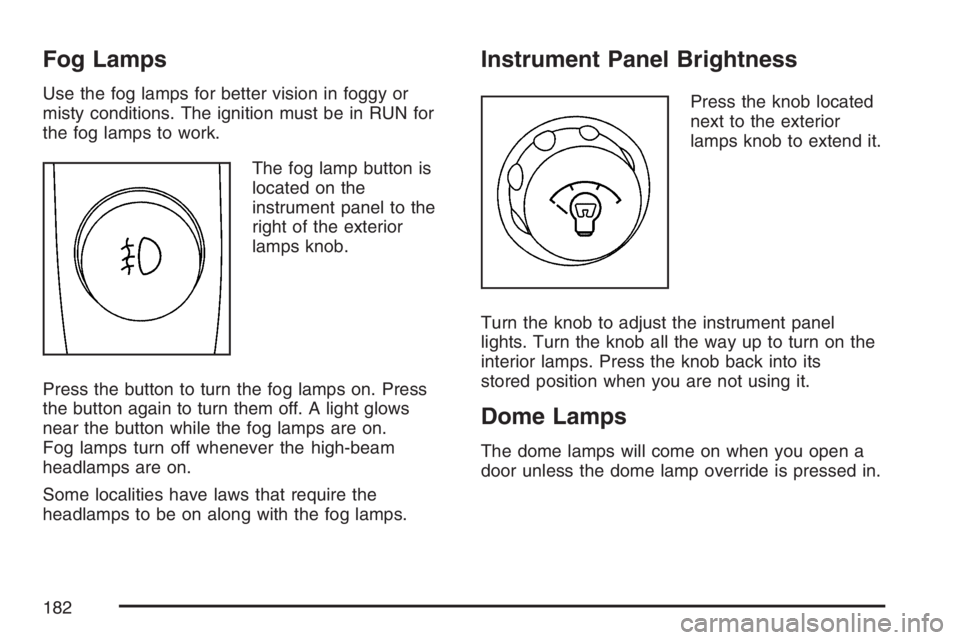
The fog lamp button is
located on the
instrument panel to the
right of the exterior
lamps knob.
Press the button to turn the fog lamps on. Press
the button again to turn them off. A light glows
near the button while the fog lamps are on.
Fog lamps turn off whenever the high-beam
headlamps are on.
Some localities have laws that require the
headlamps to be on along with the fog lamps.
Instrument Panel Brightness
Press the knob located
next to the exterior
lamps knob to extend it.
Turn the knob to adjust the instrument panel
lights. Turn the knob all the way up to turn on the
interior lamps. Press the knob back into its
stored position when you are not using it.
Dome Lamps
The dome lamps will come on when you open a
door unless the dome lamp override is pressed in.
182
Page 187 of 562
To change the current mode, select one of the
following:
H(Vent):This mode directs air to the instrument
panel outlets.
)(Bi-Level):This mode directs about half of the
air to the instrument panel outlets; then directs
most of the remaining air to the oor outlets. A little
air is directed toward the windshield and the
side window outlets. Cooler air is directed to the
upper vents and warmer air to the oor outlets.
6(Floor):This mode directs most of the
air to the oor outlets with a little air directed to
the windshield and the side window outlets.
The recirculation button cannot be selected while
in oor mode.
@(Recirculation):Recirculation mode is used
to recirculate the air inside of your vehicle.
When this button is pressed, an indicator light in
the button will come on to let you know that it
is active. Use this mode to help prevent outside
odors and/or dust from entering your vehicle or to
help cool the air inside of your vehicle more
quickly. The air conditioning compressor will also
come on when this mode is activated. While in
recirculation mode, the windows may fog when the
weather is cold and damp. To clear the fog,
select either the defog or defrost mode and
increase fan speed.
Defog and defrost modes are described later in
this section.
187
Page 190 of 562
9(Off):Press this button to turn off the entire
climate control system. Outside air will still
enter the vehicle, and will be directed to the oor.
Press the AUTO button, the mode button, the
fan arrows, or either temperature knob to turn the
system on.
C(Mode):Press this button to manually select
the air delivery mode to the oor, instrument panel,
or windshield outlets. The system will stay in the
selected mode until the mode button is pressed
again or the AUTO button is pressed.
Driver’s Side Temperature Knob:Turn this knob
clockwise or counterclockwise to raise or lower
the temperature on the driver’s side of the vehicle.
The display will show the temperature setting
decreasing or increasing and an arrow pointing
toward the driver. This knob can also adjust
the passenger’s side temperature setting if the
two are linked.
Passenger’s Side Temperature Knob:Turn this
knob clockwise or counterclockwise to manually
raise or lower the temperature on the passenger’s
side of the vehicle. The display will show the
temperature setting decreasing or increasing and
an arrow pointing toward the passenger.The passenger’s temperature setting can be set to
match and link to the driver’s temperature
setting by pressing and holding the AUTO button
for three seconds. When adjusting the driver’s
side temperature setting, the passenger’s
side temperature setting will follow and both
arrows will appear on the display. The passenger’s
side temperature setting also resets and relinks
to the driver’s side temperature setting if the
vehicle has been off for more than three hours.
Outside Air Temperature Display
A new outside temperature reading will be
displayed if the vehicle has been off for more than
three hours. If the vehicle has been off for less
than three hours, the old temperature reading may
be displayed because underhood heat is
affecting the true outside temperature. Underhood
heat can also affect the outside temperature
while the engine is running. It may also take
several minutes of driving before the display
updates to the actual outside temperature.
190