tire GMC ENVOY DENALI 2008 User Guide
[x] Cancel search | Manufacturer: GMC, Model Year: 2008, Model line: ENVOY DENALI, Model: GMC ENVOY DENALI 2008Pages: 468, PDF Size: 2.51 MB
Page 159 of 468
Automatic Operation
AUTO (Automatic):When automatic operation is
active, the system will control the inside temperature,
the air delivery mode, and the fan speed.
Use the steps below to place the entire system in
automatic mode:
1. Press the AUTO button.
When AUTO is selected, the air conditioning
operation and air outlet mode will be automatically
controlled. The air conditioning compressor will
run continuously when the outside temperature
is over approximately 40°F (4°C). The air inlet will
normally be set to outside air. If it’s hot outside,
the air inlet will automatically switch to recirculate
inside air to help quickly cool down your vehicle.
2. Set the driver’s and passenger’s temperature.
To nd your comfort setting, start with a 72°F (22°C)
temperature setting and allow about 20 minutes for
the system to adjust. Turn the driver’s or passenger’s
side temperature knob to adjust the temperature
setting as necessary. If you choose the temperature
setting of 60°F (15°C), the system will remain at
the maximum cooling setting. If you choose the
temperature setting of 90°F (32°C), the system will
remain at the maximum heat setting. Choosing either
maximum setting may not cause the vehicle to heat
or cool any faster.
Manual Operation
To change the current setting, select one of the
following:
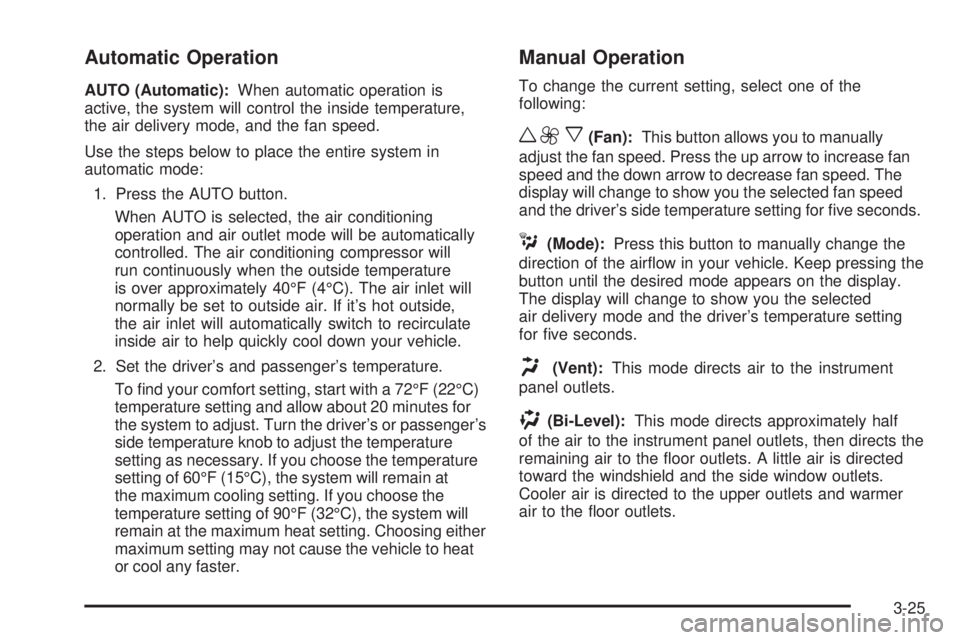
w9x(Fan):This button allows you to manually
adjust the fan speed. Press the up arrow to increase fan
speed and the down arrow to decrease fan speed. The
display will change to show you the selected fan speed
and the driver’s side temperature setting for ve seconds.
C(Mode):Press this button to manually change the
direction of the airow in your vehicle. Keep pressing the
button until the desired mode appears on the display.
The display will change to show you the selected
air delivery mode and the driver’s temperature setting
for ve seconds.
H(Vent):This mode directs air to the instrument
panel outlets.
)(Bi-Level):This mode directs approximately half
of the air to the instrument panel outlets, then directs the
remaining air to the oor outlets. A little air is directed
toward the windshield and the side window outlets.
Cooler air is directed to the upper outlets and warmer
air to the oor outlets.
3-25
Page 175 of 468
Tire Pressure Light
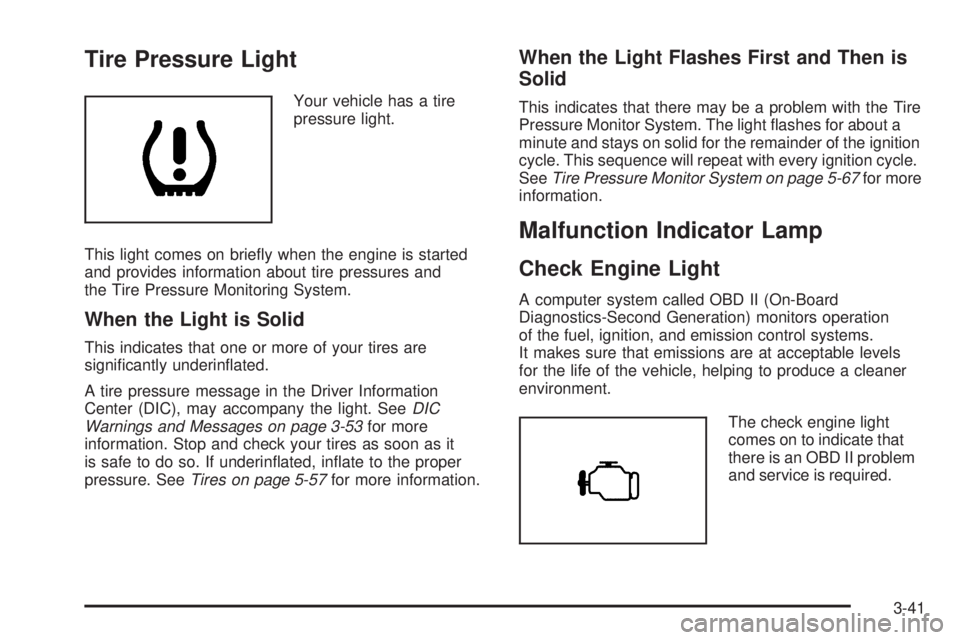
Your vehicle has a tire
pressure light.
This light comes on briey when the engine is started
and provides information about tire pressures and
the Tire Pressure Monitoring System.
When the Light is Solid
This indicates that one or more of your tires are
signicantly underinated.
A tire pressure message in the Driver Information
Center (DIC), may accompany the light. SeeDIC
Warnings and Messages on page 3-53for more
information. Stop and check your tires as soon as it
is safe to do so. If underinated, inate to the proper
pressure. SeeTires on page 5-57for more information.
When the Light Flashes First and Then is
Solid
This indicates that there may be a problem with the Tire
Pressure Monitor System. The light ashes for about a
minute and stays on solid for the remainder of the ignition
cycle. This sequence will repeat with every ignition cycle.
SeeTire Pressure Monitor System on page 5-67for more
information.
Malfunction Indicator Lamp
Check Engine Light
A computer system called OBD II (On-Board
Diagnostics-Second Generation) monitors operation
of the fuel, ignition, and emission control systems.
It makes sure that emissions are at acceptable levels
for the life of the vehicle, helping to produce a cleaner
environment.
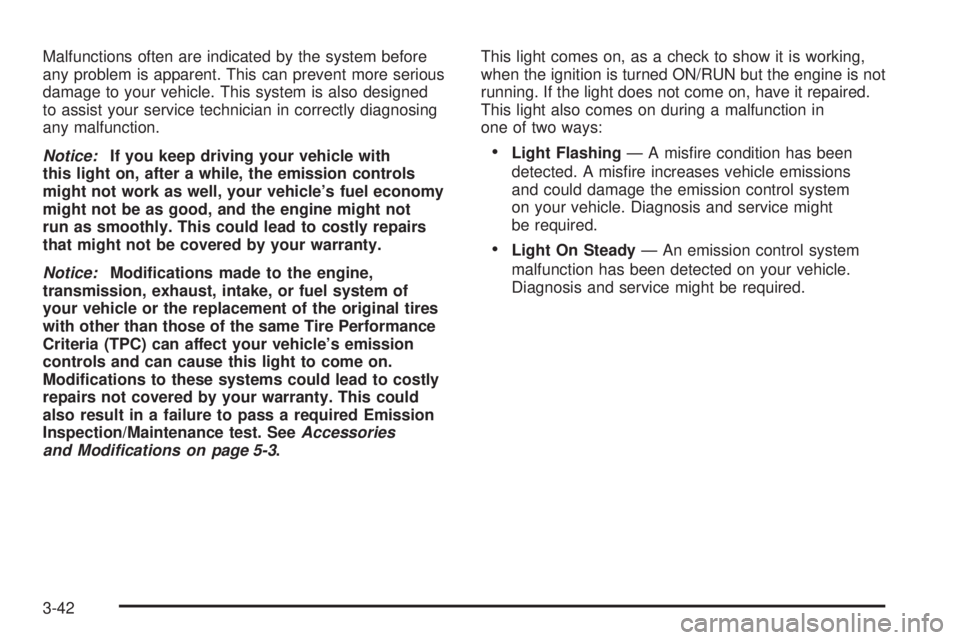
The check engine light
comes on to indicate that
there is an OBD II problem
and service is required.
3-41
Page 176 of 468
Malfunctions often are indicated by the system before
any problem is apparent. This can prevent more serious
damage to your vehicle. This system is also designed
to assist your service technician in correctly diagnosing
any malfunction.
Notice:If you keep driving your vehicle with
this light on, after a while, the emission controls
might not work as well, your vehicle’s fuel economy
might not be as good, and the engine might not
run as smoothly. This could lead to costly repairs
that might not be covered by your warranty.
Notice:Modications made to the engine,
transmission, exhaust, intake, or fuel system of
your vehicle or the replacement of the original tires
with other than those of the same Tire Performance
Criteria (TPC) can affect your vehicle’s emission
controls and can cause this light to come on.
Modications to these systems could lead to costly
repairs not covered by your warranty. This could
also result in a failure to pass a required Emission
Inspection/Maintenance test. SeeAccessories
and Modifications on page 5-3.This light comes on, as a check to show it is working,
when the ignition is turned ON/RUN but the engine is not
running. If the light does not come on, have it repaired.
This light also comes on during a malfunction in
one of two ways:
Light Flashing— A misre condition has been
detected. A misre increases vehicle emissions
and could damage the emission control system
on your vehicle. Diagnosis and service might
be required.
Light On Steady— An emission control system
malfunction has been detected on your vehicle.
Diagnosis and service might be required.
3-42
Page 184 of 468
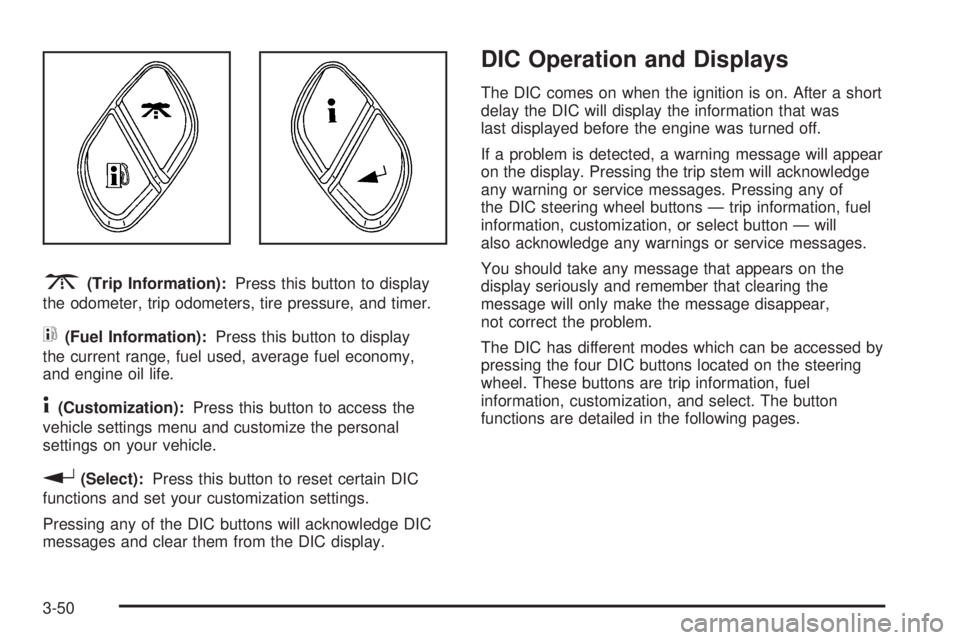
3(Trip Information):Press this button to display
the odometer, trip odometers, tire pressure, and timer.
t(Fuel Information):Press this button to display
the current range, fuel used, average fuel economy,
and engine oil life.
4(Customization):Press this button to access the
vehicle settings menu and customize the personal
settings on your vehicle.
r(Select):Press this button to reset certain DIC
functions and set your customization settings.
Pressing any of the DIC buttons will acknowledge DIC
messages and clear them from the DIC display.
DIC Operation and Displays
The DIC comes on when the ignition is on. After a short
delay the DIC will display the information that was
last displayed before the engine was turned off.
If a problem is detected, a warning message will appear
on the display. Pressing the trip stem will acknowledge
any warning or service messages. Pressing any of
the DIC steering wheel buttons — trip information, fuel
information, customization, or select button — will
also acknowledge any warnings or service messages.
You should take any message that appears on the
display seriously and remember that clearing the
message will only make the message disappear,
not correct the problem.
The DIC has different modes which can be accessed by
pressing the four DIC buttons located on the steering
wheel. These buttons are trip information, fuel
information, customization, and select. The button
functions are detailed in the following pages.
3-50
Page 185 of 468
Trip Information Button
3
(Trip Information):Press the trip information
button to scroll through the ODOMETER, TRIP A,
TRIP B, TIRE PRESSURES, and TIMER.
Odometer:Press the trip information button until
ODOMETER appears on the display. This mode shows
the total distance the vehicle has been driven in either
miles or kilometers. Pressing the reset stem located on
the instrument cluster with the vehicle off will also display
the odometer.
Trip A:Press the trip information button until TRIP A
appears on the display. This mode shows the current
distance traveled since the last reset for TRIP A in either
miles or kilometers.
Trip B:Press the trip information button until TRIP B
appears on the display. This mode shows the current
distance traveled since the last reset for TRIP B in either
miles or kilometers.
To reset TRIP A or TRIP B information, press and hold
the select button for one second while in one of the trip
modes. This will reset the information for TRIP A or
TRIP B.
You can also reset the TRIP A or TRIP B while they
are displayed by pressing the reset stem on the cluster.
If you press and hold the reset stem or the select button
for more than four seconds, the display will show the
distance traveled since the last ignition cycle for TRIP A
or TRIP B.Tire Pressures:Press the trip information button
until TIRE PRESSURES appears on the display.
This mode shows the tire pressure in pounds per
square inch (psi) or kilopascals (kPa). Press the select
button to scroll through the following information:
LF TIRE shows the tire pressure for the front
driver’s side tire.
RF TIRE shows the tire pressure for the front
passenger’s side tire.
LR TIRE shows the tire pressure for the rear
driver’s side tire.
RR TIRE shows the tire pressure for the rear
passenger’s side tire.
Timer:The DIC can be used as a timer. Press the
select button while TIMER is displayed to start the timer.
The display will show the amount of time that has
passed since the timer was last reset, not including time
the ignition is off. Time will continue to be counted as
long as the ignition is on, even if another display is being
shown on the DIC. The timer will record up to 99 hours,
59 minutes and 59 seconds (99:59:59) after which
the display will roll back to zero.
To stop the counting of time, press the select button
briey while TIMER is displayed.
To reset the timer to zero, press and hold the select
button while TIMER is displayed.
3-51
Page 188 of 468
CHECK TIRE PRESSURE
This message displays when the pressure in one or
more of the vehicle’s tires needs to be checked. If a tire
pressure message appears on the DIC, stop as soon
as you can. Have the tire pressures checked and set to
those shown on the Tire Loading Information label.
SeeTires on page 5-57,Loading Your Vehicle on
page 4-34, andInflation - Tire Pressure on page 5-64.
The DIC also shows the tire pressure values. See
DIC Operation and Displays on page 3-50. If the tire
pressure is low, the low tire pressure warning light
comes on. SeeTire Pressure Light on page 3-41.
CHECK WASHER FLUID
This message displays if the washer uid level is low.
Adding washer uid to the windshield washer uid
reservoir clears this message. SeeWindshield Washer
Fluid on page 5-37. This message clears itself after
10 seconds, or you can manually clear it from the
DIC display.
CURB VIEW ACTIVATED
This message displays when the passenger outside
rearview mirror moves into the curb view position.
SeeOutside Curb View Assist Mirror on page 2-47
for more information.
DRIVER DOOR AJAR
This message displays and a chime sounds if the driver
door is not fully closed. Stop and turn off the vehicle,
check the door for obstructions, and close the door again.
Check to see if the message still appears on the DIC.
ENGINE COOLANT HOT/ENGINE
OVERHEATED
Notice:If you drive your vehicle while the engine
is overheating, severe engine damage may occur.
If an overheat warning appears on the instrument
panel cluster and/or DIC, stop the vehicle as soon as
possible. Do not increase the engine speed above
normal idling speed. SeeEngine Overheating
on page 5-28for more information.
This message displays and a chime sounds if the
cooling system temperature gets hot. SeeEngine
Overheating on page 5-28for the proper course of
action. This message clears when the coolant
temperature drops to a safe operating temperature.
FUEL LEVEL LOW
This message displays and a chime sounds if the fuel
level is low. Refuel as soon as possible. SeeLow
Fuel Warning Light on page 3-49,Filling the Tank on
page 5-8, andFuel on page 5-5for more information.
3-54
Page 191 of 468
SERVICE TIRE MONITOR
This message displays if a part on the Tire Pressure
Monitor System (TPMS) is not working properly. The tire
pressure light also ashes and then remains on during
the same ignition cycle. SeeTire Pressure Light on
page 3-41. Several conditions may cause this message
to appear. SeeTire Pressure Monitor Operation on
page 5-69for more information. If the warning comes on
and stays on, there may be a problem with the TPMS.
See your dealer/retailer.
STABILITRAK ACTIVE
This message displays anytime the StabiliTrak®system
activates to maintain vehicle stability. Any combination
of engine speed management, brake traction control,
and stability control displays this message.
STABILITRAK NOT READY
This message may display if driving conditions delay
StabiliTrak®system initialization. This is normal.
Once the system initializes, this message will no
longer be displayed on the DIC.
STABILITRAK OFF
This message displays when you press the StabiliTrak®
button for more than ve seconds or when stability control
has been automatically disabled. The StabiliTrak®button
is located on the transmission shift handle. To limit
wheel spin and realize the full benets of the stability
enhancement system, you should normally leave
StabiliTrak
®on. However, you should turn StabiliTrak®off
if your vehicle gets stuck in sand, mud, ice, or snow and
you want to rock your vehicle to attempt to free it, or if you
are driving in extreme off-road conditions and require
more wheel spin. SeeIf Your Vehicle is Stuck in Sand,
Mud, Ice, or Snow on page 4-33. To turn the StabiliTrak
®
system back on, press the StabiliTrak®button again.
There are several conditions that can cause this
message to appear.
The message may display if the brake system
warning light is on. SeeBrake System Warning
Light on page 3-38.
The message displays if the vehicle is shifted
into 4LO.
The message turns off as soon as the conditions that
caused the message to be displayed are no longer
present.
3-57
Page 208 of 468
If the entire message is not displayed, parts of the
message appears every three seconds. To scroll through
the message, press and release the INFO button. A new
group of words displays after every press of this button.
Once the complete message has displayed, the
information symbol or INFO disappears from the display
until another new message is received. The last message
is displayed by pressing the INFO button. View the last
message until a new message is received or you tune to
a different station.
Radio Messages
CAL ERR (Calibration Error):The audio system
has been calibrated for your vehicle from the factory.
If CAL ERR displays, it means that the radio has
not been congured properly for the vehicle and
must be returned to your dealer/retailer for service.
LOCKED:This message displays when the
THEFTLOCK
®system has locked up. Take the
vehicle to your dealer/retailer for service.
If any error occurs repeatedly, or if an error cannot be
corrected, contact your dealer/retailer.
XM™ Satellite Radio Service
XM™ is a satellite radio service that is based in the
48 contiguous United States and 10 Canadian provinces.
XM Satellite Radio has a wide variety of programming
and commercial-free music, coast-to-coast, and in
digital-quality sound. During your trial or when you
subscribe, you will get unlimited access to XM Radio
Online for when you are not in your vehicle. A service
fee is required to receive the XM service. For more
information, contact XM at www.xmradio.com or
call 1-800-929-2100 in the U.S. and www.xmradio.ca
or call 1-877-438-9677 in Canada.
Radio Messages for XM™ Only
SeeXM Radio Messages on page 3-86later in this
section for further detail.
3-74
Page 212 of 468
FWD|or 4 FWD (Forward):Press and hold to
advance quickly within a track.
For the Base Radio, press and hold for less than
two seconds to advance at six times the normal playing
speed. Press and hold it for more than two seconds
to advance at 17 times the normal playing speed.
Sound is heard at a reduced volume. Release this
button to play the passage. ET and/or the elapsed time
of the track displays.
5
B(CD):Press to play a CD while listening to the
radio. The CD symbol displays when a CD is loaded.
RPT (Repeat):With the repeat setting, one track or an
entire CD can be repeated.
To use repeat, do the following:
To repeat a track, press and release the RPT button.
RPT displays. Press again to turn off repeat play.
To repeat the CD, press and hold the RPT button for
two seconds. RPT displays. Press again to turn off
repeat play.
6 RDM (Random) (Base Radio or MP3 Radio):Press
to hear the tracks in random, rather than sequential,
order. RDM ON displays. RDM T or RDM and the track
number displays when each track starts to play. Press
again to turn off random play. RDM OFF displays.RDM (Random):With the random setting, tracks
can be listened to in random, rather than sequential,
order, on one CD or on all of the CDs. To use random,
do one of the following:
To play the tracks on the CD in random order,
press and release the RDM button. RANDOM ONE
displays. Press again to turn off random play.
To play the tracks on all of the CDs that are loaded
in random order, press and hold RDM for more
than two seconds. A beep sounds and RANDOM
ALL displays. Press again to turn off random play.
AUTO EQ (Automatic Equalization):Press to
select the equalization setting while playing a CD.
The equalization is stored when a CD is played.
For more information on AUTO EQ, see “AUTO EQ”
listed previously in this section.
©¨/opSEEK:Press the left arrow to go to the
start of the current or to the previous track.
On some radios, pressing the left arrow, if more
than 10 seconds have played, goes to the start of the
current track.
Press the right arrow to go to the start of the next track.
If either arrow is pressed more than once, the player
continues moving backward or forward through the CD.
On some radios, pressing either arrow for more than
two seconds scans the previous or next tracks at
ve to eight seconds per track. SCAN and the track
number displays.
3-78
Page 214 of 468
To play the song list, press the SONG LIST button.
One beep sounds and S-LIST displays. The recorded
tracks begin to play in the order they were saved.
Seek through the song list by using either SEEK or
TYPE arrow. Seeking past the last saved track returns
to the rst saved track.
To delete tracks from the song list, perform the following
steps:
1. Turn the CD player on.
2. Press the SONG LIST button to turn song list on.
S-LIST displays.
3. Press either SEEK or TYPE arrow to select the
desired track to be deleted.
4. Press and hold the SONG LIST button for
two seconds. When SONG LIST is pressed,
one beep sounds. After two seconds of continuously
pressing the SONG LIST button, two beeps
sound to conrm that the track has been deleted.
After a track has been deleted, the remaining tracks
are moved up the list. When another track is added to
the song list, the track is added to the end of the list.To delete the entire song list, perform the following
steps:
1. Turn the CD player on.
2. Press the SONG LIST button to turn song list on.
S-LIST displays.
3. Press and hold the SONG LIST button for more
than four seconds. One beep sounds, followed by
two beeps after two seconds, and a nal beep
sounds after four seconds. S-LIST EMPTY displays
indicating the song list has been deleted.
If a CD is ejected, and the song list contains saved
tracks from that CD, those tracks are automatically
deleted from the song list. Any tracks saved to the
song list again are added to the bottom of the list.
To end song list mode, press the SONG LIST button.
One beep sounds and S-LIST is removed from the
display.
Playing an MP3/WMA CD-R Disc
Your vehicle’s radio system may have the MP3/WMA
feature. If it has this feature, it is capable of playing
an MP3/WMA CD-R disc. For more information on how
to play an MP3/WMA CD-R disc, seeUsing an MP3
on page 3-82later in this section.
3-80