tire GMC ENVOY DENALI 2008 Owners Manual
[x] Cancel search | Manufacturer: GMC, Model Year: 2008, Model line: ENVOY DENALI, Model: GMC ENVOY DENALI 2008Pages: 468, PDF Size: 2.51 MB
Page 1 of 468
Seats and Restraint Systems........................... 1-1
Front Seats
............................................... 1-2
Rear Seats
..............................................1-11
Safety Belts
.............................................1-13
Child Restraints
.......................................1-32
Airbag System
.........................................1-53
Restraint System Check
............................1-68
Features and Controls..................................... 2-1
Keys
........................................................ 2-3
Doors and Locks
....................................... 2-7
Windows
.................................................2-13
Theft-Deterrent Systems
............................2-16
Starting and Operating Your Vehicle
...........2-20
Mirrors
....................................................2-39
OnStar
®System
......................................2-48
Universal Home Remote System
................2-52
Storage Areas
.........................................2-57
Sunroof
..................................................2-60
Instrument Panel............................................. 3-1
Instrument Panel Overview
.......................... 3-4
Climate Controls
......................................3-21
Warning Lights, Gages, and Indicators
........3-30
Driver Information Center (DIC)
..................3-49
Audio System(s)
.......................................3-65Driving Your Vehicle....................................... 4-1
Your Driving, the Road, and Your Vehicle
..... 4-2
Towing
...................................................4-40
Service and Appearance Care.......................... 5-1
Service
..................................................... 5-3
Fuel
......................................................... 5-5
Checking Things Under the Hood
...............5-10
Rear Axle
...............................................5-46
Four-Wheel Drive
.....................................5-47
Front Axle
...............................................5-48
Headlamp Aiming
.....................................5-49
Bulb Replacement
....................................5-49
Windshield Wiper Blade Replacement
.........5-54
Tires
......................................................5-57
Appearance Care
...................................5-100
Vehicle Identication
...............................5-108
Electrical System
....................................5-109
Capacities and Specications
...................5-120
Maintenance Schedule..................................... 6-1
Maintenance Schedule
................................ 6-2
Customer Assistance Information.................... 7-1
Customer Assistance and Information
........... 7-2
Reporting Safety Defects
...........................7-15
Vehicle Data Recording and Privacy
...........7-18
Index................................................................ 1
2008 GMC Envoy and Envoy Denali Owner ManualM
Page 7 of 468
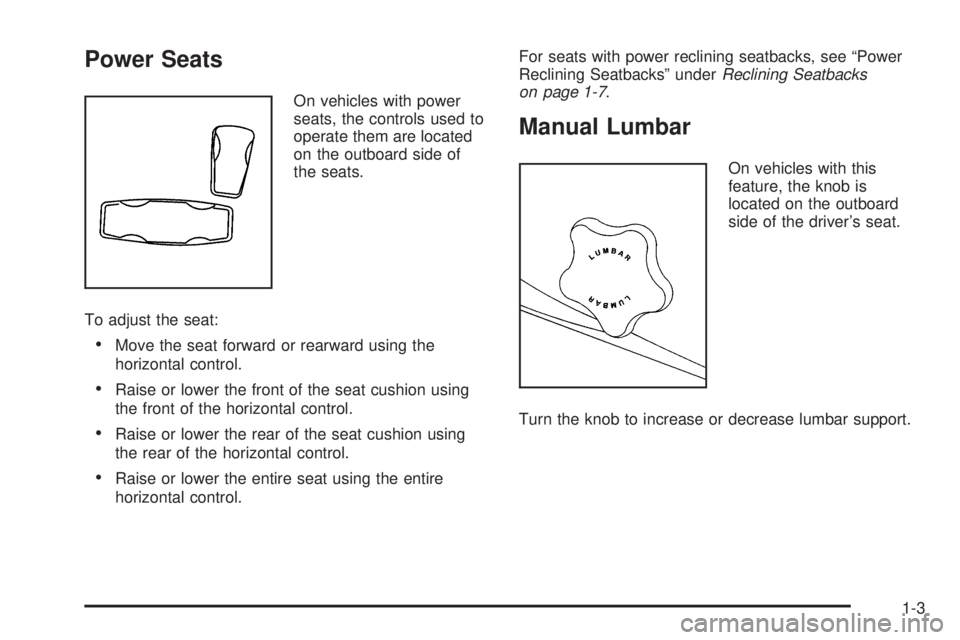
Power Seats
On vehicles with power
seats, the controls used to
operate them are located
on the outboard side of
the seats.
To adjust the seat:
Move the seat forward or rearward using the
horizontal control.
Raise or lower the front of the seat cushion using
the front of the horizontal control.
Raise or lower the rear of the seat cushion using
the rear of the horizontal control.
Raise or lower the entire seat using the entire
horizontal control.For seats with power reclining seatbacks, see “Power
Reclining Seatbacks” underReclining Seatbacks
on page 1-7.
Manual Lumbar
On vehicles with this
feature, the knob is
located on the outboard
side of the driver’s seat.
Turn the knob to increase or decrease lumbar support.
1-3
Page 8 of 468
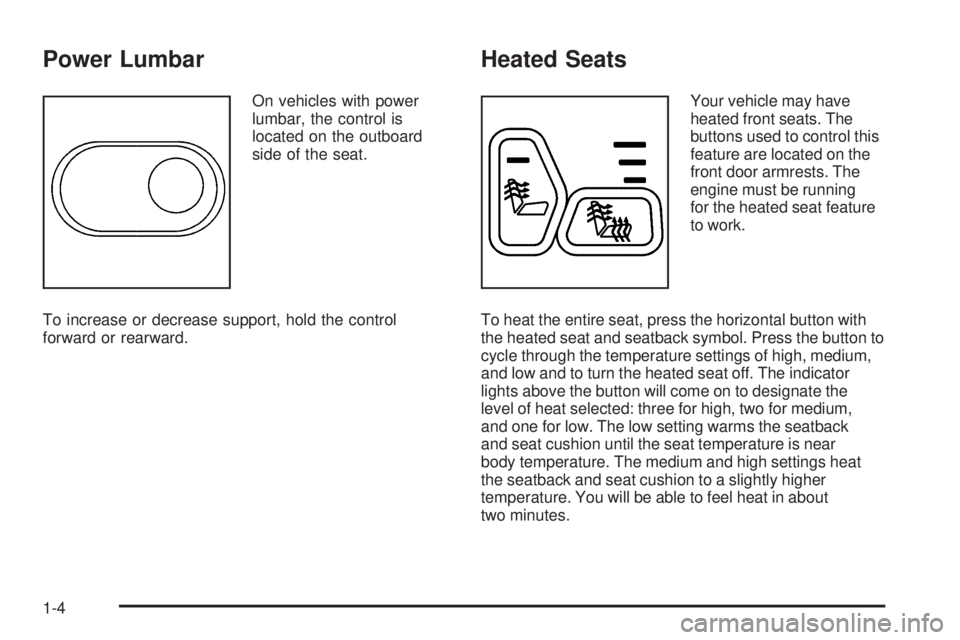
Power Lumbar
On vehicles with power
lumbar, the control is
located on the outboard
side of the seat.
To increase or decrease support, hold the control
forward or rearward.
Heated Seats
Your vehicle may have
heated front seats. The
buttons used to control this
feature are located on the
front door armrests. The
engine must be running
for the heated seat feature
to work.
To heat the entire seat, press the horizontal button with
the heated seat and seatback symbol. Press the button to
cycle through the temperature settings of high, medium,
and low and to turn the heated seat off. The indicator
lights above the button will come on to designate the
level of heat selected: three for high, two for medium,
and one for low. The low setting warms the seatback
and seat cushion until the seat temperature is near
body temperature. The medium and high settings heat
the seatback and seat cushion to a slightly higher
temperature. You will be able to feel heat in about
two minutes.
1-4
Page 71 of 468
Any object, such as an aftermarket seat heater or a
comfort enhancing pad or device, installed under or
on top of the seat fabric, could also interfere with
the operation of the passenger sensing system.
This could either prevent proper deployment of the
passenger airbag(s) or prevent the passenger
sensing system from properly turning off the
passenger airbag(s). SeePassenger Sensing
System on page 1-61.
If you have any questions about this, you should
contact Customer Assistance before you modify
your vehicle. The phone numbers and addresses
for Customer Assistance are in Step Two of
the Customer Satisfaction Procedure in this manual.
SeeCustomer Satisfaction Procedure on page 7-2.
If your vehicle has rollover roof-rail airbags, see
Different Size Tires and Wheels on page 5-76
for additional important information.Q:Because I have a disability, I have to get my
vehicle modied. How can I nd out whether
this will affect my airbag system?
A:If you have questions, call Customer Assistance.
The phone numbers and addresses for Customer
Assistance are in Step Two of the Customer
Satisfaction Procedure in this manual. See
Customer Satisfaction Procedure on page 7-2.
In addition, your dealer/retailer and the service manual
have information about the location of the airbag sensors,
sensing and diagnostic module and airbag wiring.
1-67
Page 86 of 468
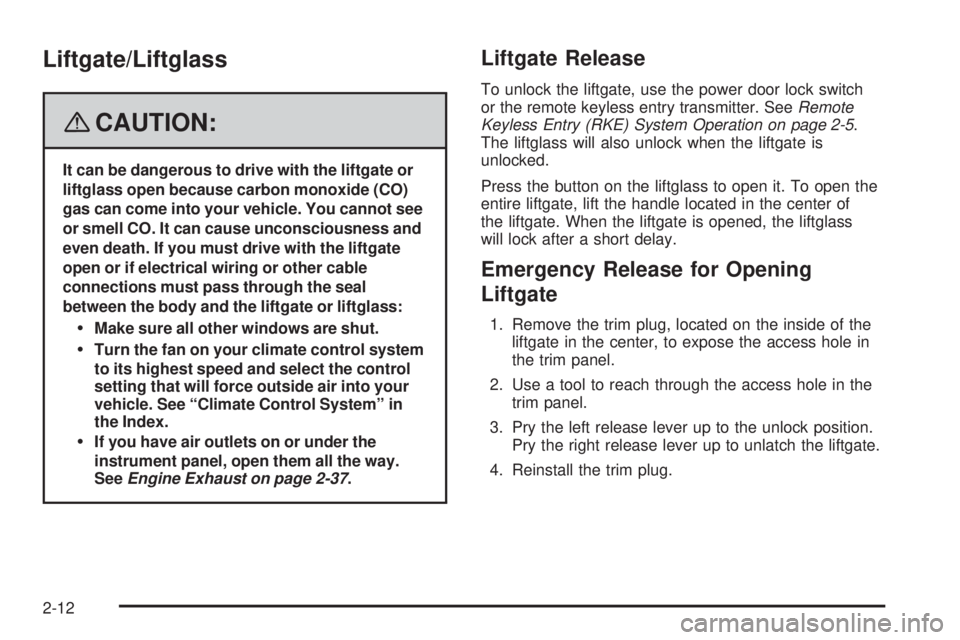
Liftgate/Liftglass
{CAUTION:
It can be dangerous to drive with the liftgate or
liftglass open because carbon monoxide (CO)
gas can come into your vehicle. You cannot see
or smell CO. It can cause unconsciousness and
even death. If you must drive with the liftgate
open or if electrical wiring or other cable
connections must pass through the seal
between the body and the liftgate or liftglass:
Make sure all other windows are shut.
Turn the fan on your climate control system
to its highest speed and select the control
setting that will force outside air into your
vehicle. See “Climate Control System” in
the Index.
If you have air outlets on or under the
instrument panel, open them all the way.
SeeEngine Exhaust on page 2-37.
Liftgate Release
To unlock the liftgate, use the power door lock switch
or the remote keyless entry transmitter. SeeRemote
Keyless Entry (RKE) System Operation on page 2-5.
The liftglass will also unlock when the liftgate is
unlocked.
Press the button on the liftglass to open it. To open the
entire liftgate, lift the handle located in the center of
the liftgate. When the liftgate is opened, the liftglass
will lock after a short delay.
Emergency Release for Opening
Liftgate
1. Remove the trim plug, located on the inside of the
liftgate in the center, to expose the access hole in
the trim panel.
2. Use a tool to reach through the access hole in the
trim panel.
3. Pry the left release lever up to the unlock position.
Pry the right release lever up to unlatch the liftgate.
4. Reinstall the trim plug.
2-12
Page 102 of 468
DRIVE (D):This position is for normal driving.
It provides the best fuel economy for your vehicle.
If you need more power for passing, and you are:
Going less than about 35 mph (55 km/h), push the
accelerator pedal about halfway down.
Going about 35 mph (55 km/h) or more, push the
accelerator all the way down.
You will shift down to the next gear and have more
power.
Downshifting the transmission in slippery road conditions
could result in skidding, see “Skidding” underLoss of
Control on page 4-12.
DRIVE (D) can be used when towing a trailer, carrying a
heavy load, driving on steep hills, or for off-road driving.
You may want to shift the transmission to THIRD (3) or,
if necessary, a lower gear selection if the transmission
shifts too often.
THIRD (3):This position is also used for normal driving.
It reduces vehicle speed more than DRIVE (D) without
using your brakes. You might choose THIRD (3) instead
of DRIVE (D) when driving on hilly, winding roads,
when towing a trailer, so there is less shifting between
gears and when going down a steep hill.
To shift to the THIRD (3) position, you must rst press
the large button on the shift handle. While the button
is pressed, move the shifter in the THIRD (3) position.SECOND (2):This position reduces vehicle speed even
more than THIRD (3) without using your brakes. You can
use SECOND (2) on hills. It can help control your speed
as you go down steep mountain roads, but then you
would also want to use your brakes off and on.
To shift to the SECOND (2) position, you must rst press
the large button on the shift handle. While the button is
pressed, move the shifter in the SECOND (2) position.
You can also use SECOND (2) for starting the vehicle
from a stop on slippery road surfaces.
FIRST (1):This position reduces vehicle speed even
more than SECOND (2) without using your brakes.
You can use it on very steep hills, or in deep snow
or mud. If the shift lever is put in FIRST (1) while the
vehicle is moving forward, the transmission will not shift
into rst gear until the vehicle is going slowly enough.
To shift to the FIRST (1) position, you must rst press
the large button on the shift handle. While the button is
pressed, move the shifter in the FIRST (1) position.
Notice:Spinning the tires or holding the vehicle in
one place on a hill using only the accelerator pedal
may damage the transmission. The repair will not be
covered by your warranty. If you are stuck, do not
spin the tires. When stopping on a hill, use the brakes
to hold the vehicle in place.
2-28
Page 127 of 468
Keep the original hand-held transmitter for use in other
vehicles as well as for future Universal Home Remote
programming. It is also recommended that upon the
sale of the vehicle, the programmed Universal Home
Remote buttons should be erased for security purposes.
See “Erasing Universal Home Remote Buttons” later
in this section.
When programming a garage door, park outside of
the garage. Park directly in line with and facing the
garage door opener motor-head or gate motor-head.
Be sure that people and objects are clear of the garage
door or gate you are programming.
It is recommended that a new battery be installed
in your hand-held transmitter for quicker and more
accurate transmission of the radio-frequency signal.
Programming the Universal Home
Remote System
If you have questions or need help programming the
Universal Home Remote System, call 1-800-355-3515
or go to www.homelink.com.
Programming a garage door opener involves
time-sensitive actions, so read the entire procedure
before you begin. If you do not follow these actions,
the device will time out and you will have to repeat the
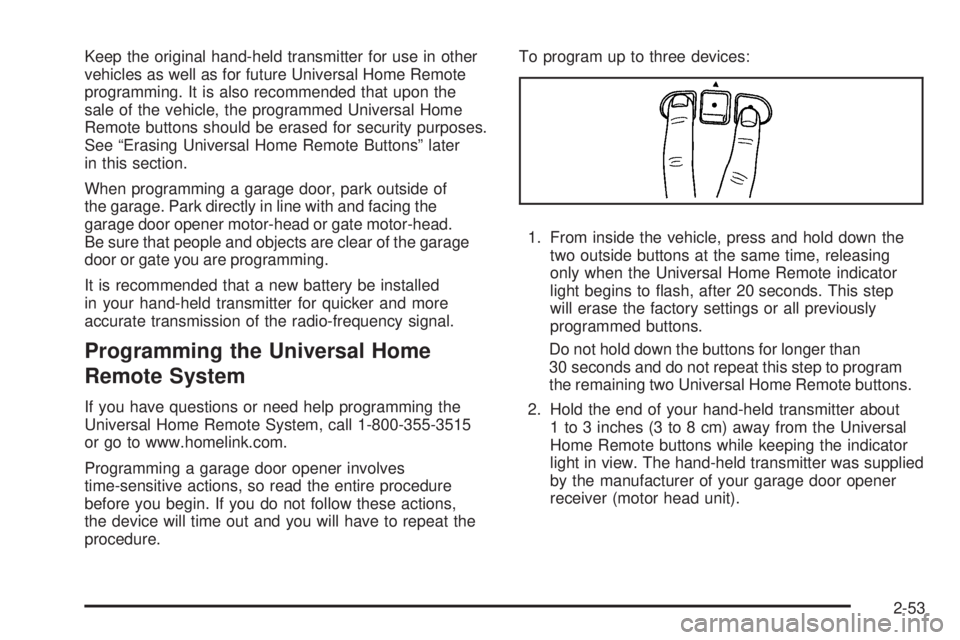
procedure.To program up to three devices:
1. From inside the vehicle, press and hold down the
two outside buttons at the same time, releasing
only when the Universal Home Remote indicator
light begins to ash, after 20 seconds. This step
will erase the factory settings or all previously
programmed buttons.
Do not hold down the buttons for longer than
30 seconds and do not repeat this step to program
the remaining two Universal Home Remote buttons.
2. Hold the end of your hand-held transmitter about
1 to 3 inches (3 to 8 cm) away from the Universal
Home Remote buttons while keeping the indicator
light in view. The hand-held transmitter was supplied
by the manufacturer of your garage door opener
receiver (motor head unit).
2-53
Page 135 of 468
Instrument Panel Overview...............................3-4
Hazard Warning Flashers................................3-6
Other Warning Devices...................................3-6
Horn.............................................................3-6
Tilt Wheel.....................................................3-6
Turn Signal/Multifunction Lever.........................3-7
Turn and Lane-Change Signals........................3-7
Headlamp High/Low-Beam Changer..................3-8
Flash-to-Pass.................................................3-8
Windshield Wipers..........................................3-9
Windshield Washer.........................................3-9
Rear Window Wiper/Washer...........................3-10
Headlamp Washer........................................3-11
Cruise Control..............................................3-11
Headlamps..................................................3-14
Headlamps on Reminder................................3-15
Daytime Running Lamps (DRL).......................3-15
Automatic Headlamp System..........................3-15
Fog Lamps..................................................3-16
Instrument Panel Brightness...........................3-17
Dome Lamps...............................................3-17
Dome Lamp Override....................................3-17
Entry Lighting...............................................3-18
Exit Lighting.................................................3-18
Reading Lamps............................................3-18
Electric Power Management...........................3-18
Battery Run-Down Protection..........................3-19Accessory Power Outlet(s).............................3-20
Ashtray(s) and Cigarette Lighter......................3-20
Climate Controls............................................3-21
Dual Climate Control System..........................3-21
Dual Automatic Climate Control System...........3-23
Outlet Adjustment.........................................3-28
Rear Climate Control System.........................3-28
Warning Lights, Gages, and Indicators............3-30
Instrument Panel Cluster................................3-31
Speedometer and Odometer...........................3-32
Trip Odometer..............................................3-32
Tachometer.................................................3-32
Safety Belt Reminders...................................3-32
Airbag Readiness Light..................................3-33
Passenger Airbag Status Indicator...................3-34
Charging System Light..................................3-36
Voltmeter Gage............................................3-37
Brake System Warning Light..........................3-38
Antilock Brake System Warning Light...............3-39
StabiliTrak
®Service Light...............................3-39
StabiliTrak®Indicator Light..............................3-40
Engine Coolant Temperature Gage..................3-40
Tire Pressure Light.......................................3-41
Malfunction Indicator Lamp.............................3-41
Oil Pressure Gage........................................3-44
Change Engine Oil Light................................3-45
Section 3 Instrument Panel
3-1
Page 146 of 468
With cruise control, you can maintain a speed of about
25 mph (40 km/h) or more without keeping your foot
on the accelerator. This can really help on long
trips. Cruise control does not work at speeds below
about 25 mph (40 km/h).
If you apply the brakes, the cruise control shuts off.
{CAUTION:
Cruise control can be dangerous where you
cannot drive safely at a steady speed. So, do
not use your cruise control on winding roads
or in heavy traffic.
Cruise control can be dangerous on slippery
roads. On such roads, fast changes in tire
traction can cause excessive wheel slip, and
you could lose control. Do not use cruise
control on slippery roads.
{CAUTION:
If you leave your cruise control on when you
are not using cruise, you might hit a button
and go into cruise when you do not want to.
You could be startled and even lose control.
Keep the cruise control switch off until you
want to use cruise control.
Setting Cruise Control
1. Move the cruise control switch to on.
2. Get up to the speed you want.
3. Press the set button at the end of the lever and
release it.
4. Take your foot off the accelerator pedal.
The accelerator pedal will not go down.
Some vehicles have
a cruise light on the
instrument panel cluster
that will come on when the
cruise control is engaged.
3-12
Page 158 of 468
9(Off):Press this button to turn off the entire climate
control system. Outside air will still enter the vehicle, and
will be directed to the oor. Press the AUTO button, the
mode button, the fan arrows, or either temperature knob
to turn the system on.
C(Mode):Press this button to manually select the air
delivery mode to the oor, instrument panel, or windshield
outlets. The system will stay in the selected mode until
the mode button is pressed again or the AUTO button is
pressed.
Driver’s Side Temperature Knob:Turn this knob
clockwise or counterclockwise to raise or lower the
temperature on the driver’s side of the vehicle. The
display will show the temperature setting decreasing
or increasing and an arrow pointing toward the driver.
This knob can also adjust the passenger’s side
temperature setting if the two are linked.Passenger’s Side Temperature Knob:Turn this
knob clockwise or counterclockwise to manually raise or
lower the temperature on the passenger’s side of the
vehicle. The display will show the temperature setting
decreasing or increasing and an arrow pointing toward
the passenger. The passenger’s temperature setting
can be set to match and link to the driver’s temperature
setting by pressing and holding the AUTO button for
three seconds. When adjusting the driver’s side
temperature setting, the passenger’s side temperature
setting will follow and both arrows will appear on the
display. The passenger’s side temperature setting also
resets and relinks to the driver’s side temperature setting
if the vehicle has been off for more than three hours.
Outside Air Temperature Display
A new outside temperature reading will be displayed
if the vehicle has been off for more than three hours.
If the vehicle has been off for less than three hours,
the old temperature reading may be displayed because
underhood heat is affecting the true outside temperature.
Underhood heat can also affect the outside temperature
while the engine is running. It may also take
several minutes of driving before the display
updates to the actual outside temperature.
3-24