instrument panel GMC ENVOY XL 2004 Owner's Guide
[x] Cancel search | Manufacturer: GMC, Model Year: 2004, Model line: ENVOY XL, Model: GMC ENVOY XL 2004Pages: 466, PDF Size: 3 MB
Page 157 of 466
Speedometer and Odometer
Your speedometer lets you see your speed in both
miles per hour (mph) and kilometers per hour (km/h).
Your odometer shows how far your vehicle has
been driven, in either miles (used in the United States)
or kilometers (used in Canada).
The odometer mileage can be checked without the
vehicle running. Simply press the trip stem located on
the instrument panel cluster.
You may wonder what happens if your vehicle needs a
new odometer installed. The new one will be set to
the correct mileage total of the old odometer.
Trip Odometer
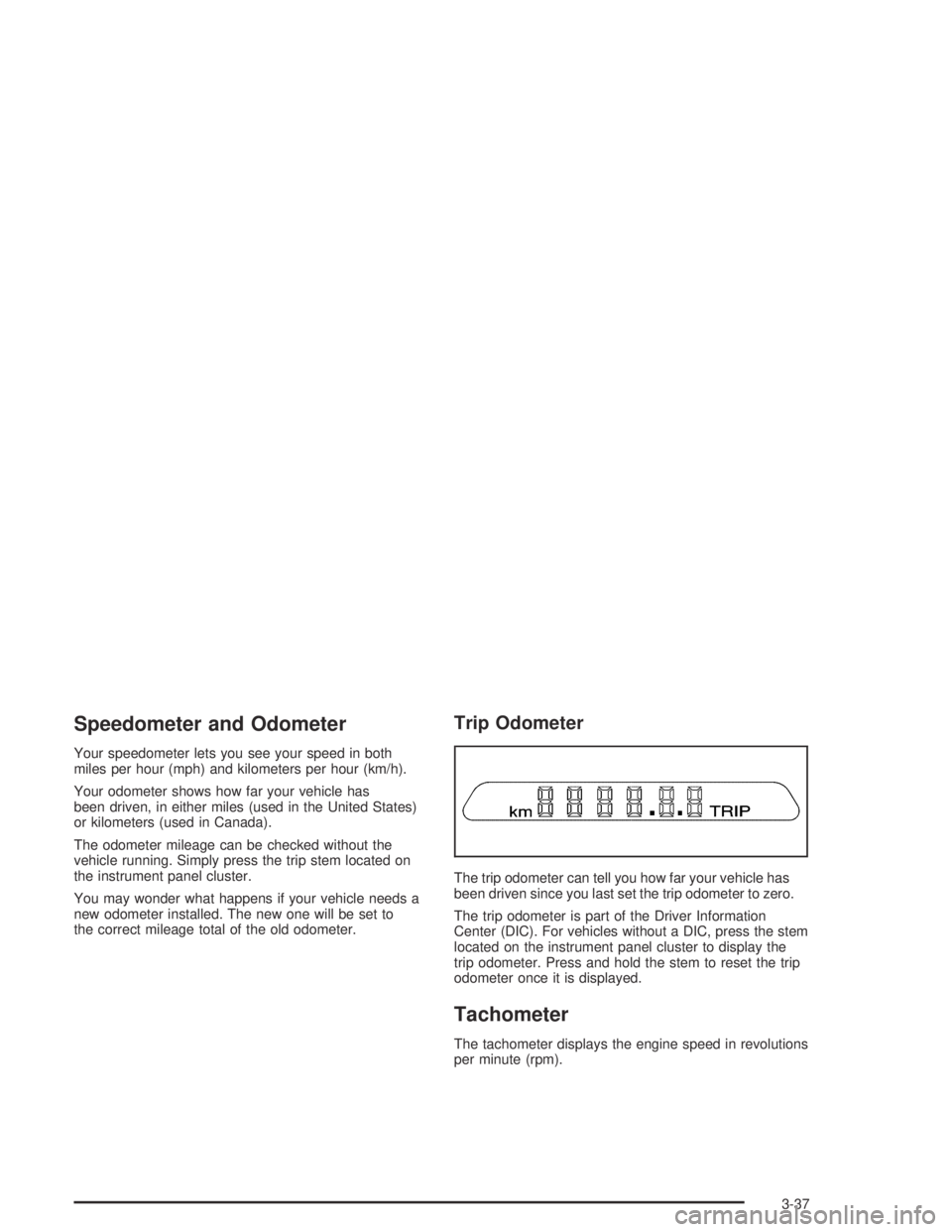
The trip odometer can tell you how far your vehicle has
been driven since you last set the trip odometer to zero.
The trip odometer is part of the Driver Information
Center (DIC). For vehicles without a DIC, press the stem
located on the instrument panel cluster to display the
trip odometer. Press and hold the stem to reset the trip
odometer once it is displayed.
Tachometer
The tachometer displays the engine speed in revolutions
per minute (rpm).
3-37
Page 158 of 466

Safety Belt Reminder Light
When the key is turned to RUN, a chime will come on
for several seconds to remind people to fasten their
safety belts, unless the driver’s safety belt is already
buckled.
The safety belt light will
also come on and stay
on for several seconds,
then it will ash for
several more.
If the driver’s belt is already buckled, neither the chime
nor the light will come on.
Air Bag Readiness Light
There is an air bag readiness light on the instrument
panel, which shows the air bag symbol. The system
checks the air bag’s electrical system for malfunctions.
The light tells you if there is an electrical problem.
The system check includes the air bag sensors, the air
bag modules, the wiring and the crash sensing and
diagnostic module. For more information on the air bag
system, seeAir Bag Systems on page 1-49.
This light will come on
when you start your
vehicle, and it will ash
for a few seconds.
Then the light should
go out. This means the
system is ready.
If the air bag readiness light stays on after you start
the vehicle or comes on when you are driving, your air
bag system may not work properly. Have your vehicle
serviced right away.
3-38
Page 171 of 466
Driver Information Center (DIC)
Your vehicle may have this feature. The DIC display
is located on the instrument panel cluster above
the steering wheel. The DIC can display information
such as the trip odometer, fuel economy and
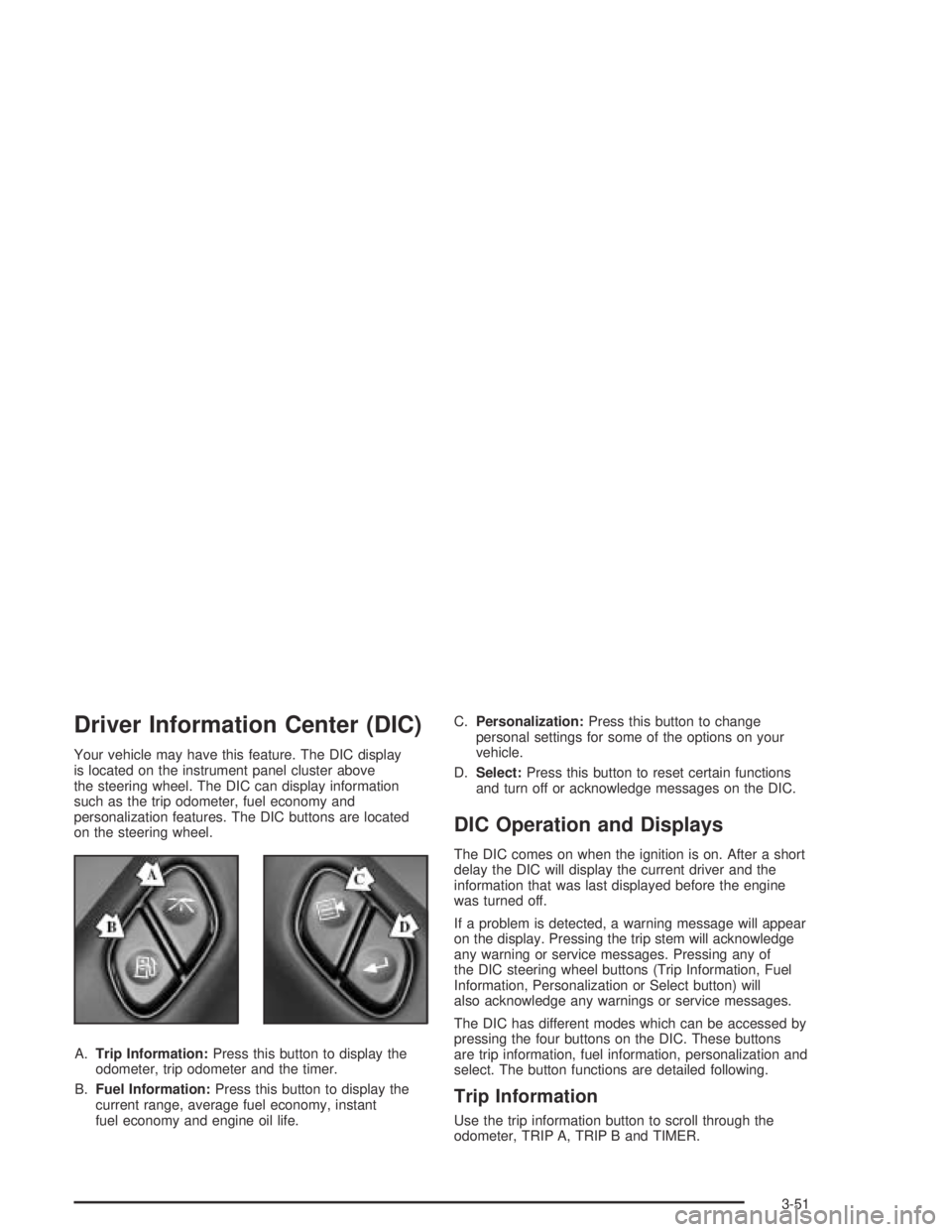
personalization features. The DIC buttons are located
on the steering wheel.
A.Trip Information:Press this button to display the
odometer, trip odometer and the timer.
B.Fuel Information:Press this button to display the
current range, average fuel economy, instant
fuel economy and engine oil life.C.Personalization:Press this button to change
personal settings for some of the options on your
vehicle.
D.Select:Press this button to reset certain functions
and turn off or acknowledge messages on the DIC.
DIC Operation and Displays
The DIC comes on when the ignition is on. After a short
delay the DIC will display the current driver and the
information that was last displayed before the engine
was turned off.
If a problem is detected, a warning message will appear
on the display. Pressing the trip stem will acknowledge
any warning or service messages. Pressing any of
the DIC steering wheel buttons (Trip Information, Fuel
Information, Personalization or Select button) will
also acknowledge any warnings or service messages.
The DIC has different modes which can be accessed by
pressing the four buttons on the DIC. These buttons
are trip information, fuel information, personalization and
select. The button functions are detailed following.
Trip Information
Use the trip information button to scroll through the
odometer, TRIP A, TRIP B and TIMER.
3-51
Page 305 of 466
Turn Signals When Towing a Trailer
The arrows on your instrument panel will ash whenever
you signal a turn or lane change. Properly hooked up,
the trailer lamps will also ash, telling other drivers
you’re about to turn, change lanes or stop.
When towing a trailer, the arrows on your instrument
panel will ash for turns even if the bulbs on the trailer
are burned out. Thus, you may think drivers behind
you are seeing your signal when they are not. It’s
important to check occasionally to be sure the trailer
bulbs are still working.
Driving On Grades
Reduce speed and shift to a lower gearbeforeyou
start down a long or steep downgrade. If you don’t shift
down, you might have to use your brakes so much
that they would get hot and no longer work well.You can tow in DRIVE (D). You may want to shift the
transmission to THIRD (3) or a lower gear, under heavy
loads or hilly conditions.
When towing at high altitude on steep uphill grades,
consider the following: Engine coolant will boil at a lower
temperature than at normal altitudes. If you turn your
engine off immediately after towing at high altitude on
steep uphill grades, your vehicle may show signs similar
to engine overheating. To avoid this, let the engine run
while parked (preferably on level ground) with the
automatic transmission in PARK (P) for a few minutes
before turning the engine off. If you do get the overheat
warning, seeEngine Overheating on page 5-28.
4-63
Page 308 of 466

Trailer Wiring Harness
Your vehicle may be equipped with the seven-wire trailer
towing harness. This harness has a seven-pin universal
heavy-duty trailer connector that is attached to a bracket
on the hitch platform. The seven-wire harness contains
the following trailer circuits:
Yellow: Left Stop/Turn Signal
Dark Green: Right Stop/Turn Signal
Brown: Running Lamps
White: Ground
Light Green: Back-up Lamps
Red: Battery Feed
Dark Blue: Electric Brakes
If you need to tow a light-duty trailer with a standard
four-way round pin connector, an adapter connector is
available from your dealer.
Your vehicle may also be equipped with wiring for an
electric trailer brake controller. These wires are located
inside the vehicle on the driver’s side under the
instrument panel. These wires should be connected to
an electric trailer brake controller by your dealer or
a qualied service center.
4-66
Page 318 of 466

Checking Things Under
the Hood
{CAUTION:
Things that burn can get on hot engine parts
and start a re. These include liquids like fuel,
oil, coolant, brake uid, windshield washer and
other uids, and plastic or rubber. You or
others could be burned. Be careful not to drop
or spill things that will burn onto a hot engine.
Hood Release
1. To open the hood,
rst pull the handle
located inside the
vehicle on the lower
driver’s side of
the instrument panel.
5-10
Page 336 of 466
Engine Overheating
You will nd a coolant temperature gage on your
vehicle’s instrument panel. If your vehicle has a DIC,
the display will show an Engine Coolant Hot or
Engine Overheated message.
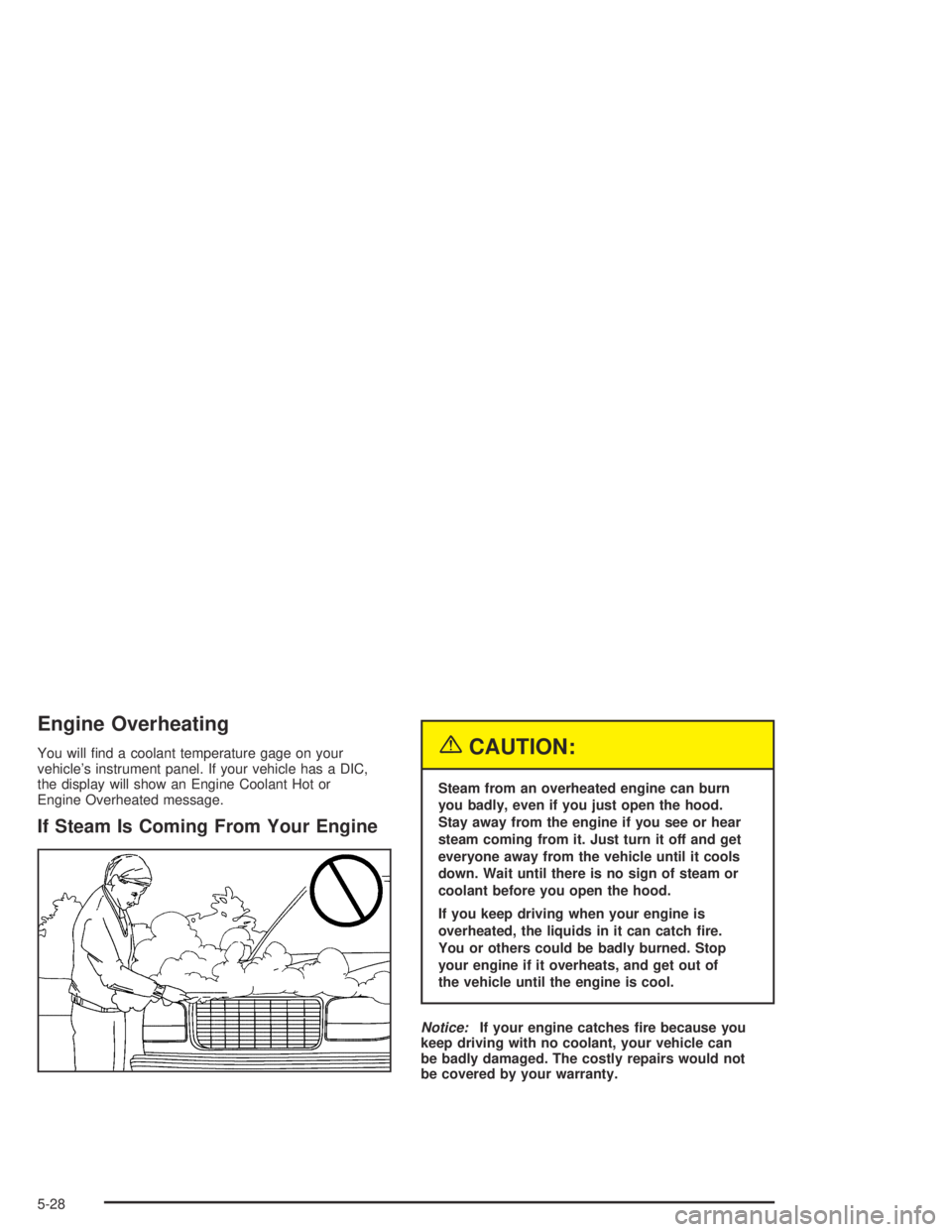
If Steam Is Coming From Your Engine
{CAUTION:
Steam from an overheated engine can burn
you badly, even if you just open the hood.
Stay away from the engine if you see or hear
steam coming from it. Just turn it off and get
everyone away from the vehicle until it cools
down. Wait until there is no sign of steam or
coolant before you open the hood.
If you keep driving when your engine is
overheated, the liquids in it can catch re.
You or others could be badly burned. Stop
your engine if it overheats, and get out of
the vehicle until the engine is cool.
Notice:If your engine catches re because you
keep driving with no coolant, your vehicle can
be badly damaged. The costly repairs would not
be covered by your warranty.
5-28
Page 398 of 466
Cleaning Vinyl
Use warm water and a clean cloth.
Rub with a clean, damp cloth to remove dirt.
You may have to do this more than once.
Things like tar, asphalt and shoe polish will stain
if you do not get them off quickly. Use a clean
cloth and vinyl cleaner. See your dealer for
this product.
Cleaning Leather
Use a soft cloth with lukewarm water and a mild soap
or saddle soap and wipe dry with a soft cloth. Then,
let the leather dry naturally. Do not use heat to dry.
For stubborn stains, use a leather cleaner.
Neveruse oils, varnishes, solvent-based or abrasive
cleaners, furniture polish or shoe polish on leather.
Soiled or stained leather should be cleaned
immediately. If dirt is allowed to work into the
nish, it can harm the leather.
Cleaning the Top of the Instrument
Panel
Use only mild soap and water to clean the top surfaces
of the instrument panel. Sprays containing silicones
or waxes may cause annoying reections in the
windshield and even make it difficult to see through the
windshield under certain conditions.
Cleaning Interior Plastic Components
Use only a mild soap and water solution on a soft
cloth or sponge. Commercial cleaners may affect the
surface nish.
Cleaning Glass Surfaces
Glass should be cleaned often. GM Glass Cleaner or
a liquid household glass cleaner will remove normal
tobacco smoke and dust lms on interior glass.
SeeVehicle Care/Appearance Materials on page 5-94.
Notice:If you use abrasive cleaners when
cleaning glass surfaces on your vehicle, you could
scratch the glass and/or cause damage to the
rear window defogger and the integrated radio
antenna. When cleaning the glass on your vehicle,
use only a soft cloth and glass cleaner.
5-90
Page 403 of 466

Description Usage
Swirl Remover PolishRemoves swirl marks, ne
scratches and other light
surface contamination.
Cleaner WaxRemoves light scratches
and protects nish.
Foaming Tire Shine
Low GlossCleans, shines and
protects in one easy step,
no wiping necessary.
Wash Wax ConcentrateMedium foaming
shampoo. Cleans and
lightly waxes.
Biodegradable and
phosphate free.
Spot LifterQuickly and easily
removes spots and stains
from carpets, vinyl and
cloth upholstery.
Odor EliminatorOdorless spray odor
eliminator used on fabrics,
vinyl, leather and carpet.
See your General Motors parts department for these
products. SeeRecommended Fluids and Lubricants
on page 6-13.Vehicle Identication
Vehicle Identication Number (VIN)
This is the legal identier for your vehicle. It appears on
a plate in the front corner of the instrument panel, on
the driver’s side. You can see it if you look through the
windshield from outside your vehicle. The VIN also
appears on the Vehicle Certication and Service Parts
labels and the certicates of title and registration.
Engine Identication
The 8th character in your VIN is the engine code. This
code will help you identify your engine, specications
and replacement parts.
5-95
Page 407 of 466

Fuses Usage
1Electrically-Controlled Air
Suspension
2Passenger’s Side High-Beam
Headlamp
3Passenger’s Side Low-Beam
Headlamp
4 Back-Up-Trailer Lamps
5Driver’s Side High-Beam
Headlamp
6Driver’s Side Low-Beam
Headlamp
7Rear Window Washer,
Headlamp Washer
8 Active Transfer Case
9 Windshield Washer
10 Powertrain Control Module B
11 Fog Lamps
12 Stop Lamp
13 Cigarette LighterFuses Usage
14 Ignition Coils
15 Blank
16 TBC-Ignition 1
17 Crank
18 Air Bag
19 Trailer Electric Brake
20 Cooling Fan
21 Horn
22 Ignition E
23 Electronic Throttle Control
24Instrument Panel Cluster,
Driver Information Center
25Automatic Shift Lock Control
System
26 Backup
27 Engine 1
28 Powertrain Control Module 1
5-99