DIC GMC ENVOY XUV 2004 Owner's Guide
[x] Cancel search | Manufacturer: GMC, Model Year: 2004, Model line: ENVOY XUV, Model: GMC ENVOY XUV 2004Pages: 460, PDF Size: 2.99 MB
Page 125 of 460
Instrument Panel Overview...............................3-4
Other Warning Devices...................................3-5
Horn.............................................................3-5
Tilt Wheel.....................................................3-6
Turn Signal/Multifunction Lever.........................3-6
Exterior Lamps.............................................3-14
Interior Lamps..............................................3-16
Accessory Power Outlets...............................3-19
Ashtrays and Cigarette Lighter........................3-19
Climate Controls............................................3-20
Dual Climate Control System..........................3-20
Dual Automatic Climate Control System...........3-23
Rear Climate Control System.........................3-28
Climate Controls Personalization.....................3-29
Warning Lights, Gages, and Indicators............3-30
Instrument Panel Cluster................................3-31
Speedometer and Odometer...........................3-32
Tachometer.................................................3-33
Safety Belt Reminder Light.............................3-33Air Bag Readiness Light................................3-34
Charging System Light..................................3-35
Voltmeter Gage............................................3-35
Brake System Warning Light..........................3-36
Anti-Lock Brake System Warning Light.............3-37
Engine Coolant Temperature Gage..................3-37
Malfunction Indicator Lamp.............................3-38
Oil Pressure Gage........................................3-41
Change Engine Oil Light................................3-42
Security Light...............................................3-42
Cruise Control Light......................................3-43
Reduced Engine Power Light.........................3-43
Service Four-Wheel Drive Warning Light..........3-44
Check Gages Warning Light...........................3-44
Fuel Gage...................................................3-45
Low Fuel Warning Light.................................3-45
Driver Information Center (DIC).......................3-46
DIC Operation and Displays...........................3-46
DIC Warnings and Messages.........................3-56
Section 3 Instrument Panel
3-1
Page 129 of 460
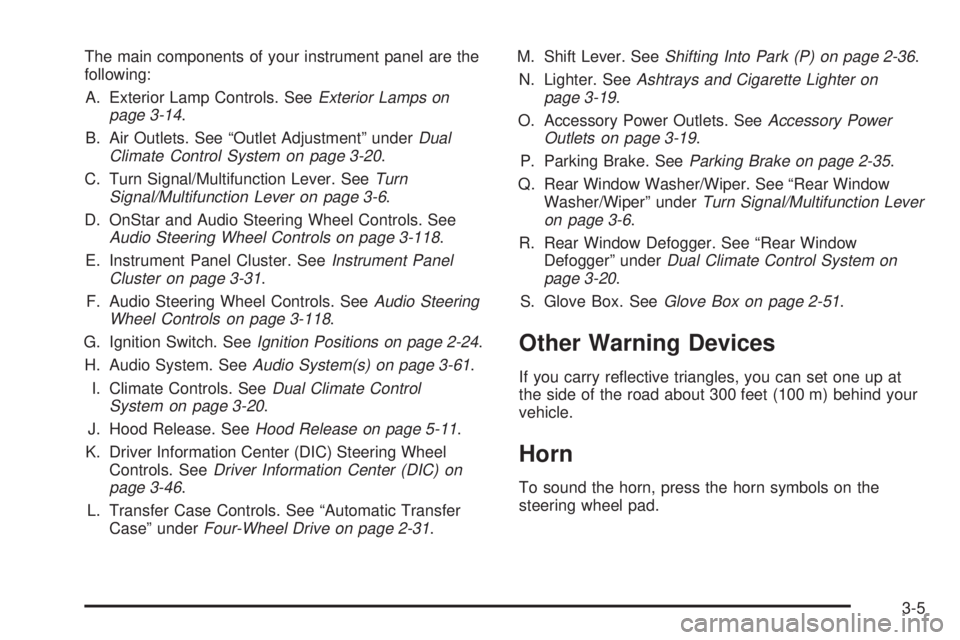
The main components of your instrument panel are the
following:
A. Exterior Lamp Controls. See
Exterior Lamps on
page 3-14.
B. Air Outlets. See ªOutlet Adjustmentº under
Dual
Climate Control System on page 3-20.
C. Turn Signal/Multifunction Lever. See
Turn
Signal/Multifunction Lever on page 3-6.
D. OnStar and Audio Steering Wheel Controls. See
Audio Steering Wheel Controls on page 3-118.
E. Instrument Panel Cluster. See
Instrument Panel
Cluster on page 3-31.
F. Audio Steering Wheel Controls. See
Audio Steering
Wheel Controls on page 3-118.
G. Ignition Switch. See
Ignition Positions on page 2-24.
H. Audio System. See
Audio System(s) on page 3-61.
I. Climate Controls. See
Dual Climate Control
System on page 3-20.
J. Hood Release. See
Hood Release on page 5-11.
K. Driver Information Center (DIC) Steering Wheel
Controls. See
Driver Information Center (DIC) on
page 3-46.
L. Transfer Case Controls. See ªAutomatic Transfer
Caseº under
Four-Wheel Drive on page 2-31.M. Shift Lever. See
Shifting Into Park (P) on page 2-36.
N. Lighter. See
Ashtrays and Cigarette Lighter on
page 3-19.
O. Accessory Power Outlets. See
Accessory Power
Outlets on page 3-19.
P. Parking Brake. See
Parking Brake on page 2-35.
Q. Rear Window Washer/Wiper. See ªRear Window
Washer/Wiperº under
Turn Signal/Multifunction Lever
on page 3-6.
R. Rear Window Defogger. See ªRear Window
Defoggerº under
Dual Climate Control System on
page 3-20.
S. Glove Box. See
Glove Box on page 2-51.
Other Warning Devices
If you carry re¯ective triangles, you can set one up at
the side of the road about 300 feet (100 m) behind your
vehicle.
Horn
To sound the horn, press the horn symbols on the
steering wheel pad.
3-5
Page 131 of 460
Turn and Lane Change Signals
The turn signal has two upward (for right) and two
downward (for left) positions. These positions allow you
to signal a turn or a lane change.
To signal a turn, move the lever all the way up or down.
When the turn is ®nished, the lever will return
automatically.
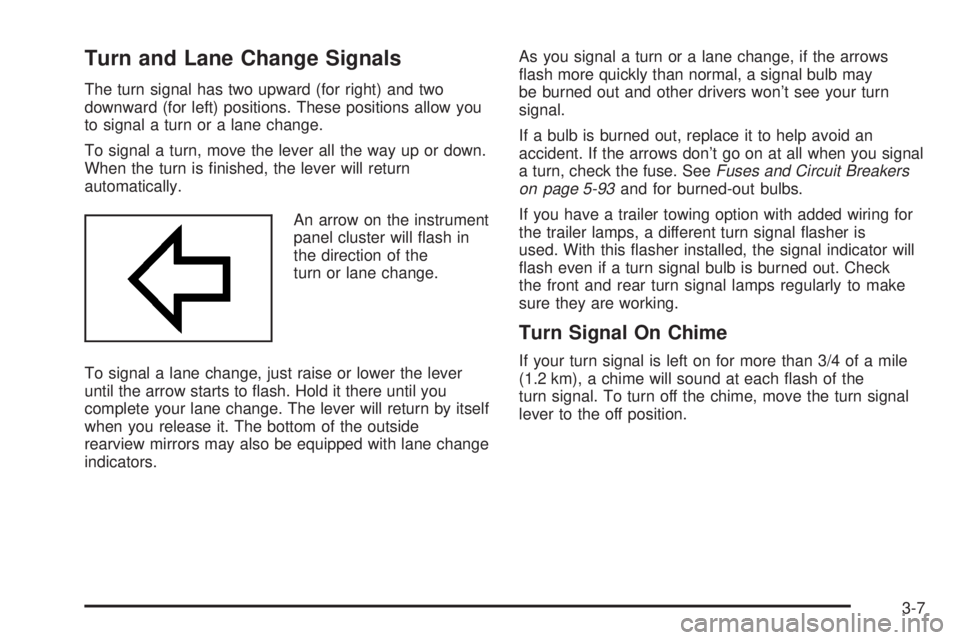
An arrow on the instrument
panel cluster will ¯ash in
the direction of the
turn or lane change.
To signal a lane change, just raise or lower the lever
until the arrow starts to ¯ash. Hold it there until you
complete your lane change. The lever will return by itself
when you release it. The bottom of the outside
rearview mirrors may also be equipped with lane change
indicators.As you signal a turn or a lane change, if the arrows
¯ash more quickly than normal, a signal bulb may
be burned out and other drivers won't see your turn
signal.
If a bulb is burned out, replace it to help avoid an
accident. If the arrows don't go on at all when you signal
a turn, check the fuse. See
Fuses and Circuit Breakers
on page 5-93and for burned-out bulbs.
If you have a trailer towing option with added wiring for
the trailer lamps, a different turn signal ¯asher is
used. With this ¯asher installed, the signal indicator will
¯ash even if a turn signal bulb is burned out. Check
the front and rear turn signal lamps regularly to make
sure they are working.
Turn Signal On Chime
If your turn signal is left on for more than 3/4 of a mile
(1.2 km), a chime will sound at each ¯ash of the
turn signal. To turn off the chime, move the turn signal
lever to the off position.
3-7
Page 132 of 460
Headlamp High/Low-Beam Changer
To change the headlamps from low to high beam, push
the lever toward the instrument panel. To return to
low-beam headlamps, pull the multifunction lever toward
you. Then release it.
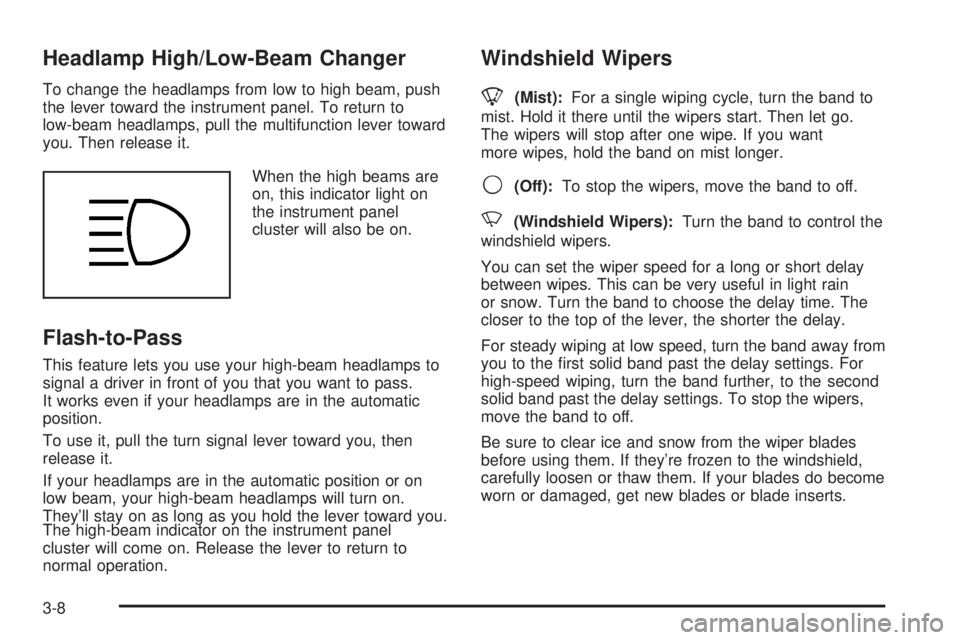
When the high beams are
on, this indicator light on
the instrument panel
cluster will also be on.
Flash-to-Pass
This feature lets you use your high-beam headlamps to
signal a driver in front of you that you want to pass.
It works even if your headlamps are in the automatic
position.
To use it, pull the turn signal lever toward you, then
release it.
If your headlamps are in the automatic position or on
low beam, your high-beam headlamps will turn on.
They'll stay on as long as you hold the lever toward you.
The high-beam indicator on the instrument panel
cluster will come on. Release the lever to return to
normal operation.
Windshield Wipers
8
(Mist):For a single wiping cycle, turn the band to
mist. Hold it there until the wipers start. Then let go.
The wipers will stop after one wipe. If you want
more wipes, hold the band on mist longer.
9(Off):To stop the wipers, move the band to off.
N(Windshield Wipers):Turn the band to control the
windshield wipers.
You can set the wiper speed for a long or short delay
between wipes. This can be very useful in light rain
or snow. Turn the band to choose the delay time. The
closer to the top of the lever, the shorter the delay.
For steady wiping at low speed, turn the band away from
you to the ®rst solid band past the delay settings. For
high-speed wiping, turn the band further, to the second
solid band past the delay settings. To stop the wipers,
move the band to off.
Be sure to clear ice and snow from the wiper blades
before using them. If they're frozen to the windshield,
carefully loosen or thaw them. If your blades do become
worn or damaged, get new blades or blade inserts.
3-8
Page 134 of 460
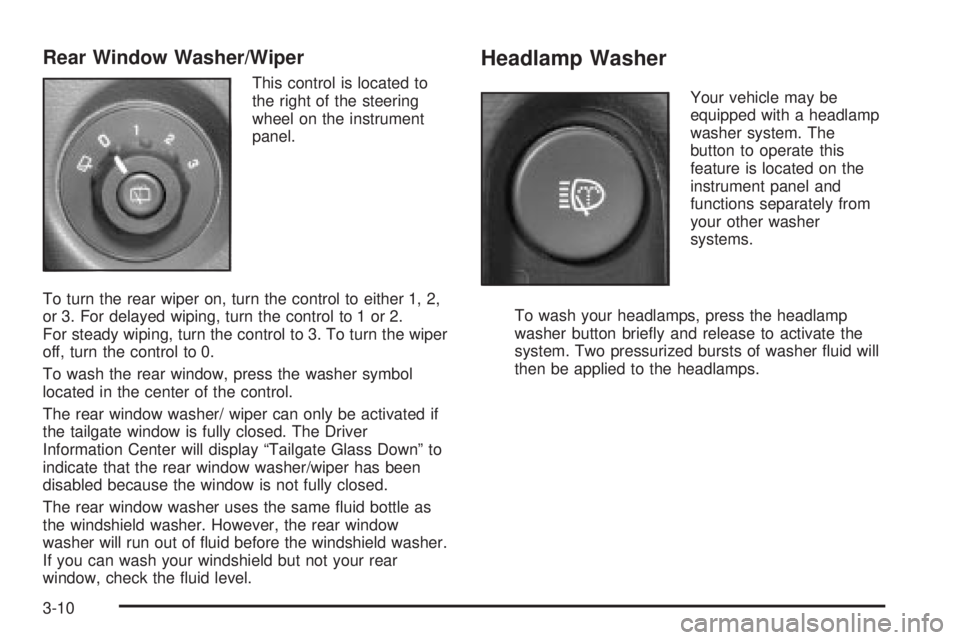
Rear Window Washer/Wiper
This control is located to
the right of the steering
wheel on the instrument
panel.
To turn the rear wiper on, turn the control to either 1, 2,
or 3. For delayed wiping, turn the control to 1 or 2.
For steady wiping, turn the control to 3. To turn the wiper
off, turn the control to 0.
To wash the rear window, press the washer symbol
located in the center of the control.
The rear window washer/ wiper can only be activated if
the tailgate window is fully closed. The Driver
Information Center will display ªTailgate Glass Downº to
indicate that the rear window washer/wiper has been
disabled because the window is not fully closed.
The rear window washer uses the same ¯uid bottle as
the windshield washer. However, the rear window
washer will run out of ¯uid before the windshield washer.
If you can wash your windshield but not your rear
window, check the ¯uid level.
Headlamp Washer
Your vehicle may be
equipped with a headlamp
washer system. The
button to operate this
feature is located on the
instrument panel and
functions separately from
your other washer
systems.
To wash your headlamps, press the headlamp
washer button brie¯y and release to activate the
system. Two pressurized bursts of washer ¯uid will
then be applied to the headlamps.
3-10
Page 138 of 460
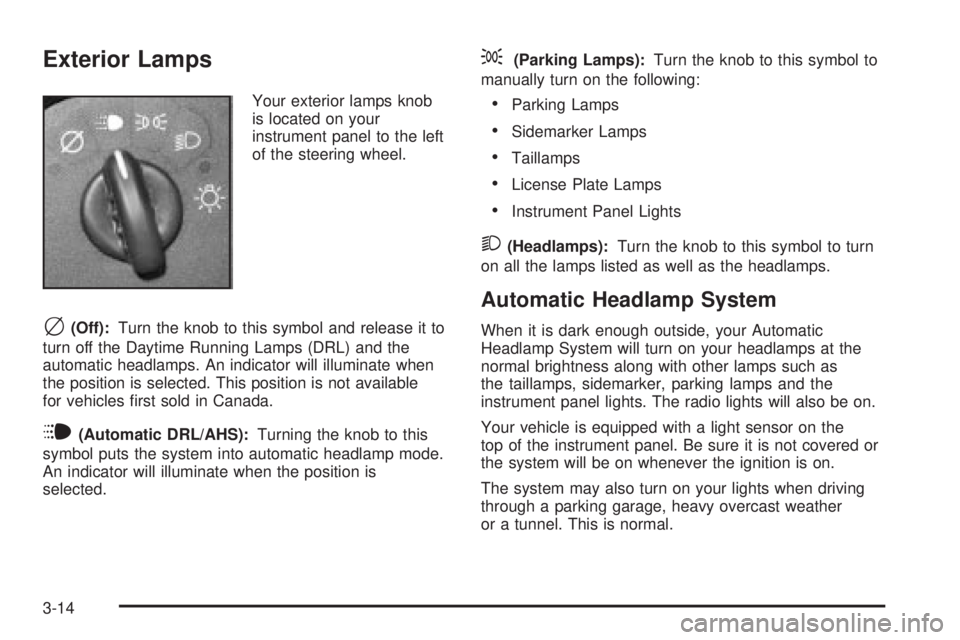
Exterior Lamps
Your exterior lamps knob
is located on your
instrument panel to the left
of the steering wheel.
c(Off):Turn the knob to this symbol and release it to
turn off the Daytime Running Lamps (DRL) and the
automatic headlamps. An indicator will illuminate when
the position is selected. This position is not available
for vehicles ®rst sold in Canada.
i(Automatic DRL/AHS):Turning the knob to this
symbol puts the system into automatic headlamp mode.
An indicator will illuminate when the position is
selected.
;(Parking Lamps):Turn the knob to this symbol to
manually turn on the following:
·Parking Lamps
·Sidemarker Lamps
·Taillamps
·License Plate Lamps
·Instrument Panel Lights
2(Headlamps):Turn the knob to this symbol to turn
on all the lamps listed as well as the headlamps.
Automatic Headlamp System
When it is dark enough outside, your Automatic
Headlamp System will turn on your headlamps at the
normal brightness along with other lamps such as
the taillamps, sidemarker, parking lamps and the
instrument panel lights. The radio lights will also be on.
Your vehicle is equipped with a light sensor on the
top of the instrument panel. Be sure it is not covered or
the system will be on whenever the ignition is on.
The system may also turn on your lights when driving
through a parking garage, heavy overcast weather
or a tunnel. This is normal.
3-14
Page 144 of 460
Climate Controls
Dual Climate Control System
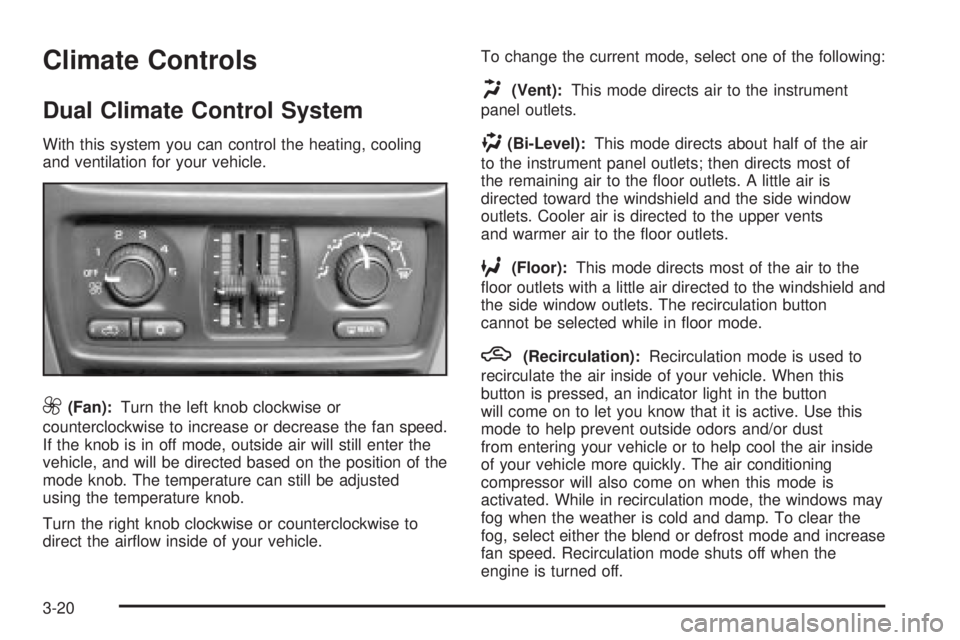
With this system you can control the heating, cooling
and ventilation for your vehicle.
9(Fan):Turn the left knob clockwise or
counterclockwise to increase or decrease the fan speed.
If the knob is in off mode, outside air will still enter the
vehicle, and will be directed based on the position of the
mode knob. The temperature can still be adjusted
using the temperature knob.
Turn the right knob clockwise or counterclockwise to
direct the air¯ow inside of your vehicle.To change the current mode, select one of the following:
H(Vent):This mode directs air to the instrument
panel outlets.
)(Bi-Level):This mode directs about half of the air
to the instrument panel outlets; then directs most of
the remaining air to the ¯oor outlets. A little air is
directed toward the windshield and the side window
outlets. Cooler air is directed to the upper vents
and warmer air to the ¯oor outlets.
6(Floor):This mode directs most of the air to the
¯oor outlets with a little air directed to the windshield and
the side window outlets. The recirculation button
cannot be selected while in ¯oor mode.
h(Recirculation):Recirculation mode is used to
recirculate the air inside of your vehicle. When this
button is pressed, an indicator light in the button
will come on to let you know that it is active. Use this
mode to help prevent outside odors and/or dust
from entering your vehicle or to help cool the air inside
of your vehicle more quickly. The air conditioning
compressor will also come on when this mode is
activated. While in recirculation mode, the windows may
fog when the weather is cold and damp. To clear the
fog, select either the blend or defrost mode and increase
fan speed. Recirculation mode shuts off when the
engine is turned off.
3-20
Page 145 of 460
Temperature Control
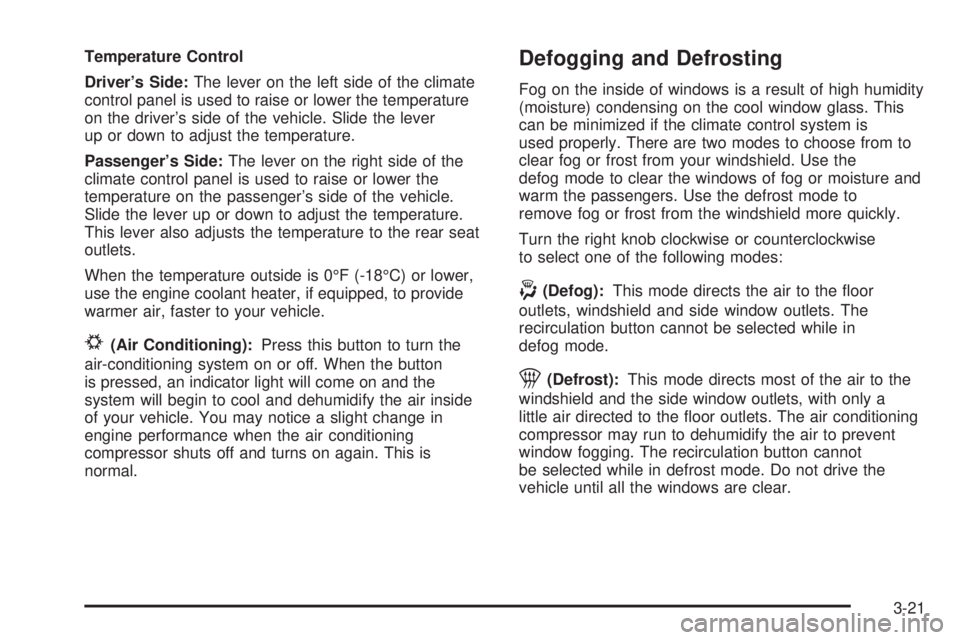
Driver's Side:The lever on the left side of the climate
control panel is used to raise or lower the temperature
on the driver's side of the vehicle. Slide the lever
up or down to adjust the temperature.
Passenger's Side:The lever on the right side of the
climate control panel is used to raise or lower the
temperature on the passenger's side of the vehicle.
Slide the lever up or down to adjust the temperature.
This lever also adjusts the temperature to the rear seat
outlets.
When the temperature outside is 0ÉF (-18ÉC) or lower,
use the engine coolant heater, if equipped, to provide
warmer air, faster to your vehicle.
#(Air Conditioning):Press this button to turn the
air-conditioning system on or off. When the button
is pressed, an indicator light will come on and the
system will begin to cool and dehumidify the air inside
of your vehicle. You may notice a slight change in
engine performance when the air conditioning
compressor shuts off and turns on again. This is
normal.
Defogging and Defrosting
Fog on the inside of windows is a result of high humidity
(moisture) condensing on the cool window glass. This
can be minimized if the climate control system is
used properly. There are two modes to choose from to
clear fog or frost from your windshield. Use the
defog mode to clear the windows of fog or moisture and
warm the passengers. Use the defrost mode to
remove fog or frost from the windshield more quickly.
Turn the right knob clockwise or counterclockwise
to select one of the following modes:
-(Defog):This mode directs the air to the ¯oor
outlets, windshield and side window outlets. The
recirculation button cannot be selected while in
defog mode.
1(Defrost):This mode directs most of the air to the
windshield and the side window outlets, with only a
little air directed to the ¯oor outlets. The air conditioning
compressor may run to dehumidify the air to prevent
window fogging. The recirculation button cannot
be selected while in defrost mode. Do not drive the
vehicle until all the windows are clear.
3-21
Page 146 of 460
Rear Window Defogger
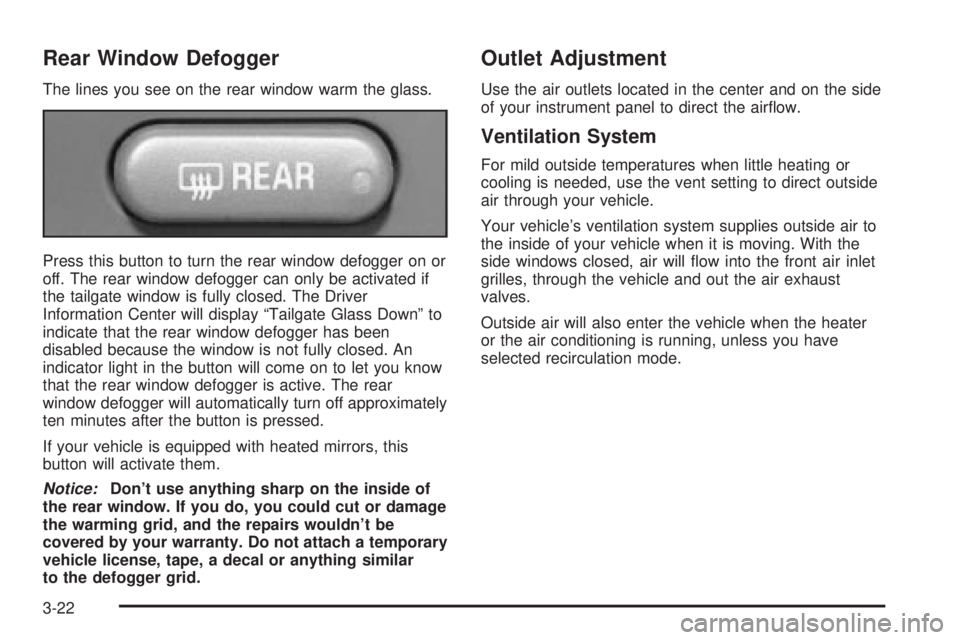
The lines you see on the rear window warm the glass.
Press this button to turn the rear window defogger on or
off. The rear window defogger can only be activated if
the tailgate window is fully closed. The Driver
Information Center will display ªTailgate Glass Downº to
indicate that the rear window defogger has been
disabled because the window is not fully closed. An
indicator light in the button will come on to let you know
that the rear window defogger is active. The rear
window defogger will automatically turn off approximately
ten minutes after the button is pressed.
If your vehicle is equipped with heated mirrors, this
button will activate them.
Notice:Don't use anything sharp on the inside of
the rear window. If you do, you could cut or damage
the warming grid, and the repairs wouldn't be
covered by your warranty. Do not attach a temporary
vehicle license, tape, a decal or anything similar
to the defogger grid.
Outlet Adjustment
Use the air outlets located in the center and on the side
of your instrument panel to direct the air¯ow.
Ventilation System
For mild outside temperatures when little heating or
cooling is needed, use the vent setting to direct outside
air through your vehicle.
Your vehicle's ventilation system supplies outside air to
the inside of your vehicle when it is moving. With the
side windows closed, air will ¯ow into the front air inlet
grilles, through the vehicle and out the air exhaust
valves.
Outside air will also enter the vehicle when the heater
or the air conditioning is running, unless you have
selected recirculation mode.
3-22
Page 149 of 460

Manual Operation
To change the current setting, select one of the
following:
w9x(Fan):This button allows you to manually
adjust the fan speed. Press the up arrow to increase fan
speed and the down arrow to decrease fan speed.
The display will change to show you the selected fan
speed and the driver's side temperature setting for ®ve
seconds.
C(Mode):Press this button to manually change the
direction of the air¯ow in your vehicle. Keep pressing the
button until the desired mode appears on the display.
The display will change to show you the selected
air delivery mode and the driver's temperature setting
for ®ve seconds.
H(Vent):This mode directs air to the instrument
panel outlets.
)(Bi-Level):This mode directs approximately half of
the air to the instrument panel outlets, then directs
the remaining air to the ¯oor outlets. A little air is
directed toward the windshield and the side window
outlets. Cooler air is directed to the upper outlets and
warmer air to the ¯oor outlets.
6(Floor):This mode directs most of the air to the
¯oor outlets. Some air also comes out of the defroster
and side window outlets. The recirculation button cannot
be selected in ¯oor mode.
h(Recirculation):Press this button to turn
recirculation mode on or off. When this button is
pressed, an indicator light in the button will also come
on to let you know that it is activated. Recirculation
mode is used to recirculate the air inside of your vehicle.
Use this mode to help prevent outside odors and/or
dust from entering your vehicle or to help cool the air
inside of your vehicle more quickly. Recirculation
mode can be used with vent and bi-level modes, but it
cannot be used with ¯oor, defog or defrost modes.
If the weather is cold and damp, the system may cause
the windows to fog while using recirculation mode.
If the windows do start to fog, select defog or
defrost mode.
#A/C (Air Conditioning):Press this button to
manually turn the air conditioning system on or off.
When the system is on, the system will automatically
begin to cool and dehumidify the air inside of your
vehicle.
If you select air conditioning off while in front defrost or
defog mode, the air conditioning off symbol will ¯ash
to let you know this option is not allowed.
3-25