seat GMC ENVOY XUV 2004 Service Manual
[x] Cancel search | Manufacturer: GMC, Model Year: 2004, Model line: ENVOY XUV, Model: GMC ENVOY XUV 2004Pages: 460, PDF Size: 2.99 MB
Page 80 of 460
Midgate
{CAUTION:
It can be dangerous to drive with the cargo
area covered and the tailgate and the midgate
open because carbon monoxide (CO) gas can
come into your vehicle. You can not see or
smell CO. It can cause unconsciousness and
even death. If you must drive with the tailgate
and midgate open or if electrical wiring or
other cable connections must pass through
the seal between the body and the midgate:
·Make sure all windows are shut.
·Turn the fan on your heating or cooling
system to its highest speed with the
setting on OUTSIDE AIR. That will force
outside air into your vehicle. See
Dual
Climate Control System on page 3-20.
·If you have air outlets on or under the
instrument panel, open them all the way.
See
Engine Exhaust on page 2-39.
Midgate
Your vehicle is equipped with a midgate and power
midgate glass. The midgate allows you to extend the
length of your vehicle's cargo area.
Lowering the Midgate
The midgate can be lowered to allow the cargo area of
your vehicle to extend into the cab. The midgate
cannot be lowered when the glass is up.
To lower the midgate, do the following:
1. Fold and tumble the rear seats. The front seats
might have to be moved forward slightly to allow
the rear seats to fold and tumble. See
Rear
Seat Operation on page 1-7for more information.
2.
C:Press this overhead console button to lower
the midgate glass with the key in the ignition.
The midgate can be lowered without the key in the
ignition if the midgate glass is already down.
3. Clip the second row seat belts into the retainers.
They are mounted on the pillars below where the
seat belt passes through the trim panel. This
prevents the seat belt from being tangled in the
midgate when opening or closing the midgate.
2-12
Page 95 of 460
Adjustable Throttle and Brake Pedal
If your vehicle has this feature, you can change the
position of the throttle and brake pedals. This feature is
designed for shorter drivers, since the pedals cannot
move farther away from the standard position, but can
move closer for better pedal reach. This feature can
be programmed to work with the memory function
(if equipped) on your vehicle. See
Memory Seat on
page 2-54.The vehicle must be in PARK (P) for this feature to
operate.
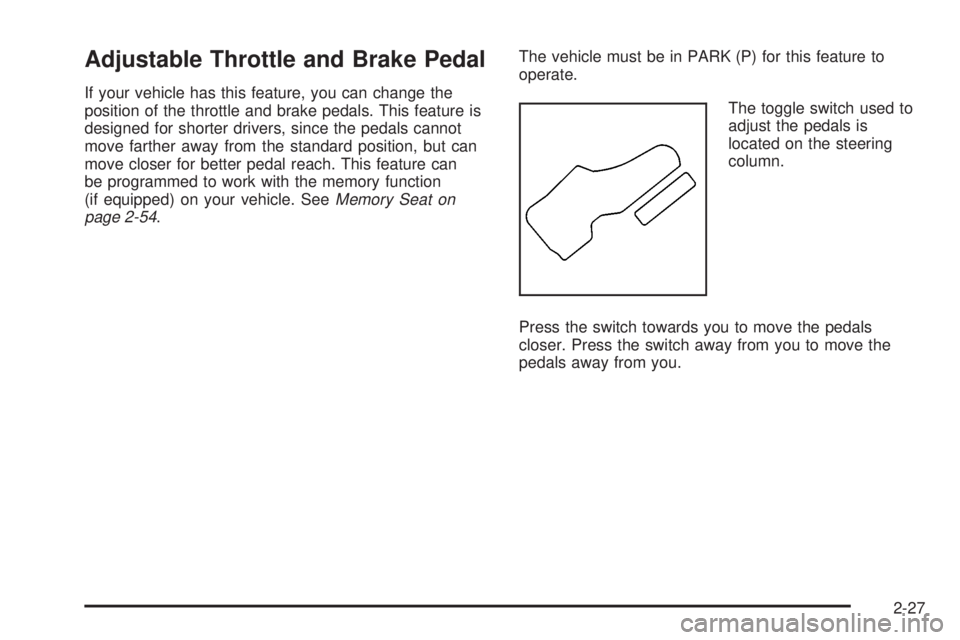
The toggle switch used to
adjust the pedals is
located on the steering
column.
Press the switch towards you to move the pedals
closer. Press the switch away from you to move the
pedals away from you.
2-27
Page 105 of 460
Leaving Your Vehicle With the Engine
Running
{CAUTION:
It can be dangerous to leave your vehicle with
the engine running. Your vehicle could move
suddenly if the shift lever is not fully in
PARK (P) with the parking brake ®rmly set.
If you have four-wheel drive, your vehicle
will be free to roll ± even if your lever is in
PARK (P) ± if your transfer case is in
NEUTRAL. So be sure the transfer case is in a
drive gear ± not NEUTRAL. See ªFour-Wheel
Drive (Automatic Transfer Case)º in the Index.
And, if you leave the vehicle with the engine
running, it could overheat and even catch ®re.
You or others could be injured. Don't leave
your vehicle with the engine running unless
you have to.If you have to leave your vehicle with the engine
running, be sure your vehicle is in PARK (P) and your
parking brake is ®rmly set before you leave it. After
you've moved the shift lever into PARK (P), hold
the regular brake pedal down. Then, see if you can
move the shift lever away from PARK (P) without ®rst
pressing the button on the console shift lever. If you can,
it means that the shift lever wasn't fully locked into
PARK (P).
Torque Lock
If you are parking on a hill and you don't shift your
transmission into PARK (P) properly, the weight of the
vehicle may put too much force on the parking pawl
in the transmission. You may ®nd it difficult to pull the
shift lever out of PARK (P). This is called ªtorque
lock.º To prevent torque lock, set the parking brake and
then shift into PARK (P) properly before you leave
the driver's seat. To ®nd out how, see
Shifting Into
Park (P) on page 2-36.
When you are ready to drive, move the shift lever out of
PARK (P)
beforeyou release the parking brake.
If torque lock does occur, you may need to have another
vehicle push yours a little uphill to take some of the
pressure from the parking pawl in the transmission, so
you can pull the shift lever out of PARK (P).
2-37
Page 112 of 460
Outside Convex Mirror
A convex mirror's surface is curved so you can see
more from the driver's seat.
{CAUTION:
A convex mirror can make things (like other
vehicles) look farther away than they really are.
If you cut too sharply into the right or left lane,
you could hit a vehicle. Check your inside
mirror or glance over your shoulder before
changing lanes.
Outside Heated Mirrors
Your vehicle may have this feature.
When you operate the rear window defogger, a defogger
also warms the heated driver's and passenger's
outside rearview mirrors to help clear them of ice, snow
and condensation.
Outside Automatic Dimming Mirror
with Curb View Assist
If your vehicle has this feature, the driver's and/or
passenger's outside mirror will adjust to a preset tilt
position while the vehicle is in REVERSE (R) gear.
Curb view assist may be useful when you are parallel
parking. The mirror(s) will return to normal position when
the vehicle is shifted out of REVERSE (R) gear.
Automatic mirror movement in either direction will follow
a short delay.
To change the tilt position, adjust the mirror while the
vehicle is in REVERSE (R) gear with the engine running,
the parking brake engaged and the brake pedal
pressed. The new position will be saved into memory
once the vehicle is shifted out of REVERSE (R).
You may be able to enable/disable this feature through
the Driver Information Center (DIC). See ªMirror
Curb View Assistº under
DIC Operation and Displays on
page 3-46.
2-44
Page 119 of 460
Storage Areas
Glove Box
To open your glove box, pull the handle on the front of
the glove box and lower the door.
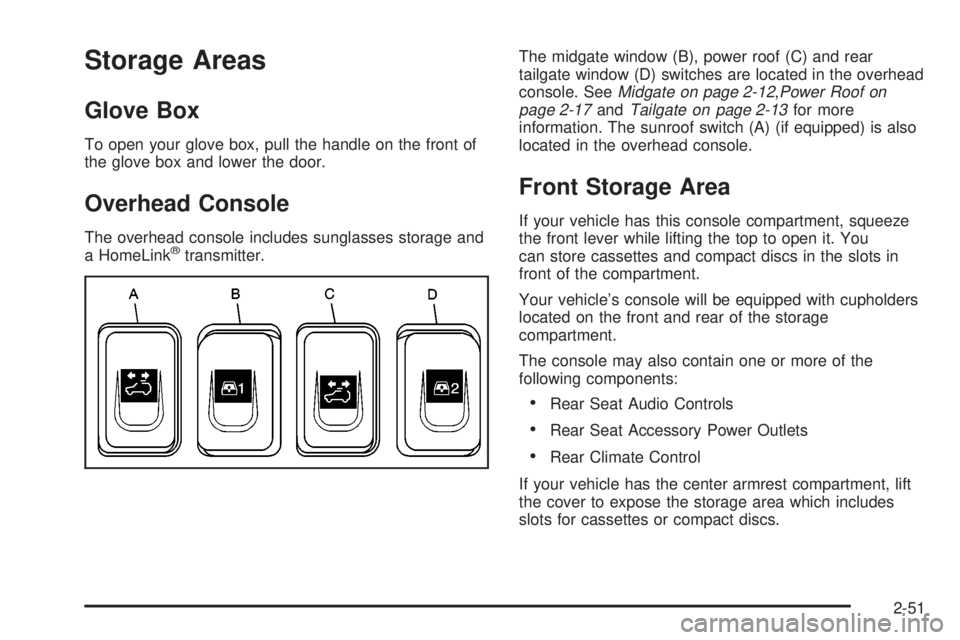
Overhead Console
The overhead console includes sunglasses storage and
a HomeLinkžtransmitter.The midgate window (B), power roof (C) and rear
tailgate window (D) switches are located in the overhead
console. See
Midgate on page 2-12,Power Roof on
page 2-17andTailgate on page 2-13for more
information. The sunroof switch (A) (if equipped) is also
located in the overhead console.
Front Storage Area
If your vehicle has this console compartment, squeeze
the front lever while lifting the top to open it. You
can store cassettes and compact discs in the slots in
front of the compartment.
Your vehicle's console will be equipped with cupholders
located on the front and rear of the storage
compartment.
The console may also contain one or more of the
following components:
·Rear Seat Audio Controls
·Rear Seat Accessory Power Outlets
·Rear Climate Control
If your vehicle has the center armrest compartment, lift
the cover to expose the storage area which includes
slots for cassettes or compact discs.
2-51
Page 122 of 460
Sunroof
Your vehicle may be equipped with a power sliding
sunroof. To open or close your sunroof, the ignition must
be on or Retained Accessory Power (RAP) must be
active.
Press and release the back of the button on the
overhead console to open the sunroof. Press the front
of the button to close the sunroof. Once the sunroof
is closed, press the forward side of the button to open
the sunroof to the vent position.
The sunroof is also equipped with a sunshade which
you can pull forward to block sun rays.
Vehicle Personalization
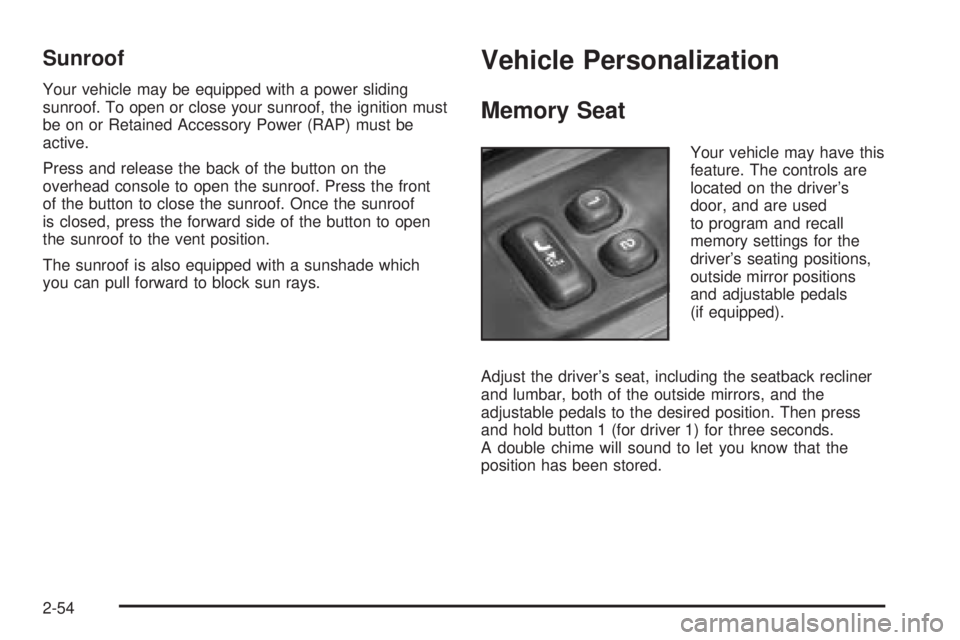
Memory Seat
Your vehicle may have this
feature. The controls are
located on the driver's
door, and are used
to program and recall
memory settings for the
driver's seating positions,
outside mirror positions
and adjustable pedals
(if equipped).
Adjust the driver's seat, including the seatback recliner
and lumbar, both of the outside mirrors, and the
adjustable pedals to the desired position. Then press
and hold button 1 (for driver 1) for three seconds.
A double chime will sound to let you know that the
position has been stored.
2-54
Page 123 of 460
A second mirror position, seating position and adjustable
pedal position can be programmed by repeating the
procedure with a second driver and pressing button 2 for
three seconds. Each time button 1 or 2 is pressed
and released while the vehicle is in PARK (P), a single
chime will sound, and the memory position will be
recalled.
If you use the unlock button on the remote keyless entry
transmitter to enter your vehicle, the preset driver's
seat, mirror positions and adjustable pedal position will
be recalled if programmed to do so through the
Driver Information Center (DIC). The numbers on the
back of the transmitters, 1 or 2, correspond to the
numbers on the memory controls.
The seat positions, mirror positions and adjustable
pedal positions can also be recalled by placing the key
in the ignition if programmed to do so through the
Driver Information Center (DIC). See
DIC Operation and
Displays on page 3-46.
To stop recall movement of the memory feature at any
time, press one of the power seat controls or memory
buttons.Two personalized exit positions can be set by ®rst
recalling the driver's position by pressing 1 or 2, then
positioning the seat in the desired exit position for
that driver. Press and hold the button with the exit
symbol for three seconds. A double chime will sound to
let you know that the position has been stored. With
the vehicle in PARK (P), the exit position for that driver
can be recalled by pressing the exit button. The
mirrors, power lumbar, recline and adjustable pedal
positions will not be stored or recalled for the exit
positions. If no exit position is stored, the default is all
the way rearward.
Further programming for automatic seat and mirror
movement can be done through the Driver Information
Center (DIC). You may choose to either select or
not select the following:
·Automatic seat, mirror movement and pedal
position when the vehicle is unlocked with the
remote keyless entry
·automatic seat, mirror movement and pedal position
when a key is placed in the ignition
·automatic seat movement to the exit position when
the vehicle is in PARK (P)
2-55
Page 126 of 460
Audio System(s).............................................3-61
Setting the Time...........................................3-61
Radio with CD..............................................3-62
Radio with Cassette and CD..........................3-74
Radio with Six-Disc CD.................................3-89
Navigation/Radio System..............................3-104
Rear Seat Entertainment System...................3-104
Rear Seat Audio (RSA)................................3-116
Radio Personalization..................................3-117
Theft-Deterrent Feature
(RDS Radios)..........................................3-117Audio Steering Wheel Controls......................3-118
DVD Distortion............................................3-118
Radio Reception.........................................3-119
Care of Your Cassette Tape Player...............3-119
Care of Your CDs and DVDs........................3-120
Care of Your CD and DVD Player.................3-121
Cleaning the Video Screen...........................3-121
Fixed Mast Antenna....................................3-121
XMŸ Satellite Radio Antenna System............3-121
Chime Level Adjustment...............................3-121
Section 3 Instrument Panel
3-2
Page 145 of 460
Temperature Control
Driver's Side:The lever on the left side of the climate
control panel is used to raise or lower the temperature
on the driver's side of the vehicle. Slide the lever
up or down to adjust the temperature.
Passenger's Side:The lever on the right side of the
climate control panel is used to raise or lower the
temperature on the passenger's side of the vehicle.
Slide the lever up or down to adjust the temperature.
This lever also adjusts the temperature to the rear seat
outlets.
When the temperature outside is 0ÉF (-18ÉC) or lower,
use the engine coolant heater, if equipped, to provide
warmer air, faster to your vehicle.
#(Air Conditioning):Press this button to turn the
air-conditioning system on or off. When the button
is pressed, an indicator light will come on and the
system will begin to cool and dehumidify the air inside
of your vehicle. You may notice a slight change in
engine performance when the air conditioning
compressor shuts off and turns on again. This is
normal.
Defogging and Defrosting
Fog on the inside of windows is a result of high humidity
(moisture) condensing on the cool window glass. This
can be minimized if the climate control system is
used properly. There are two modes to choose from to
clear fog or frost from your windshield. Use the
defog mode to clear the windows of fog or moisture and
warm the passengers. Use the defrost mode to
remove fog or frost from the windshield more quickly.
Turn the right knob clockwise or counterclockwise
to select one of the following modes:
-(Defog):This mode directs the air to the ¯oor
outlets, windshield and side window outlets. The
recirculation button cannot be selected while in
defog mode.
1(Defrost):This mode directs most of the air to the
windshield and the side window outlets, with only a
little air directed to the ¯oor outlets. The air conditioning
compressor may run to dehumidify the air to prevent
window fogging. The recirculation button cannot
be selected while in defrost mode. Do not drive the
vehicle until all the windows are clear.
3-21
Page 147 of 460
Operation Tips
·
Keep the hood and front air inlets free of ice, snow,
or any other obstruction (such as leaves). The
heater and defroster will work far better, reducing
the chance of fogging the inside of your windows.
·When you enter a vehicle in cold weather, turn the
fan knob all the way to the right for a few moments
before driving. This helps clear the intake ducts
of snow and moisture, and reduces the chance of
fogging the inside of your window.
·Keep the air path under the front seats clear of
objects. This helps air to circulate throughout
your vehicle.
·Adding outside equipment to the front of your
vehicle, such as hood-air de¯ectors, may affect the
performance of the heating and air conditioning
system. Check with your dealer before adding
equipment to the outside of your vehicle.
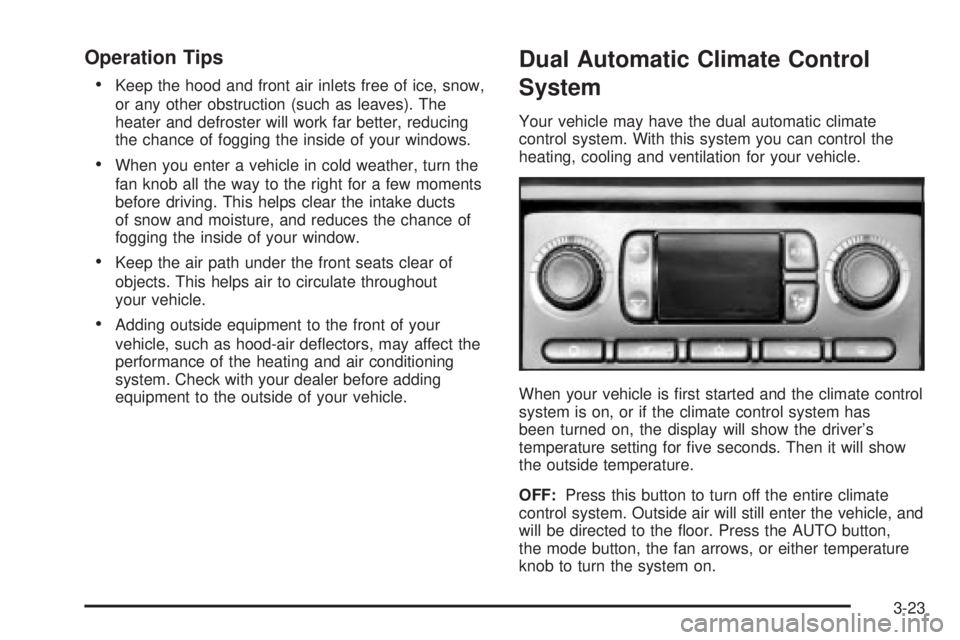
Dual Automatic Climate Control
System
Your vehicle may have the dual automatic climate
control system. With this system you can control the
heating, cooling and ventilation for your vehicle.
When your vehicle is ®rst started and the climate control
system is on, or if the climate control system has
been turned on, the display will show the driver's
temperature setting for ®ve seconds. Then it will show
the outside temperature.
OFF:Press this button to turn off the entire climate
control system. Outside air will still enter the vehicle, and
will be directed to the ¯oor. Press the AUTO button,
the mode button, the fan arrows, or either temperature
knob to turn the system on.
3-23