lock GMC SAVANA 1997 Service Manual
[x] Cancel search | Manufacturer: GMC, Model Year: 1997, Model line: SAVANA, Model: GMC SAVANA 1997Pages: 388, PDF Size: 20.17 MB
Page 115 of 388
1 C-UTION:
Your brake system may not be working properly
if the brake system warning light is on. Driving with the brake system warning light on can lead
to an accident.
If the light is still on after you’ve
pulled
off the road and stopped carefully, have
the vehicle towed for service.
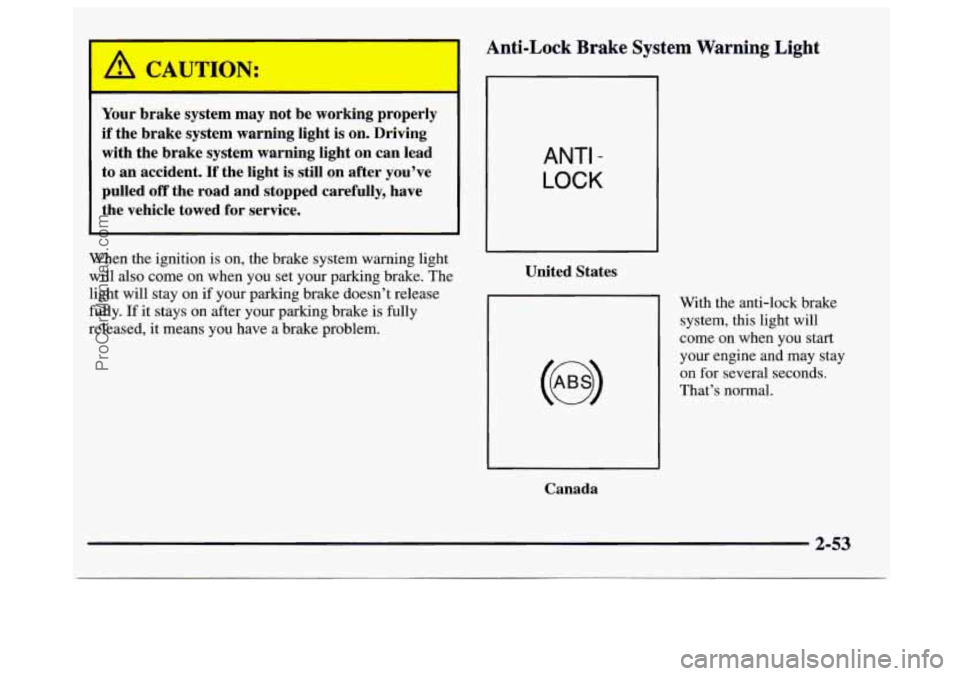
Anti-Lock Brake System Warning Light
When the ignition is on, the brake system warning light
will also come
on when you set your parking brake. The
light will stay on
if your parking brake doesn’t release
fully.
If it stays on after your parking brake is fully
released, it means you have a brake problem.
Canada
ANTI -
LOCK
United States
With the anti-lock brake
system, this light will
come on when you start
your engine and may stay
on for several seconds.
That’s normal.
2-53
ProCarManuals.com
Page 116 of 388
If the light stays on, or comes on when you’re driving,
your vehicle needs service. If the regular brake system
warning light isn’t on, you still have brakes, but you
don’t have anti-lock brakes. If the regular brake system
warning light is also on, you don’t have anti-lock brakes
and there’s a problem
with your regular brakes. See
“Brake System Warning Light” earlier in this section.
The anti-lock brake system warning light should come
on briefly when you turn the ignition key to RUN.
If the
light doesn’t come on then, have it fixed
so it will be
ready to warn you
if there is a problem.
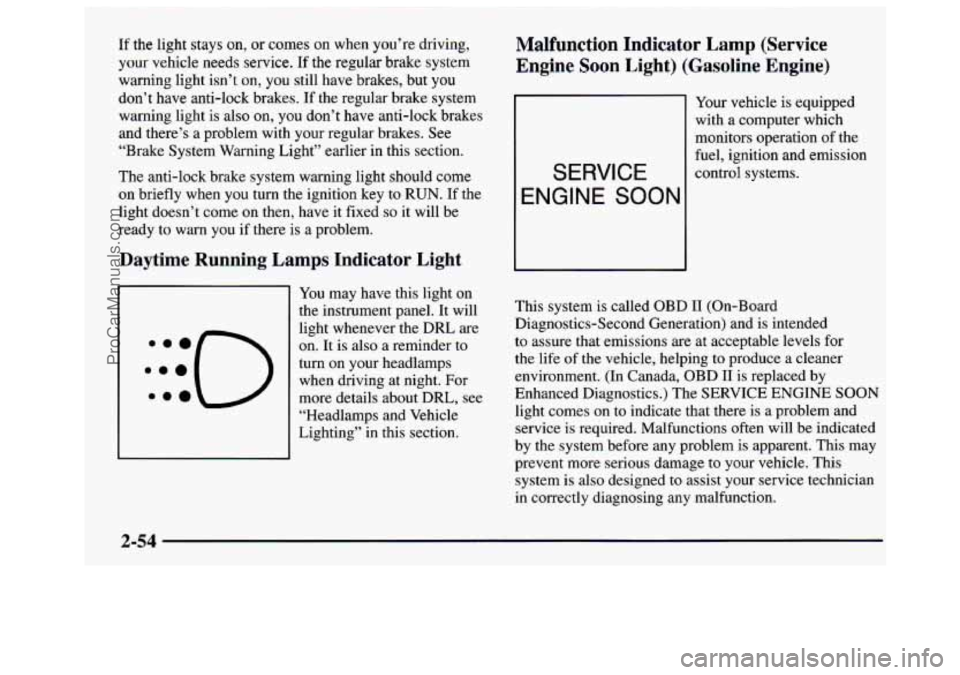
Daytime Running Lamps Indicator Light
You may have this light on
the instrument panel. It will
light whenever the DRL are
on, It is also a reminder to
turn on your headlamps
when driving at night. For
more details about DRL, see
“Headlamps and Vehicle
Lighting” in this section.
Malfunction Indicator Lamp (Service
Engine Soon Light) (Gasoline Engine)
Your vehicle is equipped
with a computer which
monitors operation of the
fuel, ignition and emission
SERVICE control systems.
ENGINE SOON
This system is called OBD I1 (On-Board
Diagnostics-Second Generation) and is intended
to assure that emissions are at acceptable levels for
the life
of the vehicle, helping to produce a cleaner
environment. (In Canada, OBD
I1 is replaced by
Enhanced Diagnostics.) The SERVICE ENGINE
SOON
light comes on to indicate that there is a problem and
service is required. Malfunctions often
will be indicated
by the system before any problem is apparent. This may
prevent more serious damage to your vehicle. This
system is also designed to assist your service technician
in correctly diagnosing any malfunction.
2-54
ProCarManuals.com
Page 123 of 388
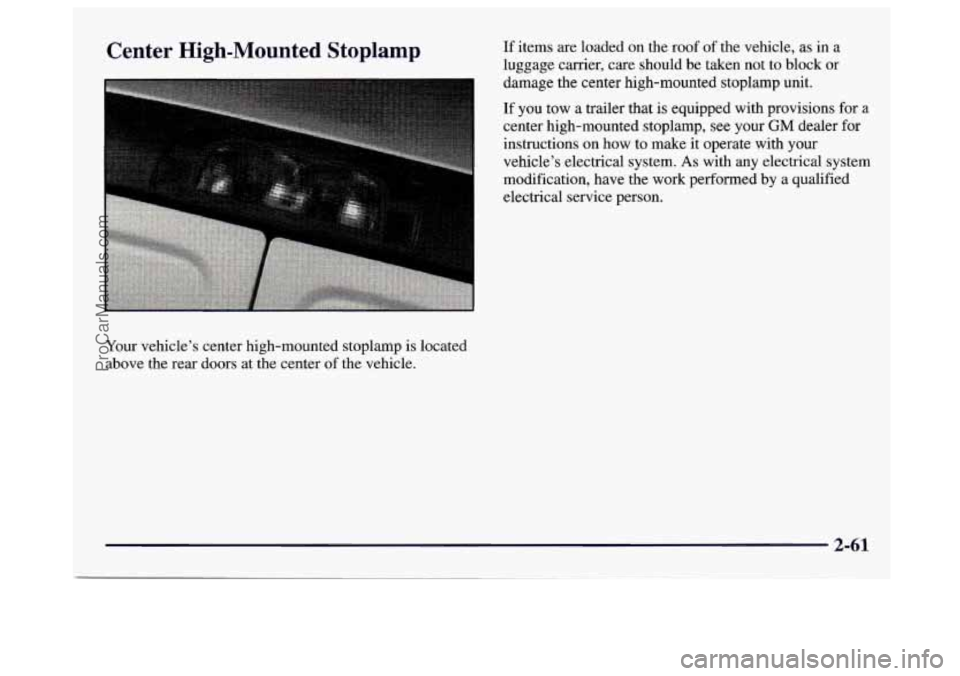
Center High-Mounted Stoplamp
Your vehicle’s center high-mounted stoplamp is located
above the rear doors at the center
of the vehicle. If
items are loaded
on the roof of the vehicle, as in a
luggage carrier, care should be taken not to block or
damage the center high-mounted stoplamp unit.
If
you tow a trailer that is equipped with provisions for a
center high-mounted stoplamp, see your GM dealer for
instructions on how to make
it operate with your
vehicle’s electrical system.
As with any electrical system
modification, have the work performed
by a qualified
electrical service person.
2-61
ProCarManuals.com
Page 127 of 388
Section 3 Comfort Controls and Audio Systems
In this section, you’ll find out how to operate the comfort control and audio systems offered with your vehicle. Be
sure to read about the particular systems supplied with your vehicle.
3-2
3-2
3-3
3-5
3-5
3 -7
3
-7
3 -7
3-8
3-8
3-8
3-9 Comfort Controls
Heater Controls
Heater/Air Conditioning Controls
Rear
Heater (Without Air Conditioning)
Rear Air Conditioning and Rear Heater
Air Conditioning
Heating
Ventilation Tips
Audio Systems
Setting the Clock for Systems without
Automatic Tone Control
Setting the Clock for Systems with
Automatic Tone Control
AM-FM Stereo
3-1 1
3-13
3-18
3-23
3-25 3-26
3-27
3-27
3-28
3-28 AM-FM
Stereo with Cassette Tape Player
(If Equipped)
AM-FM Stereo with Cassette Tape and
Automatic Tone Control (If Equipped)
AM-FM Stereo with Compact Disc Player
and Automatic Tone Control (If Equipped)
Theft-Deterrent Feature
Understanding Radio Reception
Tips About Your Audio System
Care of Your Cassette Tape Player
Care of Your Compact Discs
Power Antenna Mast Care
(If Equipped)
Adjustable Mast Antenna
3-1
ProCarManuals.com
Page 128 of 388
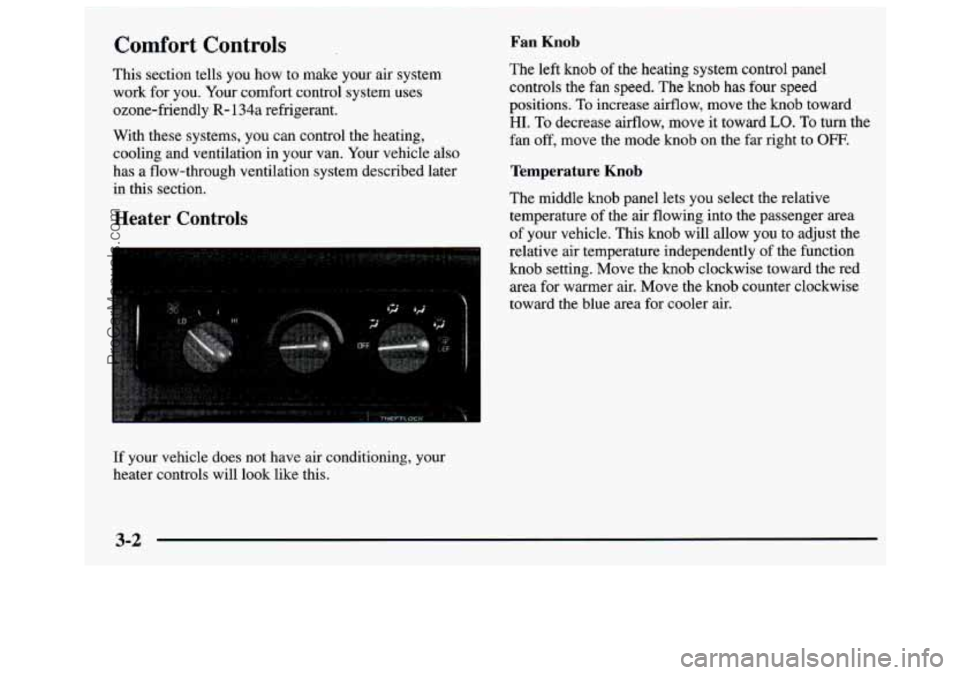
Comfort Controls Fan Knob
This section tells you how to make your air system The left knob of
the heating system control panel
work for
you. Your comfort control system uses controls the fan speed.
The knob has four speed
ozone-friendly
R- 134a refrigerant. positions. To increase
airflow, move the knob toward
With these systems, you can control the heating, fan off, move the mode knob on the far right to
OFF.
cooling and ventilation in your van. Your vehicle also
has a flow-through ventilation system described later
Temperature Knob
in this section.
The middle knob panel lets you select the relative
Heater Controls temperature of the air flowing into the passenger area
of your vehicle. This
knob will allow you to adjust the
relative air temperature independently of the function
knob setting. Move the knob clockwise toward the red
area for warmer air. Move the knob counter clockwise
toward the blue area for cooler air.
HI. To decrease airflow, move it toward LO. To turn the
If your vehicle does not have air conditioning, your
heater controls will look like this.
3-2
ProCarManuals.com
Page 130 of 388
Fan Knob
The knob on the left side of the heating system control
panel controls the
€an speed. The knob has four speed
positions.
To increase airflow, move the knob toward
HI. To decrease airflow, move it toward LO.
Temperature Knob
The middle knob on the control panel lets you select the
relative temperature of the air flowing into the passenger
area of your vehicle. This knob will allow you to adjust
the relative air temperature independently of the
function knob setting. Move the knob clockwise toward
the red area for warmer air. Move the knob
counterclockwise toward the blue area for cooler air.
Mode Knob
The right knob on the control panel changes the
heatedair conditioning setting.
MAX A/C: Move the right knob to MAX A/C for
maximum cooling. This setting puts the system in the
recirculation mode and helps to maximize your air
conditioner’s performance and your vehicle’s fuel
economy. This setting also cools the air the fastest. After
the vehicle’s interior reaches a comfortable temperature,
move the knob clockwise to place
the air conditioning
system in the
A/C mode.
A/C: Use for normal cooling on hot days. This setting
cools outside air and directs it through the instrument
panel outlets.
’# BI-LEVEL A/C: Use this setting to divide
airflow between the heater floor vents and instrument
panel vents. The air conditioning compressor
may
operate in this setting to cool the air.
/J VENT: This setting directs air through the
instrument panel vents.
+H HEAR This setting directs air through the heater
floor vents. This setting is useful for cold weather.
+H HEATLIEFROST: Use this setting to divide
airflow between the heater floor vents and windshield.
I,.
*e
0
DEFROST This setting directs air through the
windshield defroster vents. This setting is useful when
you have fog
or ice on the windshield.
3-4
ProCarManuals.com
Page 132 of 388
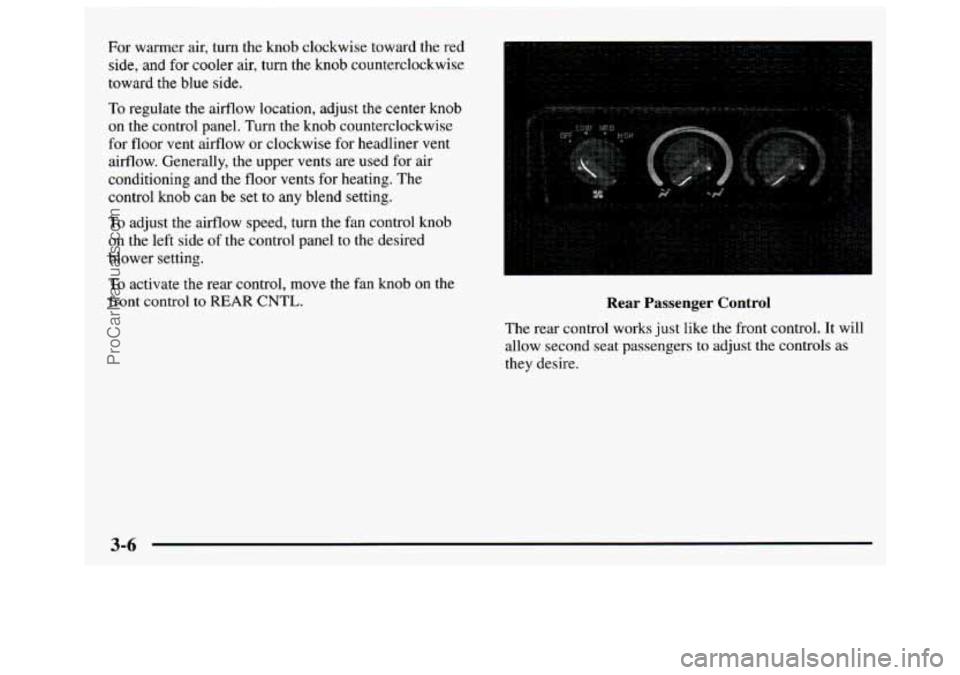
For warmer air, turn the knob clockwise toward the red
side,
and for cooler air, turn the knob counterclockwise
toward the blue
side.
10 regulate the airflow location, adjust the center knob
on the control panel. Turn the knob counterclockwise
for floor vent airflow or clockwise for headliner
vent
airflow. Generally, the upper vents are used for air
conditioning and
the floor vents for heating. The
control knob can be set
to any blend setting.
To adjust the airflow speed, turn the fan control knob
on the left side of the control panel to the desired
blower setting.
To activate the rear control, move the fan knob on the
front control to REAR CNTL. Kear rassenger Control
The rear control works just like the front control. It will
allow second seat passengers to adjust the controls as
they desire.
3-6
ProCarManuals.com
Page 134 of 388
Keep the air path under the front seats clear of
objects. This helps air to circulate throughout
your vehicle.
Your vehicle has air vents in the center and on the sides
of your instrument panel.
You can move the vents from side to side or up and
down to direct the flow
of air, or close the vents
altogether. When
you close a vent, it will increase the
flow
of air coming out of any vents that are open.
Audio Systems
Your Delco@ audio system has been designed to operate
easily and give years
of listening pleasure. You will get
the most enjoyment out of it if
you acquaint yourself
with it first. Find out what your Delco system can do
and how to operate all its controls,
to be sure you’re
getting the most out
of the advanced engineering that
went into it.
Setting the Clock for Systems without
Automatic
Tone Control
Press SET. Within five seconds, press and hold the
SEEK right arrow until the correct minute appears on
the display. Press and hold the
SEEK left arrow until
the correct hour appears on the display.
Setting the Clock for Systems with
Automatic
Tone Control
Press and hold HR until the correct hour appears on
the display. Press and hold MIN until the correct
minute appears
on the display. To display the clock
with the ignition off, press
RECALL or HFUMIN and
the time
will be displayed for a few seconds. There is
an initial two-second delay before the clock goes into
the time-set mode.
3-8
ProCarManuals.com
Page 135 of 388
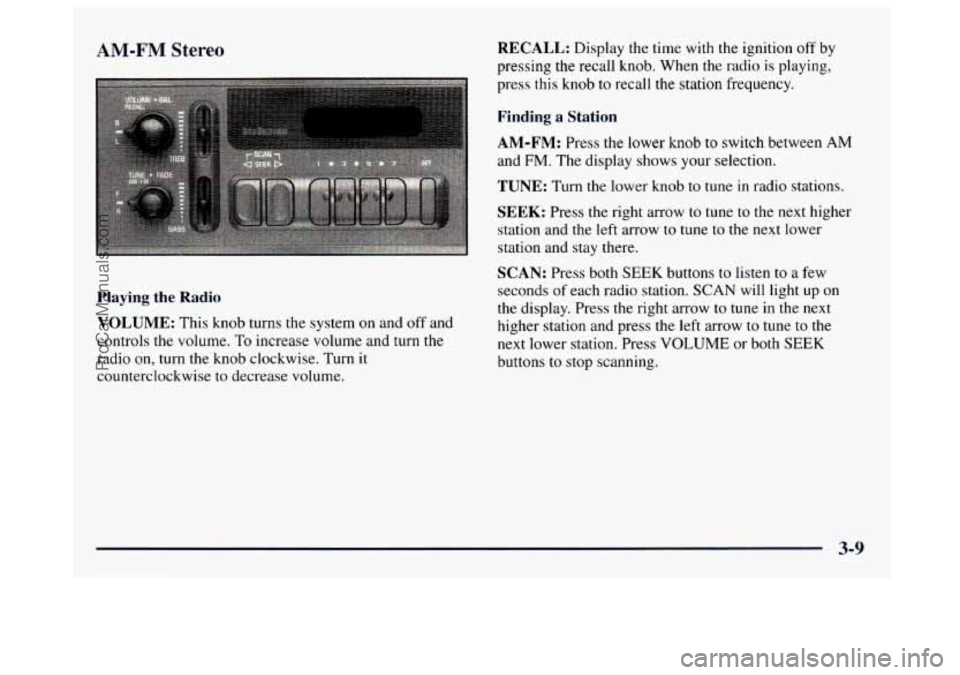
AM-FM Stereo
Playing the Radio
VOLUME: This knob turns the system on and off and
controls the volume.
To increase volume and turn the
radio on, turn the knob clockwise. Turn it
counterclockwise to decrease volume.
RECALL: Display the time with the ignition off by
pressing the recall knob. When the radio is playing,
press this knob to recall the station frequency.
Finding a Station
AM-FM: Press the lower knob to switch between AM
and FM. The display shows your selection.
TUNE: Turn the lower knob to tune in radio stations.
SEEK: Press the right arrow to tune to the next higher
station and the left arrow
to tune to the next lower
station and stay there.
SCAN: Press both SEEK buttons to listen to a few
seconds of each radio station.
SCAN will light up on
the display. Press the right arrow to tune in the next
higher station and press the left arrow to tune
to the
next lower station. Press VOLUME or both SEEK
buttons to stop scanning.
3-9
ProCarManuals.com
Page 137 of 388
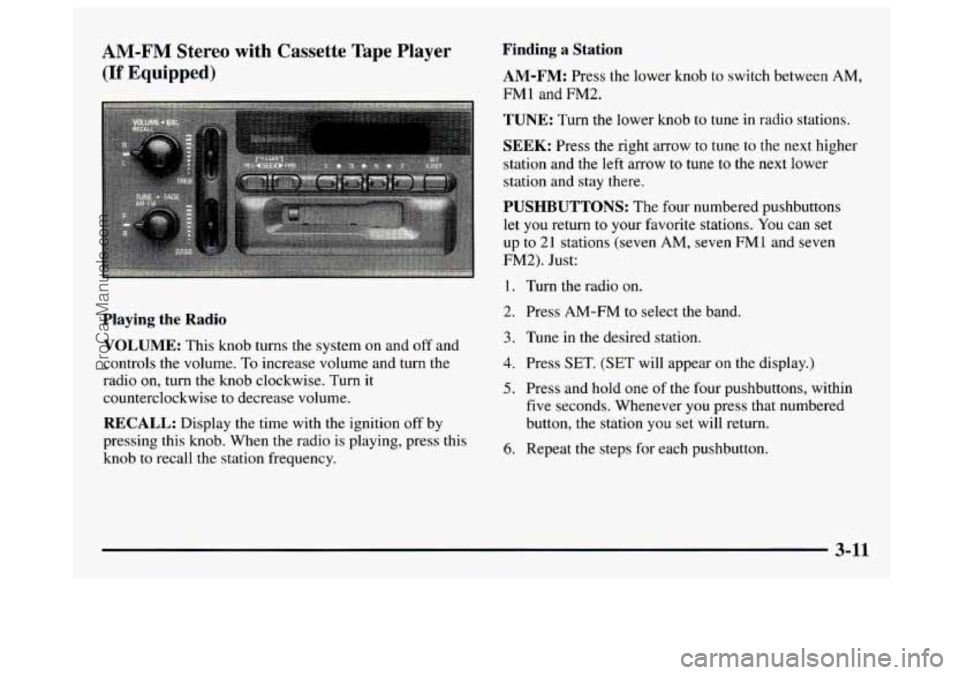
4M-FM Stereo with Cassette Tape Player
:If Equipped)
Playing the Radio
VOLUME: This knob turns the system on and off and
controls the volume.
To increase volume and turn the
radio
on, turn the knob clockwise. Turn it
counterclockwise to decrease volume.
RECALL: Display the time with the ignition off by
pressing this knob. When the radio is playing, press this
knob
to recall the station frequency.
Finding a Station
AM-FM: Press the lower knob to switch between AM,
FM1 and FM2.
TUNE: Turn the lower knob to tune in radio stations.
SEEK: Press the right arrow to tune to the next higher
station and the left arrow to tune
to the next lower
station and stay there.
PUSHBUTTONS: The four numbered pushbuttons
let
you return to your favorite stations. You can set
up to
2 1 stations (seven AM, seven FM1 and seven
FM2). Just:
1. Turn the radio on.
2. Press AM-FM to select the band.
3. Tune in the desired station.
4. Press SET. (SET will appear on the display.)
5. Press and hold one of the four pushbuttons, within
five seconds. Whenever you press that numbered
button, the station you set will return.
6. Repeat the steps for each pushbutton.
3-11
ProCarManuals.com