lock GMC SAVANA 1998 Service Manual
[x] Cancel search | Manufacturer: GMC, Model Year: 1998, Model line: SAVANA, Model: GMC SAVANA 1998Pages: 388, PDF Size: 20.04 MB
Page 133 of 388
-
UTION:
-
Don’t keep driving if the oil pressure is low. If
you do, your engine can become so hot that it
catches fire. You
or others could be burned.
Check your oil
as soon as possible and have your
vehicle serviced.
[ NOTICE:
I I
Damage to your engine from neglected oil
problems can be costly and is not covered by
your warranty.
Security Light
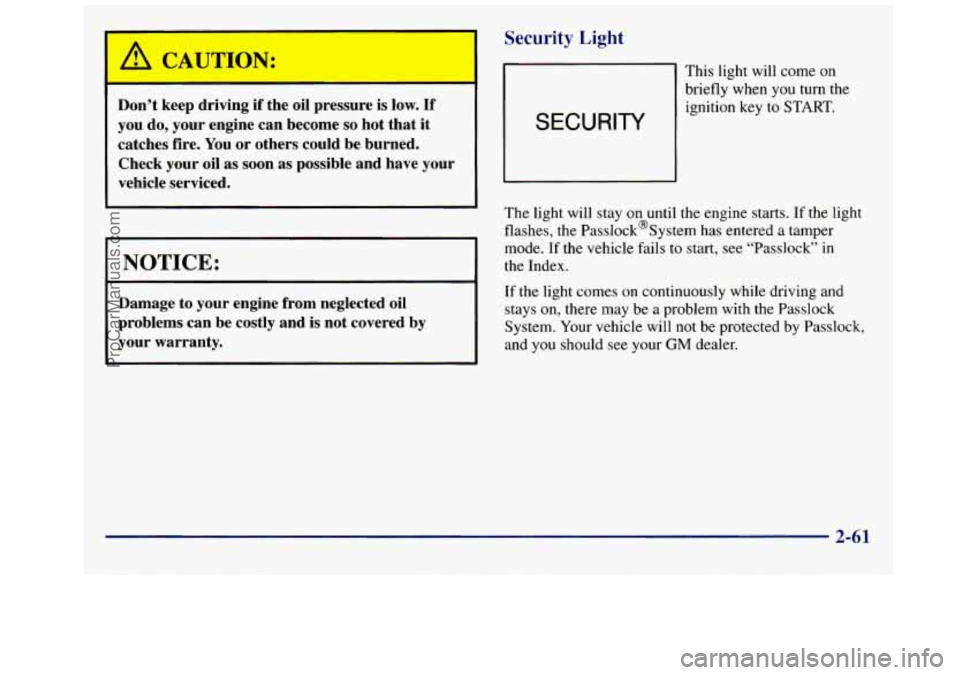
SECURITY
This light will come on
briefly when you turn the ignition key
to START.
The light will stay
on until the engine starts. If the light
flashes, the Passlock@System has entered a tamper
mode. If the vehicle fails to start,
see “Passlock” in
the Index.
If the light comes on continuously while driving and
stays
on, there may be a problem with the Passlock
System. Your vehicle will
not be protected by Passlock,
and
you should see your GM dealer.
2-61
ProCarManuals.com
Page 137 of 388
Sectici 3 Comfort Controls and Audio Systems
In this section, you’ll find out how to operate the comfort control and audio systems offered with your vehicle. Be
sure to read about the particular systems supplied with your vehicle.
3-2 3-2
3-3
3-4 3-5
3-6
3-6
3
-6
3-7
3-7
3-7
3 -7
Comfort Controls
Heater Controls
Heater/Air Conditioning Controls
Rear Heater (Without Air Conditioning)
Rear Air Conditioning and Rear Heater
Air Conditioning
Heating
Ventilation Tips
Audio Systems
Setting the Clock for Systems without
Automatic Tone Control
Setting the Clock for Systems with
Automatic Tone Control
AM-FM Stereo 3-9
3-11
3- 16
3-20
3-2 1
3-23 3-24
3 -25
3-26
3-26 3-27 AM-FM
Stereo with Cassette Tape Player
(If Equipped)
AM-FM Stereo with Cassette Tape and
Automatic Tone Control (If Equipped)
AM-FM Stereo with Compact Disc Player
and Automatic Tone Control (If Equipped)
Remote Compact Disc Player (If Equipped)
Theft-Deterrent Feature (If Equipped)
Understanding Radio Reception
Tips About Your Audio System
Care of Your Cassette Tape Player
Care
of Your Compact Discs
Care
of Your Compact Disc Player
Power Antenna Mast Care
3-1
ProCarManuals.com
Page 143 of 388
You can move the vents from side to side or up and
down to direct the flow
of air, or close the vents
altogether. When you close
a vent, it will increase the
flow of air coming out
of any vents that are open.
Audio Systems
Your Delco Electronics audio system has been designed
to operate easily and give years of listening pleasure.
You will get the most enjoyment out of it if you acquaint
yourself with it first. Find out what your Delco
Electronics system can do and how to operate all its
controls, to be sure you’re getting the most out of the
advanced engineering that went into
it.
Setting the Clock for Systems without
Automatic Tone Control
Press SET. Within five seconds, press and hold the
SEEK right arrow until the correct minute appears on
the display. Press and hold the
SEEK left arrow until the
correct hour appears on the display.
Setting the Clock for Systems with
Automatic Tone Control
Press and hold HR until the correct hour appears on the
display. Press and hold
MN until the correct minute
appears on the display. To display the clock with the ignition
off, press RECALL or HR/MN and the time
will be displayed for a few seconds. There is an initial
two-second delay before the clock goes into the
time-set mode.
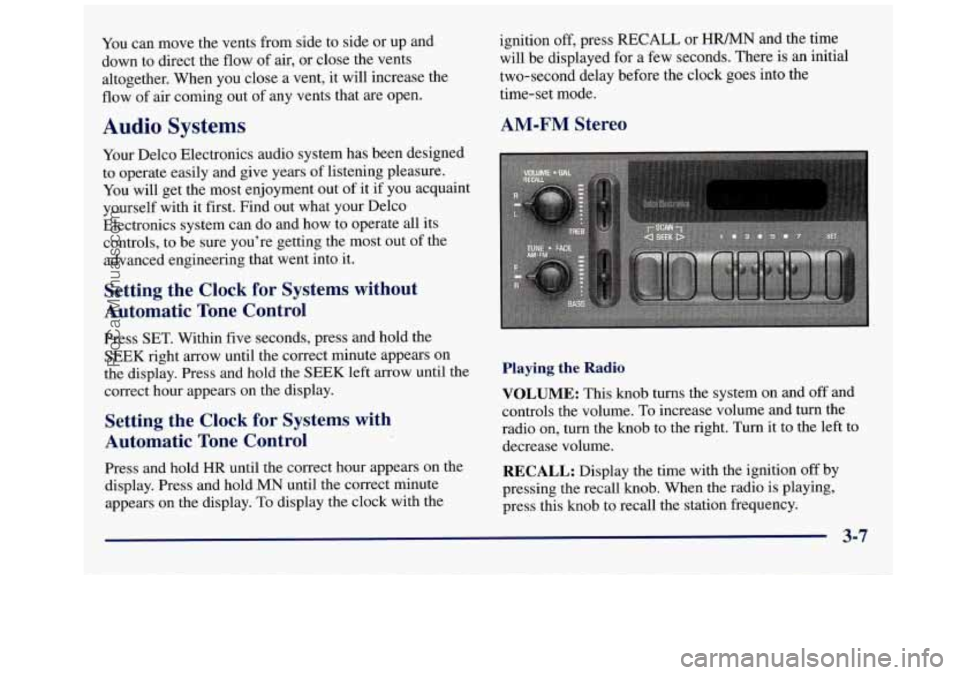
AM-FM Stereo
Playing the Radio
VOLUME: This knob turns the system on and off and
controls the volume.
To increase volume and turn the
radio
on, turn the knob to the right. Turn it to the left to
decrease volume.
RECALL: Display the time with the ignition off by
pressing the recall knob. When the radio
is playing,
press this knob to recall the station frequency.
3-7
ProCarManuals.com
Page 157 of 388
REV (4): Press and hold this button to quickly reverse
within a track. As the CD reverses, elapsed time will be
displayed to help you find the correct passage.
FWD (6): Press and hold this button to quickly advance
within a track.
As the CD advances, elapsed time will be
displayed to help you find the correct passage.
SEEK: Press the left arrow while playing a CD to go
back to the start
of the current track. It will go back to
the current track
if more than eight seconds have played.
Press the
left arrow again to go to previous tracks. Press
the right arrow to go to the next higher track on the disc.
RANDOM: Press P.SCAN to enter the random play
mode.
RANDOM will appear on the display. While in
this mode, the tracks on the discs will be played in
random order. If you press
SEEK, PREV or NEXT
while in the random mode, the previous or next track
will be scanned randomly. Press P.SCAN again to turn
off RANDOM and return to normal operation.
RECALL: Press this button to see what track is
currently playing. Press RECALL again within five
seconds to see how long the track has been playing.
When a new track starts to play, the track number will
also appear. Press RECALL a third time and the time
of
day will be displayed.
TAPE AUX: With a disc loaded in the player and the
radio playing, press this button once to play the compact
disc. To return to playing the radio, press
AM-FM. If
both a cassette tape and CD are loaded, press
TAPE
AUX to switch between the tape and compact disc.
EJECT Press this button on the remote player to eject a
compact disc.
Theft-Deterrent Feature (If Equipped)
THEFTLOCK@ is designed to discourage theft of your
radio. It works by using a secret code
to disable all radio
functions whenever battery power is removed. Your
audio system is equipped with THEFTLOCK if
THEFTLOCK is displayed on the front of the radio.
The THEFTLOCK feature for the radio may be used or
ignored. If ignored, the system plays normally and the
radio is not protected by the feature.
If THEFTLOCK is
activated, your radio will not operate if stolen.
When THEFTLOCK is activated, the radio will display
LOC to indicate a locked condition anytime battery
power has been interrupted. If your battery loses power
for any reason, you must unlock the radio with the secret
code before it will operate.
3-21
ProCarManuals.com
Page 158 of 388
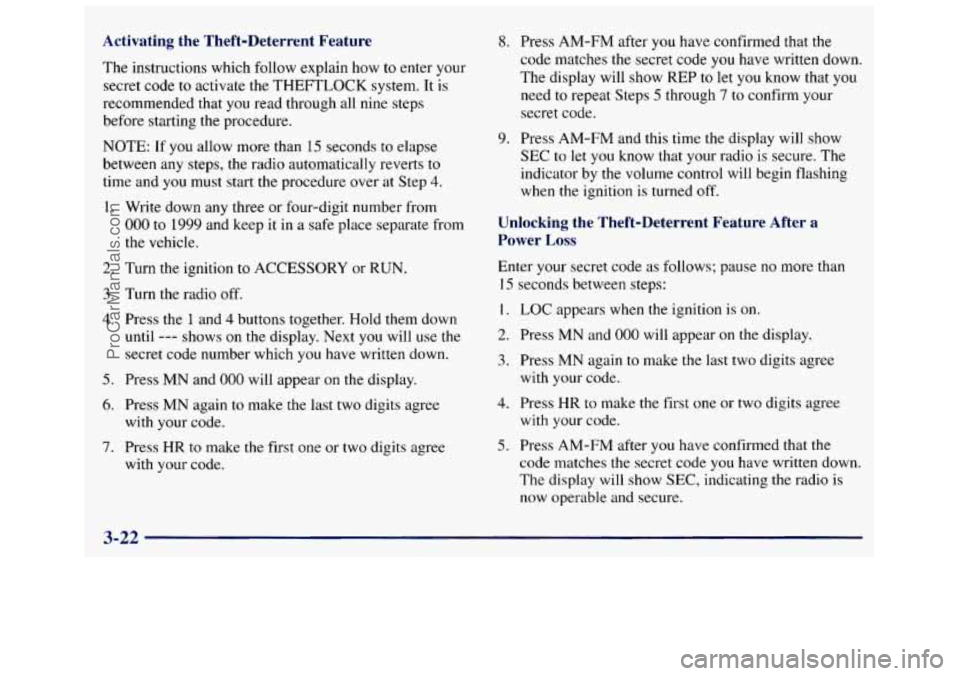
Activating the Theft-Deterrent Feature
The instructions which follow explain how to enter your
secret code to activate the THEFTLOCK system. It is
recommended that you read through all nine steps before starting the procedure.
NOTE: If
you allow more than 15 seconds to elapse
between any steps, the radio automatically reverts to
time and you must start the procedure over at Step
4.
1. Write down any three or four-digit number from
000 to 1999 and keep it in a safe place separate from
the vehicle.
2. Turn the ignition to ACCESSORY or RUN.
3. Turn the radio off.
4. Press the 1 and 4 buttons together. Hold them down
until --- shows on the display. Next you will use the
secret code number which you have written down.
5. Press MN and 000 will appear on the display.
6. Press MN again to make the last two digits agree
7. Press HR to make the first one or two digits agree
with your
code.
with
your code.
8. Press AM-FM after you have confirmed that the
code matches the secret code you have written down.
The display will show REP to let you know that you
need to repeat Steps
5 through 7 to confirm your
secret code.
9. Press AM-FM and this time the display will show
SEC to let you know that your radio is secure. The
indicator by the volume control will begin flashing
when
the ignition is turned off.
Unlocking the Theft-Deterrent Feature After a
Power Loss
Enter your secret code as follows; pause no more than
I5 seconds between steps:
1. LOC appears when the ignition is on.
2. Press MN and 000 will appear on the display.
3. Press MN again to make the last two digits agree
with your code.
4. Press HR to make the first one or two digits agree
5. Press AM-FM after you have confirmed that the
with
your code.
code matches the secret code you have written down.
The display will show SEC, indicating
the radio is
now operable and secure.
3-22
ProCarManuals.com
Page 159 of 388
If you enter the wrong code eight times, INOP will
appear on the display. You will have to wait an hour
with
the ignition on before you can try again. When you
try again, you will only have three chances to enter the
correct code before INOP appears.
If
you lose or forget your code, contact your dealer.
Disabline the Theft-Deterrent Feature
Enter your secret code as follows; pause no more than
15 seconds between steps: If
the code entered is incorrect, SEC will appear on the
display. The radio will remain secured until the correct
code is entered.
When battery power is removed and later applied to a
secured radio, the radio won’t turn on and LOC will
appear
on the display.
To unlock a secured radio, see “Unlocking the
Theft-Deterrent Feature After a Power
Loss” earlier
in this section.
1.
2.
3.
4.
5.
6.
7.
Turn the ignition to ACCESSORY or RUN.
Turn the radio off.
Press the
1 and 4 buttons together. Hold them down
until
SEC shows on the display.
Press
MN and 000 will appear on the display.
Press
MN again to make the last two digits agree
with your code.
Press
HR to make the first one or two digits agree
with your code.
Press AM-FM after you have confirmed that the
code matches
the secret code you have written down.
The display will show ---, indicating that the radio is
no longer secured.
Understanding Radio Reception
AM
The range for most AM stations is greater than for FM,
especially at night. The longer range, however, can
cause stations to interfere with each other.
AM can pick
up noise from things like storms and power
lines. Try
reducing the treble
to reduce this noise if you ever get it.
FM Stereo
FM stereo will give you the best sound, but FM signals
will reach only about
10 to 40 miles (16 to 65 km). Tall
buildings or hills can interfere with FM signals, causing
the sound to come and go.
3-23
ProCarManuals.com
Page 171 of 388
Anti-Lock Brakes (ABS)
Your vehicle has anti-lock brakes (ABS). ABS is an
advanced electronic braking system that will help
prevent a braking skid.
When you start your engine and begin to drive away,
your anti-lock brake system will check itself.
You may
hear a momentary motor or clicking noise while this test
is going
on. This is normal.
ANTI -
LOCK
United States
Canada
If there’s a problem with the anti-lock brake system, this
warning light will stay
on. See “Anti-Lock Brake
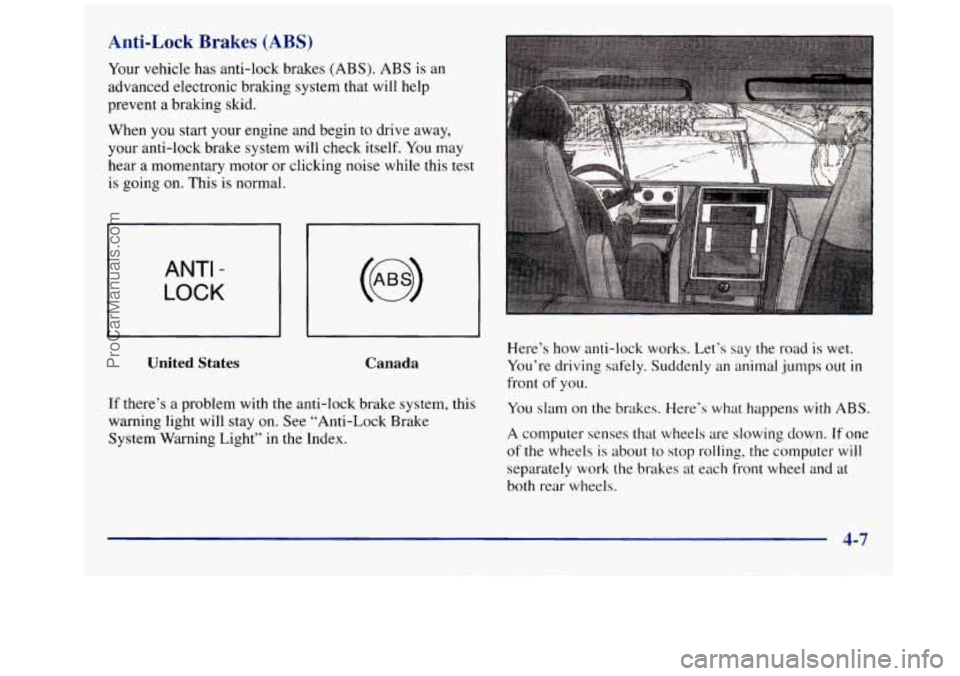
System Warning Light” in the Index. Here’s how anti-lock works. Let’s say the road
is wet.
You’re driving
safely. Suddenly an animal jumps out in
front of you.
You slam
on the brakes. Here’s what happens with ABS.
A computer senses that wheels are slowing down. If one
of the wheels is about to stop rolling, the computer will
separately work the brakes at each front wheel and at
both rear wheels.
4-7
ProCarManuals.com
Page 172 of 388
The anti-lock system can change the brake pressure faster
than any driver could. The computer is programmed
to
make the most of available tire and road conditions.
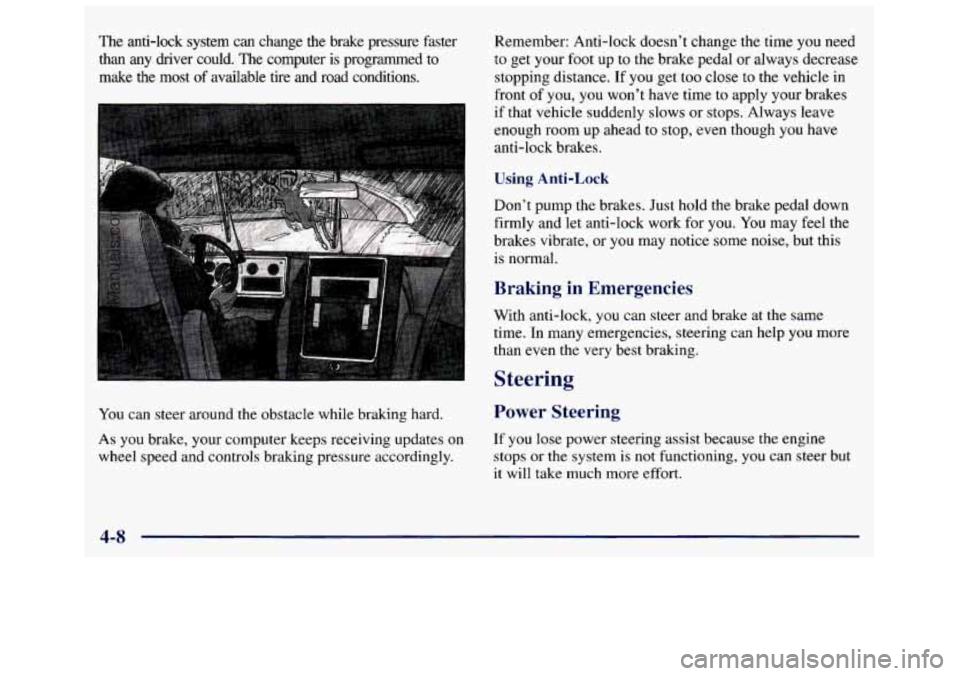
You can steer around the obstacle while braking hard.
As you brake, your computer keeps receiving updates on
wheel
speed and controls braking pressure accordingly. Remember: Anti-lock doesn’t
change the time
you need
to get your foot up to the brake pedal or always decrease
stopping distance.
If you get too close to the vehicle in
front of you, you won’t have time to apply your brakes
if that vehicle suddenly slows or stops. Always leave
enough room up ahead
to stop, even though you have
anti-lock brakes.
Using Anti-Lock
Don’t pump the brakes. Just hold the brake pedal down
firmly and let anti-lock work for
you. You may feel the
brakes vibrate, or you may notice some noise, but this
is normal.
Braking in Emergencies
With anti-lock, you can steer and brake at the same
time. In many emergencies, steering can help you more
than even the very best braking.
Steering
Power Steering
If you lose power steering assist because the engine
stops or
the system is not functioning, you can steer but
it will take much more effort.
4-8
ProCarManuals.com
Page 174 of 388
Steering in Emergencies
There are times when steering can be more effective than
braking.
For example, you come over a hill and find a
truck stopped in your lane, or a car suddenly pulls out
from nowhere, or a child
darts out from between parked
cars and stops right in front of you. You can avoid these
problems by braking
-- if you can stop in time. But
sometimes you can’t; there isn’t room. That’s the time for
evasive action
-- steering around the problem.
Your vehicle
can perform very well in emergencies like
these. First apply your brakes. (See “Braking in
Emergencies” earlier in this section.) It is better
to
remove as much speed as you can from a possible
collision. Then steer around the problem, to the left or
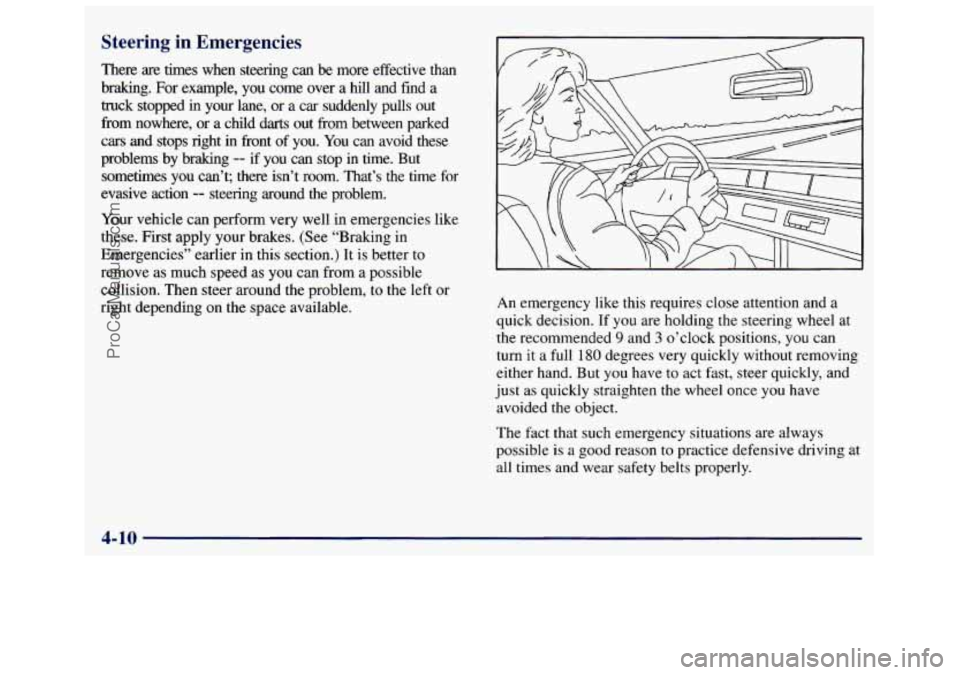
right depending on the space available. An
emergency like this requires close attention
and a
quick decision. If you are holding the steering wheel at
the recommended
9 and 3 o’clock positions, you can
turn
it a full 180 degrees very quickly without removing
either hand.
But you have to act fast, steer quickly, and
just
as quickly straighten the wheel once you have
avoided the object.
The fact that such emergency situations are always
possible is
a good reason to practice defensive driving at
all times and wear safety belts properly.
4-10
ProCarManuals.com
Page 177 of 388
In a skid, a driver can lose control of the vehicle.
Defensive drivers avoid most skids by taking reasonable
care suited to existing conditions, and by not
“overdriving” those conditions. But skids
are
always possible.
The three types of skids correspond to your vehicle’s
three control systems. In the braking skid, your wheels aren’t rolling. In the steering
or cornering skid, too
much speed or steering in a curve causes tires
to slip and
lose cornering force. And in the acceleration skid, too
much throttle causes the driving wheels
to spin.
A cornering skid and an acceleration skid
are best
handled by easing your foot off the accelerator pedal.
If your vehicle starts to slide,
ease your foot off the
accelerator pedal and quickly steer the way you want the
vehicle to go. If you start steering quickly enough, your
vehicle may straighten out. Always be ready for a
second skid if it occurs. Of
course, traction is reauced when water, snow, ice,
gravel or other material is on the road. For safety, you’ll
want to slow down and adjust your driving to these
conditions.
It is important to slow down on slippery
surfaces because stopping distance will be longer and
vehicle control more limited.
While driving
on a surface with reduced traction, try
your best to avoid sudden steering, acceleration or
braking (including engine braking by shifting to a lower
gear). Any sudden changes could cause the tires to
slide. You may not realize the surface is slippery until
your vehicle is skidding. Learn to recognize warning
clues
-- such as enough water, ice or packed snow on
the road to make a “mirrored surface”
-- and slow
down when you have any doubt.
Remember: Any anti-lock brake system (ABS) helps
avoid only the braking skid.
4-13
ProCarManuals.com