reset GMC SAVANA 2003 User Guide
[x] Cancel search | Manufacturer: GMC, Model Year: 2003, Model line: SAVANA, Model: GMC SAVANA 2003Pages: 392, PDF Size: 2.34 MB
Page 179 of 392

Finding a Station
BAND:Press this button to switch between AM, FM1,
FM2. The display will show your selection.
TUNE:Turn this knob to select radio stations.
sSEEKt:Press the right or the left arrow to go to
the next or to the previous station and stay there.
The radio will seek only to stations that are in the
selected band and only to those with a strong signal.
sSCANt:Press and hold either SCAN arrow for
two seconds until SC appears on the display and you
hear a beep. The radio will go to a station, play for a few
seconds, then go on to the next station. Press either
SCAN arrow again to stop scanning.
To scan preset stations, press and hold either SCAN
arrow for more than four seconds. PRESET SCAN will
appear on the display. You will hear a double beep.
The radio will go to a preset station stored on your
pushbuttons, play for a few seconds, then go on to the
next preset station. Press either SCAN arrow again to
stop scanning presets.
The radio will scan only to stations that are in the selected
band and only to those with a strong signal.
Setting Preset Stations
The six numbered pushbuttons let you return to your
favorite stations. You can set up to 18 stations (six AM,
six FM1 and six FM2), by performing the following steps:
1. Turn the radio on.
2. Press BAND to select AM, FM1 or FM2.
3. Tune in the desired station.
4. Press AUTO EQ to select the equalization.
5. Press and hold one of the six numbered
pushbuttons until you hear a beep. Whenever you
press that numbered pushbutton, the station
you set will return and the equalization that you
selected will also be automatically selected for that
pushbutton.
6. Repeat the steps for each pushbutton.
3-61
2003 - Savana OM
Page 182 of 392

SCAN:You can also scan through the stations within a
category by performing the following:
1. Press the P-TYPE button. P-TYPE and the last
selected PTY will be displayed on the screen.
2. Select a category by turning the P-TYPE knob.
3. Once the desired category is displayed, press and
hold either SCAN arrow, and the radio will begin
scanning within your chosen category.
4. Press either SCAN arrow again to stop at a
particular station.
BAND (Alternate Frequency):Alternate frequency
allows the radio to switch to a stronger station with the
same program type. Press and hold BAND for two
seconds to turn alternate frequency on. AF ON
will appear on the display. The radio may switch to
stronger stations. Press and hold BAND again for two
seconds to turn alternate frequency off. AF OFF
will appear on the display. The radio will not switch to
other stations. When you turn the ignition off and then on
again, the alternate frequency feature will automatically
be turned on.Setting Preset PTYs
The six numbered pushbuttons let you return to your
favorite PTYs. These buttons have factory PTY presets.
You can set up to 12 PTYs (six FM1 and six FM2) by
performing the following steps:
1. Press BAND to select FM1 or FM2.
2. Press the P-TYPE button. P-TYPE and the last
selected PTY will be displayed on the screen.
3. Select a category by turning the P-TYPE knob.
4. Press and hold one of the six numbered pushbuttons
until you hear a beep. Whenever you press that
numbered pushbutton, the PTY you set will return.
5. Repeat the steps for each pushbutton.
3-64
2003 - Savana OM
Page 185 of 392

When a disc is inserted, the CD symbol will be
displayed. If more than one disc has been loaded, a
number for each disc will be displayed. If you select an
equalization setting for your disc, it will be activated
each time you play a disc.
If the radio is on or off, the last disc loaded will begin to
play automatically.
As each new track starts to play, the track number will
appear on the display.
Playing a Specific Loaded
Compact Disc
For every CD loaded, a number will appear on the radio
display. To play a specific CD,first press the CD AUX
button to start playing a CD. Then press the numbered
pushbutton that corresponds to the CD you want to
play. A small bar will appear under the CD number that
is playing, and the track number will appear.
If an error appears on the radio display, see“Compact
Disc Messages”later in this section.LOAD CD
Z(Eject):Pressing the CD eject side of
this button will eject a single disc or multiple discs.
To eject the disc that is currently playing, press
and release this button. To eject multiple discs, press
and hold this button for two seconds. You will hear
a beep and the light willflash to let you know when a
disc is being ejected.
REMOVE CD will be displayed. You can now remove
the disc. If the disc is not removed, after 25 seconds,
the disc will be automatically pulled back into the
receiver. If you try to push the disc back into the
receiver, before the 25 second time period is complete,
the receiver will sense an error and will try to eject
the disc several times before stopping.
Do not repeatedly press the CD eject side of the
LOAD CD eject button to eject a disc after you have
tried to push it in manually. The receivers 25-second
eject timer will reset at each press of eject, which
will cause the receiver to not eject the disc until the
25-second time period has elapsed.
Once the player stops and the disc is ejected, remove the
disc. After removing the disc, press the PWR knob off and
then on again. This will clear the disc-sensing feature and
enable discs to be loaded into the player again.
3-67
2003 - Savana OM
Page 191 of 392

P.SET PROG (Preset Program):The front passengers
must be listening to something different for each of
these functions to work:
•Press this button to scan through the preset radio
stations set on the pushbuttons on the main radio.
The radio will go to a preset station stored on
your pushbuttons, play for a few seconds, then go
on to the next preset station. Press this button
again to stop scanning presets.
•When a cassette tape is playing, press this button
to go to the other side of the tape.
•When a CD is playing, press this button to selec
t a disc.
TAPE CD:Press this button to switch between playing
a cassette tape or a CD when listening to the radio.
The inactive tape or compact disc will remain safely
inside the radio for future listening.
Theft-Deterrent Feature
(Non-RDS Radios)
THEFTLOCK®is designed to discourage theft of your
radio. The feature works automatically by learning
a portion of the Vehicle Identification Number (VIN).
If the radio is moved to a different vehicle, it will
not operate and LOC will be displayed.
With THEFTLOCK
®activated, your radio will not
operate if stolen.
Theft-Deterrent Feature
(RDS Radios)
THEFTLOCK®is designed to discourage theft of your
radio. The feature works automatically by learning
a portion of the Vehicle Identification Number (VIN).
If the radio is moved to a different vehicle, it will
not operate and LOCKED will be displayed.
When the radio and vehicle are turned off, the blinking
red light indicates that THEFTLOCK
®is armed.
With THEFTLOCK
®activated, your radio will not
operate if stolen.
3-73
2003 - Savana OM
Page 192 of 392

Understanding Radio Reception
AM
The range for most AM stations is greater than for FM,
especially at night. The longer range, however, can
cause stations to interfere with each other. AM can pick
up noise from things like storms and power lines. Try
reducing the treble to reduce this noise if you ever get it.
FM
FM stereo will give you the best sound, but FM signals
will reach only about 10 to 40 miles (16 to 65 km).
Tall buildings or hills can interfere with FM signals,
causing the sound to come and go.
Care of Your Cassette Tape Player
A tape player that is not cleaned regularly can cause
reduced sound quality, ruined cassettes or a damaged
mechanism. Cassette tapes should be stored in their
cases away from contaminants, direct sunlight and
extreme heat. If they aren’t, they may not operate
properly or may cause failure of the tape player.
Your tape player should be cleaned regularly after
every 50 hours of use. Your radio may display CLEAN
to indicate that you have used your tape player for
50 hours without resetting the tape clean timer. If this
message appears on the display, your cassette tape
player needs to be cleaned. It will still play tapes,
but you should clean it as soon as possible to prevent
damage to your tapes and player. If you notice a
reduction in sound quality, try a known good cassette
to see if the tape or the tape player is at fault. If this
other cassette has no improvement in sound quality,
clean the tape player.
3-74
2003 - Savana OM
Page 193 of 392

For best results, use a scrubbing action, non-abrasive
cleaning cassette with pads which scrub the tape
head as the hubs of the cleaner cassette turn.
The recommended cleaning cassette is available
through your dealership.
When cleaning the cassette tape player with the
recommended non-abrasive cleaning cassette, it is
possible that the cassette may eject, because the cut
tape detection feature on your radio may recognize it
as a broken tape, in error. To prevent the cleaning
cassette from being ejected, use the following steps:
1. Turn the ignition on.
2. Turn the radio off.
3. Press and hold the TAPE DISC button forfive
seconds. READY will appear on the display and
the cassette symbol willflash forfive seconds.
4. Insert the scrubbing action cleaning cassette.
5. Eject the cleaning cassette after the manufacturer’s
recommended cleaning time.
When the cleaning cassette has been ejected, the cut
tape detection feature is active again.You may also choose a non-scrubbing action, wet-type
cleaner which uses a cassette with a fabric belt to
clean the tape head. This type of cleaning cassette will
not eject on its own. A non-scrubbing action cleaner
may not clean as thoroughly as the scrubbing type
cleaner. The use of a non-scrubbing action, dry-type
cleaning cassette is not recommended.
After you clean the player, press and hold the eject
button forfive seconds to reset the CLEAN indicator.
The radio will display --- or CLEANED to show the
indicator was reset.
Cassettes are subject to wear and the sound quality
may degrade over time. Always make sure the cassette
tape is in good condition before you have your tape
player serviced.
3-75
2003 - Savana OM
Page 256 of 392

When to Change Engine Oil
If any one of these are true for you, use the short
trip/city maintenance schedule:
•Most trips are less than 5 miles (8 km). This is
particularly important when outside temperatures
are below freezing.
•Most trips include extensive idling (such as frequent
driving in stop-and-go traffic).
•You frequently tow a trailer or use a carrier on top
of your vehicle.
•The vehicle is used for delivery service, police, taxi
or other commercial application.
Driving under these conditions causes engine oil to
break down sooner. If any one of these is true for your
vehicle, then you need to change your oil andfilter
every 3,000 miles (5 000 km) or 3 months—whichever
occursfirst.
If none of them is true, use the long trip/highway
maintenance schedule. Change the oil andfilter every
7,500 miles (12 500 km) or 12 months—whichever
occursfirst. Driving a vehicle with a fully warmed engine
under highway conditions will cause engine oil to
break down slower.
How to Reset the CHANGE ENGINE
OIL Light
The GM Oil Life System calculates when to change your
engine oil andfilter based on vehicle use. Anytime your
oil is changed, reset the system so it can calculate when
the next oil change is required. If a situation occurs where
you chang your oil prior to a CHANGE ENGINE OIL light
being turned on, reset the system.
To reset the CHANGE ENGINE OIL light, do the
following:
1. Turn the ignition key to RUN with the engine off.
2. Fully press and release the accelerator pedal
three times withinfive seconds.
3. If the CHANGE ENGINE OIL lightflashes for
five seconds, the system is reset.
If the system does not reset, try the procedure once
again. If it still does not reset, see your dealer for
service.
SeeChange Engine Oil Light on page 3-37.
5-16
2003 - Savana OM
Page 257 of 392
What to Do with Used Oil
Used engine oil contains certain elements that may be
unhealthy for your skin and could even cause cancer.
Don’t let used oil stay on your skin for very long.
Clean your skin and nails with soap and water, or a good
hand cleaner. Wash or properly dispose of clothing or
rags containing used engine oil. See the manufacturer’s
warnings about the use and disposal of oil products.
Used oil can be a threat to the environment. If you
change your own oil, be sure to drain all the oil from the
filter before disposal. Never dispose of oil by putting it
in the trash, pouring it on the ground, into sewers,
or into streams or bodies of water. Instead, recycle it by
taking it to a place that collects used oil. If you have
a problem properly disposing of your used oil, ask your
dealer, a service station or a local recycling center
for help.
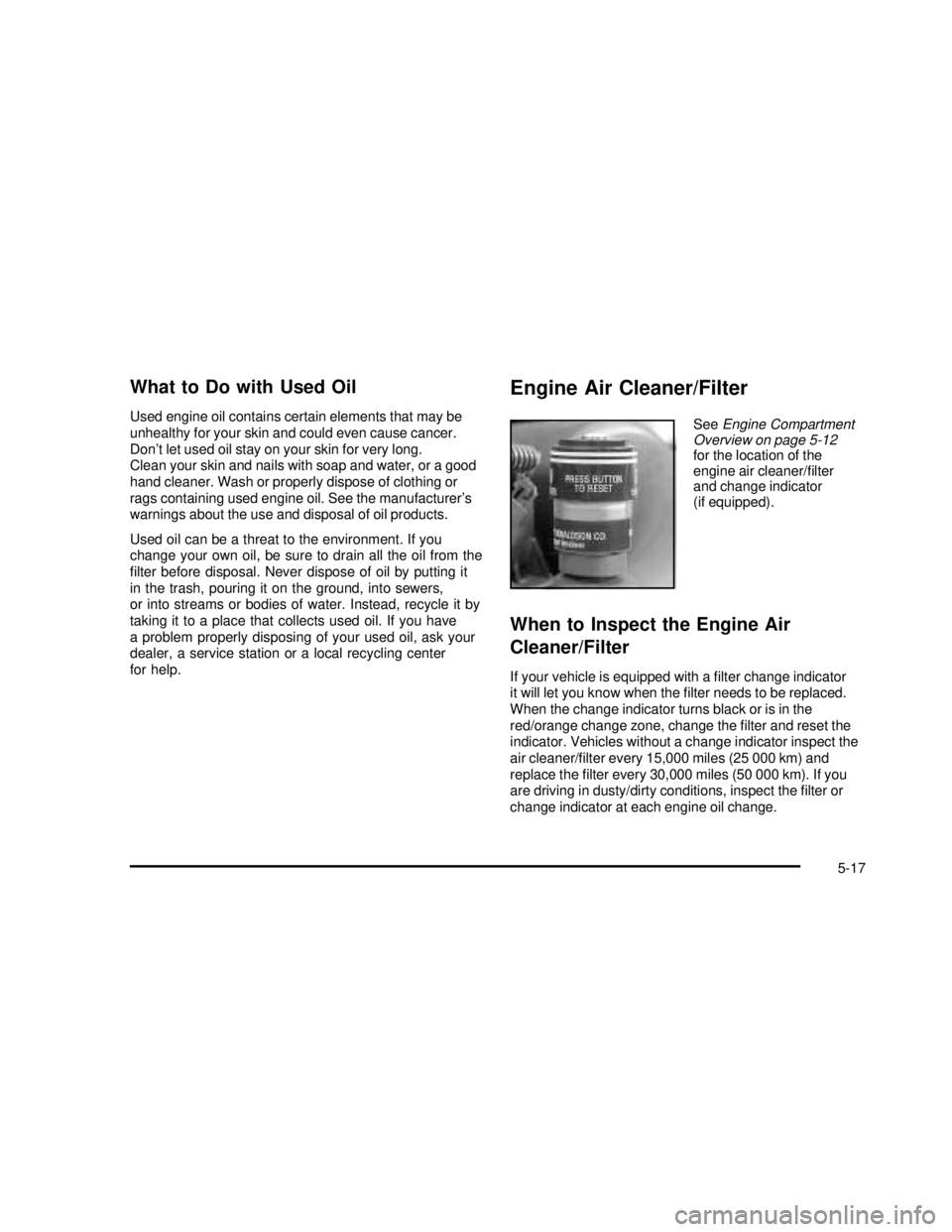
Engine Air Cleaner/Filter
SeeEngine Compartment
Overview on page 5-12
for the location of the
engine air cleaner/filter
and change indicator
(if equipped).
When to Inspect the Engine Air
Cleaner/Filter
If your vehicle is equipped with afilter change indicator
it will let you know when thefilter needs to be replaced.
When the change indicator turns black or is in the
red/orange change zone, change thefilter and reset the
indicator. Vehicles without a change indicator inspect the
air cleaner/filter every 15,000 miles (25 000 km) and
replace thefilter every 30,000 miles (50 000 km). If you
are driving in dusty/dirty conditions, inspect thefilter or
change indicator at each engine oil change.
5-17
2003 - Savana OM
Page 258 of 392
How to Inspect the Engine Air
Cleaner/Filter
To inspect the air cleaner/filter, remove thefilter from
the vehicle and lightly shakefilter to release loose dust
and dirt. If thefilter remains caked with dirt, a new
filter is required.
To remove and reinstall thefilter and reset the indicator
(if equipped), do the following:
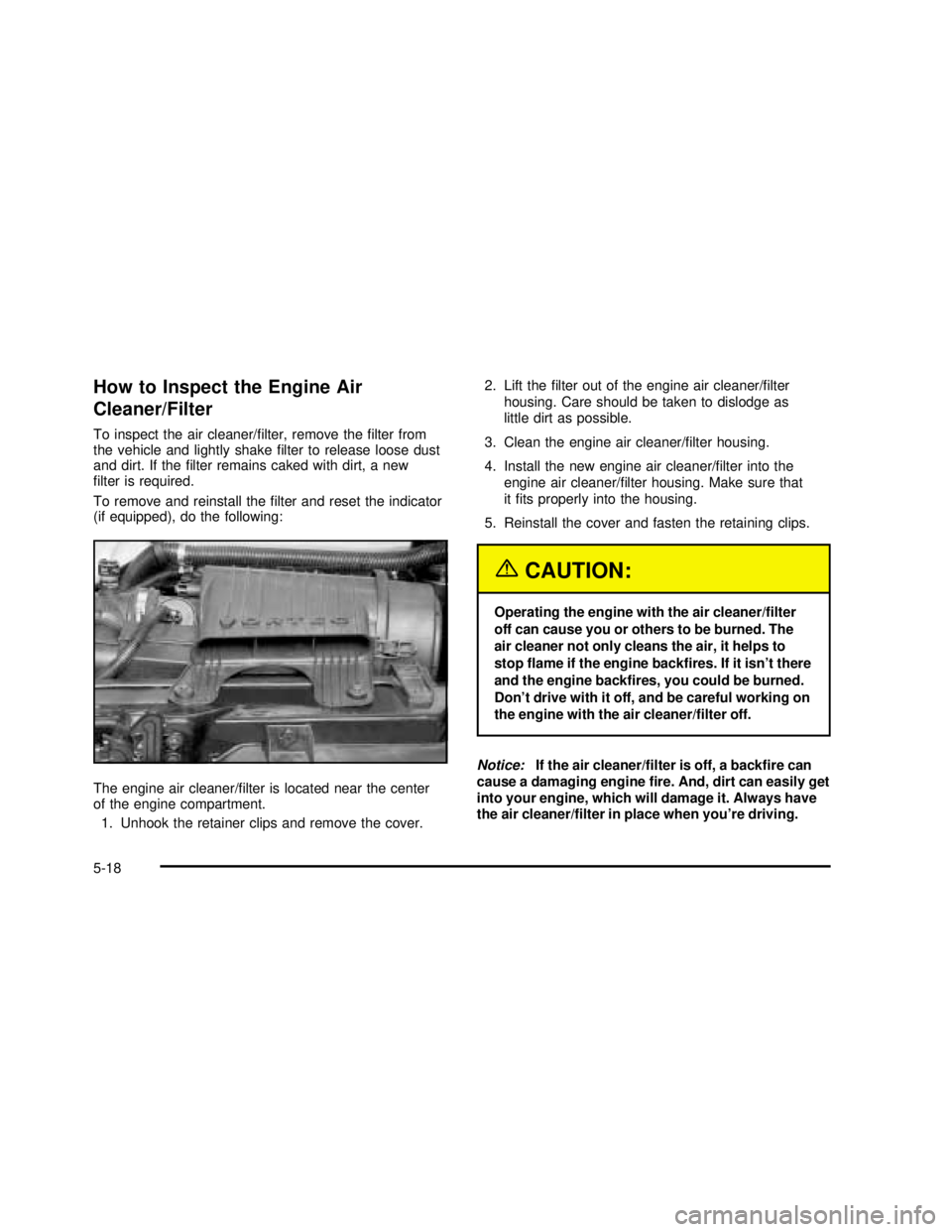
The engine air cleaner/filter is located near the center
of the engine compartment.
1. Unhook the retainer clips and remove the cover.2. Lift thefilter out of the engine air cleaner/filter
housing. Care should be taken to dislodge as
little dirt as possible.
3. Clean the engine air cleaner/filter housing.
4. Install the new engine air cleaner/filter into the
engine air cleaner/filter housing. Make sure that
itfits properly into the housing.
5. Reinstall the cover and fasten the retaining clips.
{CAUTION:
Operating the engine with the air cleaner/filter
off can cause you or others to be burned. The
air cleaner not only cleans the air, it helps to
stopflame if the engine backfires. If it isn’t there
and the engine backfires, you could be burned.
Don’t drive with it off, and be careful working on
the engine with the air cleaner/filter off.
Notice:If the air cleaner/filter is off, a backfire can
cause a damaging enginefire. And, dirt can easily get
into your engine, which will damage it. Always have
the air cleaner/filter in place when you’re driving.
5-18
2003 - Savana OM
Page 303 of 392

Temperature–A, B, C
The temperature grades are A (the highest), B, and C,
representing the tire’s resistance to the generation
of heat and its ability to dissipate heat when tested
under controlled conditions on a specified indoor
laboratory test wheel. Sustained high temperature
can cause the material of the tire to degenerate and
reduce tire life, and excessive temperature can lead to
sudden tire failure. The grade C corresponds to a
level of performance which all passenger car tires must
meet under the Federal Motor Vehicle Safety Standard
No. 109. Grades B and A represent higher levels of
performance on the laboratory test wheel than the
minimum required by law.
Warning: The temperature grade for this tire is
established for a tire that is properly inflated and not
overloaded. Excessive speed, underinflation, or
excessive loading, either separately or in combination,
can cause heat buildup and possible tire failure.
Wheel Alignment and Tire Balance
The wheels on your vehicle were aligned and balanced
carefully at the factory to give you the longest tire life
and best overall performance.
Scheduled wheel alignment and wheel balancing are
not needed. However, if you notice unusual tire wear or
your vehicle pulling one way or the other, the alignment
may need to be reset. If you notice your vehicle
vibrating when driving on a smooth road, your wheels
may need to be rebalanced.
Wheel Replacement
Replace any wheel that is bent, cracked, or badly
rusted or corroded. If wheel nuts keep coming loose,
the wheel, wheel bolts and wheel nuts should be
replaced. If the wheel leaks air, replace it (except some
aluminum wheels, which can sometimes be repaired).
See your dealer if any of these conditions exist.
Your dealer will know the kind of wheel you need.
5-63
2003 - Savana OM