ECU GMC SAVANA 2005 Owner's Guide
[x] Cancel search | Manufacturer: GMC, Model Year: 2005, Model line: SAVANA, Model: GMC SAVANA 2005Pages: 384, PDF Size: 2.41 MB
Page 90 of 384
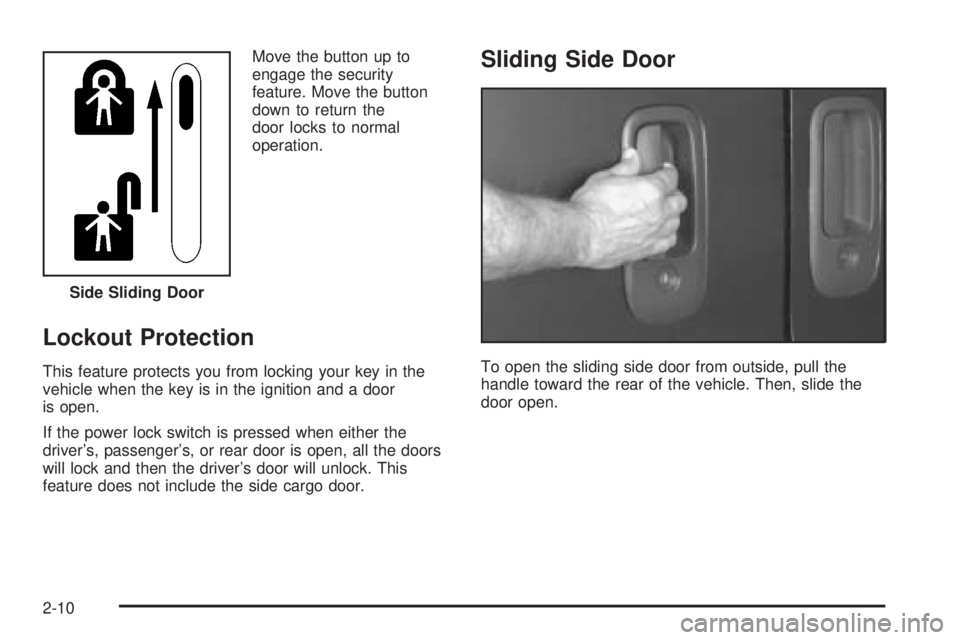
Move the button up to
engage the security
feature. Move the button
down to return the
door locks to normal
operation.
Lockout Protection
This feature protects you from locking your key in the
vehicle when the key is in the ignition and a door
is open.
If the power lock switch is pressed when either the
driver’s, passenger’s, or rear door is open, all the doors
will lock and then the driver’s door will unlock. This
feature does not include the side cargo door.
Sliding Side Door
To open the sliding side door from outside, pull the
handle toward the rear of the vehicle. Then, slide the
door open. Side Sliding Door
2-10
Page 99 of 384
Theft-Deterrent Systems
Vehicle theft is big business, especially in some cities.
Although your vehicle has a number of theft-deterrent
features, we know that nothing we put on it can make it
impossible to steal.
Passlock®
Your vehicle is equipped with the Passlock®
theft-deterrent system.
Passlock
®is a passive theft-deterrent system. Passlock®
enables fuel if the ignition lock cylinder is turned with
a valid key. If a correct key is not used or the ignition
lock cylinder is tampered with, fuel is disabled.
During normal operation, the SECURITY light will go off
approximately ve seconds after the key is turned to
RUN. SeeSecurity Light on page 3-37.
If the engine stalls and the SECURITY light ashes,
wait until the light stops ashing before trying to restart
the engine. Remember to release the key from
START as soon as the engine starts.
If the engine is running and the SECURITY light comes
on, you will be able to restart the engine if you turn
the engine off. However, your Passlock
®system is not
working properly and must be serviced by your
dealer. Your vehicle is not protected by Passlock
®atthis time. You may also want to check the fuse. See
Fuses and Circuit Breakers on page 5-93. See
your dealer for service.
Starting and Operating Your
Vehicle
New Vehicle Break-In
Notice:Your vehicle does not need an elaborate
break-in. But it will perform better in the long run if
you follow these guidelines:
Keep your speed at 55 mph (88 km/h) or less for
the rst 500 miles (805 km).
Do not drive at any one speed — fast or
slow — for the rst 500 miles (805 km). Do not
make full-throttle starts.
Avoid making hard stops for the rst 200 miles
(322 km) or so. During this time your new brake
linings are not yet broken in. Hard stops with new
linings can mean premature wear and earlier
replacement. Follow this breaking-in guideline
every time you get new brake linings.
Do not tow a trailer during break-in. SeeTowing a
Trailer on page 4-36for more information.
2-19
Page 113 of 384
OnStar®System
OnStar®uses global positioning system (GPS) satellite
technology, wireless communications, and call centers
to provide you with a wide range of safety, security,
information, and convenience services.
A complete OnStar
®user’s guide and the terms and
conditions of the OnStar®Subscription Service
Agreement are included in the vehicle’s glove box
literature. For more information, visit www.onstar.com or
www.onstarcanada.com. Contact OnStar
®at
1-888-4-ONSTAR (1-888-466-7827), or press the
OnStar
®button to speak to an OnStar®advisor 24 hours
a day, 7 days a week.
Terms and conditions of the Subscription Service
Agreement can be found at www.onstar.com or
www.onstarcanada.com.
OnStar®Services
For new vehicles equipped with OnStar®, the Safe and
Sound Plan is included for the rst year. You can
extend this plan beyond the rst year, or upgrade to the
Directions and Connections Plan to meet your needs.
For more information, press the OnStar
®button to speak
with an advisor.
Safe and Sound Plan
Automatic Notication of Airbag Deployment
Emergency Services
Roadside Assistance
Stolen Vehicle Tracking
AccidentAssist
Remote Door Unlock/Vehicle Alert
Remote Diagnostics
Online Concierge
Directions and Connections Plan
All Safe and Sound Plan Services
Driving Directions
RideAssist
Information and Convenience Services
2-33
Page 116 of 384
Security Light...............................................3-37
Cruise Control Light......................................3-37
Reduced Engine Power Light.........................3-38
Highbeam On Light.......................................3-38
Daytime Running Lamps (DRL) Indicator Light . .3-38
Tow/Haul Mode Light....................................3-39
Check Gages Warning Light...........................3-39
Fuel Gage...................................................3-40
Audio System(s).............................................3-41
Setting the Time for Radios without Radio
Data Systems (RDS)..................................3-41
Setting the Time for Radios with Radio Data
Systems (RDS).........................................3-41
AM-FM Radio...............................................3-42Radio with CD..............................................3-44
Radio with Cassette and CD..........................3-49
Radio with Six-Disc CD.................................3-62
Theft-Deterrent Feature
(Non-RDS Radios).....................................3-72
Theft-Deterrent Feature
(RDS Radios)...........................................3-72
Radio Reception...........................................3-72
Care of Your Cassette Tape Player.................3-73
Care of Your CDs.........................................3-74
Care of Your CD Player................................3-74
Fixed Mast Antenna......................................3-74
Chime Level Adjustment................................3-74
Section 3 Instrument Panel
3-2
Page 142 of 384
{CAUTION:
If the airbag readiness light ever comes on
when you have turned off the airbag, it means
that something may be wrong with the airbag
system. The right front passenger’s airbag
could inate even though the switch is off. If
this ever happens, do not let anyone whom the
national government has identied as a
member of a passenger airbag risk group sit in
the right front passenger’s position (for
example, do not secure a rear-facing child
restraint in your vehicle) until you have your
vehicle serviced. SeeAirbag Off Switch on
page 1-69.
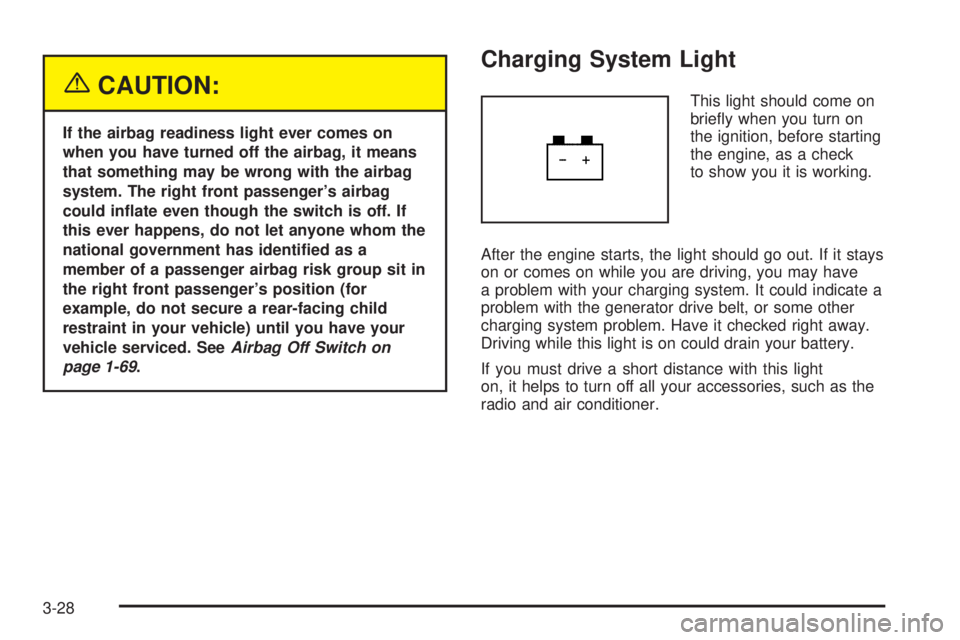
Charging System Light
This light should come on
briey when you turn on
the ignition, before starting
the engine, as a check
to show you it is working.
After the engine starts, the light should go out. If it stays
on or comes on while you are driving, you may have
a problem with your charging system. It could indicate a
problem with the generator drive belt, or some other
charging system problem. Have it checked right away.
Driving while this light is on could drain your battery.
If you must drive a short distance with this light
on, it helps to turn off all your accessories, such as the
radio and air conditioner.
3-28
Page 151 of 384
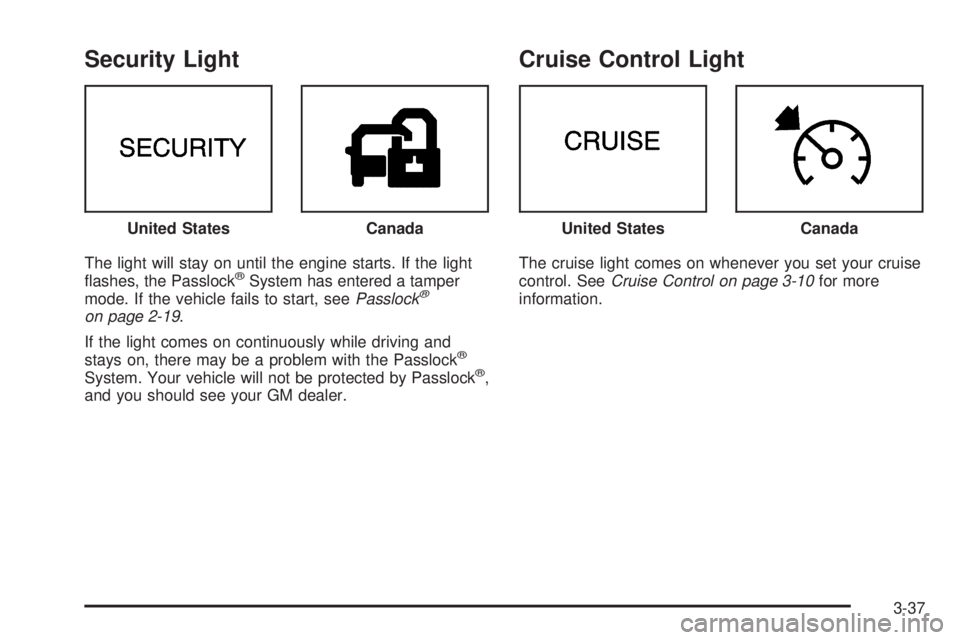
Security Light
The light will stay on until the engine starts. If the light
ashes, the Passlock®System has entered a tamper
mode. If the vehicle fails to start, seePasslock®
on page 2-19.
If the light comes on continuously while driving and
stays on, there may be a problem with the Passlock
®
System. Your vehicle will not be protected by Passlock®,
and you should see your GM dealer.
Cruise Control Light
The cruise light comes on whenever you set your cruise
control. SeeCruise Control on page 3-10for more
information. United States
CanadaUnited StatesCanada
3-37
Page 170 of 384
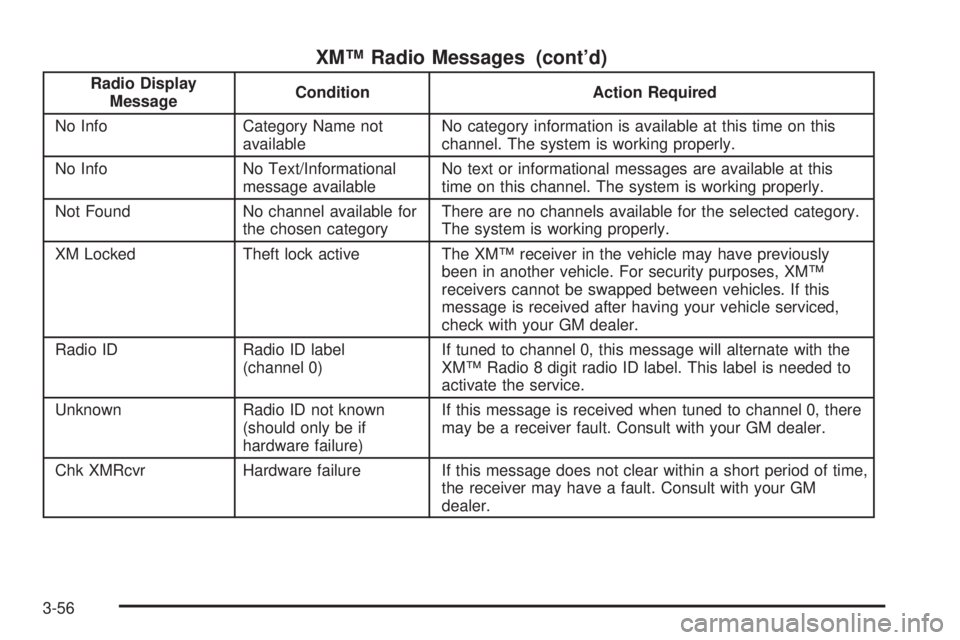
XM™ Radio Messages (cont’d)
Radio Display
MessageCondition Action Required
No Info Category Name not
availableNo category information is available at this time on this
channel. The system is working properly.
No Info No Text/Informational
message availableNo text or informational messages are available at this
time on this channel. The system is working properly.
Not Found No channel available for
the chosen categoryThere are no channels available for the selected category.
The system is working properly.
XM Locked Theft lock active The XM™ receiver in the vehicle may have previously
been in another vehicle. For security purposes, XM™
receivers cannot be swapped between vehicles. If this
message is received after having your vehicle serviced,
check with your GM dealer.
Radio ID Radio ID label
(channel 0)If tuned to channel 0, this message will alternate with the
XM™ Radio 8 digit radio ID label. This label is needed to
activate the service.
Unknown Radio ID not known
(should only be if
hardware failure)If this message is received when tuned to channel 0, there
may be a receiver fault. Consult with your GM dealer.
Chk XMRcvr Hardware failure If this message does not clear within a short period of time,
the receiver may have a fault. Consult with your GM
dealer.
3-56
Page 214 of 384
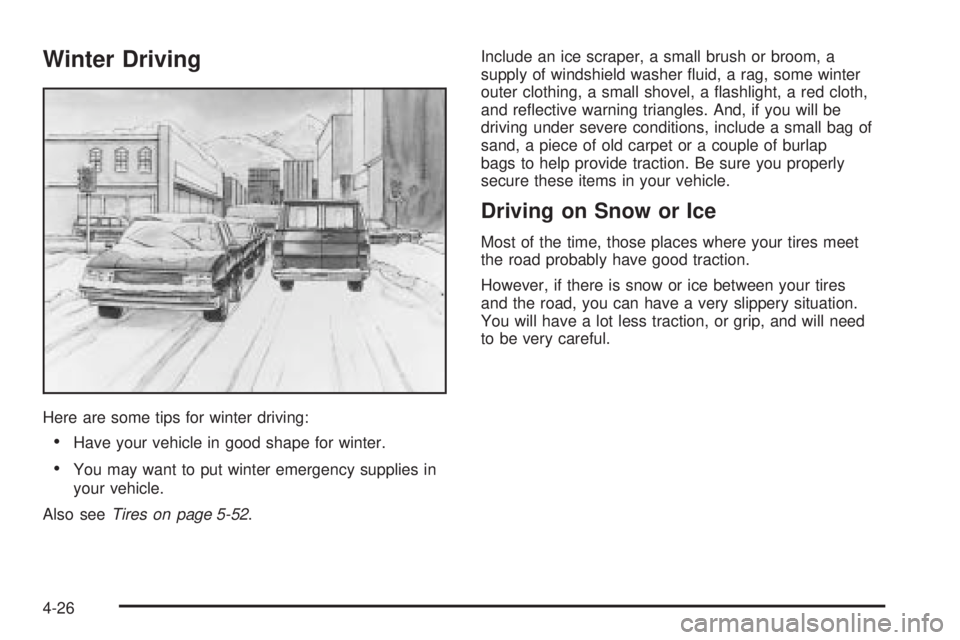
Winter Driving
Here are some tips for winter driving:
Have your vehicle in good shape for winter.
You may want to put winter emergency supplies in
your vehicle.
Also seeTires on page 5-52.Include an ice scraper, a small brush or broom, a
supply of windshield washer uid, a rag, some winter
outer clothing, a small shovel, a ashlight, a red cloth,
and reective warning triangles. And, if you will be
driving under severe conditions, include a small bag of
sand, a piece of old carpet or a couple of burlap
bags to help provide traction. Be sure you properly
secure these items in your vehicle.
Driving on Snow or Ice
Most of the time, those places where your tires meet
the road probably have good traction.
However, if there is snow or ice between your tires
and the road, you can have a very slippery situation.
You will have a lot less traction, or grip, and will need
to be very careful.
4-26
Page 223 of 384
The Certication/Tire label also tells you the maximum
weights for the front and rear axles, called Gross
Axle Weight Rating (GAWR). To nd out the actual loads
on your front and rear axles, you need to go to a
weigh station and weigh your vehicle. Your dealer can
help you with this. Be sure to spread out your load
equally on both sides of the centerline.
Never exceed the GVWR for your vehicle, or the GAWR
for either the front or rear axle.
And, if you do have a heavy load, you should spread
it out.
{CAUTION:
Do not load your vehicle any heavier than the
Gross Vehicle Weight Rating (GVWR), or either
the maximum front or rear Gross Axle Weight
Rating (GAWR). If you do, parts on your
vehicle can break, and it can change the way
your vehicle handles. These could cause you
to lose control and crash. Also, overloading
can shorten the life of your vehicle.
{CAUTION:
Things you put inside your vehicle can strike
and injure people in a sudden stop or turn, or
in a crash.
Put things in the cargo area of your
vehicle. Try to spread the weight evenly.
Never stack heavier things, like suitcases,
inside the vehicle so that some of them
are above the tops of the seats.
Do not leave an unsecured child restraint
in your vehicle.
When you carry something inside the
vehicle, secure it whenever you can.
Do not leave a seat folded down unless
you need to.
Add-On Equipment
When you carry removable items, you may need to put
a limit on how many people you carry inside your
vehicle. Be sure to weigh your vehicle before you buy
and install the new equipment.
4-35
Page 234 of 384
Driving with a Trailer
{CAUTION:
If you have a rear-most window open and you
pull a trailer with your vehicle, carbon monoxide
(CO) could come into your vehicle. You can not
see or smell CO. It can cause unconsciousness
or death. SeeEngine Exhaust on page 2-28.
To maximize your safety when towing a trailer:
Have your exhaust system inspected for
leaks, and make necessary repairs before
starting on your trip.
Keep the rear-most windows closed.
If exhaust does come into your vehicle
through a window in the rear or another
opening, drive with your front, main heating
or cooling system on and with the fan on
any speed. This will bring fresh, outside air
into your vehicle. Do not use the climate
control setting for maximum air because it
only recirculates the air inside your vehicle.
See Climate Control System in the Index.Towing a trailer requires a certain amount of experience.
Before setting out for the open road, you’ll want to get
to know your rig. Acquaint yourself with the feel of
handling and braking with the added weight of the trailer.
And always keep in mind that the vehicle you are
driving is now a good deal longer and not nearly as
responsive as your vehicle is by itself.
Before you start, check all trailer hitch parts and
attachments, safety chains, electrical connector, lamps,
tires and mirror adjustment. If the trailer has electric
brakes, start your vehicle and trailer moving and then
apply the trailer brake controller by hand to be sure
the brakes are working. This lets you check your
electrical connection at the same time.
During your trip, check occasionally to be sure that the
load is secure, and that the lamps and any trailer
brakes are still working.
4-46