wheel GMC SAVANA 2007 User Guide
[x] Cancel search | Manufacturer: GMC, Model Year: 2007, Model line: SAVANA, Model: GMC SAVANA 2007Pages: 452, PDF Size: 2.68 MB
Page 127 of 452
DRIVE (D):This position is for normal driving.
It provides the best fuel economy for your vehicle.
If you need more power for passing, and you are:
•Going less than about 35 mph (55 km/h), push
your accelerator pedal about halfway down.
•Going about 35 mph (55 km/h) or more, push
the accelerator all the way down.
You will shift down to the next gear and have
more power.
Downshifting the transmission in slippery road
conditions could result in skidding, see “Skidding”
underLoss of Control on page 243.
THIRD (3):This position is also used for normal
driving. However it reduces vehicle speed
more than DRIVE (D) without using your brakes.
You might choose THIRD (3) instead of DRIVE (D)
when driving on hilly, winding roads, when
towing a trailer, so there is less shifting between
gears and when going down a steep hill.
You should use THIRD (3) (or, as you need to, a
lower gear) when towing a trailer to minimize
heat build-up and extend the life of your
transmission.SECOND (2):This position reduces vehicle speed
even more than THIRD (3) without using your
brakes. You can use SECOND (2) on hills. It can
help control your speed as you go down steep
mountain roads, but then you would also want to
use your brakes off and on.
You may use this feature for reducing torque to
the rear wheels when you are trying to start
your vehicle from a stop on slippery road surfaces.
FIRST (1): This position reduces vehicle speed
even more than SECOND (2) without using
your brakes. You can use it on very steep hills, or
in deep snow or mud. If the shift lever is put in
FIRST (1) while the vehicle is moving forward, the
transmission will not shift into first gear until the
vehicle is going slowly enough.
Notice:Spinning the tires or holding the
vehicle in one place on a hill using only the
accelerator pedal may damage the
transmission. The repair will not be covered by
your warranty. If you are stuck, do not spin
the tires. When stopping on a hill, use the
brakes to hold the vehicle in place.
127
Page 141 of 452
Instrument Panel Overview........................ 144
Hazard Warning Flashers.......................... 146
Other Warning Devices............................. 146
Horn.......................................................... 146
Tilt Wheel.................................................. 147
Turn Signal/Multifunction Lever.................. 147
Turn and Lane-Change Signals................. 148
Headlamp High/Low-Beam Changer.......... 149
Flash-to-Pass............................................ 149
Windshield Wipers..................................... 149
Windshield Washer.................................... 150
Cruise Control........................................... 151
Exterior Lamps.......................................... 154
Headlamps on Reminder........................... 155
Daytime Running Lamps (DRL)................. 156
Instrument Panel Brightness...................... 156
Dome Lamps............................................. 156
Dome Lamp Override................................ 157
Entry Lighting............................................ 157
Exit Lighting.............................................. 157Reading Lamps......................................... 157
Battery Run-Down Protection..................... 158
Accessory Power Outlet(s)........................ 158
Ashtray(s) and Cigarette Lighter................ 159
Climate Controls......................................... 159
Climate Control System............................. 159
Outlet Adjustment...................................... 162
Rear Heating System................................ 163
Rear Air Conditioning and Heating
System.................................................. 164
Warning Lights, Gages, and Indicators..... 166
Instrument Panel Cluster........................... 167
Speedometer and Odometer...................... 168
Trip Odometer........................................... 168
Safety Belt Reminder Light........................ 168
Passenger Safety Belt Reminder Light....... 169
Airbag Readiness Light............................. 169
Airbag Off Light......................................... 170
Passenger Airbag Status Indicator............. 172
Charging System Light.............................. 174
Section 3 Instrument Panel
141
Page 146 of 452
Hazard Warning Flashers
The hazard warning flashers warn others.
They also let police know you have a problem.
Your front and rear turn signal lamps will flash on
and off.
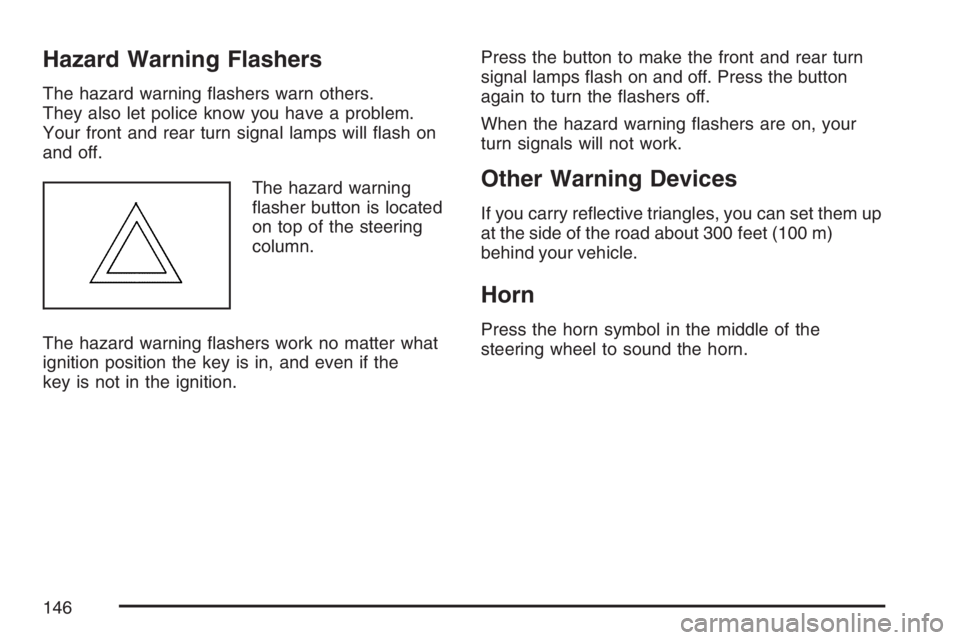
The hazard warning
flasher button is located
on top of the steering
column.
The hazard warning flashers work no matter what
ignition position the key is in, and even if the
key is not in the ignition.Press the button to make the front and rear turn
signal lamps flash on and off. Press the button
again to turn the flashers off.
When the hazard warning flashers are on, your
turn signals will not work.
Other Warning Devices
If you carry reflective triangles, you can set them up
at the side of the road about 300 feet (100 m)
behind your vehicle.
Horn
Press the horn symbol in the middle of the
steering wheel to sound the horn.
146
Page 147 of 452
Tilt Wheel
A tilt steering wheel allows you to adjust the
steering wheel before you drive. You can also
raise it to the highest level to give your legs more
room when you enter and exit the vehicle.
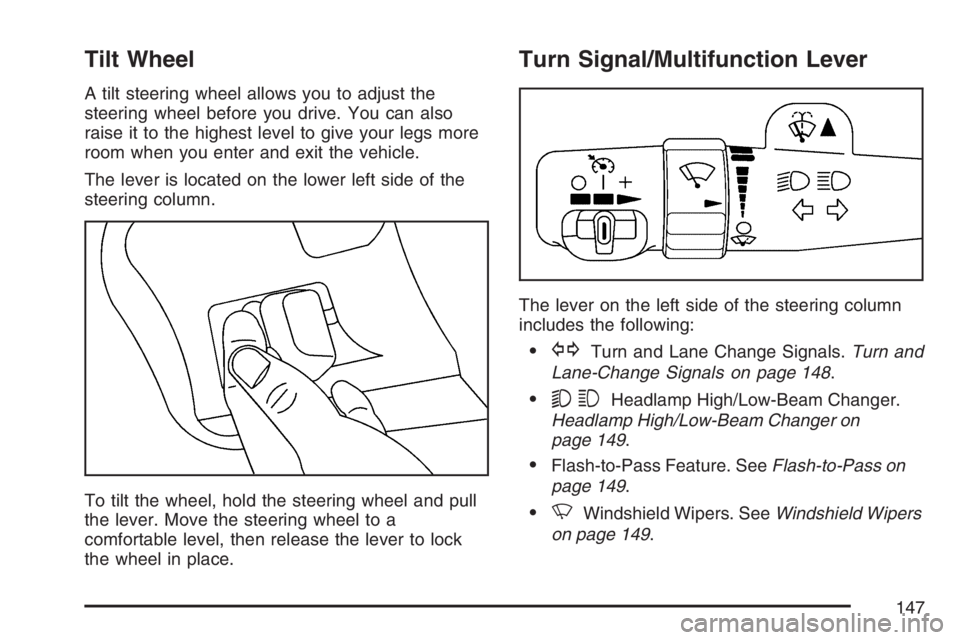
The lever is located on the lower left side of the
steering column.
To tilt the wheel, hold the steering wheel and pull
the lever. Move the steering wheel to a
comfortable level, then release the lever to lock
the wheel in place.
Turn Signal/Multifunction Lever
The lever on the left side of the steering column
includes the following:
•GTurn and Lane Change Signals.Turn and
Lane-Change Signals on page 148.
•53Headlamp High/Low-Beam Changer.
Headlamp High/Low-Beam Changer on
page 149.
•Flash-to-Pass Feature. SeeFlash-to-Pass on
page 149.
•NWindshield Wipers. SeeWindshield Wipers
on page 149.
147
Page 151 of 452
Cruise Control
If your vehicle has cruise control, you can maintain
a speed of about 25 mph (40 km/h) or more without
keeping your foot on the accelerator. This can really
help on long trips. Cruise control does not work at
speeds below about 25 mph (40 km/h).
If you apply your brakes, the cruise control will
disengage.
{CAUTION:
Cruise control can be dangerous where
you cannot drive safely at a steady speed.
So, do not use your cruise control on
winding roads or in heavy traffic.
Cruise control can be dangerous on
slippery roads. On such roads, fast
changes in tire traction can cause
excessive wheel slip, and you could lose
control. Do not use cruise control on
slippery roads.
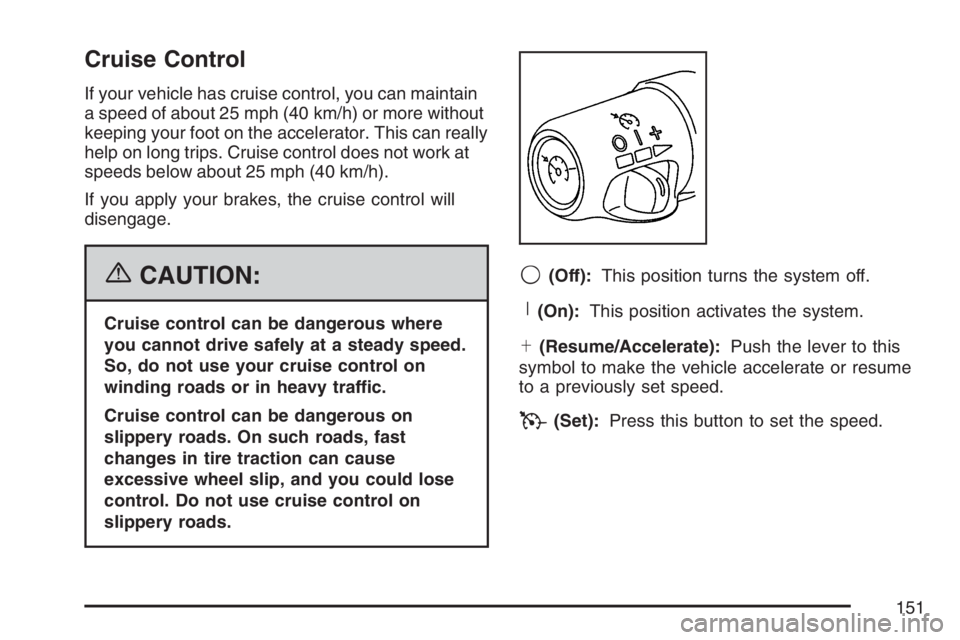
9(Off):This position turns the system off.
R(On):This position activates the system.
S(Resume/Accelerate):Push the lever to this
symbol to make the vehicle accelerate or resume
to a previously set speed.
T(Set):Press this button to set the speed.
151
Page 163 of 452
Rear Heating System
Your vehicle may have a rear heating system that
allows you to adjust the amount of air flowing
into the rear of the vehicle, from the front-seating
area. This feature works with the main
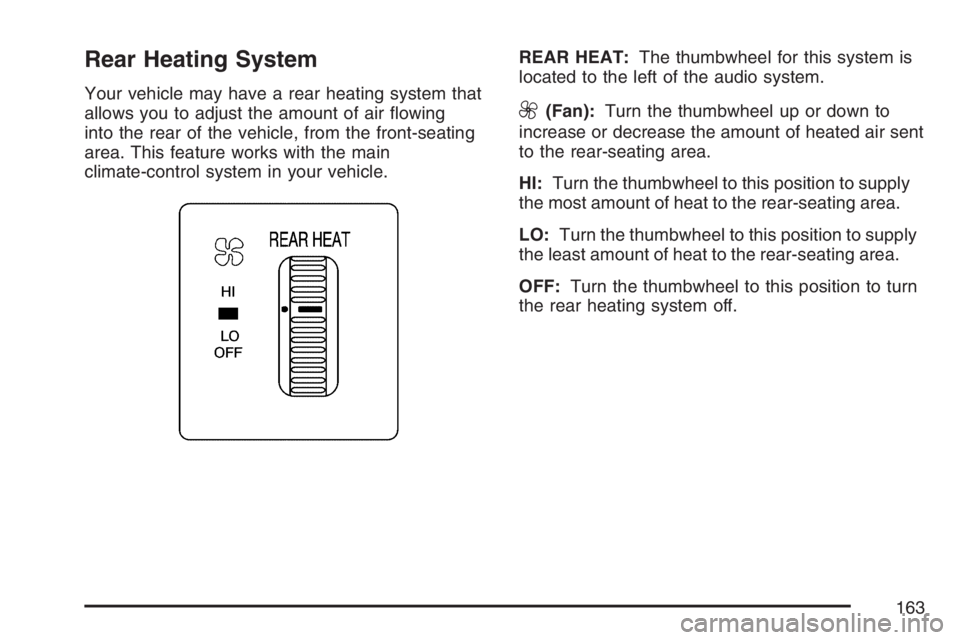
climate-control system in your vehicle.REAR HEAT:The thumbwheel for this system is
located to the left of the audio system.9(Fan):Turn the thumbwheel up or down to
increase or decrease the amount of heated air sent
to the rear-seating area.
HI:Turn the thumbwheel to this position to supply
the most amount of heat to the rear-seating area.
LO:Turn the thumbwheel to this position to supply
the least amount of heat to the rear-seating area.
OFF:Turn the thumbwheel to this position to turn
the rear heating system off.
163
Page 164 of 452
Rear Air Conditioning and
Heating System
Your vehicle may have a rear heating and
air-conditioning system. This system regulates the
temperature, the fan speed and the air delivery for
the rear-seat passengers only. It also works with
the main climate-control system in your vehicle.
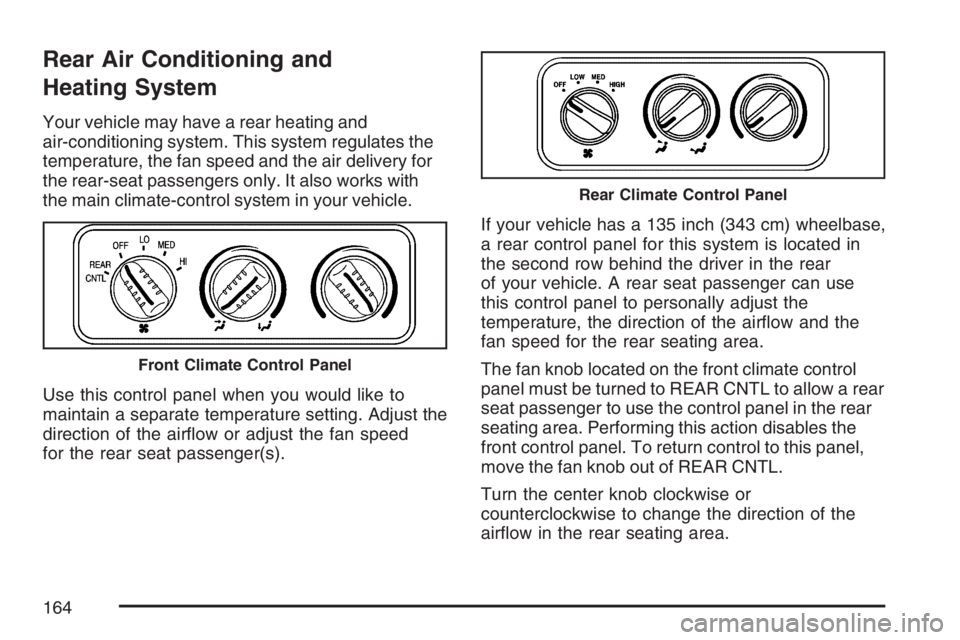
Use this control panel when you would like to
maintain a separate temperature setting. Adjust the
direction of the airflow or adjust the fan speed
for the rear seat passenger(s).If your vehicle has a 135 inch (343 cm) wheelbase,
a rear control panel for this system is located in
the second row behind the driver in the rear
of your vehicle. A rear seat passenger can use
this control panel to personally adjust the
temperature, the direction of the airflow and the
fan speed for the rear seating area.
The fan knob located on the front climate control
panel must be turned to REAR CNTL to allow a rear
seat passenger to use the control panel in the rear
seating area. Performing this action disables the
front control panel. To return control to this panel,
move the fan knob out of REAR CNTL.
Turn the center knob clockwise or
counterclockwise to change the direction of the
airflow in the rear seating area.
Front Climate Control Panel
Rear Climate Control Panel
164
Page 187 of 452
Audio System(s)
Determine which radio your vehicle has and then
read the pages following to familiarize yourself
with its features.
Driving without distraction is a necessity for a
safer driving experience. SeeDefensive Driving on
page 228. By taking a few moments to read this
manual and get familiar with your vehicle’s
audio system, you can use it with less effort, as
well as take advantage of its features. While your
vehicle is parked, set up your audio system by
presetting your favorite radio stations, setting the
tone, and adjusting the speakers. Then, when
driving conditions permit, you can tune to
your favorite stations using the presets and
steering wheel controls if the vehicle has them.{CAUTION:
This system provides you with a far greater
access to audio stations and song listings.
Giving extended attention to entertainment
tasks while driving can cause a crash and
you or others can be injured or killed.
Always keep your eyes on the road and
your mind on the drive — avoid engaging
in extended searching while driving.
Keeping your mind on the drive is important for
safe driving. Here are some ways in which you can
help avoid distraction while driving.
187
Page 188 of 452
While your vehicle is parked:
•Familiarize yourself with all of its controls.
•Familiarize yourself with its operation.
•Set up your audio system by presetting your
favorite radio stations, setting the tone, and
adjusting the speakers. Then, when driving
conditions permit, you can tune to your favorite
radio stations using the presets and steering
wheel controls if the vehicle has them.
Notice:Before adding any sound equipment
to your vehicle, such as an audio system,
CD player, CB radio, mobile telephone,
or two-way radio, make sure that it can be
added by checking with your dealer. Also,
check federal rules covering mobile radio and
telephone units. If sound equipment can be
added, it is very important to do it properly.
Added sound equipment may interfere with the
operation of your vehicle’s engine, radio, or
other systems, and even damage them.
Your vehicle’s systems may interfere with the
operation of sound equipment that has
been added.Notice:The chime signals related to safety
belts, parking brake, and other functions
of your vehicle operate through the radio/
entertainment system. If that equipment
is replaced or additional equipment is added to
your vehicle, the chimes may not work. Make
sure that replacement or additional equipment
is compatible with your vehicle before
installing it. SeeAccessories and Modifications
on page 286.
Your vehicle has a feature called Retained
Accessory Power (RAP). With RAP, the audio
system can be played even after the ignition
is turned off. SeeRetained Accessory
Power (RAP) on page 122for more information.
Setting the Time for Radios without
Radio Data Systems (RDS)
Press and hold the HR or MIN arrow for
two seconds. Then press HR until the correct hour
appears on the display. Press and hold MIN until
the correct minute appears on the display.
The time may be set with the ignition on or off.
188
Page 227 of 452
Your Driving, the Road, and Your Vehicle.... 228
Defensive Driving...................................... 228
Drunken Driving........................................ 229
Control of a Vehicle.................................. 232
Braking...................................................... 232
Anti-Lock Brake System (ABS).................. 233
Braking in Emergencies............................. 235
Locking Rear Axle..................................... 235
StabiliTrak
®System................................... 235
All-Wheel Drive (AWD) System.................. 238
Steering.................................................... 239
Off-Road Recovery.................................... 241
Passing..................................................... 241
Loss of Control.......................................... 243
Driving at Night......................................... 244
Driving in Rain and on Wet Roads............ 245City Driving............................................... 248
Freeway Driving........................................ 249
Before Leaving on a Long Trip.................. 250
Highway Hypnosis..................................... 251
Hill and Mountain Roads........................... 252
Winter Driving........................................... 254
If Your Vehicle is Stuck in Sand,
Mud, Ice, or Snow ................................. 258
Rocking Your Vehicle to Get It Out........... 258
Loading Your Vehicle................................ 259
Towing........................................................ 264
Towing Your Vehicle ................................. 264
Recreational Vehicle Towing...................... 264
Towing a Trailer........................................ 266
Section 4 Driving Your Vehicle
227