lights GMC SAVANA 2009 User Guide
[x] Cancel search | Manufacturer: GMC, Model Year: 2009, Model line: SAVANA, Model: GMC SAVANA 2009Pages: 404, PDF Size: 2.35 MB
Page 179 of 404
AUTO DOOR UNLOCK
This feature allows you to select whether or not to turn
off the automatic door unlocking feature. It also
allows you to select which doors and when the doors
will automatically unlock. SeeProgrammable Automatic
Door Locks on page 2-7for more information.
Press the customization button until AUTO DOOR
UNLOCK appears on the DIC display. Press the
set/reset button once to access the settings for this
feature. Then press the customization button to scroll
through the following settings:
OFF:None of the doors will automatically unlock.
DRIVER AT KEY OUT:Only the driver’s door will
unlock when the key is taken out of the ignition.
DRIVER IN PARK:Only the driver’s door will unlock
when the vehicle is shifted into P (Park).
ALL AT KEY OUT:All of the doors will unlock when
the key is taken out of the ignition.
ALL IN PARK (default):All of the doors will unlock
when the vehicle is shifted into P (Park).
NO CHANGE:No change will be made to this feature.
The current setting will remain.
To select a setting, press the set/reset button while the
desired setting is displayed on the DIC.
REMOTE DOOR LOCK
This feature allows you to select the type of feedback you
will receive when locking the vehicle with the Remote
Keyless Entry (RKE) transmitter. You will not receive
feedback when locking the vehicle with the RKE
transmitter if the doors are open. SeeRemote Keyless
Entry (RKE) System Operation on page 2-4for more
information.
Press the customization button until REMOTE DOOR
LOCK appears on the DIC display. Press the set/reset
button once to access the settings for this feature.
Then press the customization button to scroll through
the following settings:
OFF:There will be no feedback when you press the
lock button on the RKE transmitter.
LIGHTS ONLY:The exterior lamps will flash when you
press the lock button on the RKE transmitter.
HORN ONLY:The horn will sound on the second press
of the lock button on the RKE transmitter.
HORN & LIGHTS (default):The exterior lamps will
flash when you press the lock button on the RKE
transmitter, and the horn will sound when the lock button
is pressed again within five seconds of the previous
command.
3-61
Page 180 of 404
NO CHANGE:No change will be made to this feature.
The current setting will remain.
To select a setting, press the set/reset button while the
desired setting is displayed on the DIC.
REMOTE DOOR UNLOCK
This feature allows you to select the type of feedback you
will receive when unlocking the vehicle with the Remote
Keyless Entry (RKE) transmitter. You will not receive
feedback when unlocking the vehicle with the RKE
transmitter if the doors are open. SeeRemote Keyless
Entry (RKE) System Operation on page 2-4for more
information.
Press the customization button until REMOTE DOOR
UNLOCK appears on the DIC display. Press the set/reset
button once to access the settings for this feature. Then
press the customization button to scroll through the
following settings:
LIGHTS OFF:The exterior lamps will not flash when
you press the unlock button on the RKE transmitter.
LIGHTS ON (default):The exterior lamps will
flash when you press the unlock button on the RKE
transmitter.
NO CHANGE:No change will be made to this feature.
The current setting will remain.
To select a setting, press the set/reset button while the
desired setting is displayed on the DIC.
DELAY DOOR LOCK
This feature allows you to select whether or not the
locking of the vehicle’s doors will be delayed. When
locking the doors with the power door lock switch and a
door is open, this feature will delay locking the doors
until five seconds after the last door is closed. You will
hear three chimes to signal that the delayed locking
feature is in use. The key must be out of the ignition for
this feature to work. You can temporarily override
delayed locking by pressing the power door lock switch
twice or the lock button on the RKE transmitter twice.
SeeDelayed Locking on page 2-7for more information.
Press the customization button until DELAY DOOR
LOCK appears on the DIC display. Press the set/reset
button once to access the settings for this feature.
Then press the customization button to scroll through
the following settings:
OFF:There will be no delayed locking of the vehicle’s
doors.
ON (default):The doors will not lock until five seconds
after the last door is closed.
NO CHANGE:No change will be made to this feature.
The current setting will remain.
To select a setting, press the set/reset button while the
desired setting is displayed on the DIC.
3-62
Page 181 of 404
EXIT LIGHTING
This feature allows you to select the amount of time you
want the exterior lamps to remain on when it is dark
enough outside. This happens after the key is turned
from ON/RUN to LOCK/OFF.
Press the customization button until EXIT LIGHTING
appears on the DIC display. Press the set/reset button
once to access the settings for this feature. Then
press the customization button to scroll through the
following settings:
OFF:The exterior lamps will not turn on.
30 SECONDS (default):The exterior lamps will stay
on for 30 seconds.
1 MINUTE:The exterior lamps will stay on for
one minute.
2 MINUTES:The exterior lamps will stay on for
two minutes.
NO CHANGE:No change will be made to this feature.
The current setting will remain.
To select a setting, press the set/reset button while the
desired setting is displayed on the DIC.
APPROACH LIGHTING
This feature allows you to select whether or not to have
the exterior lights turn on briefly during low light periods
after unlocking the vehicle using the Remote Keyless
Entry (RKE) transmitter.
Press the customization button until APPROACH
LIGHTING appears on the DIC display. Press the
set/reset button once to access the settings for
this feature. Then press the customization button to
scroll through the following settings:
OFF:The exterior lights will not turn on when you
unlock the vehicle with the RKE transmitter.
ON (default):If it is dark enough outside, the exterior
lights will turn on briefly when you unlock the vehicle
with the RKE transmitter. The lights will remain on for
20 seconds or until the lock button on the RKE
transmitter is pressed, or the vehicle is no longer off.
SeeRemote Keyless Entry (RKE) System Operation on
page 2-4for more information.
NO CHANGE:No change will be made to this feature.
The current setting will remain.
To select a setting, press the set/reset button while the
desired setting is displayed on the DIC.
3-63
Page 399 of 404
Light (cont.)
Brake System Warning.................................3-33
Charging System.........................................3-31
Cruise Control.............................................3-41
Highbeam On.............................................3-41
Oil Pressure...............................................3-40
Passenger Airbag Status Indicator..................3-30
Safety Belt Reminders..................................3-27
Security.....................................................3-41
StabiliTrak
®Indicator....................................3-34
Tire Pressure..............................................3-35
Tow/Haul Mode ...........................................3-41
Lighting
Entry/Exit...................................................3-17
Lights
Exterior Lamps............................................3-13
Flash-to-Pass............................................... 3-8
High/Low Beam Changer................................ 3-8
On Reminder..............................................3-14
Loading Your Vehicle.......................................4-18
Locking Rear Axle............................................ 4-8
Lockout Protection............................................ 2-9
Locks
Automatic Door Lock..................................... 2-8
Automatic Door Unlock.................................. 2-8
Cargo Door Relocking.................................... 2-7
Delayed Locking........................................... 2-7
Door ........................................................... 2-6
Lockout Protection......................................... 2-9Locks (cont.)
Power Door .................................................. 2-6
Programmable Automatic Door Locks............... 2-7
Rear Door Security Locks............................... 2-8
Loss of Control...............................................4-10
Lower Anchors and Tethers for Children.............1-41M
Maintenance Schedule
Additional Required Services........................... 6-6
At Each Fuel Fill.........................................6-10
At Least Once a Month................................6-10
At Least Once a Year..................................6-11
At the First 100, 1,000 and 6,000 Miles
(160, 1 600 and 10 000 km)......................6-10
Introduction.................................................. 6-2
Maintenance Footnotes.................................. 6-7
Maintenance Record....................................6-17
Maintenance Replacement Parts....................6-15
Maintenance Requirements............................. 6-2
Owner Checks and Services........................... 6-9
Recommended Fluids and Lubricants.............6-13
Scheduled Maintenance................................. 6-4
Using.......................................................... 6-3
Your Vehicle and the Environment................... 6-2
Malfunction Indicator Lamp...............................3-36
Manual Seats................................................... 1-2
Manual Windows............................................2-13
7
Page 404 of 404
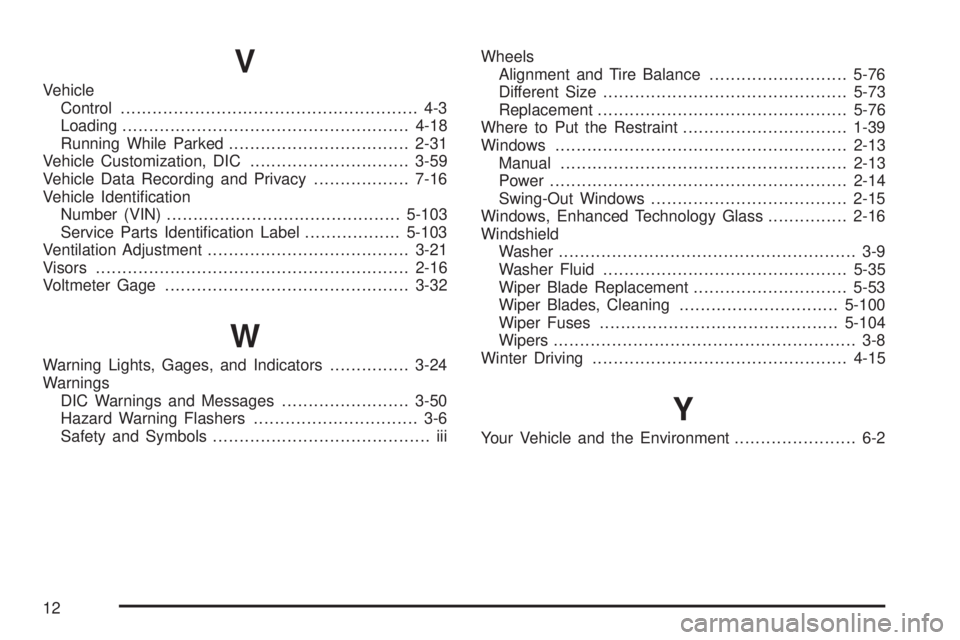
V
Vehicle
Control........................................................ 4-3
Loading......................................................4-18
Running While Parked..................................2-31
Vehicle Customization, DIC..............................3-59
Vehicle Data Recording and Privacy..................7-16
Vehicle Identification
Number (VIN)............................................5-103
Service Parts Identification Label..................5-103
Ventilation Adjustment......................................3-21
Visors...........................................................2-16
Voltmeter Gage..............................................3-32
W
Warning Lights, Gages, and Indicators...............3-24
Warnings
DIC Warnings and Messages........................3-50
Hazard Warning Flashers............................... 3-6
Safety and Symbols......................................... iiiWheels
Alignment and Tire Balance..........................5-76
Different Size..............................................5-73
Replacement...............................................5-76
Where to Put the Restraint...............................1-39
Windows.......................................................2-13
Manual......................................................2-13
Power ........................................................2-14
Swing-Out Windows.....................................2-15
Windows, Enhanced Technology Glass...............2-16
Windshield
Washer........................................................ 3-9
Washer Fluid..............................................5-35
Wiper Blade Replacement.............................5-53
Wiper Blades, Cleaning..............................5-100
Wiper Fuses.............................................5-104
Wipers......................................................... 3-8
Winter Driving................................................4-15
Y
Your Vehicle and the Environment....................... 6-2
12