radio controls GMC SAVANA 2012 User Guide
[x] Cancel search | Manufacturer: GMC, Model Year: 2012, Model line: SAVANA, Model: GMC SAVANA 2012Pages: 424, PDF Size: 5.15 MB
Page 172 of 424
Black plate (2,1)GMC Savana Owner Manual - 2012 - 2nd - 11/15/11
7-2 Infotainment System
To minimize taking your eyes off the
road while driving, do the following
while the vehicle is parked:
.Become familiar with the
operation and controls of the
audio system.
.Set up the tone, speaker
adjustments, and preset radio
stations.
For more information, see Defensive
Driving on page 9‑3.
Notice: Contact your dealer
before adding any equipment.
Adding audio or communication
equipment could interfere with
the operation of the engine, radio,
or other systems, and could
damage them. Follow federal
rules covering mobile radio and
telephone equipment. Notice:
The chime signals related
to safety belts, parking brake, and
other functions of the vehicle
operate through the radio/
entertainment system. If that
equipment is replaced or
additional equipment is added to
the vehicle, the chimes may not
work. Make sure that replacement
or additional equipment is
compatible with the vehicle
before installing it. See
Accessories and Modifications on
page 10‑3.
The vehicle has Retained
Accessory Power (RAP). With RAP,
the audio system can be played
even after the ignition is turned off.
See Retained Accessory Power
(RAP) on page 9‑21 for more
information.
Theft-Deterrent Feature
The theft-deterrent feature works by
learning a portion of the Vehicle
Identification Number (VIN) to
the infotainment system. The
infotainment system does not
operate if it is stolen or moved to a
different vehicle.
Page 175 of 424
Black plate (5,1)GMC Savana Owner Manual - 2012 - 2nd - 11/15/11
Infotainment System 7-5
4. Press the softkey under thedesired Speed Compensated
Volume setting (OFF, Low, Med,
or High) to select the level of
radio volume compensation.
The display times out after
approximately 10 seconds. Each
higher setting allows for more
radio volume compensation at
faster vehicle speeds.
Setting the Tone (Bass/Treble)
(AM-FM Radio and AM-FM
Radio with CD)
To adjust the bass or treble:
1. Press the
fknob until Bass or
Treble displays.
2. To adjust the setting, do one of the following:
.Turn thefknob.
.Press either¨SEEK,
or
©SEEK. EQ (Equalization):
Press this
button to choose bass and treble
equalization settings designed for
different types of music. Selecting
MANUAL, or changing bass or
treble, returns the EQ to the manual
bass and treble settings.
Unique EQ settings can be saved
for each source.
Setting the Tone (Bass/
Midrange/Treble) (All Except
AM-FM Radio and AM-FM
Radio with CD)
BASS/MID/TREB (Bass, Midrange,
or Treble): To adjust the bass,
midrange, or treble:
1. Press the
fknob until the tone
control tabs display.
2. Highlight the desired tone control tab by doing one of the
following:
.Press thefknob.
.Press the softkey under the
desired tab. 3. Adjust the setting by doing one
of the following:
.Turn thefknob clockwise
or counterclockwise.
.Press¨SEEK or©SEEK.
.Press\FWD orsREV.
If a station's frequency is weak or if
there is static, decrease the treble.
To quickly adjust bass, midrange,
or treble to the middle position,
press the softkey positioned under
the BASS, MID, or TREB tab for
more than two seconds. A beep
sounds and the level adjusts to the
middle position.
To quickly adjust all tone and
speaker controls to the middle
position, press the
fknob for more
than two seconds until a beep
sounds.
Page 176 of 424
Black plate (6,1)GMC Savana Owner Manual - 2012 - 2nd - 11/15/11
7-6 Infotainment System
EQ (Equalization):Press this
button to choose bass and treble
equalization settings designed for
different types of music. Selecting
MANUAL, or changing bass or
treble, returns the EQ to the manual
bass and treble settings.
Unique EQ settings can be saved
for each source.
If the radio has a Bose
®audio
system, the EQ settings are either
MANUAL or TALK.
Adjusting the Speakers
(Balance/Fade) (AM-FM Radio
and AM-FM Radio with CD)
To adjust the balance or fade:
1. Press
`or press thefknob
until the speaker control tab
displays.
2. To adjust the setting, do one of the following:
.Turn thefknob.
.Press either¨SEEK,
or
©SEEK.
Adjusting the Speakers
(Balance/Fade) (All Except
AM-FM Radio and AM-FM
Radio with CD)
BAL/FADE (Balance/Fade): To
adjust the balance or fade:
1. Press the
fknob until the
speaker control tabs display.
2. Highlight the desired speaker control tab by doing one of the
following:
.Press thefknob.
.Press the softkey under the
desired tab.
3. Adjust the setting by doing one of the following:
.Turn thefknob clockwise
or counterclockwise.
.Press¨SEEK or©SEEK.
.Press\FWD orsREV. To quickly adjust all speaker and
tone controls to the middle position,
press the
fknob for more than
two seconds.
If the Rear Seat Audio (RSA) is
turned on, the radio disables FADE
and mutes the rear speakers.
Radio Messages
Calibration Error: The audio
system has been calibrated for
the vehicle from the factory.
If Calibration Error displays, it
means that the radio has not been
configured properly for the vehicle
and it must be returned to your
dealer for service.
VIN or NO VIN: One of these
messages will display when the
TheftLock system has locked up the
radio. Take the vehicle to your
dealer for service.
If any error occurs repeatedly or if
an error cannot be corrected,
contact your dealer.
Page 178 of 424
Black plate (8,1)GMC Savana Owner Manual - 2012 - 2nd - 11/15/11
7-8 Infotainment System
Storing a Radio Station as a
Favorite
Drivers are encouraged to set up
their radio station favorites while the
vehicle is parked. Tune to favorite
stations using the presets, favorites
button, and steering wheel controls,
if the vehicle has this feature. See
Defensive Driving on page 9‑3.
FAV (Favorites):If the vehicle has
a FAV button, a maximum of
36 stations can be programmed as
favorites using the six softkeys
positioned below the radio station
frequency tabs and by using the
radio favorites page button (FAV
button). Press the FAV button to go
through up to six pages of favorites,
each having six favorite stations
available per page. Each page of
favorites can contain any
combination of AM and FM stations. The balance/fade and tone settings
that were previously adjusted, are
stored with the favorite stations.
To store a station as a favorite:
1. Tune to the desired radio station.
2. Press the FAV button to display
the page where the station is to
be stored.
3. Press and hold one of the six softkeys until a beep sounds.
When that softkey is pressed
and released, the station that
was set, returns.
4. Repeat the steps for each softkey radio station you want
stored as a favorite. The number of favorites pages can
be set up using the MENU button.
To set up the number of favorites
pages:
1. Press the MENU button to
display the radio setup menu.
2. Press the softkey located below the FAV 1-6 tab.
3. Select the desired number of favorites pages by pressing the
softkey located below the
displayed page numbers.
4. Press the FAV button, or let the menu time out, to return to the
original main radio screen
showing the radio station
frequency tabs and to begin the
process of programming your
favorites for the chosen number
of numbered pages.
Page 180 of 424
Black plate (10,1)GMC Savana Owner Manual - 2012 - 2nd - 11/15/11
7-10 Infotainment System
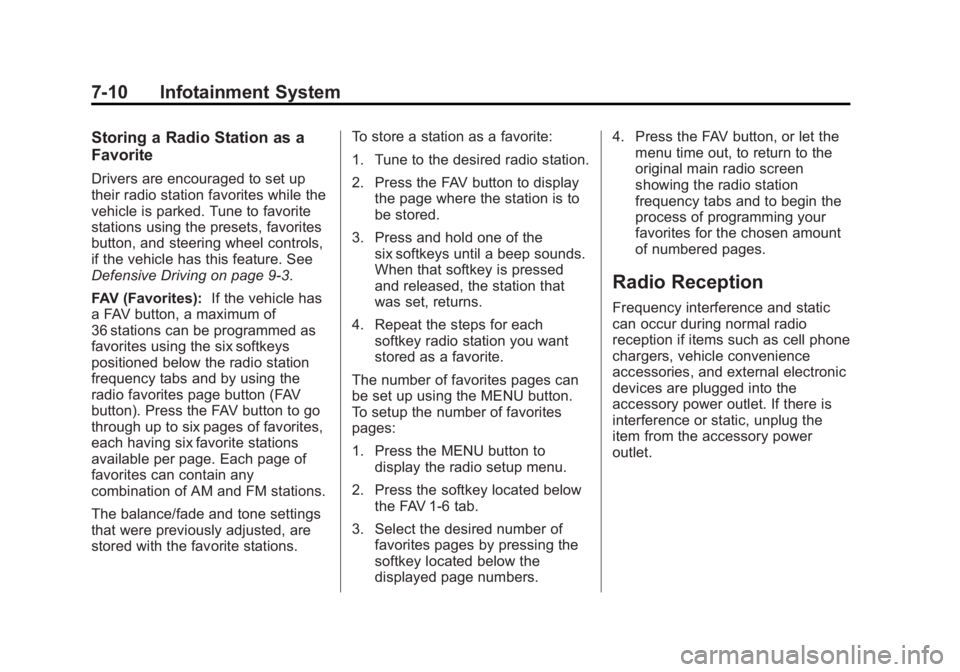
Storing a Radio Station as a
Favorite
Drivers are encouraged to set up
their radio station favorites while the
vehicle is parked. Tune to favorite
stations using the presets, favorites
button, and steering wheel controls,
if the vehicle has this feature. See
Defensive Driving on page 9‑3.
FAV (Favorites):If the vehicle has
a FAV button, a maximum of
36 stations can be programmed as
favorites using the six softkeys
positioned below the radio station
frequency tabs and by using the
radio favorites page button (FAV
button). Press the FAV button to go
through up to six pages of favorites,
each having six favorite stations
available per page. Each page of
favorites can contain any
combination of AM and FM stations.
The balance/fade and tone settings
that were previously adjusted, are
stored with the favorite stations. To store a station as a favorite:
1. Tune to the desired radio station.
2. Press the FAV button to display
the page where the station is to
be stored.
3. Press and hold one of the six softkeys until a beep sounds.
When that softkey is pressed
and released, the station that
was set, returns.
4. Repeat the steps for each softkey radio station you want
stored as a favorite.
The number of favorites pages can
be set up using the MENU button.
To setup the number of favorites
pages:
1. Press the MENU button to display the radio setup menu.
2. Press the softkey located below the FAV 1-6 tab.
3. Select the desired number of favorites pages by pressing the
softkey located below the
displayed page numbers. 4. Press the FAV button, or let the
menu time out, to return to the
original main radio screen
showing the radio station
frequency tabs and to begin the
process of programming your
favorites for the chosen amount
of numbered pages.
Radio Reception
Frequency interference and static
can occur during normal radio
reception if items such as cell phone
chargers, vehicle convenience
accessories, and external electronic
devices are plugged into the
accessory power outlet. If there is
interference or static, unplug the
item from the accessory power
outlet.
Page 422 of 424
Black plate (10,1)GMC Savana Owner Manual - 2012 - 2nd - 11/11/11
i-10 INDEX
Safety Defects ReportingCanadian Government . . . . . . 13-14
General Motors . . . . . . . . . . . . . 13-14
U.S. Government . . . . . . . . . . . 13-13
Safety Locks . . . . . . . . . . . . . . . . . . . . 2-9
Safety System Check . . . . . . . . . . 3-17
Satellite Radio . . . . . . . . . . . . . . . . . . 7-9
Scheduling Appointments . . . . . . 13-8
Seats Adjustment, Front . . . . . . . . . . . . . . 3-2
Head Restraints . . . . . . . . . . . . . . . 3-2
Power Adjustment, Front . . . . . . 3-3
Rear . . . . . . . . . . . . . . . . . . . . . . . . . . . 3-5
Reclining Seatbacks . . . . . . . . . . . 3-3
Secondary Latch System . . . . . 10-82
Securing Child Restraints . . . . . . . . 3-54, 3-56, 3-60
Security Light . . . . . . . . . . . . . . . . . . . . . . . . . . 5-27
OnStar
®. . . . . . . . . . . . . . . . . . . . . . 14-2
Vehicle . . . . . . . . . . . . . . . . . . . . . . . 2-13
Service Accessories andModifications . . . . . . . . . . . . . . . . 10-3 Service (cont'd)
Doing Your Own Work . . . . . . . . 10-4
Engine Soon Light . . . . . . . . . . . . 5-20
Maintenance Records . . . . . . .11-15
Maintenance, General
Information . . . . . . . . . . . . . . . . . . 11-1
Parts Identification Label . . . . . 12-1
Publications Ordering Information . . . . . . . . . . . . . . . . 13-12
Scheduling Appointments . . . . . 13-8
Vehicle Messages . . . . . . . . . . . . 5-39
Servicing the Airbag . . . . . . . . . . . 3-35
Shift Lock Control Function Check, Automatic
Transmission . . . . . . . . . . . . . . . . 10-34
Shifting Into Park . . . . . . . . . . . . . . . . . . . . . . 9-21
Out of Park . . . . . . . . . . . . . . . . . . . 9-22
Side Door . . . . . . . . . . . . . . . . . . . . . 2-10
Sidemarker Bulb Replacement . . . . . . . . . . 10-39
Signals, Turn and Lane-Change . . . . . . . . . . . . . . . . . 6-5
Sliding Door . . . . . . . . . . . . . . . . . . . 2-11 Specifications and
Capacities . . . . . . . . . . . . . . . . . . . . 12-2
Speedometer . . . . . . . . . . . . . . . . . . 5-12
StabiliTrak OFF Light . . . . . . . . . . . . . . . . . . . . . 5-25
System . . . . . . . . . . . . . . . . . . . . . . . 9-35
Start Vehicle, Remote . . . . . . . . . . 2-5
Starter Switch Check . . . . . . . . . 10-34
Starting the Engine . . . . . . . . . . . . 9-18
Steering . . . . . . . . . . . . . . . . . . . . . . . . 9-4 Fluid, Power . . . . . . . . . . . . . . . . 10-25
Wheel Adjustment . . . . . . . . . . . . . 5-2
Wheel Controls . . . . . . . . . . . . . . . . 5-2
Storage Areas Front . . . . . . . . . . . . . . . . . . . . . . . . . . 4-1
Stuck Vehicle . . . . . . . . . . . . . . . . . . 9-10
Sun Visors . . . . . . . . . . . . . . . . . . . . . 2-19
Swing-out Windows . . . . . . . . . . . . 2-18
Switches
Airbag On-Off . . . . . . . . . . . . . . . . . 3-27
Symbols . . . . . . . . . . . . . . . . . . . . . . . . . . iv
System
Infotainment . . . . . . . . . . . . . . . . . . . 7-1
Noise Control . . . . . . . . . . . . . . . 10-32