brake GMC SAVANA PASSENGER 2009 Owner's Manual
[x] Cancel search | Manufacturer: GMC, Model Year: 2009, Model line: SAVANA PASSENGER, Model: GMC SAVANA PASSENGER 2009Pages: 406, PDF Size: 2.34 MB
Page 150 of 406
When the ignition is on, the brake system warning light
also comes on when the parking brake is set. See
Parking Brake on page 2-26for more information. The
light stays on if the parking brake does not fully release.
If it stays on after the parking brake is fully released,
it means the vehicle has a brake problem.
If the light comes on while driving, pull off the road and
stop carefully. The pedal might be harder to push, or
the pedal might go closer to the floor. It could take
longer to stop. If the light is still on, have the vehicle
towed for service. SeeTowing Your Vehicle on
page 4-24.
{CAUTION:
The brake system might not be working properly if
the brake system warning light is on. Driving with
the brake system warning light on can lead to a
crash. If the light is still on after the vehicle has
been pulled off the road and carefully stopped,
have the vehicle towed for service.
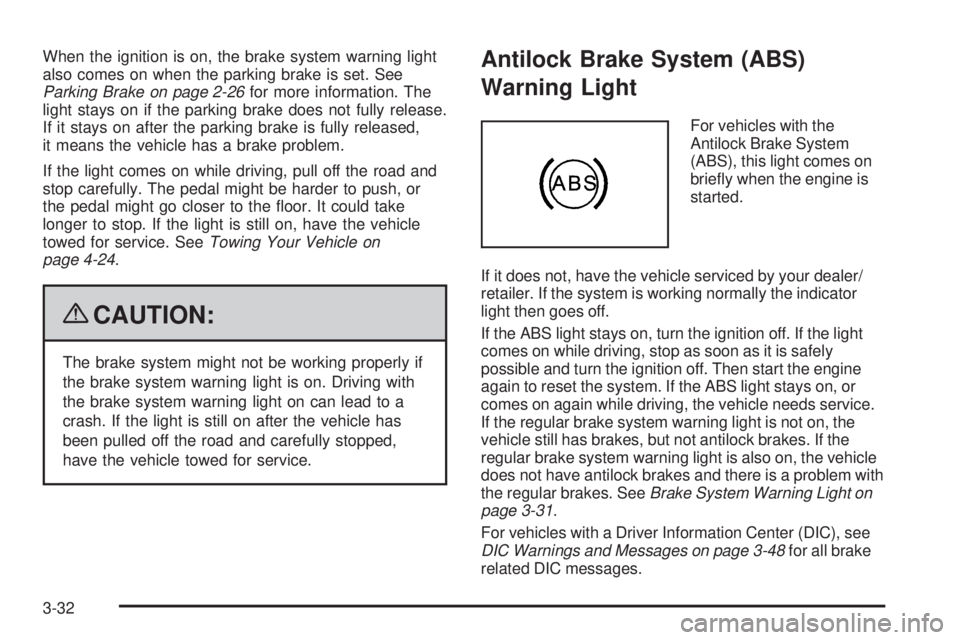
Antilock Brake System (ABS)
Warning Light
For vehicles with the
Antilock Brake System
(ABS), this light comes on
briefly when the engine is
started.
If it does not, have the vehicle serviced by your dealer/
retailer. If the system is working normally the indicator
light then goes off.
If the ABS light stays on, turn the ignition off. If the light
comes on while driving, stop as soon as it is safely
possible and turn the ignition off. Then start the engine
again to reset the system. If the ABS light stays on, or
comes on again while driving, the vehicle needs service.
If the regular brake system warning light is not on, the
vehicle still has brakes, but not antilock brakes. If the
regular brake system warning light is also on, the vehicle
does not have antilock brakes and there is a problem with
the regular brakes. SeeBrake System Warning Light on
page 3-31.
For vehicles with a Driver Information Center (DIC), see
DIC Warnings and Messages on page 3-48for all brake
related DIC messages.
3-32
Page 171 of 406
SERVICE A/C SYSTEM
This message displays when the electronic sensors that
control the air conditioning and heating systems are
no longer working. Have the climate control system
serviced by your dealer/retailer if you notice a drop in
heating and air conditioning efficiency.
SERVICE AIR BAG
This message displays if there is a problem with the
airbag system. Have your dealer/retailer inspect
the system for problems. SeeAirbag Readiness Light
on page 3-27andAirbag System on page 1-58for more
information.
SERVICE BATTERY CHARGING
SYSTEM
On some vehicles, this message displays if there is a
problem with the battery charging system. Under certain
conditions, the charging system light may also turn
on in the instrument panel cluster. SeeCharging System
Light on page 3-30. Driving with this problem could
drain the battery. Turn off all unnecessary accessories.
Have the electrical system checked as soon as
possible. See your dealer/retailer.
SERVICE BRAKE SYSTEM
This message displays along with the brake system
warning light if there is a problem with the brake system.
SeeBrake System Warning Light on page 3-31. If this
message appears, stop as soon as possible and turn off
the vehicle. Restart the vehicle and check for the
message on the DIC display. If the message is still
displayed or appears again when you begin driving, the
brake system needs service as soon as possible.
See your dealer/retailer.
SERVICE STABILITRAK
If your vehicle has StabiliTrak®and this message
displays, it means there may be a problem with the
StabiliTrak system. If you see this message, try to reset
the system. Stop; turn off the engine for at least
15 seconds; then start the engine again. If this message
still comes on, it means there is a problem. You
should see your dealer/retailer for service. The vehicle
is safe to drive, however, you do not have the benefit
of StabiliTrak, so reduce your speed and drive
accordingly.
3-53
Page 173 of 406
STABILITRAK OFF
If your vehicle has StabiliTrak, this message displays
when you turn off StabiliTrak, or when the stability
control has been automatically disabled. To limit wheel
spin and realize the full benefits of the stability
enhancement system, you should normally leave
StabiliTrak on. However, you should turn StabiliTrak off
if your vehicle gets stuck in sand, mud, ice, or snow
and you want to rock your vehicle to attempt to free it,
or if you are driving in extreme off-road conditions
and require more wheel spin. SeeIf Your Vehicle is
Stuck in Sand, Mud, Ice, or Snow on page 4-17. To turn
the StabiliTrak system on or off, seeStabiliTrak
®
System on page 4-6.
There are several conditions that can cause this
message to appear.
•One condition is overheating, which could occur if
StabiliTrak activates continuously for an extended
period of time.
•The message also displays if the brake system
warning light is on. SeeBrake System Warning
Light on page 3-31.
•The message could display if the stability system
takes longer than usual to complete its diagnostic
checks due to driving conditions.
•The message displays if an engine or vehicle
related problem has been detected and the vehicle
needs service. See your dealer/retailer.
•The message also displays if the vehicle is shifted
into 4LO.
The message turns off as soon as the conditions that
caused the message to be displayed are no longer
present.
STARTING DISABLED SERVICE
THROTTLE
This message displays if the starting of the engine is
disabled due to the electronic throttle control system.
Have your vehicle serviced by your dealer/retailer
immediately.
This message only appears while the ignition is in
ON/RUN, and will not disappear until the problem is
resolved.
This message cannot be acknowledged.
3-55
Page 182 of 406
Audio System(s)
If the vehicle came without a radio, the wiring provisions
for a radio and an antenna were installed at the
assembly plant, so that if you want, a radio can be
installed at the dealer/retailer.
Determine which radio the vehicle has and read the
following pages to become familiar with its features.
{CAUTION:
Taking your eyes off the road for extended periods
could cause a crash resulting in injury or death to
you or others. Do not give extended attention to
entertainment tasks while driving.
This system provides access to many audio and non
audio listings.
To minimize taking your eyes off the road while driving,
do the following while the vehicle is parked:
•Become familiar with the operation and controls of
the audio system.
•Set up the tone, speaker adjustments, and preset
radio stations.For more information, seeDefensive Driving on
page 4-2.
Notice:Contact your dealer/retailer before adding
any equipment.
Adding audio or communication equipment could
interfere with the operation of the vehicle’s engine,
radio, or other systems, and could damage them.
Follow federal rules covering mobile radio and
telephone equipment.
Notice:The chime signals related to safety belts,
parking brake, and other functions of your vehicle
operate through the radio/entertainment system.
If that equipment is replaced or additional equipment
is added to your vehicle, the chimes may not
work. Make sure that replacement or additional
equipment is compatible with your vehicle before
installing it. SeeAccessories and Modifications
on page 5-3.
The vehicle has Retained Accessory Power (RAP). With
RAP, the audio system can be played even after the
ignition is turned off. SeeRetained Accessory Power
(RAP) on page 2-20for more information.
3-64
Page 203 of 406
Your Driving, the Road, and the Vehicle............4-2
Driving for Better Fuel Economy.......................4-2
Defensive Driving...........................................4-2
Drunk Driving.................................................4-3
Control of a Vehicle........................................4-3
Braking.........................................................4-4
Antilock Brake System (ABS)...........................4-5
Braking in Emergencies...................................4-5
StabiliTrak
®System........................................4-6
Locking Rear Axle..........................................4-8
All-Wheel Drive (AWD) System.........................4-8
Steering........................................................4-8
Off-Road Recovery.......................................4-10
Passing.......................................................4-10
Loss of Control.............................................4-11Driving at Night............................................4-12
Driving in Rain and on Wet Roads..................4-12
Before Leaving on a Long Trip.......................4-13
Highway Hypnosis........................................4-14
Hill and Mountain Roads................................4-14
Winter Driving..............................................4-15
If Your Vehicle is Stuck in Sand, Mud,
Ice, or Snow.............................................4-17
Rocking Your Vehicle to Get It Out.................4-18
Loading the Vehicle......................................4-18
Towing..........................................................4-24
Towing Your Vehicle.....................................4-24
Recreational Vehicle Towing...........................4-24
Towing a Trailer...........................................4-28
Section 4 Driving Your Vehicle
4-1
Page 204 of 406
Your Driving, the Road, and
the Vehicle
Driving for Better Fuel Economy
Driving habits can affect fuel mileage. Here are some
driving tips to get the best fuel economy possible.
•Avoid fast starts and accelerate smoothly.
•Brake gradually and avoid abrupt stops.
•Avoid idling the engine for long periods of time.
•When road and weather conditions are appropriate,
use cruise control, if equipped.
•Always follow posted speed limits or drive more
slowly when conditions require.
•Keep vehicle tires properly inflated.
•Combine several trips into a single trip.
•Replace the vehicle’s tires with the same TPC Spec
number molded into the tire’s sidewall near
the size.
•Follow recommended scheduled maintenance.
Defensive Driving
Defensive driving means “always expect the
unexpected.” The first step in driving defensively is to
wear your safety belt — SeeSafety Belts: They Are for
Everyone on page 1-10.
{CAUTION:
Assume that other road users (pedestrians,
bicyclists, and other drivers) are going to be
careless and make mistakes. Anticipate what they
might do and be ready. In addition:
•Allow enough following distance between you
and the driver in front of you.
•Focus on the task of driving.
Driver distraction can cause collisions resulting in
injury or possible death. These simple defensive
driving techniques could save your life.
4-2
Page 205 of 406
Drunk Driving
{CAUTION:
Drinking and then driving is very dangerous. Your
reflexes, perceptions, attentiveness, and judgment
can be affected by even a small amount of alcohol.
You can have a serious — or even fatal — collision
if you drive after drinking. Do not drink and drive or
ride with a driver who has been drinking. Ride home
in a cab; or if you are with a group, designate a
driver who will not drink.
Death and injury associated with drinking and driving is
a global tragedy.
Alcohol affects four things that anyone needs to drive a
vehicle: judgment, muscular coordination, vision, and
attentiveness.
Police records show that almost 40 percent of all motor
vehicle-related deaths involve alcohol. In most cases,
these deaths are the result of someone who was drinking
and driving. In recent years, more than 17,000 annual
motor vehicle-related deaths have been associated with
the use of alcohol, with about 250,000 people injured.For persons under 21, it is against the law in every
U.S. state to drink alcohol. There are good medical,
psychological, and developmental reasons for
these laws.
The obvious way to eliminate the leading highway
safety problem is for people never to drink alcohol and
then drive.
Medical research shows that alcohol in a person’s
system can make crash injuries worse, especially
injuries to the brain, spinal cord, or heart. This means
that when anyone who has been drinking — driver
or passenger — is in a crash, that person’s chance of
being killed or permanently disabled is higher than if the
person had not been drinking.
Control of a Vehicle
The following three systems help to control the vehicle
while driving — brakes, steering, and accelerator.
At times, as when driving on snow or ice, it is easy to
ask more of those control systems than the tires
and road can provide. Meaning, you can lose control of
the vehicle.
Adding non-dealer/non-retailer accessories can affect
vehicle performance. SeeAccessories and Modifications
on page 5-3.
4-3
Page 206 of 406
Braking
SeeBrake System Warning Light on page 3-31.
Braking action involves perception time and reaction
time. Deciding to push the brake pedal is perception
time. Actually doing it is reaction time.
Average reaction time is about three-fourths of
a second. But that is only an average. It might
be less with one driver and as long as two or
three seconds or more with another. Age, physical
condition, alertness, coordination, and eyesight all
play a part. So do alcohol, drugs, and frustration.
But even in three-fourths of a second, a vehicle
moving at 60 mph (100 km/h) travels 66 feet (20 m).
That could be a lot of distance in an emergency,
so keeping enough space between the vehicle and
others is important.
And, of course, actual stopping distances vary greatly
with the surface of the road, whether it is pavement
or gravel; the condition of the road, whether it is
wet, dry, or icy; tire tread; the condition of the brakes;
the weight of the vehicle; and the amount of brake force
applied.Avoid needless heavy braking. Some people drive in
spurts — heavy acceleration followed by heavy
braking — rather than keeping pace with traffic. This is a
mistake. The brakes might not have time to cool between
hard stops. The brakes will wear out much faster with a
lot of heavy braking. Keeping pace with the traffic and
allowing realistic following distances eliminates a lot of
unnecessary braking. That means better braking and
longer brake life.
If the engine ever stops while the vehicle is being driven,
brake normally but do not pump the brakes. If the brakes
are pumped, the pedal could get harder to push down.
If the engine stops, there will still be some power brake
assist but it will be used when the brake is applied. Once
the power assist is used up, it can take longer to stop and
the brake pedal will be harder to push.
Adding non-dealer/non-retailer accessories can affect
vehicle performance. SeeAccessories and Modifications
on page 5-3.
4-4
Page 207 of 406
Antilock Brake System (ABS)
This vehicle has the Antilock Brake System (ABS), an
advanced electronic braking system that helps prevent a
braking skid.
When the engine is started and the vehicle begins to
drive away, ABS checks itself. A momentary motor
or clicking noise might be heard while this test is going
on. This is normal.
If there is a problem with
the ABS, this warning light
stays on. SeeAntilock
Brake System (ABS)
Warning Light on
page 3-32.
Let us say the road is wet and you are driving safely.
Suddenly, an animal jumps out in front of you. You slam
on the brakes and continue braking. Here is what
happens with ABS:
A computer senses that the wheels are slowing down.
If one of the wheels is about to stop rolling, the computer
will separately work the brakes at each front wheel
and at both rear wheels.ABS can change the brake pressure to each wheel, as
required, faster than any driver could. This can help
the driver steer around the obstacle while braking hard.
As the brakes are applied, the computer keeps
receiving updates on wheel speed and controls braking
pressure accordingly.
Remember: ABS does not change the time needed to get
a foot up to the brake pedal or always decrease stopping
distance. If you get too close to the vehicle in front of you,
there will not be enough time to apply the brakes if that
vehicle suddenly slows or stops. Always leave enough
room up ahead to stop, even with ABS.
Using ABS
Do not pump the brakes. Just hold the brake pedal
down firmly and let antilock work. The brakes might
vibrate or some noise might be heard, but this is normal.
Braking in Emergencies
ABS allows the driver to steer and brake at the same
time. In many emergencies, steering can help more than
even the very best braking.
4-5
Page 208 of 406
StabiliTrak®System
The vehicle may have a vehicle stability enhancement
system called StabiliTrak. It is an advanced computer
controlled system that assists the driver with directional
control of the vehicle in difficult driving conditions.
StabiliTrak activates when the computer senses a
discrepancy between the intended path and the direction
the vehicle is actually traveling. StabiliTrak selectively
applies braking pressure at any one of the vehicle’s
brakes to assist the driver with keeping the vehicle on
the intended path.
When the vehicle is started and begins to move, the
system performs several diagnostic checks to insure
there are no problems. The system may be heard or felt
while it is working. This is normal and does not mean
there is a problem with the vehicle. The system
should initialize before the vehicle reaches 20 mph
(32 km/h). In some cases, it may take approximately
2 miles (3.2 km) of driving before the system initializes.Press and hold the
StabiliTrak button located
on the instrument panel
for more than five seconds
to turn off StabiliTrak
and part of the traction
control system.
The StabiliTrak light comes
on the instrument panel
cluster when the system is
turned off or requires
service.
For more information, seeStabiliTrak
®Indicator Light
on page 3-33.
For your safety, the system can only be disabled when
the vehicle speed is less than 20 mph (32 km/h). Three
chimes will be heard and the StabiliTrak light comes on.
4-6