airbag GMC SAVANA PASSENGER 2009 Service Manual
[x] Cancel search | Manufacturer: GMC, Model Year: 2009, Model line: SAVANA PASSENGER, Model: GMC SAVANA PASSENGER 2009Pages: 406, PDF Size: 2.34 MB
Page 145 of 406
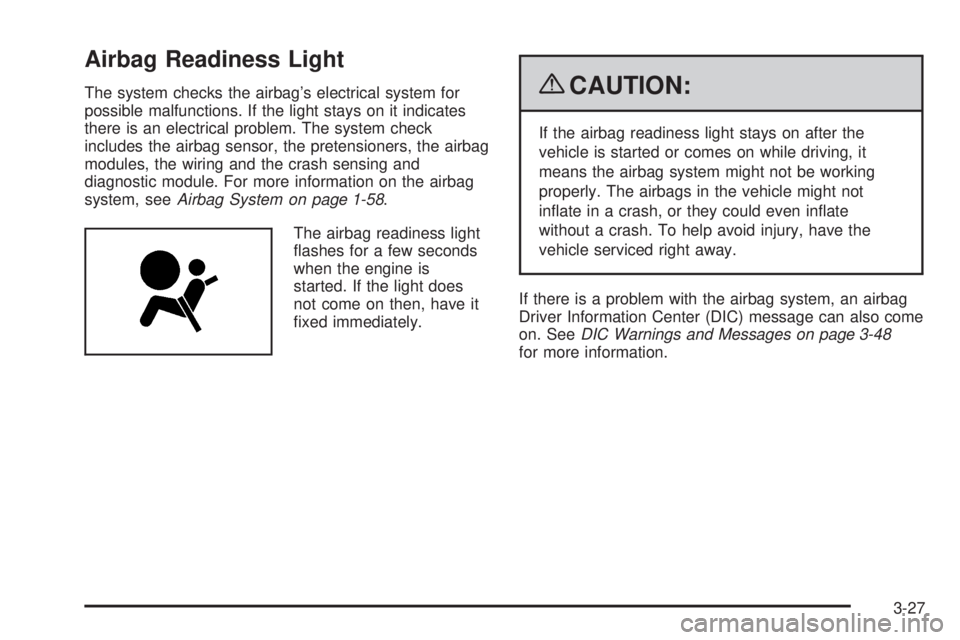
Airbag Readiness Light
The system checks the airbag’s electrical system for
possible malfunctions. If the light stays on it indicates
there is an electrical problem. The system check
includes the airbag sensor, the pretensioners, the airbag
modules, the wiring and the crash sensing and
diagnostic module. For more information on the airbag
system, seeAirbag System on page 1-58.
The airbag readiness light
flashes for a few seconds
when the engine is
started. If the light does
not come on then, have it
fixed immediately.{CAUTION:
If the airbag readiness light stays on after the
vehicle is started or comes on while driving, it
means the airbag system might not be working
properly. The airbags in the vehicle might not
inflate in a crash, or they could even inflate
without a crash. To help avoid injury, have the
vehicle serviced right away.
If there is a problem with the airbag system, an airbag
Driver Information Center (DIC) message can also come
on. SeeDIC Warnings and Messages on page 3-48
for more information.
3-27
Page 146 of 406
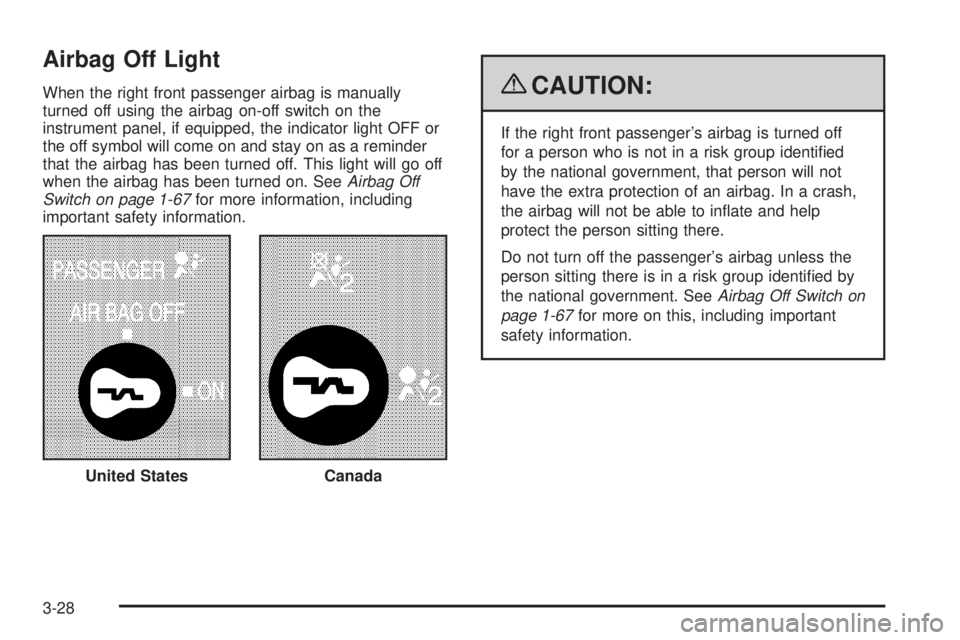
Airbag Off Light
When the right front passenger airbag is manually
turned off using the airbag on-off switch on the
instrument panel, if equipped, the indicator light OFF or
the off symbol will come on and stay on as a reminder
that the airbag has been turned off. This light will go off
when the airbag has been turned on. SeeAirbag Off
Switch on page 1-67for more information, including
important safety information.{CAUTION:
If the right front passenger’s airbag is turned off
for a person who is not in a risk group identified
by the national government, that person will not
have the extra protection of an airbag. In a crash,
the airbag will not be able to inflate and help
protect the person sitting there.
Do not turn off the passenger’s airbag unless the
person sitting there is in a risk group identified by
the national government. SeeAirbag Off Switch on
page 1-67for more on this, including important
safety information.
United States
Canada
3-28
Page 147 of 406
{CAUTION:
If the airbag readiness light ever comes on and
stays on, it means that something may be wrong
with the airbag system. For example, the right
front passenger airbag could inflate even though
the airbag on-off switch is turned off.
To help avoid injury to yourself or others, have the
vehicle serviced right away. SeeAirbag Readiness
Light on page 3-27for more information, including
important safety information.
If the word ON or the on symbol is lit, it means that the
right front passenger frontal airbag is enabled (may
inflate). SeeAirbag Off Switch on page 1-67for more
information, including important safety information.
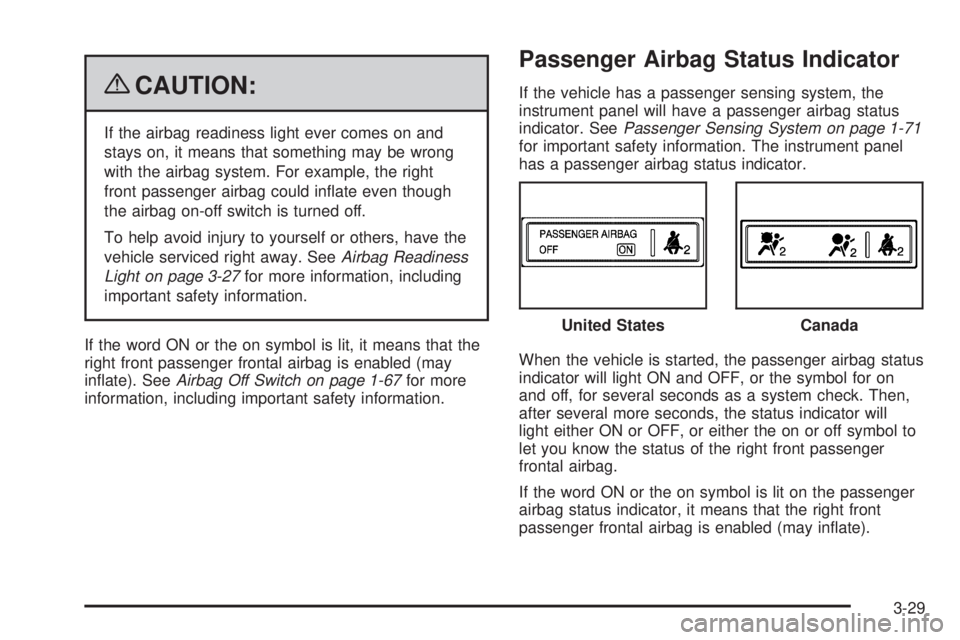
Passenger Airbag Status Indicator
If the vehicle has a passenger sensing system, the
instrument panel will have a passenger airbag status
indicator. SeePassenger Sensing System on page 1-71
for important safety information. The instrument panel
has a passenger airbag status indicator.
When the vehicle is started, the passenger airbag status
indicator will light ON and OFF, or the symbol for on
and off, for several seconds as a system check. Then,
after several more seconds, the status indicator will
light either ON or OFF, or either the on or off symbol to
let you know the status of the right front passenger
frontal airbag.
If the word ON or the on symbol is lit on the passenger
airbag status indicator, it means that the right front
passenger frontal airbag is enabled (may inflate).United States
Canada
3-29
Page 148 of 406
If the word OFF or the off symbol is lit on the airbag
status indicator, it means that the passenger sensing
system has turned off the right front passenger
frontal airbag.
If, after several seconds, both status indicator lights
remain on, or if there are no lights at all, there may be a
problem with the lights or the passenger sensing
system. See your dealer/retailer for service.
{CAUTION:
If the airbag readiness light ever comes on and
stays on, it means that something may be wrong
with the airbag system. To help avoid injury to
yourself or others, have the vehicle serviced right
away. SeeAirbag Readiness Light on page 3-27
for more information, including important safety
information.
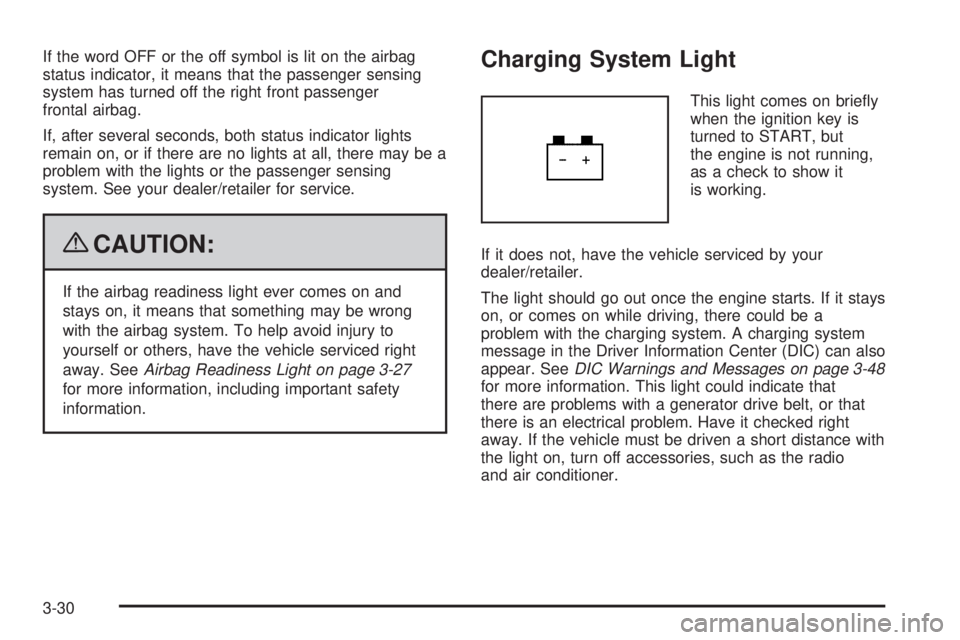
Charging System Light
This light comes on briefly
when the ignition key is
turned to START, but
the engine is not running,
as a check to show it
is working.
If it does not, have the vehicle serviced by your
dealer/retailer.
The light should go out once the engine starts. If it stays
on, or comes on while driving, there could be a
problem with the charging system. A charging system
message in the Driver Information Center (DIC) can also
appear. SeeDIC Warnings and Messages on page 3-48
for more information. This light could indicate that
there are problems with a generator drive belt, or that
there is an electrical problem. Have it checked right
away. If the vehicle must be driven a short distance with
the light on, turn off accessories, such as the radio
and air conditioner.
3-30
Page 171 of 406
SERVICE A/C SYSTEM
This message displays when the electronic sensors that
control the air conditioning and heating systems are
no longer working. Have the climate control system
serviced by your dealer/retailer if you notice a drop in
heating and air conditioning efficiency.
SERVICE AIR BAG
This message displays if there is a problem with the
airbag system. Have your dealer/retailer inspect
the system for problems. SeeAirbag Readiness Light
on page 3-27andAirbag System on page 1-58for more
information.
SERVICE BATTERY CHARGING
SYSTEM
On some vehicles, this message displays if there is a
problem with the battery charging system. Under certain
conditions, the charging system light may also turn
on in the instrument panel cluster. SeeCharging System
Light on page 3-30. Driving with this problem could
drain the battery. Turn off all unnecessary accessories.
Have the electrical system checked as soon as
possible. See your dealer/retailer.
SERVICE BRAKE SYSTEM
This message displays along with the brake system
warning light if there is a problem with the brake system.
SeeBrake System Warning Light on page 3-31. If this
message appears, stop as soon as possible and turn off
the vehicle. Restart the vehicle and check for the
message on the DIC display. If the message is still
displayed or appears again when you begin driving, the
brake system needs service as soon as possible.
See your dealer/retailer.
SERVICE STABILITRAK
If your vehicle has StabiliTrak®and this message
displays, it means there may be a problem with the
StabiliTrak system. If you see this message, try to reset
the system. Stop; turn off the engine for at least
15 seconds; then start the engine again. If this message
still comes on, it means there is a problem. You
should see your dealer/retailer for service. The vehicle
is safe to drive, however, you do not have the benefit
of StabiliTrak, so reduce your speed and drive
accordingly.
3-53
Page 245 of 406
Service
For service and parts needs, visit your dealer/retailer.
You will receive genuine GM parts and GM-trained and
supported service people.
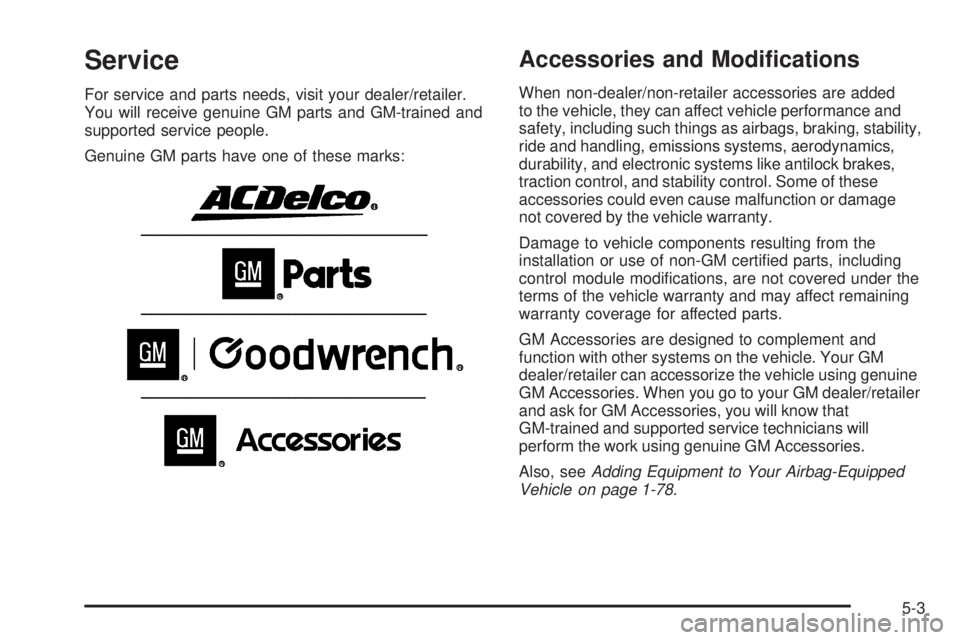
Genuine GM parts have one of these marks:
Accessories and Modications
When non-dealer/non-retailer accessories are added
to the vehicle, they can affect vehicle performance and
safety, including such things as airbags, braking, stability,
ride and handling, emissions systems, aerodynamics,
durability, and electronic systems like antilock brakes,
traction control, and stability control. Some of these
accessories could even cause malfunction or damage
not covered by the vehicle warranty.
Damage to vehicle components resulting from the
installation or use of non-GM certified parts, including
control module modifications, are not covered under the
terms of the vehicle warranty and may affect remaining
warranty coverage for affected parts.
GM Accessories are designed to complement and
function with other systems on the vehicle. Your GM
dealer/retailer can accessorize the vehicle using genuine
GM Accessories. When you go to your GM dealer/retailer
and ask for GM Accessories, you will know that
GM-trained and supported service technicians will
perform the work using genuine GM Accessories.
Also, seeAdding Equipment to Your Airbag-Equipped
Vehicle on page 1-78.
5-3
Page 246 of 406
California Proposition 65 Warning
Most motor vehicles, including this one, contain and/or
emit chemicals known to the State of California to cause
cancer and birth defects or other reproductive harm.
Engine exhaust, many parts and systems (including
some inside the vehicle), many fluids, and some
component wear by-products contain and/or emit
these chemicals.
California Perchlorate Materials
Requirements
Certain types of automotive applications, such as
airbag initiators, seat belt pretensioners, and lithium
batteries contained in remote keyless transmitters,
may contain perchlorate materials. Special handling
may be necessary. For additional information, see
www.dtsc.ca.gov/hazardouswaste/perchlorate.
Doing Your Own Service Work
{CAUTION:
You can be injured and the vehicle could be
damaged if you try to do service work on a vehicle
without knowing enough about it.
•Be sure you have sufficient knowledge,
experience, the proper replacement parts,
and tools before attempting any vehicle
maintenance task.
•Be sure to use the proper nuts, bolts, and
other fasteners. English and metric fasteners
can be easily confused. If the wrong fasteners
are used, parts can later break or fall off.
You could be hurt.
5-4
Page 247 of 406
If doing some of your own service work, use the proper
service manual. It tells you much more about how to
service the vehicle than this manual can. To order
the proper service manual, seeService Publications
Ordering Information on page 7-16.
This vehicle has an airbag system. Before attempting
to do your own service work, seeServicing Your
Airbag-Equipped Vehicle on page 1-77.
Keep a record with all parts receipts and list the
mileage and the date of any service work performed.
SeeMaintenance Record on page 6-18.
Adding Equipment to the Outside of
the Vehicle
Things added to the outside of the vehicle can affect the
airflow around it. This can cause wind noise and can
affect fuel economy and windshield washer performance.
Check with your dealer/retailer before adding equipment
to the outside of the vehicle.
Fuel
For diesel engine vehicles, see “Diesel Fuel
Requirements and Fuel System” in the DURAMAX®
Diesel manual.
For vehicles with gasoline engines, please read this.
Gasoline
Use of the recommended fuel is an important part of
the proper maintenance of this vehicle. To help keep the
engine clean and maintain optimum vehicle performance,
we recommend the use of gasoline advertised as
TOP TIER Detergent Gasoline.
The 8th digit of the Vehicle Identification Number (VIN)
shows the code letter or number that identifies the
vehicle’s engine. The VIN is at the top left of the
instrument panel. SeeVehicle Identification
Number (VIN) on page 5-103.
If the vehicle has the 5.3L V8 engine (VIN Code 4) and
the N15 flexible fuel option, you can use either regular
unleaded gasoline or ethanol fuel containing up to 85%
ethanol (E85). SeeFuel E85 (85% Ethanol) on page 5-8.
For the 5.3L V8 engine (VIN Code 4) without the N15
option and all other gasoline engines, use only regular
unleaded gasoline.
5-5
Page 317 of 406
Different Size Tires and Wheels
If you add wheels or tires that are a different size than
your original equipment wheels and tires, this could affect
the way your vehicle performs, including its braking,
ride and handling characteristics, stability, and resistance
to rollover. Additionally, if your vehicle has electronic
systems such as anti-lock brakes, rollover airbags,
traction control, and electronic stability control, the
performance of these systems can be affected.
{CAUTION:
If you add different sized wheels, your vehicle may
not provide an acceptable level of performance and
safety if tires not recommended for those wheels
are selected. You may increase the chance that you
will crash and suffer serious injury. Only use GM
specific wheel and tire systems developed for your
vehicle, and have them properly installed by a GM
certified technician.
SeeBuying New Tires on page 5-73andAccessories
and Modifications on page 5-3for additional information.
Uniform Tire Quality Grading
Quality grades can be found where applicable
on the tire sidewall between tread shoulder
and maximum section width. For example:
Treadwear 200 Traction AA
Temperature A
The following information relates to the system
developed by the United States National Highway
Traffic Safety Administration (NHTSA), which
grades tires by treadwear, traction, and
temperature performance. This applies only to
vehicles sold in the United States. The grades are
molded on the sidewalls of most passenger car
tires. The Uniform Tire Quality Grading (UTQG)
system does not apply to deep tread, winter-type
snow tires, space-saver, or temporary use
spare tires, tires with nominal rim diameters
of 10 to 12 inches (25 to 30 cm), or to some
limited-production tires.
While the tires available on General Motors
passenger cars and light trucks may vary with
respect to these grades, they must also conform
to federal safety requirements and additional
General Motors Tire Performance Criteria (TPC)
standards.
5-75
Page 345 of 406
Vehicle Identication
Vehicle Identication Number (VIN)
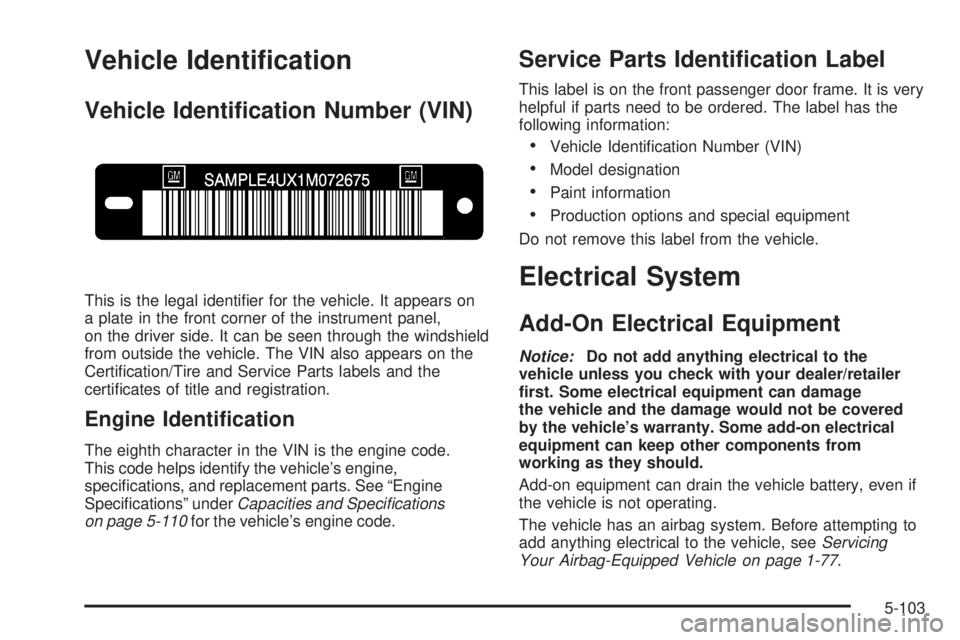
This is the legal identifier for the vehicle. It appears on
a plate in the front corner of the instrument panel,
on the driver side. It can be seen through the windshield
from outside the vehicle. The VIN also appears on the
Certification/Tire and Service Parts labels and the
certificates of title and registration.
Engine Identication
The eighth character in the VIN is the engine code.
This code helps identify the vehicle’s engine,
specifications, and replacement parts. See “Engine
Specifications” underCapacities and Specifications
on page 5-110for the vehicle’s engine code.
Service Parts Identication Label
This label is on the front passenger door frame. It is very
helpful if parts need to be ordered. The label has the
following information:
•Vehicle Identification Number (VIN)
•Model designation
•Paint information
•Production options and special equipment
Do not remove this label from the vehicle.
Electrical System
Add-On Electrical Equipment
Notice:Do not add anything electrical to the
vehicle unless you check with your dealer/retailer
rst. Some electrical equipment can damage
the vehicle and the damage would not be covered
by the vehicle’s warranty. Some add-on electrical
equipment can keep other components from
working as they should.
Add-on equipment can drain the vehicle battery, even if
the vehicle is not operating.
The vehicle has an airbag system. Before attempting to
add anything electrical to the vehicle, seeServicing
Your Airbag-Equipped Vehicle on page 1-77.
5-103