length GMC SAVANA PASSENGER 2009 Owners Manual
[x] Cancel search | Manufacturer: GMC, Model Year: 2009, Model line: SAVANA PASSENGER, Model: GMC SAVANA PASSENGER 2009Pages: 406, PDF Size: 2.34 MB
Page 35 of 406
Child Restraints
Older Children
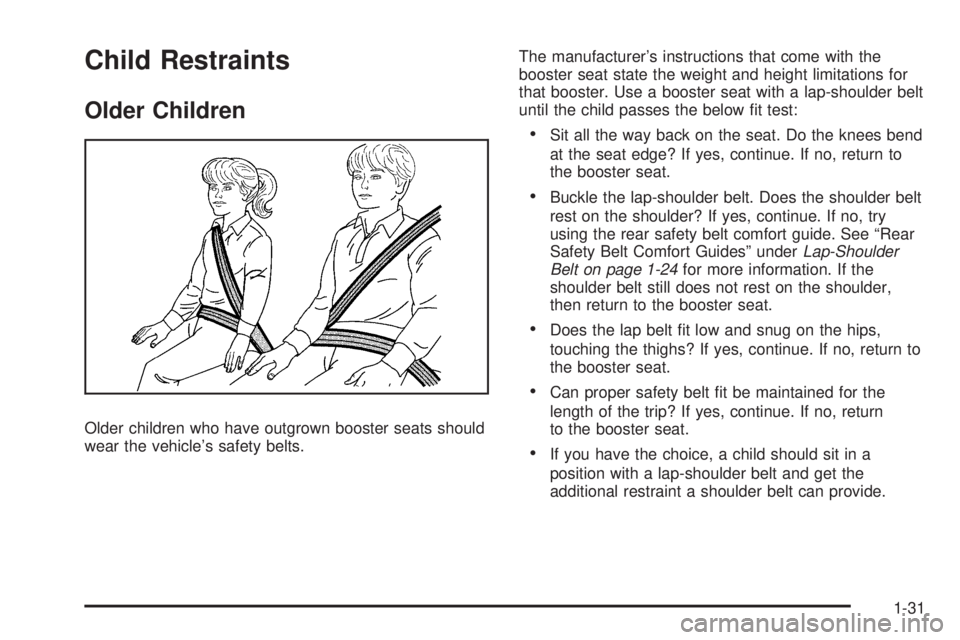
Older children who have outgrown booster seats should
wear the vehicle’s safety belts.The manufacturer’s instructions that come with the
booster seat state the weight and height limitations for
that booster. Use a booster seat with a lap-shoulder belt
until the child passes the below fit test:
•Sit all the way back on the seat. Do the knees bend
at the seat edge? If yes, continue. If no, return to
the booster seat.
•Buckle the lap-shoulder belt. Does the shoulder belt
rest on the shoulder? If yes, continue. If no, try
using the rear safety belt comfort guide. See “Rear
Safety Belt Comfort Guides” underLap-Shoulder
Belt on page 1-24for more information. If the
shoulder belt still does not rest on the shoulder,
then return to the booster seat.
•Does the lap belt fit low and snug on the hips,
touching the thighs? If yes, continue. If no, return to
the booster seat.
•Can proper safety belt fit be maintained for the
length of the trip? If yes, continue. If no, return
to the booster seat.
•If you have the choice, a child should sit in a
position with a lap-shoulder belt and get the
additional restraint a shoulder belt can provide.
1-31
Page 107 of 406
The length of time the heater should remain plugged in
depends on several factors. Ask a dealer/retailer in
the area where you will be parking the vehicle for the
best advice on this.
Automatic Transmission Operation
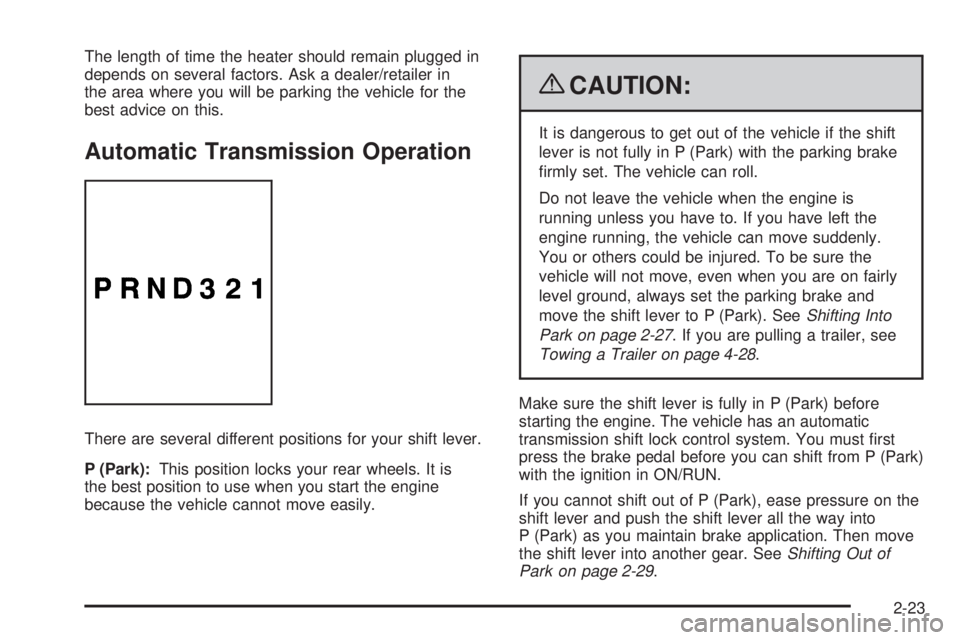
There are several different positions for your shift lever.
P (Park):This position locks your rear wheels. It is
the best position to use when you start the engine
because the vehicle cannot move easily.
{CAUTION:
It is dangerous to get out of the vehicle if the shift
lever is not fully in P (Park) with the parking brake
firmly set. The vehicle can roll.
Do not leave the vehicle when the engine is
running unless you have to. If you have left the
engine running, the vehicle can move suddenly.
You or others could be injured. To be sure the
vehicle will not move, even when you are on fairly
level ground, always set the parking brake and
move the shift lever to P (Park). SeeShifting Into
Park on page 2-27. If you are pulling a trailer, see
Towing a Trailer on page 4-28.
Make sure the shift lever is fully in P (Park) before
starting the engine. The vehicle has an automatic
transmission shift lock control system. You must first
press the brake pedal before you can shift from P (Park)
with the ignition in ON/RUN.
If you cannot shift out of P (Park), ease pressure on the
shift lever and push the shift lever all the way into
P (Park) as you maintain brake application. Then move
the shift lever into another gear. SeeShifting Out of
Park on page 2-29.
2-23
Page 197 of 406
•Make sure playlists have a .mp3 or .wpl extension
(other file extensions might not work).
•Minimize the length of the file, folder, or playlist
names. Long file, folder, or playlist names, or a
combination of a large number of files and folders,
or playlists could cause the player to be unable
to play up to the maximum number of files, folders,
playlists, or sessions. If you wish to play a large
number of files, folders, playlists or sessions,
minimize the length of the file, folder, or playlist
name. Long names also take up more space on the
display, potentially getting cut off.
•Finalize the audio disc before you burn it. Trying to
add music to an existing disc could cause the disc
not to function in the player.
Playlists can be changed by using the
Sc(previous)
and
cT(next) folder buttons, thefknob, or the
©SEEK¨arrows. You can also play an MP3 CD-R
or CD-RW that was recorded using no file folders. If
a CD-R or CD-RW contains more than the maximum of
50 folders, 15 playlists, and 512 folders and files, the
player lets you access and navigate up to the maximum,
but all items over the maximum are not accessible.
Root Directory
The root directory of the CD-R or CD-RW is treated as a
folder. If the root directory has compressed audio files,
the directory displays as the CD label. All files contained
directly under the root directory are accessed prior to any
root directory folders. However, playlists (Px) are always
accessed before root folders or files.
If a disc contains both uncompressed CD audio (.CDA)
and MP3 files, a folder under the root directory called
CD accesses all of the CD audio tracks on the disc.
Empty Directory or Folder
If a root directory or a folder exists somewhere in the file
structure that contains only folders/subfolders and no
compressed files directly beneath them, the player
advances to the next folder in the file structure that
contains compressed audio files. The empty folder does
not display.
No Folder
When the CD contains only compressed files, the files
are located under the root folder. The next and previous
folder function does not display on a CD that was
recorded without folders or playlists.
When the CD contains only playlists and compressed
audio files, but no folders, all files are located under the
root folder. The folder down and up buttons search
playlists (Px) first and then goes to the root folder.
3-79