tire pressure GMC SAVANA PASSENGER 2016 Owners Manual
[x] Cancel search | Manufacturer: GMC, Model Year: 2016, Model line: SAVANA PASSENGER, Model: GMC SAVANA PASSENGER 2016Pages: 343, PDF Size: 5.88 MB
Page 5 of 343
GMC Savana Owner Manual (GMNA-Localizing-U.S./Canada-9159232) -
2016 - crc - 11/11/15
4 Introduction
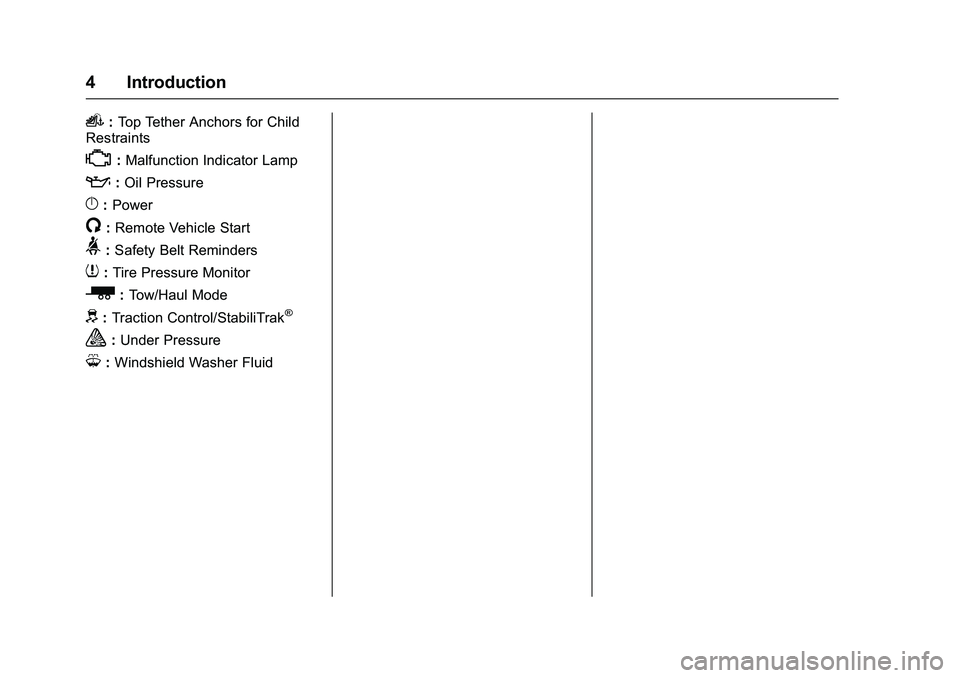
i:Top Tether Anchors for Child
Restraints
*: Malfunction Indicator Lamp
::Oil Pressure
}:Power
/:Remote Vehicle Start
>: Safety Belt Reminders
7:Tire Pressure Monitor
_:Tow/Haul Mode
d:Traction Control/StabiliTrak®
a:Under Pressure
M: Windshield Washer Fluid
Page 6 of 343
GMC Savana Owner Manual (GMNA-Localizing-U.S./Canada-9159232) -
2016 - crc - 11/11/15
In Brief 5
In Brief
Instrument Panel
Instrument Panel . . . . . . . . . . . . . . . . 6
Initial Drive Information
Initial Drive Information . . . . . . . . . . 8
Remote Keyless Entry (RKE)System . . . . . . . . . . . . . . . . . . . . . . . . 8
Remote Vehicle Start . . . . . . . . . . . 8
Door Locks . . . . . . . . . . . . . . . . . . . . . 9
Windows . . . . . . . . . . . . . . . . . . . . . . . . 9
Seat Adjustment . . . . . . . . . . . . . . . 10
Safety Belts . . . . . . . . . . . . . . . . . . . . 11
Airbag On-Off Switch . . . . . . . . . . 11
Mirror Adjustment . . . . . . . . . . . . . . 11
Steering Wheel Adjustment . . . . 13
Interior Lighting . . . . . . . . . . . . . . . . 13
Exterior Lighting . . . . . . . . . . . . . . . 14
Windshield Wiper/Washer . . . . . . 14
Climate Controls . . . . . . . . . . . . . . . 15
Transmission . . . . . . . . . . . . . . . . . . 16
Vehicle Features
Infotainment System . . . . . . . . . . . 17
Radio(s) . . . . . . . . . . . . . . . . . . . . . . . 17
Portable Audio Devices . . . . . . . . 18
Steering Wheel Controls . . . . . . . 18
Cruise Control . . . . . . . . . . . . . . . . . 19
Rear Vision Camera (RVC) . . . . 19 Parking Assist . . . . . . . . . . . . . . . . . 20
Power Outlets . . . . . . . . . . . . . . . . . 20
Performance and Maintenance
Traction Control/Electronic
Stability Control . . . . . . . . . . . . . . 20
Tire Pressure Monitor . . . . . . . . . . 20
Engine Oil Life System . . . . . . . . 21
E85 or FlexFuel . . . . . . . . . . . . . . . . 21
Driving for Better Fuel Economy . . . . . . . . . . . . . . . . . . . . . 21
Roadside Assistance Program . . . . . . . . . . . . . . . . . . . . . . 22
Page 21 of 343
GMC Savana Owner Manual (GMNA-Localizing-U.S./Canada-9159232) -
2016 - crc - 11/11/15
20 In Brief
Parking Assist
If equipped, Rear Parking Assist
(RPA) uses sensors on the rear
bumper to assist with parking and
avoiding objects while in
R (Reverse). It operates at speeds
less than 8 km/h (5 mph) and uses
audible beeps to provide distance
and system information.
Keep the sensors on the vehicle's
rear bumper clean to ensure proper
operation.
SeeParking Assist 0195.
Power Outlets
The accessory power outlets can be
used to plug in electrical equipment,
such as a cell phone or an MP3
player.
The vehicle may have two
accessory power outlets on the
instrument panel.
Remove the cover to access and
replace when not in use.
See Power Outlets 091.
Performance and
Maintenance
Traction Control/
Electronic Stability
Control
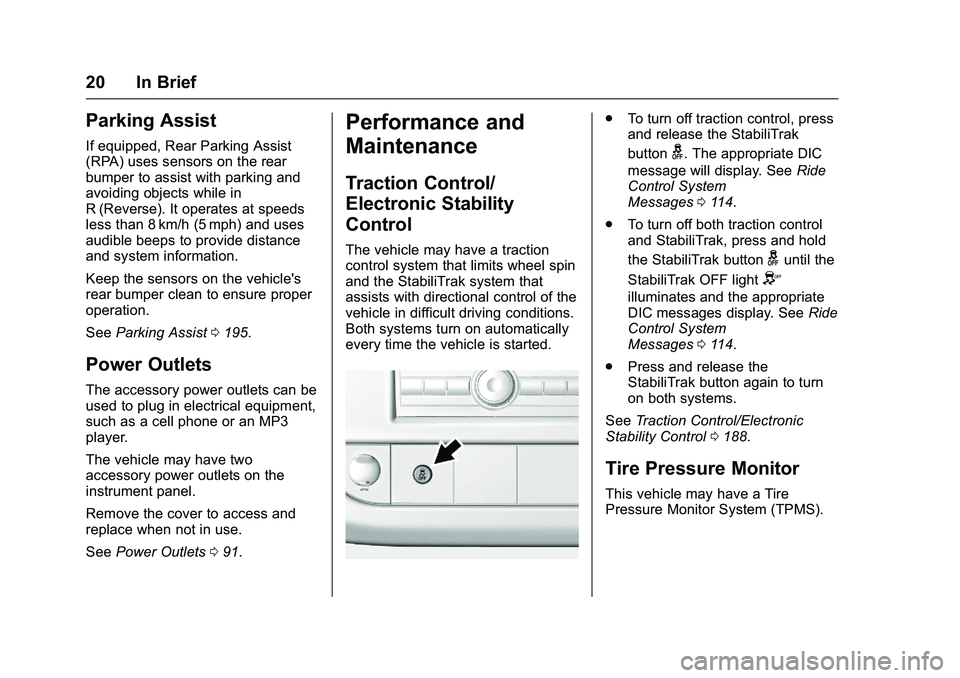
The vehicle may have a traction
control system that limits wheel spin
and the StabiliTrak system that
assists with directional control of the
vehicle in difficult driving conditions.
Both systems turn on automatically
every time the vehicle is started.
.
To turn off traction control, press
and release the StabiliTrak
button
g. The appropriate DIC
message will display. See Ride
Control System
Messages 0114.
. To turn off both traction control
and StabiliTrak, press and hold
the StabiliTrak button
guntil the
StabiliTrak OFF light
Y
illuminates and the appropriate
DIC messages display. See Ride
Control System
Messages 0114.
. Press and release the
StabiliTrak button again to turn
on both systems.
See Traction Control/Electronic
Stability Control 0188.
Tire Pressure Monitor
This vehicle may have a Tire
Pressure Monitor System (TPMS).
Page 22 of 343
GMC Savana Owner Manual (GMNA-Localizing-U.S./Canada-9159232) -
2016 - crc - 11/11/15
In Brief 21
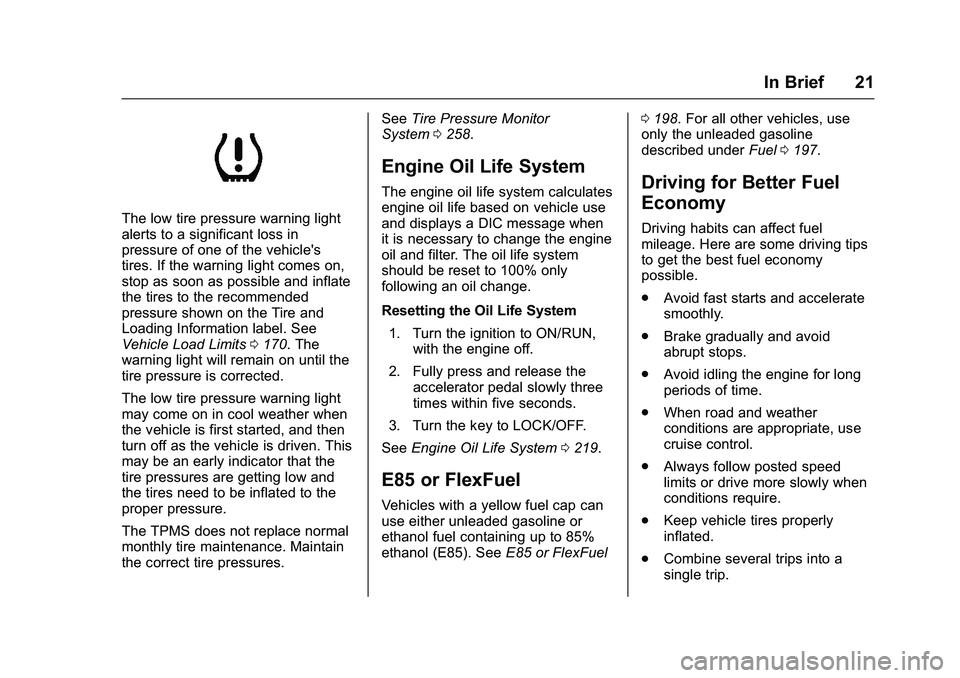
The low tire pressure warning light
alerts to a significant loss in
pressure of one of the vehicle's
tires. If the warning light comes on,
stop as soon as possible and inflate
the tires to the recommended
pressure shown on the Tire and
Loading Information label. See
Vehicle Load Limits0170. The
warning light will remain on until the
tire pressure is corrected.
The low tire pressure warning light
may come on in cool weather when
the vehicle is first started, and then
turn off as the vehicle is driven. This
may be an early indicator that the
tire pressures are getting low and
the tires need to be inflated to the
proper pressure.
The TPMS does not replace normal
monthly tire maintenance. Maintain
the correct tire pressures. See
Tire Pressure Monitor
System 0258.
Engine Oil Life System
The engine oil life system calculates
engine oil life based on vehicle use
and displays a DIC message when
it is necessary to change the engine
oil and filter. The oil life system
should be reset to 100% only
following an oil change.
Resetting the Oil Life System
1. Turn the ignition to ON/RUN, with the engine off.
2. Fully press and release the accelerator pedal slowly three
times within five seconds.
3. Turn the key to LOCK/OFF.
See Engine Oil Life System 0219.
E85 or FlexFuel
Vehicles with a yellow fuel cap can
use either unleaded gasoline or
ethanol fuel containing up to 85%
ethanol (E85). See E85 or FlexFuel 0
198. For all other vehicles, use
only the unleaded gasoline
described under Fuel0197.
Driving for Better Fuel
Economy
Driving habits can affect fuel
mileage. Here are some driving tips
to get the best fuel economy
possible.
.
Avoid fast starts and accelerate
smoothly.
. Brake gradually and avoid
abrupt stops.
. Avoid idling the engine for long
periods of time.
. When road and weather
conditions are appropriate, use
cruise control.
. Always follow posted speed
limits or drive more slowly when
conditions require.
. Keep vehicle tires properly
inflated.
. Combine several trips into a
single trip.
Page 87 of 343
GMC Savana Owner Manual (GMNA-Localizing-U.S./Canada-9159232) -
2016 - crc - 11/11/15
86 Instruments and Controls
Instruments and
Controls
Controls
Steering Wheel Adjustment . . . . 87
Steering Wheel Controls . . . . . . . 87
Horn . . . . . . . . . . . . . . . . . . . . . . . . . . . 88
Windshield Wiper/Washer . . . . . . 88
Compass . . . . . . . . . . . . . . . . . . . . . . 89
Clock . . . . . . . . . . . . . . . . . . . . . . . . . . 90
Power Outlets . . . . . . . . . . . . . . . . . 91
Cigarette Lighter . . . . . . . . . . . . . . . 93
Ashtrays . . . . . . . . . . . . . . . . . . . . . . . 93
Warning Lights, Gauges, and
Indicators
Warning Lights, Gauges, andIndicators . . . . . . . . . . . . . . . . . . . . 93
Instrument Cluster . . . . . . . . . . . . . 94
Speedometer . . . . . . . . . . . . . . . . . . 95
Odometer . . . . . . . . . . . . . . . . . . . . . . 95
Trip Odometer . . . . . . . . . . . . . . . . . 95
Fuel Gauge . . . . . . . . . . . . . . . . . . . . 95
Engine Oil Pressure Gauge . . . . 96
Engine Coolant Temperature Gauge . . . . . . . . . . . . . . . . . . . . . . . . 97
Voltmeter Gauge . . . . . . . . . . . . . . . 97
Safety Belt Reminders . . . . . . . . . 98
Airbag Readiness Light . . . . . . . . 98 Airbag On-Off Light . . . . . . . . . . . . 99
Charging System Light . . . . . . . 100
Malfunction Indicator Lamp
(Check Engine Light) . . . . . . . . 100
Brake System Warning
Light . . . . . . . . . . . . . . . . . . . . . . . . 102
Antilock Brake System (ABS) Warning Light . . . . . . . . . . . . . . . 103
Tow/Haul Mode Light . . . . . . . . . 103
StabiliTrak
®OFF Light . . . . . . . . 103
Traction Control System (TCS)/ StabiliTrak
®Light . . . . . . . . . . . 104
Tire Pressure Light . . . . . . . . . . . 104
Engine Oil Pressure Light . . . . 104
Low Fuel Warning Light . . . . . . 105
Security Light . . . . . . . . . . . . . . . . . 105
High-Beam On Light . . . . . . . . . . 106
Cruise Control Light . . . . . . . . . . 106
Information Displays
Driver Information Center (DIC) . . . . . . . . . . . . . . . . 106
Vehicle Messages
Vehicle Messages . . . . . . . . . . . . 111
Battery Voltage and ChargingMessages . . . . . . . . . . . . . . . . . . . 111
Brake System Messages . . . . . 111
Compass Messages . . . . . . . . . . 111
Door Ajar Messages . . . . . . . . . . 111 Engine Cooling System
Messages . . . . . . . . . . . . . . . . . . . 112
Engine Oil Messages . . . . . . . . . 113
Engine Power Messages . . . . . 113
Fuel System Messages . . . . . . . 113
Key and Lock Messages . . . . . . 114
Lamp Messages . . . . . . . . . . . . . . 114
Object Detection System Messages . . . . . . . . . . . . . . . . . . . 114
Ride Control System Messages . . . . . . . . . . . . . . . . . . . 114
Airbag System Messages . . . . . 115
Security Messages . . . . . . . . . . . 116
Service Vehicle Messages . . . . 116
Tire Messages . . . . . . . . . . . . . . . . 116
Transmission Messages . . . . . . 117
Vehicle Reminder Messages . . . . . . . . . . . . . . . . . . . 118
Vehicle Personalization
Vehicle Personalization . . . . . . . 118
Page 105 of 343
GMC Savana Owner Manual (GMNA-Localizing-U.S./Canada-9159232) -
2016 - crc - 11/11/15
104 Instruments and Controls
SeeTraction Control/Electronic
Stability Control 0188.
Traction Control System
(TCS)/StabiliTrak®Light
This light comes on briefly when the
engine is started.
If the light does not come on, have
the vehicle serviced by your dealer.
If the system is working normally,
the indicator light turns off.
If the light is on and not flashing, the
TCS and potentially the StabiliTrak
system have been disabled.
A Driver Information Center (DIC)
message may display. Check the
DIC messages to determine which
feature(s) is no longer functioning
and whether the vehicle requires
service. If the light is on and flashing, the
TCS and/or the StabiliTrak system
is actively working.
See
Traction Control/Electronic
Stability Control 0188.
Tire Pressure Light
For vehicles with the Tire Pressure
Monitor System (TPMS), this light
comes on briefly when the engine is
started. It provides information
about tire pressures and the TPMS.
When the Light Is On Steady
This indicates that one or more of
the tires are significantly
underinflated.
A Driver Information Center (DIC)
tire pressure message may also
display. See Tire Messages 0116.
Stop as soon as possible, and
inflate the tires to the pressure value shown on the Tire and Loading
Information label. See
Tire
Pressure 0256.
When the Light Flashes First and
Then Is On Steady
If the light flashes for about a minute
and then stays on, there may be a
problem with the TPMS. If the
problem is not corrected, the light
will come on at every ignition cycle.
See Tire Pressure Monitor
Operation 0259.Engine Oil Pressure Light
Caution
Lack of proper engine oil
maintenance can damage the
engine. Driving with the engine oil
low can also damage the engine.
The repairs would not be covered
by the vehicle warranty. Check
the oil level as soon as possible.
Add oil if required, but if the oil
level is within the operating range
and the oil pressure is still low,
(Continued)
Page 108 of 343
GMC Savana Owner Manual (GMNA-Localizing-U.S./Canada-9159232) -
2016 - crc - 11/11/15
Instruments and Controls 107
The buttons are the trip/fuel, vehicle
information, customization, and set/
reset buttons. The button functions
are detailed in the following pages.
3(Trip/Fuel) :Press this button
to display the odometer, trip
odometers, fuel range, average
economy, fuel used, timer, average
speed, and digital tachometer.
T(Vehicle Information) : Press
this button to display the oil life, rear
park assist, units, tire pressure
readings for vehicles with the Tire
Pressure Monitor System (TPMS),
engine hours, Tire Pressure Monitor
System (TPMS) programming for
vehicles with the TPMS and without
a Remote Keyless Entry (RKE)
transmitter, and compass zone and
compass calibration on vehicles
with this feature.
U(Customization) : Press this
button to customize the feature
settings on the vehicle. See Vehicle
Personalization 0118 for more
information.
V(Set/Reset) : Press this button to
set or reset certain functions and to
turn off or acknowledge messages
on the DIC.
Trip/Fuel Menu Items
3(Trip/Fuel) : Press this button
to scroll through the following menu
items:
Odometer
Press
3until XX km (mi)
displays. This display shows the
distance the vehicle has been
driven in either kilometers (km) or
miles (mi).
Trip Odometers
Press
3until A or B displays.
This display shows the current
distance traveled in either
kilometers (km) or miles (mi) since
the last reset for each trip odometer.
Both trip odometers can be used at
the same time.
Each trip odometer can be reset to
zero separately by pressing
Vwhile
the desired trip odometer is
displayed. The trip odometer has a feature
called the retro-active reset. This
can be used to set the trip odometer
to the number of kilometers (miles)
driven since the ignition was last
turned on. This can be used if the
trip odometer is not reset at the
beginning of the trip.
To use the retro-active reset feature,
press and hold
Vfor at least
four seconds. The trip odometer will
display the number of
kilometers (km) or miles (mi) driven
since the ignition was last turned on
and the vehicle was moving. Once
the vehicle begins moving, the trip
odometer will accumulate mileage.
For example, if the vehicle was
driven 8 km (5 miles) before it is
started again, and then the
retro-active reset feature is
activated, the display will show 8 km
(5 miles). As the vehicle begins
moving, the display will then
increase to 8.1 km (5.1 miles),
8.2 km (5.2 miles), etc.
If the retro-active reset feature is
activated after the vehicle is started,
but before it begins moving, the
Page 111 of 343
GMC Savana Owner Manual (GMNA-Localizing-U.S./Canada-9159232) -
2016 - crc - 11/11/15
110 Instruments and Controls
Tire Pressure
If the vehicle has the Tire Pressure
Monitor System (TPMS), the
pressure for each tire can be viewed
in the DIC. The tire pressure will be
shown in either kilopascals (kPa) or
pounds per square inch (psi). Press
Tuntil the DIC displays FRONT
TIRES PSI (kPa) LEFT ##
RIGHT ##. Press
Tagain until the
DIC displays REAR TIRES
PSI (kPa) LEFT ## RIGHT ##.
If a low tire pressure condition is
detected by the system while
driving, a message advising you to
check the pressure in a specific tire
will appear in the display. See Tire
Pressure 0116 and Tire
Messages 0116.
If the tire pressure display shows
dashes instead of a value, there
may be a problem with the vehicle.
If this consistently occurs, see your
dealer for service. Engine Hours
Press
Tuntil ENGINE HOURS
displays. This display shows the
total number of hours the engine
has run.
Relearn Tire Positions
The vehicle may have this display.
To access this display, the vehicle
must be in P (Park). If the vehicle
has the Tire Pressure Monitor
System (TPMS), after rotating the
tires or after replacing a tire or
sensor, the system must re-learn the
tire positions. To re-learn the tire
positions, see Tire Pressure Monitor
System 0258. See Tire Inspection
0 262, Tire Rotation 0262 andTire
Messages 0116.
Change Compass Zone
The vehicle may have this feature.
To change the compass zone
through the DIC, see
Compass 089. Calibrate Compass
The vehicle may have this feature.
The compass can be manually
calibrated. To calibrate the compass
through the DIC, see
Compass
089.
Blank Display
This display shows no information.
Page 117 of 343
GMC Savana Owner Manual (GMNA-Localizing-U.S./Canada-9159232) -
2016 - crc - 11/11/15
116 Instruments and Controls
Security Messages
SERVICE THEFT DETERRENT
SYSTEM
This message displays when there
is a problem with the theft-deterrent
system. The vehicle may or may not
restart so you may want to take the
vehicle to your dealer before turning
off the engine. SeeImmobilizer
Operation 033 for more information.
WAIT TO START
This message displays briefly when
the theft-deterrent system has
initially found incorrect conditions
within the vehicle and is making a
double check. If your vehicle does
not start soon after, try to start it
again. If it still does not start, have
your vehicle serviced by your
dealer.
Service Vehicle Messages
SERVICE A/C SYSTEM
This message displays when the
electronic sensors that control the
air conditioning and heating
systems are no longer working. Have the climate control system
serviced by your dealer if you notice
a drop in heating and air
conditioning efficiency.
SERVICE VEHICLE SOON
This message displays when a
non-emissions related malfunction
occurs. Have the vehicle serviced
by your dealer as soon as possible.
STARTING DISABLED
SERVICE THROTTLE
This message displays if the starting
of the engine is disabled due to the
electronic throttle control system.
Have the vehicle serviced by your
dealer immediately.
This message only appears while
the ignition is in ON/RUN, and will
not disappear until the problem is
resolved.
This message cannot be
acknowledged.
Tire Messages
CHECK TIRE PRESSURE or
TIRE LOW ADD AIR TO TIRE
If the vehicle has the Tire Pressure
Monitor System (TPMS), this
message displays when the
pressure in one or more of the tires
is low. The low tire pressure warning
light will also come on. See
Tire
Pressure Light 0104. This message
will also indicate which tire needs to
be checked. You can receive more
than one tire pressure message at a
time. To read the other messages
that may have been sent at the
same time, press the set/reset
button. If a tire pressure message
appears on the DIC, stop as soon
as you can. Have the tire pressures
checked and set to those shown on
the Tire Loading Information label.
See Tires 0249, Vehicle Load
Limits 0170, and Tire Pressure
0 256. The DIC also shows the tire
pressure values. See Driver
Information Center (DIC) 0106.
Page 118 of 343
GMC Savana Owner Manual (GMNA-Localizing-U.S./Canada-9159232) -
2016 - crc - 11/11/15
Instruments and Controls 117
SERVICE TIRE MONITOR
SYSTEM
If the vehicle has the Tire Pressure
Monitor System (TPMS), this
message displays if a part on the
system is not working properly. The
tire pressure light also flashes and
then remains on during the same
ignition cycle. SeeTire Pressure
Light 0104. Several conditions may
cause this message to appear. See
Tire Pressure Monitor Operation
0 259 for more information. If the
warning comes on and stays on,
there may be a problem with the
TPMS. See your dealer.
TIRE LEARNING ACTIVE
If the vehicle has the Tire Pressure
Monitor System (TPMS), this
message displays when the system
is re-learning the tire positions on
the vehicle. See Driver Information
Center (DIC) 0106 for more
information. The tire positions must
be re-learned after rotating the tires
or after replacing a tire or sensor. See
Tire Inspection 0262, Tire
Rotation 0262, Tire Pressure
Monitor Operation 0259, and Tire
Pressure 0256 for more
information.
Transmission Messages
GRADE BRAKING DISABLED
This message displays when the
grade braking has been disabled
with the Tow/Haul Mode button on
the end of the shift lever. See Tow/
Haul Mode 0186, Automatic
Transmission 0182, and Cruise
Control 0190.
GRADE BRAKING ENABLED
This message displays when the
grade braking has been enabled
with the Tow/Haul Mode button on
the end of the shift lever. See Tow/
Haul Mode 0186, Automatic
Transmission 0182, and Cruise
Control 0190.
GRADE BRAKING ON
This message displays when the
grade braking has been activated
while driving on downhill grades.
This message will only appear the
first time the feature is activated in
an ignition cycle. See Tow/Haul
Mode 0186, Automatic
Transmission 0182, and Cruise
Control 0190.
SERVICE TRANSMISSION
This message displays when there
is a problem with the transmission.
See your dealer for service.
TRANSMISSION HOT IDLE
ENGINE
Caution
Do not drive the vehicle while the
transmission fluid is overheating,
or the transmission can be
damaged. This could lead to
costly repairs that would not be
covered by the warranty.