instrument panel GMC SIERRA 1500 2006 User Guide
[x] Cancel search | Manufacturer: GMC, Model Year: 2006, Model line: SIERRA 1500, Model: GMC SIERRA 1500 2006Pages: 600, PDF Size: 3.35 MB
Page 93 of 600
Q:What if I added a snow plow? Will it keep the
airbags from working properly?
A:We have designed our airbag systems to work
properly under a wide range of conditions,
including snow plowing with vehicles equipped with
the optional Snow Plow Prep Package (RPO
VYU). But do not change or defeat the snow plow’s
“tripping mechanism.” If you do, it can damage
your snow plow and your vehicle, and it may cause
an airbag ination.
Q:Because I have a disability, I have to get my
vehicle modied. How can I nd out whether
this will affect my advanced airbag system?
A:Changing or moving any parts of the front seats,
safety belts, the airbag sensing and diagnostic
module (located under the driver’s seat), or
the inside rearview mirror can affect the operation
of the advanced airbag system. If you have
questions, call Customer Assistance. The phone
numbers and addresses for Customer Assistance
are in Step Two of the Customer Satisfaction
Procedure in this manual. SeeCustomer
Satisfaction Procedure on page 7-2.
Restraint System Check
Checking the Restraint Systems
Now and then, make sure the safety belt reminder light
and all your belts, buckles, latch plates, retractors
and anchorages are working properly. Look for any other
loose or damaged safety belt system parts. If you see
anything that might keep a safety belt system from doing
its job, have it repaired.
Torn or frayed safety belts may not protect you in a
crash. They can rip apart under impact forces. If a belt
is torn or frayed, get a new one right away.
Also look for any opened or broken airbag covers, and
have them repaired or replaced. (The airbag system
does not need regular maintenance.)
Notice:If you damage the covering for the driver’s
or the right front passenger’s airbag, the airbag
may not work properly. You may have to replace the
airbag module in the steering wheel or both the
airbag module and the instrument panel for the right
front passenger’s airbag. Do not open or break
the airbag coverings.
1-87
Page 113 of 600
Theft-Deterrent Systems
Vehicle theft is big business, especially in some cities.
Although your vehicle has a number of theft-deterrent
features, we know that nothing we put on it can make
it impossible to steal.
Content Theft-Deterrent
Your vehicle may be equipped with a content
theft-deterrent alarm system.
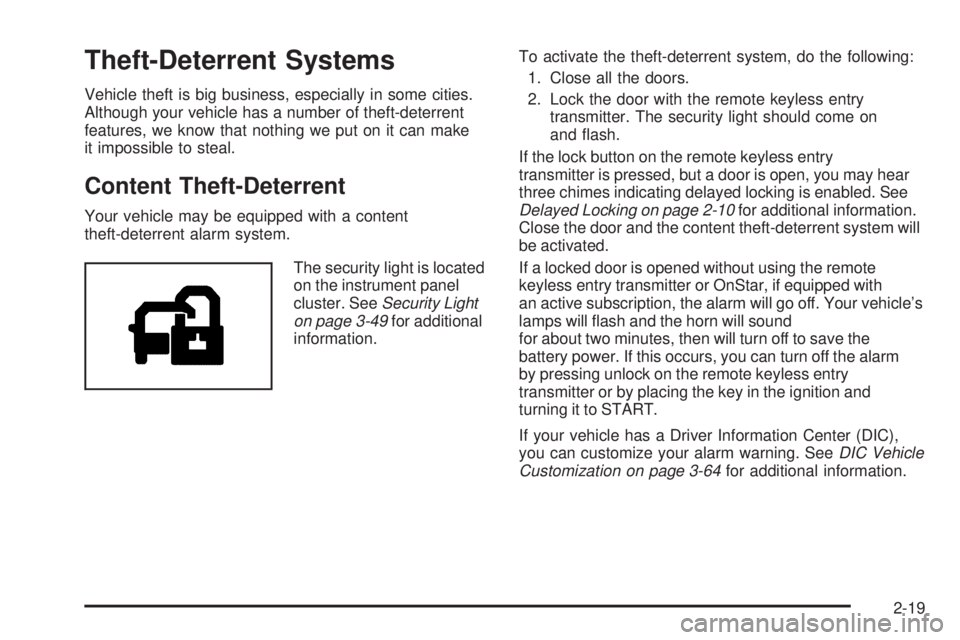
The security light is located
on the instrument panel
cluster. SeeSecurity Light
on page 3-49for additional
information.To activate the theft-deterrent system, do the following:
1. Close all the doors.
2. Lock the door with the remote keyless entry
transmitter. The security light should come on
and ash.
If the lock button on the remote keyless entry
transmitter is pressed, but a door is open, you may hear
three chimes indicating delayed locking is enabled. See
Delayed Locking on page 2-10for additional information.
Close the door and the content theft-deterrent system will
be activated.
If a locked door is opened without using the remote
keyless entry transmitter or OnStar, if equipped with
an active subscription, the alarm will go off. Your vehicle’s
lamps will ash and the horn will sound
for about two minutes, then will turn off to save the
battery power. If this occurs, you can turn off the alarm
by pressing unlock on the remote keyless entry
transmitter or by placing the key in the ignition and
turning it to START.
If your vehicle has a Driver Information Center (DIC),
you can customize your alarm warning. SeeDIC Vehicle
Customization on page 3-64for additional information.
2-19
Page 114 of 600
The horn may chirp for 10 seconds before the alarm
goes off if the theft-deterrent system is activated using
the remote keyless entry transmitter and the driver’s door
is opened. If this occurs, you can turn off the alarm by
pressing unlock on the remote keyless entry transmitter
or by placing the key in the ignition and turning it to
START.
Here is how to avoid setting off the alarm by accident:
If you do not want to activate the theft-deterrent
system, the vehicle should be locked with the
door key after the doors are closed.
Always unlock a door with the remote keyless entry
transmitter.
If you set off the alarm by accident, turn off the alarm by
pressing unlock on the remote keyless entry transmitter
or by placing the key in the ignition and turning it to
START.
Testing the Alarm
The alarm can be tested by following these steps:
1. From inside the vehicle, activate the system by
locking the doors with the remote keyless entry
transmitter.
2. Wait for the security light to go out.
3. Unlock the door with the manual door lock and
open the door. This should set off the alarm.
4. Turn off the alarm by pressing unlock on the remote
keyless entry transmitter or by placing the key in
the ignition and turning it to START.
If the alarm does not sound when it should, but the
vehicle’s headlamps ash, check to see if the horn
works. The horn fuse may be blown. To replace the
fuse, seeInstrument Panel Fuse Block on page 5-124
andUnderhood Fuse Block on page 5-127.
If the alarm does not sound or the vehicle’s headlamps
do not ash, see your dealer for service.
2-20
Page 120 of 600
Automatic Transmission Operation
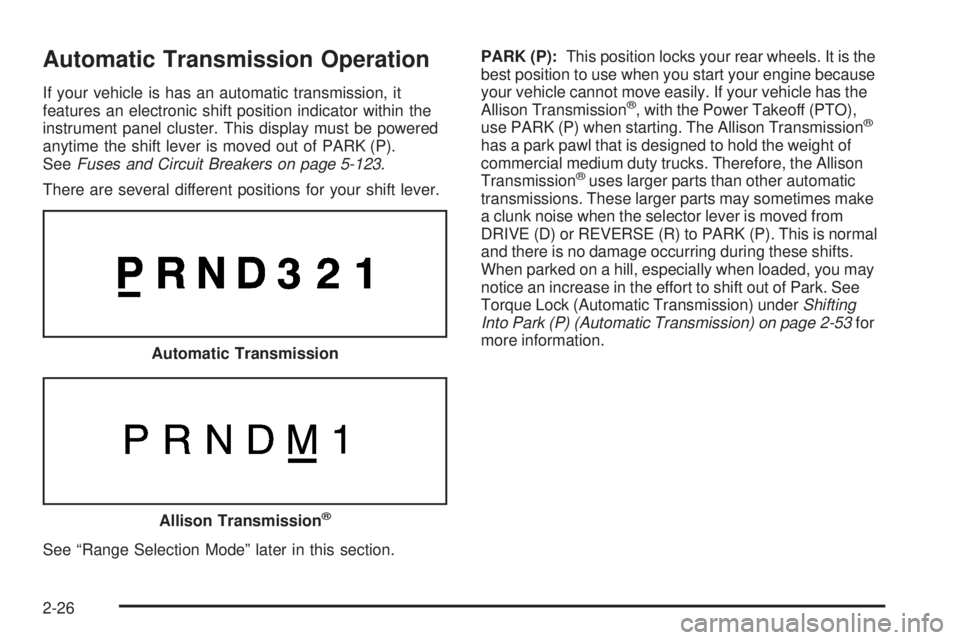
If your vehicle is has an automatic transmission, it
features an electronic shift position indicator within the
instrument panel cluster. This display must be powered
anytime the shift lever is moved out of PARK (P).
SeeFuses and Circuit Breakers on page 5-123.
There are several different positions for your shift lever.
See “Range Selection Mode” later in this section.PARK (P):This position locks your rear wheels. It is the
best position to use when you start your engine because
your vehicle cannot move easily. If your vehicle has the
Allison Transmission®, with the Power Takeoff (PTO),
use PARK (P) when starting. The Allison Transmission®
has a park pawl that is designed to hold the weight of
commercial medium duty trucks. Therefore, the Allison
Transmission
®uses larger parts than other automatic
transmissions. These larger parts may sometimes make
a clunk noise when the selector lever is moved from
DRIVE (D) or REVERSE (R) to PARK (P). This is normal
and there is no damage occurring during these shifts.
When parked on a hill, especially when loaded, you may
notice an increase in the effort to shift out of Park. See
Torque Lock (Automatic Transmission) underShifting
Into Park (P) (Automatic Transmission) on page 2-53for
more information.
Automatic Transmission
Allison Transmission®
2-26
Page 125 of 600
Cold Weather Operation
(Allison Transmission®)
On cold days, approximately 32°F (0°C) or colder, your
automatic transmission is designed to shift differently.
The transmission uses a warm-up mode shift schedule
until the engine reaches normal operating temperature.
While the transmission is in warm-up mode it is normal for
transmission upshifts to be delayed or held longer. This
feature improves heater performance by giving quicker
vehicle warm-ups.
When temperatures are below−13°F (−25°C), the
transmission will prevent certain operations to protect
against damage. When active the DIC will display
the message “Trans in Warm-up”.
SeeDIC Warnings and Messages on page 3-55for
more information.
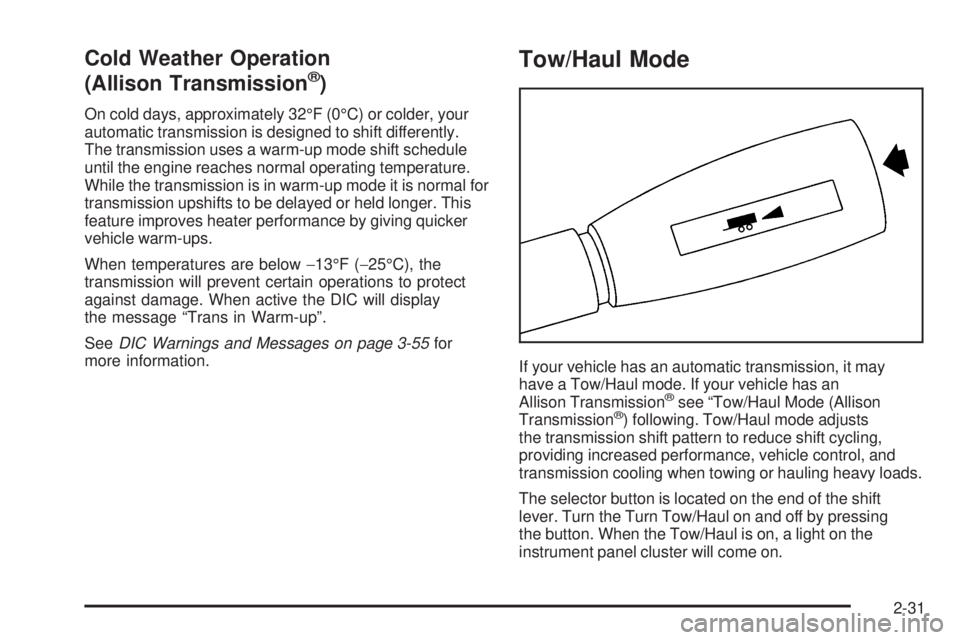
Tow/Haul Mode
If your vehicle has an automatic transmission, it may
have a Tow/Haul mode. If your vehicle has an
Allison Transmission
®see “Tow/Haul Mode (Allison
Transmission®) following. Tow/Haul mode adjusts
the transmission shift pattern to reduce shift cycling,
providing increased performance, vehicle control, and
transmission cooling when towing or hauling heavy loads.
The selector button is located on the end of the shift
lever. Turn the Turn Tow/Haul on and off by pressing
the button. When the Tow/Haul is on, a light on the
instrument panel cluster will come on.
2-31
Page 126 of 600
SeeTow/Haul Mode Light on page 3-50for more
information.
If your vehicle is equipped with the Performance
Package-Enhanced Towing, activating the manual
selectable ride will adjust the shock absorber
characteristics to enhance the ride and handling of the
vehicle for towing or hauling heavy loads.
Also see Tow Haul Mode underTowing a Trailer on
page 4-67for more information.
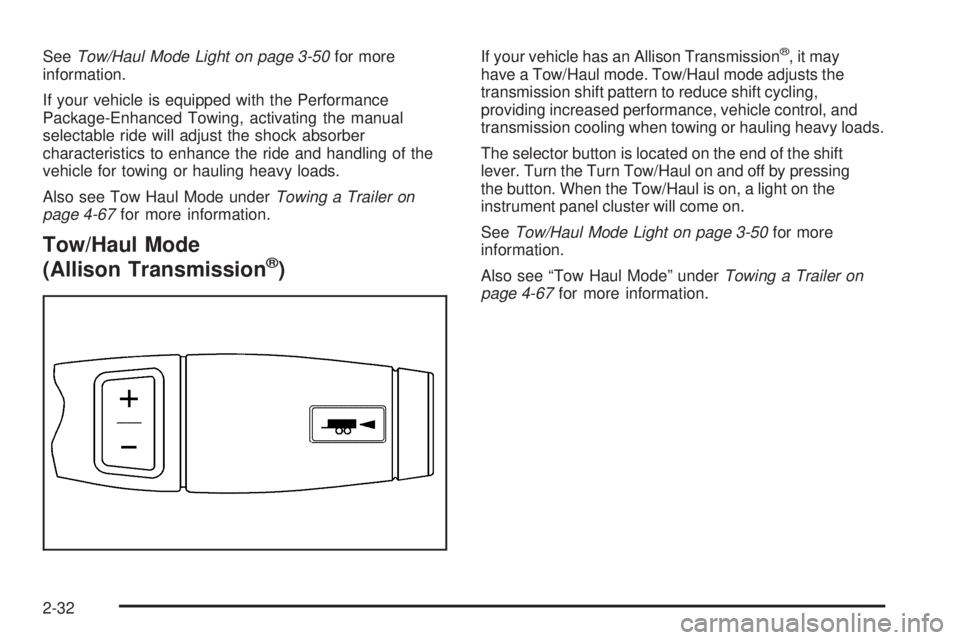
Tow/Haul Mode
(Allison Transmission®)
If your vehicle has an Allison Transmission®,itmay
have a Tow/Haul mode. Tow/Haul mode adjusts the
transmission shift pattern to reduce shift cycling,
providing increased performance, vehicle control, and
transmission cooling when towing or hauling heavy loads.
The selector button is located on the end of the shift
lever. Turn the Turn Tow/Haul on and off by pressing
the button. When the Tow/Haul is on, a light on the
instrument panel cluster will come on.
SeeTow/Haul Mode Light on page 3-50for more
information.
Also see “Tow Haul Mode” underTowing a Trailer on
page 4-67for more information.
2-32
Page 136 of 600
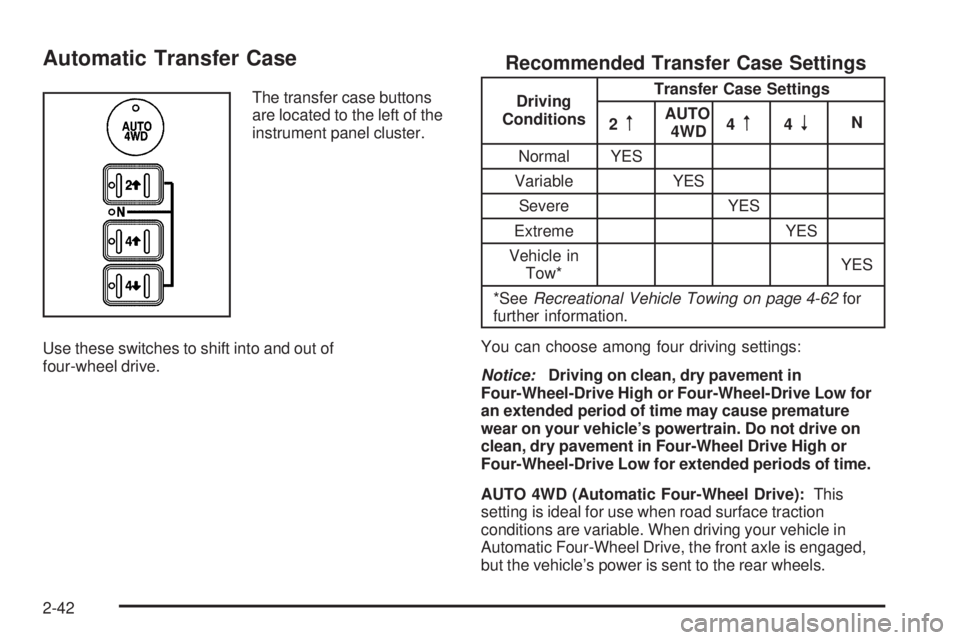
Automatic Transfer Case
The transfer case buttons
are located to the left of the
instrument panel cluster.
Use these switches to shift into and out of
four-wheel drive.
Recommended Transfer Case Settings
Driving
ConditionsTransfer Case Settings
2
mAUTO
4WD4m4nN
Normal YES
Variable YES
Severe YES
Extreme YES
Vehicle in
Tow*YES
*SeeRecreational Vehicle Towing on page 4-62for
further information.
You can choose among four driving settings:
Notice:Driving on clean, dry pavement in
Four-Wheel-Drive High or Four-Wheel-Drive Low for
an extended period of time may cause premature
wear on your vehicle’s powertrain. Do not drive on
clean, dry pavement in Four-Wheel Drive High or
Four-Wheel-Drive Low for extended periods of time.
AUTO 4WD (Automatic Four-Wheel Drive):This
setting is ideal for use when road surface traction
conditions are variable. When driving your vehicle in
Automatic Four-Wheel Drive, the front axle is engaged,
but the vehicle’s power is sent to the rear wheels.
2-42
Page 140 of 600
7. If the engine is running, shift the transmission to
REVERSE (R) for one second, then shift the
transmission to DRIVE (D) for one second, or
FIRST (1) for vehicles equipped with a manual
transmission.
8. Turn the engine off, by turning the key to
ACCESSORY.
9. Place the transmission shift lever in PARK (P).
10. Turn the ignition to LOCK.
Shifting Out of NEUTRAL
To shift out of NEUTRAL:
1. Set the parking brake and apply the regular brake
pedal.
2. Turn the ignition to RUN with the engine off.
3. Shift the transmission to NEUTRAL (N).
4. Press the button for the desired transfer case
shift position (Two-Wheel High, Four-Wheel
High, AUTO 4WD, or Four-Wheel Low).
5. After the transfer case has shifted out of NEUTRAL
the red light will go out.
6. Release the parking brake.
7. You may start the engine and shift the transmission
to the desired position.Excessively shifting the transfer case into or out of the
different modes may cause the transfer case to enter the
shift protection mode. This will protect the transfer case
from possible damage and will only allow the transfer
case to respond to one shift per 10 seconds. The transfer
case may stay in this mode for up to three minutes.
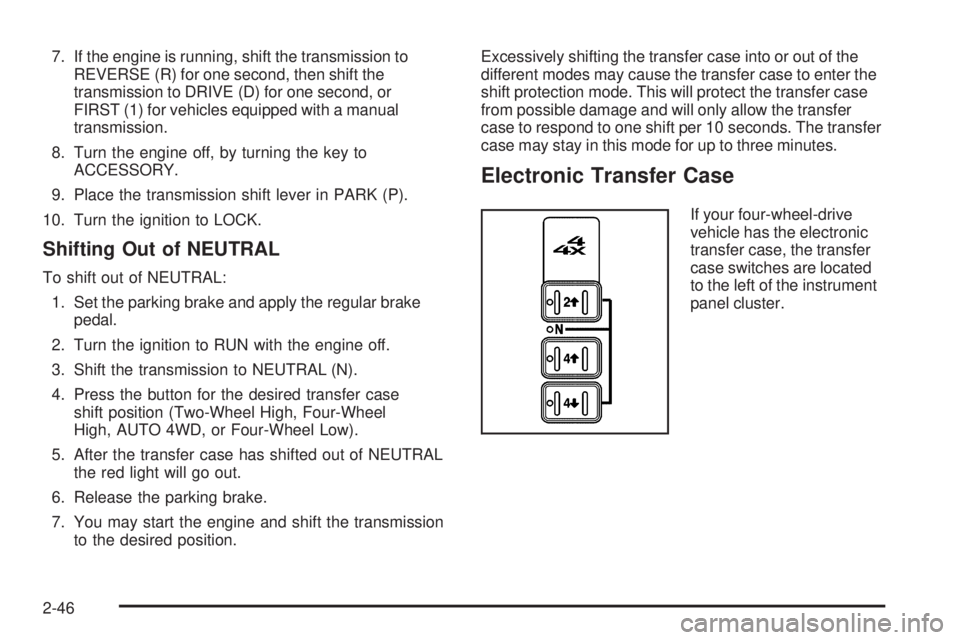
Electronic Transfer Case
If your four-wheel-drive
vehicle has the electronic
transfer case, the transfer
case switches are located
to the left of the instrument
panel cluster.
2-46
Page 179 of 600
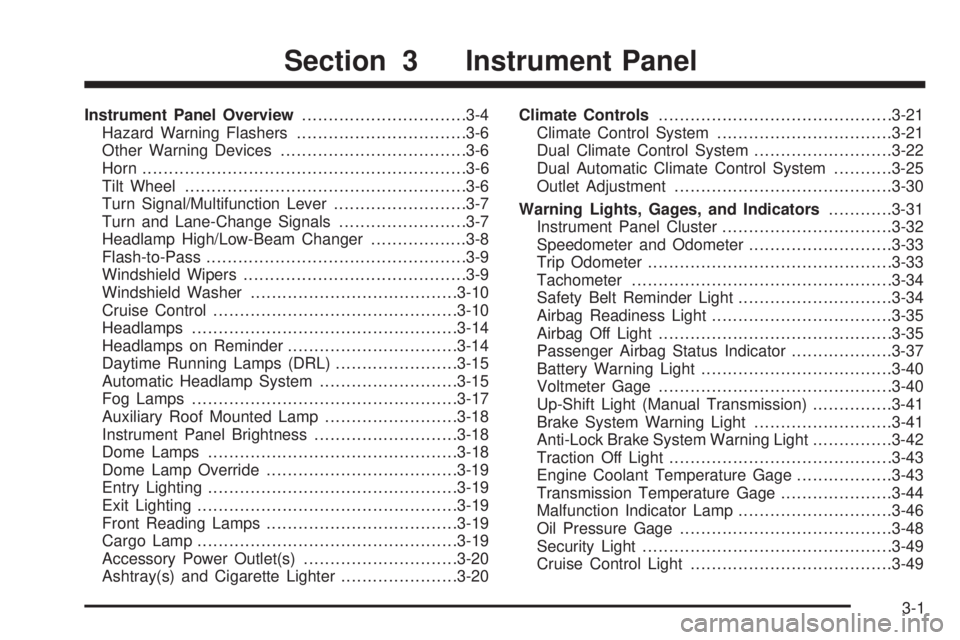
Instrument Panel Overview...............................3-4
Hazard Warning Flashers................................3-6
Other Warning Devices...................................3-6
Horn.............................................................3-6
Tilt Wheel.....................................................3-6
Turn Signal/Multifunction Lever.........................3-7
Turn and Lane-Change Signals........................3-7
Headlamp High/Low-Beam Changer..................3-8
Flash-to-Pass.................................................3-9
Windshield Wipers..........................................3-9
Windshield Washer.......................................3-10
Cruise Control..............................................3-10
Headlamps..................................................3-14
Headlamps on Reminder................................3-14
Daytime Running Lamps (DRL).......................3-15
Automatic Headlamp System..........................3-15
Fog Lamps..................................................3-17
Auxiliary Roof Mounted Lamp.........................3-18
Instrument Panel Brightness...........................3-18
Dome Lamps...............................................3-18
Dome Lamp Override....................................3-19
Entry Lighting...............................................3-19
Exit Lighting.................................................3-19
Front Reading Lamps....................................3-19
Cargo Lamp.................................................3-19
Accessory Power Outlet(s).............................3-20
Ashtray(s) and Cigarette Lighter......................3-20Climate Controls............................................3-21
Climate Control System.................................3-21
Dual Climate Control System..........................3-22
Dual Automatic Climate Control System...........3-25
Outlet Adjustment.........................................3-30
Warning Lights, Gages, and Indicators............3-31
Instrument Panel Cluster................................3-32
Speedometer and Odometer...........................3-33
Trip Odometer..............................................3-33
Tachometer.................................................3-34
Safety Belt Reminder Light.............................3-34
Airbag Readiness Light..................................3-35
Airbag Off Light............................................3-35
Passenger Airbag Status Indicator...................3-37
Battery Warning Light....................................3-40
Voltmeter Gage............................................3-40
Up-Shift Light (Manual Transmission)...............3-41
Brake System Warning Light..........................3-41
Anti-Lock Brake System Warning Light...............3-42
Traction Off Light..........................................3-43
Engine Coolant Temperature Gage..................3-43
Transmission Temperature Gage.....................3-44
Malfunction Indicator Lamp.............................3-46
Oil Pressure Gage........................................3-48
Security Light...............................................3-49
Cruise Control Light......................................3-49
Section 3 Instrument Panel
3-1
Page 180 of 600
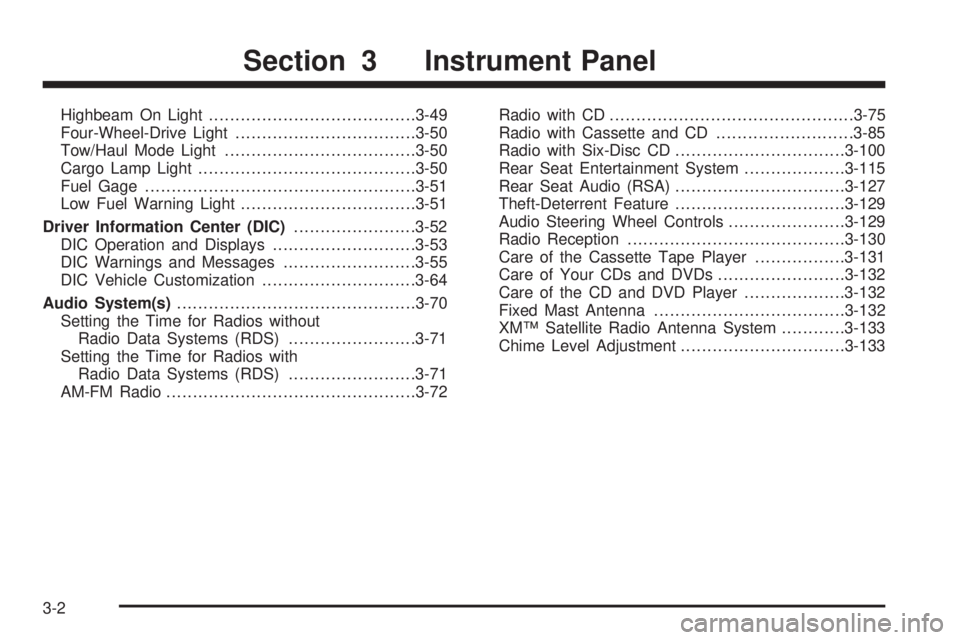
Highbeam On Light.......................................3-49
Four-Wheel-Drive Light..................................3-50
Tow/Haul Mode Light....................................3-50
Cargo Lamp Light.........................................3-50
Fuel Gage...................................................3-51
Low Fuel Warning Light.................................3-51
Driver Information Center (DIC).......................3-52
DIC Operation and Displays...........................3-53
DIC Warnings and Messages.........................3-55
DIC Vehicle Customization.............................3-64
Audio System(s).............................................3-70
Setting the Time for Radios without
Radio Data Systems (RDS)........................3-71
Setting the Time for Radios with
Radio Data Systems (RDS)........................3-71
AM-FM Radio...............................................3-72Radio with CD..............................................3-75
Radio with Cassette and CD..........................3-85
Radio with Six-Disc CD................................3-100
Rear Seat Entertainment System...................3-115
Rear Seat Audio (RSA)................................3-127
Theft-Deterrent Feature................................3-129
Audio Steering Wheel Controls......................3-129
Radio Reception.........................................3-130
Care of the Cassette Tape Player.................3-131
Care of Your CDs and DVDs........................3-132
Care of the CD and DVD Player...................3-132
Fixed Mast Antenna....................................3-132
XM™ Satellite Radio Antenna System............3-133
Chime Level Adjustment...............................3-133
Section 3 Instrument Panel
3-2