set clock GMC SIERRA 1500 2009 Owners Manual
[x] Cancel search | Manufacturer: GMC, Model Year: 2009, Model line: SIERRA 1500, Model: GMC SIERRA 1500 2009Pages: 602, PDF Size: 3.22 MB
Page 143 of 602
Shifting into Neutral
To shift the transfer case to N (Neutral) do the following:
1. Make sure the vehicle is parked so that it will not roll.
2. Set the parking brake and press and hold the
regular brake pedal. SeeParking Brake on
page 2-50for more information.
3. Start the vehicle or turn the ignition to ON/RUN.
4. Shift the transmission to N (Neutral).
5. Shift the transfer case to Two-Wheel-Drive High.
6. Turn the transfer case dial clockwise to N (Neutral)
until it stops and hold it there until the Neutral light
starts blinking. This will take at least 10 seconds.
Then slowly release the dial to the four low position.
The N (Neutral) light will come on when the
transfer case shift to N (Neutral) is complete.
7. If the engine is running, verify that the transfer case
is in N (Neutral) by shifting the transmission to
R (Reverse) for one second, then shift the
transmission to D (Drive) for one second.
8. Turn the ignition to ACC/ACCESSORY, which will
turn the engine off.
9. Place the transmission shift lever in P (Park).
10. Release the parking brake prior to moving the
vehicle.
11. Turn the ignition to LOCK/OFF.
Shifting Out of Neutral
To shift the transfer case out of N (Neutral) do the
following:
1. Set the parking brake and apply the regular brake
pedal.
2. Turn the ignition to ON/RUN with the engine off,
and shift the transmission to N (Neutral).
3. Turn the transfer case dial to Two-Wheel-Drive High.
After the transfer case has shifted out of N (Neutral),
the N (Neutral) light will go out.
4. Release the parking brake prior to moving the
vehicle.
Notice:Shifting the transmission into gear before
the requested mode indicator light has stopped
ashing could damage the transfer case. To help
avoid damaging the vehicle, always wait for the mode
indicator lights to stop ashing before shifting the
transmission into gear.
5. Start the engine and shift the transmission to the
desired position.
Excessively shifting the transfer case into or out of the
different modes may cause the transfer case to enter the
shift protection mode. This will protect the transfer case
from possible damage and will only allow the transfer
case to respond to one shift per 10 seconds. The transfer
case may stay in this mode for up to three minutes.
2-45
Page 147 of 602
Shifting into Neutral
To shift the transfer case to N (Neutral) do the following:
1. Make sure the vehicle is parked so that it will not roll.
2. Set the parking brake and apply the regular brake
pedal. SeeParking Brake on page 2-50for more
information.
3. Start the vehicle or turn the ignition to ON/RUN.
4. Put the transmission in N (Neutral).
5. Shift the transfer case to Two-Wheel Drive High.
6. Turn the transfer case dial clockwise to N (Neutral)
until it stops and hold it there until the N (Neutral)
light starts blinking. This will take at least
10 seconds. Then slowly release the dial to the four
low position. The N (Neutral) light will come on when
the transfer case shift to N (Neutral) is complete.
7. If the engine is running, make sure that the transfer
case is in N (Neutral) by shifting the transmission
to R (Reverse) for one second, then shift the
transmission to D (Drive) for one second.
8. Turn the ignition to ACC/ACCESSORY, which will
turn the engine off.
9. Place the transmission shift lever in P (Park).
10. Release the parking brake prior to moving the
vehicle.
11. Turn the ignition to LOCK/OFF.
Shifting Out of Neutral
To shift out of N (Neutral) do the following:
1. Set the parking brake and apply the regular brake
pedal.
2. Turn the ignition to ON/RUN with the engine off,
and shift the transmission to N (Neutral).
3. Turn the transfer case dial to Two-Wheel-Drive
High, Four-Wheel-Drive High, AUTO.
After the transfer case has shifted out of N (Neutral),
the N (Neutral) light will go out.
4. Release the parking brake prior to moving the
vehicle.
Notice:Shifting the transmission into gear before
the requested mode indicator light has stopped
ashing could damage the transfer case. To help
avoid damaging the vehicle, always wait for the mode
indicator lights to stop ashing before shifting the
transmission into gear.
5. Start the engine and shift the transmission to the
desired position.
2-49
Page 186 of 602
StabiliTrak®Indicator Light.............................3-44
Engine Coolant Temperature Gage
(US-Canada).............................................3-44
Tire Pressure Light.......................................3-45
Malfunction Indicator Lamp.............................3-45
Oil Pressure Gage (US-Canada).....................3-48
Oil Pressure Light.........................................3-49
Security Light...............................................3-50
Fog Lamp Light............................................3-50
Cruise Control Light......................................3-50
Highbeam On Light.......................................3-50
Four-Wheel-Drive Light..................................3-51
Tow/Haul Mode Light....................................3-51
Fuel Gage...................................................3-51
Low Fuel Warning Light.................................3-52
Driver Information Center (DIC).......................3-53
DIC Operation and Displays
(With DIC Buttons)....................................3-53
DIC Operation and Displays
(Without DIC Buttons)................................3-59DIC Compass..............................................3-63
DIC Warnings and Messages.........................3-66
DIC Vehicle Customization
(With DIC Buttons)....................................3-75
Audio System(s).............................................3-84
Setting the Clock..........................................3-85
Radio(s)......................................................3-87
Using an MP3 (Radio with CD or
Six-Disc CD Player).................................3-106
Using an MP3 (Radio with CD and
DVD Player)...........................................3-111
XM Radio Messages...................................3-117
Navigation/Radio System..............................3-118
Bluetooth
®.................................................3-118
Rear Seat Entertainment (RSE) System.........3-129
Rear Seat Audio (RSA)................................3-138
Theft-Deterrent Feature................................3-140
Audio Steering Wheel Controls......................3-140
Radio Reception.........................................3-141
Fixed Mast Antenna....................................3-142
XM™ Satellite Radio Antenna System............3-142
Section 3 Instrument Panel
3-2
Page 269 of 602
Setting the Clock
AM-FM Radio with Optional CD Player
If the vehicle has an AM/FM radio with an optional
CD player, it has a
H(clock) button for setting the time.
With these types of radios, the clock can be set with
either the radio turned on or off.
To set the clock:
1. Press the
Hbutton until the hour numbers begin
ashing on the display. Press the
Hbutton a
second time and the minute numbers begin ashing
on the display. Press the
Hbutton a third time
and the 12HR or 24HR time format begins ashing.
2. While either the hour or the minute numbers
are ashing, turn the
fknob, located on the upper
right side of the radio faceplate, clockwise or
counterclockwise to increase or decrease the time.
While the 12HR or 24HR time format is ashing,
turn the
fknob clockwise or counterclockwise
to select the default time settings.
3. Press the
Hbutton again until the clock display
stops ashing to set the currently displayed time;
otherwise, the ashing stops after ve seconds and
the current time displayed will be automatically set.
MP3 Radios with a Single CD or a
Single CD and DVD Player
If the vehicle has a radio with a single CD or a CD
and DVD player, it has a
Hbutton for setting the time
and date.
To set the time and date:
1. Press the
Hbutton and the HR, MIN, MM, DD,
YYYY (hour, minute, month, day, and year) displays.
2. Press the pushbutton located under any one of the
labels to change. Every time the pushbutton is
pressed again, the time or the date if selected,
increases by one.
Another way to increase the time or date, is to
press the right
¨SEEK arrow or the\FWD
(forward) button.
To decrease, press the left©SEEK arrow or the
sREV (reverse) button, or turn thefknob,
located on the upper right side of the radio, to
adjust the selected setting.
3-85
Page 274 of 602
H(Clock) (AM-FM Radio):The radio may have a
clock button for setting the time. With this type of radio,
the clock can be set with either the radio turned on
or off. SeeSetting the Clock on page 3-85for more
information.
Speed Compensated Volume (SCV):Radios with
Speed Compensated Volume (SCV) automatically
adjusts the radio volume to compensate for road and
wind noise as the vehicle’s speed changes while driving,
so that the volume level stays consistent.
To activate SCV:
1. Set the radio volume to the desired level.
2. Press the MENU button to display the radio
setup menu.
3. Press the pushbutton under the AUTO VOLUM
(automatic volume) label on the radio display.
4. Press the pushbutton under the desired Speed
Compensated Volume setting (OFF, Low, Med,
or High) to select the level of radio volume
compensation. The display times out after
approximately 10 seconds. Each higher setting
allows for more radio volume compensation at
faster vehicle speeds.Finding a Station
BAND:Press to switch between AM, FM, or XM™
(if equipped). The selection displays.
f(Tune):Turn to select radio stations.
©SEEK¨:Press either arrow to go to the previous
or to the next station and stay there.
To scan stations, press and hold either arrow for a
few seconds until a beep sounds. The radio goes to a
station, plays for a few seconds, then goes to the next
station.
For AM-FM Radio, the station frequency ashes while the
radio is in the scan mode.
Press either arrow again to stop scanning.
The radio only seeks and scans stations with a strong
signal that are in the selected band.
For the AM-FM Radio, scan presets within the current
selected band by pressing and holding either seek arrow
for four seconds until a double beep sounds. The radio
goes to a stored preset, plays for a few seconds if a
strong signal is present, then goes to the next stored
preset. The station frequency ashes while the radio is in
the scan mode.
3-90
Page 276 of 602
The number of favorites pages can be setup using the
MENU button. To setup the number of favorites pages:
1. Press the MENU button to display the radio
setup menu.
2. Press the pushbutton located below the FAV 1-6
label.
3. Select the desired number of favorites pages by
pressing the pushbutton located below the
displayed page numbers.
4. Press the FAV button, or let the menu time out, to
return to the original main radio screen showing the
radio station frequency labels and to begin the
process of programming favorites for the chosen
amount of numbered pages.
Setting the Tone (Bass/Treble)
(AM-FM Radio)
Bass/Treble:To adjust the bass or treble, press the
tune knob or the EQ button until the desired tone
control label displays. Turn the tune knob clockwise or
counterclockwise to increase or decrease the setting.
The display shows the current bass or treble level. If a
station’s frequency is weak, or if there is static, decrease
the treble.
Setting the Tone
(Bass/Midrange/Treble)
BASS/MID/TREB (Bass, Midrange, or Treble):To
adjust bass, midrange, or treble, press the
fknob until
the tone control labels display. Continue pressing to
highlight the desired label, or press the pushbutton
positioned under the desired label. Turn the
fknob
clockwise or counterclockwise to adjust the highlighted
setting, or adjust the highlighted setting by pressing either
SEEK arrow,
\FWD (forward), orsREV (reverse)
button until the desired levels are obtained. If a station’s
frequency is weak or if there is static, decrease the treble.
To quickly adjust bass, midrange, or treble to the middle
position, press the pushbutton positioned under the
BASS, MID, or TREB label for more than two seconds.
A beep sounds and the level adjusts to the middle
position.
To quickly adjust all tone and speaker controls to the
middle position, press the
fknob for more than
two seconds until a beep sounds.
3-92
Page 277 of 602
EQ (Equalization):Press this button to choose bass
and treble equalization settings designed for different
types of music. The choices are pop, rock, country, talk,
jazz, and classical. Selecting MANUAL or changing
bass or treble, returns the EQ to the manual bass and
treble settings.
Unique EQ settings can be saved for each source.
If the radio has a Bose
®audio system, the EQ settings
are either MANUAL or TALK.
Adjusting the Speakers (Balance/Fade)
(AM-FM Radio)
`
(Balance/Fade):To adjust the balance or fade,
press this button or the tune knob until the desired
speaker control label displays. Turn the tune knob
clockwise or counterclockwise to adjust the setting.
The setting can also be adjusted by pressing the seek
arrows.
Adjusting the Speakers (Balance/Fade)
BAL/FADE (Balance/Fade):To adjust balance or fade,
press the
fknob until the speaker control labels display.
Continue pressing to highlight the desired label, or press
the pushbutton positioned under the desired label. Turn
the
fknob clockwise or counterclockwise to adjust the
highlighted setting, or adjust the highlighted setting by
pressing either SEEK arrow,
\FWD, orsREV button
until the desired levels are obtained.
To quickly adjust balance or fade to the middle position,
press the pushbutton positioned under the BAL or FADE
label for more than two seconds. A beep sounds and the
level adjusts to the middle position.
To quickly adjust all speaker and tone controls to the
middle position, press the
fknob for more than
two seconds.
If the Rear Seat Audio (RSA) is turned on, the radio
disables FADE and mutes the rear speakers.
3-93
Page 286 of 602
A lock symbol displays next to the clock display. The
parental control feature remains on until the knob is
pressed and held for more than two seconds again, or
until the driver turns the ignition off and exits the vehicle.
f(Tune):Turn to change tracks on a CD or DVD, to
manually tune a radio station, or to change clock or date
settings, while in the clock or date setting mode. See the
information given earlier in this section specic to the
radio, CD, and the DVD. Also, see “Setting the Time” in
the index, for setting the clock and date.
©SEEK (Previous Track/Chapter):Press the left
arrow to return to the start of the current track or chapter.
Press the left arrow again to go to the previous track or
chapter. This button might not work when the DVD is
playing the copyright information or the previews.
SEEK
¨(Next Track/Chapter):Press the right arrow
to go to the next track or chapter. This button might not
work when the DVD is playing the copyright information
or the previews.
sREV (Fast Reverse):Press to quickly reverse the
CD or DVD at ve times the normal speed. The radio
displays the elapsed time while in fast reverse. To stop
fast reversing, press again. This button might not work
when the DVD is playing the copyright information or the
previews.
\FWD (Fast Forward):Press to fast forward the CD
or DVD. The radio displays the elapsed time and fast
forwards ve times the normal speed. To stop fast
forwarding, press again. This button might not work
when the DVD is playing the copyright information or
the previews.
Z(Eject):Press to eject a CD or DVD. If a CD or DVD
is ejected, but not removed, the player automatically pulls
it back in after 15 seconds.
If loading and reading of a CD cannot be completed,
because of an unknown format, etc., and the disc fails to
eject, press and hold for more than ve seconds to force
the disc to eject.
3-102
Page 333 of 602
If the system fails to turn on or activate, the StabiliTrak
light along with one of the following messages will
be displayed on the Driver Information Center (DIC):
TRACTION CONTROL OFF, SERVICE TRACTION
CONTROL, STABILITRAK OFF, SERVICE
STABILITRAK. If these DIC messages appear, make
sure the StabiliTrak system has not been turned
off using the StabiliTrak on/off button. Then turn the
steering wheel clockwise from the nine o’clock position
to the three o’clock position. If this clears the
message(s), the vehicle does not need servicing. If this
does not clear the message(s), then turn the vehicle
off, wait 15 seconds, and then turn it back on again to
reset the system. If any of these messages still
appear on the DIC, the vehicle should be taken in for
service. For more information on the DIC messages,
seeDriver Information Center (DIC) on page 3-53.
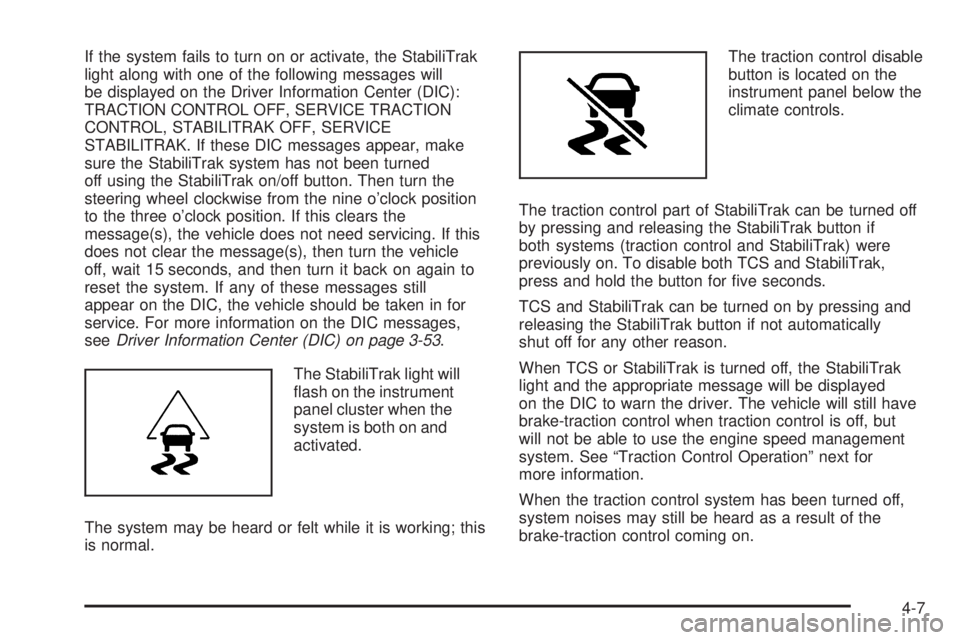
The StabiliTrak light will
ash on the instrument
panel cluster when the
system is both on and
activated.
The system may be heard or felt while it is working; this
is normal.The traction control disable
button is located on the
instrument panel below the
climate controls.
The traction control part of StabiliTrak can be turned off
by pressing and releasing the StabiliTrak button if
both systems (traction control and StabiliTrak) were
previously on. To disable both TCS and StabiliTrak,
press and hold the button for ve seconds.
TCS and StabiliTrak can be turned on by pressing and
releasing the StabiliTrak button if not automatically
shut off for any other reason.
When TCS or StabiliTrak is turned off, the StabiliTrak
light and the appropriate message will be displayed
on the DIC to warn the driver. The vehicle will still have
brake-traction control when traction control is off, but
will not be able to use the engine speed management
system. See “Traction Control Operation” next for
more information.
When the traction control system has been turned off,
system noises may still be heard as a result of the
brake-traction control coming on.
4-7
Page 346 of 602
If the engine has stopped running, you need to
restart it. With the brake pedal pressed and the
parking brake still applied, shift the transmission to
P (Park) and restart the engine. Then, shift to
R (Reverse), release the parking brake, and slowly
back down the hill as straight as possible in
R (Reverse).
While backing down the hill, put your left hand on the
steering wheel at the 12 o’clock position so you can
tell if the wheels are straight and can maneuver as
you back down. It is best to back down the hill with
the wheels straight rather than in the left or right
direction. Turning the wheel too far to the left or right
will increase the possibility of a rollover.
Things not to do if the vehicle stalls, or is about to stall,
when going up a hill:
Never attempt to prevent a stall by shifting into
N (Neutral) to rev-up the engine and regain forward
momentum. This will not work. The vehicle can roll
backward very quickly and could go out of control.
Never try to turn around if about to stall when going
up a hill. If the hill is steep enough to stall the vehicle,
it is steep enough to cause it to roll over. If you
cannot make it up the hill, back straight down the hill.If, after stalling, you try to back down the hill and decide
you just cannot do it, set the parking brake, put your
transmission in P (Park), and turn off the engine. Leave
the vehicle and go get some help. Exit on the uphill side
and stay clear of the path the vehicle would take if it rolled
downhill. Do not shift the transfer case to Neutral when
you leave the vehicle. Leave it in some gear.
{CAUTION:
Shifting the transfer case to Neutral can cause your
vehicle to roll even if the transmission is in P (Park).
This is because the Neutral position on the transfer
case overrides the transmission. You or someone
else could be injured. If you are going to leave
your vehicle, set the parking brake and shift the
transmission to P (Park). But do not shift the
transfer case to Neutral.
4-20