tow bar GMC SIERRA 1500 2009 Owners Manual
[x] Cancel search | Manufacturer: GMC, Model Year: 2009, Model line: SIERRA 1500, Model: GMC SIERRA 1500 2009Pages: 602, PDF Size: 3.22 MB
Page 161 of 602
Notice:If you use URPA while the tailgate is
lowered, it may not detect an object behind your
vehicle, and you might back into the object and
damage your vehicle. Always verify the tailgate is
closed when using URPA or turn off URPA when
driving with the tailgate lowered.
When the System Does Not Seem to
Work Properly
If the URPA system will not activate due to a temporary
condition, the message PARK ASSIST OFF will be
displayed on the DIC and a red light will be shown on
the rear URPA display when the shift lever is moved into
R (Reverse). This occurs under the following conditions:
The driver disables the system.
The ultrasonic sensors are not clean. Keep the
vehicle’s rear bumper free of mud, dirt, snow,
ice and slush. For cleaning instructions, see
Washing Your Vehicle on page 5-118.
A trailer was attached to the vehicle, or a bicycle or
an object was hanging out of the tailgate during the
last drive cycle, the red light may illuminate in
the rear display. Once the attached object is
removed, URPA will return to normal operation.
A tow bar is attached to the vehicle.
The vehicle’s bumper is damaged. Take the vehicle
to your dealer/retailer to repair the system.
Other conditions may affect system performance,
such as vibrations from a jackhammer or the
compression of air brakes on a very large truck.
If the system is still disabled, after driving forward at
least 15 mph (25 km/h), take the vehicle to your
dealer/retailer.
2-63
Page 242 of 602
Tire Pressure
If your vehicle has the Tire Pressure Monitor System
(TPMS), the pressure for each tire can be viewed in the
DIC. The tire pressure will be shown in either pounds per
square inch (psi) or kilopascals (kPa). Press the vehicle
information button until the DIC displays FRONT TIRES
PSI (kPa) LEFT ## RIGHT ##. Press the vehicle
information button again until the DIC displays REAR
TIRES PSI (kPa) LEFT ## RIGHT ##.
If a low or high tire pressure condition is detected by the
system while driving, a message advising you to check
the pressure in a specic tire will appear in the display.
SeeInflation - Tire Pressure on page 5-76andDIC
Warnings and Messages on page 3-66for more
information.
If the tire pressure display shows dashes instead of a
value, there may be a problem with your vehicle. If this
consistently occurs, see your dealer/retailer for service.
Trailer Gain and Output
On vehicles with the Integrated Trailer Brake Control
(ITBC) system, the trailer brake display appears in the
DIC. Press the vehicle information button until TRAILER
GAIN and OUTPUT display.TRAILER GAIN shows the trailer gain setting. This
setting can be adjusted from 0.0 to 10.0 with either a
trailer connected or disconnected. To adjust this setting,
see “Integrated Trailer Brake Control System” under
Towing a Trailer on page 4-53for more information.
OUTPUT shows the power output to the trailer anytime
a trailer with electric brakes is connected. Output is
displayed in 0 to 10 bars. Dashes may appear in
the OUTPUT display. See “Integrated Trailer Brake
Control System” underTowing a Trailer on page 4-53
for more information.
Engine Hours
Press the vehicle information button until ENGINE
HOURS displays. This display shows the total number
of hours the engine has run.
Relearn Remote Key
This display allows you to match Remote Keyless Entry
(RKE) transmitters to your vehicle. To match an RKE
transmitter to your vehicle:
1. Press the vehicle information button until PRESS
V
TO RELEARN REMOTE KEY displays.
2. Press the set/reset button until REMOTE KEY
LEARNING ACTIVE is displayed.
3-58
Page 245 of 602
Trailer Gain and Output
On vehicles with the Integrated Trailer Brake Control
(ITBC) system, the trailer brake display appears in the
DIC. Press the trip odometer reset stem until TRAILER
GAIN and OUTPUT display.
TRAILER GAIN shows the trailer gain setting. This
setting can be adjusted from 0.0 to 10.0 with either a
trailer connected or disconnected. To adjust this setting,
see “Integrated Trailer Brake Control System” under
Towing a Trailer on page 4-53for more information.
OUTPUT shows the power output to the trailer anytime
a trailer with electric brakes is connected. Output is
displayed in 0 to 10 bars. Dashes may appear in
the OUTPUT display. See “Integrated Trailer Brake
Control System” underTowing a Trailer on page 4-53
for more information.
Compass Zone Setting
This display allows for setting the compass zone. See
DIC Compass on page 3-63for more information.
Compass Recalibration
This display allows for calibrating the compass. SeeDIC
Compass on page 3-63for more information.
Oil Life
To access this display, the vehicle must be in P (Park).
Press the trip odometer reset stem until OIL LIFE
REMAINING displays. This display shows an estimate of
the oil’s remaining useful life. If you see 99% OIL LIFE
REMAINING on the display, that means 99% of the
current oil life remains. The engine oil life system will alert
you to change the oil on a schedule consistent with your
driving conditions.
When the remaining oil life is low, the CHANGE ENGINE
OIL SOON message will appear on the display. See
“CHANGE ENGINE OIL SOON” underDIC Warnings
and Messages on page 3-66. You should change the
oil as soon as you can. SeeEngine Oil on page 5-17.
In addition to the engine oil life system monitoring the oil
life, additional maintenance is recommended in the
Maintenance Schedule in this manual. SeeScheduled
Maintenance (Gasoline Engine) on page 6-4for more
information.
Remember, you must reset the OIL LIFE display yourself
after each oil change. It will not reset itself. Also, be
careful not to reset the OIL LIFE display accidentally at
any time other than when the oil has just been changed.
It cannot be reset accurately until the next oil change.
To reset the engine oil life system, seeEngine Oil Life
System on page 5-20.
3-61
Page 410 of 602
Electric Brake Control Wiring
Provisions
These wiring provisions are included with the vehicle as
part of the trailer wiring package. These provisions are for
an electric brake controller. The instrument panel
contains blunt cut wires behind the steering column for
the trailer brake controller. The harness contains the
following wires:
Dark Blue: Brake Signal to Trailer Connector
Red/Black: Battery
Light Blue/White: Brake Switch
White: Ground
It should be installed by your dealer/retailer or a qualied
service center.
If the vehicle is equipped with an ITBC, the blunt cuts
exist, but are not connected further in the harness. If an
aftermarket trailer brake controller is installed, the ITBC
must be disconnected. Do not power both ITBC and
aftermarket controllers to control the trailer brakes at the
same time.
Auxiliary Battery
The auxiliary battery provision can be used to supply
electrical power to additional equipment that may be
added, such as a slide-in camper. If the vehicle has this
provision, this relay will be located on the drivers side of
the vehicle, next to the underhood electrical center.Be sure to follow the proper installation instructions that
are included with any electrical equipment that is
installed.
Notice:Leaving electrical equipment on for
extended periods will drain the battery. Always turn
off electrical equipment when not in use and do not
use equipment that exceeds the maximum amperage
rating for the auxiliary battery provision.
Trailer Recommendations
Subtract the hitch loads from the Cargo Weight Rating
(CWR). CWR is the maximum weight of the load
the vehicle can carry. It does not include the weight of
the people inside, but you can gure about 150 lbs.
(68 kg) for each passenger. The total cargo load must
not be more than the vehicles CWR.
Weigh the vehicle with the trailer attached, so the
GVWR or GAWR are not exceeded. If using a
weight-distributing hitch, weigh the vehicle without the
spring bars in place.
The best performance is obtained by correctly spreading
out the weight of the load and choosing the correct
hitch and trailer brakes.
For more information seeTowing a Trailer on page 4-53.
4-84
Page 526 of 602
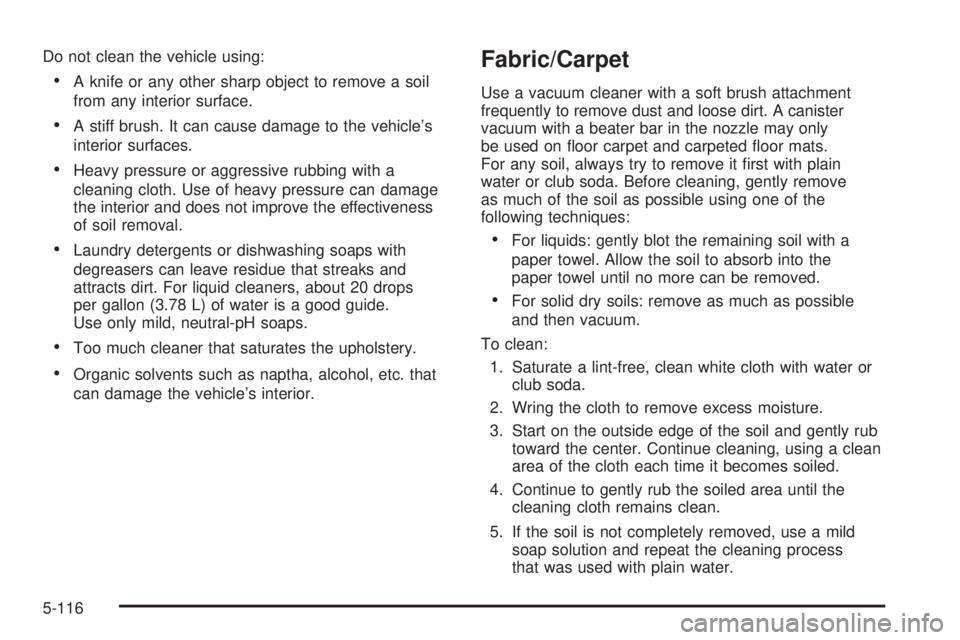
Do not clean the vehicle using:
A knife or any other sharp object to remove a soil
from any interior surface.
A stiff brush. It can cause damage to the vehicle’s
interior surfaces.
Heavy pressure or aggressive rubbing with a
cleaning cloth. Use of heavy pressure can damage
the interior and does not improve the effectiveness
of soil removal.
Laundry detergents or dishwashing soaps with
degreasers can leave residue that streaks and
attracts dirt. For liquid cleaners, about 20 drops
per gallon (3.78 L) of water is a good guide.
Use only mild, neutral-pH soaps.
Too much cleaner that saturates the upholstery.
Organic solvents such as naptha, alcohol, etc. that
can damage the vehicle’s interior.
Fabric/Carpet
Use a vacuum cleaner with a soft brush attachment
frequently to remove dust and loose dirt. A canister
vacuum with a beater bar in the nozzle may only
be used on oor carpet and carpeted oor mats.
For any soil, always try to remove it rst with plain
water or club soda. Before cleaning, gently remove
as much of the soil as possible using one of the
following techniques:
For liquids: gently blot the remaining soil with a
paper towel. Allow the soil to absorb into the
paper towel until no more can be removed.
For solid dry soils: remove as much as possible
and then vacuum.
To clean:
1. Saturate a lint-free, clean white cloth with water or
club soda.
2. Wring the cloth to remove excess moisture.
3. Start on the outside edge of the soil and gently rub
toward the center. Continue cleaning, using a clean
area of the cloth each time it becomes soiled.
4. Continue to gently rub the soiled area until the
cleaning cloth remains clean.
5. If the soil is not completely removed, use a mild
soap solution and repeat the cleaning process
that was used with plain water.
5-116
Page 595 of 602
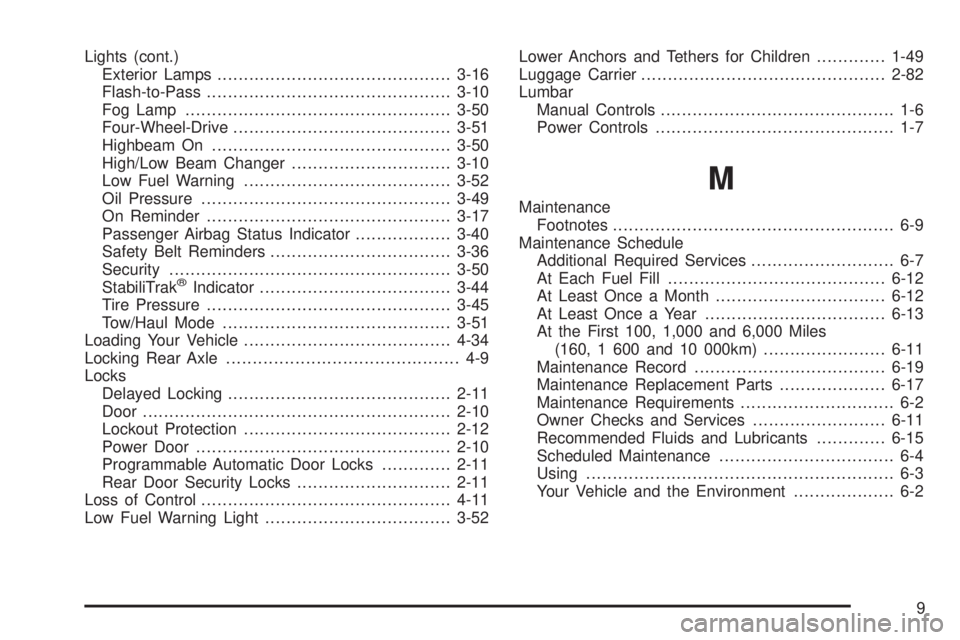
Lights (cont.)
Exterior Lamps............................................3-16
Flash-to-Pass..............................................3-10
Fog Lamp ..................................................3-50
Four-Wheel-Drive.........................................3-51
Highbeam On.............................................3-50
High/Low Beam Changer..............................3-10
Low Fuel Warning.......................................3-52
Oil Pressure...............................................3-49
On Reminder..............................................3-17
Passenger Airbag Status Indicator..................3-40
Safety Belt Reminders..................................3-36
Security.....................................................3-50
StabiliTrak
®Indicator....................................3-44
Tire Pressure..............................................3-45
Tow/Haul Mode ...........................................3-51
Loading Your Vehicle.......................................4-34
Locking Rear Axle............................................ 4-9
Locks
Delayed Locking..........................................2-11
Door ..........................................................2-10
Lockout Protection.......................................2-12
Power Door ................................................2-10
Programmable Automatic Door Locks.............2-11
Rear Door Security Locks.............................2-11
Loss of Control...............................................4-11
Low Fuel Warning Light...................................3-52Lower Anchors and Tethers for Children.............1-49
Luggage Carrier..............................................2-82
Lumbar
Manual Controls............................................ 1-6
Power Controls............................................. 1-7
M
Maintenance
Footnotes..................................................... 6-9
Maintenance Schedule
Additional Required Services........................... 6-7
At Each Fuel Fill.........................................6-12
At Least Once a Month................................6-12
At Least Once a Year..................................6-13
At the First 100, 1,000 and 6,000 Miles
(160, 1 600 and 10 000km).......................6-11
Maintenance Record....................................6-19
Maintenance Replacement Parts....................6-17
Maintenance Requirements............................. 6-2
Owner Checks and Services.........................6-11
Recommended Fluids and Lubricants.............6-15
Scheduled Maintenance................................. 6-4
Using.......................................................... 6-3
Your Vehicle and the Environment................... 6-2
9
Page 596 of 602
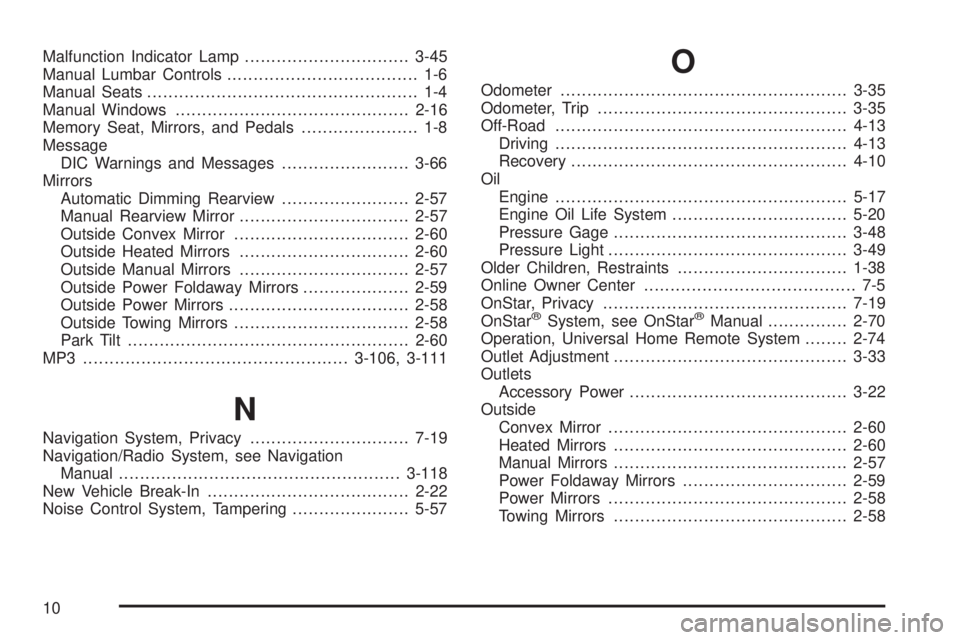
Malfunction Indicator Lamp...............................3-45
Manual Lumbar Controls.................................... 1-6
Manual Seats................................................... 1-4
Manual Windows............................................2-16
Memory Seat, Mirrors, and Pedals...................... 1-8
Message
DIC Warnings and Messages........................3-66
Mirrors
Automatic Dimming Rearview........................2-57
Manual Rearview Mirror................................2-57
Outside Convex Mirror.................................2-60
Outside Heated Mirrors................................2-60
Outside Manual Mirrors................................2-57
Outside Power Foldaway Mirrors....................2-59
Outside Power Mirrors..................................2-58
Outside Towing Mirrors.................................2-58
Park Tilt .....................................................2-60
MP3 ..................................................3-106, 3-111
N
Navigation System, Privacy..............................7-19
Navigation/Radio System, see Navigation
Manual.....................................................3-118
New Vehicle Break-In......................................2-22
Noise Control System, Tampering......................5-57
O
Odometer......................................................3-35
Odometer, Trip...............................................3-35
Off-Road .......................................................4-13
Driving.......................................................4-13
Recovery....................................................4-10
Oil
Engine.......................................................5-17
Engine Oil Life System.................................5-20
Pressure Gage............................................3-48
Pressure Light.............................................3-49
Older Children, Restraints................................1-38
Online Owner Center........................................ 7-5
OnStar, Privacy..............................................7-19
OnStar
®System, see OnStar®Manual...............2-70
Operation, Universal Home Remote System........2-74
Outlet Adjustment............................................3-33
Outlets
Accessory Power.........................................3-22
Outside
Convex Mirror.............................................2-60
Heated Mirrors............................................2-60
Manual Mirrors............................................2-57
Power Foldaway Mirrors...............................2-59
Power Mirrors.............................................2-58
Towing Mirrors............................................2-58
10