air condition GMC SIERRA 1500 2011 User Guide
[x] Cancel search | Manufacturer: GMC, Model Year: 2011, Model line: SIERRA 1500, Model: GMC SIERRA 1500 2011Pages: 594, PDF Size: 7.88 MB
Page 106 of 594
Black plate (38,1)GMC Sierra Owner Manual - 2011
3-38 Seats and Restraints
This switch should only be turned
to the off position if the person in
the right front passenger position
is a member of a passenger risk
group identified by the national
government as follows:
Infant. An infant (less than
1 year old) must ride in the
front seat because:
.My vehicle has no rear seat;
.My vehicle has a rear seat
too small to accommodate a
rear-facing infant seat; or
.The infant has a medical
condition which, according to
the infant's physician, makes it
necessary for the infant to ride in
the front seat so that the driver
can constantly monitor the
child's condition.Child age 1 to 12. A child
age 1 to 12 must ride in the
front seat because:
.My vehicle has no rear seat;
.Although children ages 1 to 12
ride in the rear seat(s) whenever
possible, children ages 1 to 12
sometimes must ride in the front
because no space is available in
the rear seat(s) of my vehicle; or
.The child has a medical
condition which, according to
the child's physician, makes it
necessary for the child to ride in
the front seat so that the driver
can constantly monitor the
child's condition.
Medical Condition. A passenger
has a medical condition which,
according to his or her physician:
.Causes the passenger airbag
to pose a special risk for the
passenger; and
.Makes the potential harm from
the passenger airbag in a crash
greater than the potential harm
from turning off the airbag and
allowing the passenger, even if
belted, to hit the dashboard or
windshield in a crash.
{WARNING
If the right front passenger
airbag is turned off for a
person who is not in a risk
group identified by the national
government, that person
will not have the extra protection
(Continued)
Page 109 of 594
Black plate (41,1)GMC Sierra Owner Manual - 2011
Seats and Restraints 3-41
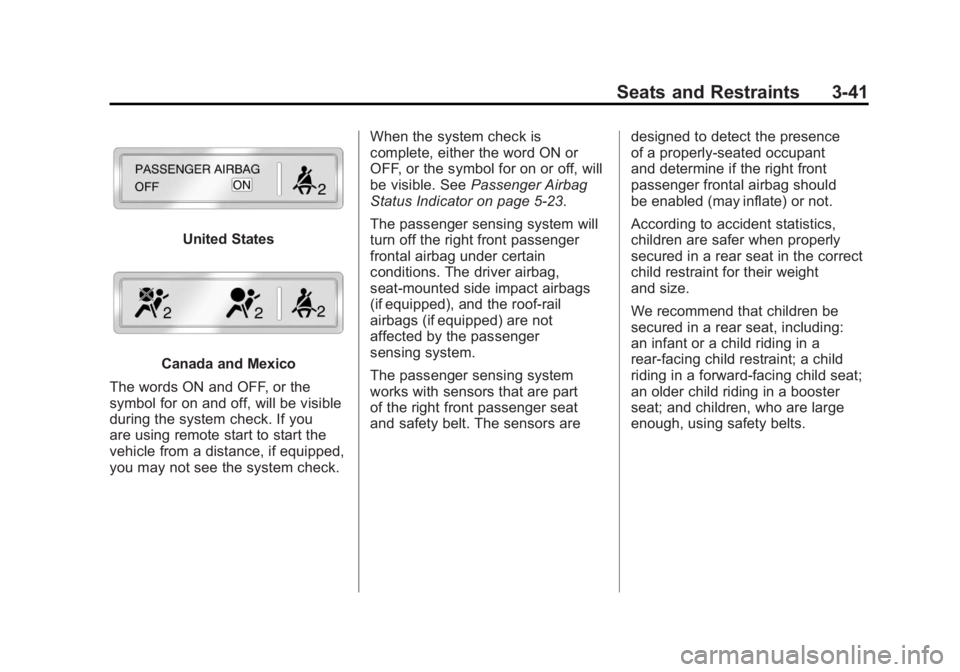
United States
Canada and Mexico
The words ON and OFF, or the
symbol for on and off, will be visible
during the system check. If you
are using remote start to start the
vehicle from a distance, if equipped,
you may not see the system check. When the system check is
complete, either the word ON or
OFF, or the symbol for on or off, will
be visible. See
Passenger Airbag
Status Indicator on page 5‑23.
The passenger sensing system will
turn off the right front passenger
frontal airbag under certain
conditions. The driver airbag,
seat‐mounted side impact airbags
(if equipped), and the roof-rail
airbags (if equipped) are not
affected by the passenger
sensing system.
The passenger sensing system
works with sensors that are part
of the right front passenger seat
and safety belt. The sensors are designed to detect the presence
of a properly-seated occupant
and determine if the right front
passenger frontal airbag should
be enabled (may inflate) or not.
According to accident statistics,
children are safer when properly
secured in a rear seat in the correct
child restraint for their weight
and size.
We recommend that children be
secured in a rear seat, including:
an infant or a child riding in a
rear-facing child restraint; a child
riding in a forward-facing child seat;
an older child riding in a booster
seat; and children, who are large
enough, using safety belts.
Page 115 of 594
Black plate (47,1)GMC Sierra Owner Manual - 2011
Seats and Restraints 3-47
In addition, the vehicle may have
a passenger sensing system
for the right front passenger's
position, which includes sensors
that are part of the passenger's
seat. The passenger sensing
system may not operate
properly if the original seat
trim is replaced with non-GM
covers, upholstery or trim,
or with GM covers, upholstery
or trim designed for a different
vehicle. Any object, such as
an aftermarket seat heater
or a comfort enhancing pad
or device, installed under or
on top of the seat fabric, could
also interfere with the operation
of the passenger sensing
system. This could either
prevent proper deployment
of the passenger airbag(s) or
prevent the passenger sensing
system from properly turning
off the passenger airbag(s).
SeePassenger Sensing
System on page 3‑40. If you have any questions
about this, you should contact
Customer Assistance before you
modify your vehicle. The phone
numbers and addresses for
Customer Assistance are in
Step Two of the Customer
Satisfaction Procedure in
this manual. See
Customer
Satisfaction Procedure (U.S.
and Canada) on page 13‑1
or Customer Satisfaction
Procedure (Mexico) on
page 13‑3.
If the vehicle has rollover
roof-rail airbags, see Different
Size Tires and Wheels on
page 10‑79 for additional
important information. Q: What if I added a snow plow?
Will it keep the airbags from
working properly?
A: We have designed our airbag
systems to work properly under
a wide range of conditions,
including snow plowing with
vehicles that have the optional
Snow Plow Prep Package
(RPO VYU). But do not change
or defeat the snow plow's
“tripping mechanism.” If you do,
it can damage your snow plow
and your vehicle, and it may
cause an airbag inflation.
Page 137 of 594
Black plate (69,1)GMC Sierra Owner Manual - 2011
Seats and Restraints 3-69
Securing Child Restraints
(Right Front Seat
Position)
With Passenger Sensing
System
This vehicle has airbags. A rear
seat is a safer place to secure
a forward-facing child restraint.
SeeWhere to Put the Restraint on
page 3‑56.
In addition, the vehicle may have a
passenger sensing system which is
designed to turn off the right front
passenger frontal airbag under
certain conditions. See Passenger
Sensing System on page 3‑40 and
Passenger Airbag Status Indicator
on page 5‑23 for more information
on this, including important safety
information.
A label on the sun visor says,
“Never put a rear-facing child seat
in the front.” This is because the risk
to the rear-facing child is so great,
if the airbag deploys.
{WARNING
A child in a rear-facing child
restraint can be seriously
injured or killed if the right
front passenger airbag inflates.
This is because the back of the
rear-facing child restraint would
be very close to the inflating
airbag. A child in a forward-facing
child restraint can be seriously
injured or killed if the right front
passenger airbag inflates and the
passenger seat is in a forward
position.
The vehicle may have a
passenger sensing system which
is designed to turn off the right
front passenger frontal airbag
under certain conditions.
Even if the passenger sensing
system, if equipped, has turned
off the right front passenger
frontal airbag, no system is
(Continued)
WARNING (Continued)
fail-safe. No one can guarantee
that an airbag will not deploy
under some unusual
circumstance, even though
it is turned off.
Secure rear-facing child
restraints in a rear seat, even if
the airbag is off. If you secure a
forward-facing child restraint in
the right front seat, always move
the front passenger seat as far
back as it will go. It is better to
secure the child restraint in a
rear seat.
SeePassenger Sensing System
on page 3‑40 for additional
information.
If the vehicle does not have
a rear seat that will accommodate
a rear-facing child restraint, a
rear-facing child restraint should not
be installed in the vehicle, even if
the airbag is off.
Page 167 of 594
Black plate (19,1)GMC Sierra Owner Manual - 2011
Instruments and Controls 5-19
When the engine is running, this
gauge shows the condition of the
charging system. The gauge can
transition from a higher to lower or
a lower to higher reading. This is
normal. If the vehicle is operating
outside the normal operating range,
the charging system light comes
on. SeeCharging System Light on
page 5‑24 for more information.
The voltmeter gauge may also read
lower when in fuel economy mode.
This is normal.
Readings outside the normal
operating range can also occur
when a large number of electrical
accessories are operating in
the vehicle and the engine is
left idling for an extended period. This condition is normal since the
charging system is not able to
provide full power at engine idle.
As engine speeds are increased,
this condition should correct itself
as higher engine speeds allow the
charging system to create maximum
power.
The vehicle can only be driven for a
short time with the readings outside
the normal operating range. If the
vehicle must be driven, turn off all
accessories, such as the radio and
air conditioner.
Readings outside the normal
operating range indicate a possible
problem in the electrical system.
Have the vehicle serviced as soon
as possible.Safety Belt Reminders
Driver Safety Belt Reminder
Light
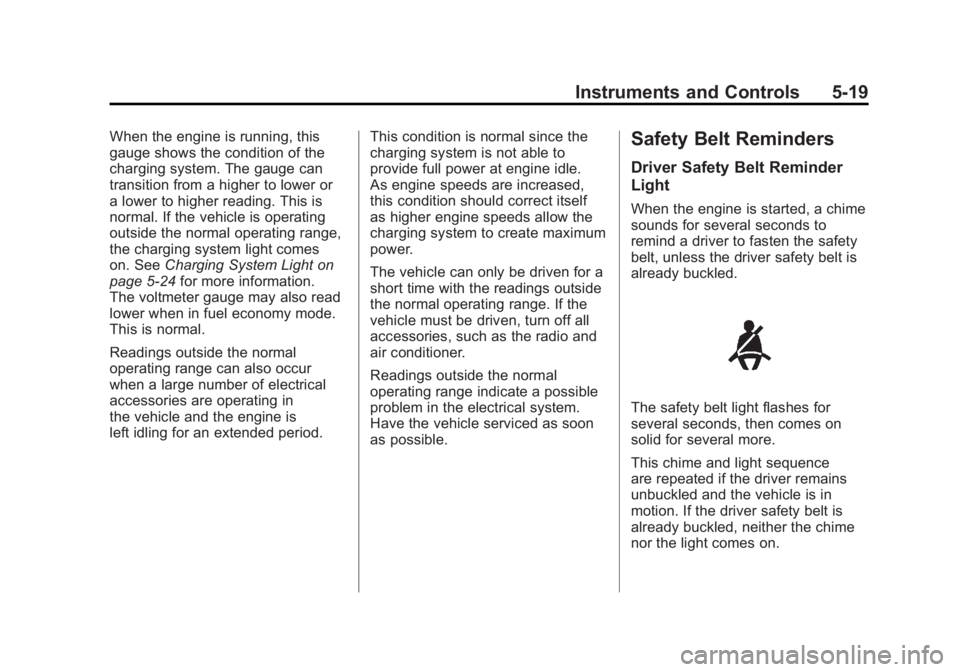
When the engine is started, a chime
sounds for several seconds to
remind a driver to fasten the safety
belt, unless the driver safety belt is
already buckled.
The safety belt light flashes for
several seconds, then comes on
solid for several more.
This chime and light sequence
are repeated if the driver remains
unbuckled and the vehicle is in
motion. If the driver safety belt is
already buckled, neither the chime
nor the light comes on.
Page 172 of 594
Black plate (24,1)GMC Sierra Owner Manual - 2011
5-24 Instruments and Controls
If the word ON or the on symbol is
lit on the passenger airbag status
indicator, it means that the right
front passenger frontal airbag is
enabled (may inflate).
If the word OFF or the off symbol is
lit on the airbag status indicator, it
means that the passenger sensing
system has turned off the right front
passenger frontal airbag.
If, after several seconds, both status
indicator lights remain on, or if there
are no lights at all, there may be
a problem with the lights or the
passenger sensing system.
See your dealer for service.{WARNING
If the airbag readiness light ever
comes on and stays on, it means
that something may be wrong
with the airbag system. To help
avoid injury to yourself or others,
have the vehicle serviced right
away. SeeAirbag Readiness
Light on page 5‑20 for more
information, including important
safety information.
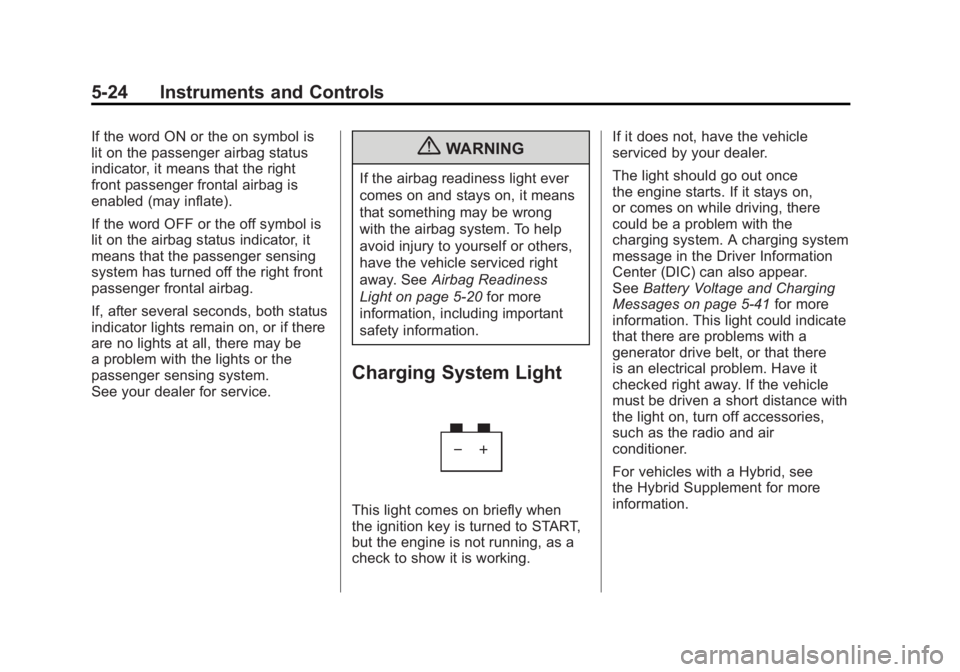
Charging System Light
This light comes on briefly when
the ignition key is turned to START,
but the engine is not running, as a
check to show it is working. If it does not, have the vehicle
serviced by your dealer.
The light should go out once
the engine starts. If it stays on,
or comes on while driving, there
could be a problem with the
charging system. A charging system
message in the Driver Information
Center (DIC) can also appear.
See
Battery Voltage and Charging
Messages on page 5‑41 for more
information. This light could indicate
that there are problems with a
generator drive belt, or that there
is an electrical problem. Have it
checked right away. If the vehicle
must be driven a short distance with
the light on, turn off accessories,
such as the radio and air
conditioner.
For vehicles with a Hybrid, see
the Hybrid Supplement for more
information.
Page 173 of 594
Black plate (25,1)GMC Sierra Owner Manual - 2011
Instruments and Controls 5-25
Malfunction
Indicator Lamp
A computer system called OBD II
(On-Board Diagnostics-Second
Generation) monitors operation of
the fuel, ignition, and emission
control systems. It ensures that
emissions are at acceptable levels
for the life of the vehicle, helping to
produce a cleaner environment.
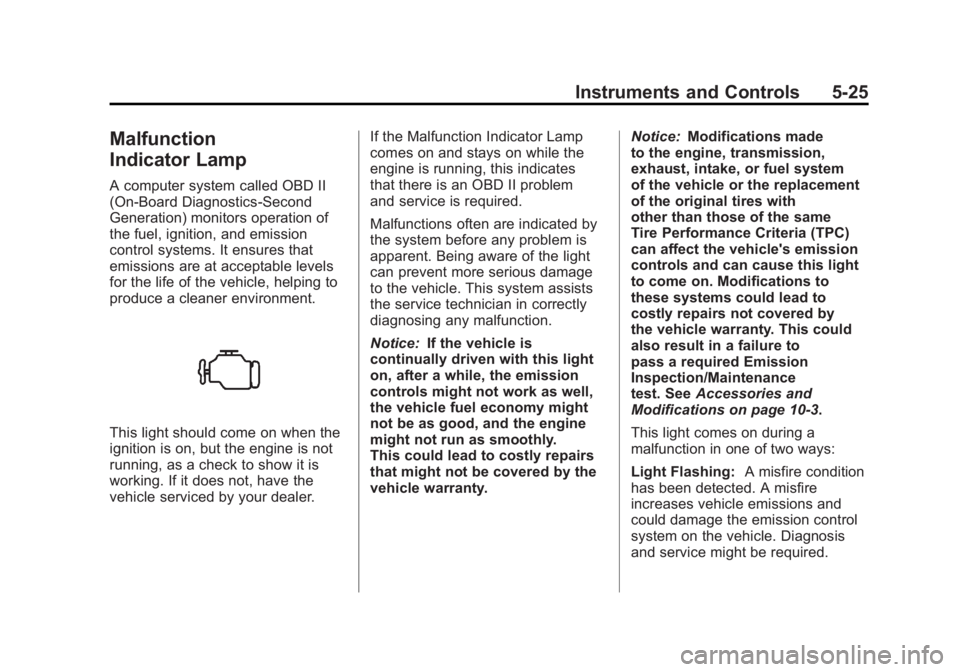
This light should come on when the
ignition is on, but the engine is not
running, as a check to show it is
working. If it does not, have the
vehicle serviced by your dealer.If the Malfunction Indicator Lamp
comes on and stays on while the
engine is running, this indicates
that there is an OBD II problem
and service is required.
Malfunctions often are indicated by
the system before any problem is
apparent. Being aware of the light
can prevent more serious damage
to the vehicle. This system assists
the service technician in correctly
diagnosing any malfunction.
Notice:
If the vehicle is
continually driven with this light
on, after a while, the emission
controls might not work as well,
the vehicle fuel economy might
not be as good, and the engine
might not run as smoothly.
This could lead to costly repairs
that might not be covered by the
vehicle warranty. Notice:
Modifications made
to the engine, transmission,
exhaust, intake, or fuel system
of the vehicle or the replacement
of the original tires with
other than those of the same
Tire Performance Criteria (TPC)
can affect the vehicle's emission
controls and can cause this light
to come on. Modifications to
these systems could lead to
costly repairs not covered by
the vehicle warranty. This could
also result in a failure to
pass a required Emission
Inspection/Maintenance
test. See Accessories and
Modifications on page 10‑3.
This light comes on during a
malfunction in one of two ways:
Light Flashing: A misfire condition
has been detected. A misfire
increases vehicle emissions and
could damage the emission control
system on the vehicle. Diagnosis
and service might be required.
Page 192 of 594
Black plate (44,1)GMC Sierra Owner Manual - 2011
5-44 Instruments and Controls
Engine Cooling System
Messages
ENGINE HOT A/C
(Air Conditioning)
TURNED OFF
This message displays when the
engine coolant becomes hotter than
the normal operating temperature.
SeeEngine Coolant Temperature
Gauge on page 5‑17. To avoid
added strain on a hot engine,
the air conditioning compressor
automatically turns off. When
the coolant temperature returns
to normal, the air conditioning
compressor turns back on.
You can continue to drive
your vehicle.
If this message continues to appear,
have the system repaired by your
dealer as soon as possible to avoid
damage to the engine.
ENGINE OVERHEATED IDLE
ENGINE
Notice: If you drive the vehicle
while the engine is overheating,
severe engine damage may
occur. If an overheat warning
appears on the instrument panel
cluster and/or DIC, stop the
vehicle as soon as possible.
See Engine Overheating on
page 10‑25 for more information.
This message displays when the
engine coolant temperature is too
hot. Stop and allow the vehicle to
idle until it cools down. See Engine
Coolant Temperature Gauge on
page 5‑17.
See Overheated Engine Protection
Operating Mode on page 10‑28 for
information on driving to a safe
place in an emergency.
ENGINE OVERHEATED STOP
ENGINE
Notice: If you drive the vehicle
while the engine is overheating,
severe engine damage may
occur. If an overheat warning
appears on the instrument panel
cluster and/or DIC, stop the
vehicle as soon as possible.
See Engine Overheating on
page 10‑25 for more information.
This message displays and a
chime may sound if the engine
cooling system reaches unsafe
temperatures for operation. Stop
and turn off the vehicle as soon as
it is safe to do so to avoid severe
damage. This message clears when
the engine has cooled to a safe
operating temperature.
Page 196 of 594
Black plate (48,1)GMC Sierra Owner Manual - 2011
5-48 Instruments and Controls
There are several conditions that
can cause this message to appear.
.If the vehicle is overheating,
which could occur if StabiliTrak
activates continuously for an
extended period of time.
.If the brake system warning
light is on. SeeBrake System
Warning Light on page 5‑27.
.If the stability system takes
longer than usual to complete its
diagnostic checks due to driving
conditions.
.If an engine or vehicle related
problem has been detected
and the vehicle needs service.
See your dealer.
.If the vehicle is shifted into 4LO.
The message turns off as soon
as the conditions that caused the
message to be displayed are no
longer present.
TRACTION CONTROL OFF
If the vehicle has StabiliTrak, this
message displays when the Traction
Control System (TCS) is turned off.
Adjust your driving accordingly. See
StabiliTrak
®System on page 9‑70
for more information.
Airbag System Messages
SERVICE AIR BAG
This message displays if there is
a problem with the airbag system.
Have your dealer inspect the
system for problems. See Airbag
Readiness Light on page 5‑20 and
Airbag System on page 3‑29 for
more information.
Anti-Theft Alarm System
Messages
SERVICE THEFT DETERRENT
SYSTEM
This message displays when there
is a problem with the theft-deterrent
system. The vehicle may or may not
restart so you may want to take the
vehicle to your dealer before turning
off the engine. See Immobilizer
Operation on page 2‑13 for more
information.
Starting the Vehicle
Messages
FAST IDLE ON
If your vehicle has this feature, this
message displays when the fast idle
feature is on. See Fast Idle System
on page 9‑39 for more information.
Page 197 of 594
Black plate (49,1)GMC Sierra Owner Manual - 2011
Instruments and Controls 5-49
Tire Messages
SERVICE TIRE MONITOR
SYSTEM
If the vehicle has the Tire Pressure
Monitor System (TPMS), this
message displays if a part on the
system is not working properly.
The tire pressure light also flashes
and then remains on during the
same ignition cycle. SeeTire
Pressure Light on page 5‑30.
Several conditions may cause
this message to appear. See Tire
Pressure Monitor Operation on
page 10‑69 for more information.
If the warning comes on and stays
on, there may be a problem with
the TPMS. See your dealer.
TIRE LEARNING ACTIVE
If the vehicle has the Tire Pressure
Monitor System (TPMS), this
message displays when the system
is re-learning the tire positions on
your vehicle. The tire positions must
be re-learned after rotating the tires
or after replacing a tire or sensor.
See Tire Inspection on page 10‑73,
Tire Rotation on page 10‑73,
Tire Pressure Monitor System on
page 10‑68, and Tire Pressure on
page 10‑66 for more information.
TIRE LOW ADD AIR TO TIRE
If the vehicle has the Tire Pressure
Monitor System (TPMS), this
message displays when the
pressure in one or more of the
vehicle's tires is low. This message
also displays LEFT FRT (left front),
RIGHT FRT (right front), LEFT RR (left rear), or RIGHT RR (right rear)
to indicate the location of the low
tire. The low tire pressure warning
light will also come on. See
Tire
Pressure Light on page 5‑30.
You can receive more than one
tire pressure message at a time.
To read the other messages that
may have been sent at the same
time, press the set/reset button or
the trip odometer reset stem. If a
tire pressure message appears on
the DIC, stop as soon as you can.
Have the tire pressures checked
and set to those shown on the Tire
Loading Information label. See Tires
on page 10‑57, Vehicle Load Limits
on page 9‑25, and Tire Pressure on
page 10‑66. The DIC also shows
the tire pressure values. See Driver
Information Center (DIC) on
page 5‑33.