air condition GMC SIERRA 1500 2011 Service Manual
[x] Cancel search | Manufacturer: GMC, Model Year: 2011, Model line: SIERRA 1500, Model: GMC SIERRA 1500 2011Pages: 594, PDF Size: 7.88 MB
Page 451 of 594
Black plate (27,1)GMC Sierra Owner Manual - 2011
Vehicle Care 10-27
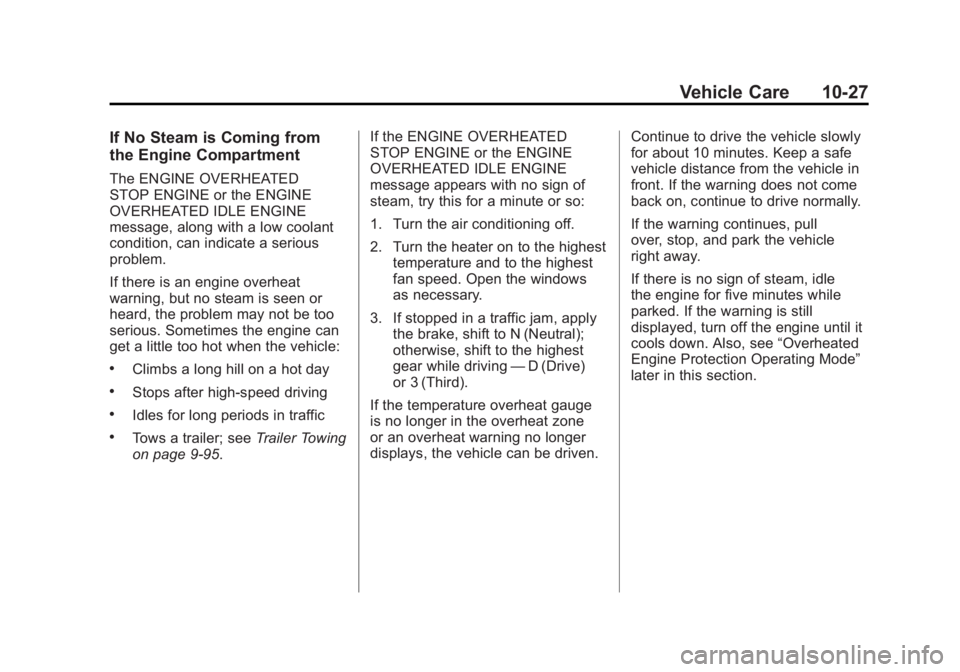
If No Steam is Coming from
the Engine Compartment
The ENGINE OVERHEATED
STOP ENGINE or the ENGINE
OVERHEATED IDLE ENGINE
message, along with a low coolant
condition, can indicate a serious
problem.
If there is an engine overheat
warning, but no steam is seen or
heard, the problem may not be too
serious. Sometimes the engine can
get a little too hot when the vehicle:
.Climbs a long hill on a hot day
.Stops after high-speed driving
.Idles for long periods in traffic
.Tows a trailer; seeTrailer Towing
on page 9‑95. If the ENGINE OVERHEATED
STOP ENGINE or the ENGINE
OVERHEATED IDLE ENGINE
message appears with no sign of
steam, try this for a minute or so:
1. Turn the air conditioning off.
2. Turn the heater on to the highest
temperature and to the highest
fan speed. Open the windows
as necessary.
3. If stopped in a traffic jam, apply the brake, shift to N (Neutral);
otherwise, shift to the highest
gear while driving —D (Drive)
or 3 (Third).
If the temperature overheat gauge
is no longer in the overheat zone
or an overheat warning no longer
displays, the vehicle can be driven. Continue to drive the vehicle slowly
for about 10 minutes. Keep a safe
vehicle distance from the vehicle in
front. If the warning does not come
back on, continue to drive normally.
If the warning continues, pull
over, stop, and park the vehicle
right away.
If there is no sign of steam, idle
the engine for five minutes while
parked. If the warning is still
displayed, turn off the engine until it
cools down. Also, see
“Overheated
Engine Protection Operating Mode”
later in this section.
Page 452 of 594
Black plate (28,1)GMC Sierra Owner Manual - 2011
10-28 Vehicle Care
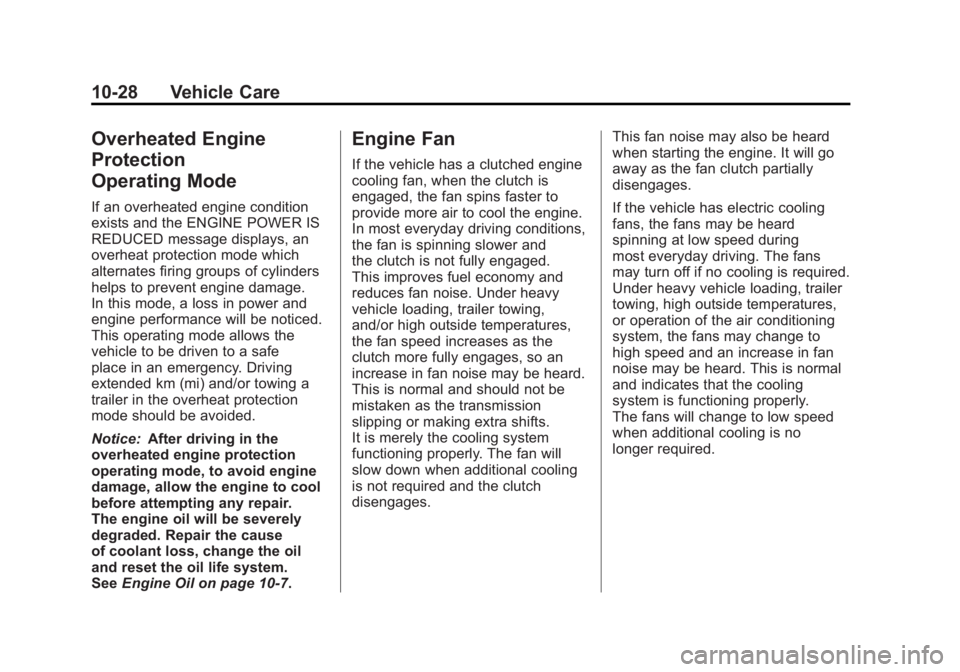
Overheated Engine
Protection
Operating Mode
If an overheated engine condition
exists and the ENGINE POWER IS
REDUCED message displays, an
overheat protection mode which
alternates firing groups of cylinders
helps to prevent engine damage.
In this mode, a loss in power and
engine performance will be noticed.
This operating mode allows the
vehicle to be driven to a safe
place in an emergency. Driving
extended km (mi) and/or towing a
trailer in the overheat protection
mode should be avoided.
Notice:After driving in the
overheated engine protection
operating mode, to avoid engine
damage, allow the engine to cool
before attempting any repair.
The engine oil will be severely
degraded. Repair the cause
of coolant loss, change the oil
and reset the oil life system.
See Engine Oil on page 10‑7.
Engine Fan
If the vehicle has a clutched engine
cooling fan, when the clutch is
engaged, the fan spins faster to
provide more air to cool the engine.
In most everyday driving conditions,
the fan is spinning slower and
the clutch is not fully engaged.
This improves fuel economy and
reduces fan noise. Under heavy
vehicle loading, trailer towing,
and/or high outside temperatures,
the fan speed increases as the
clutch more fully engages, so an
increase in fan noise may be heard.
This is normal and should not be
mistaken as the transmission
slipping or making extra shifts.
It is merely the cooling system
functioning properly. The fan will
slow down when additional cooling
is not required and the clutch
disengages. This fan noise may also be heard
when starting the engine. It will go
away as the fan clutch partially
disengages.
If the vehicle has electric cooling
fans, the fans may be heard
spinning at low speed during
most everyday driving. The fans
may turn off if no cooling is required.
Under heavy vehicle loading, trailer
towing, high outside temperatures,
or operation of the air conditioning
system, the fans may change to
high speed and an increase in fan
noise may be heard. This is normal
and indicates that the cooling
system is functioning properly.
The fans will change to low speed
when additional cooling is no
longer required.
Page 476 of 594
Black plate (52,1)GMC Sierra Owner Manual - 2011
10-52 Vehicle Care
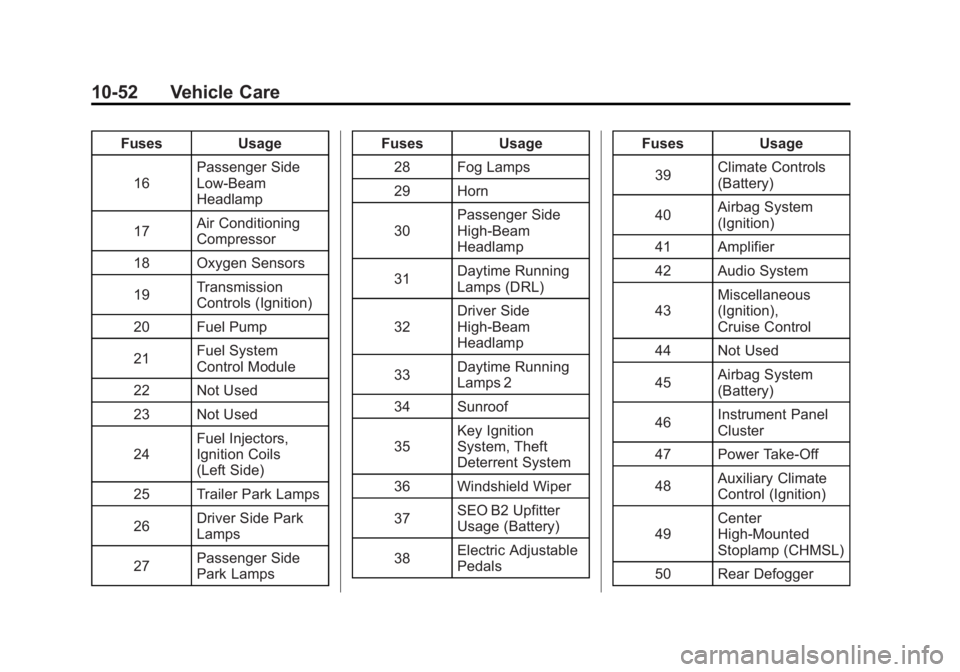
FusesUsage
16 Passenger Side
Low-Beam
Headlamp
17 Air Conditioning
Compressor
18 Oxygen Sensors
19 Transmission
Controls (Ignition)
20 Fuel Pump
21 Fuel System
Control Module
22 Not Used
23 Not Used
24 Fuel Injectors,
Ignition Coils
(Left Side)
25 Trailer Park Lamps
26 Driver Side Park
Lamps
27 Passenger Side
Park Lamps Fuses
Usage
28 Fog Lamps
29 Horn
30 Passenger Side
High-Beam
Headlamp
31 Daytime Running
Lamps (DRL)
32 Driver Side
High-Beam
Headlamp
33 Daytime Running
Lamps 2
34 Sunroof
35 Key Ignition
System, Theft
Deterrent System
36 Windshield Wiper
37 SEO B2 Upfitter
Usage (Battery)
38 Electric Adjustable
Pedals Fuses
Usage
39 Climate Controls
(Battery)
40 Airbag System
(Ignition)
41 Amplifier
42 Audio System
43 Miscellaneous
(Ignition),
Cruise Control
44 Not Used
45 Airbag System
(Battery)
46 Instrument Panel
Cluster
47 Power Take-Off
48 Auxiliary Climate
Control (Ignition)
49 Center
High-Mounted
Stoplamp (CHMSL)
50 Rear Defogger
Page 477 of 594
Black plate (53,1)GMC Sierra Owner Manual - 2011
Vehicle Care 10-53
FusesUsage
51 Heated Mirrors
52 SEO B1 Upfitter
Usage (Battery)
53 Cigarette Lighter,
Auxiliary Power
Outlet
54 SEO Upfitter
Usage
55 Climate Controls
(Ignition)
56 Engine Control
Module, Secondary
Fuel Pump
(Ignition)
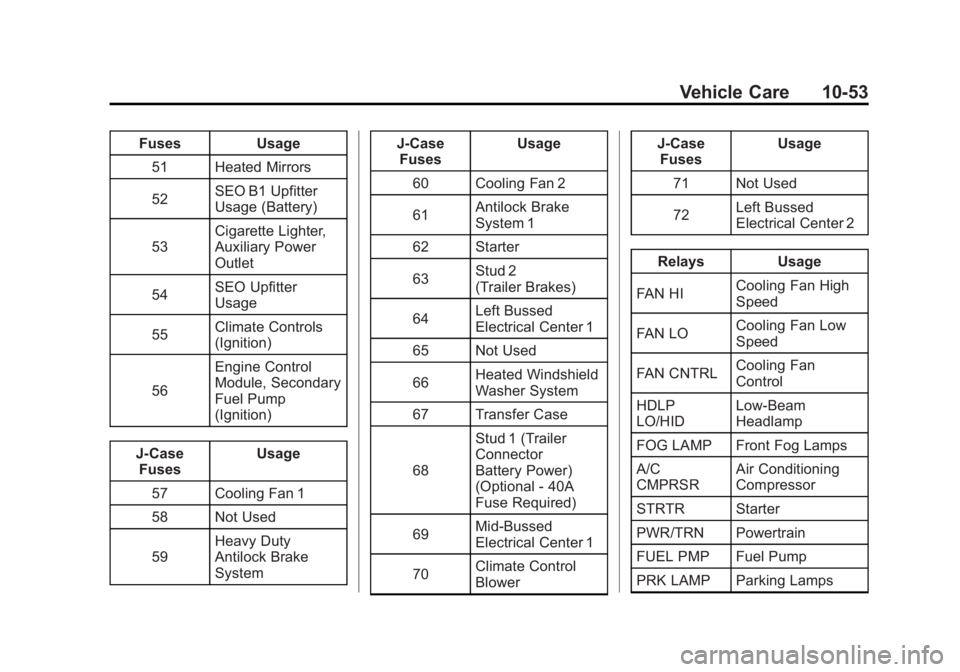
J-Case Fuses Usage
57 Cooling Fan 1
58 Not Used
59 Heavy Duty
Antilock Brake
System J-Case
Fuses Usage
60 Cooling Fan 2
61 Antilock Brake
System 1
62 Starter
63 Stud 2
(Trailer Brakes)
64 Left Bussed
Electrical Center 1
65 Not Used
66 Heated Windshield
Washer System
67 Transfer Case
68 Stud 1 (Trailer
Connector
Battery Power)
(Optional - 40A
Fuse Required)
69 Mid-Bussed
Electrical Center 1
70 Climate Control
Blower J-Case
Fuses Usage
71 Not Used
72 Left Bussed
Electrical Center 2
Relays Usage
FAN HI Cooling Fan High
Speed
FAN LO Cooling Fan Low
Speed
FAN CNTRL Cooling Fan
Control
HDLP
LO/HID Low-Beam
Headlamp
FOG LAMP Front Fog Lamps
A/C
CMPRSR Air Conditioning
Compressor
STRTR Starter
PWR/TRN Powertrain
FUEL PMP Fuel Pump
PRK LAMP Parking Lamps
Page 486 of 594
Black plate (62,1)GMC Sierra Owner Manual - 2011
10-62 Vehicle Care
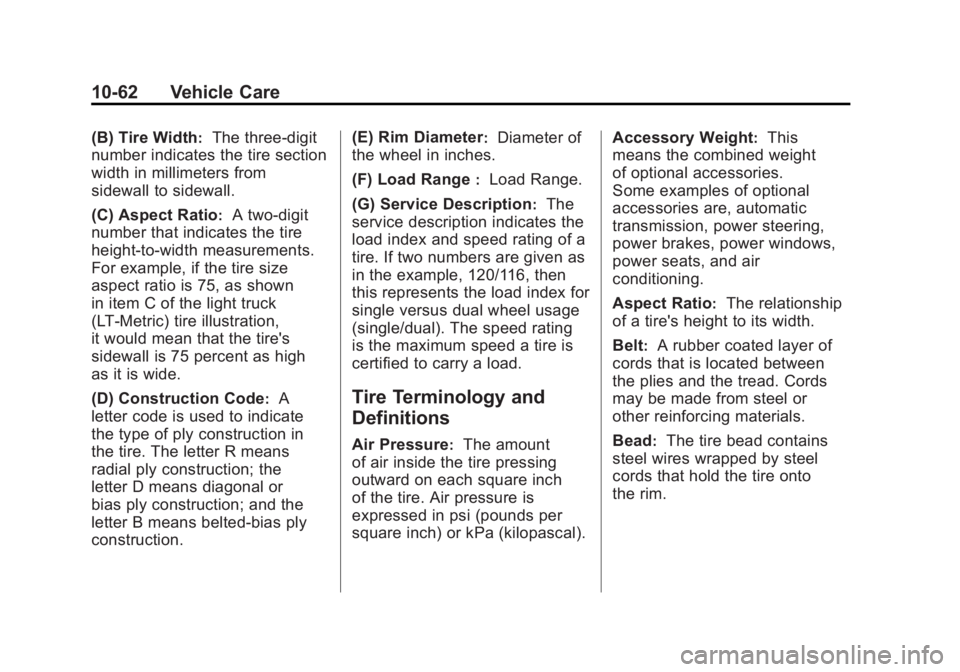
(B) Tire Width:The three‐digit
number indicates the tire section
width in millimeters from
sidewall to sidewall.
(C) Aspect Ratio
:A two‐digit
number that indicates the tire
height‐to‐width measurements.
For example, if the tire size
aspect ratio is 75, as shown
in item C of the light truck
(LT‐Metric) tire illustration,
it would mean that the tire's
sidewall is 75 percent as high
as it is wide.
(D) Construction Code
:A
letter code is used to indicate
the type of ply construction in
the tire. The letter R means
radial ply construction; the
letter D means diagonal or
bias ply construction; and the
letter B means belted‐bias ply
construction. (E) Rim Diameter
:Diameter of
the wheel in inches.
(F) Load Range
:Load Range.
(G) Service Description
:The
service description indicates the
load index and speed rating of a
tire. If two numbers are given as
in the example, 120/116, then
this represents the load index for
single versus dual wheel usage
(single/dual). The speed rating
is the maximum speed a tire is
certified to carry a load.
Tire Terminology and
Definitions
Air Pressure:The amount
of air inside the tire pressing
outward on each square inch
of the tire. Air pressure is
expressed in psi (pounds per
square inch) or kPa (kilopascal). Accessory Weight
:This
means the combined weight
of optional accessories.
Some examples of optional
accessories are, automatic
transmission, power steering,
power brakes, power windows,
power seats, and air
conditioning.
Aspect Ratio
:The relationship
of a tire's height to its width.
Belt
:A rubber coated layer of
cords that is located between
the plies and the tread. Cords
may be made from steel or
other reinforcing materials.
Bead
:The tire bead contains
steel wires wrapped by steel
cords that hold the tire onto
the rim.
Page 491 of 594
Black plate (67,1)GMC Sierra Owner Manual - 2011
Vehicle Care 10-67
How to Check
Use a good quality pocket-type
gauge to check tire pressure.
You cannot tell if the tires are
properly inflated simply by
looking at them. Radial tires may
look properly inflated even when
they are under-inflated. Check
the tire's inflation pressure when
the tires are cold. Cold means
the vehicle has been sitting for
at least three hours or driven no
more than 1.6 km (1 mile).
Remove the valve cap from the
tire valve stem. Press the tire
gauge firmly onto the valve to
get a pressure measurement.
If the cold tire inflation pressure
matches the recommended
pressure on the Tire and
Loading Information label,
no further adjustment is
necessary. If the pressure
is low, add air until you reach
the recommended amount.If you overfill the tire, release air
by pushing on the metal stem
in the center of the tire valve.
Recheck the tire pressure with
the tire gauge.
Be sure to put the valve caps
back on the valve stems.
They help prevent leaks by
keeping out dirt and moisture.
Tire Pressure for
High-Speed Operation
{WARNING
Driving at high speeds,
160 km/h (100 mph) or higher,
puts an additional strain on tires.
Sustained high-speed driving
causes excessive heat build up
and can cause sudden tire failure.
You could have a crash and you
or others could be killed. Some
high-speed rated tires require
(Continued)
WARNING (Continued)
inflation pressure adjustment
for high speed operation. When
speed limits and road conditions
are such that a vehicle can be
driven at high speeds, make sure
the tires are rated for high speed
operation, in excellent condition,
and set to the correct cold tire
inflation pressure for the
vehicle load.
Vehicles with P265/70R17 or
P275/55R20 size tires require
inflation pressure adjustment
when driving the vehicle at speeds
of 160 km/h (100 mph) or higher.
Set the cold tire inflation pressure
to 20 kPa (3 psi) above the
recommended cold tire pressure
shown on the Tire and Loading
Information label.
Page 493 of 594
Black plate (69,1)GMC Sierra Owner Manual - 2011
Vehicle Care 10-69
When the malfunction indicator
is illuminated, the system may
not be able to detect or signal low
tire pressure as intended. TPMS
malfunctions may occur for a variety
of reasons, including the installation
of replacement or alternate tires or
wheels on the vehicle that prevent
the TPMS from functioning properly.
Always check the TPMS malfunction
telltale after replacing one or more
tires or wheels on your vehicle to
ensure that the replacement or
alternate tires and wheels allow
the TPMS to continue to function
properly.
SeeTire Pressure Monitor
Operation on page 10‑69 for
additional information.Federal Communications
Commission (FCC) and
Industry Canada
See Radio Frequency Statement on
page 13‑19 for information
regarding Part 15 of the Federal
Communications Commission
(FCC) rules and Industry Canada
Standards RSS-210/220/310.
Tire Pressure Monitor
Operation
This vehicle may have a Tire
Pressure Monitor System (TPMS).
The TPMS is designed to warn the
driver when a low tire pressure
condition exists. TPMS sensors are
mounted onto each tire and wheel
assembly, excluding the spare tire
and wheel assembly. The TPMS
sensors monitor the air pressure
in the tires and transmit the tire
pressure readings to a receiver
located in the vehicle.
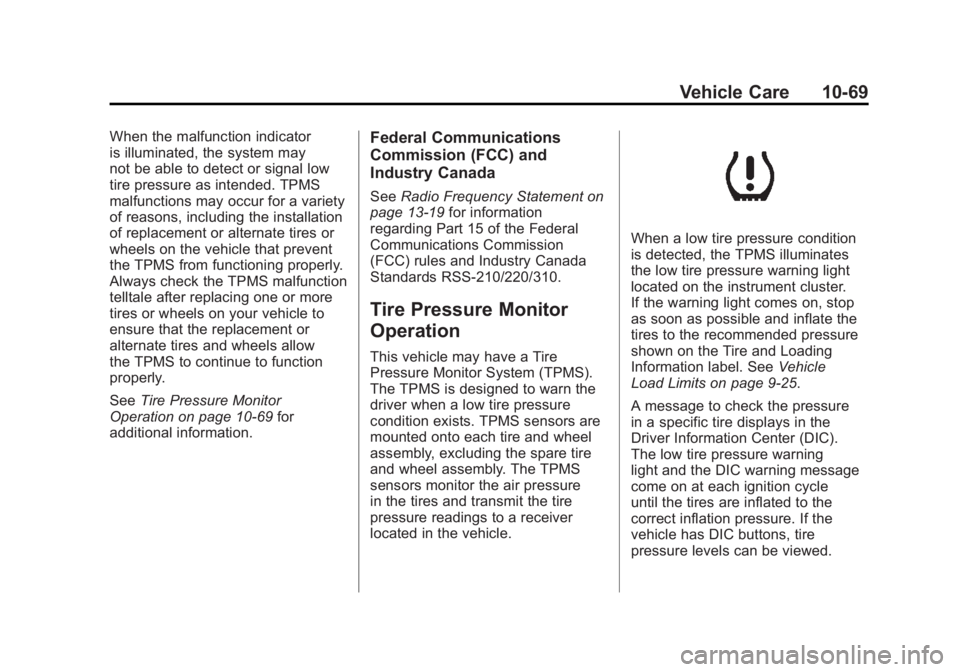
When a low tire pressure condition
is detected, the TPMS illuminates
the low tire pressure warning light
located on the instrument cluster.
If the warning light comes on, stop
as soon as possible and inflate the
tires to the recommended pressure
shown on the Tire and Loading
Information label. See Vehicle
Load Limits on page 9‑25.
A message to check the pressure
in a specific tire displays in the
Driver Information Center (DIC).
The low tire pressure warning
light and the DIC warning message
come on at each ignition cycle
until the tires are inflated to the
correct inflation pressure. If the
vehicle has DIC buttons, tire
pressure levels can be viewed.
Page 494 of 594
Black plate (70,1)GMC Sierra Owner Manual - 2011
10-70 Vehicle Care
For additional information and
details about the DIC operation and
displays, seeDriver Information
Center (DIC) on page 5‑33 and
Tire Messages on page 5‑49.
The low tire pressure warning light
may come on in cool weather when
the vehicle is first started, and then
turn off as the vehicle is driven.
This could be an early indicator that
the air pressure is getting low and
needs to be inflated to the proper
pressure.
A Tire and Loading Information
label shows the size of the original
equipment tires and the correct
inflation pressure for the tires when
they are cold. See Vehicle Load
Limits on page 9‑25, for an example
of the Tire and Loading Information
label and its location. Also see
Tire Pressure on page 10‑66. The TPMS can warn about a
low tire pressure condition but
it does not replace normal tire
maintenance. See
Tire Inspection
on page 10‑73, Tire Rotation on
page 10‑73 andTires on
page 10‑57.
Notice: Tire sealant materials are
not all the same. A non-approved
tire sealant could damage the
TPMS sensors. TPMS sensor
damage caused by using
an incorrect tire sealant is
not covered by the vehicle
warranty. Always use only
the GM-approved tire sealant
available through your dealer
or included in the vehicle.TPMS Malfunction Light and
Message
The TPMS will not function properly
if one or more of the TPMS sensors
are missing or inoperable. When
the system detects a malfunction,
the low tire pressure warning light
flashes for about one minute and
then stays on for the remainder of
the ignition cycle. A DIC warning
message also displays. The
malfunction light and DIC warning
message come on at each ignition
cycle until the problem is corrected.
Some of the conditions that can
cause these to come on are:
.One of the road tires has been
replaced with the spare tire.
The spare tire does not have a
TPMS sensor. The malfunction
light and the DIC message
should go off after the road
tire is replaced and the sensor
matching process is performed
successfully. See "TPMS Sensor
Matching Process" later in this
section.
Page 500 of 594
Black plate (76,1)GMC Sierra Owner Manual - 2011
10-76 Vehicle Care
The outer tire on a dual wheel
setup generally wears faster than
the inner tire. Your tires will wear
more evenly and last longer if you
rotate the tires periodically, seeTire
Inspection on page 10‑73 andTire
Rotation on page 10‑73. Also see
Scheduled Maintenance on
page 11‑2.
{WARNING
If you operate your vehicle with a
tire that is badly underinflated, the
tire can overheat. An overheated
tire can lose air suddenly or catch
fire. You or others could be
injured. Be sure all tires (including
the spare) are properly inflated.
See Tire Pressure on page 10‑66,
for information on proper tire
inflation.
When It Is Time for New
Tires
Various factors, such as
maintenance, temperatures,
driving speeds, vehicle loading,
and road conditions influence
when you need new tires.
One way to tell when it is time for
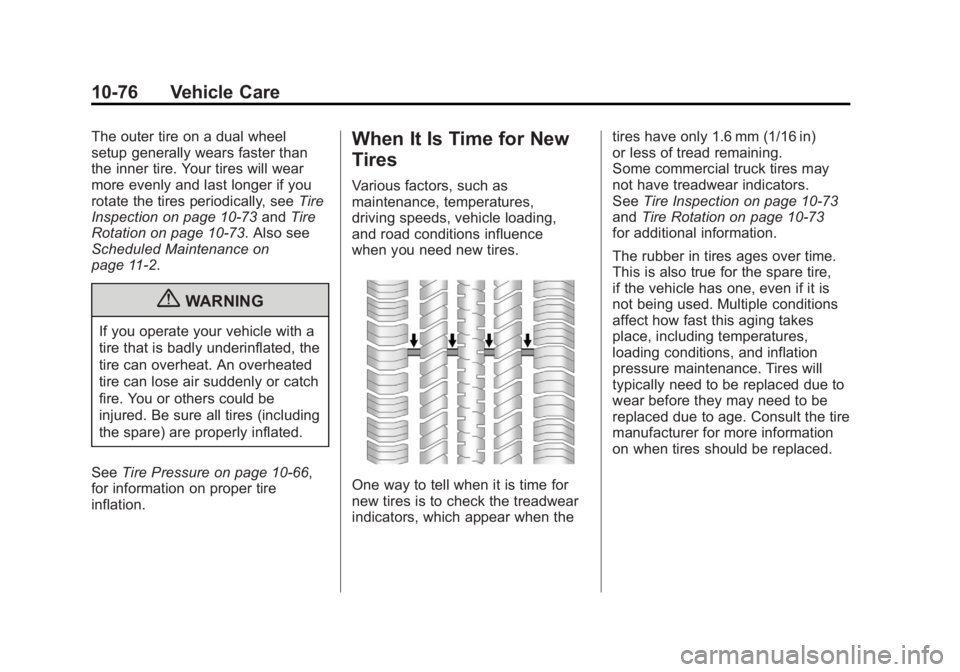
new tires is to check the treadwear
indicators, which appear when the tires have only 1.6 mm (1/16 in)
or less of tread remaining.
Some commercial truck tires may
not have treadwear indicators.
See
Tire Inspection on page 10‑73
and Tire Rotation on page 10‑73
for additional information.
The rubber in tires ages over time.
This is also true for the spare tire,
if the vehicle has one, even if it is
not being used. Multiple conditions
affect how fast this aging takes
place, including temperatures,
loading conditions, and inflation
pressure maintenance. Tires will
typically need to be replaced due to
wear before they may need to be
replaced due to age. Consult the tire
manufacturer for more information
on when tires should be replaced.
Page 506 of 594
Black plate (82,1)GMC Sierra Owner Manual - 2011
10-82 Vehicle Care
Wheel Replacement
Replace any wheel that is bent,
cracked, or badly rusted or
corroded. If wheel nuts keep coming
loose, the wheel, wheel bolts and
wheel nuts should be replaced.
If the wheel leaks air, replace it
(except some aluminum wheels,
which can sometimes be repaired).
See your dealer if any of these
conditions exist.
Your dealer will know the kind of
wheel you need.
Each new wheel should have
the same load-carrying capacity,
diameter, width, offset and be
mounted the same way as the
one it replaces.
If you need to replace any of the
wheels, wheel bolts, wheel nuts
or Tire Pressure Monitor System
(TPMS) sensors, replace them only
with new GM original equipment
parts. This way, you will be sure to
have the right wheel, wheel bolts,
wheel nuts, and TPMS sensors for
the vehicle.{WARNING
Using the wrong replacement
wheels, wheel bolts, or wheel
nuts can be dangerous. It could
affect the braking and handling
of the vehicle. Tires can lose air,
and cause loss of control, causing
a crash. Always use the correct
wheel, wheel bolts, and wheel
nuts for replacement.
Notice: The wrong wheel
can also cause problems with
bearing life, brake cooling,
speedometer or odometer
calibration, headlamp aim,
bumper height, vehicle ground
clearance, and tire or tire chain
clearance to the body and
chassis. Whenever a wheel, wheel
bolt or wheel nut is replaced
on a dual wheel setup, check
the wheel nut torque after
160, 1 600 and 10 000 km
(100, 1,000 and 6,000 miles)
of driving. For proper torque,
see
“Wheel Nut Torque” under
Capacities and Specifications on
page 12‑2.
See If a Tire Goes Flat on
page 10‑84 for more information.
Used Replacement Wheels
{WARNING
Replacing a wheel with a used
one is dangerous. How it has
been used or how far it has been
driven may be unknown. It could
fail suddenly and cause a crash.
When replacing wheels, use a
new GM original equipment
wheel.