cruise control GMC SIERRA 1500 2011 User Guide
[x] Cancel search | Manufacturer: GMC, Model Year: 2011, Model line: SIERRA 1500, Model: GMC SIERRA 1500 2011Pages: 594, PDF Size: 7.88 MB
Page 295 of 594
Black plate (1,1)GMC Sierra Owner Manual - 2011
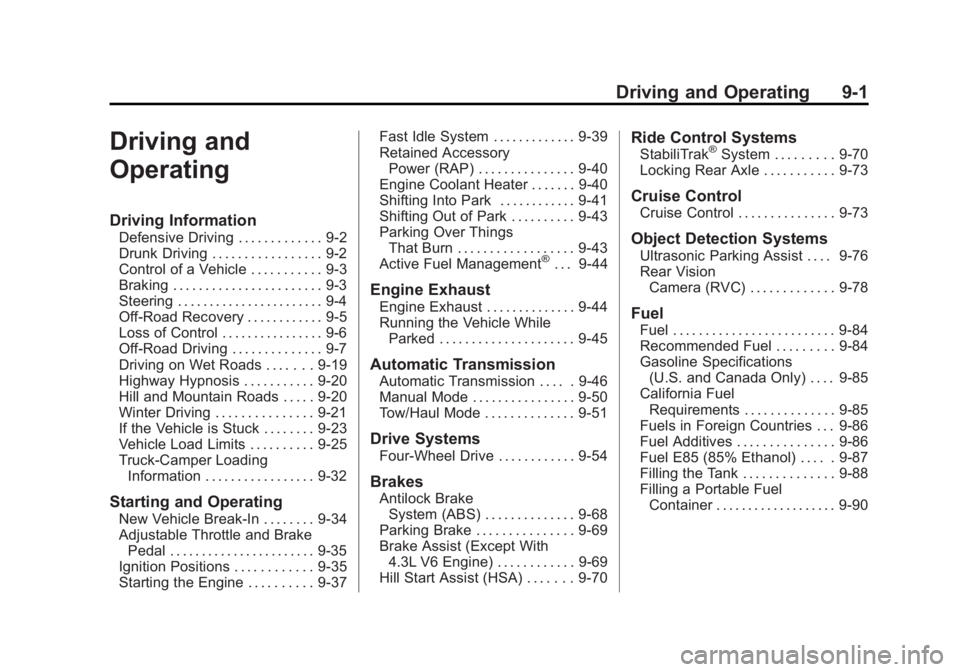
Driving and Operating 9-1
Driving and
Operating
Driving Information
Defensive Driving . . . . . . . . . . . . . 9-2
Drunk Driving . . . . . . . . . . . . . . . . . 9-2
Control of a Vehicle . . . . . . . . . . . 9-3
Braking . . . . . . . . . . . . . . . . . . . . . . . 9-3
Steering . . . . . . . . . . . . . . . . . . . . . . . 9-4
Off-Road Recovery . . . . . . . . . . . . 9-5
Loss of Control . . . . . . . . . . . . . . . . 9-6
Off-Road Driving . . . . . . . . . . . . . . 9-7
Driving on Wet Roads . . . . . . . 9-19
Highway Hypnosis . . . . . . . . . . . 9-20
Hill and Mountain Roads . . . . . 9-20
Winter Driving . . . . . . . . . . . . . . . 9-21
If the Vehicle is Stuck . . . . . . . . 9-23
Vehicle Load Limits . . . . . . . . . . 9-25
Truck-Camper LoadingInformation . . . . . . . . . . . . . . . . . 9-32
Starting and Operating
New Vehicle Break-In . . . . . . . . 9-34
Adjustable Throttle and BrakePedal . . . . . . . . . . . . . . . . . . . . . . . 9-35
Ignition Positions . . . . . . . . . . . . 9-35
Starting the Engine . . . . . . . . . . 9-37 Fast Idle System . . . . . . . . . . . . . 9-39
Retained Accessory
Power (RAP) . . . . . . . . . . . . . . . 9-40
Engine Coolant Heater . . . . . . . 9-40
Shifting Into Park . . . . . . . . . . . . 9-41
Shifting Out of Park . . . . . . . . . . 9-43
Parking Over Things That Burn . . . . . . . . . . . . . . . . . . 9-43
Active Fuel Management
®. . . 9-44
Engine Exhaust
Engine Exhaust . . . . . . . . . . . . . . 9-44
Running the Vehicle While Parked . . . . . . . . . . . . . . . . . . . . . 9-45
Automatic Transmission
Automatic Transmission . . . . . 9-46
Manual Mode . . . . . . . . . . . . . . . . 9-50
Tow/Haul Mode . . . . . . . . . . . . . . 9-51
Drive Systems
Four-Wheel Drive . . . . . . . . . . . . 9-54
Brakes
Antilock BrakeSystem (ABS) . . . . . . . . . . . . . . 9-68
Parking Brake . . . . . . . . . . . . . . . 9-69
Brake Assist (Except With 4.3L V6 Engine) . . . . . . . . . . . . 9-69
Hill Start Assist (HSA) . . . . . . . 9-70
Ride Control Systems
StabiliTrak®System . . . . . . . . . 9-70
Locking Rear Axle . . . . . . . . . . . 9-73
Cruise Control
Cruise Control . . . . . . . . . . . . . . . 9-73
Object Detection Systems
Ultrasonic Parking Assist . . . . 9-76
Rear Vision Camera (RVC) . . . . . . . . . . . . . 9-78
Fuel
Fuel . . . . . . . . . . . . . . . . . . . . . . . . . 9-84
Recommended Fuel . . . . . . . . . 9-84
Gasoline Specifications(U.S. and Canada Only) . . . . 9-85
California Fuel Requirements . . . . . . . . . . . . . . 9-85
Fuels in Foreign Countries . . . 9-86
Fuel Additives . . . . . . . . . . . . . . . 9-86
Fuel E85 (85% Ethanol) . . . . . 9-87
Filling the Tank . . . . . . . . . . . . . . 9-88
Filling a Portable Fuel Container . . . . . . . . . . . . . . . . . . . 9-90
Page 314 of 594
Black plate (20,1)GMC Sierra Owner Manual - 2011
9-20 Driving and Operating
Other Rainy Weather Tips
Besides slowing down, other wet
weather driving tips include:
.Allow extra following distance.
.Pass with caution.
.Keep windshield wiping
equipment in good shape.
.Keep the windshield washer fluid
reservoir filled.
.Have good tires with proper
tread depth. SeeTires on
page 10‑57.
.Turn off cruise control.
Highway Hypnosis
Always be alert and pay attention
to your surroundings while driving.
If you become tired or sleepy, find
a safe place to park the vehicle
and rest.
Other driving tips include:
.Keep the vehicle well ventilated.
.Keep interior temperature cool.
.Keep your eyes moving —scan
the road ahead and to the sides.
.Check the rearview mirror and
vehicle instruments often.
Hill and Mountain Roads
Driving on steep hills or through
mountains is different than driving
on flat or rolling terrain. Tips for
driving in these conditions include:
.Keep the vehicle serviced and in
good shape.
.Check all fluid levels and brakes,
tires, cooling system, and
transmission.
.Shift to a lower gear when going
down steep or long hills.
{WARNING
If you do not shift down, the
brakes could get so hot that they
would not work well. You would
then have poor braking or even
none going down a hill. You could
crash. Shift down to let the engine
assist the brakes on a steep
downhill slope.
Page 315 of 594
Black plate (21,1)GMC Sierra Owner Manual - 2011
Driving and Operating 9-21
{WARNING
Coasting downhill in N (Neutral)
or with the ignition off is
dangerous. The brakes will
have to do all the work of slowing
down and they could get so hot
that they would not work well.
You would then have poor braking
or even none going down a hill.
You could crash. Always have the
engine running and the vehicle in
gear when going downhill.
.Stay in your own lane. Do not
swing wide or cut across the
center of the road. Drive at
speeds that let you stay in
your own lane.
.Top of hills: Be alert—
something could be in your
lane (stalled car, accident).
.Pay attention to special road
signs (falling rocks area, winding
roads, long grades, passing or
no-passing zones) and take
appropriate action.
Winter Driving
Driving on Snow or Ice
Drive carefully when there is snow
or ice between the tires and the
road, creating less traction or grip.
Wet ice can occur at about 0°C
(32°F) when freezing rain begins to
fall, resulting in even less traction.
Avoid driving on wet ice or in
freezing rain until roads can be
treated with salt or sand.
Drive with caution, whatever the
condition. Accelerate gently so
traction is not lost. Accelerating too
quickly causes the wheels to spin
and makes the surface under the
tires slick, so there is even less
traction. Try not to break the fragile traction.
If you accelerate too fast, the drive
wheels will spin and polish the
surface under the tires even more.
The
Antilock Brake System (ABS)
on page 9‑68 improves vehicle
stability during hard stops on
slippery roads, but apply the brakes
sooner than when on dry pavement.
Allow greater following distance on
any slippery road and watch for
slippery spots. Icy patches can
occur on otherwise clear roads in
shaded areas. The surface of a
curve or an overpass can remain
icy when the surrounding roads
are clear. Avoid sudden steering
maneuvers and braking while
on ice.
Turn off cruise control on slippery
surfaces.
Page 329 of 594
Black plate (35,1)GMC Sierra Owner Manual - 2011
Driving and Operating 9-35
Adjustable Throttle and
Brake Pedal
On vehicles with this feature, you
can change the position of the
throttle and brake pedals.
No adjustment to the pedals can
be made when the vehicle is in
R (Reverse) or while using cruise
control.
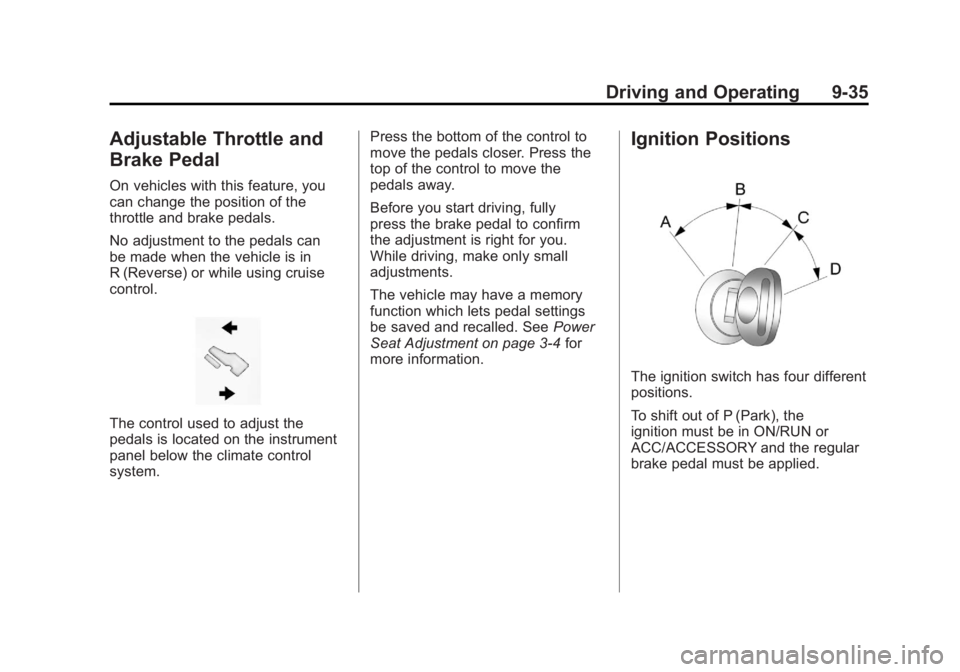
The control used to adjust the
pedals is located on the instrument
panel below the climate control
system.Press the bottom of the control to
move the pedals closer. Press the
top of the control to move the
pedals away.
Before you start driving, fully
press the brake pedal to confirm
the adjustment is right for you.
While driving, make only small
adjustments.
The vehicle may have a memory
function which lets pedal settings
be saved and recalled. See
Power
Seat Adjustment on page 3‑4 for
more information.
Ignition Positions
The ignition switch has four different
positions.
To shift out of P (Park), the
ignition must be in ON/RUN or
ACC/ACCESSORY and the regular
brake pedal must be applied.
Page 333 of 594
Black plate (39,1)GMC Sierra Owner Manual - 2011
Driving and Operating 9-39
Fast Idle System
If the vehicle has this feature it is
available only with cruise control.
The manual fast idle switch is
operated using the cruise control
buttons located on the left hand
side of the steering wheel.
This system can be used to
increase engine idle speed
whenever the following conditions
are met:
.The park brake is set.
.The brake pedal is not pressed.
.The vehicle must not be moving
and the accelerator must not be
pressed.To control the fast idle:
.To enable the Fast Idle System,
press and release the Cruise
Control On/Off button and
ensure that the switch LED is lit.
.Press and release the Cruise
Control Set switch. Engine
speed will be held at
approximately 1200 RPM.
When the fast idle is active the
Driver Information Center (DIC) will
display “FAST IDLE ON.”
One of the following actions will turn
off the fast idle:
.Pressing the brake.
.Selecting the Cruise Control
Cancel button.
.Releasing the Parking Brake.
.The transmission shifter is
moved out of P (Park) or
N (Neutral).
.Selecting the Cruise Control
On/Off button when it was
previously on.
.Pressing the Cruise Control Set
switch a second time.
.Pressing the accelerator greater
than a quarter of the down.
.Turning the ignition switch to the
LOCK/OFF position.
Page 344 of 594
Black plate (50,1)GMC Sierra Owner Manual - 2011
9-50 Driving and Operating
Manual Mode
Range Selection Mode
(Allison®Transmission or
Hydra-Matic®6-Speed
Transmission)
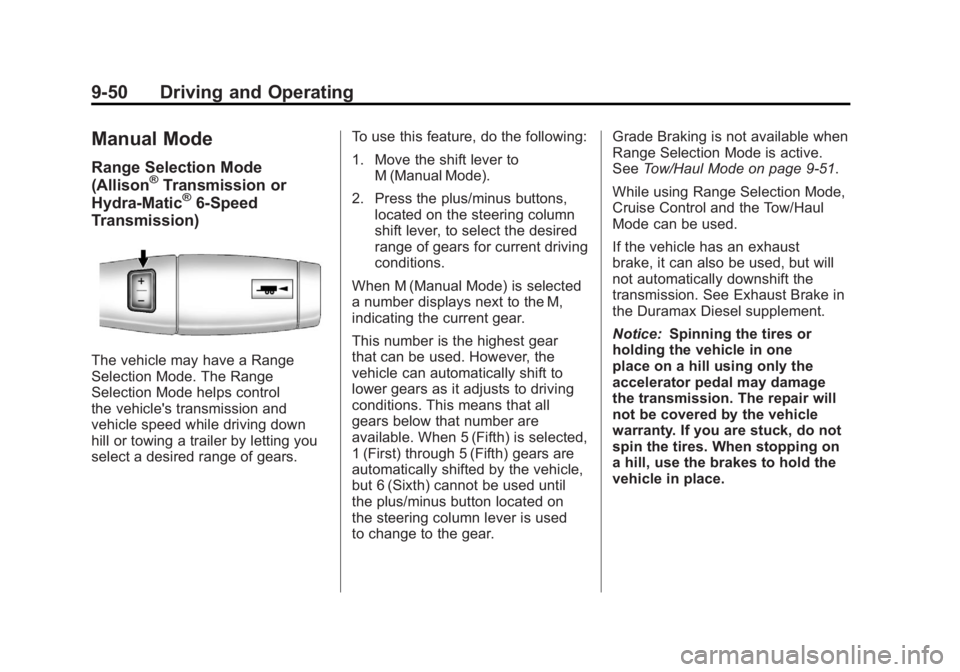
The vehicle may have a Range
Selection Mode. The Range
Selection Mode helps control
the vehicle's transmission and
vehicle speed while driving down
hill or towing a trailer by letting you
select a desired range of gears. To use this feature, do the following:
1. Move the shift lever to
M (Manual Mode).
2. Press the plus/minus buttons, located on the steering column
shift lever, to select the desired
range of gears for current driving
conditions.
When M (Manual Mode) is selected
a number displays next to the M,
indicating the current gear.
This number is the highest gear
that can be used. However, the
vehicle can automatically shift to
lower gears as it adjusts to driving
conditions. This means that all
gears below that number are
available. When 5 (Fifth) is selected,
1 (First) through 5 (Fifth) gears are
automatically shifted by the vehicle,
but 6 (Sixth) cannot be used until
the plus/minus button located on
the steering column lever is used
to change to the gear. Grade Braking is not available when
Range Selection Mode is active.
See
Tow/Haul Mode on page 9‑51.
While using Range Selection Mode,
Cruise Control and the Tow/Haul
Mode can be used.
If the vehicle has an exhaust
brake, it can also be used, but will
not automatically downshift the
transmission. See Exhaust Brake in
the Duramax Diesel supplement.
Notice: Spinning the tires or
holding the vehicle in one
place on a hill using only the
accelerator pedal may damage
the transmission. The repair will
not be covered by the vehicle
warranty. If you are stuck, do not
spin the tires. When stopping on
a hill, use the brakes to hold the
vehicle in place.
Page 347 of 594
Black plate (53,1)GMC Sierra Owner Manual - 2011
Driving and Operating 9-53
Grade Braking assists in
maintaining desired vehicle
speeds when driving on
downhill grades by automatically
implementing a shift schedule that
utilizes the engine and transmission
to slow the vehicle. This reduces
wear on the braking system and
increases control of the vehicle.
Grade Braking monitors vehicle
speed, acceleration, engine torque
and brake pedal usage. Using this
information, it detects when the
truck is on a downhill grade and
the driver desires to slow the
vehicle by pressing the brake.
This feature is active when
the exhaust brake is enabled
(if equipped).
Also seeTowing Equipment on
page 9‑112 for more information.Cruise Grade Braking
(Allison Transmission
or Hydra-Matic 6-Speed
Automatic Transmission)
Cruise Grade Braking assists
when driving on a downhill grade.
It maintains vehicle speed by
automatically implementing a shift
schedule that uses the engine
and the transmission to slow the
vehicle. Cruise Grade Braking
operates while Cruise Control is
engaged in Tow/Haul Mode to assist
in maintaining vehicle speed under
loaded vehicle conditions. It utilizes
vehicle acceleration and deviation
from desired speed to determine the correct gear for the operating
condition. If vehicle speed is above
the desired speed the transmission
will downshift to slow the vehicle.
If vehicle speed is near or below
desired speed the trans will upshift,
allowing vehicle speed to increase.
While in the Range Selection Mode,
Cruise Grade Braking is not
available.
This feature is active when
the exhaust brake is enabled
(if equipped).
See
“Range Selection Mode” under
Manual Mode on page 9‑50.
Page 365 of 594
Black plate (71,1)GMC Sierra Owner Manual - 2011
Driving and Operating 9-71
When the vehicle is started
and begins to move, the system
performs several diagnostic checks
to insure there are no problems.
The system may be heard or
felt while it is working. This is
normal and does not mean there
is a problem with the vehicle.
The system should initialize
before the vehicle reaches 32 km/h
(20 mph). In some cases, it may
take approximately 3.2 km (2 mi) of
driving before the system initializes.
If cruise control is being used when
StabiliTrak activates, the cruise
control automatically disengages.
The cruise control can be
re-engaged when road conditions
allow. SeeCruise Control on
page 9‑73 for more information.
If the system fails to turn on or
activate, the StabiliTrak light
along with one of the following
messages will be displayed
on the Driver Information
Center (DIC): TRACTION CONTROL OFF, SERVICE
TRACTION CONTROL,
STABILITRAK OFF, SERVICE
STABILITRAK. If these DIC
messages appear, make sure the
StabiliTrak system has not been
turned off using the StabiliTrak
on/off button. Then turn the vehicle
off, wait 15 seconds, and turn it
back on again to reset the system.
If any of these messages still
appear on the DIC, the vehicle
should be taken in for service.
For more information on the DIC
messages, see
Ride Control
System Messages on page 5‑47.
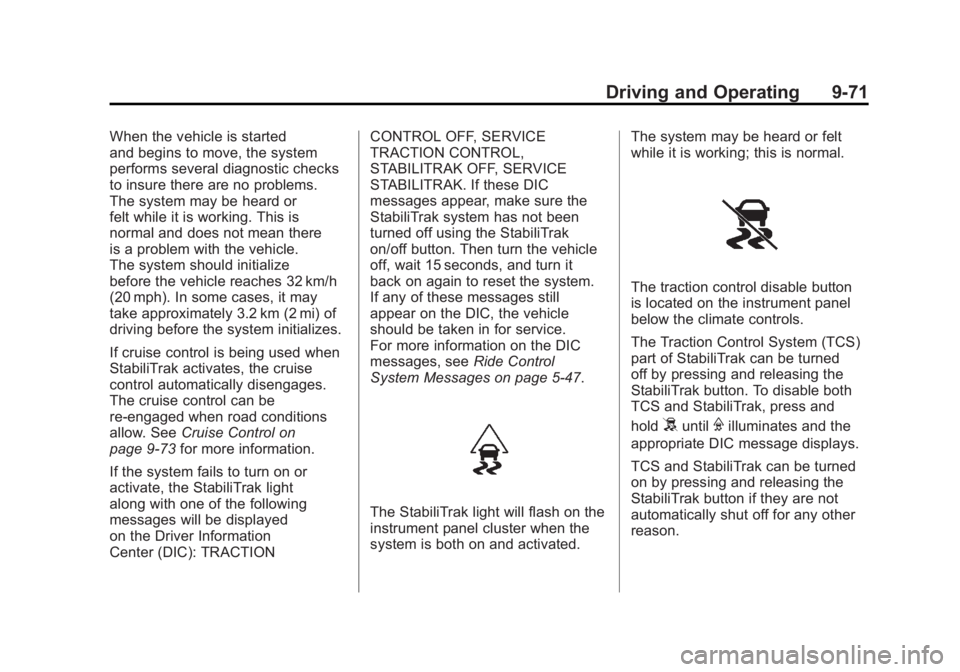
The StabiliTrak light will flash on the
instrument panel cluster when the
system is both on and activated. The system may be heard or felt
while it is working; this is normal.
The traction control disable button
is located on the instrument panel
below the climate controls.
The Traction Control System (TCS)
part of StabiliTrak can be turned
off by pressing and releasing the
StabiliTrak button. To disable both
TCS and StabiliTrak, press and
hold
5untilFilluminates and the
appropriate DIC message displays.
TCS and StabiliTrak can be turned
on by pressing and releasing the
StabiliTrak button if they are not
automatically shut off for any other
reason.
Page 367 of 594
Black plate (73,1)GMC Sierra Owner Manual - 2011
Driving and Operating 9-73
The traction control system may
activate on dry or rough roads
or under conditions such as
heavy acceleration while turning
or abrupt upshifts/downshifts of the
transmission. When this happens,
a reduction in acceleration may be
noticed, or a noise or vibration may
be heard. This is normal.
If cruise control is being used when
the system activates, the StabiliTrak
light will flash and cruise control will
automatically disengage. Cruise
control may be reengaged when
road conditions allow. SeeCruise
Control on page 9‑73.
StabiliTrak may also turn off
automatically if it determines that
a problem exists with the system.
If the problem does not clear itself
after restarting the vehicle, see your
dealer for service. 2500 and 3500 series vehicles
with StabiliTrak have a Trailer Sway
Control (TSC) feature. See
Trailer
Sway Control (TSC) on page 9‑124.
2500 and 3500 series vehicles
with StabiliTrak have a Hill Start
Assist (HSA) feature. See Hill Start
Assist (HSA) on page 9‑70.
Adding non‐dealer accessories can
affect the vehicle's performance.
See Accessories and Modifications
on page 10‑3.
Locking Rear Axle
Vehicles with a locking rear axle can
give more traction on snow, mud,
ice, sand, or gravel. It works like a
standard axle most of the time, but
when traction is low, this feature will
allow the rear wheel with the most
traction to move the vehicle.
Cruise Control
{WARNING
Cruise control can be dangerous
where you cannot drive safely at
a steady speed. So, do not use
the cruise control on winding
roads or in heavy traffic.
Cruise control can be dangerous
on slippery roads. On such roads,
fast changes in tire traction can
cause excessive wheel slip, and
you could lose control. Do not use
cruise control on slippery roads.
For vehicles with cruise control, a
speed of about 40 km/h (25 mph)
or more can be maintained
without keeping your foot on the
accelerator. Cruise control does
not work at speeds below about
40 km/h (25 mph).
Page 368 of 594
Black plate (74,1)GMC Sierra Owner Manual - 2011
9-74 Driving and Operating
When the brakes are applied, cruise
control is turned off.
For vehicles with an Allison or
Hydra‐Matic 6‐speed automatic
transmission, see“Grade Braking
and Cruise Grade Braking
(Allison Transmission) under
Tow/Haul Mode on page 9‑51
for an explanation of how cruise
control interacts with the Range
Selection Mode, tow/haul and
grade braking systems.
For vehicles with the StabiliTrak
system that begins to limit wheel
spin while you are using cruise
control, the cruise control will
automatically disengage. See
StabiliTrak
®System on page 9‑70.
When road conditions allow the
cruise control to be safely used
again, it can be turned back on.
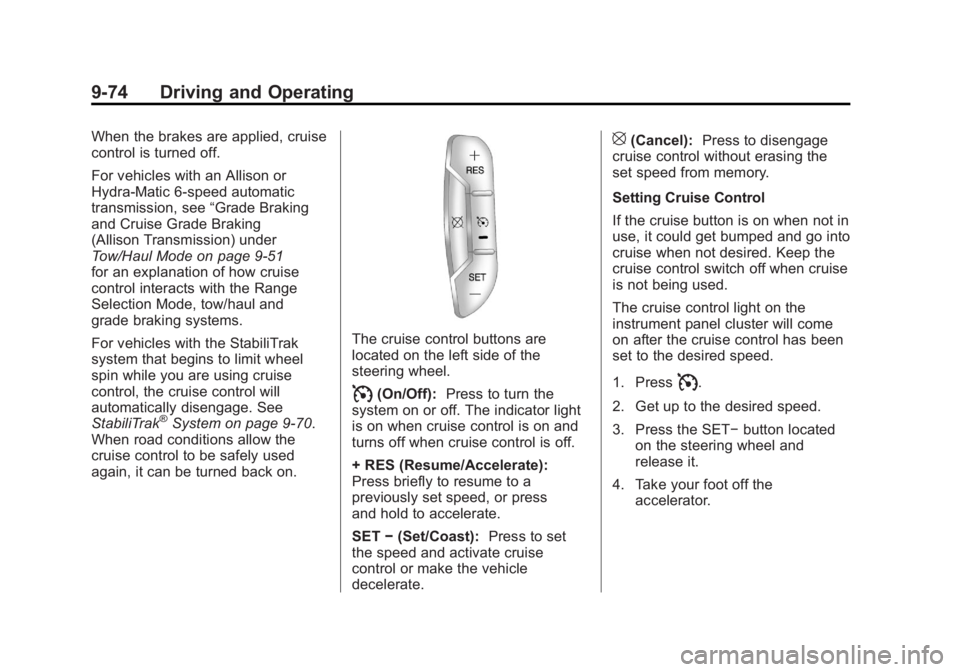
The cruise control buttons are
located on the left side of the
steering wheel.
I(On/Off): Press to turn the
system on or off. The indicator light
is on when cruise control is on and
turns off when cruise control is off.
+ RES (Resume/Accelerate):
Press briefly to resume to a
previously set speed, or press
and hold to accelerate.
SET −(Set/Coast): Press to set
the speed and activate cruise
control or make the vehicle
decelerate.
[(Cancel): Press to disengage
cruise control without erasing the
set speed from memory.
Setting Cruise Control
If the cruise button is on when not in
use, it could get bumped and go into
cruise when not desired. Keep the
cruise control switch off when cruise
is not being used.
The cruise control light on the
instrument panel cluster will come
on after the cruise control has been
set to the desired speed.
1. Press
I.
2. Get up to the desired speed.
3. Press the SET− button located
on the steering wheel and
release it.
4. Take your foot off the accelerator.